Theft of protected files on Android
An exported activity in the ownCloud Android app accepts file URIs for upload without proper validation, allowing any third-party app to read protected files from the app's private directory. An attacker could steal databases, cache, and file history.
 Originally disclosed on HackerOne
- Triaged in 23 hours
- Fixed in 33 days
- Paid in 33 days
- Disclosed after 57 days
There is an issue that allows to retrieve any files from protected directory of application - /data/data/com.owncloud.android/*.
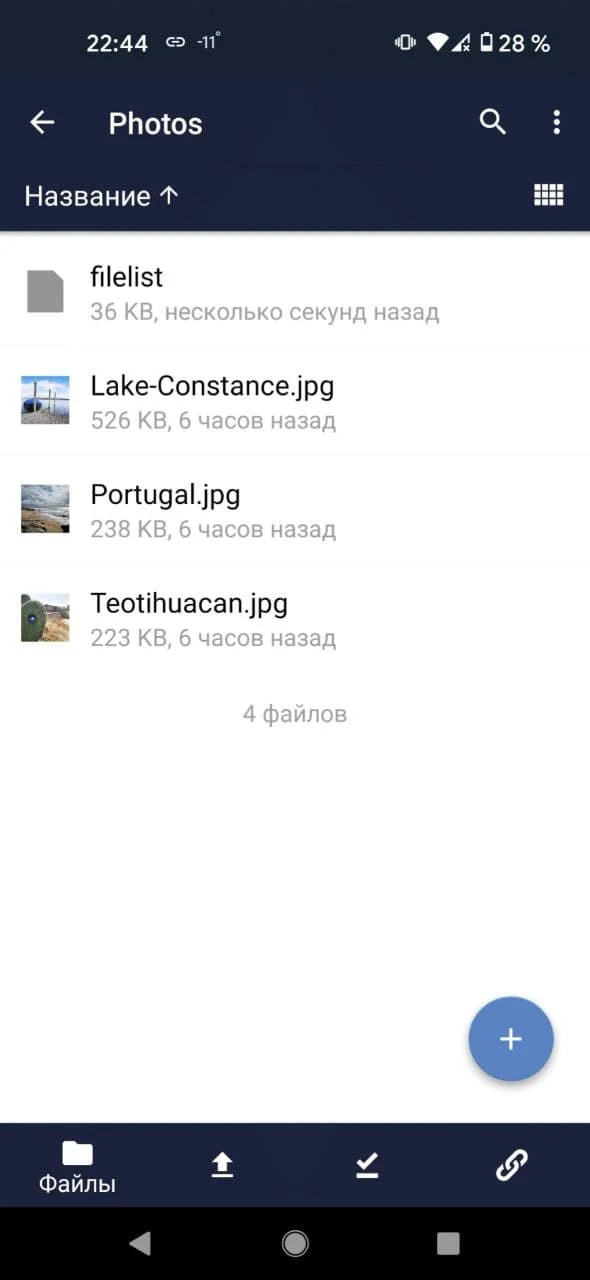
The issue is caused by exported activity com.owncloud.android.ui.activity.ReceiveExternalFilesActivity with intent filter android.intent.action.SEND_MULTIPLE that accepts URI of files for upload. Any 3rd-party application could start this activity and upload on server any files such as database file from protected directory in context of owncloud application.
Tested on latest stable version of app - 2.19. Version of android - 11.
Java PoC:
StrictMode.VmPolicy.Builder builder = new StrictMode.VmPolicy.Builder();
StrictMode.setVmPolicy(builder.build());
Intent intent = new Intent("android.intent.action.SEND_MULTIPLE");
intent.setClassName("com.owncloud.android", "com.owncloud.android.ui.activity.ReceiveExternalFilesActivity");
intent.setType("*/*");
intent.setFlags(Intent.FLAG_GRANT_READ_URI_PERMISSION);
ArrayList mStreamsToUpload = new ArrayList<>();
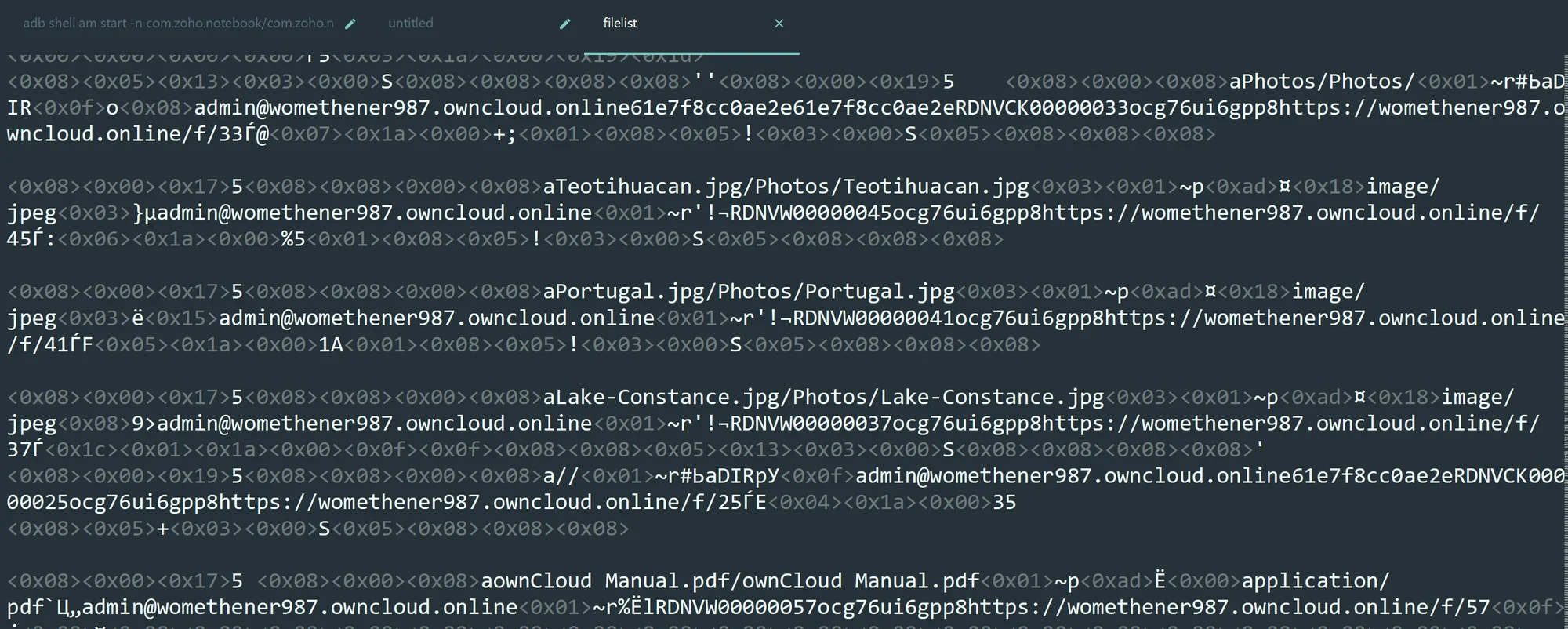
mStreamsToUpload.add(Uri.parse("file:///data/data/com.owncloud.android/databases/filelist"));
intent.putExtra("android.intent.extra.STREAM", mStreamsToUpload);
startActivity(intent);
Mitigation:
There is valid protection for preventing reading files from directory /data/data/com.owncloud.android/* in similar intent-filter android.intent.action.SEND. Copy this protection for android.intent.action.SEND_MULTIPLE.
Impact
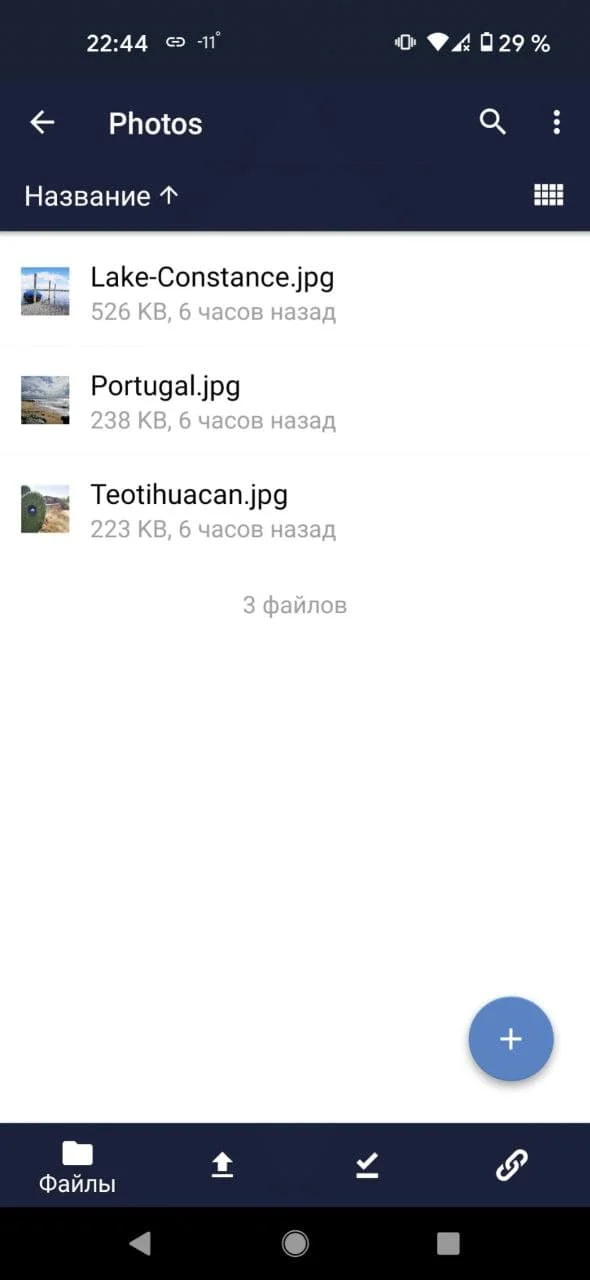
Potential attacker could steal files from protected directory of application for example files of databases, cache and history of files.
Attachments
Not written yet. The AI write-up for this report has not been written yet. The Original tab links to the source.
How it worked
Root cause
The exported activity ReceiveExternalFilesActivity with intent filter SEND_MULTIPLE lacks the file-path protection present in the similar SEND intent filter, allowing arbitrary file URIs to be processed.
Impact
A malicious app could steal sensitive files such as databases, cache, and file history from the ownCloud app's protected directory.
What the attacker needed
Malicious app installed on the same device
The fix
The protection used for the SEND intent filter should be applied to the SEND_MULTIPLE intent filter to prevent access to protected files.
How it was found
- Create an intent with action SEND_MULTIPLE targeting the exported activity.
- Set the intent type to accept any file and grant read URI permission.
- Add a file URI pointing to a protected file in the app's private directory.
- Start the activity, which uploads the file to the server.
Explained by bugbounty.wiki with AI from the original and checked against quotes from it; it can still be wrong. Read the original before relying on a detail.
Not written yet. The AI write-up for this report has not been written yet. The Original tab links to the source.
A malicious app could make the app upload its private database to the server.
What is Path traversal?
Input that builds a file path escapes the intended folder, reading or writing files the application should never touch.



