clickjacing can lead to account takeover
The report says the draw endpoint on sketch.pixiv.net can be used with a clickjacking proof of concept to trick users into unintended actions such as entering a password or clicking buttons.

- Triaged in 44 hours
- Fixed in 51 days
- Paid in 21 days
- Disclosed after 2.4 years
hello team . while testing the site we found an endpoint call https://sketch.pixiv.net/draw
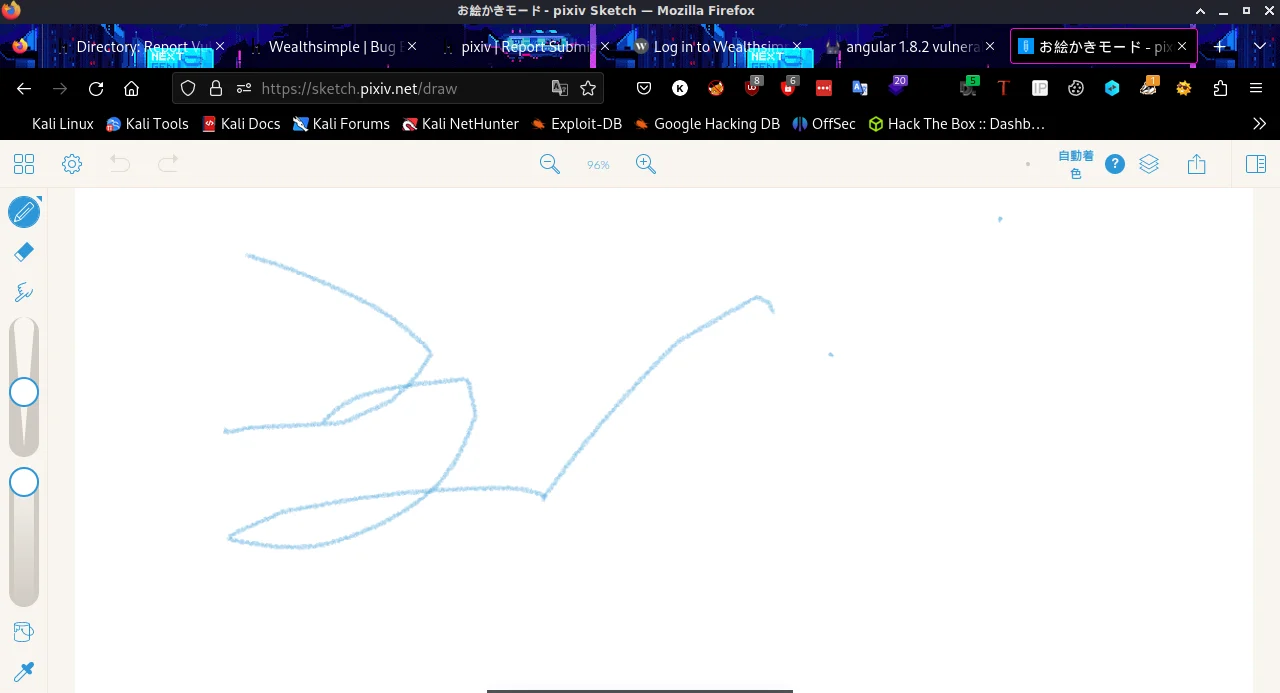
using it we can trick the user to fake login with the use of clickjackingpoc : https://github.com/shifa123/clickjackingpoc as poc shown :
Impact
Users are tricked into performing all sorts of unintended actions are such as typing in the password, clicking on ‘Delete my account’ button, liking a post, deleting a post, commenting on a blog. In other words all the actions that a normal user can do on a legitimate website can be done using clickjacking.
What the report shows
The target is the pixiv program on HackerOne, and the asset named in the report is sketch.pixiv.net. The researcher, hyk3n, reports a clickjacking issue on an endpoint used by the site's drawing feature:
https://sketch.pixiv.net/draw
The researcher claims the endpoint can be framed, so an attacker can trick a user into interacting with the drawing page while believing they are doing something else. The researcher describes the technique as tricking the user into a fake login and refers to a public proof-of-concept tool for clickjacking:
https://github.com/shifa123/clickjackingpoc
The report includes a screenshot of the proof of concept.
The report does not include the HTML of the framing page, the response headers of the endpoint, or any step-by-step reproduction beyond the URL and the tool reference. It also does not describe a specific action that was successfully triggered on the framed page; the impact section is written in general terms about what clickjacking allows.
The platform recorded the report as UI Redressing (Clickjacking), severity low, CVSS 3.8, with a bounty of 200.00 USD, disclosed on 2026-01-18. The report text does not describe a fix.
Root cause
The report suggests the page at https://sketch.pixiv.net/draw can be loaded inside an attacker-controlled frame. The report does not show the headers, so the exact cause is not established.
Impact
As the report puts it, users can be tricked into performing unintended actions: typing in a password, clicking a delete-account button, liking a post, deleting a post, or commenting on a blog. In other words, any action a normal user can perform on the legitimate site can be driven through clickjacking. The report describes this as a general consequence of clickjacking rather than demonstrating one specific state-changing action on the drawing endpoint.
How this kind of bug works
Clickjacking, or UI redressing, abuses the fact that a browser will render another origin's page inside an iframe unless that page forbids it. The attacker loads the victim page in a frame, positions it under the cursor, and overlays decoy content on top, often with transparency or clipping so the victim sees only the decoy. When the user clicks what looks like a harmless button or types into what looks like a form, the input lands on the framed page instead. Because the frame is same-site with respect to the victim's session, the browser attaches the victim's cookies and the action is performed with their privileges.
The bug exists when a sensitive page can be framed and performs state-changing actions on the strength of the session alone. Defences work at two levels: the framed page can refuse to be framed, and the action can require a value the attacker cannot know or set.
How to test for it
- Identify pages that perform authenticated, state-changing actions: account settings, password or email change, delete flows, posting and commenting, OAuth consent screens, and any page with a one-click action.
- Check the response headers for frame protection. Look for
Content-Security-Policywith aframe-ancestorsdirective, and forX-Frame-Optionsset toDENYorSAMEORIGIN. Note thatframe-ancestorstakes precedence in modern browsers, and thatALLOW-FROMis not supported. - Build a local page that embeds the target in an
iframeand load it in a browser where you are logged in to the target. A positive result is the target page rendering inside your frame and remaining interactive. - Confirm that a real action can be triggered through the frame: place the frame so a specific control sits under the click point, click, and verify server-side that the action occurred. A rendered frame alone is weak evidence; a completed state change is strong evidence.
- Test whether the action is protected by a token or a confirmation step. If a CSRF token or a re-authentication prompt blocks the action, the clickjacking finding has little impact.
Common false positives: the page renders in the frame but every meaningful action requires a token or password re-entry; the frame loads only an error or login page; the browser blocks the frame because of a header you did not notice; or the page is framed but the action is idempotent and harmless. Also beware of testing only in a browser that ignores a header the target does send.
How it is fixed
Send Content-Security-Policy: frame-ancestors 'self' (or a narrower list) on sensitive pages, and X-Frame-Options: DENY or SAMEORIGIN for older browsers. For actions that must be protected even when framing is possible, require a per-request token or a fresh authentication step, and use frame-busting JavaScript only as a supplement, never as the primary control.
Hunting notes
Clickjacking tends to hide on secondary hosts and feature subdomains that were added after the main application's header policy was set, on pages that render user content or third-party widgets, and on flows that combine several steps, such as consent and confirmation screens. Recon signals include hosts that return different headers from the main site, pages that already need to be embeddable for legitimate integrations, and any endpoint whose response lacks both frame-ancestors and X-Frame-Options.
To make a report accepted, show a concrete state-changing action completed through the frame, with the request that resulted and the server-side effect, rather than only a screenshot of a framed page. Explain the user interaction required and why the action matters, and note any mitigating token or confirmation step you found.
What happened, in plain words
pixiv is a site where people share and look at artwork. One of its features is a drawing tool, and the report is about a page of that tool at this address:
https://sketch.pixiv.net/draw
A page like this is just something your browser downloads and draws on screen. The researcher, hyk3n, reports that this particular page can be loaded inside another page, in a small window called a frame. That is the whole basis of the bug: if a page can be shown inside someone else's page, the owner of that other page can put things on top of it and control what you think you are clicking.
The researcher describes the trick as making the user do a fake login, and points to a public tool that builds such a trap:
https://github.com/shifa123/clickjackingpoc
A proof of concept (often shortened to PoC) is a small demonstration that a bug is real, rather than just a theory. Here the proof is a screenshot of the trap:
The report does not include the code of the trap page, the technical details the pixiv server sends back, or a step-by-step recipe beyond the address and the tool. It also does not show one specific action that was successfully carried out on the framed page. The impact section is written in general terms about what this kind of attack allows.
The platform recorded the report as UI Redressing (Clickjacking), severity low, with a CVSS score of 3.8, a bounty of 200.00 USD, and disclosure on 2026-01-18. The report text does not describe a fix.
In general, how this kind of bug works
Clickjacking, also called UI redressing, abuses a simple browser behaviour: a page can display another page inside it using an element called an iframe (inline frame). Think of it as a picture frame hanging on a wall: the wall is the attacker's page, and the picture inside the frame is the real pixiv page. Unless the picture refuses to be hung there, anyone can build the wall around it.
The attacker loads the victim page in the frame, then places decoy content on top of it, often transparent or partly hidden, so the visitor only sees the decoy. When the visitor clicks what looks like a harmless button, or types into what looks like a form, the click or keystroke actually lands on the hidden page underneath. Because the browser still treats that hidden page as pixiv, it sends along the visitor's login cookie, the small piece of data that proves who they are. The action is then performed with the visitor's own account and permissions.
The bug exists when two things are true at once: a sensitive page can be framed, and that page performs actions based only on the session cookie. Defences work at two levels. The framed page can refuse to be framed at all, and the action itself can demand a value the attacker cannot know or supply.
How to test for it
- Find pages that change something on your account: settings, password or email change, delete flows, posting and commenting, permission screens, and any page with a one-click action. These are the pages worth attacking, because a click there has consequences.
- Look at what the server sends back with the page, the response headers. Two headers matter.
Content-Security-Policywith aframe-ancestorsdirective tells the browser which pages may frame this one.X-Frame-Optionsset toDENYorSAMEORIGINdoes a similar job for older browsers. In modern browsersframe-ancestorswins, and the olderALLOW-FROMvalue is not supported. - Build a small page on your own computer that puts the target inside an
iframe, and open it in a browser where you are logged in to the target. A positive result is the target page appearing inside your frame and still responding to clicks. - Confirm that a real action can be triggered through the frame. Position the frame so a specific control sits under the click point, click, and then check on the server side that the action actually happened. A page that merely renders in a frame is weak evidence; a completed change is strong evidence.
- Check whether the action is protected by a token or a confirmation step. A token is a one-time value the server hands out and expects back, which an attacker's page cannot guess. If a token or a fresh password prompt blocks the action, the finding has little impact.
Common false positives: the page renders in the frame but every meaningful action needs a token or a password re-entry; the frame only loads an error or login page; the browser blocks the frame because of a header you did not notice; or the framed action is harmless and repeatable. Also beware of testing only in a browser that ignores a header the target does send.
How it is fixed
Sensitive pages should send Content-Security-Policy: frame-ancestors 'self', or a narrower list, and X-Frame-Options: DENY or SAMEORIGIN for older browsers. For actions that must stay safe even when framing is possible, require a per-request token or a fresh login step. JavaScript that tries to break out of a frame is only a supplement, never the main control.
Where to look while hunting
Clickjacking tends to hide on secondary hosts and feature subdomains added after the main site's header policy was set, on pages that show user content or third-party widgets, and on flows with several steps such as consent and confirmation screens. Useful signals are hosts that return different headers from the main site, pages that already need to be embeddable for legitimate integrations, and any response lacking both frame-ancestors and X-Frame-Options.
To get a report accepted, show a concrete action completed through the frame, with the request that resulted and the effect on the server, rather than only a screenshot of a framed page. Explain what the user has to do and why the action matters, and note any token or confirmation step you found.
Glossary
- Clickjacking (UI redressing): tricking a visitor into clicking or typing on a hidden page that is displayed under a decoy.
- Frame / iframe: a way for one web page to display another page inside a rectangular area of itself.
- Endpoint: a specific address on a server that a browser can request, here the drawing page.
- Proof of concept (PoC): a small demonstration that a bug is real and can be triggered.
- Cookie: a small piece of data the browser stores for a site and sends back with each request, often used to keep you logged in.
- Session: the period during which a site recognises you as logged in, based on your cookie.
- Response headers: extra information a server sends alongside a page, telling the browser how to treat it.
Content-Security-Policy: a header that sets rules for a page, including which pages may frame it viaframe-ancestors.X-Frame-Options: an older header that tells the browser whether a page may be framed, using values such asDENYandSAMEORIGIN.- Token: a value the server issues and expects back with an action, which an attacker's page cannot know or forge.
- State-changing action: anything that alters data on the server, such as deleting a post or changing a password.
- False positive: a finding that looks like a bug but is not exploitable in practice.
- CVSS: a scoring system that rates the severity of a vulnerability, here 3.8.
- Severity: a label for how serious a bug is, here low.
- Bounty: a payment a company makes to a researcher for a valid report, here 200.00 USD.
- Disclosure: the date a report is made public.


