Reset any password
The password reset process had a six-digit verification code with no limit on submission attempts at the final step, allowing an attacker to guess the code and reset any user's password.

- Triaged in 3 days
- Fixed in 4 days
- Paid in 4 days
- Disclosed after 18 months
Summary:
When I try to reset the password, the verification code of the mailbox is 6 digits, and there is no limit on the number of submissions, so I can reset the password of any user.
Steps To Reproduce:
1.input the email reset password url.
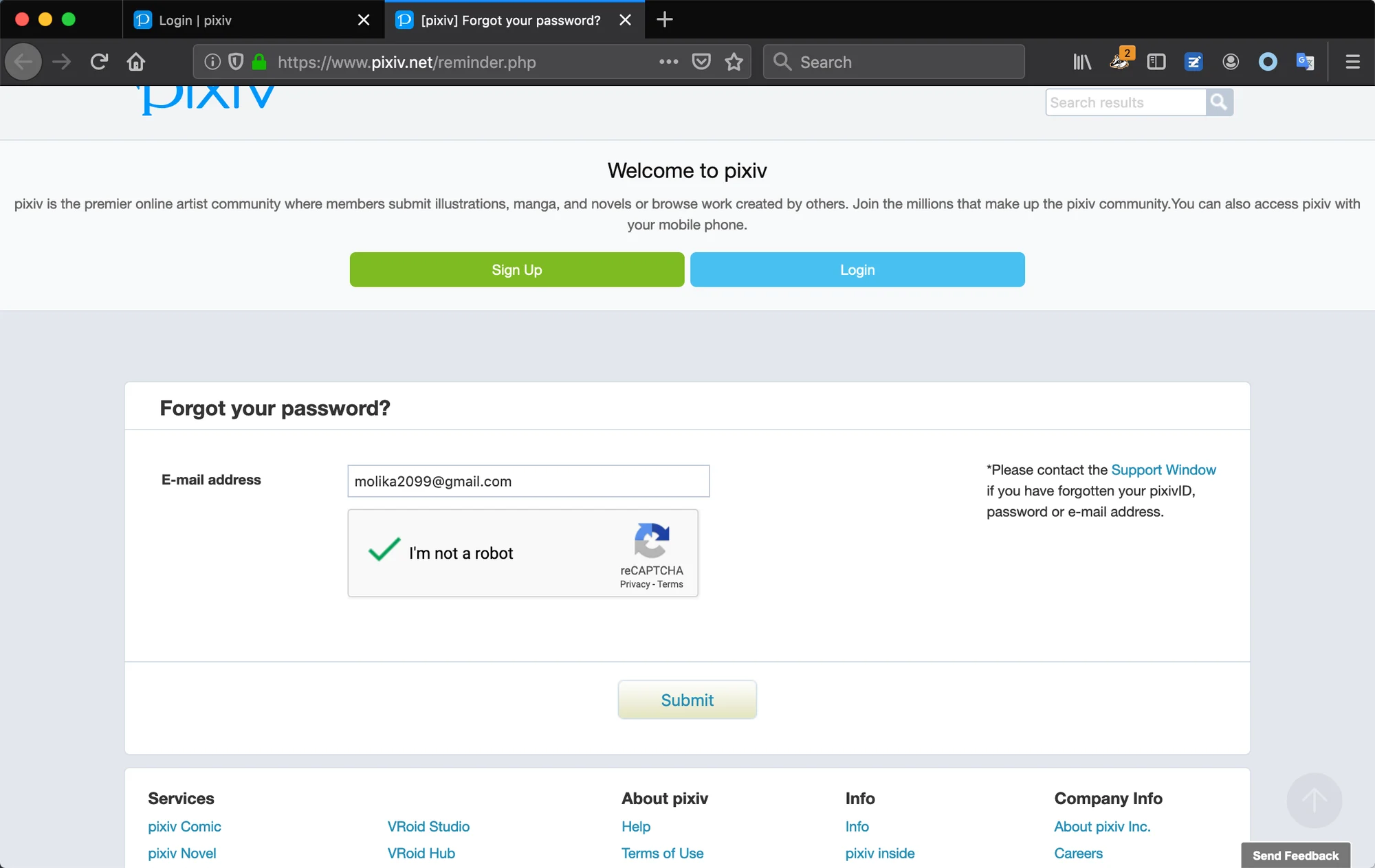
click the "submit" button
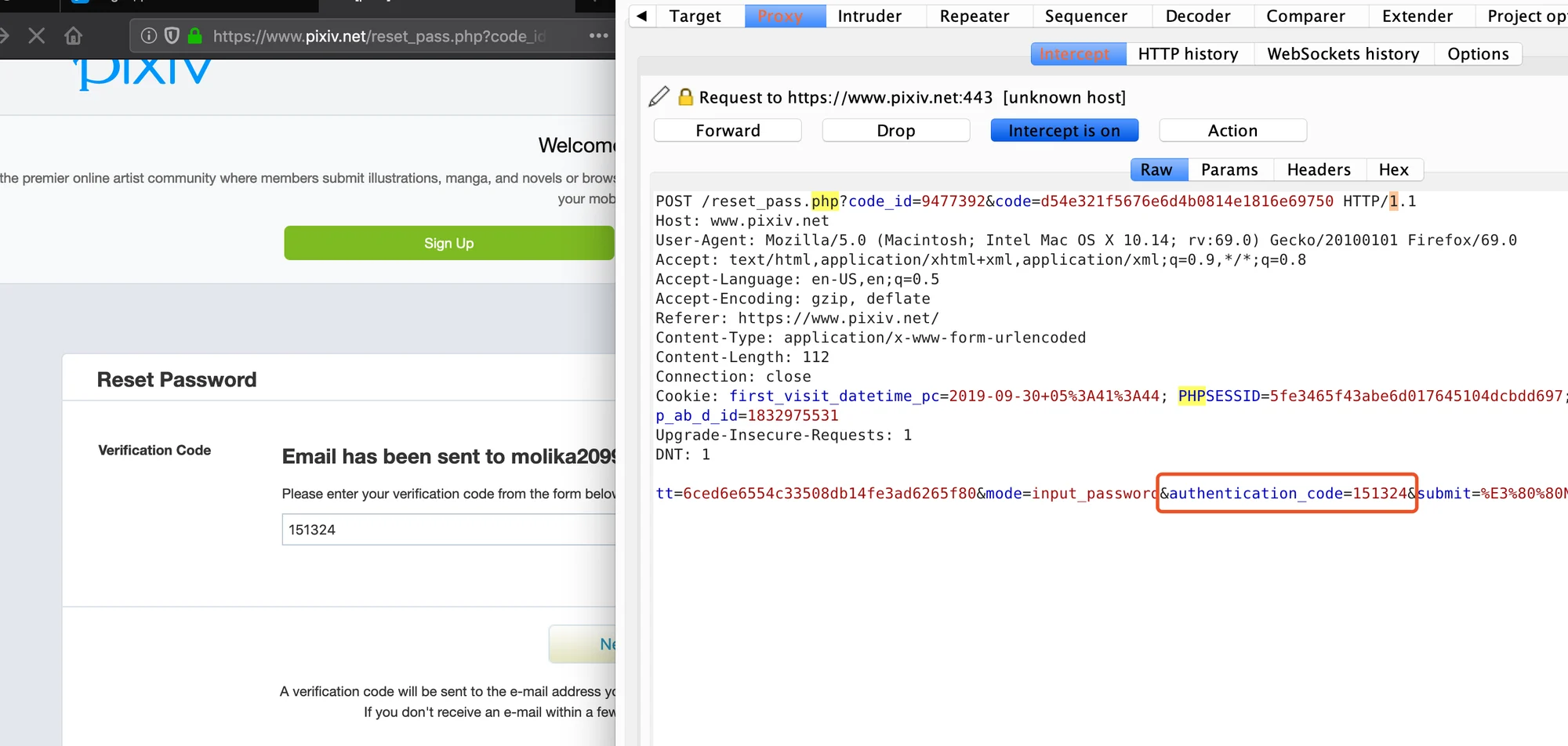
input the email verification code and try to guess the verification code, but I won’t be able to continue using it after I try it a few times.
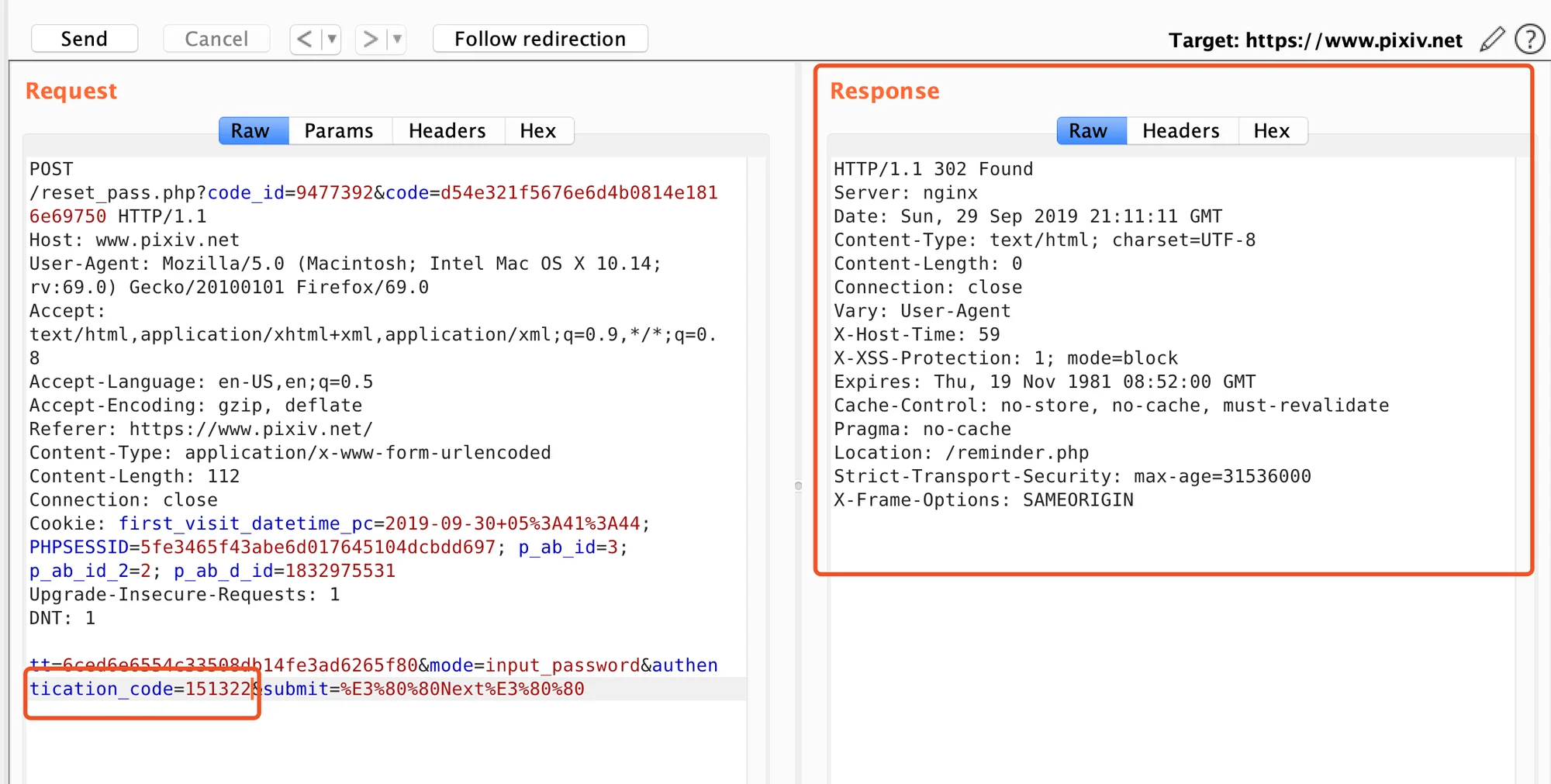
2.After trying, I found that there was no such submission restriction when the password was reset in the third step.
Repeat the above steps, the only difference is that you need to enter the correct verification code.
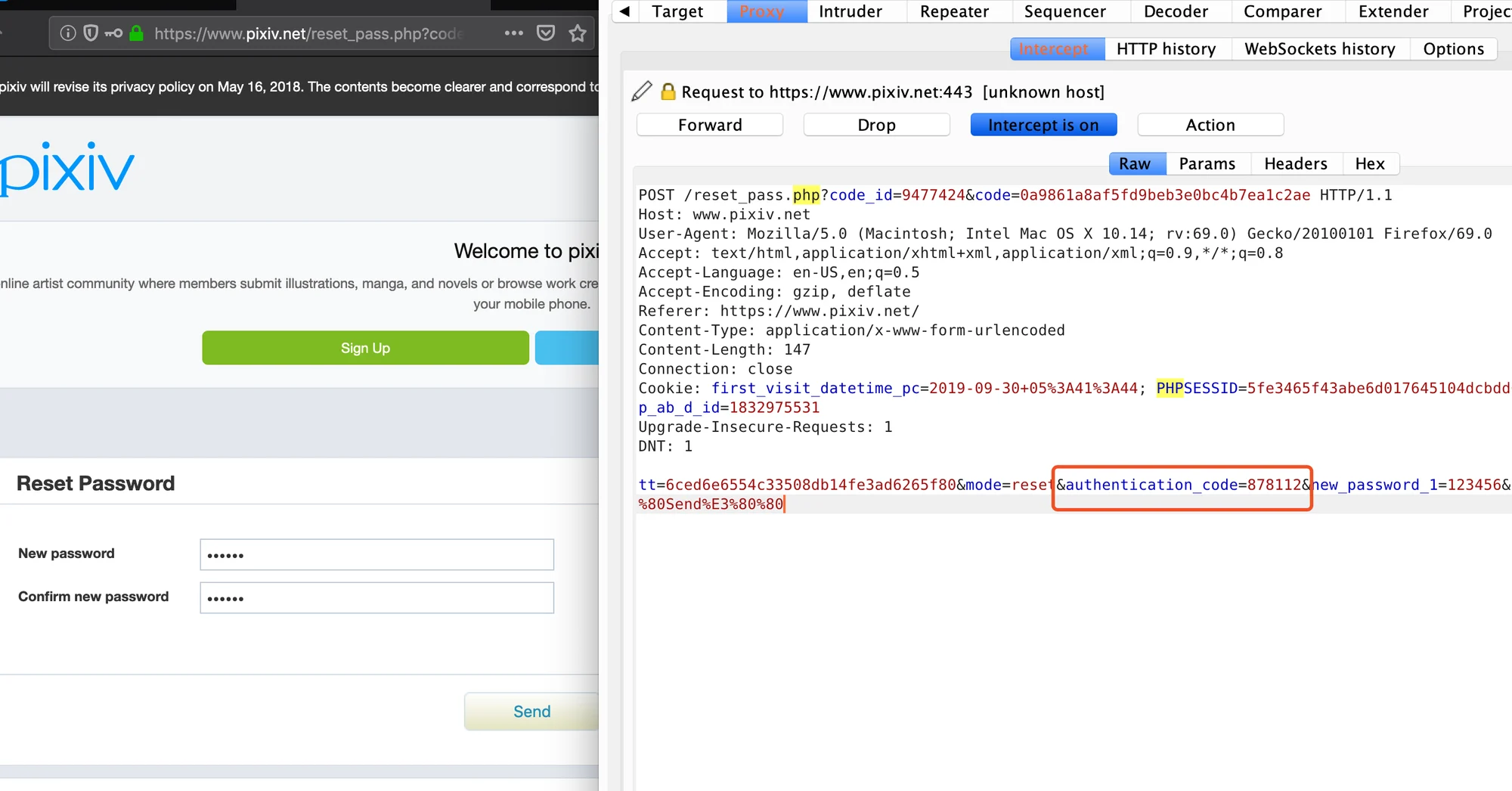
It can be seen that when we reset the password in the last step, the verification code will still be sent, that is, the verification code will be sent to the server for validity verification in the last step, and the verification code of the last step is not limited by the number of submissions. In other words, we can guess the verification code.
I wrote a python script to verify the vulnerability, you only need to enter the following parameters to verify the vulnerability.
parameter:tt code_id code phpsession
python: (Attachment on the original report: poc.py) video:
Supporting Material/References:
none
- [attachment / reference]
Impact
Reset any user's password
Not written yet. The AI write-up for this report has not been written yet. The Original tab links to the source.
How it worked
Root cause
Likely the final password reset step did not enforce a limit on the number of verification code guesses, unlike an earlier step.
Impact
An attacker could reset any user's password by guessing the verification code, leading to account takeover.
What the attacker needed
Know the victim's email address; access to the password reset page
How it was found
- Enter the target email on the password reset page and submit.
- Receive the verification code sent to the email.
- At the final password reset step, repeatedly guess the six-digit code; no submission limit is enforced there.
- Use a script to automate guessing the code and reset the password.
Explained by bugbounty.wiki with AI from the original and checked against quotes from it; it can still be wrong. Read the original before relying on a detail.
Not written yet. The AI write-up for this report has not been written yet. The Original tab links to the source.
When you forget your password, a website sends a short number to your email to prove it's you. This report found that the website let someone try that number over and over without stopping them, so a bad person could keep guessing until they got it right and then change your password.
What is Account takeover?
Getting into someone else's account through a flaw in sign-in, password reset, second factor, single sign-on or session handling.


