How I Hacked Scopely and Got $$$
A login page reflected an email address containing HTML into the page without proper sanitisation, causing self-XSS. The researcher then used a clickjacking page to trick a victim into triggering the payload, but the text does not show that account takeover was actually achieved.
 Published on medium.com
My Name is Aryan From Kurdistan And Bug Hunter in Hackerone and Integrity, Also a Student 4th Stage In English Department.
The full write-up lives on its author's site
It belongs to its author, so we link to it rather than copy it. The other two tabs are our own rewrites, checked against it.
Context
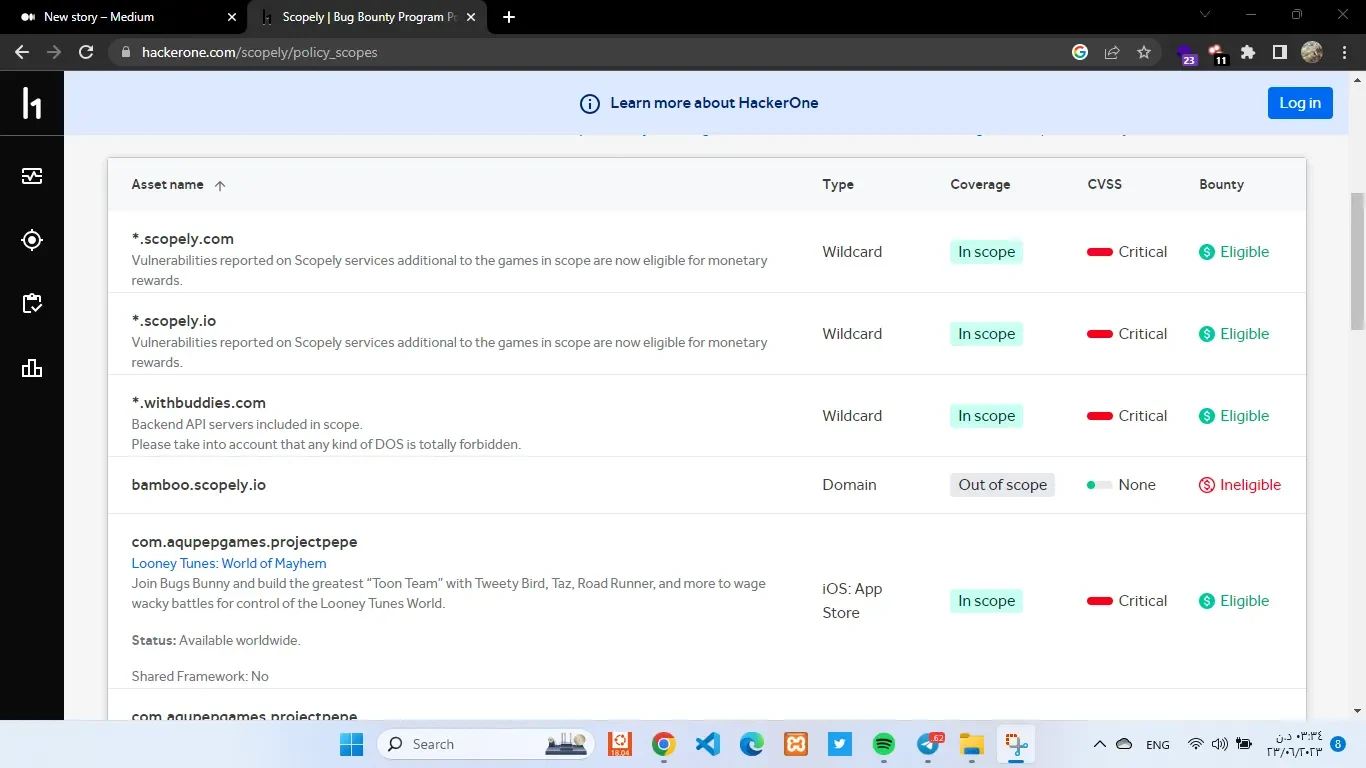
Scopely runs a public bug bounty program with a large scope of subdomains. The researcher picked it as a target after reading another researcher's write-up about the same company, on the reasoning that a big scope gives a hunter room to find something new. The feature that mattered in the end was a login page on a redacted Scopely subdomain where users can create an account. A second, related subdomain, also redacted, was tied to the Medium app: when a user interacted with it, responses carried information about the user's Medium account.
Setup
The work was done manually, at night, over two sessions. The researcher's own tooling was a subdomain collector and a crawler; the report shows screenshots of both but gives no names or versions. The only precondition worth noting is that the program is public, so some functionality had already been tested by other researchers, and the plan was to focus on a short list of bug classes: analysing JavaScript files, CSRF, GitHub reconnaissance, XSS and open redirects.

Finding it
The first night was spent on interaction rather than exploitation: playing with functionality and taking notes on each subdomain, then collecting URLs from the crawler before leaving.
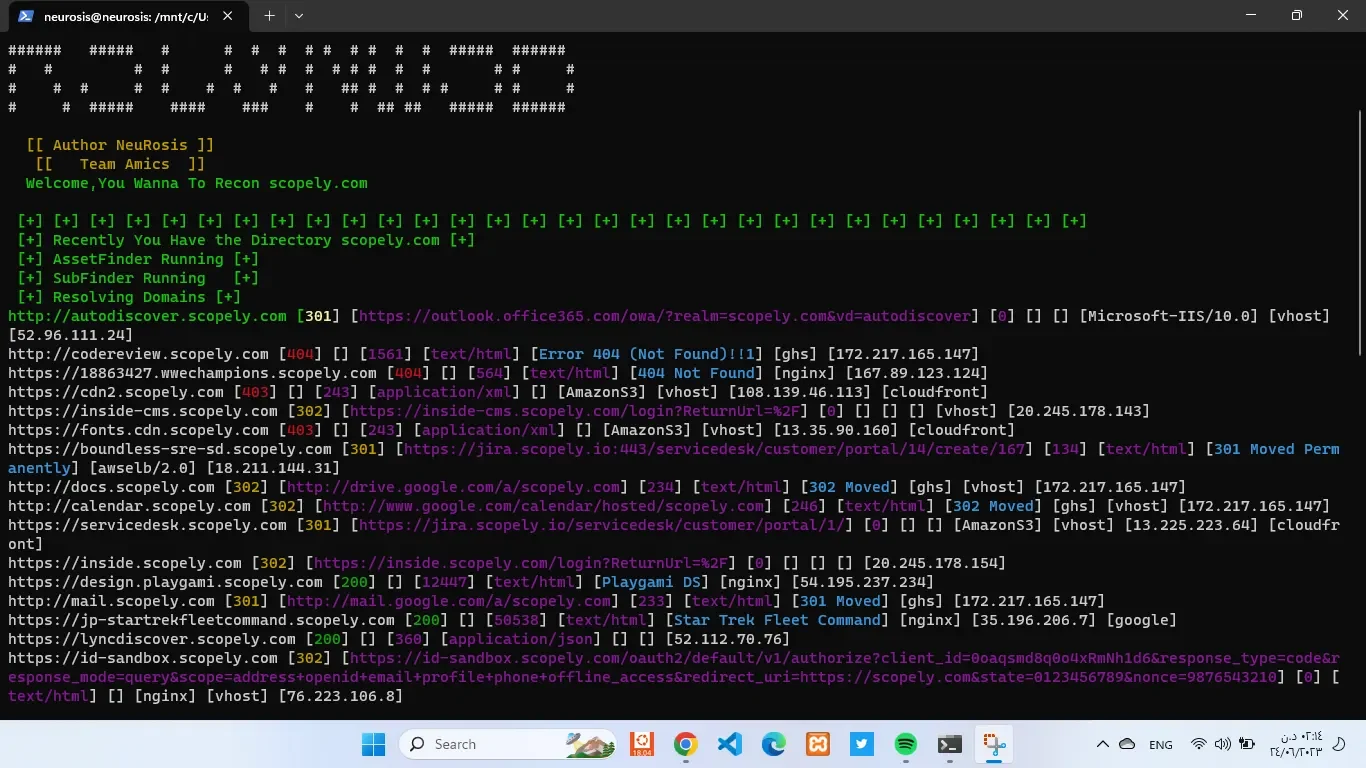
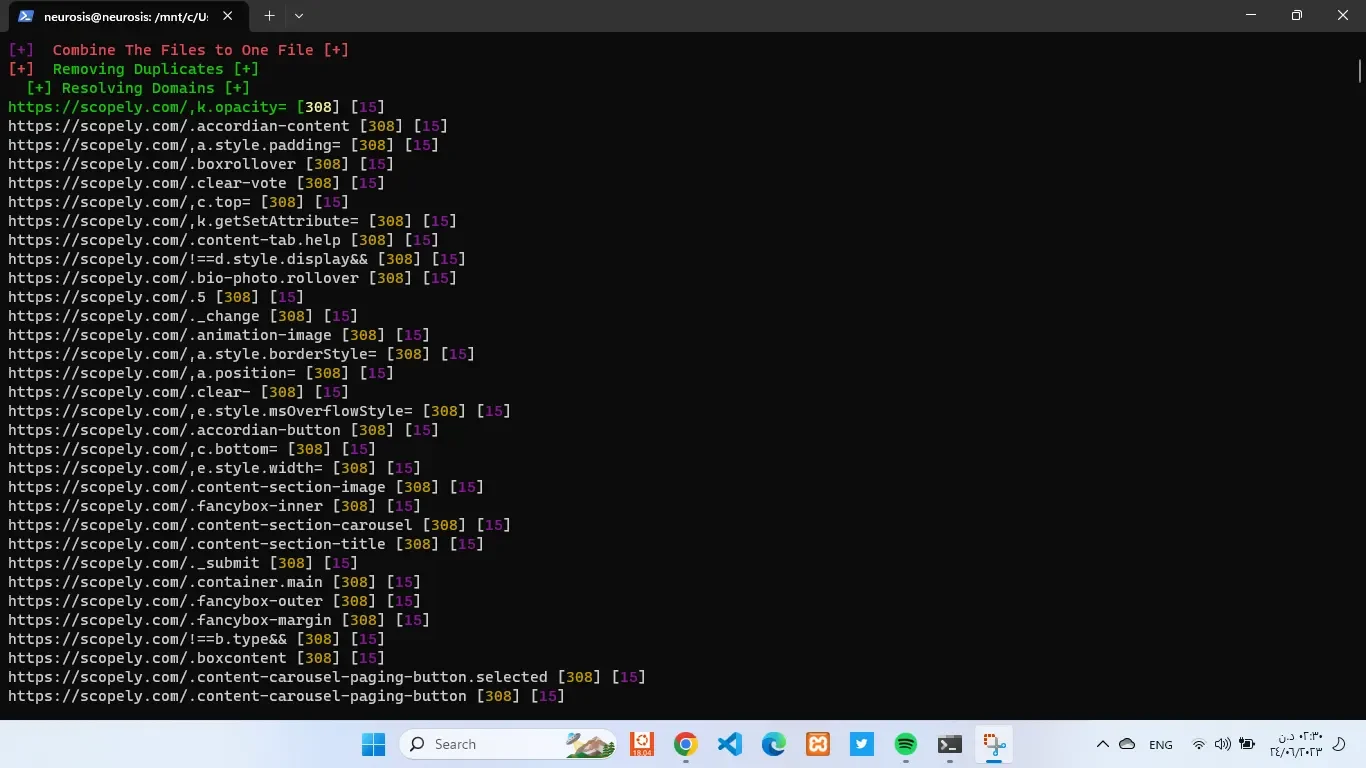
The second night covered JavaScript analysis and GitHub reconnaissance, both without anything interesting. CSRF was ruled out early because the subdomains did not have interesting functionality, and the forms that were tested carried CSRF tokens. Bypass attempts were tried, described in the report as removing tokens, reusing tokens, removing the token and putting some text in its place, and guessing tokens to brute force, all without success.
What changed the direction was a redacted Scopely subdomain connected to the Medium app. Intercepting its requests showed responses containing a lot of information about the user's Medium account: user id, username, the connected Facebook account if there is one, and an access token for the Medium account.
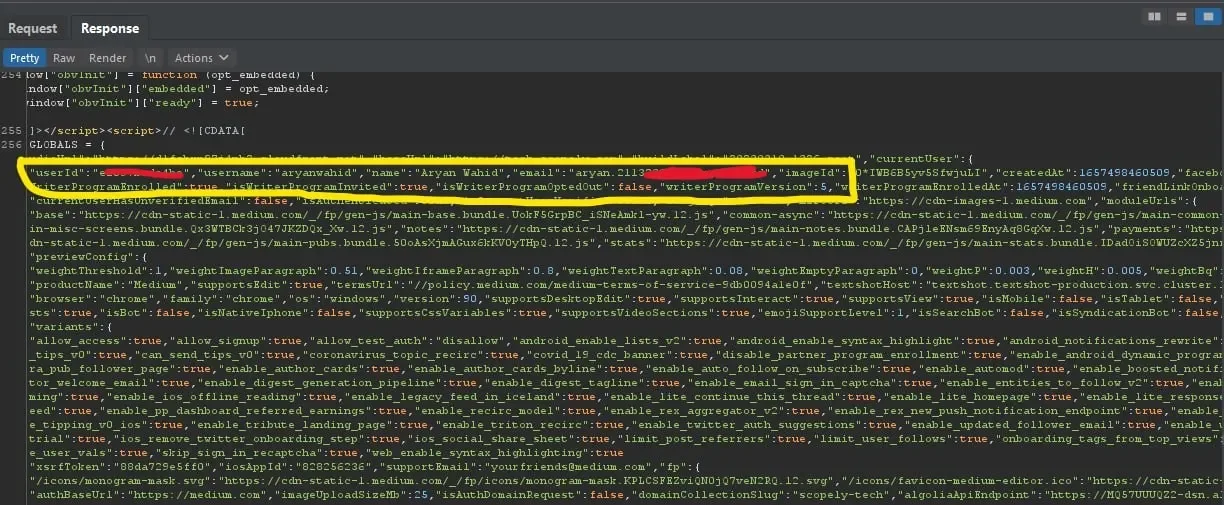
The problem was delivery: there was no obvious way to make a victim produce that data and send it to an attacker. Two ideas were tried. The first idea was to make a file as a clickjacking attack, so that when the user clicked a button the data would be stolen to the researcher's server, as a CORS attack. It did not work because the response carried X-Frame-Options: Same origin. The second idea came from the notes taken the previous day: a redacted Scopely subdomain that is a login page where users can create an account, with little functionality beyond that. Attempts to bypass email creation there failed.
Exploitation
Step 1: XSS in the email field
The next day the researcher watched a bug bounty course by Zhenwar, and in the XSS section the instructor exploited an email form with an XSS payload. That technique was new to the researcher, and it was tried on the login page's email field:
“hello<form/><!><details/open/ontoggle=alert(‘W13D0M’)>”@gmail.com
The payload is shaped as an email address: a quoted local part containing the markup, followed by @gmail.com. The <form/> and <!> fragments break up the string, and the <details/open/ontoggle=...> element fires its handler when the element is toggled open. After clicking Continue, the alert fired.
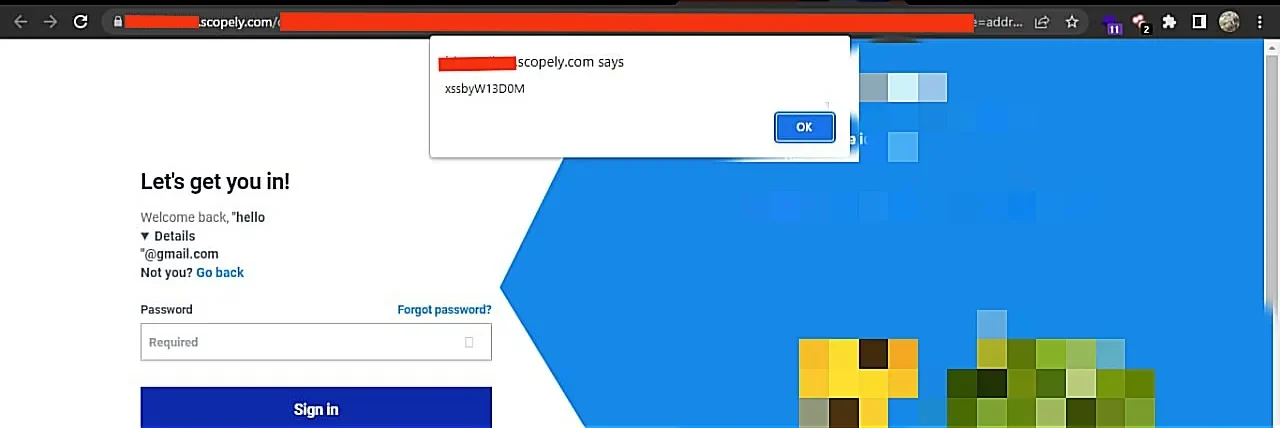
On its own this is self-XSS: the script runs in the session of the person who typed it, so it has no value against anyone else. The remaining problem was delivery to a victim.
Step 2: Delivering it through clickjacking
The subdomain holding the login page turned out to be vulnerable to clickjacking, so the researcher built a file that frames the page and gets the victim to interact with it. The report shows the proof of concept as a screenshot rather than as source.
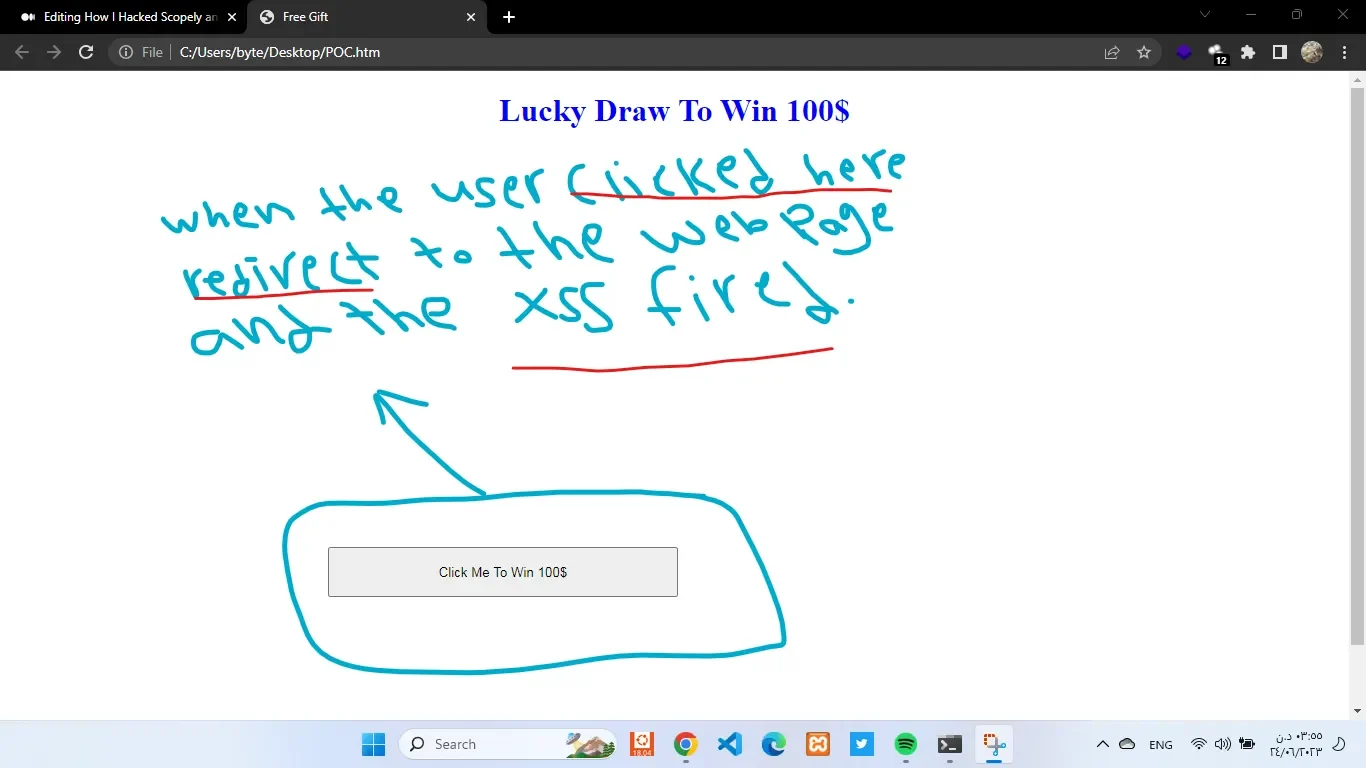
With the payload in the email field and the framed page under the attacker's control, a victim can be walked into submitting the payload, at which point the script runs in the context of the Scopely subdomain. The report does not spell out the exact sequence of clicks or how the resulting script reaches the Medium data seen in step 1; it presents the self-XSS and the clickjacking as the chain that was reported.
Root cause
The report does not state why the markup in the email field was executed. The subdomain holding the login page was vulnerable to clickjacking, which allowed it to be embedded. The Medium-connected subdomain's own defence, X-Frame-Options: Same origin, blocked the direct clickjacking-plus-CORS route against that endpoint, which is why the login page became the delivery surface instead.
Impact
Under the conditions described, an attacker who can get a victim to interact with a crafted page can execute script in the context of the Scopely login subdomain. The report titles the chain as self-XSS to account takeover, and the Medium-connected subdomain's responses contained a Medium access token along with the user id, username and connected Facebook account. The report does not describe which accounts were affected, how many users, or the exact mechanism by which the Medium token was reached from the login-page script.
Fix
The fixes implied by the findings are to sanitise or encode the email value before rendering it, and to send frame protections such as X-Frame-Options or a restrictive frame-ancestors policy on the account creation page, as the Medium-connected subdomain already did.
Variants to test
- Put markup inside the local part of an email address on registration, login and password reset forms, using a quoted local part as above. A positive result is the handler firing when the field is rendered or the element is toggled.
- Check whether pages that reject framing with
X-Frame-Optionshave a sibling page, such as a login or signup flow, that does not. A positive result is a page that renders inside an iframe. - Look for endpoints that return third-party access tokens or profile data to the browser, then check their CORS policy. A positive result is a response readable from an attacker origin.
- Test CSRF token handling with removal, reuse and substitution of the token value. A positive result is a state-changing request accepted without a valid token.
- Review JavaScript files and public repositories for endpoints and parameters not linked from the UI, then test those for the same input handling issues.
What happened, in plain words
A security researcher found a way to run script in a victim's browser on a company's website by chaining two weaknesses. The company, Scopely, makes games and runs a public bug bounty programme, which means it invites people to try to break its systems and pays them for reporting problems. The researcher started by reading someone else's write-up about Scopely, then spent two nights testing. He found a login page where users create accounts, and discovered that the email field would run a small script if you typed special characters into it. On its own that only affects the person typing, so he combined it with another trick: a fake page that makes a victim click a button without realising. Together, these two weaknesses let an attacker run code in the victim's browser on Scopely's site. The report says the company triaged the report and paid a reward. The technical details are below, explained from scratch.
Context
Scopely runs a public bug bounty programme. A bug bounty programme is a scheme where a company says: "If you find a security flaw in our systems, tell us, and we will pay you." The company lists which of its websites and services are in scope, meaning which ones you are allowed to test. Scopely's scope is large: it includes many subdomains. A subdomain is a part of a larger domain name. For example, if the main site is example.com, then login.example.com and shop.example.com are subdomains. Each subdomain can be a separate application with its own code and its own bugs.
The researcher chose Scopely after reading another researcher's write-up about the same company. A write-up is a public report of a bug that was found and fixed. The reasoning was simple: a big scope gives a hunter more places to look, so there is a better chance of finding something new.
The feature that mattered in the end was a login page on a redacted Scopely subdomain. "Redacted" means the exact name was removed from the report to avoid pointing at the live system. On this page, users can create an account. A second, related subdomain, also redacted, was tied to the Medium app. Medium is a publishing platform. When a user interacted with that subdomain, the responses carried information about the user's Medium account. A response is what a server sends back to the browser after a request.
Setup
The work was done manually, at night, over two sessions. The researcher's own tooling was a subdomain collector and a crawler. A subdomain collector is a program that tries many possible names (like mail.example.com, dev.example.com) to discover which ones exist. A crawler is a program that visits a website and follows links, collecting all the URLs it finds. The report shows screenshots of both tools but gives no names or versions.
The only precondition worth noting is that the programme is public, so some functionality had already been tested by other researchers. That means the easy bugs are likely gone, and a hunter needs a plan. The plan was to focus on a short list of bug classes: analysing JavaScript files, CSRF, GitHub reconnaissance, XSS and open redirects. We will explain each of these when they come up.
Finding it
The first night was spent on interaction rather than exploitation. Exploitation means actually using a weakness to do something harmful. Interaction means using the site like a normal user: clicking buttons, filling forms, watching what happens. The researcher played with functionality and took notes on each subdomain. Taking notes is important because memory fades, and small observations from one night can become the key to a bug later. Before leaving, he collected URLs from the crawler.
The second night covered JavaScript analysis and GitHub reconnaissance. JavaScript is the programming language that runs in your browser and makes web pages interactive. Analysing JavaScript files means reading the code that the site sends to your browser, looking for hidden endpoints, parameters, or logic that is not visible in the user interface. GitHub reconnaissance means searching public code repositories (GitHub is the most popular one) for mentions of the company's domains, API keys, or internal paths. Both turned up nothing interesting.
CSRF was ruled out early. CSRF stands for Cross-Site Request Forgery. It is an attack where a malicious site makes your browser send a request to another site where you are logged in, without your knowledge. For example, if you are logged into your bank and visit a malicious page, that page could try to make your browser transfer money. The defence is a CSRF token: a random value that the site includes in each form and checks on the server. Without the correct token, the request is rejected. The researcher tested forms and found they carried CSRF tokens. He tried bypasses: removing the token, reusing a token, removing the token and putting some text in its place, and guessing tokens to brute force. Brute force means trying many possibilities quickly. None worked.
What changed the direction was a redacted Scopely subdomain connected to the Medium app. Intercepting its requests means using the browser's developer tools (or a proxy) to watch the traffic between the browser and the server. The responses contained a lot of information about the user's Medium account: user id, username, the connected Facebook account if there is one, and an access token for the Medium account. An access token is like a temporary key or password that a service gives to an application so it can act on your behalf. If an attacker steals it, they can use it to access your account on that service.
The problem was delivery: there was no obvious way to make a victim produce that data and send it to an attacker. Two ideas were tried. The first was a clickjacking page with a button that would make the user's browser send the data to the researcher's server, combined with a CORS attack. Clickjacking is a trick where an attacker loads a real page inside an invisible frame and places it under a fake button. When the victim thinks they are clicking the fake button, they are actually clicking the real page's control. CORS stands for Cross-Origin Resource Sharing. It is a set of rules that browsers use to decide whether a web page from one origin (a combination of protocol, domain and port) is allowed to read a response from another origin. By default, a page from attacker.com cannot read data from scopely.com. A CORS attack tries to bypass that restriction. This idea did not work because the response carried X-Frame-Options: Same origin. X-Frame-Options is a response header (a piece of metadata sent with the response) that tells the browser whether the page can be embedded in a frame. Same origin means only pages from the same origin can frame it. So the clickjacking page could not load the target.
The second idea came from the notes taken the previous day: a redacted Scopely subdomain that is a login page where users can create an account, with little functionality beyond that. Attempts to bypass email creation there failed. Bypassing email creation means trying to create an account with an email address that the system should reject, for example by using special characters or malformed addresses.
Exploitation
Step 1: XSS in the email field
The next day the researcher watched a bug bounty course by Zhenwar. In the XSS section, the instructor exploited an email form with an XSS payload. XSS stands for Cross-Site Scripting. It is a vulnerability where an attacker can inject their own JavaScript into a page that other users view. When a victim loads the page, the script runs in the victim's browser with the permissions of the vulnerable site. That can let the attacker steal cookies (small pieces of data stored by the browser, often used to keep you logged in), read data from the page, or perform actions as the victim. The technique was new to the researcher, and he tried it on the login page's email field:
“hello<form/><!><details/open/ontoggle=alert(‘W13D0M’)>”@gmail.com
Let us break this payload down. It is shaped as an email address: a quoted local part containing the markup, followed by @gmail.com. In email addresses, the part before the @ is called the local part. It can be enclosed in double quotes, which allows special characters that would otherwise be invalid. Here, the local part is “hello<form/><!><details/open/ontoggle=alert(‘W13D0M’)>”. The @gmail.com makes it look like a normal address to a casual check.
Inside the quotes, the string contains HTML markup. HTML is the language used to structure web pages. The <form/> is an empty form element. The <!> is a comment-like fragment that can break up parsing. The <details> element is a standard HTML element that shows a summary and can be expanded to reveal more content. The open attribute makes it start expanded. The ontoggle attribute is an event handler: it runs JavaScript when the details element is toggled open or closed. The JavaScript here is alert(‘W13D0M’), which shows a pop-up box with the text W13D0M. That text is the researcher's handle.
After clicking Continue, the alert fired. That means the browser treated the markup as HTML and executed the JavaScript. This is a classic sign of XSS: user input is rendered without being properly encoded. Encoding means converting special characters like < and > into harmless text (for example < and >) so they are displayed as characters, not interpreted as code.
On its own this is self-XSS: the script runs in the session of the person who typed it, so it has no value against anyone else. A session is the period during which you are logged in; it is maintained by a cookie or token. If you type the payload into your own browser, you are attacking yourself. To be useful, the payload must be delivered to a victim.
Step 2: Delivering it through clickjacking
The subdomain holding the login page turned out to be vulnerable to clickjacking. That means other sites could embed it in a frame, so the researcher built a file that frames the page and gets the victim to interact with it. So the researcher built a file that frames the page and gets the victim to interact with it. The report shows the proof of concept as a screenshot rather than as source. A proof of concept (PoC) is a demonstration that the vulnerability is real, often a small piece of code or a screenshot.
With the payload in the email field and the framed page under the attacker's control, a victim can be walked into submitting the payload. At that point the script runs in the context of the Scopely subdomain. "In the context of" means the script is treated as if it came from that site, so it can access that site's cookies, tokens, and page content. The report does not spell out the exact sequence of clicks or how the resulting script reaches the Medium data seen in step 1. It presents the self-XSS and the clickjacking as the chain that was reported. A chain is a series of weaknesses that, when combined, achieve a bigger impact than any one alone.
Root cause
The report does not state why the markup in the email field was executed. Sanitising means cleaning input to remove dangerous parts; encoding means making special characters harmless. Because neither was done, markup inside the local part of the address was treated as HTML. The subdomain holding the login page was vulnerable to clickjacking, which allowed it to be embedded. An overlay is a layer placed on top of a page, often invisible, used to capture clicks. The Medium-connected subdomain's own defence, X-Frame-Options: Same origin, blocked the direct clickjacking-plus-CORS route against that endpoint. That is why the login page became the delivery surface instead.
Impact
Under the conditions described, an attacker who can get a victim to interact with a crafted page can execute script in the context of the Scopely login subdomain. The report titles the chain as self-XSS to account takeover, though it does not show the Medium token being reached. The Medium-connected subdomain exposed a Medium access token along with the user id, username and connected Facebook account.
Fix
The fixes implied by the findings are to sanitise or encode the email value before rendering it, and to send frame protections such as X-Frame-Options or a restrictive frame-ancestors policy on the account creation page, as the Medium-connected subdomain already did. frame-ancestors is a directive in the Content-Security-Policy header that controls which pages are allowed to embed the page in a frame.
Variants to test
- Put markup inside the local part of an email address on registration, login and password reset forms, using a quoted local part as above. A positive result is the handler firing when the field is rendered or the element is toggled.
- Check whether pages that reject framing with
X-Frame-Optionshave a sibling page, such as a login or signup flow, that does not. A positive result is a page that renders inside an iframe. An iframe is an HTML element that embeds another page inside the current page. - Look for endpoints that return third-party access tokens or profile data to the browser, then check their CORS policy. A positive result is a response readable from an attacker origin.
- Test CSRF token handling with removal, reuse and substitution of the token value. A positive result is a state-changing request accepted without a valid token. A state-changing request is one that modifies data, like changing a password or making a purchase.
- Review JavaScript files and public repositories for endpoints and parameters not linked from the UI, then test those for the same input handling issues.
Glossary
- Bug bounty programme: A scheme where a company pays people to find and report security vulnerabilities in its systems.
- Scope: The list of websites, apps, and services that a bug bounty programme allows you to test.
- Subdomain: A part of a larger domain name, like
login.example.comis a subdomain ofexample.com. - Write-up: A public report describing a vulnerability that was found and fixed.
- Redacted: Removed or hidden to avoid revealing sensitive information.
- Response: The data a server sends back to a browser after a request.
- Subdomain collector: A tool that tries many possible subdomain names to discover which ones exist.
- Crawler: A tool that automatically visits web pages and follows links to collect URLs.
- JavaScript: The programming language that runs in web browsers to make pages interactive.
- GitHub reconnaissance: Searching public code repositories for information about a target, such as domains, keys, or internal paths.
- CSRF (Cross-Site Request Forgery): An attack that tricks a logged-in user's browser into sending an unwanted request to a site where they are authenticated.
- CSRF token: A random value included in forms and checked by the server to prevent CSRF attacks.
- Brute force: Trying many possibilities quickly, often to guess a token or password.
- Intercepting requests: Using tools to capture and inspect the traffic between a browser and a server.
- Access token: A temporary key that allows an application to access a user's account on another service.
- Clickjacking: An attack that embeds a real page in an invisible frame and tricks a user into clicking it.
- CORS (Cross-Origin Resource Sharing): A browser security mechanism that controls whether a page from one origin can read a response from another origin.
- Origin: A combination of protocol, domain, and port, like
https://example.com:443. - X-Frame-Options: A response header that tells the browser whether a page can be embedded in a frame.
- Same origin: A policy that only allows pages from the same origin to interact.
- XSS (Cross-Site Scripting): A vulnerability that lets an attacker inject JavaScript into a page viewed by other users.
- Payload: The malicious input or code used in an attack.
- HTML: The language used to structure web pages.
- Event handler: A piece of JavaScript that runs when a specific event occurs, like a click or toggle.
- Encoding: Converting special characters into a safe representation so they are not interpreted as code.
- Self-XSS: An XSS that only affects the person who enters the payload, not other users.
- Session: The period during which a user is logged in, maintained by cookies or tokens.
- Proof of concept (PoC): A demonstration that a vulnerability is real, often a small piece of code or a screenshot.
- Chain: A series of vulnerabilities combined to achieve a greater impact.
- Sanitising: Cleaning input to remove dangerous parts.
- Overlay: A layer placed on top of a page, often invisible, used to capture clicks.
- Account takeover: Gaining unauthorised access to someone else's account.
- frame-ancestors: A Content-Security-Policy directive that controls which pages can embed the page in a frame.
- Iframe: An HTML element that embeds another page inside the current page.
- State-changing request: A request that modifies data, such as changing a password or making a purchase.



