Email Confirmation Bypass in your-store.myshopify.com which leads to privilege escalation
A flaw in Shopify's email verification for legacy accounts allowed an attacker to verify any email address and take over accounts that did not use SSO. The attacker could then access the victim's store and partner account.
 Originally disclosed on HackerOne
- Triaged in 24 hours
- Fixed in 4 days
- Paid in 2 days
- Disclosed after 3 months
Summary by the program
On June 28th, @say_ch33se reported that it was possible to bypass Shopify's email verification for legacy accounts. Doing so would have allowed a user to access accounts they did not own.
Our team immediately deployed a change to address this issue. Additionally, we have removed the ability to verify email addresses for legacy accounts. A code to confirm email ownership at the time of merging from a legacy account is now required.
The report
Hello Shopify, I have found a bug by which I can verify any email on .myshopify.com, the bug is very strange but it works. Also I can take over the accounts but only the ones which do not have SSO.
To reproduce please follow the steps exactly as I written otherwise you will not be able to reproduce it.
Steps to reproduce:
- Go to your partners account and make a store
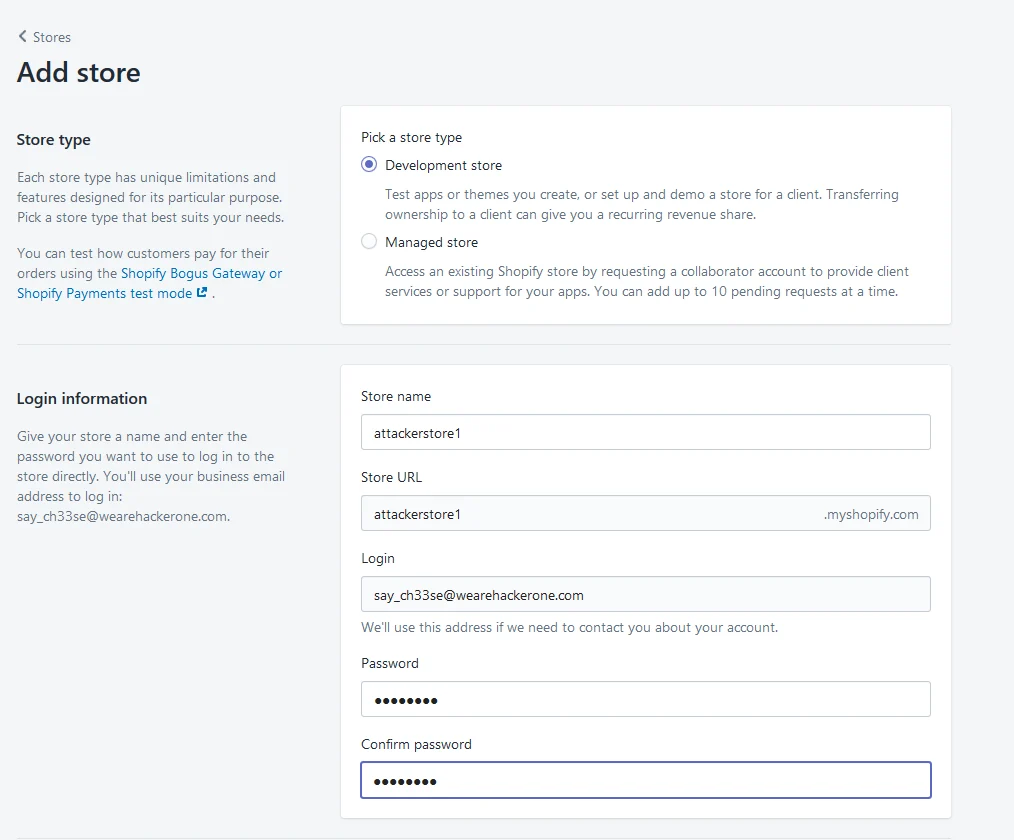
- Go to your new store and don't verify email, then go to admin/settings/account/youraccountnumber
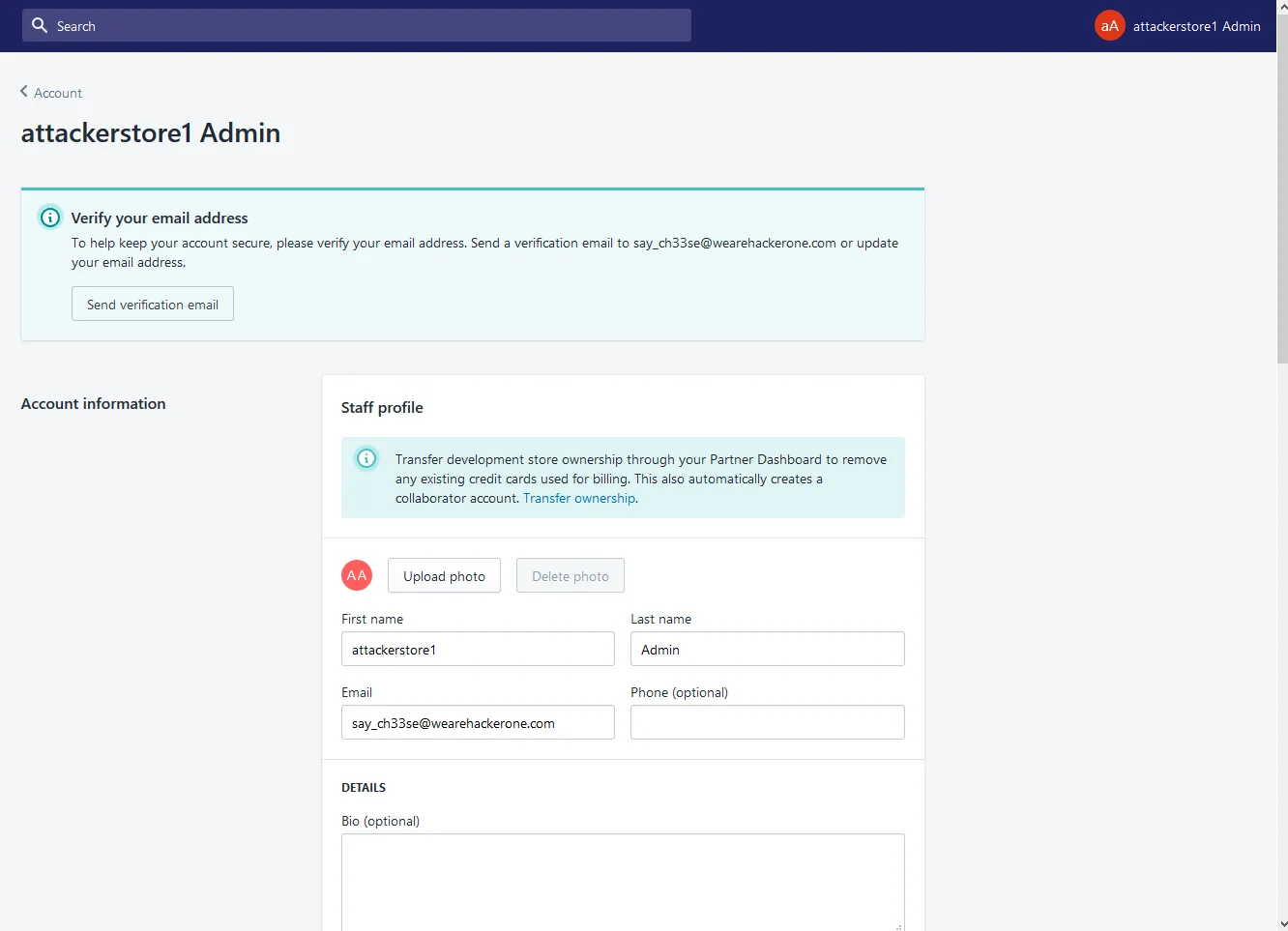
- Change your email to victims email(in my case [email protected])
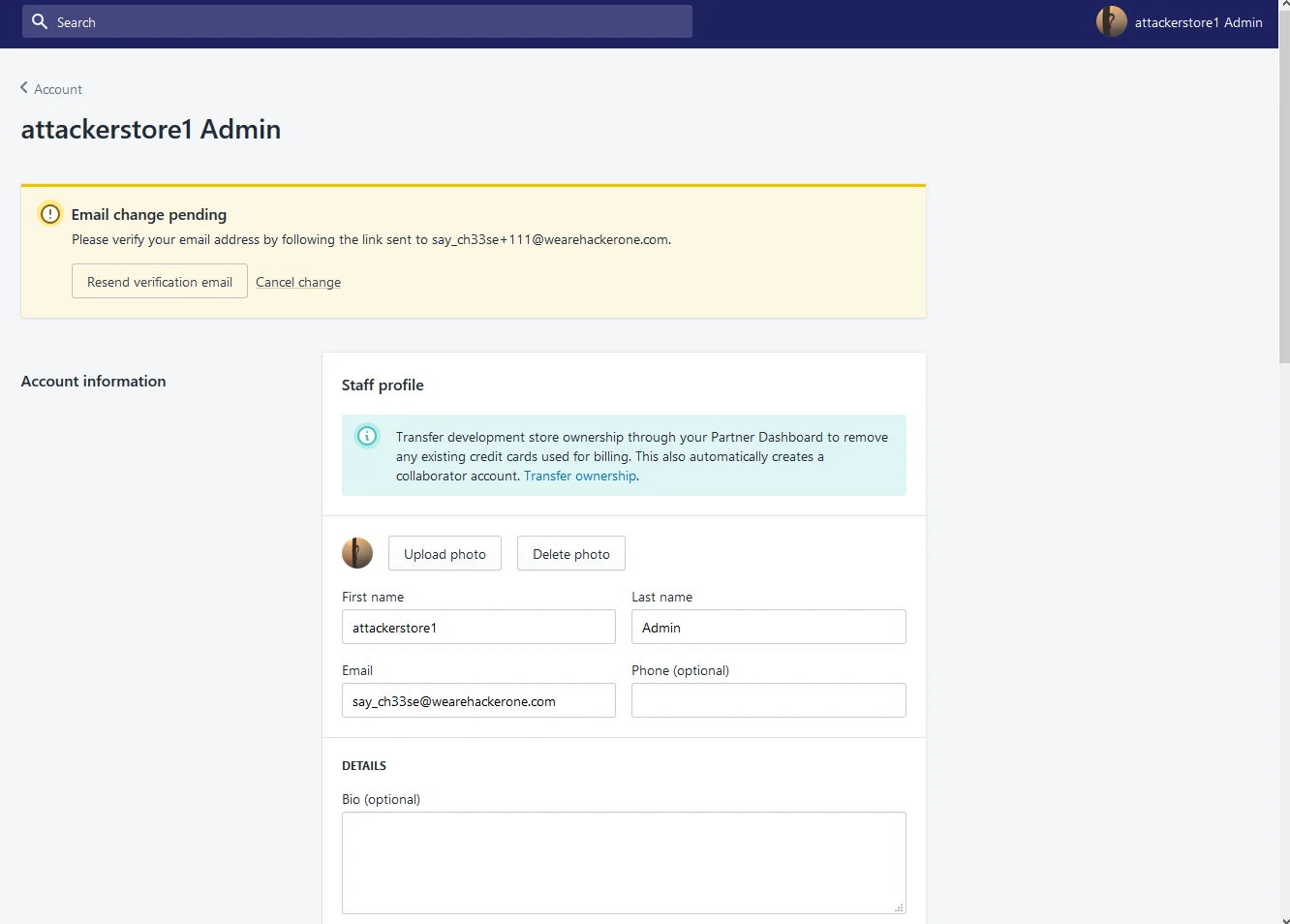
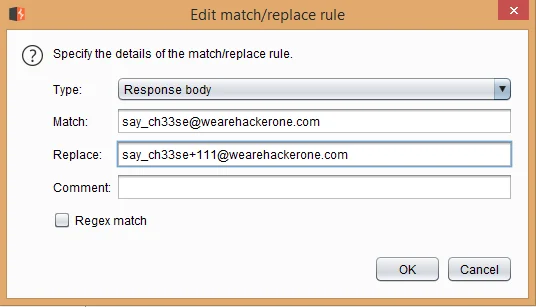
- Go to burps match and replace and replace your email with the email you want to takeover(in my case [email protected])
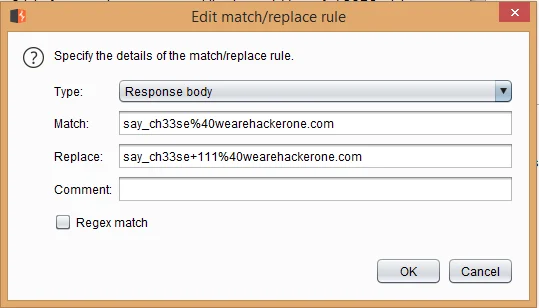
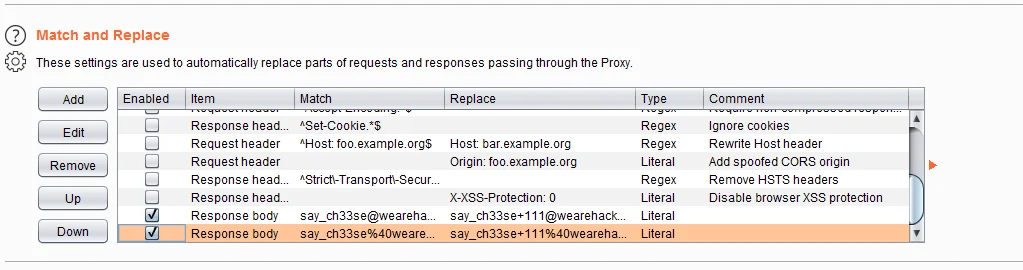
- Refresh the account page so its updated with victims email
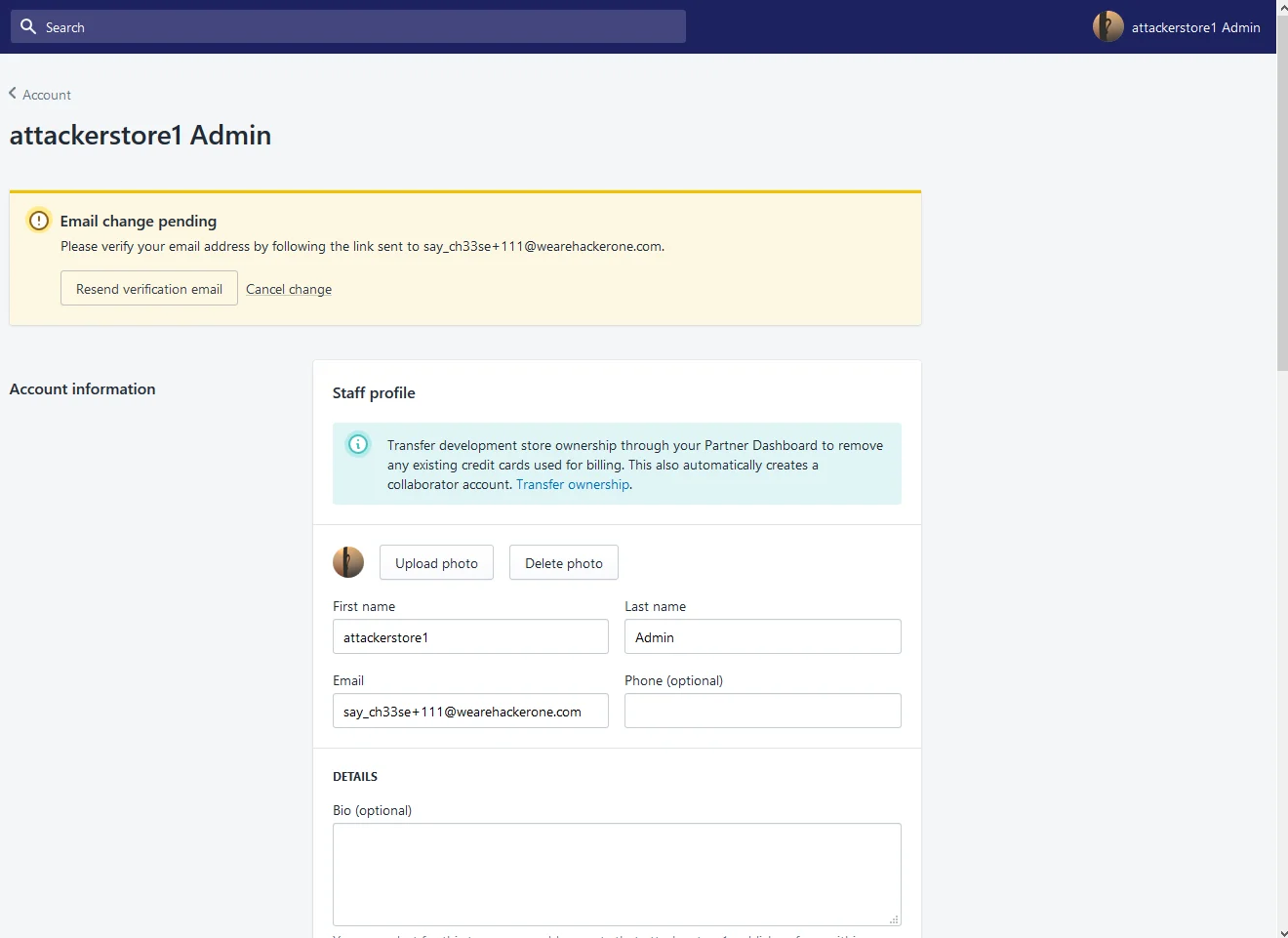
- Still on accounts page click on Upload photo and upload any photo and save
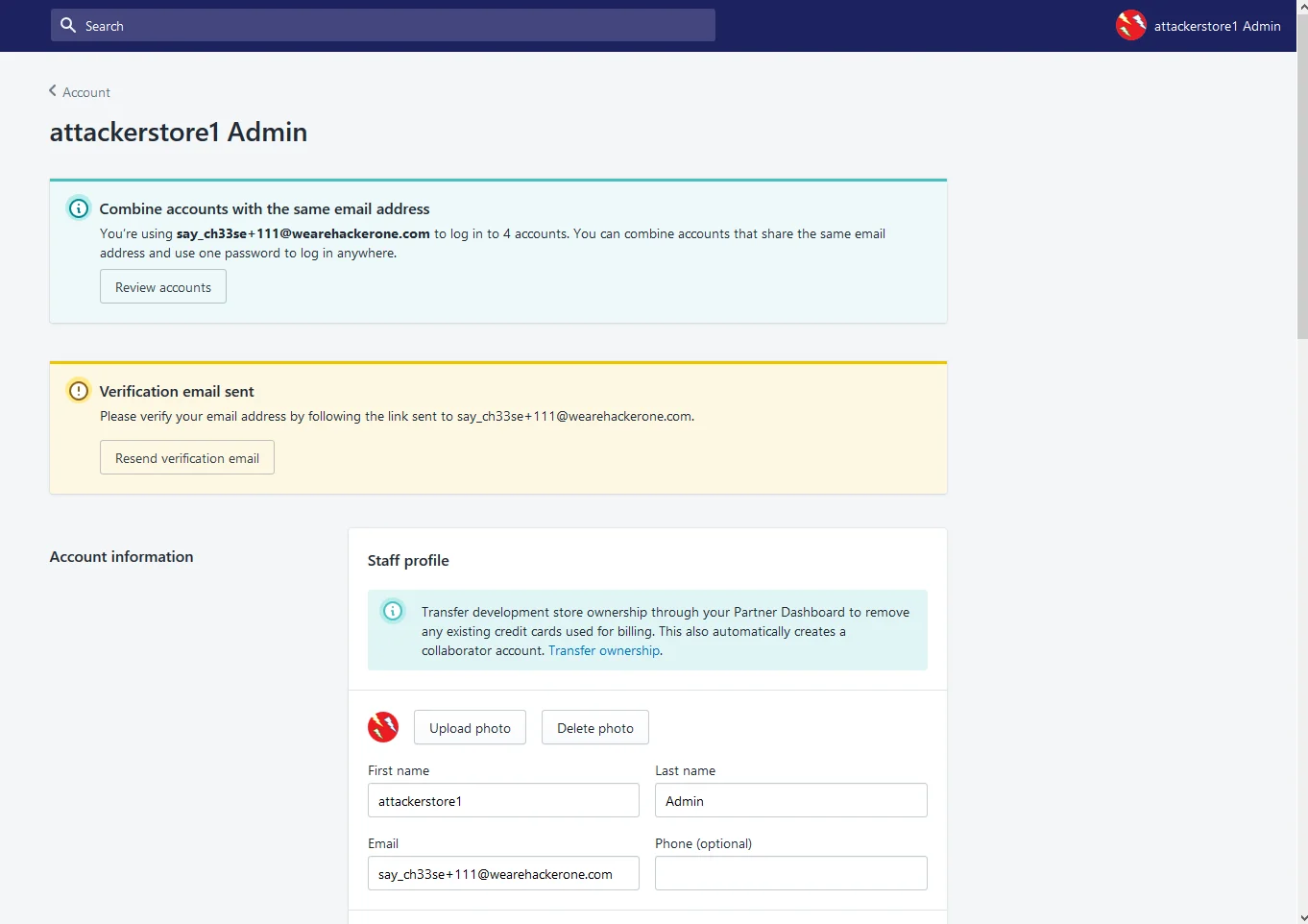
- After that uncheck match and replace, refresh and on accounts page change email to your email which you own so you can get a confirmation email
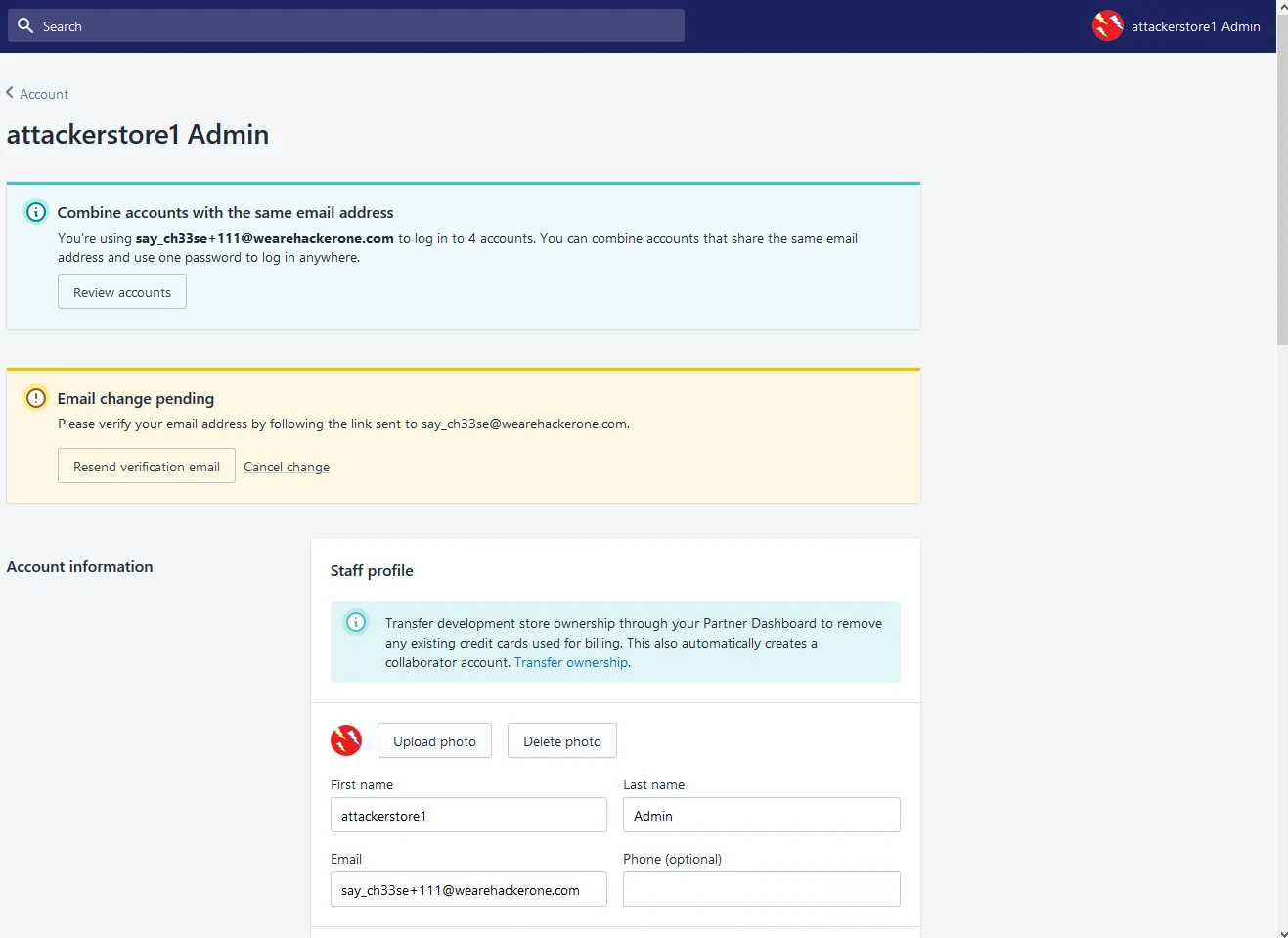
- In burp check match and replace again to replace your email with the email you want to takeover(same as above)
- Go to your email which you own where is the confirmation link and click on it(in the browser where you are already logged in)
- On that page where you verified email, upload another image
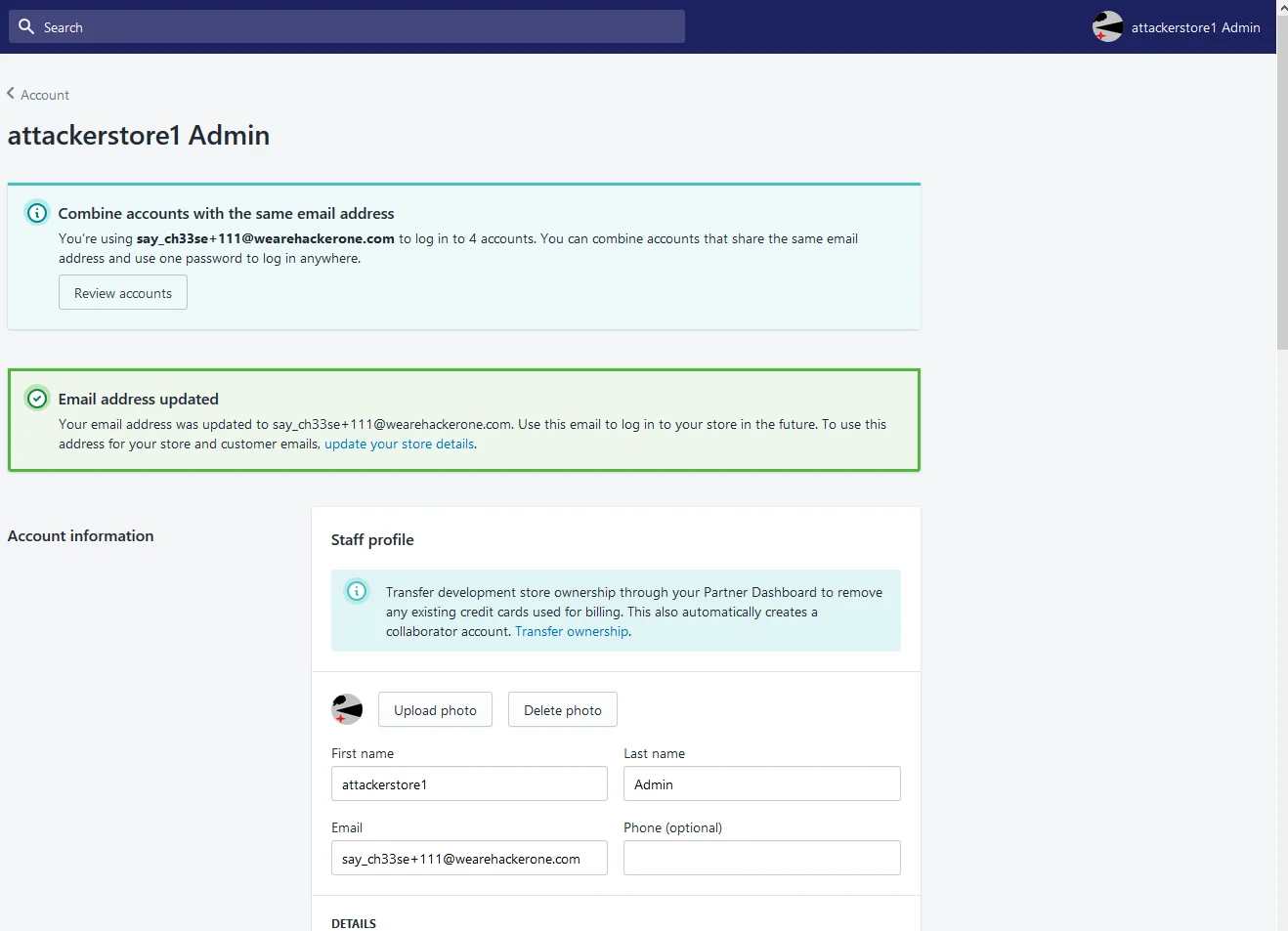
- Now click on Review accounts
- Enter stores password and you'll be greeted with Shopify ID
- Click on Set up Shopify ID
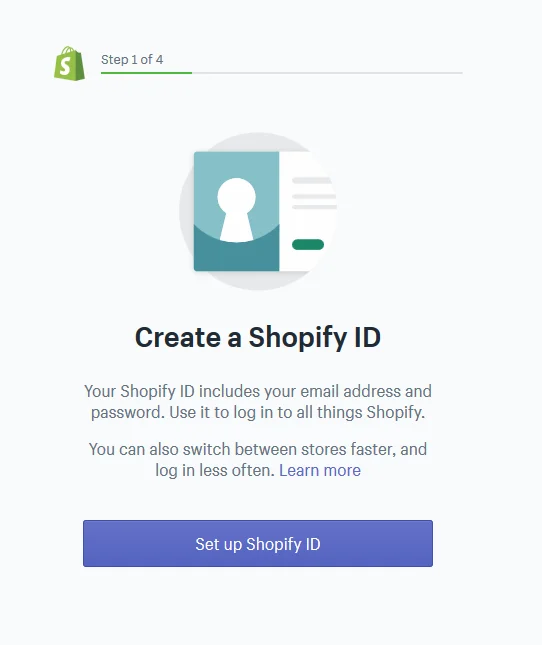
- And there you got it
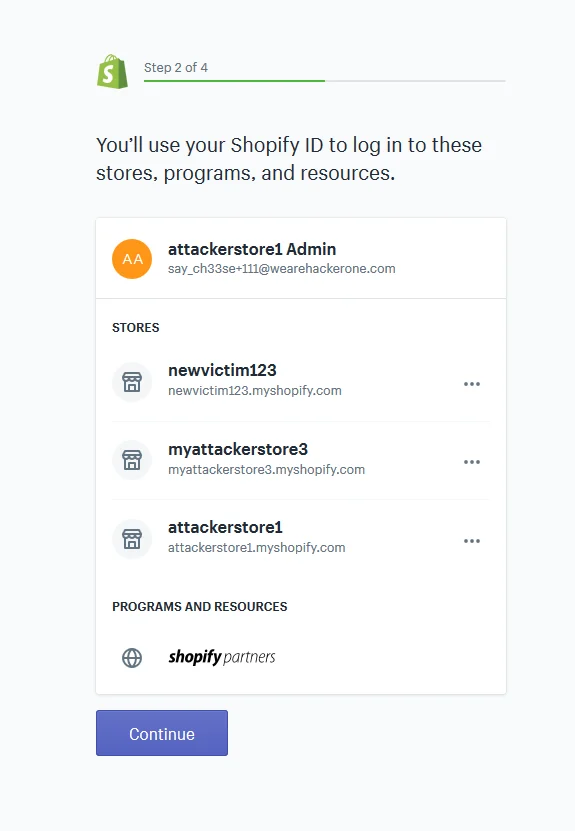
- Click continue and set up password
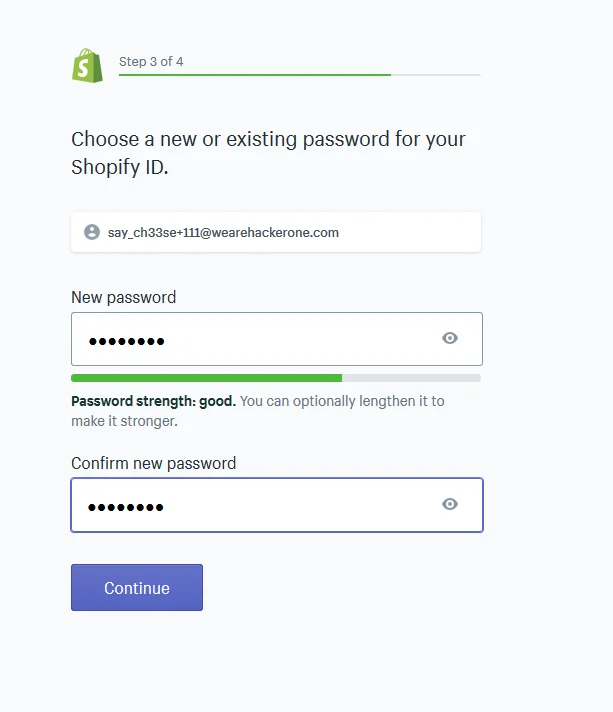
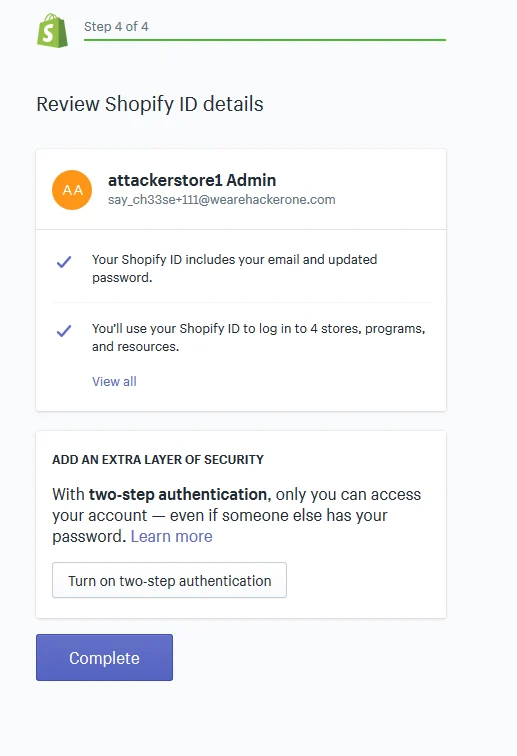
- Now you can access vitims store and partner account without any problems
Impact
Ability to confirm any email on your-store.myshopify.com and leverage SSO to take over accounts.
Not written yet. The AI write-up for this report has not been written yet. The Original tab links to the source.
How it worked
Root cause
Likely the email verification process did not properly tie the verification token to the account that requested it, allowing an attacker to verify an arbitrary email by manipulating requests.
Impact
An attacker could verify any email address on a myshopify.com store and take over accounts that do not use SSO, gaining access to the victim's store and partner account.
What the attacker needed
A Shopify partner account; ability to intercept and modify requests; victim does not use SSO
The fix
Shopify deployed a change to address the issue and removed the ability to verify email addresses for legacy accounts, now requiring a code to confirm email ownership when merging from a legacy account.
How it was found
- Create a store from a partner account.
- Go to the account settings page without verifying the email.
- Change the email to the victim's email.
- Use a proxy to replace your email with the victim's email in requests.
- Refresh the account page to show the victim's email.
- Upload a photo and save, then uncheck the proxy replacement and change email to your own to receive a confirmation link.
Explained by bugbounty.wiki with AI from the original and checked against quotes from it; it can still be wrong. Read the original before relying on a detail.
Not written yet. The AI write-up for this report has not been written yet. The Original tab links to the source.
Email verification is a step where a website sends a link to your email to prove you own it. This bug let an attacker trick the system into verifying someone else's email address, and then use that to take over their account. The attacker needed to intercept and change web requests, which requires some technical tools.
What is Account takeover?
Getting into someone else's account through a flaw in sign-in, password reset, second factor, single sign-on or session handling.



