How I accidentally hacked many companies using N/A vulnerability in Atlassian Cloud
Atlassian Cloud's registration flow allowed an attacker to set a password for an email address before the owner confirmed the account. If the victim clicked the confirmation link, the attacker could log in and access any Atlassian spaces automatically granted to that email domain.
 Published on krevetk0.medium.com
It all started the day my friend and I decided to look for vulnerabilities of a company with a big scope at Hackerone. The company allows critical vulnerabilities outside of the scope.
The full write-up lives on its author's site
It belongs to its author, so we link to it rather than copy it. The other two tabs are our own rewrites, checked against it.
Context
Atlassian Cloud is the hosted version of Atlassian's products, and an Atlassian account is the identity that ties a person to the cloud spaces (sites) they can reach. The feature at the centre of this story is the ordinary account registration form on atlassian.com, together with the "Approve the following domains" setting that a cloud space administrator can use to add users automatically based on their email domain.
Normally, registration should only produce a usable account once the person who owns the email address has proved that ownership. The report describes what happened when that order was reversed: the password was set before ownership was confirmed.
The researcher found the issue while hunting for leaked credentials belonging to a large consulting integrator, and then generalised it into an attack that did not need leaked credentials at all. The write-up was published about a year after the events, and the disclosure was coordinated with the Atlassian Security Team.
Setup
The starting point was a company with a wide scope on HackerOne that allowed critical vulnerabilities outside of scope. The researcher and a friend began by looking for leaks on GitHub, and found work credentials of the company's employees.
The tools and preconditions were minimal:
- A set of leaked email and password pairs from GitHub.
- The public login and registration pages at atlassian.com.
- Knowledge of which email domains belonged to the target company, and of cloud spaces that had the domain approval setting enabled.
No special access, version information or internal tooling is described. The only precondition that matters for the attack is that a cloud space exists which automatically admits users whose email address is on an approved domain.
Finding it
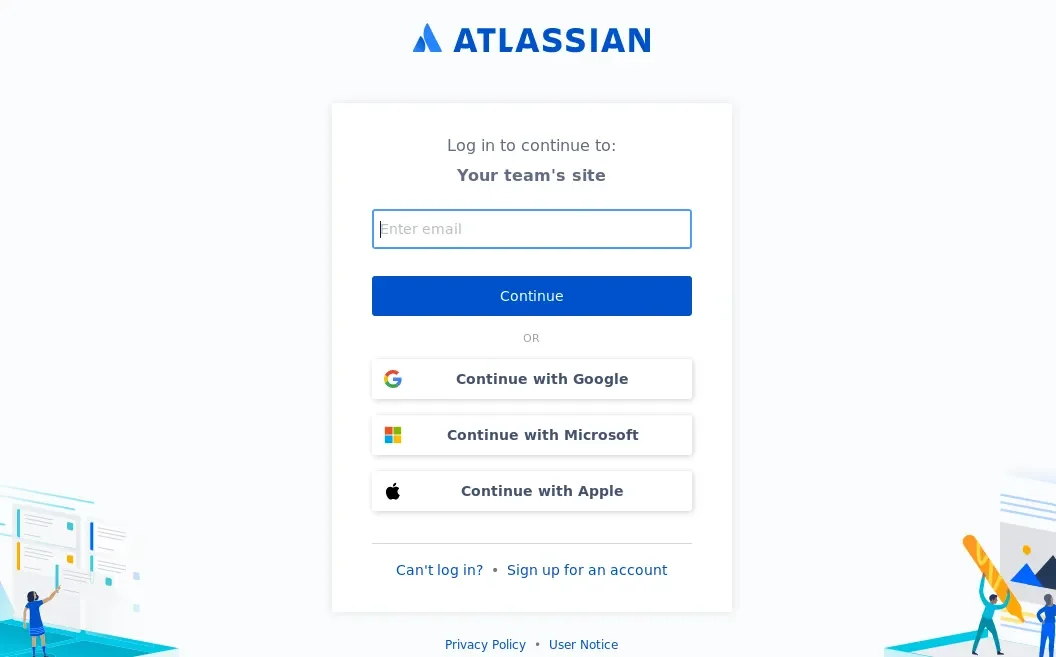
The first leaked pair was tried against a few login forms without success. When the friend tried it at atlassian.com, the login succeeded but landed on a page asking the user to confirm the account. Since the pair did not give access to the mailbox, the two gave up, but at the end of the confirmation form the friend clicked the reconfirmation button.
A couple of weeks later they returned to the same company and found new credentials, and among them, without noticing at first, the same pair as before. This time the login to Atlassian Cloud worked. The same happened with several other credentials, with no reconfirmation message and no 2FA. Reports were sent and some reached triage and resolved states.
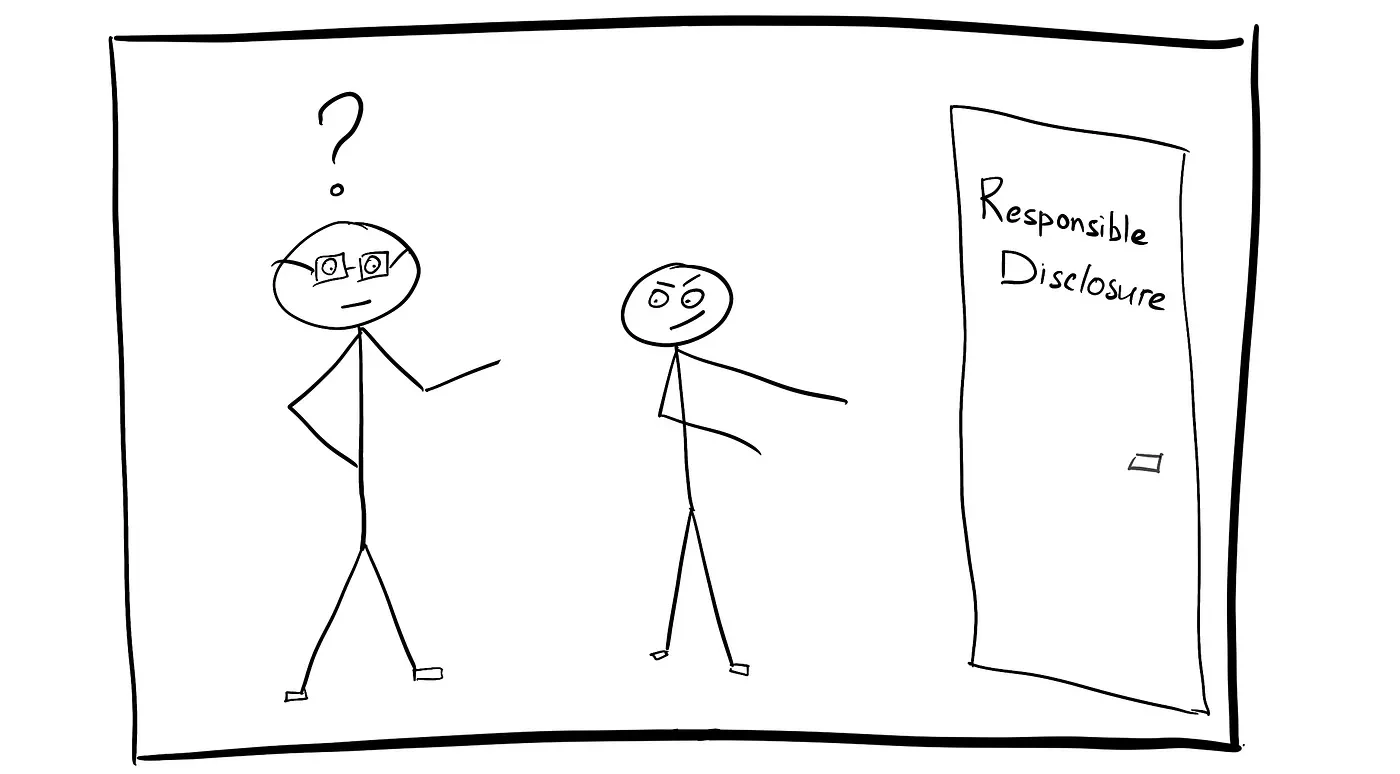
Then the company changed its position on the reports that had not yet been triaged, changed its bug bounty policy, and asked the researchers to make responsible disclosure reports to the customers whose data had been compromised.
The reasons given were that the systems being accessed were not always the property of the company on the target list, and that judging the criticality of the exposed data was hard because the compromised target was not the one being focused on. The company was a large integrator: its employees worked for different customers, so compromising an employee's credentials gave a good chance of reaching services that belonged to other organisations.
The researcher stopped when the policy changed, but a set of questions remained:
- Why were employees accessing customers' systems with working credentials on a domain not associated with the customer's domain?
- Why did some accounts belong to people with no relation to the customers whose systems were reached?
- If this is a configuration issue, where does the problem lie?
- Could it be a bug on the Atlassian side?
- Can it affect other organisations, or is it an edge case?

A few days of work answered them. Leaked passwords are a separate issue; the researcher found something that does not require leaked credentials at all. The main problem was in the main registration form on atlassian.com.
Exploitation
Step 1: understand the registration flow
The registration flow asks for email, name and password. At that point the account has not been confirmed, but the password has already been set. The user is then told that an Atlassian account has been created and must confirm ownership by clicking the link in the email. It is a single click on a legitimate Atlassian email, not a phishing message. After the click, the email and password can be used to log in to atlassian.com, with all Atlassian spaces already configured for that user on the domain.
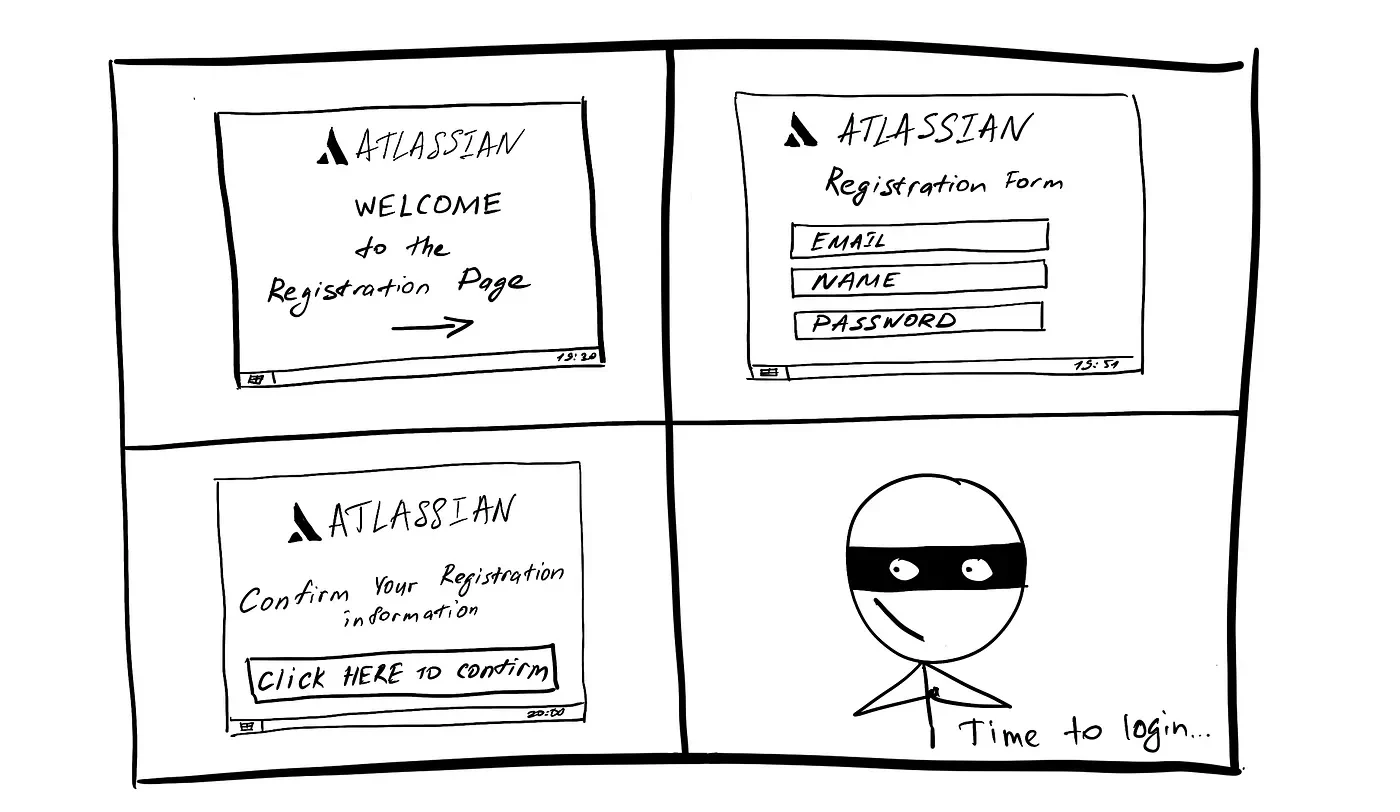
Step 2: register the victim's address with a password of your choosing
The attacker registers the person using their email address and a password chosen by the attacker. The person receives a notification asking them to confirm the account. The report says there are ways to increase the conversion rate of clicks on the confirmation link, but the author explicitly does not describe them.
Step 3: wait for the click and log in
After the user clicks the link, the attacker can log in to that user's account, provided the attacker performed the registration. The account may be empty, and the email may already be in use, in which case re-registration is not possible. The researcher addresses both limits:
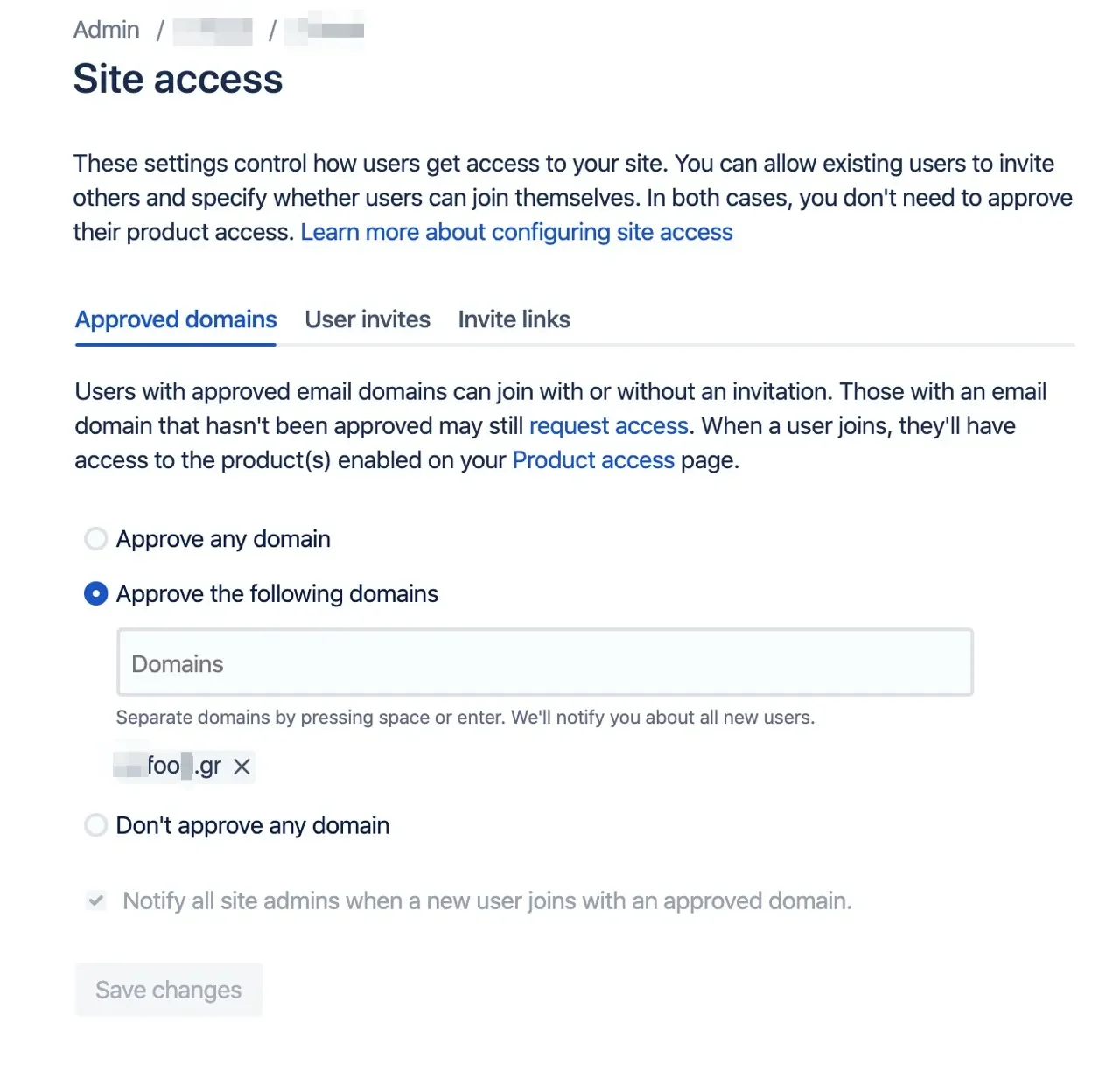
- In a large enough company, usually more than 500 to 1000 employees, the chance of finding data after login is very high, because large companies have Atlassian Cloud spaces where users with a certain domain are added automatically through the "Approve the following domains" configuration.
- A second email can still be registered by using the combination
[redacted], and then waiting for the user's confirmation.
Step 4: reproduce on friendly organisations
The researcher reproduced the registration on several large organisations that were friendly to him, some of which he had worked for and some where he had friends or acquaintances. The success rate of confirmed accounts was high, and those accounts had access to confidential information of the organisation. Part of the problem was the "Approved domain" setting with automated assignment of users without validation for cloud spaces, but the root cause was the flaw in the registration process.
Step 5: report to Atlassian and get N/A
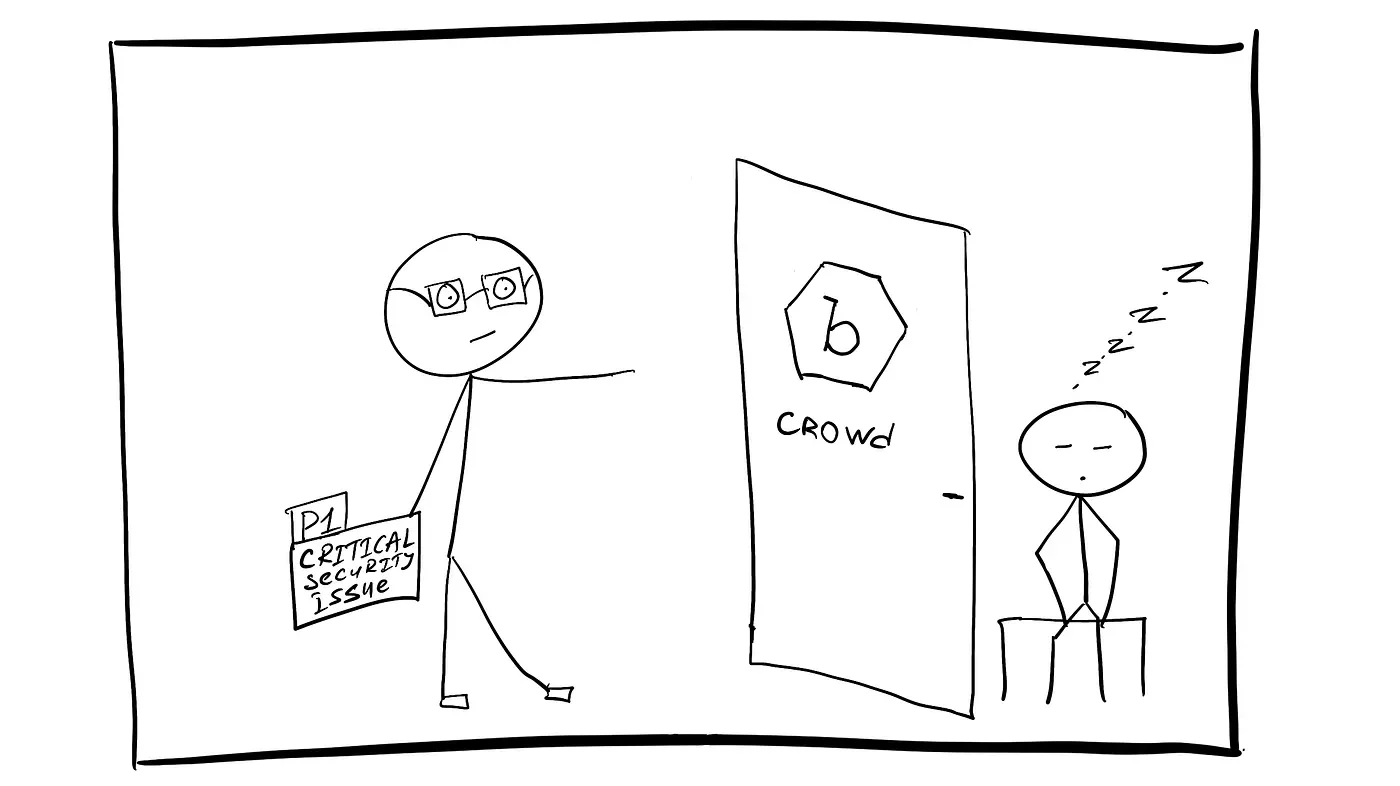
The research was compiled into a report sent to Atlassian through the bug bounty programme at Bugcrowd, describing the problem in detail, all ways to carry out a successful attack, and ways to make the success rate as high as possible. The triager closed it as N/A because the attack vector requires user interaction: the victim has to click the link, and it does not matter that the link is not a phishing link.
The first issue, requires the victim to confirm for the account registration by clicking the link sent on the email. If they did not register there, they are not supposed to click the link. The second issue you mention, is configurable on the product and the admin of that instance can enable or disable that. Misusing the product security features is a responsibility on users and not Atlassian. Hence, I am closing this to N/A.
Step 6: repeat against another large company
While researching another major company with a wide scope, the researcher used the same trick and registered accounts for several of its domains. After a couple of days he had at least two working accounts in Atlassian Cloud from that large organisation. The results were not uniform: all of the accounts had access to cloud spaces associated with more than just the company itself, including spaces of a bank, big agro companies, retail companies and companies dealing with jewellery. In effect those organisations were hacked accidentally, because they had unconditional trust in accounts on the domain the researcher had registered on. The entire domain was approved again in the "Approved domains" configuration, so confidential data of several organisations was reached with little effort through a vulnerability closed as N/A.
All affected organisations were notified through responsible disclosure, and all of them changed their configurations in the "Approved domains" Atlassian menu.
Step 7: escalate through the security email
The researcher contacted Atlassian again, this time by security email rather than Bugcrowd, stating that an earlier vulnerability had been rejected as N/A, that he had proof of several clients compromised through it, and that he wanted comments on the problem.
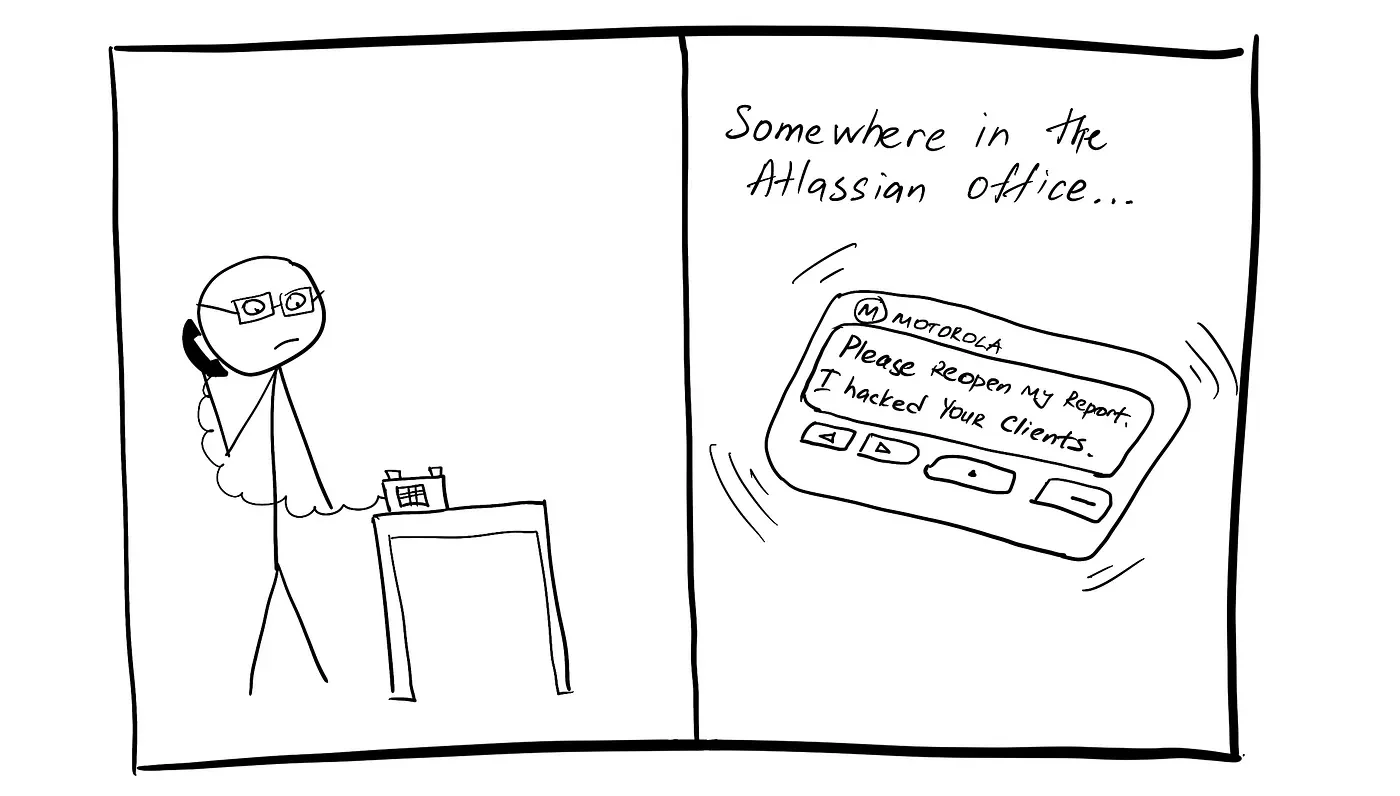
Atlassian reviewed the report, reopened it, set the criticality level to P3, later fixed the registration workflow and issued a reward. The researcher considers both the criticality level and the bounty amount somewhat controversial. The fix means that when registering an account, the user must now specify a password AFTER confirming that the account belongs to them and not to someone else.
Root cause
The design mistake is the order of operations in registration: the password is accepted and stored before the email address has been verified. Anyone who knows a victim's email address can therefore attach a password to that address, and the only remaining barrier is the victim clicking the legitimate confirmation link. Once that click happens, the attacker holds working credentials for an account that the identity system treats as the victim's.
The second half of the problem is the "Approve the following domains" setting, which automatically adds users whose email domain is on the approved list, without further validation. Combined with the registration flaw, an account created on an approved domain inherits the trust granted to that whole domain, including access to cloud spaces that belong to other organisations which have approved the same domain.
The triager's reasoning was that the victim should not click a link for a registration they did not make, and that the domain approval setting is a product feature whose misuse is the administrator's responsibility. The report stresses that the email is legitimate and that the consequence was access to confidential data of third parties. The report does not describe any additional server-side check that would have stopped the flow at the time.
Impact
Under the conditions described, an attacker who registers a victim's email address and obtains the confirmation click can log in as that user and reach every Atlassian space configured for the user's domain. In large organisations with automatic domain approval, this can expose confidential data of the company and, because integrators and their customers share approved domains, of unrelated organisations such as banks, agro companies, retail companies and jewellery companies. The researcher reached at least two working accounts at one large organisation, and through them confidential data of several organisations.
The attack does not require leaked credentials, but it does require user interaction, and it fails if the email is already registered or if the resulting account has no data. The report says that having two-factor authentication on domain accounts will be a guarantee of data security for the whole organisation. and that admin and user notifications about new accounts did not prevent the issue, because notifications cannot stop an intrusion that has already happened.

Fix
Atlassian fixed the registration workflow so that the password is set only after the user confirms ownership of the account. The "Approved domains" setting was left in place without changes.
The researcher's recommendations, which are advice rather than changes made:
- Do not use the "Approved domains" setting.
- Do not approve every account from a consultant's domain zone when inviting a consultant to collaborate in a cloud space; give the consultant a separate account instead.
- Set up third-party access through special accounts such as
[redacted], or through manual moderation of each invited user. - Enable two-factor authentication on domain accounts.
- If you develop a registration form, do not set a password for a user who has not yet confirmed ownership of the account.
Variants to test
- Password before verification on other SaaS sign-up flows. Register an address you control, set a password, and try to log in before clicking the confirmation link. A positive result is a session or a usable account without confirmation.
- Pre-registration of a victim's address. Register an address you do not control with a password of your choosing, then have the owner click the legitimate confirmation link. A positive result is a working login for that address after the click.
- Plus-addressing to bypass existing registrations. Try
[redacted]when the plain address is already in use. A positive result is a second valid account that is still treated as belonging to the same person or domain. - Domain-based automatic provisioning. On a tenant that auto-joins users by email domain, register an address on an approved domain and check what it can reach. A positive result is access to spaces or data of the domain owner or of other organisations that approved the same domain.
- Cross-organisation trust through shared domains. Look for integrators, consultancies and contractors whose domain is approved by multiple customers. A positive result is one account reaching spaces belonging to several unrelated organisations.
- Notification-only defences. Check whether new-account notifications are the only control. A positive result is that the account is usable before any administrator reacts to the notification.
What happened, in plain words
A security researcher and a friend were hunting for bugs in a company that ran a bug bounty programme on HackerOne. A bug bounty programme is a scheme where a company pays people for finding and reporting security problems in its systems. This particular company had a wide scope, meaning it allowed reports about critical problems even in places that were not explicitly listed as in scope.
The two started by looking for leaked passwords on GitHub, a public website where developers store and share code. People sometimes accidentally upload files containing their work usernames and passwords. The pair found some of the target company's employee credentials that way.
After trying those credentials on a few login pages without success, the friend tried them at atlassian.com. Atlassian is the company behind products such as Jira and Confluence, and Atlassian Cloud is the hosted version of those products. An Atlassian account is the identity that ties a person to the cloud spaces, also called sites, that they can reach. The login worked, but it landed on a page asking the user to confirm the account. The pair could not read the victim's email inbox, so they could not click the confirmation link inside the email. They gave up, but at the end of the confirmation form the friend clicked a reconfirmation button.
A couple of weeks later they came back, found new credentials, and among them, without noticing at first, the same pair as before. This time the login to Atlassian Cloud worked straight away. The same happened with several other credentials, with no reconfirmation message and no two-factor authentication. Two-factor authentication, or 2FA, is a second proof of identity beyond the password, usually a short code from a phone app or a text message. Reports were sent and some reached triage and resolved states. Triage is the first stage where a programme's staff check that a report is real and worth investigating; resolved means the issue was dealt with.
Then the company changed its position on the reports that had not yet been triaged, changed its bug bounty policy, and asked the researchers to make responsible disclosure reports to the customers whose data had been compromised. Responsible disclosure means telling the affected party privately, giving them time to fix things, rather than publishing the details.
The reasons given were that the systems being accessed were not always the property of the company on the target list, and that judging how serious the exposed data was had become hard because the compromised target was not the one being focused on. The company was a large integrator, meaning a consulting business whose employees do work for many different customers. Compromising an employee's credentials therefore gave a good chance of reaching services that belonged to other organisations.
The researcher stopped when the policy changed, but a set of questions remained:
- Why were employees accessing customers' systems with working credentials on a domain not associated with the customer's domain?
- Why did some accounts belong to people with no relation to the customers whose systems were reached?
- If this is a configuration issue, where does the problem lie?
- Could it be a bug on the Atlassian side?
- Can it affect other organisations, or is it an edge case?
A few days of work answered them. Leaked passwords are a separate issue; the researcher found something that does not require leaked credentials at all. The main problem was in the main registration form on atlassian.com.
The starting point
The researcher and his friend began with a company that had a wide scope on HackerOne and allowed critical vulnerabilities outside of scope. They looked for leaks on GitHub and found work credentials of the company's employees.
The tools and preconditions were minimal:
- A set of leaked email and password pairs from GitHub.
- The public login and registration pages at atlassian.com.
- Knowledge of which email domains belonged to the target company, and of cloud spaces that had the domain approval setting enabled.
An email domain is the part after the @ sign, for example example.com. A cloud space is a separate workspace inside Atlassian Cloud where a team keeps its projects and data. The domain approval setting is a feature a cloud space administrator can switch on so that anyone whose email address is on an approved domain is added to the space automatically, without an individual invitation.
No special access, version information or internal tooling is described. The only precondition that matters for the attack is that a cloud space exists which automatically admits users whose email address is on an approved domain.
How it was found
The first leaked pair was tried against a few login forms without success. When the friend tried it at atlassian.com, the login succeeded but landed on a page asking the user to confirm the account. Since the pair did not give access to the mailbox, the two gave up, but at the end of the confirmation form the friend clicked the reconfirmation button.
A couple of weeks later they returned to the same company and found new credentials, and among them, without noticing at first, the same pair as before. This time the login to Atlassian Cloud worked. The same happened with several other credentials, with no reconfirmation message and no 2FA.
The reasons given were that the systems being accessed were not always the property of the company on the target list, and that judging the criticality of the exposed data was hard because the compromised target was not the one being focused on. The company was a large integrator: its employees worked for different customers, so compromising an employee's credentials gave a good chance of reaching services that belonged to other organisations.
- Could it be a bug on the Atlassian side?
A few days of work answered them.
Walking through the attack
Step 1: understand the registration flow
The registration flow asks for email, name and password. At that point the account has not been confirmed, but the password has already been set. The user is then told that an Atlassian account has been created and must confirm ownership by clicking the link in the email. It is a single click on a legitimate Atlassian email, not a phishing message. Phishing is a fake message designed to trick someone into handing over information; this email is genuine. After the click, the email and password can be used to log in to atlassian.com, with all Atlassian spaces already configured for that user on the domain.
Step 2: register the victim's address with a password of your choosing
The attacker registers the person using their email address and a password chosen by the attacker. The person receives a notification asking them to confirm the account. The report says there are ways to increase the conversion rate of clicks on the confirmation link, but the author explicitly does not describe them.
Step 3: wait for the click and log in
After the user clicks the link, the attacker can log in to that user's account, provided the attacker performed the registration. The account may be empty, and the email may already be in use, in which case re-registration is not possible. The researcher addresses both limits:
- In a large enough company, usually more than 500 to 1000 employees, the chance of finding data after login is very high, because large companies have Atlassian Cloud spaces where users with a certain domain are added automatically through the "Approve the following domains" configuration.
- A second email can still be registered by using the combination
[redacted], and then waiting for the user's confirmation.
Step 4: reproduce on friendly organisations
The researcher reproduced the registration on several large organisations that were friendly to him, some of which he had worked for and some where he had friends or acquaintances. The success rate of confirmed accounts was high, and those accounts had access to confidential information of the organisation. Part of the problem was the "Approved domain" setting with automated assignment of users without validation for cloud spaces, but the root cause was the flaw in the registration process.
Step 5: report to Atlassian and get N/A
The research was compiled into a report sent to Atlassian through the bug bounty programme at Bugcrowd, describing the problem in detail, all ways to carry out a successful attack, and ways to make the success rate as high as possible. The triager closed it as N/A because the attack vector requires user interaction: the victim has to click the link, and it does not matter that the link is not a phishing link. N/A here means the report was not accepted as a valid vulnerability.
The first issue, requires the victim to confirm for the account registration by clicking the link sent on the email. If they did not register there, they are not supposed to click the link. The second issue you mention, is configurable on the product and the admin of that instance can enable or disable that. Misusing the product security features is a responsibility on users and not Atlassian. Hence, I am closing this to N/A.
Step 6: repeat against another large company
While researching another major company with a wide scope, the researcher used the same trick and registered accounts for several of its domains. After a couple of days he had at least two working accounts in Atlassian Cloud from that large organisation. The results were not uniform: all of the accounts had access to cloud spaces associated with more than just the company itself, including spaces of a bank, big agro companies, retail companies and companies dealing with jewellery. In effect those organisations were hacked accidentally, because they had unconditional trust in accounts on the domain the researcher had registered on. The entire domain was approved again in the "Approved domains" configuration, so confidential data of several organisations was reached with little effort through a vulnerability closed as N/A.
All affected organisations were notified through responsible disclosure, and all of them changed their configurations in the "Approved domains" Atlassian menu.
Step 7: escalate through the security email
The researcher contacted Atlassian again, this time by security email rather than Bugcrowd, stating that an earlier vulnerability had been rejected as N/A, that he had proof of several clients compromised through it, and that he wanted comments on the problem.
Atlassian reviewed the report, reopened it, set the criticality level to P3, later fixed the registration workflow and issued a reward. P3 is a priority rating, lower than the most severe levels. The researcher considers both the criticality level and the bounty amount somewhat controversial. The fix means that when registering an account, the user must now specify a password AFTER confirming that the account belongs to them and not to someone else.
Why it worked
The design mistake is the order of operations in registration: the password is accepted and stored before the email address has been verified. Anyone who knows a victim's email address can therefore attach a password to that address, and the only remaining barrier is the victim clicking the legitimate confirmation link. Once that click happens, the attacker holds working credentials for an account that the identity system treats as the victim's.
The second half of the problem is the "Approve the following domains" setting, which automatically adds users whose email domain is on the approved list, without further validation. Combined with the registration flaw, an account created on an approved domain inherits the trust granted to that whole domain, including access to cloud spaces that belong to other organisations which have approved the same domain.
The triager's reasoning was that the victim should not click a link for a registration they did not make, and that the domain approval setting is a product feature whose misuse is the administrator's responsibility. The report stresses that the email is legitimate and that the consequence was access to confidential data of third parties. The report does not describe any additional server-side check that would have stopped the flow at the time.
What the impact was
Under the conditions described, an attacker who registers a victim's email address and obtains the confirmation click can log in as that user and reach every Atlassian space configured for the user's domain. In large organisations with automatic domain approval, this can expose confidential data of the company and, because integrators and their customers share approved domains, of unrelated organisations such as banks, agro companies, retail companies and jewellery companies. The researcher reached at least two working accounts at one large organisation, and through them confidential data of several organisations.
The attack does not require leaked credentials, but it does require user interaction, and it fails if the email is already registered or if the resulting account has no data. The report says that having two-factor authentication on domain accounts will be a guarantee of data security for the whole organisation. and that admin and user notifications about new accounts did not prevent the issue, because notifications cannot stop an intrusion that has already happened.
What was fixed
Atlassian fixed the registration workflow so that the password is set only after the user confirms ownership of the account. The "Approved domains" setting was left in place without changes.
The researcher's recommendations, which are advice rather than changes made:
- Do not use the "Approved domains" setting.
- Do not approve every account from a consultant's domain zone when inviting a consultant to collaborate in a cloud space; give the consultant a separate account instead.
- Set up third-party access through special accounts such as
[redacted], or through manual moderation of each invited user. - Enable two-factor authentication on domain accounts.
- If you develop a registration form, do not set a password for a user who has not yet confirmed ownership of the account.
Things to try on other services
- Password before verification on other SaaS sign-up flows. SaaS means software sold as a service, run by a provider and used through a browser. Register an address you control, set a password, and try to log in before clicking the confirmation link. A positive result is a session or a usable account without confirmation. A session is the state of being logged in, usually kept in a cookie, which is a small piece of data the browser stores and sends back to the site.
- Pre-registration of a victim's address. Register an address you do not control with a password of your choosing, then have the owner click the legitimate confirmation link. A positive result is a working login for that address after the click.
- Plus-addressing to bypass existing registrations. Try
[redacted]when the plain address is already in use. A positive result is a second valid account that is still treated as belonging to the same person or domain. - Domain-based automatic provisioning. On a tenant that auto-joins users by email domain, register an address on an approved domain and check what it can reach. A tenant is one customer's separate instance of a hosted service. A positive result is access to spaces or data of the domain owner or of other organisations that approved the same domain.
- Cross-organisation trust through shared domains. Look for integrators, consultancies and contractors whose domain is approved by multiple customers. A positive result is one account reaching spaces belonging to several unrelated organisations.
- Notification-only defences. Check whether new-account notifications are the only control. A positive result is that the account is usable before any administrator reacts to the notification.
Glossary
- Atlassian Cloud: the hosted version of Atlassian's products, run by Atlassian rather than on a customer's own machines.
- Atlassian account: the identity that ties a person to the cloud spaces they can reach.
- Bug bounty programme: a scheme where a company pays people for finding and reporting security problems in its systems.
- HackerOne: a platform where bug bounty programmes are listed and reports are submitted.
- Bugcrowd: another platform where bug bounty programmes are listed and reports are submitted.
- Scope: the set of systems a bug bounty programme covers; a wide scope allows reports about more systems, and critical issues outside scope may still be accepted.
- GitHub: a public website where developers store and share code, where credentials are sometimes leaked by accident.
- Credentials: a username or email address together with its password.
- Cloud space (site): a separate workspace inside Atlassian Cloud where a team keeps its projects and data.
- Email domain: the part of an email address after the @ sign, for example
example.com. - Approve the following domains: a cloud space setting that automatically adds users whose email address is on an approved domain, without an individual invitation.
- Two-factor authentication (2FA): a second proof of identity beyond the password, usually a short code from a phone app or a text message.
- Triage: the first stage where a programme's staff check that a report is real and worth investigating.
- Resolved: the state of a report after the issue has been dealt with.
- Responsible disclosure: telling the affected party privately and giving them time to fix things, rather than publishing the details.
- Integrator (consulting business): a company whose employees do work for many different customers.
- Phishing: a fake message designed to trick someone into handing over information.
- N/A: a report state meaning the report was not accepted as a valid vulnerability.
- Attack vector: the route an attacker takes to carry out an attack.
- User interaction: a step the victim has to perform, such as clicking a link, for an attack to work.
- P3: a priority rating for a vulnerability, lower than the most severe levels.
- Bounty: the money a programme pays for a valid report.
- Plus-addressing: writing an address as
[redacted], which many mail systems deliver to the same inbox while a registration form sees a different address. - SaaS: software sold as a service, run by a provider and used through a browser.
- Session: the state of being logged in, usually kept in a cookie.
- Cookie: a small piece of data the browser stores and sends back to the site.
- Tenant: one customer's separate instance of a hosted service.
- Root cause: the underlying design or coding mistake that makes an attack possible.




