H1514 Ability to Edit Packaging Slip Templates and View Product & Shipping Information by a low privileged staff in a Sandbox Store
A staff account with no permissions could access the packing slip template editor and preview it, which generated a PDF containing product and shipping information. This let a low-privileged staff member edit templates and view data they should not have been able to access.
 Originally disclosed on HackerOne
- Triaged in 12 hours
- Fixed in 6 months
- Paid in 12 hours
- Disclosed after 6 months
Hello,
It was observed that it is possible to edit packaging slip templates and then view the product and shipping information in the packaging slip by a low privileged staff in a sandbox store by simply navigating to the URL https://<store>.myshopify.com/admin/settings/packing_slip_template. It appears that this endpoint does not have the proper authorization controls implemented as is the case throughout the rest of the application.
In order to reproduce this, please follow the steps below:
-
As a Storefront Admin, create a Sandbox Store and log in to it.
-
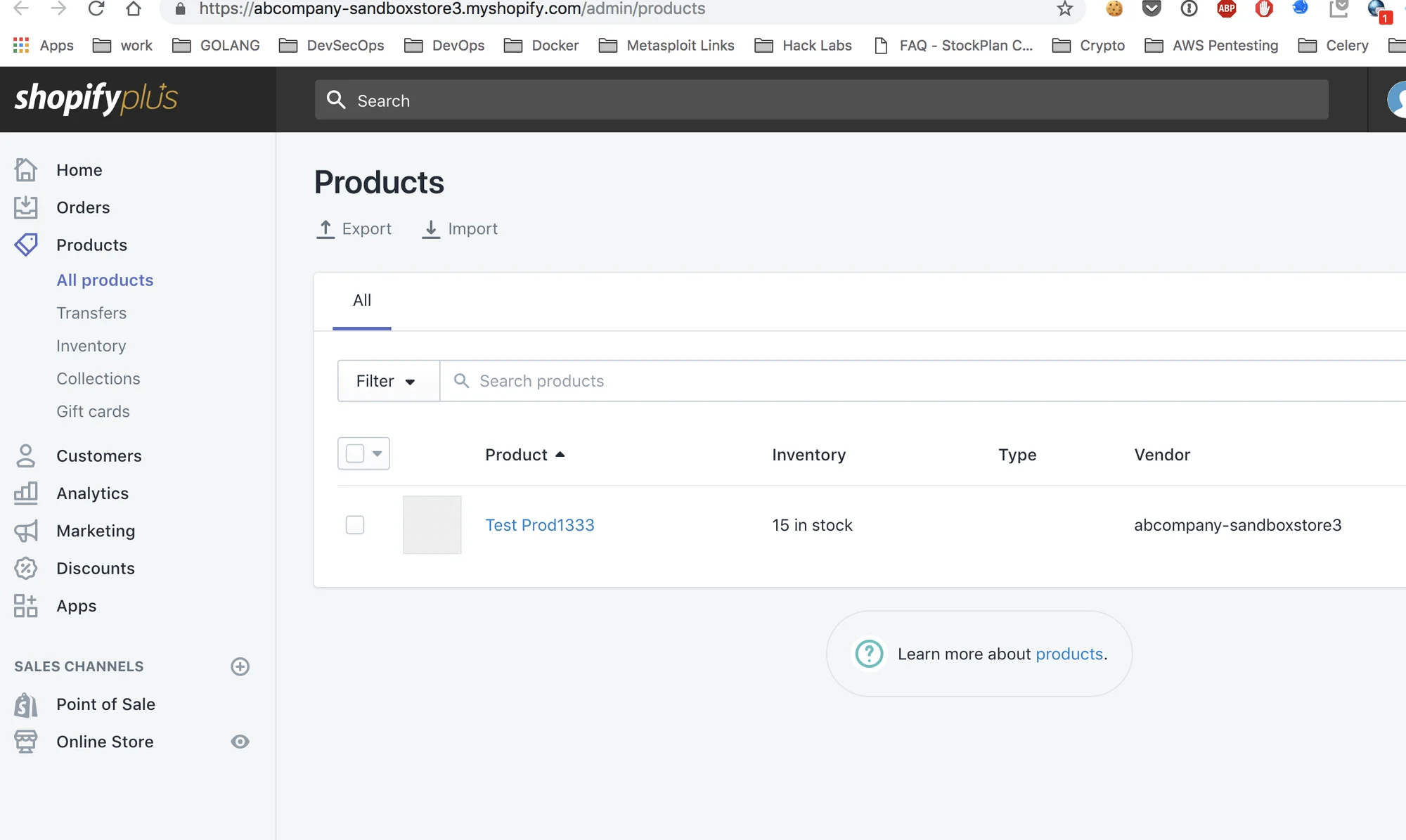
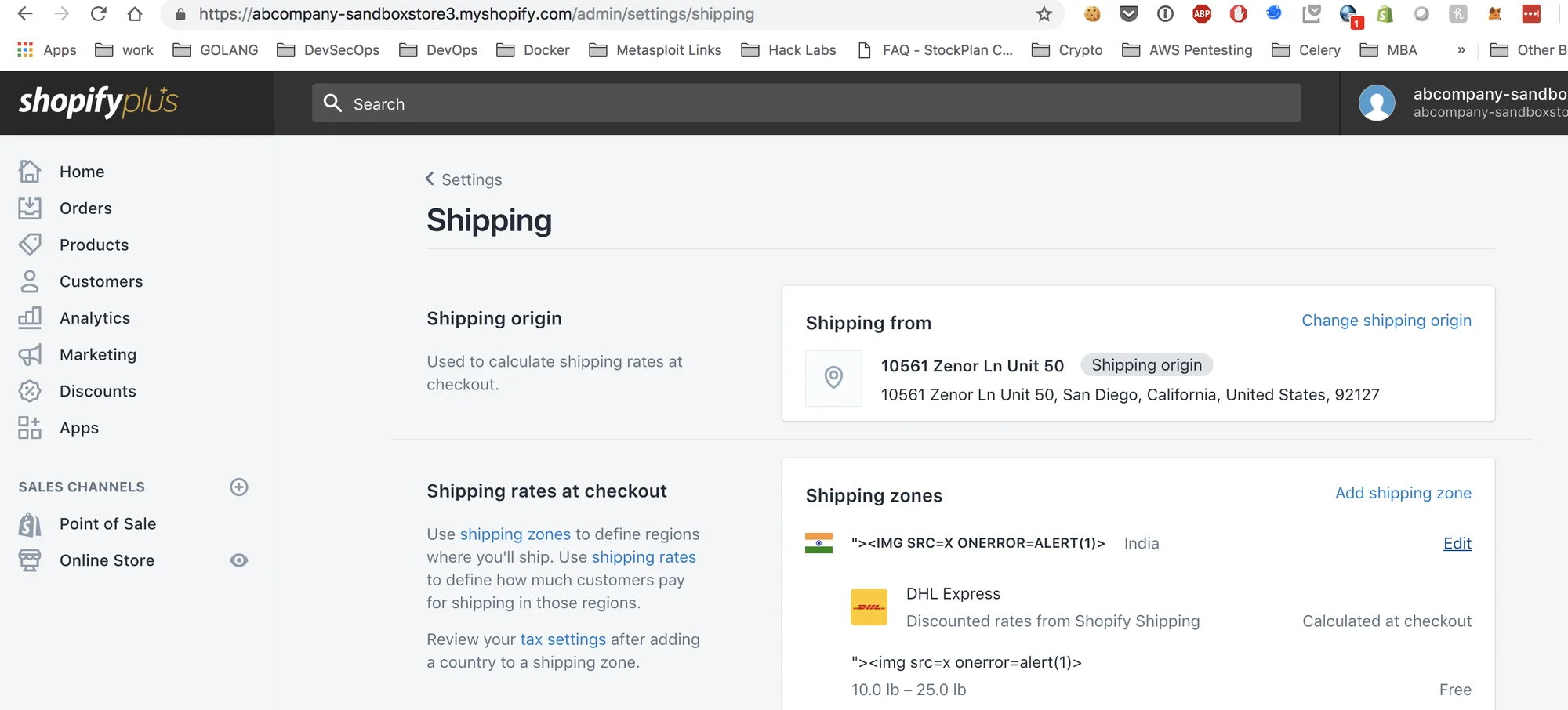
Create a bunch of products and setup the shipping information at the endpoints
/admin/productsand/admin/settings/shippingrespectively as shown below:
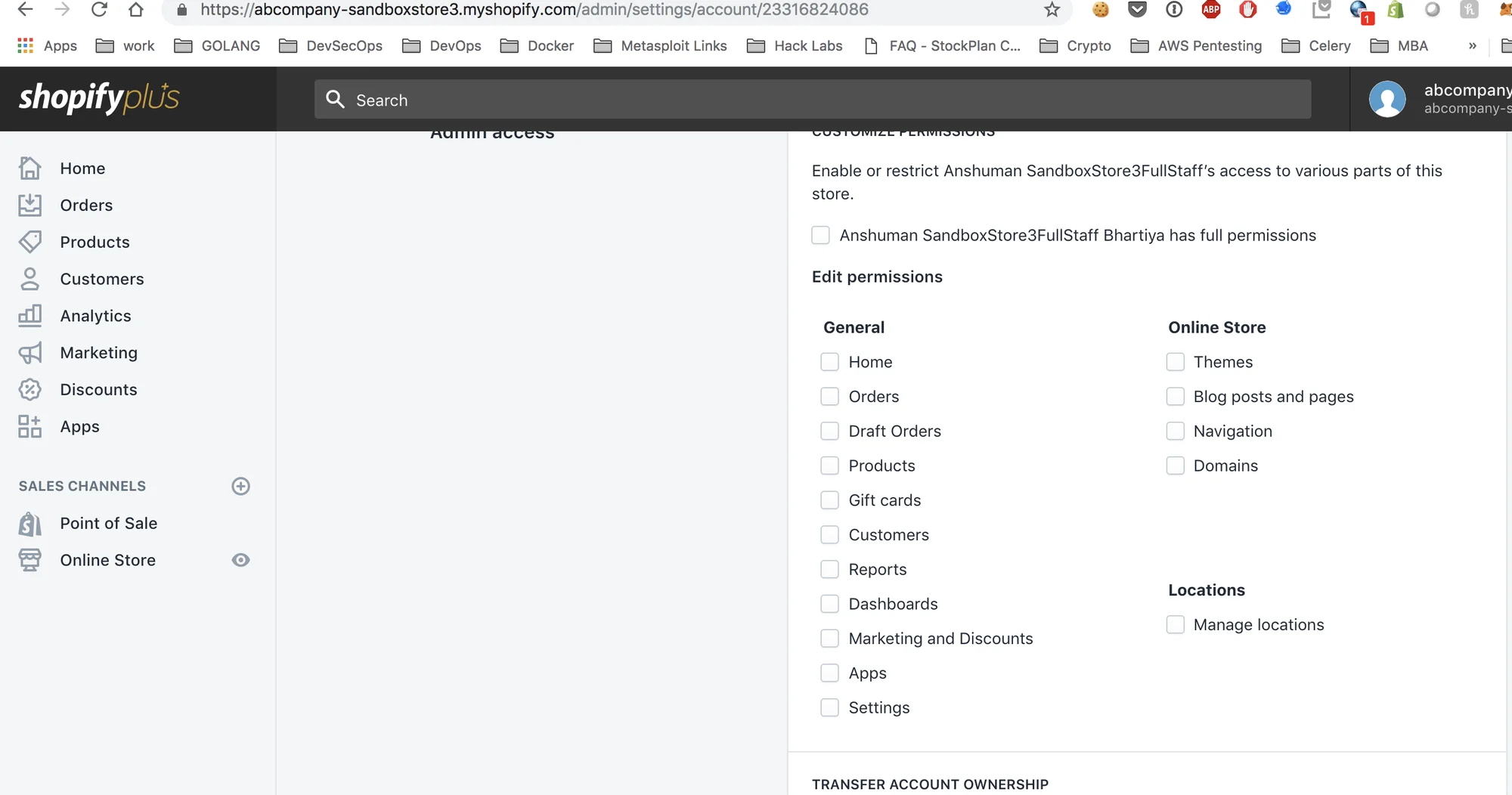
- Next, add a staff for this store and do not assign any permissions to that staff at the endpoint
/admin/settings/accountas shown below:
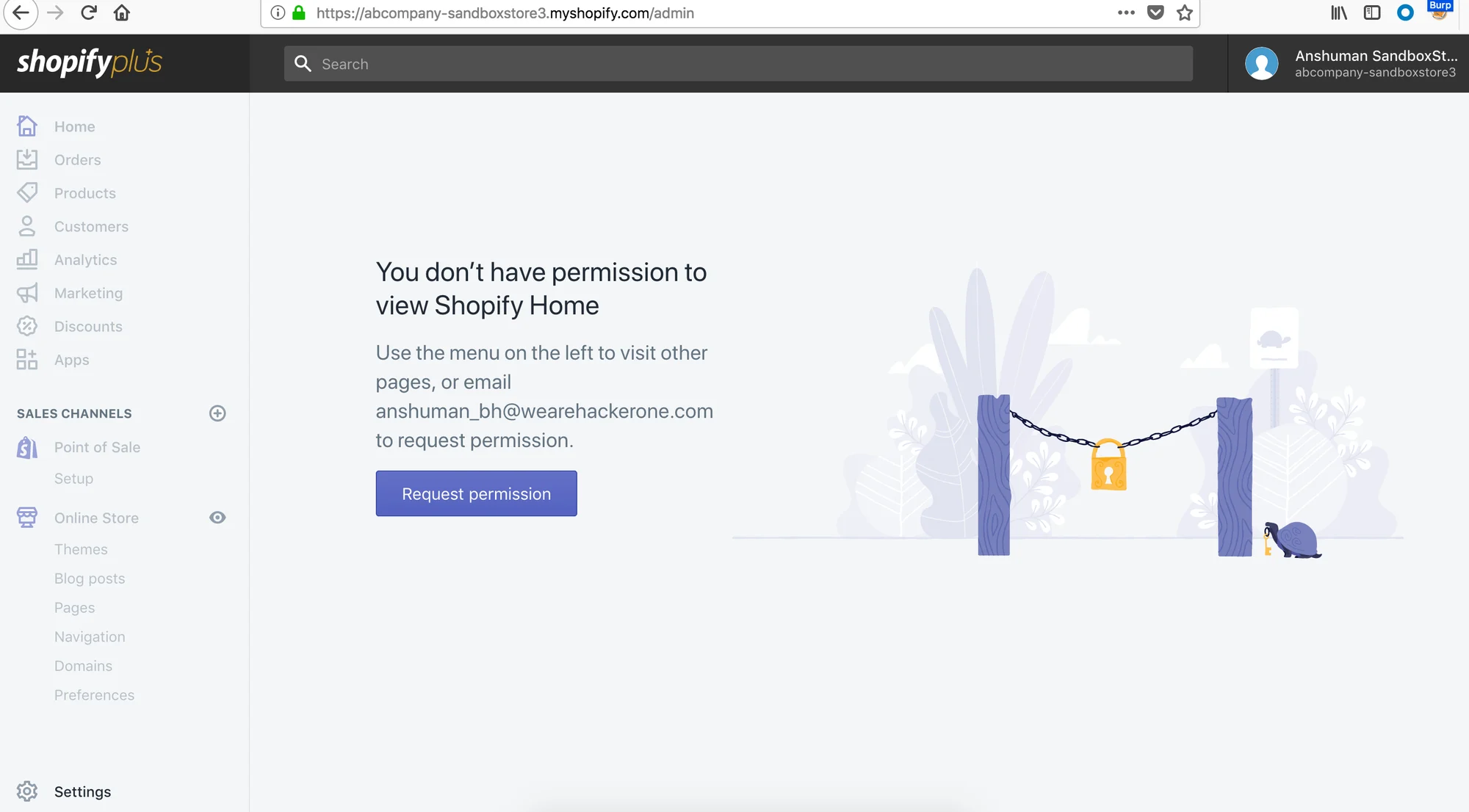
- Now, in a different browser, authenticate as the staff in this sandbox store and notice that you are not allowed to do anything as the Store admin because you don't have any permissions.
- Now, as the staff, navigate to the endpoint
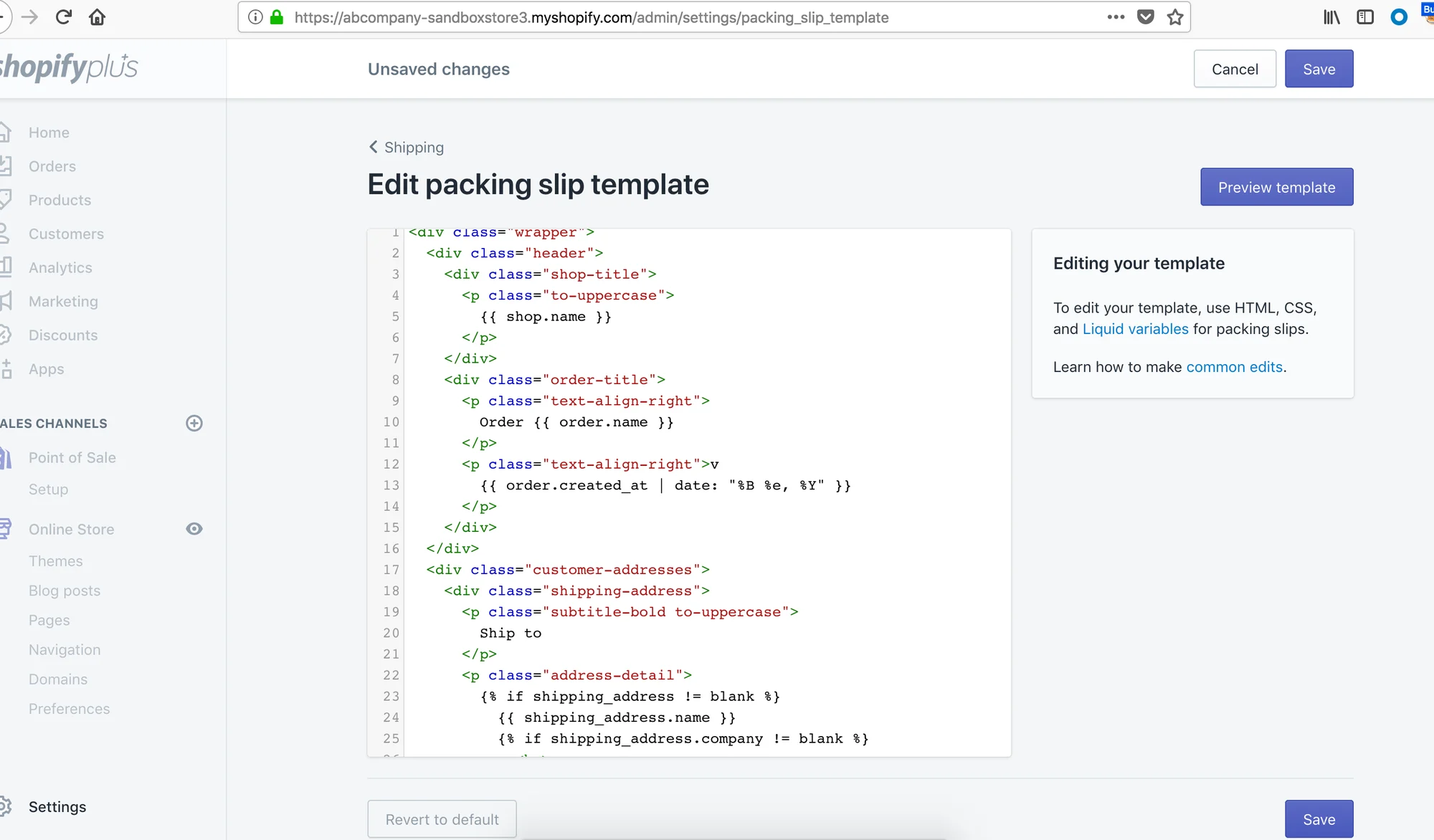
https://<store>.myshopify.com/admin/settings/packing_slip_template. Notice that you can edit and save the packing slip template. And, then you can also preview the template as shown below:
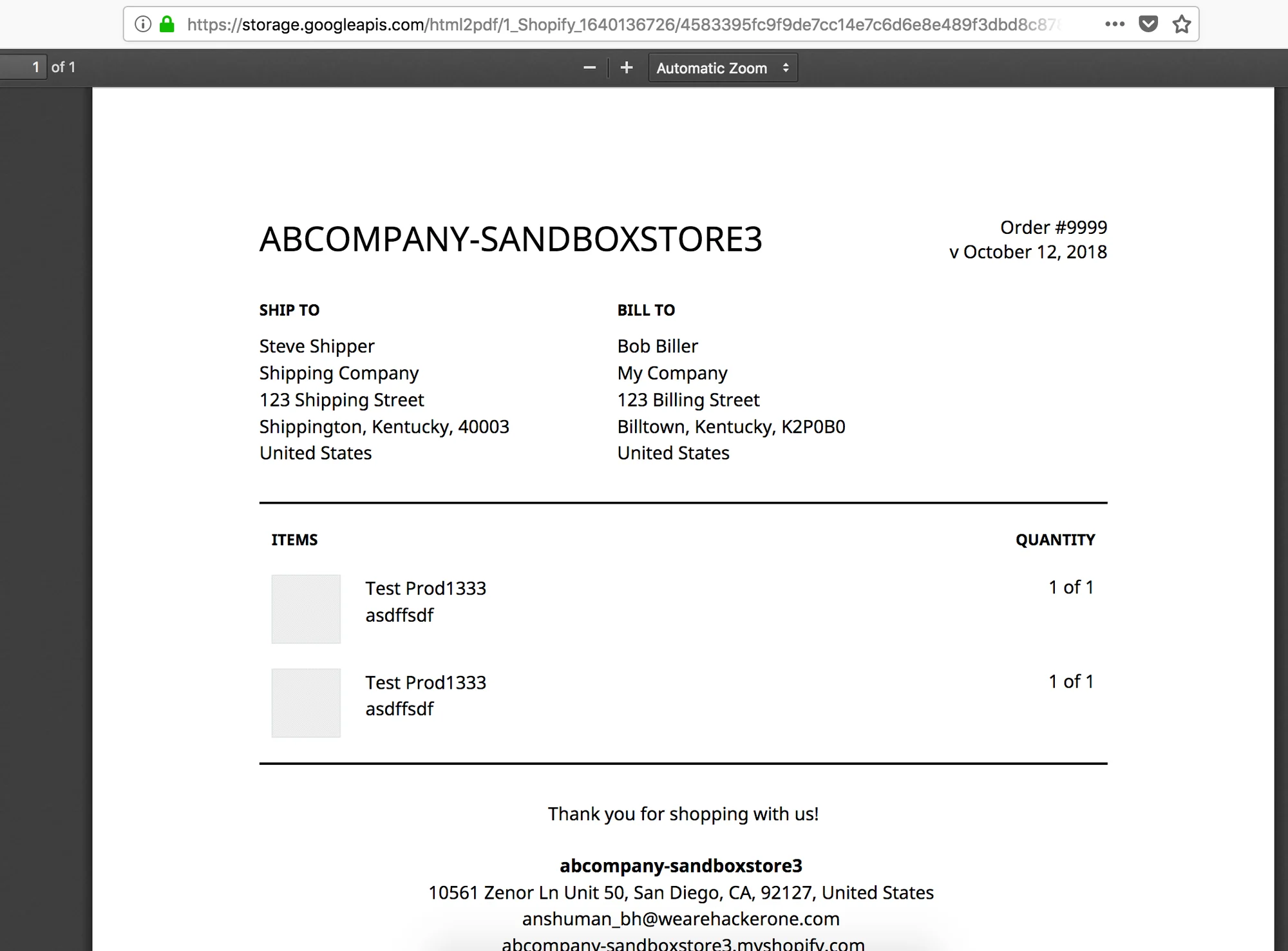
- Notice that the PDF generated from the preview has the product information as well as the shipping information
Impact
As a low privileged staff of a sandbox store (with no permissions), you are not supposed to edit or view any information of a store, if restricted by the store admin. A malicious low privileged staff can potentially leverage this vulnerability to edit packaging slip templates which can result in unauthorized information being sent to the customer. They can also view the product and shipping information of the store that they shouldn't have been able to otherwise.
Context
Shopify stores expose an admin interface at https://<store>.myshopify.com/admin. Among its settings pages is the packing slip template editor, reached at:
https://<store>.myshopify.com/admin/settings/packing_slip_template
A packing slip is the document that accompanies a shipment. The template editor lets a store owner customise that document, and the preview renders it as a PDF containing product information and shipping information. Because the rendered slip contains store data, access to this page is expected to be governed by the same permission checks as the rest of the admin.
The report concerns a sandbox store and a staff account that has been granted no permissions at all. The researcher found that such an account could still reach the packing slip template editor, modify and save the template, and preview it, which produced a PDF containing product and shipping data.
Setup
The researcher worked with two roles in a single sandbox store:
- A Storefront Admin, who created the sandbox store and logged in to it.
- A staff member added to that store with no permissions assigned.
The store was populated with products and shipping information before the staff account was tested. The staff account was authenticated in a different browser from the store admin, so the two sessions were kept separate.
No tooling beyond the browser and the Shopify admin interface is described.
Finding it
The researcher observed that navigating directly to the packing slip template URL as a low privileged staff member succeeded, even though the same account was blocked from doing anything else in the admin. The editor allowed the template to be edited and saved, and the preview could be generated. The preview PDF contained both product information and shipping information.
The researcher's interpretation was that this endpoint lacked the authorisation controls that are applied throughout the rest of the application. In other words, the page was reachable by URL even though the account held no permissions that would justify access to it.
Exploitation
Step 1: Create the sandbox store and populate it
As a Storefront Admin, create a sandbox store and log in to it. Then create products and configure shipping information at the following endpoints:
/admin/products
/admin/settings/shipping
The two screenshots below show the products and the shipping configuration used for the test.
Step 2: Add a staff account with no permissions
Add a staff member to the store at:
/admin/settings/account
Assign no permissions to that staff member. The screenshot shows the staff entry with an empty permission set.
Step 3: Confirm the staff account is restricted
In a different browser, authenticate as the staff member in the sandbox store. As expected, the account cannot do anything that the store admin can, because it holds no permissions. The screenshot shows the restricted admin view for this account.
Step 4: Reach the packing slip template editor directly
Still as the staff member, navigate to:
https://<store>.myshopify.com/admin/settings/packing_slip_template
The page loads. The staff member can edit the packing slip template and save the changes. The template can then be previewed. The screenshots show the editor being used and the preview being produced from the staff session.
Step 5: Observe the data in the preview
The PDF generated from the preview contains the product information as well as the shipping information. This is the data the staff account should not have been able to see, given that it holds no permissions.
Root cause
The report attributes the issue to missing authorisation controls on the packing slip template endpoint. The rest of the application enforces permissions for a staff account, but this particular settings page does not, so a direct request to its URL is served to an account with no permissions.
Likely, the endpoint was not covered by the same permission check that guards the other admin settings pages, leaving the page reachable by a staff account with no permissions. The report does not describe the implementation, so the exact mechanism is not stated.
Impact
A low privileged staff member of a sandbox store, holding no permissions, is not supposed to edit or view any store information when the store admin has restricted them. With this issue, such a staff member can edit packing slip templates, which can result in unauthorised information being sent to the customer, and can view the store's product and shipping information that they should not have been able to access otherwise.
The report frames the impact in terms of what a malicious low privileged staff member could do with the access. It does not describe exploitation against a store the attacker does not already have a staff account on.
Fix
Based on the finding, the endpoint should enforce the same permission checks as the rest of the admin, so that a staff account without the relevant permission cannot load, save or preview the packing slip template.
Variants to test
- Enumerate other admin settings URLs that render documents or data, such as template editors and preview endpoints, and request them directly from a staff account with no permissions. A positive result is a page that loads and returns store data instead of a permission error.
- Attempt to save changes to a template from the restricted account, not just view it. A positive result is a successful save that persists when checked from the admin session.
- Request the preview or PDF generation step directly rather than through the editor UI. A positive result is a generated document containing product or shipping data.
- Repeat with staff accounts holding partial permissions, to see whether the endpoint ignores the permission model entirely or only a specific permission. A positive result is access that the assigned permissions do not justify.
Hunting notes
This kind of bug tends to sit on settings pages that are reached by direct URL rather than through navigation that the UI hides for restricted accounts. The signal during testing is simple: a staff account with no permissions sees an empty or restricted admin, yet a known settings path still renders. Comparing behaviour across sibling settings endpoints quickly shows which one is missing the check.
The researcher demonstrated impact by showing the full chain: the restricted account could edit and save the template, and the preview produced a PDF containing product and shipping information. Showing the data in the generated document, rather than only that a page loaded, is what makes the missing authorisation concrete.
What happened, in plain words
Shopify is a service that lets people run an online shop. Every shop gets an admin area, a private website where the owner manages products, orders, shipping and settings. That admin area lives at an address like https://<store>.myshopify.com/admin, where <store> is the shop's own name.
A shop owner can invite other people, called staff, to help run the shop. Each staff member gets a set of permissions: tick boxes that say what they are allowed to do. If the owner ticks nothing, the staff member should be able to do nothing at all.
The researcher found that a staff member with no permissions could still open one particular settings page: the editor for the packing slip template. A packing slip is the document that goes with a shipped order, showing product information and shipping information. The editor lets you change how that slip looks, and it can show a preview as a PDF file. That preview contained the shop's product information and shipping information, which the staff member was never supposed to see.
This kind of bug is called a privilege escalation, or more precisely a missing authorisation check. Authorisation is the part of a program that decides whether the person asking is allowed to do the thing they are asking for. Here, the page simply did not ask.
Background you need
A few ideas come up again and again below, so here they are first.
- Endpoint: a specific address on a website that does a specific job. Think of a large office building: the street address gets you into the building, but each room number (endpoint) leads to a different desk.
/admin/productsis the desk for products,/admin/settings/shippingis the desk for shipping settings. - URL: the full text you type into a browser's address bar, such as
https://<store>.myshopify.com/admin/settings/packing_slip_template. The part after the domain name, like/admin/settings/packing_slip_template, is the path, and it is what selects the endpoint. - Session: when you log in, the website gives your browser a small piece of data so it can remember who you are on the next page load. Without it you would have to type your password on every click. Two different browsers hold two separate sessions, which is why the researcher used two browsers: one stayed logged in as the shop owner, the other as the staff member, and neither interfered with the other.
- Permission: a tick box in the admin that grants a staff member the right to use a feature. No ticks means no rights.
- Authorisation check: code on the server that looks at who is logged in and decides yes or no before showing a page or doing an action. When a page is missing this check, anyone who is logged in can reach it just by knowing its address, even if the menus hide it from them.
- Sandbox store: a test shop, used for experimenting rather than for real customers.
- PDF: a file format for documents that looks the same on every computer. The packing slip preview is produced as a PDF.
The setup
The researcher used two roles inside one sandbox store:
- A Storefront Admin, the shop owner account, which created the sandbox store and logged in to it.
- A staff member added to that store with no permissions ticked at all.
Before testing the staff account, the shop was filled with products and shipping information, so that the packing slip would have real data to show. The staff account was logged in from a different browser from the shop owner, keeping the two sessions apart. Nothing beyond a browser and the Shopify admin pages is described.
Finding it
The researcher noticed that typing the packing slip template address directly into the browser as the low privileged staff member worked. The same account was blocked from everything else in the admin, yet this one page opened. The editor let the template be changed and saved, and the preview could be generated. The preview PDF contained both product information and shipping information.
The researcher's reading was that this endpoint lacked the authorisation controls that the rest of the application applies. In plain terms: the page was reachable by anyone who knew its address and was logged in, even an account holding no permissions that would justify access to it.
Exploitation
Step 1: Create the sandbox store and populate it
As a Storefront Admin, create a sandbox store and log in to it. Then create products and set up shipping information at these endpoints:
/admin/products
/admin/settings/shipping
The first line is the products page. The second is the shipping settings page.
The two screenshots below show the products and the shipping configuration used for the test.
Step 2: Add a staff account with no permissions
Add a staff member to the store at:
/admin/settings/account
This is the account settings page, where the staff member was added. Assign no permissions to that staff member. The screenshot shows the staff entry with an empty permission set.
Step 3: Confirm the staff account is restricted
In a different browser, log in as the staff member in the sandbox store. As expected, the account cannot do anything the shop owner can, because it holds no permissions. The screenshot shows the restricted admin view for this account.
This step matters because it establishes the baseline. Before claiming that something is wrong, you show that the normal behaviour is correct: the menus are empty, the features are blocked. Anything that then works is clearly an exception.
Step 4: Reach the packing slip template editor directly
Still as the staff member, navigate to:
https://<store>.myshopify.com/admin/settings/packing_slip_template
This is the address of the packing slip template editor. Normally you would reach it by clicking through the admin menus, but a restricted account does not see those menus. Typing the address by hand skips the menus entirely and asks the server for the page directly. That is the whole trick: menus are only a convenience, and the real decision about who may see a page has to be made by the server when the page is requested.
The page loads. The staff member can edit the packing slip template and save the changes. The template can then be previewed. The screenshots show the editor being used and the preview being produced from the staff session.
Step 5: Observe the data in the preview
The PDF generated from the preview contains the product information as well as the shipping information. This is the data the staff account should not have been able to see, given that it holds no permissions.
Why it happened
The report puts the issue down to missing authorisation controls on the packing slip template endpoint. The rest of the application enforces permissions for a staff account, but this particular settings page does not, so a direct request to its address is served to an account with no permissions.
Most likely the endpoint was simply not covered by the same permission check that guards the other admin settings pages, leaving the page reachable by a staff account with no permissions. The report does not describe the implementation, so the exact mechanism is not stated.
Impact
A low privileged staff member of a sandbox store, holding no permissions, is not supposed to edit or view any store information when the shop owner has restricted them. With this issue, such a staff member can edit packing slip templates, which can result in unauthorised information being sent to the customer, and can view the store's product and shipping information that they should not have been able to access otherwise.
The report frames the impact in terms of what a malicious low privileged staff member could do with the access. It does not describe exploitation against a store the attacker does not already have a staff account on.
Fix
Based on the finding, the endpoint should enforce the same permission checks as the rest of the admin, so that a staff account without the relevant permission cannot load, save or preview the packing slip template.
Variants to test
- Enumerate other admin settings addresses that render documents or data, such as template editors and preview endpoints, and request them directly from a staff account with no permissions. A positive result is a page that loads and returns store data instead of a permission error.
- Attempt to save changes to a template from the restricted account, not just view it. A positive result is a successful save that persists when checked from the admin session.
- Request the preview or PDF generation step directly rather than through the editor interface. A positive result is a generated document containing product or shipping data.
- Repeat with staff accounts holding partial permissions, to see whether the endpoint ignores the permission model entirely or only a specific permission. A positive result is access that the assigned permissions do not justify.
Hunting notes
This kind of bug tends to sit on settings pages that are reached by direct address rather than through navigation that the interface hides for restricted accounts. The signal during testing is simple: a staff account with no permissions sees an empty or restricted admin, yet a known settings path still renders. Comparing behaviour across sibling settings endpoints quickly shows which one is missing the check.
The researcher demonstrated impact by showing the full chain: the restricted account could edit and save the template, and the preview produced a PDF containing product and shipping information. Showing the data in the generated document, rather than only that a page loaded, is what makes the missing authorisation concrete.
Glossary
- Admin interface: the private website where a shop owner manages the shop.
- Authorisation: the decision about whether a logged in person is allowed to do a particular thing.
- Authorisation check: the code that makes that decision before a page or action is served.
- Endpoint: a specific address on a website that performs a specific job.
- PDF: a document file format that displays the same way on any computer.
- Permission: a right granted to a staff account, usually through tick boxes in the admin.
- Privilege escalation: gaining access to something you should not be allowed to reach, here by opening a page your permissions do not cover.
- Sandbox store: a test shop used for experiments rather than real sales.
- Session: the state a website keeps so it remembers who you are after you log in.
- Staff account: a login added to a shop by its owner, with a chosen set of permissions.
- Storefront Admin: the shop owner account that created and controls the store.
- URL: the full address typed into a browser, including the domain and the path.





