an xss issue in https://hunter22.slack.com/help/requests/793043
A help request form on Slack accepted Markdown links with javascript: and data: schemes, and the payload executed when a user clicked the link. An attacker could run script in the context of the Slack domain if a victim clicked the crafted link.
 Originally disclosed on HackerOne
- Triaged in 5 days
- Fixed in 8 days
- Paid in 8 days
- Disclosed after 3 months
good day: i found an xss issue when making a help request.. https://hunter22.slack.com/help/requests/new
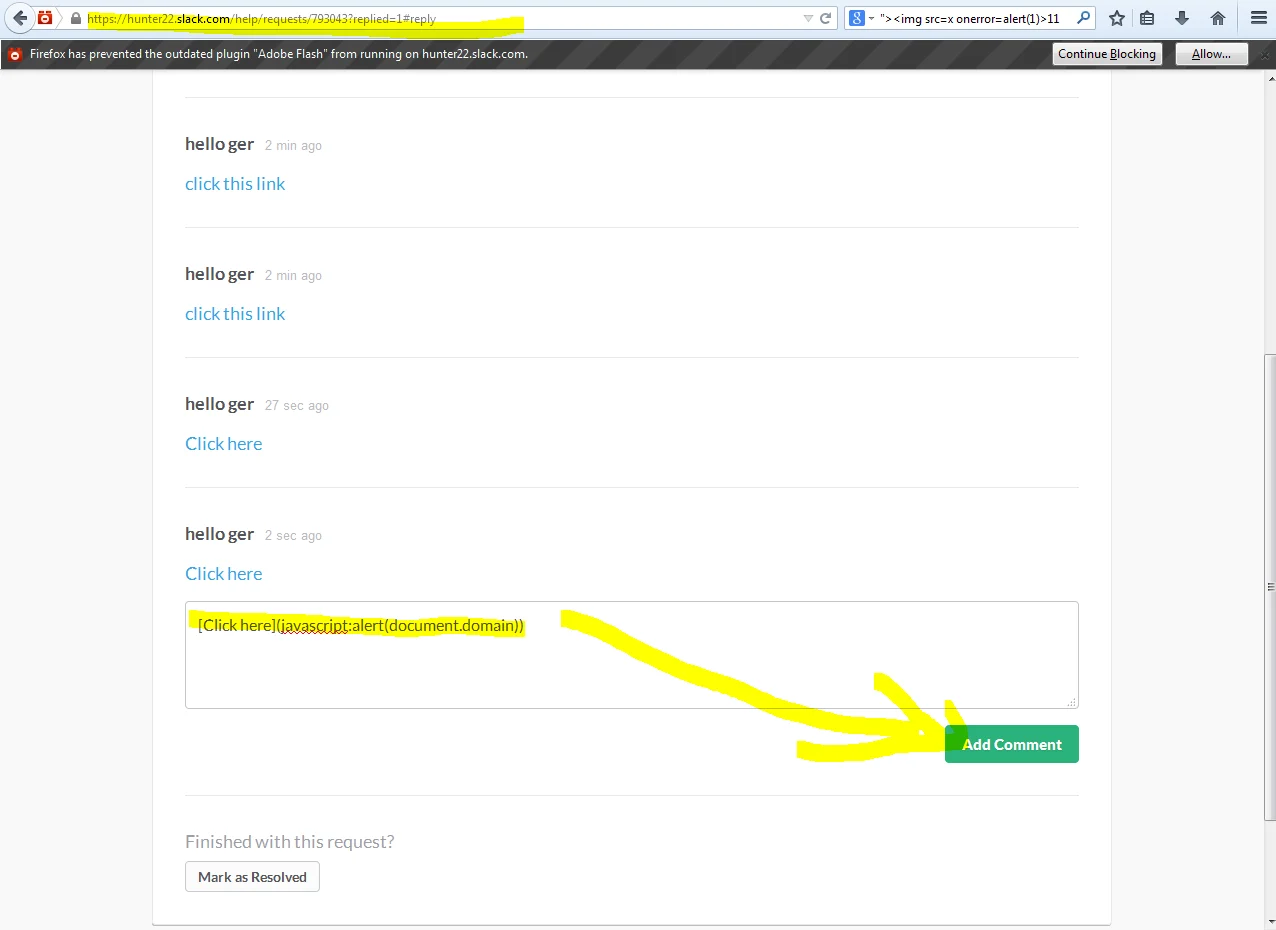
with this xss payload: Click here click this link
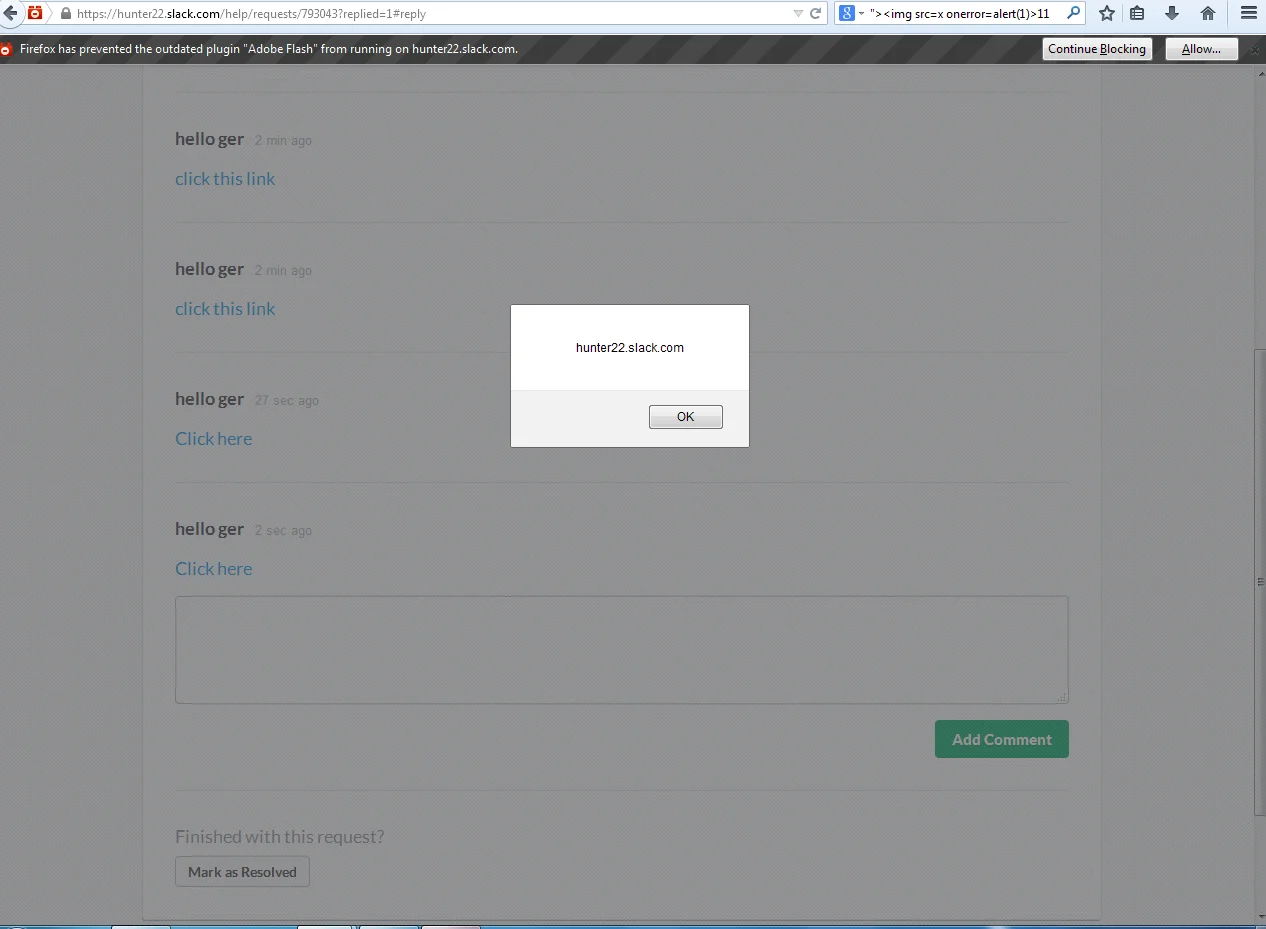
when try to comment the xss payload , then upon clicking xss payload executed.
Attachments
Not written yet. The AI write-up for this report has not been written yet. The Original tab links to the source.
How it worked
Root cause
Likely the Markdown renderer allowed javascript: and data: URI schemes in links without sanitising or restricting them.
Impact
Script could run in the Slack origin when a victim clicked the link, as shown by an alert of the document domain.
What the attacker needed
Access to a Slack workspace; victim clicks the crafted link
How it was found
- Open the new help request page.
- Enter a Markdown link whose target is a script or data URI.
- Submit the comment.
- Click the rendered link to trigger execution.
Explained by bugbounty.wiki with AI from the original and checked against quotes from it; it can still be wrong. Read the original before relying on a detail.
Not written yet. The AI write-up for this report has not been written yet. The Original tab links to the source.
A help request page let people write comments using a simple formatting language called Markdown, which turns text into links. The site did not check what kind of link was created, so a link could run code instead of opening a normal web page. When someone clicked that link, the code ran inside the Slack website.
What is XSS?
Script an attacker supplies runs in another user's browser, on the target's origin, with that user's session.






