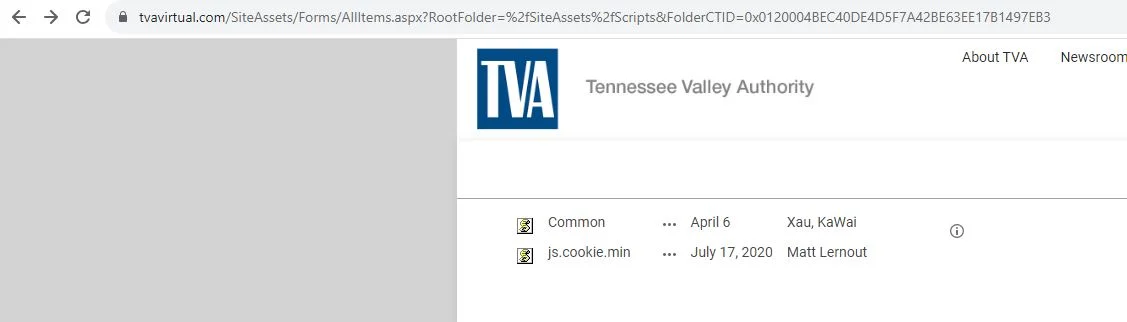
File listing through scripts folder
The SharePoint site exposed directory listings for its script and root folders, allowing an attacker to browse and enumerate files that should have been hidden. This could reveal sensitive information and publishing user details.
 Originally disclosed on HackerOne
- Triaged in 10 days
- Fixed in 11 days
- Disclosed after 4 months
Summary:
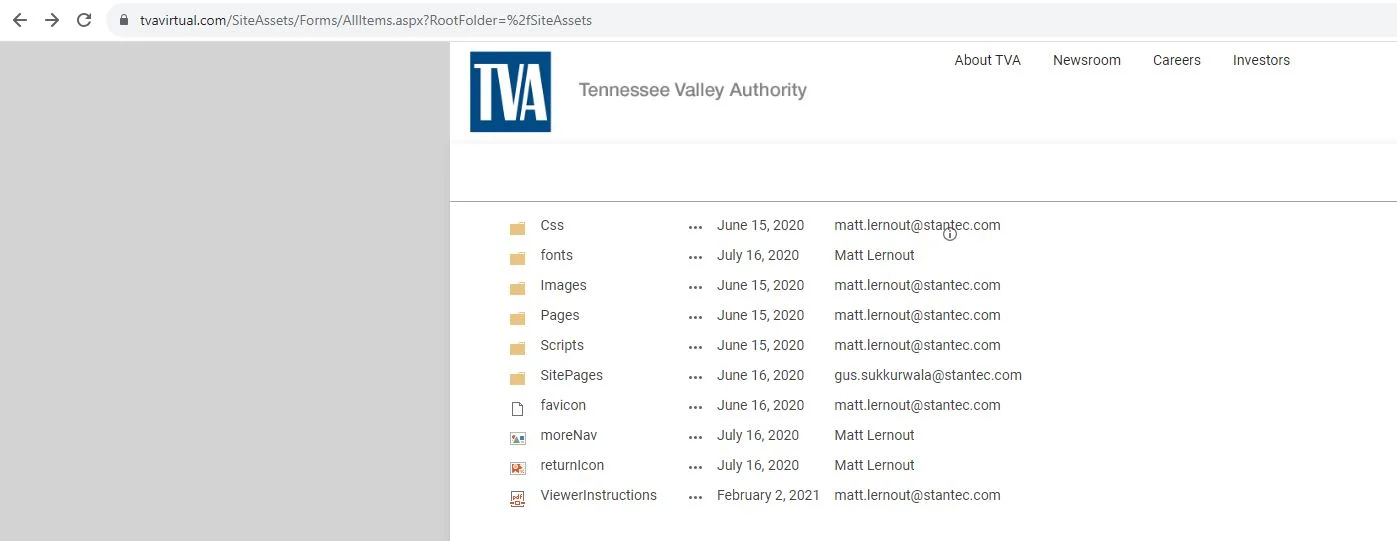
It's possible to list all hidden files that are located within the TVAVirtual.com Sharepoint folder structure.
Steps To Reproduce:
- Navigate to TvaVirtual.com
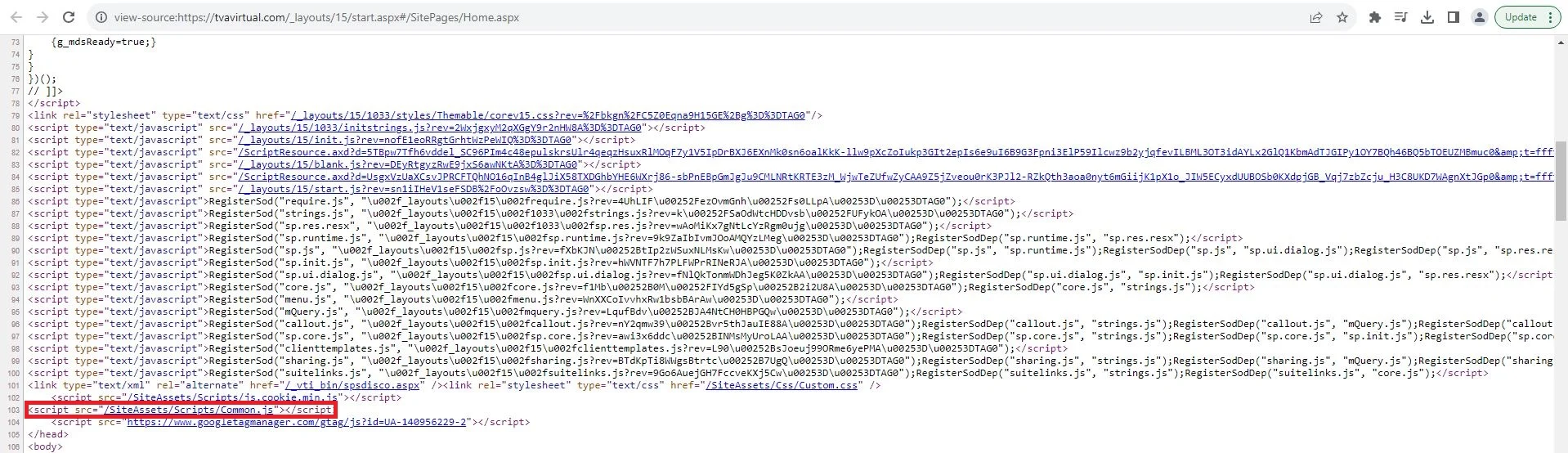
- Open the pages source code and notice that its build using sharepoint pages.
- Confirm that you see a listing for /SiteAssets/Scripts/js.cookie.min.js. Click on it to navigate to the page
- Once https://tvavirtual.com/SiteAssets/Scripts/js.cookie.min.js loads, then remove js.cookie.min.js from the url
- Confirm that TvaVirtual.com now shows the script folder listing on the page.
- Remove the extra folder from the url to list the root folder at https://tvavirtual.com/SiteAssets/Forms/AllItems.aspx?RootFolder=
- Navigate through the directory listing in an attempt to find sensitive files, enumerate publishing users and version history.
Supporting Material/References:
I've attached jpgs showing what is available. You may see a login from [email protected] where I was confirming cross tenant access to the files.
Impact
Attackers can potentially enumerate sensitive information and files that would otherwise be protected
Attachments
Not written yet. The AI write-up for this report has not been written yet. The Original tab links to the source.
How it worked
Root cause
Likely, directory listing was enabled on SharePoint folders, allowing anyone to view their contents.
Impact
Attackers could potentially enumerate sensitive information and files that would otherwise be protected.
What the attacker needed
None
How it was found
- Navigate to TvaVirtual.com.
- Open the page source and notice it is built using SharePoint pages.
- Find a link to a script file and click it.
- Remove the file name from the URL to see the folder listing.
- Remove the extra folder from the URL to list the root folder.
- Browse the directory listing to find sensitive files and user information.
Explained by bugbounty.wiki with AI from the original and checked against quotes from it; it can still be wrong. Read the original before relying on a detail.
Not written yet. The AI write-up for this report has not been written yet. The Original tab links to the source.
A website's folder structure can sometimes be browsed directly if directory listing is turned on. Here, the site let anyone see a list of files in certain folders, which could include private documents or user information.
What is Info disclosure?
Data the application should keep private (personal data, internal details, other users' records) reaches someone it should not.