Admin.MyTVA.com Customer lookup and internal notes bypass
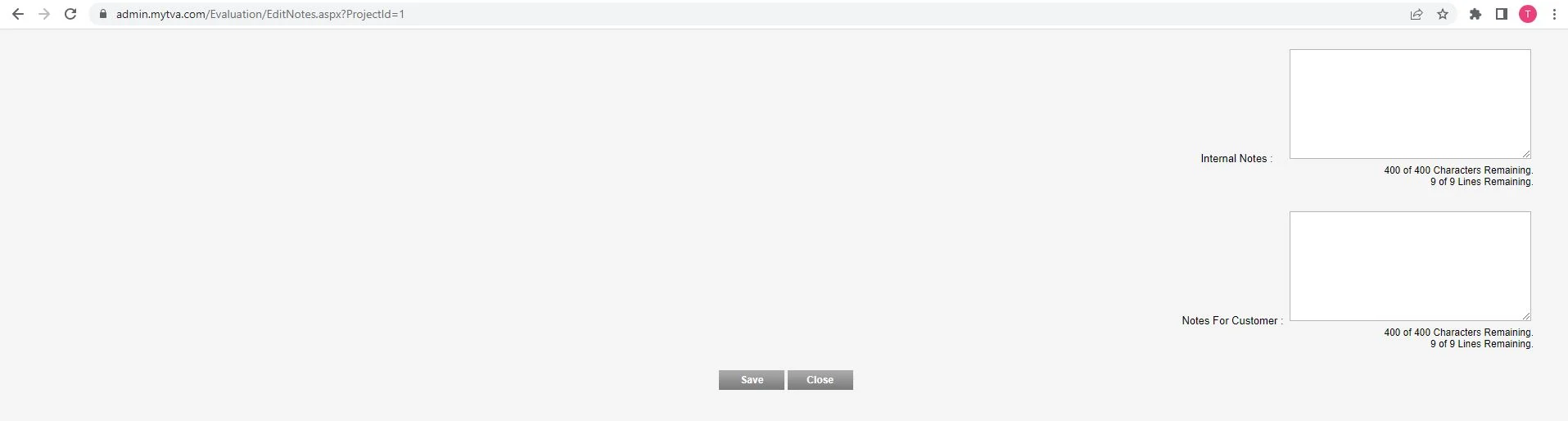
The admin-only endpoints on admin.mytva.com are not properly secured, allowing an attacker to bypass login and perform actions such as looking up customers and adding internal notes. The endpoints can be enumerated through the forgot password function.
 Originally disclosed on HackerOne
- Triaged in 6 days
- Fixed in 42 days
- Disclosed after 3 months
Summary:
The admin.mytva.com site does not properly secure the admin only endpoints, which can allow an attacker to bypass the login and take actions like looking up customers. The endpoints can be enumerated through the forgot password function.
Steps To Reproduce:
- Navigate to https://admin.mytva.com/Account/ForgotPassword.aspx and enter 'admin' as the ID
- Wait on the admin email to appear (this should also be restricted)
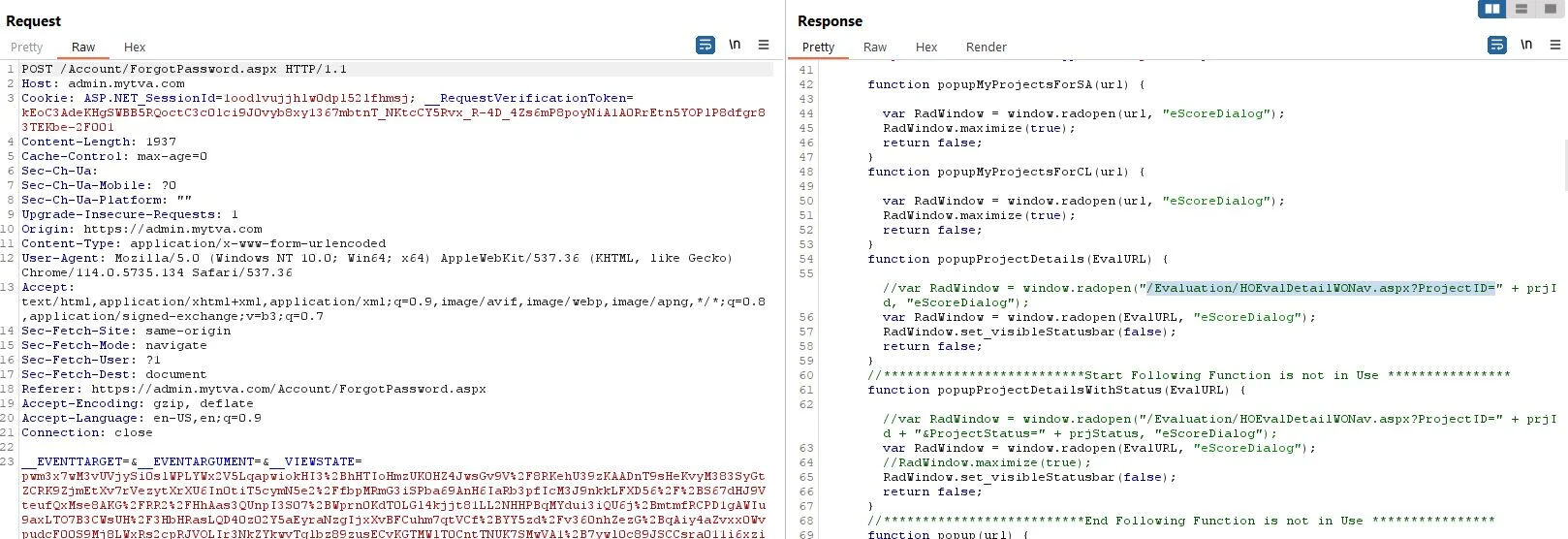
- Attempt to send the reset password and capture the request with BURP
- Review the response to the request for new endpoints. Some of them that will stand out are:
/Evaluation/EditNotes.aspx?ProjectId= /Evaluation/HOEvalDetailWONav.aspx?ProjectID= /Tools/Customer/AddressLookup.aspx 5. The endpoints do not protect themselves for bruteforcing either, so the attacker can now attempt to retrieve further information or add internal/customer notes
Supporting Material/References:
[list any additional material (e.g. screenshots, logs, etc.)]
- [attachment / reference]
Impact
Unprotected endpoints may lead to a data breach. It would be recommended to check the logs for previous attacks
Attachments

Not written yet. The AI write-up for this report has not been written yet. The Original tab links to the source.
How it worked
Root cause
Likely the admin endpoints lack proper authentication checks, allowing unauthenticated access.
Impact
Unprotected endpoints may lead to a data breach, and it is recommended to check logs for previous attacks.
What the attacker needed
None
The fix
Endpoints should be secured with authentication and authorisation checks, and the forgot password function restricted.
How it was found
- Navigate to the forgot password page and enter 'admin' as the ID.
- Wait for the admin email to appear.
- Attempt to send the reset password and capture the request with BURP.
- Review the response for new endpoints such as /Evaluation/EditNotes.aspx?ProjectId=, /Evaluation/HOEvalDetailWONav.aspx?ProjectID=, and /Tools/Customer/AddressLookup.aspx.
- The endpoints do not protect against bruteforcing, so the attacker can attempt to retrieve further information or add internal/customer notes.
Explained by bugbounty.wiki with AI from the original and checked against quotes from it; it can still be wrong. Read the original before relying on a detail.
Not written yet. The AI write-up for this report has not been written yet. The Original tab links to the source.
The admin website has pages that are supposed to be only for staff, but they don't check if you are logged in. By using the 'forgot password' feature, an attacker can discover these pages and then use them without logging in, potentially seeing customer data or adding notes.
What is Access control?
A user can do something their role should not allow: reach an admin function, act on a feature they have not paid for, or skip a permission check. IDOR is the special case where the object belongs to someone else.