2FA Bypass - IDN Mischief
The application normalised email addresses during 2FA validation, so two accounts with visually similar but distinct email addresses shared the same 2FA secret. An attacker who knew a victim's password could log in using the 2FA code from their own look-alike account.
 Published on shahjerry33.medium.com
Internationalized Domain Name (IDN) Homograph Attacks involve exploiting similarities between visually identical characters from different writing systems (e.g., Latin ‘a’ and Cyrillic ‘á’). In the context of Two-Factor Authentication (2FA), this vulnerability can occur when an application incorrectly normalizes or…
The full write-up lives on its author's site
It belongs to its author, so we link to it rather than copy it. The other two tabs are our own rewrites, checked against it.
Context
This write-up describes a two-factor authentication bypass caused by how a website normalised email addresses during 2FA validation. The target is a web application that offers account registration by email and optional second-factor authentication. The researcher does not name the product or the program, and the report gives no version numbers or endpoint paths.
The feature under test is the 2FA check performed at login. Normally, when a user logs in with a password and then submits a one-time code, the server looks up the secret key belonging to that account and compares the submitted code against the code generated from that key. The account is identified by the email address the user registered with. The bug is that the email address used for the lookup is normalised before the secret key is retrieved, so two different email addresses that normalise to the same string share one secret key.
The class of attack is the IDN homograph: characters from different writing systems that look alike, such as the Latin a and the accented á. The report uses [redacted] and [redacted] as the pair.
Setup
The researcher needed two things before starting:
- Two accounts on the same website, registered with a normal email address and a look-a-like address that differs only by a homograph character.
- 2FA enabled on both accounts, with both secrets loaded into an authenticator app.
The report lists one explicit prerequisite for the attack: the attacker should know the password of the victim for initial access. The 2FA bypass itself does not remove the need for that first factor.
No specific tools, browser versions or server details are given beyond an authenticator app and a second browser used to keep sessions separate.
Finding it
The researcher registered two accounts, one with the normal address and one with the look-a-like address, and enabled 2FA on each. To test it, the researcher logged into the normal account and then submitted the code generated for the look-a-like account. The site accepted it. The reverse direction was also tested: logging in as the look-a-like account and submitting the code belonging to the normal account was accepted as well. The attack therefore worked in both directions, although from an attacker's point of view the useful direction is using the look-a-like account's code to satisfy the 2FA prompt of the normal account.
Exploitation
Step 1: Register the two accounts
The researcher created two accounts with the following addresses:
[redacted]
[redacted]
The first is an ordinary address. The second replaces the a in the domain with á, a character that renders almost identically. The report states that the system stored both accounts as separate entities without normalisation at registration time.
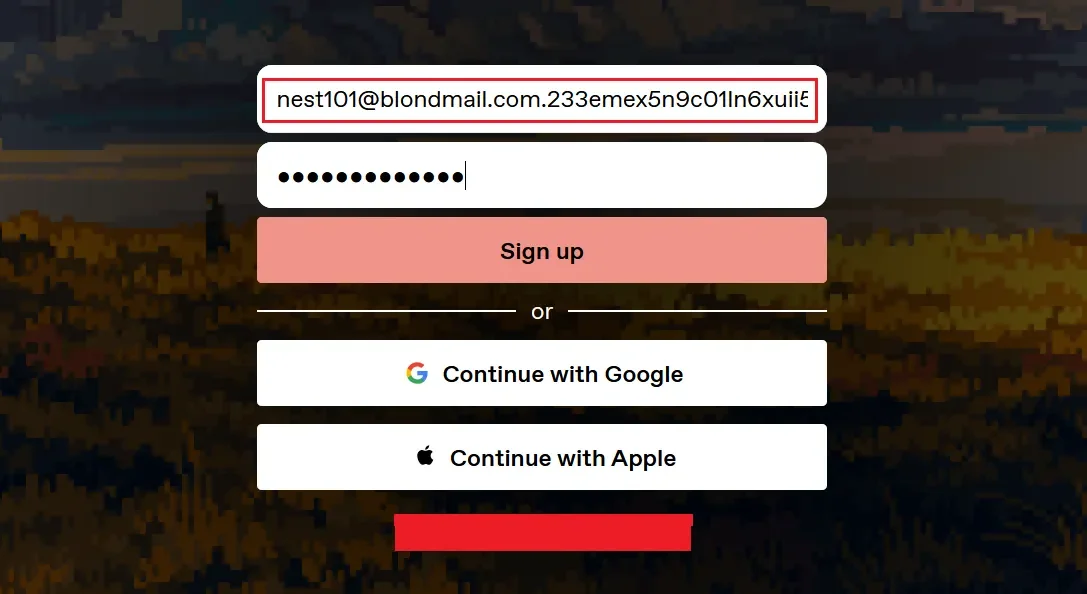
Registration - Account 1 (Normal email)
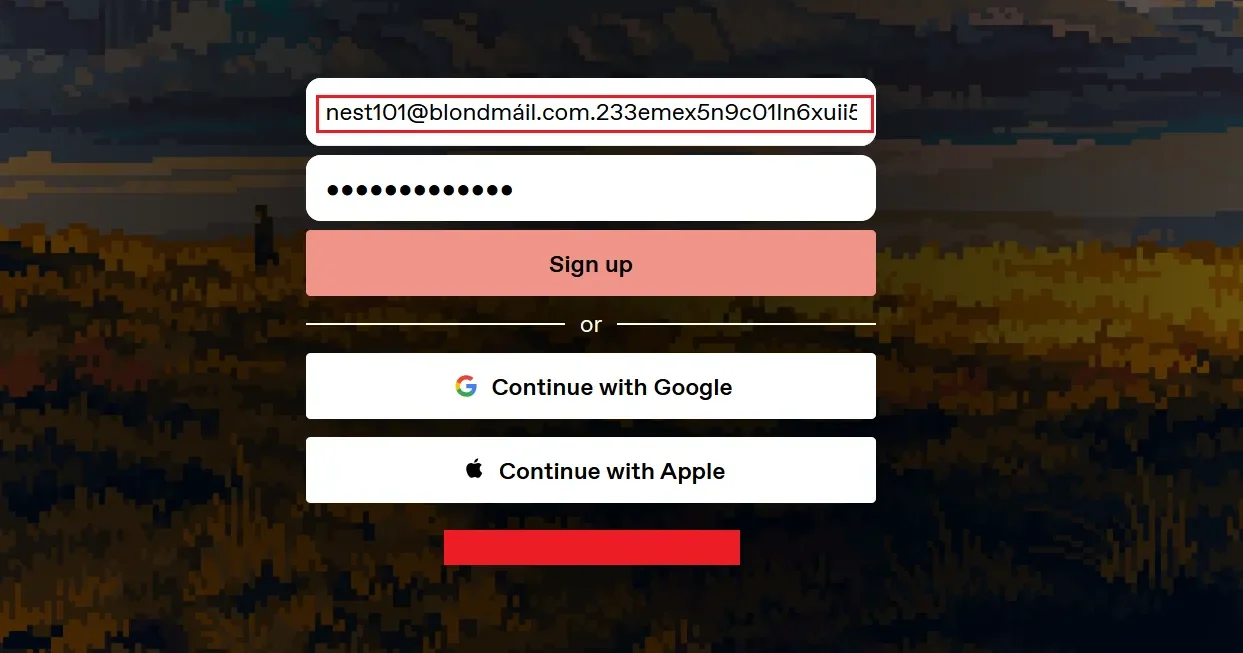
Registration - Account 2 (Look-a-like email)
Step 2: Enable 2FA on both accounts
2FA was set up and enabled on each account. Each account received its own secret key, and the report notes that the secret keys are stored against the respective normalised email addresses.
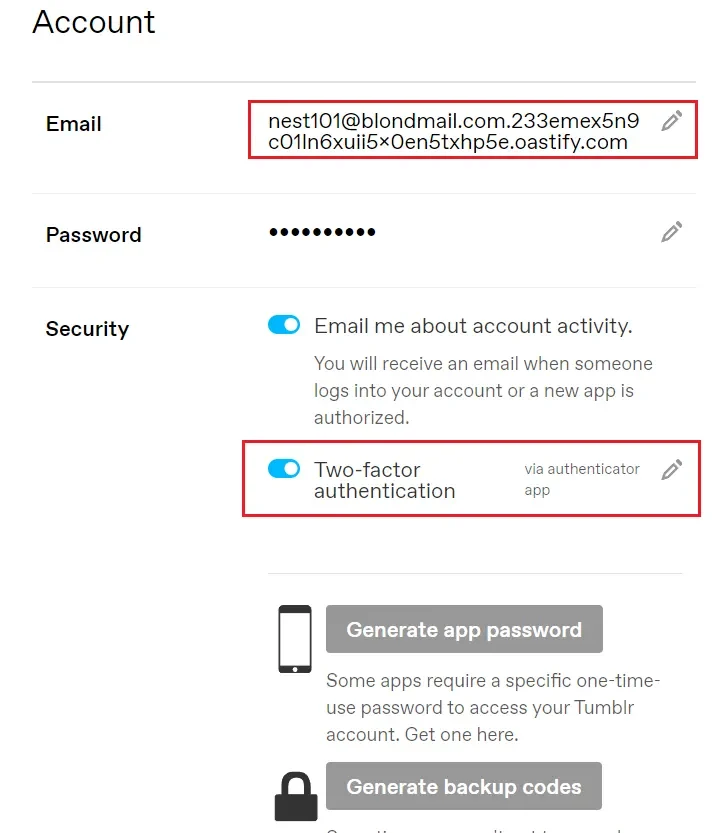
Enable 2FA - Account 1 (Normal email)
Normal Email - 2FA
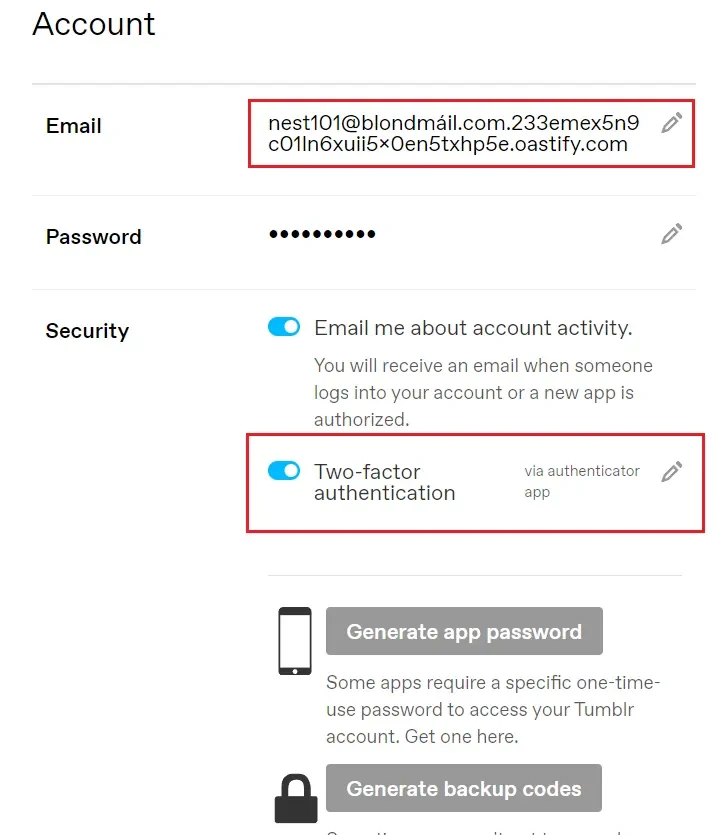
Enable 2FA - Account 2 (Look-a-like email)
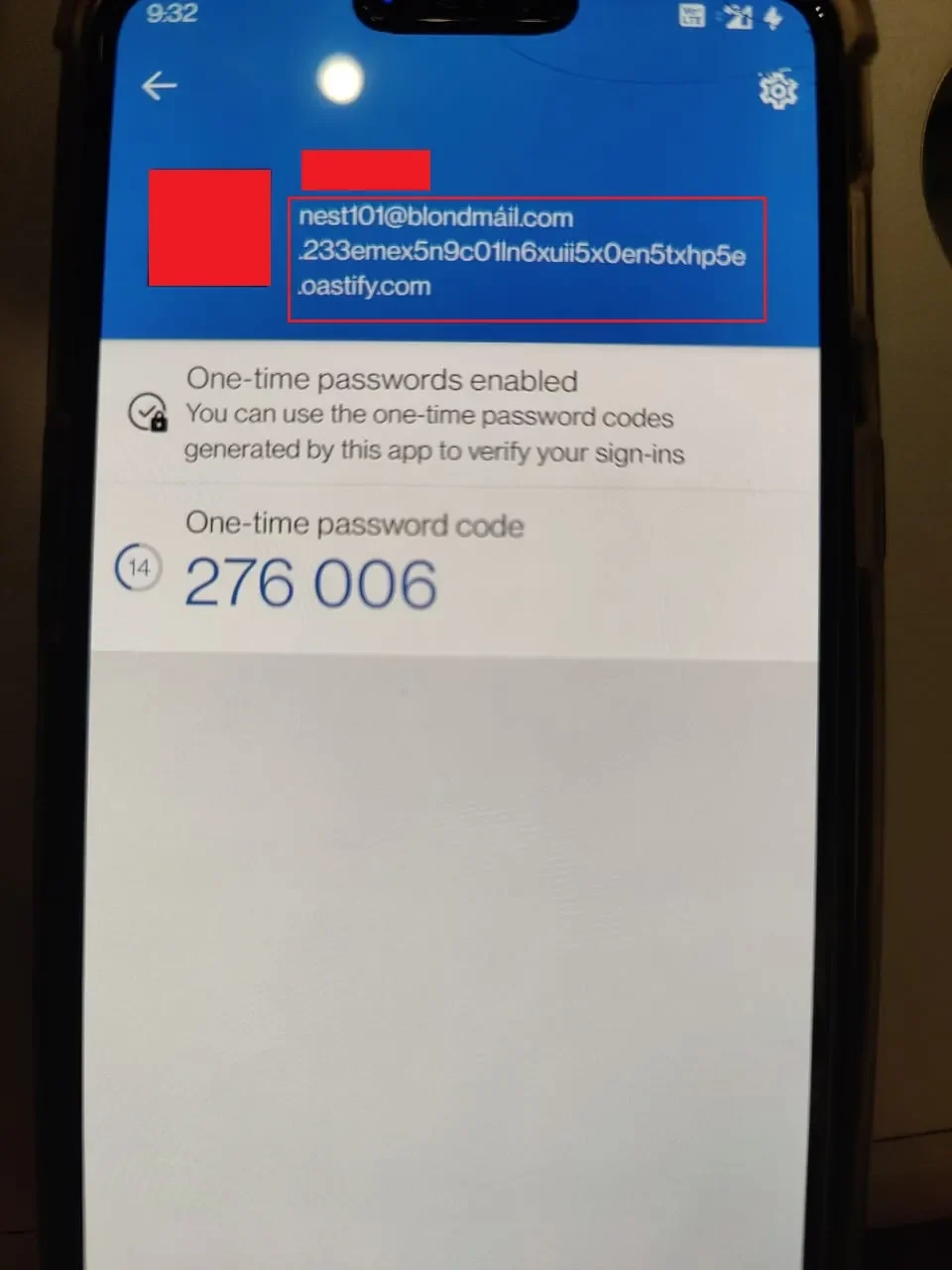
Look-a-like Email - 2FA
Step 3: Log in to the normal account from another browser
Using a separate browser, the researcher logged into the normal account, [redacted], with its password. Using a separate browser, the researcher logged into the normal account, [redacted].
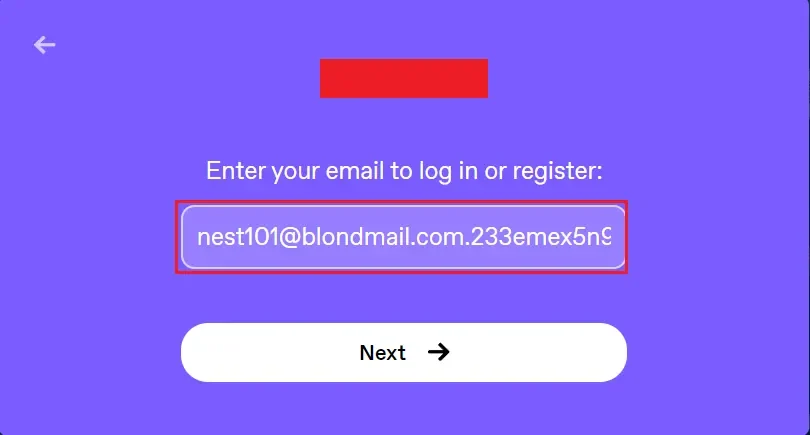
Login - Normal Account
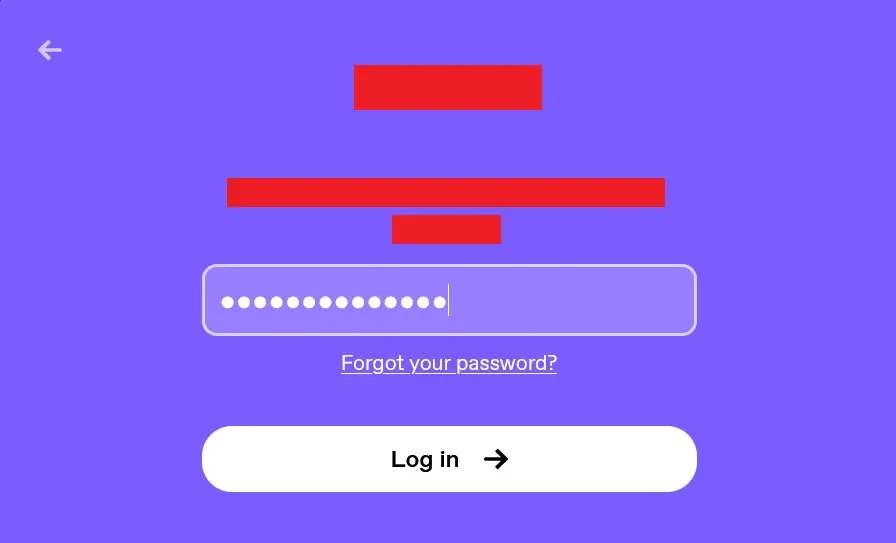
Login - Normal Account
Step 4: Submit the look-a-like account's code
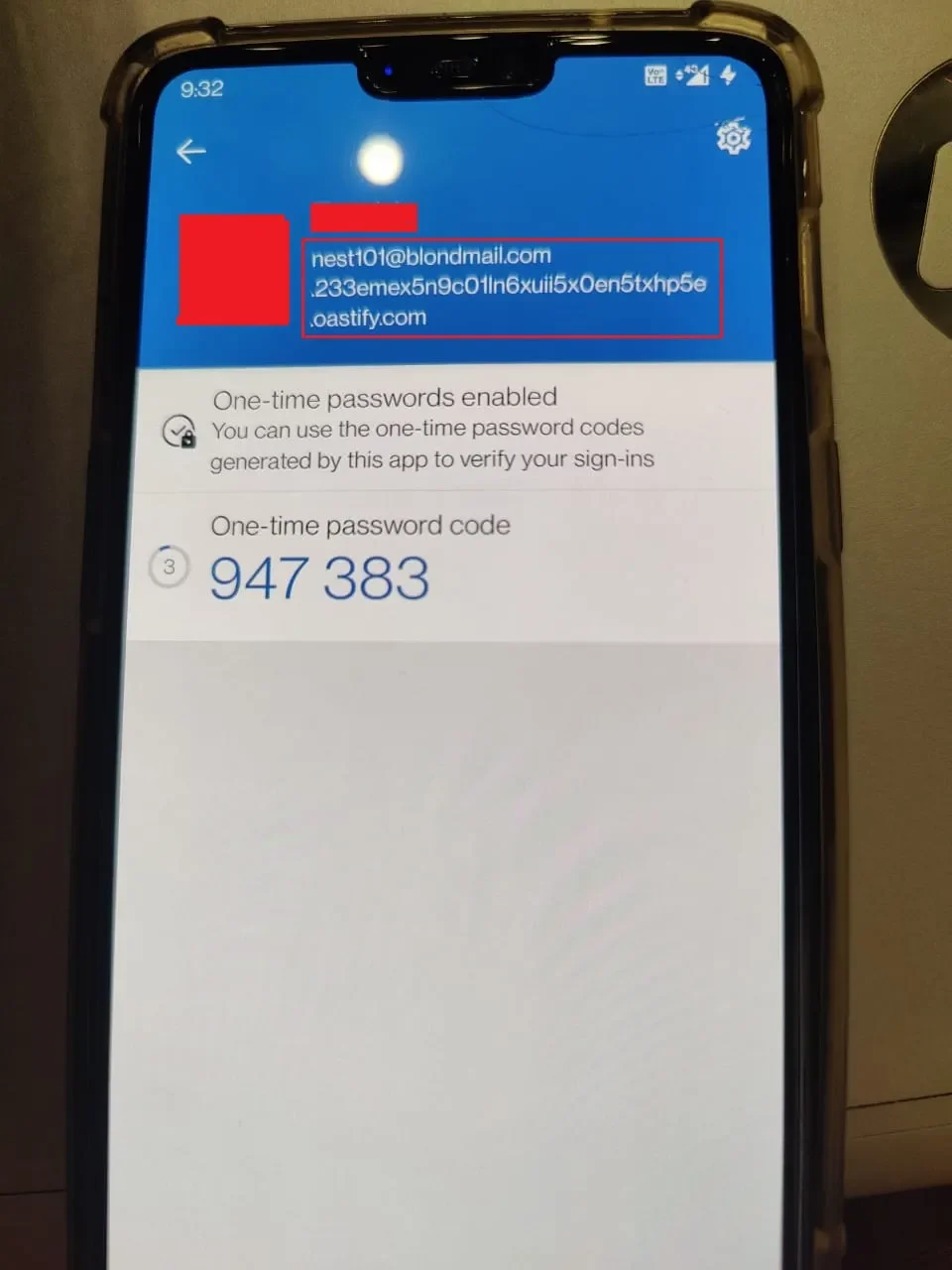
The researcher used the 2FA code from the authenticator app for the look-a-like account, [redacted], and the website allowed the login. The website accepted the code and logged the researcher into the application.
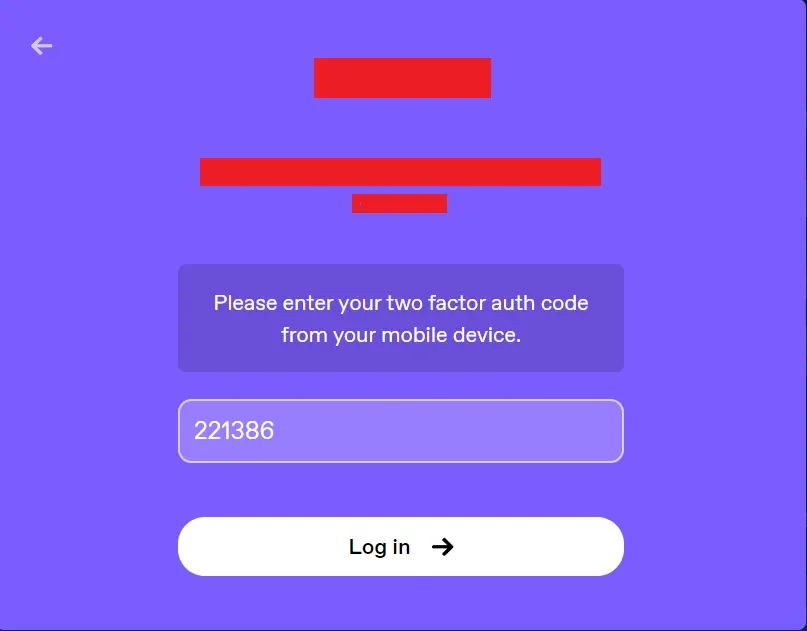
2FA Code - Look-a-like email
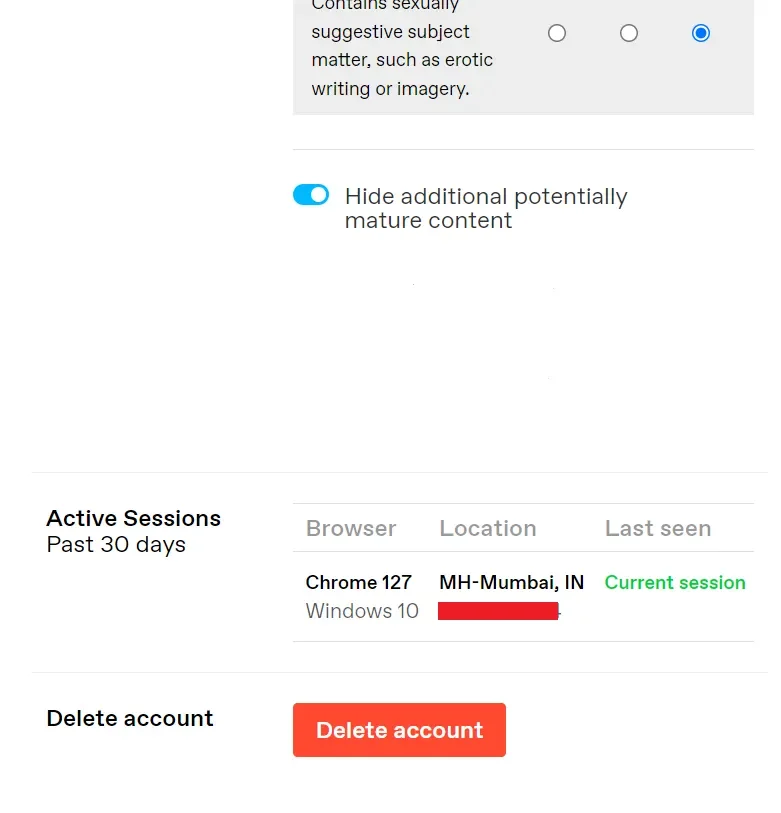
Logged in - 2FA Bypass
The reverse test was also performed: logging in as [redacted] and submitting the code for [redacted] succeeded. The codes are interchangeable between the two accounts.
Root cause
The report attributes the behaviour to normalisation of the email address during the 2FA process. The sequence it describes is:
- Account creation. Two accounts are created with
[redacted]and[redacted]. The system stores both as separate entities without normalisation. - 2FA setup. Each account sets up 2FA and receives a unique secret key. The secret keys are stored against the respective normalised email addresses.
- Normalisation issue. During 2FA validation, the email addresses are normalised, for example converting
[redacted]to[redacted]. - 2FA validation. The system retrieves the secret key for the normalised email, so the same secret key is used for both accounts. A code generated for
[redacted]validates against the account of[redacted], and vice versa.
Normalisation here means converting different forms of a string into a standard or canonical format before processing, often to keep handling of user input consistent. In this case it converts Unicode characters to their closest ASCII equivalents, so á becomes a and [redacted] becomes [redacted]. Any process that relies on the normalised string, such as generating or validating 2FA codes, then treats the two distinct addresses as the same account.
The report presents this explanation as the researcher's opinion. The key design mistake is that the account lookup for the 2FA secret uses a value that is not unique per account. The per-account secret keys do not help because the lookup resolves both addresses to the same key.
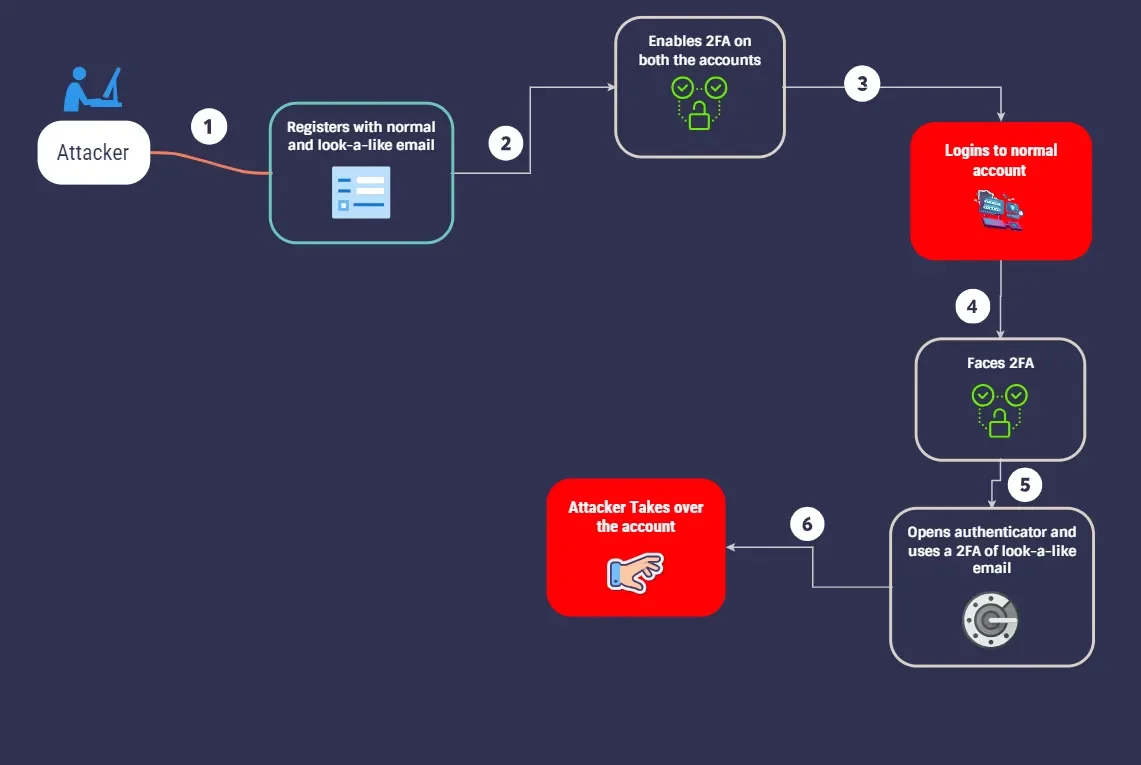
Attack Flow
Impact
The report describes two consequences:
- Shared 2FA seed. If the system uses the normalised email to generate or retrieve the 2FA seed, both
[redacted]and[redacted]share the same seed, so the same codes are generated for both. - Cross-account validation. When validating a code, the system accepts a code meant for one account as valid for the other because of the normalisation.
From an attacker's perspective, the look-a-like account's code can be used to bypass the 2FA of the normal account. The report's stated precondition still applies: the attacker needs the victim's password for initial access. The bypass removes the second factor, not the first.
The researcher calculated a CVSS 3.0 vector of CVSS:3.0/AV:N/AC:H/PR:N/UI:N/S:U/C:L/I:N/A:L, scoring 4.8 Medium. The report gives the vector and score without explaining the individual metrics.
Fix
The report recommends two changes:
- Avoid email normalisation during validation. Do not normalise the email address when validating the 2FA code. Use the address as it is.
- Use unique identifiers. Retrieve the 2FA secret key using a unique user identifier such as a user ID, so the correct key is always used for each user.
It also provides an improved implementation sketch. Account creation stores the address without normalisation:
def create_account(email, password):
 # Store account in the database without normalization
 db.store_account(email, password)
2FA setup keys the seed to the user ID:
def setup_2fa(user_id):
 # Generate 2FA seed based on unique user ID
 seed = generate_2fa_seed(user_id)

 # Store 2FA seed in the database
 db.store_2fa_seed(user_id, seed)
Validation retrieves the secret by user ID and compares the generated code:
def validate_2fa_code(user_id, input_code):
 # Retrieve the 2FA secret key using the unique user ID
 secret_key = db.get_2fa_secret_key(user_id)

 # Generate the expected 2FA code using the secret key
 expected_code = generate_code(secret_key)

 # Compare the expected code with the input code
 return expected_code == input_code

Variants to test
The same pattern can appear wherever an identifier is canonicalised before a security decision. Concrete things to try:
- Other Unicode confusables in the local part. Register
[redacted]against[redacted]and check whether a code from one satisfies the other. A positive result is a successful login on the second account using the first account's code. - Case folding. Register
[redacted]and[redacted]and test whether codes are interchangeable. A positive result shows the lookup lowercases the address before retrieving the secret. - Dot and plus handling. Where the mail provider treats
[redacted]or[redacted]as the same mailbox, test whether the application also collapses them for 2FA. A positive result is a code from the tagged address validating on the base address. - Password reset and account recovery. Submit a reset for the normal address and see whether the look-a-like account's token or code is accepted. A positive result is a reset completed on the wrong account.
- Username fields. If login uses a username rather than an email, repeat the homograph test on the username. A positive result is the same cross-account code acceptance.
- Session and token binding. Check whether a session issued to the look-a-like account can access resources belonging to the normal account. A positive result is data from the other account appearing in responses.
In each case, the signal to look for is a security check that succeeds with a credential belonging to a different account than the one being authenticated.
What happened, in plain words
A website let people create accounts with an email address and then protect those accounts with two-factor authentication (2FA). 2FA means that after typing your password, you also type a short code from a phone app. The code is generated from a secret key that the website and your app both know.
The researcher found that the website made a mistake when checking that code. In the researcher's opinion, it tidied the email address so that the accented letter á became a plain a, then used the tidied address to look up the secret key. Because [redacted] and [redacted] both tidy up to the same string, both accounts ended up using the same secret key. That meant a code from one account was accepted for the other.
To pull this off, an attacker first needs the victim's password. The 2FA bypass removes the second lock, not the first. The researcher tested it both ways: logging in as the normal account and using the look-a-like account's code, and the reverse. Both worked.
The report does not name the website or the company, and it gives no version numbers or page addresses.
Background: the pieces involved
Before walking through the steps, here are the ideas you need.
- Account and login. A website account is a record with an email address and a password. When you log in, you prove you know the password.
- Two-factor authentication (2FA). A second proof, usually a six-digit code from an app such as Google Authenticator. The app and the website share a secret key, and both compute the same code from it at the same time. If the codes match, the login is allowed.
- Secret key (seed). A long random string that only the website and your authenticator app know. It is the ingredient that makes your codes unique to your account.
- Normalisation. Tidying text into a standard form. For example, turning the accented
áinto a plaina, or making all letters lowercase. It is meant to help computers treat inputs consistently, but it can accidentally merge things that should stay separate. - IDN homograph. Two characters from different alphabets that look almost the same. The Latin
aand the accentedáare an example. An attacker can register an email address or domain name that looks like someone else's but is technically different. - CVSS. A scoring system for the severity of a security bug. The researcher calculated a score of 4.8, which is Medium.
The setup
The researcher needed two things:
- Two accounts on the same website: one with a normal email address, one with a look-a-like address that differs only by the accented character.
- 2FA turned on for both accounts, with both secret keys loaded into an authenticator app.
The report states one prerequisite: the attacker must know the victim's password to get in initially. The 2FA bypass does not replace that first step.
No specific tools, browser versions or server details are given beyond an authenticator app and a second browser to keep the two sessions separate.
Finding it
The researcher registered the two accounts and enabled 2FA on each. To test it, the researcher logged into the normal account and then submitted the code generated for the look-a-like account. The site accepted it. The reverse direction was also tested: logging in as the look-a-like account and submitting the code belonging to the normal account was accepted as well. The attack therefore worked in both directions, although from an attacker's point of view the useful direction is using the look-a-like account's code to satisfy the 2FA prompt of the normal account.
Exploitation
Step 1: Register the two accounts
The researcher created two accounts with the following addresses:
[redacted]
[redacted]
The first is an ordinary address. The second replaces the a in the domain with á, a character that renders almost identically. The report states that the system stored both accounts as separate entities without normalisation at registration time.
Registration - Account 1 (Normal email)
Registration - Account 2 (Look-a-like email)
Step 2: Enable 2FA on both accounts
2FA was set up and enabled on each account. Each account received its own secret key, and the report notes that the secret keys are stored against the respective normalised email addresses.
Enable 2FA - Account 1 (Normal email)
Normal Email - 2FA
Enable 2FA - Account 2 (Look-a-like email)
Look-a-like Email - 2FA
Step 3: Log in to the normal account from another browser
Using a separate browser, the researcher logged into the normal account, [redacted], with its password. Using a separate browser, the researcher logged into the normal account, [redacted].
Login - Normal Account
Login - Normal Account
Step 4: Submit the look-a-like account's code
The researcher used the 2FA code from the authenticator app for the look-a-like account, [redacted], and the website allowed the login. The website accepted the code and logged the researcher into the application.
2FA Code - Look-a-like email
Logged in - 2FA Bypass
The reverse test was also performed: logging in as [redacted] and submitting the code for [redacted] succeeded. The codes are interchangeable between the two accounts.
Root cause
The report attributes the behaviour to normalisation of the email address during the 2FA process. The sequence it describes is:
- Account creation. Two accounts are created with
[redacted]and[redacted]. The system stores both as separate entities without normalisation. - 2FA setup. Each account sets up 2FA and receives a unique secret key. The secret keys are stored against the respective normalised email addresses.
- Normalisation issue. During 2FA validation, the email addresses are normalised, for example converting
[redacted]to[redacted]. - 2FA validation. The system retrieves the secret key for the normalised email, so the same secret key is used for both accounts. A code generated for
[redacted]validates against the account of[redacted], and vice versa.
Normalisation here means converting different forms of a string into a standard or canonical format before processing, often to keep handling of user input consistent. In this case it converts Unicode characters to their closest ASCII equivalents, so á becomes a and [redacted] becomes [redacted]. Any process that relies on the normalised string, such as generating or validating 2FA codes, then treats the two distinct addresses as the same account.
The report presents this explanation as the researcher's opinion. The key design mistake is that the account lookup for the 2FA secret uses a value that is not unique per account. The existing defence, per-account secret keys, is defeated because the lookup never reaches the second account's key.
Attack Flow
Impact
The report describes two consequences:
- Shared 2FA seed. If the system uses the normalised email to generate or retrieve the 2FA seed, both
[redacted]and[redacted]share the same seed, so the same codes are generated for both. - Cross-account validation. When validating a code, the system accepts a code meant for one account as valid for the other because of the normalisation.
From an attacker's perspective, the look-a-like account's code can be used to bypass the 2FA of the normal account. The report's stated precondition still applies: the attacker needs the victim's password for initial access. The bypass removes the second factor, not the first.
The researcher calculated a CVSS 3.0 vector of CVSS:3.0/AV:N/AC:H/PR:N/UI:N/S:U/C:L/I:N/A:L, scoring 4.8 Medium. The report gives the vector and score without explaining the individual metrics.
Fix
The report recommends two changes:
- Avoid email normalisation during validation. Do not normalise the email address when validating the 2FA code. Use the address as it is.
- Use unique identifiers. Retrieve the 2FA secret key using a unique user identifier such as a user ID, so the correct key is always used for each user.
It also provides an improved implementation sketch. Account creation stores the address without normalisation:
def create_account(email, password):
 # Store account in the database without normalization
 db.store_account(email, password)
This function takes an email and a password and saves them in the database exactly as given, without tidying the email first. That way the accented and plain versions remain separate records.
2FA setup keys the seed to the user ID:
def setup_2fa(user_id):
 # Generate 2FA seed based on unique user ID
 seed = generate_2fa_seed(user_id)

 # Store 2FA seed in the database
 db.store_2fa_seed(user_id, seed)
Here the secret key is generated from the user's unique ID, not from the email address. The ID identifies a single account, so each account gets its own seed.
Validation retrieves the secret by user ID and compares the generated code:
def validate_2fa_code(user_id, input_code):
 # Retrieve the 2FA secret key using the unique user ID
 secret_key = db.get_2fa_secret_key(user_id)

 # Generate the expected 2FA code using the secret key
 expected_code = generate_code(secret_key)

 # Compare the expected code with the input code
 return expected_code == input_code
This function looks up the secret key using the user ID, computes the code that should be valid right now, and checks whether it matches what the user typed. Because the lookup uses the ID, it always finds the right key for that account.
Variants to test
The same pattern can appear wherever an identifier is canonicalised before a security decision. Concrete things to try:
- Other Unicode confusables in the local part. Register
[redacted]against[redacted]and check whether a code from one satisfies the other. A positive result is a successful login on the second account using the first account's code. - Case folding. Register
[redacted]and[redacted]and test whether codes are interchangeable. A positive result shows the lookup lowercases the address before retrieving the secret. - Dot and plus handling. Where the mail provider treats
[redacted]or[redacted]as the same mailbox, test whether the application also collapses them for 2FA. A positive result is a code from the tagged address validating on the base address. - Password reset and account recovery. Submit a reset for the normal address and see whether the look-a-like account's token or code is accepted. A positive result is a reset completed on the wrong account.
- Username fields. If login uses a username rather than an email, repeat the homograph test on the username. A positive result is the same cross-account code acceptance.
- Session and token binding. Check whether a session issued to the look-a-like account can access resources belonging to the normal account. A positive result is data from the other account appearing in responses.
In each case, the signal to look for is a security check that succeeds with a credential belonging to a different account than the one being authenticated.
Glossary
- 2FA (two-factor authentication): A second proof of identity at login, usually a short code from an app, on top of a password.
- Secret key (seed): A long random string shared between the website and the authenticator app, used to generate one-time codes.
- Normalisation: Converting text into a standard form, such as turning
áintoaor making letters lowercase. - IDN homograph: Two characters from different writing systems that look almost identical, such as
aandá. - CVSS: A scoring system for the severity of security vulnerabilities, producing a number and a vector string.
- Vector string: The textual representation of a CVSS score, showing the metrics used.
- Authenticator app: A phone app that stores secret keys and displays changing codes.
- Session: A temporary logged-in state kept by the browser, usually via a cookie.
- Cookie: A small piece of data a website stores in your browser to remember you between requests.
- Token: A value used to prove identity or authorise an action, often short-lived.
- Endpoint: A specific URL path on a server that performs an action or returns data.
- API: A set of rules that lets software talk to other software, often over HTTP.
- Unicode: A standard for representing text from all writing systems, including accented letters.
- ASCII: A basic character set covering English letters, digits and common punctuation.
- Canonicalisation: Another word for normalisation, reducing different forms to one standard form.
- Case folding: Converting text to a single case, usually lowercase, for comparison.
- Password reset token: A secret value sent to a user to prove they own an email address when resetting a password.
- Cross-account validation: Accepting a credential meant for one account as valid for another.
- Attack complexity: A CVSS metric describing how hard the attack is to carry out.
- Privileges required: A CVSS metric describing what access the attacker needs before starting.
- User interaction: A CVSS metric describing whether the victim must do something for the attack to work.



