403 bypass on a fortune 100 financial institution (P3)
A subdomain returned a 403 Forbidden on its root and on a specific directory, but the directory was still reachable and exposed sensitive internal data that could be viewed, edited and tested. An attacker could alter existing data and use the stored URLs for phishing or to spread false information.

This is my first P3 Bug and I found it after just a few hours. The method I learned from the Ambassador world cup CTF I used it here in order to bypass the 403 forbidden.
The full write-up lives on its author's site
It belongs to its author, so we link to it rather than copy it. The other two tabs are our own rewrites, checked against it.
Context
This is a write-up of a P3 bug found on a Fortune 100 financial institution's bug bounty programme. The programme's disclosure agreement means the site is referred to throughout as target.com. The scope was wide: the *.target.com wildcard, which the author notes gives more chance of finding a bug.
The affected asset is a subdomain of target.com whose root web directory returns 403 Forbidden. The author treats that 403 as a signal that the whole subdomain is sensitive, since the content behind it is not meant for the public. Behind the forbidden directory sits an internal-facing application where records can be viewed, edited and tested. The create functionality returns a 500 internal error.
The bug affects the integrity and confidentiality of the system: an attacker can alter existing data, view it and test it. The author notes this opens an attack vector for mass phishing, and that it would be more dangerous now because of CVE-2022-30190. An attacker could also sabotage the company's content, resulting in financial loss.

The submission timeline was:
| Date | Event |
|---|---|
| 02 Mar 2022 | created submission |
| 09 Mar 2022 | Triaged |
| 16 Mar 2022 | Unresolved |
| 21 Apr 2022 | Resolved |

Setup
The tools used were:
ffufgausubfinderhttpxparamspider
The technique for bypassing the 403 came from the Ambassador World Cup CTF, which the author had written up separately. No accounts, roles or credentials are described in the report.
Finding it
The author starts with subdomain enumeration and liveness checking. subfinder collects subdomains and httpx checks whether each one is running:
subfinder -d $url > subfinder_res.txt
cat subfinder_res.txt | httpx -probe > runningweb.txt
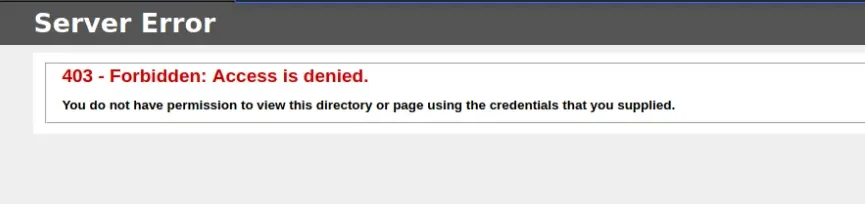
After enumerating and trying some things on other subdomain.target.com hosts, one domain stood out. Accessing its root web directory returns 403 Forbidden, which suggests that probably all of the contents on that subdomain.target.com are sensitive. The author notes there are similar subdomains on target.com, but enumerating those produced nothing useful.
Exploitation
Step 1: Directory enumeration under rate limiting
Tools such as gau, subfinder, httpx and paramspider did not give much, so ffuf was used to find web directories. Only one positive result came back. The author notes there appears to be rate limiting on the web server, which makes enumeration harder, but one directory was enough. Had no directory been found, the next plan was to bypass the rate limiting with IP rotation to enumerate it.
Step 2: Reaching the internal directory
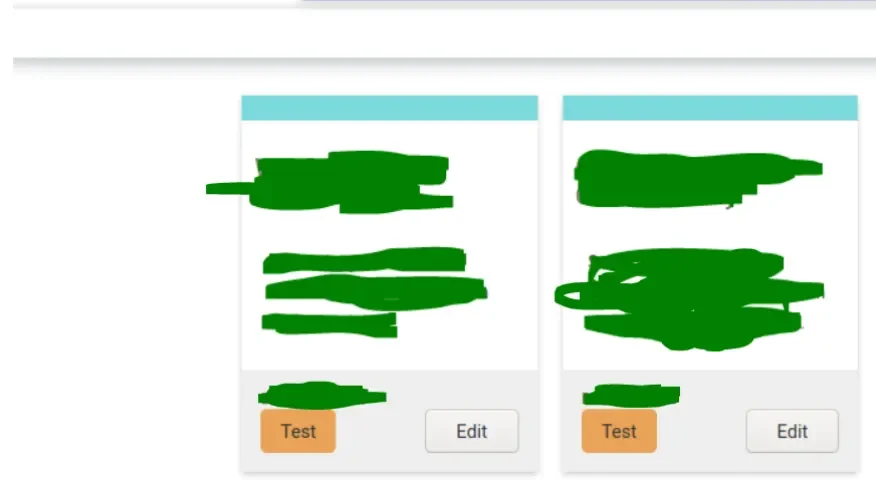
Getting to subdomain.target.com/redacted returned sensitive data that was meant for internal users only. The path itself is redacted in the write-up.
Step 3: Assessing the application
On the site, data could be viewed, edited and tested. The create functionality returned a 500 internal error. Clicking one of the records showed some URL, status, date and similar fields.
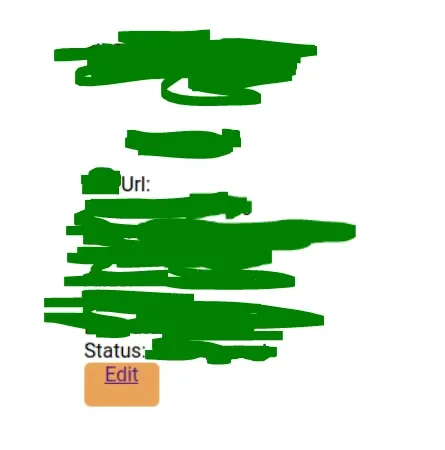
Because there is an input, the author tried for stored XSS, SSTI and other issues to raise the impact, but had no luck. The only useful thing available was the URL field, which opens an attack vector for phishing and for altering existing data to sabotage or spread false information.
Step 4: Editing a record
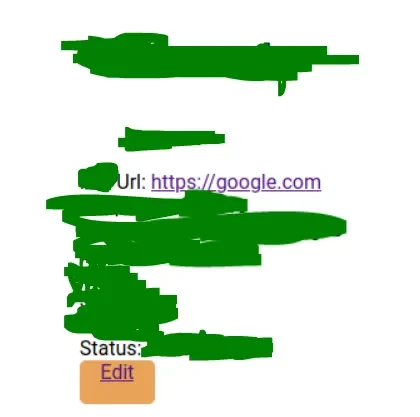
Editing the data succeeded. The author reported immediately, since the issue affects integrity and confidentiality.
Root cause
The report does not describe the server-side cause. What it shows is that the 403 on the root directory did not prevent the directory underneath it from being reached. The author's framing is that the 403 restricts public users from the web directory, whether at the root or on a specific directory or file, and that the content behind it is normally sensitive files, functionalities or services not meant for the public. The bypass technique, learned from the Ambassador World Cup CTF, got past that barrier. Why the application itself did not enforce authorisation on view and edit operations is not stated in the report.
Impact
The bug affects integrity and confidentiality. An attacker can view, test and alter existing data. The URL field in the records opens an attack vector for mass phishing, and the author notes this would be much more dangerous now because of CVE-2022-30190. The report does not quantify how many records or users are exposed.
Fix
The report does not say what was changed to resolve it. The submission was resolved on 21 Apr 2022, but no remediation detail is given.
Variants to test
- Verb tampering on a forbidden path: try
POST,PUT,TRACE,DELETEandGETagainst the same URL. A positive result is a response other than 403 that returns content or a different status. - HTTP header fuzzing on a forbidden path: vary headers and values to see whether the access check can be influenced. A positive result is a 200 or a redirect into the protected content.
- Alternate paths to the same resource: try other web files or directories that map to the same content. A positive result is the same internal data served without the 403.
- Dedicated bypass tools: the author lists
byp4xx,bypass-403andforbiddenpass, and points to the HackTricks page on 403 and 401 bypasses for further methods. A positive result is any of them returning the protected directory or file. - Rate-limited directories: where enumeration is throttled, rotate source IPs and re-run
ffuf. A positive result is additional directories that were previously hidden by the rate limit. - Input fields on internal pages: try stored XSS and SSTI on any input, as the author did. A positive result is script execution or template evaluation; in this case none was found.
- Edit and create operations: check whether write operations succeed without authentication, as the edit did here, and whether create returns a server error. A positive result is a successful modification of existing data.
What happened, in plain words
A security researcher was taking part in a bug bounty programme run by a large financial company. A bug bounty programme is a scheme where an organisation invites outside people to look for security weaknesses in its systems and pays them for reporting what they find, instead of punishing them. The researcher found a weakness rated P3. The finding was made after just a few hours of work.
The weakness was on a part of the company's website that was supposed to be off limits to the public. When you visited that part in a browser, the server answered with a 403 Forbidden page, which is the web server's way of saying "you are not allowed to see this". The researcher used a trick learned from a capture-the-flag competition (a CTF: a practice event where people hunt for hidden flags in deliberately vulnerable systems) to get past that wall. Behind the wall was an internal application, meaning a piece of software meant for company staff only, where records could be looked at, changed and tested.
Because the researcher could view and change those records, the bug affects two things security people care about: confidentiality (keeping data secret from people who should not see it) and integrity (keeping data correct and unaltered). The researcher points out that the records contained web addresses, which could be used to run mass phishing: sending fake messages that pretend to come from the company to trick people into handing over information. The researcher also notes this would be more dangerous now because of CVE-2022-30190, a publicly known software flaw from 2022. On top of that, an attacker could sabotage the company's content, which would lead to financial loss.
The report was submitted on 02 Mar 2022. It was triaged on 09 Mar 2022. It was marked unresolved on 16 Mar 2022 and resolved on 21 Apr 2022.
The tools used
The researcher used five tools. You do not need to install them to follow the story, but here is what each one does in everyday terms:
ffuf: a tool that tries a long list of possible folder and file names against a website very quickly, like trying every key on a big keyring in a lock. It is used to discover hidden pages.gau: a tool that fetches known web addresses for a domain from public archives and other sources, so you can see what used to exist or what others have already found.subfinder: a tool that finds subdomains. A subdomain is a name that sits in front of the main domain, for exampleshop.example.comis a subdomain ofexample.com. Companies often have many, and each one is a separate door into their systems.httpx: a tool that checks whether a list of web addresses actually responds, so you do not waste time on ones that are dead.paramspider: a tool that collects the parameter names used in web addresses. A parameter is the part of a URL after a question mark, like?id=5, which tells the page what to show.
What a 403 Forbidden page is
When your browser asks a web server for a page, the server replies with a three-digit status code. 200 means "here is the page". 404 means "no such page". 403 means "I know what you are asking for, but you are not allowed to have it". The researcher explains that a 403 restricts a public visitor from reaching a web directory, whether that is the root directory (the top level of the site) or a specific folder or file. Most of what sits behind a 403 is sensitive files, features or services that are not meant for the public.
Ways to get past a 403
The researcher lists several known methods for getting around a 403:
- Verb tampering: the "verb" is the word at the start of an HTTP request that says what you want to do.
GETmeans "give me this page",POSTmeans "here is some data, process it",PUTmeans "store this",TRACEmeans "echo my request back", andDELETEmeans "remove this". Some servers only check permissions forGETand forget the others, so sending a different verb can slip past the check. - Accessing another web file or directory: sometimes the same content is reachable through a different path that was not protected.
- HTTP header fuzzing: headers are extra lines of information your browser sends with every request, such as which browser you use or which site you came from. Fuzzing means trying many variations to see if any of them changes the server's answer.
The researcher points to the HackTricks page on 403 and 401 bypasses for more methods, and lists three dedicated tools: byp4xx, bypass-403 and forbiddenpass.
Finding the target
The scope of the programme was wide: *.target.com. The asterisk is a wildcard, meaning every subdomain of target.com was in scope. The researcher notes this gives more chance of finding a bug, because there are more doors to try. Because of the disclosure agreement (the arrangement that lets the researcher write about the finding only if the company is not named), the site is called target.com throughout.
The first step was enumeration: making a list of everything that exists. The researcher used subfinder to collect subdomains and httpx to check which ones were actually running.
subfinder -d $url > subfinder_res.txt
Line by line: subfinder is the tool being run. -d $url tells it which domain to look at; $url is a placeholder for the domain name, which the researcher keeps out of the write-up. > means "send the output into a file instead of the screen", and subfinder_res.txt is the name of that file. So this line produces a text file listing subdomains.
cat subfinder_res.txt | httpx -probe > runningweb.txt
Line by line: cat subfinder_res.txt prints the contents of the file made in the previous step. The vertical bar | is a pipe: it takes that output and feeds it as input to the next command instead of showing it. httpx -probe takes each address and checks whether it responds. > runningweb.txt saves the results to a new file. The end result is a list of subdomains that are actually alive.
After enumerating and trying some things on other subdomain.target.com hosts, one domain stood out. Visiting its root web directory returned 403 Forbidden. The researcher took that as a sign that probably all of the contents on that subdomain are sensitive, because the server was refusing to show even the front page. There were similar subdomains on target.com, but enumerating those produced nothing useful.
Getting past the wall
Step 1: Looking for folders under rate limiting
The other tools (gau, subfinder, httpx, paramspider) did not give much, so the researcher used ffuf to look for web directories. Only one positive result came back. The researcher notes there appears to be rate limiting on the web server: rate limiting is when a server deliberately slows down or blocks someone who sends too many requests in a short time, a bit like a shop assistant who stops serving you if you ask for too many items at once. That made enumeration harder, but one directory was enough. If no directory had been found, the next plan was to get around the rate limit by rotating IP addresses, meaning sending requests from different network addresses so the server does not see them all coming from one place.
Step 2: Reaching the internal directory
Visiting subdomain.target.com/redacted returned sensitive data that was meant for internal users only. The actual path is hidden in the write-up, which is why it appears as redacted.
Step 3: Looking at the application
On the site, data could be viewed, edited and tested. The create functionality returned a 500 internal error, which is the server's way of saying "something went wrong on my side while trying to do what you asked". Clicking one of the records showed some URL, status, date and similar fields.
Because the page had an input field, the researcher tried for stored XSS, SSTI and other issues to raise the impact. Stored XSS (cross-site scripting) is when text you save on a site is later shown to other visitors as live code, so your script runs in their browser. SSTI (server-side template injection) is when text you supply is treated as instructions by the software that builds the page on the server. Neither worked. The only useful thing available was the URL field, which opens an attack vector for phishing and for altering existing data to sabotage or spread false information. An attack vector is simply a route an attacker can take.
Step 4: Changing a record
Editing the data succeeded. The researcher reported immediately, since the issue affects integrity and confidentiality.
Why this happened
The report does not describe the server-side cause. What it shows is that the 403 on the root directory did not prevent the directory underneath it from being reached. The researcher's framing is that a 403 restricts public users from a web directory, whether at the root or on a specific directory or file, and that what sits behind it is normally sensitive files, features or services not meant for the public. The bypass technique, learned from the Ambassador World Cup CTF, got past that barrier. Why the application itself did not check who was allowed to view and edit is not stated in the report.
What the impact was
The bug affects integrity and confidentiality. An attacker can view, test and alter existing data. The URL field in the records opens an attack vector for mass phishing, and the researcher notes this would be much more dangerous now because of CVE-2022-30190. An attacker could also sabotage the company's content, resulting in financial loss. The report does not say how many records or users were exposed.
How it was fixed
The submission was resolved on 21 Apr 2022, but no fix detail is given.
Other things worth trying
These are variations on the same idea, useful if you ever meet a similar wall:
- Verb tampering on a forbidden path: try
POST,PUT,TRACE,DELETEandGETagainst the same URL. A positive result is a response other than 403 that returns content or a different status. - HTTP header fuzzing on a forbidden path: vary headers and values to see whether the access check can be influenced. A positive result is a 200 or a redirect into the protected content.
- Alternate paths to the same resource: try other web files or directories that map to the same content. A positive result is the same internal data served without the 403.
- Dedicated bypass tools: the researcher lists
byp4xx,bypass-403andforbiddenpass, and points to the HackTricks page on 403 and 401 bypasses for further methods. A positive result is any of them returning the protected directory or file. - Rate-limited directories: where enumeration is throttled, rotate source IPs and re-run
ffuf. A positive result is additional directories that were previously hidden by the rate limit. - Input fields on internal pages: try stored XSS and SSTI on any input, as the researcher did. A positive result is script execution or template evaluation; in this case none was found.
- Edit and create operations: check whether write operations succeed without logging in, as the edit did here, and whether create returns a server error. A positive result is a successful modification of existing data.
What the researcher took away
The lesson the researcher drew was that a better report is needed when creating a submission, and that if something affects confidentiality, integrity or availability, it is worth reporting.
Glossary
- Bug bounty programme: a scheme where an organisation invites outside people to find and report security weaknesses in exchange for a reward.
- P3: a middle severity rating on the bug bounty platform's scale.
- CTF (capture the flag): a practice event where people hunt for hidden flags in deliberately vulnerable systems to learn security skills.
- 403 Forbidden: an HTTP status code meaning the server understood the request but refuses to allow it.
- 404 Not Found: an HTTP status code meaning the requested page does not exist.
- 500 Internal Server Error: an HTTP status code meaning the server hit an error while processing the request.
- 200 OK: an HTTP status code meaning the request succeeded and the content follows.
- HTTP status code: a three-digit number a web server sends back with every response to say how the request went.
- HTTP verb: the word at the start of a request (
GET,POST,PUT,DELETE,TRACE) that says what action you want. - HTTP header: an extra line of information sent with a request or response, such as the browser type or the referring site.
- Header fuzzing: trying many header variations to see whether any changes the server's answer.
- Verb tampering: sending a different HTTP verb than expected to see whether the access check can be slipped past.
- Subdomain: a name in front of a main domain, such as
shop.example.comunderexample.com. - Wildcard scope: a scope written with
*, meaning every subdomain of a domain is in scope. - Enumeration: making a complete list of what exists, such as subdomains, folders or parameters.
- Rate limiting: a server deliberately slowing or blocking someone who sends too many requests in a short time.
- IP rotation: sending requests from different network addresses so they do not all appear to come from one place.
- Parameter: the part of a URL after a question mark, such as
?id=5, which tells the page what to show. - Directory: a folder on a web server; the root directory is the top level of the site.
- Confidentiality: keeping data secret from people who should not see it.
- Integrity: keeping data correct and unaltered.
- Availability: keeping a system usable when people need it.
- Attack vector: a route an attacker can take to do harm.
- Phishing: sending fake messages that pretend to come from a trusted organisation to trick people into handing over information.
- Mass phishing: phishing sent to many people at once.
- Stored XSS (cross-site scripting): when text you save on a site is later shown to other visitors as live code, so your script runs in their browser.
- SSTI (server-side template injection): when text you supply is treated as instructions by the software that builds the page on the server.
- CVE-2022-30190: a publicly catalogued software flaw from 2022, referenced by the researcher as making the issue more dangerous.
- Triaged: the stage where the company's security team has looked at a report and accepted it as a real issue worth investigating.
- Resolved: the stage where the company considers the issue dealt with.
- Disclosure agreement: an arrangement that lets a researcher write about a finding only if the organisation is not named.
- Redacted: removed or hidden from the published text, usually to protect sensitive details.

