Bug Bounty: como encontrei o bug Unrestricted File Upload
The site only checked the file extension in the uploaded filename, so a script renamed with a .pdf suffix was accepted. By also changing the client-supplied Content-Type header, the attacker could get the file stored and downloaded back with its original dangerous extension, allowing executable scripts to be hosted.
 Published on medium.com
Salve pessoal, faz um bom tempo que não escrevo artigos pois venho focando bastante nos meus estudos de pentest e pentest em web apps.
The full write-up lives on its author's site
It belongs to its author, so we link to it rather than copy it. The other two tabs are our own rewrites, checked against it.
Context
The target is a company in the Human Resources sector, referred to in the report by the fictitious name redacted.com. It runs several web applications on different URLs. The application covered here lets a user create a professional profile aimed at their area of work, build a CV directly on the site, and upload their CV.
The upload feature is the part that matters. The site is supposed to accept only .pdf, .doc or .docx files.
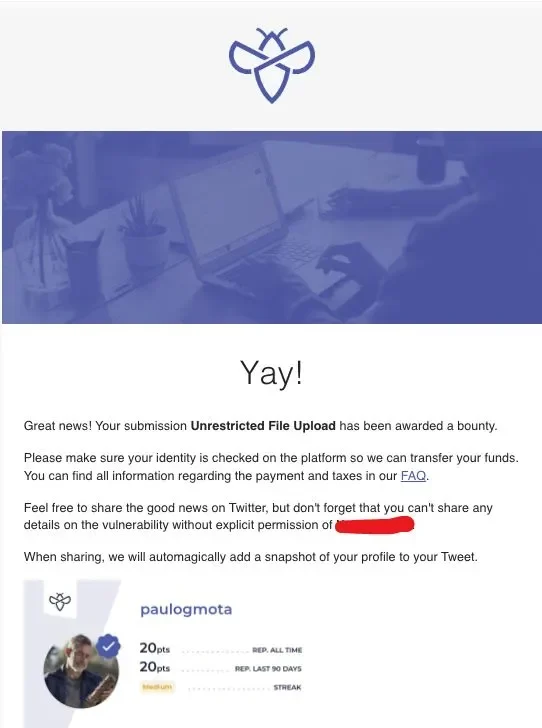
The bug was reported through the Intigriti platform under the original title CWE-602: Client-Side Enforcement of Server-Side Security. Intigriti rated it Medium severity, and the bounty was 100€.
Setup
The researcher used BurpSuite Community and Kali Linux. No accounts, roles or other preconditions are described beyond being able to reach the profile and CV upload feature of the application.
Finding it
After learning how the site works and what all of its options do, the researcher focused on the CV upload. The site only allows .pdf, .doc or .docx files.
After some testing, the observation was that the site restricts the file format only by the extension present in the file name. Uploading .exe and .php files returned errors.
Exploitation
Step 1: double extension to get past the name check
Using Kali, the researcher created reverse shell scripts in .sh and .aspx format and renamed one from reverse.aspx to reverse.aspx.pdf. With that name the scripts were accepted and stored on the server.
The (abridged) PUT request:
------WebKitFormBoundary xyzContent-Disposition: form-data; name="uploadedFile"; filename="reverse.aspx.pdf"Content-Type: application/pdf...
The important part is filename="reverse.aspx.pdf": the name ends in .pdf, which is what the check looks at, while the earlier .aspx stays in the name.
The (abridged) server response:
HTTP/1.1 201 CreatedContent-Length: 111Connection: closeContent-Type: application/json; charset=utf-8...
The server answered with 201 Created.
At this point, however, there is still no executable file on the other side. Downloading the file through the site returned it as .aspx.pdf.
Step 2: change the Content-Type in the request
Analysing the POST request of the "malicious" file, the researcher noticed that the HTTP Content-type header, which indicates the type of the file being handled in the request, is set on the client side, that is, in the browser. It is as if the server trusted what the client sends.
In BurpSuite, the POST request was sent to the Repeater and the Content-type was changed from application/pdf to text/html:
------WebKitFormBoundary xyzContent-Disposition: form-data; name="uploadedFile"; filename="reverse.aspx.pdf"Content-Type: text/html
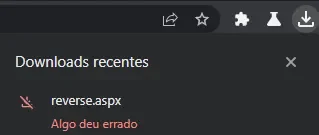
After that, downloading the file back to the computer returned it correctly, as .aspx.
Step 3: other file types
The same approach was tried with several other file types: shell scripts (.sh), executables (.exe), .php and .jsp. It worked for those as well.
Root cause
The format restriction is enforced only on the extension in the file name, and the declared Content-Type of the upload is taken from the client request. The server trusts the Content-Type as sent by the browser. The report frames this as client-side enforcement of server-side security (CWE-602): the checks that should decide whether a file is acceptable are effectively under the attacker's control.
Impact
With this vulnerability, according to the report, it is possible to infect a company's computer network, to send ransomware, and to achieve various other outcomes. The report does not describe the server-side execution path or the conditions under which the uploaded file would be executed; it states the consequences as possibilities opened by being able to store files of arbitrary types.
Fix
The report does not describe any fix applied by the company. It is written to help developers and companies know how to correct this type of vulnerability, but it does not list the remediation steps taken.
Variants to test
- Double extensions on other upload forms. Submit a file named like
shell.aspx.pdf,shell.php.jpgorshell.jsp.pngand check whether the server accepts it. A positive result is a201/200response and the file being retrievable afterwards. - Client-controlled Content-Type. Intercept the upload and change the
Content-Typeof the file part (for example fromapplication/pdftotext/htmlorimage/png) while keeping the same file name. A positive result is the server storing the file and returning it with the extension you embedded in the name. - Download round trip. After a successful upload, download the file through the application and inspect the returned name and extension. A positive result is the file coming back with the dangerous extension rather than the allowed one.
- Other dangerous types. Repeat with .sh, .exe, .php and .jsp as in the report. A positive result is acceptance and storage of each type.
What happened, in plain words
A security researcher found a way to upload files to a company website that the site was never meant to accept. The site was a Human Resources company's job portal, where people build a professional profile, create a CV on the site and upload that CV. The site said it only accepted CV files in PDF or Word format. The researcher showed that this rule was checked in a weak place: the site looked only at the end of the file name, and it believed the file type label that the browser sent along with the upload. By giving a dangerous file a harmless-looking name and changing that label, the researcher got the site to store files that could run code, such as .aspx, .php, .sh, .exe and .jsp. The company paid a bounty of 100€ through the Intigriti bug bounty platform, and Intigriti rated the issue Medium severity.

Context
The target is a company in the Human Resources sector. The report calls it redacted.com, a fictitious name, so the real company is not named. The company runs several web applications on different URLs. The application covered here lets a user:
- create a professional profile aimed at their area of work,
- build a CV directly on the site,
- upload their CV.
The upload feature is the part that matters. The site is supposed to accept only .pdf, .doc or .docx files.
A quick word on what a web application is, for anyone starting out: it is a program that runs on a company's server and that you use through your browser. Your browser sends requests to the server, the server does something with them and sends a response back. A CV upload is one such request: your browser sends the file to the server, and the server stores it.
The bug was reported through the Intigriti platform. Intigriti is a bug bounty platform: companies publish their programs there, researchers test their systems within the rules, and the platform handles the report and the reward. The report was filed under the original title CWE-602: Client-Side Enforcement of Server-Side Security. CWE is a public catalogue of weakness types, and CWE-602 describes exactly this pattern: a security check that should be done on the server is instead left to the client, meaning the browser, which the attacker controls. Intigriti rated the issue Medium severity, and the bounty was 100€.
Setup
The researcher used BurpSuite Community and Kali Linux.
- BurpSuite is a tool that sits between your browser and a website. It lets you see every request your browser sends and every response the server returns, and it lets you change a request before it goes out. The Community edition is the free version.
- Kali Linux is an operating system aimed at security testing. It comes with many testing tools preinstalled.
No accounts, roles or other preconditions are described beyond being able to reach the profile and CV upload feature of the application.
Finding it
After learning how the site works and what all of its options do, the researcher focused on the CV upload. The site only allows .pdf, .doc or .docx files.
After some testing, the observation was that the site restricts the file format only by the extension present in the file name. The extension is the part after the last dot: in cv.pdf, the extension is .pdf. Uploading .exe and .php files returned errors.
Why does this matter? A file's name is just text. Anyone can type any name they like. If a site decides whether a file is safe purely by reading the end of that name, then the decision is based on something the person uploading fully controls. It is a bit like a club that lets you in if your ticket says "guest": you can write "guest" on any piece of paper.
Exploitation
Step 1: double extension to get past the name check
Using Kali, the researcher created reverse shell scripts in .sh and .aspx format and renamed one from reverse.aspx to reverse.aspx.pdf. With that name the scripts were accepted and stored on the server.
A reverse shell is a small program that, when it runs on a machine, connects back to the attacker and gives them a command line on that machine. The report does not describe what the scripts contained beyond calling them reverse shell scripts.
The (abridged) PUT request:
------WebKitFormBoundary xyzContent-Disposition: form-data; name="uploadedFile"; filename="reverse.aspx.pdf"Content-Type: application/pdf...
Line by line, in plain words:
------WebKitFormBoundary xyzis a boundary marker. When a browser uploads a file, it wraps the file in a format called multipart form data, which can carry several pieces in one request. The boundary is a separator string that marks where each piece starts and ends. It is ordinary plumbing, not a security control.Content-Disposition: form-data; name="uploadedFile"says which form field this piece belongs to. Here the field is calleduploadedFile, which is the upload field on the CV form.filename="reverse.aspx.pdf"is the name the browser reports for the file. This is the important part: the name ends in.pdf, which is what the check looks at, while the earlier.aspxstays in the name. The site sees a name ending in the allowed extension and lets it through.Content-Type: application/pdfis the label saying what kind of file this is.application/pdfmeans PDF. The browser sets this label, and as we will see, the server believes it.- The
...at the end means the report shortened the request; the rest of the file content is not shown.
The (abridged) server response:
HTTP/1.1 201 CreatedContent-Length: 111Connection: closeContent-Type: application/json; charset=utf-8...
Line by line:
HTTP/1.1 201 Createdis the status line. The number 201 is the standard code a server uses to say that something new was created, in this case the stored file. The server answered with201 Created.Content-Length: 111says the response body is 111 bytes long.Connection: closetells the browser the connection will be closed after this response.Content-Type: application/json; charset=utf-8says the response body is JSON, a common text format for data, encoded in UTF-8.- Again the
...shows the report shortened the response.
At this point, however, there is still no executable file on the other side. Downloading the file through the site returned it as .aspx.pdf. In other words, the site had stored the file under the full name it was given, including the harmless-looking .pdf at the end. For the file to be treated as an .aspx file by a server, the name would normally need to end in .aspx.
Step 2: change the Content-Type in the request
Analysing the POST request of the "malicious" file, the researcher noticed that the HTTP Content-type header, which indicates the type of the file being handled in the request, is set on the client side, that is, in the browser. It is as if the server trusted what the client sends.
This is the heart of the bug. The client is your browser, and you control it. Anything your browser sends can be changed before it leaves your machine, for example with a tool like BurpSuite. If the server makes a security decision based on a value the client supplies, the attacker effectively makes that decision. The everyday comparison: a bouncer who asks you your age and believes whatever you answer is not checking your age at all.
In BurpSuite, the POST request was sent to the Repeater and the Content-type was changed from application/pdf to text/html:
------WebKitFormBoundary xyzContent-Disposition: form-data; name="uploadedFile"; filename="reverse.aspx.pdf"Content-Type: text/html
Line by line:
- The boundary and the field name are unchanged: this is still the same upload to the same form field.
filename="reverse.aspx.pdf"is also unchanged. The name still ends in.pdf, so the name check still passes.Content-Type: text/htmlis the change. Instead of telling the server "this is a PDF", the request now says "this is an HTML page". HTML is the language web pages are written in. The server took this label from the request.
After that, downloading the file back to the computer returned it correctly, as .aspx.
Step 3: other file types
The same approach was tried with several other file types: shell scripts (.sh), executables (.exe), .php and .jsp. It worked for those as well.
- A .sh file is a shell script: a list of commands for a Unix-like system to run.
- An .exe file is a Windows program.
- A .php file is a script for the PHP programming language, commonly used to build websites.
- A .jsp file is a Java Server Page, a page that runs Java code on the server.
All of these are file types that a server might execute rather than simply hand back to a visitor. That is why accepting them is dangerous.
Root cause
The format restriction is enforced only on the extension in the file name, and the declared Content-Type of the upload is taken from the client request. The server trusts the Content-Type as sent by the browser. The report frames this as client-side enforcement of server-side security (CWE-602): the checks that should decide whether a file is acceptable are effectively under the attacker's control.
In plain terms: a check that matters for security has to happen on the server, using information the server can verify itself. Here, both pieces of information used for the check, the file name and the type label, came from the browser and were believed without question.
Impact
With this vulnerability, according to the report, it is possible to infect a company's computer network, to send ransomware, and to achieve various other outcomes. Ransomware is malicious software that locks or encrypts a victim's files and demands payment to unlock them. The report does not describe the server-side execution path or the conditions under which the uploaded file would be executed; it states the consequences as possibilities opened by being able to store files of arbitrary types.
Fix
It is written to help developers and companies know how to correct this type of vulnerability, but it does not list the remediation steps taken.
Variants to test
If you are learning and have permission to test a system, these are the same ideas applied in slightly different ways. Never test a system you do not own or have explicit permission to test.
- Double extensions on other upload forms. Submit a file named like
shell.aspx.pdf,shell.php.jpgorshell.jsp.pngand check whether the server accepts it. A positive result is a201/200response and the file being retrievable afterwards. The idea is the same as in the report: the name ends in an allowed extension, but an earlier part of the name carries a dangerous one. - Client-controlled Content-Type. Intercept the upload and change the
Content-Typeof the file part (for example fromapplication/pdftotext/htmlorimage/png) while keeping the same file name. A positive result is the server storing the file and returning it with the extension you embedded in the name. - Download round trip. After a successful upload, download the file through the application and inspect the returned name and extension. A positive result is the file coming back with the dangerous extension rather than the allowed one. This is exactly the check the researcher did in step 1, when the file came back as .aspx.pdf.
- Other dangerous types. Repeat with .sh, .exe, .php and .jsp as in the report. A positive result is acceptance and storage of each type.
Glossary
- Web application: a program that runs on a server and that you use through your browser.
- Request: the message your browser sends to a server, for example to ask for a page or to upload a file.
- Response: the message the server sends back, containing the result and usually some data.
- HTTP: the language browsers and servers use to exchange requests and responses.
- Header: a labelled line in a request or response that carries extra information, such as the type of content or the length of the body.
- Content-Type: the header that says what kind of content is being sent, for example
application/pdfortext/html. - Multipart form data: the format used to send a form that includes a file, wrapping each piece between boundary markers.
- Boundary: the separator string that marks where each piece of a multipart request starts and ends.
- Content-Disposition: the header that says which form field a piece belongs to and, for a file, what its name is.
- Filename: the name reported for an uploaded file, including its extension.
- Extension: the part of a file name after the last dot, such as
.pdfor.aspx, which usually hints at the file type. - Status code: the number in a response that says how the request went, such as
201 Createdfor something newly created. - JSON: a common text format for structured data.
- UTF-8: a character encoding that covers most of the world's writing systems.
- Client: the program on your side, normally your browser.
- Server: the computer and program that store data and answer requests.
- Client-side enforcement: a check performed by the client, which the attacker controls and can therefore bypass.
- Server-side enforcement: a check performed by the server, using information it can verify itself.
- CWE: a public catalogue of weakness types; CWE-602 is client-side enforcement of server-side security.
- Bug bounty: a program in which a company rewards researchers for finding and reporting security problems.
- Intigriti: a bug bounty platform where companies publish programs and researchers submit reports.
- Bounty: the reward paid for a valid report, here 100€.
- Severity: a rating of how serious a bug is; here Intigriti rated it Medium.
- BurpSuite: a tool that sits between your browser and a website so you can inspect and modify requests and responses.
- Repeater: the part of BurpSuite that lets you edit a request and send it again as many times as you like.
- Kali Linux: an operating system aimed at security testing, with many tools preinstalled.
- Reverse shell: a small program that, when it runs on a machine, connects back to the attacker and gives them a command line on that machine.
- Shell script (.sh): a file containing a list of commands for a Unix-like system to run.
- Executable (.exe): a Windows program file.
- .php: a script for the PHP programming language, commonly used to build websites.
- .jsp: a Java Server Page, a page that runs Java code on the server.
- .aspx: a page that runs code on a Microsoft web server.
- Ransomware: malicious software that locks or encrypts a victim's files and demands payment to unlock them.
- Double extension: a file name with two extensions, such as
reverse.aspx.pdf, where the last one looks harmless and an earlier one is dangerous.


