Exploiting Devops -Leak Source codes
A publicly accessible Jenkins pipeline log exposed an Azure DevOps personal access token, which the author used to download source code repositories. The repositories contained numerous hardcoded credentials and API keys for third-party services.
 Published on medium.com
Today, I will share one of my findings, based on the DevOps process, which involves Applications like Azure DevOps, VSTS, Jenkins and GitHub, Shodan, etc.
The full write-up lives on its author's site
It belongs to its author, so we link to it rather than copy it. The other two tabs are our own rewrites, checked against it.
Context
This write-up walks through a chain that starts with an organisation's ASN and ends with source code and hardcoded secrets. The applications involved are Azure DevOps, VSTS, Jenkins and GitHub, with Shodan used for the initial lookup. The researcher's own summary of the flow is:
Recon[ASN] →Shodan Lookup →Found Logfile in Jenkins→got Azure DevOps Urls running Jenkins → found PAT of AZURE →Able to Download Source code →Found Tons of Hardcoded credentials
The feature being abused is the CI/CD pipeline itself. In DevOps, a developer's code goes through an automation phase for testing, compiling and deployment, commonly called a Continuous Integration/Continuous Deployment (CICD) pipeline, and Jenkins is named as one of the well-known tools for it. The pipeline keeps logs of what it ran, and those logs are what leak credentials here.
Setup
The tools and preconditions used were:
- Subdomain enumeration and ASN extraction for the organisation's main domain.
- Shodan, to find hosts inside that ASN running a given service on a given port.
- A Jenkins instance found this way, which had login protection but exposed workspace files.
- The VSTS CLI, installed from
https://aka.ms/vsts-cli-windows-installer, with its documentation read athttps://docs.microsoft.com/en-us/cli/vsts/get-started?view=vsts-cli-latest. - A Windows machine, with commands run from a
C:\Users\Hack_Rider>prompt and the git clone step run in PowerShell.
The VSTS CLI needs a Personal Access Token (PAT) to interact with Azure DevOps services. The documentation quoted in the report notes that to make full use of the CLI you should check the All scopes option when creating the token, and that vsts login securely stores the PAT and establishes default credentials.
Finding it
After the multi-step recon process, the researcher took the ASN collected for the main domain and searched it in Shodan, filtering by the port and application running on it. The example search given for port 8080 is:
asn:AS15967 port:"8080"
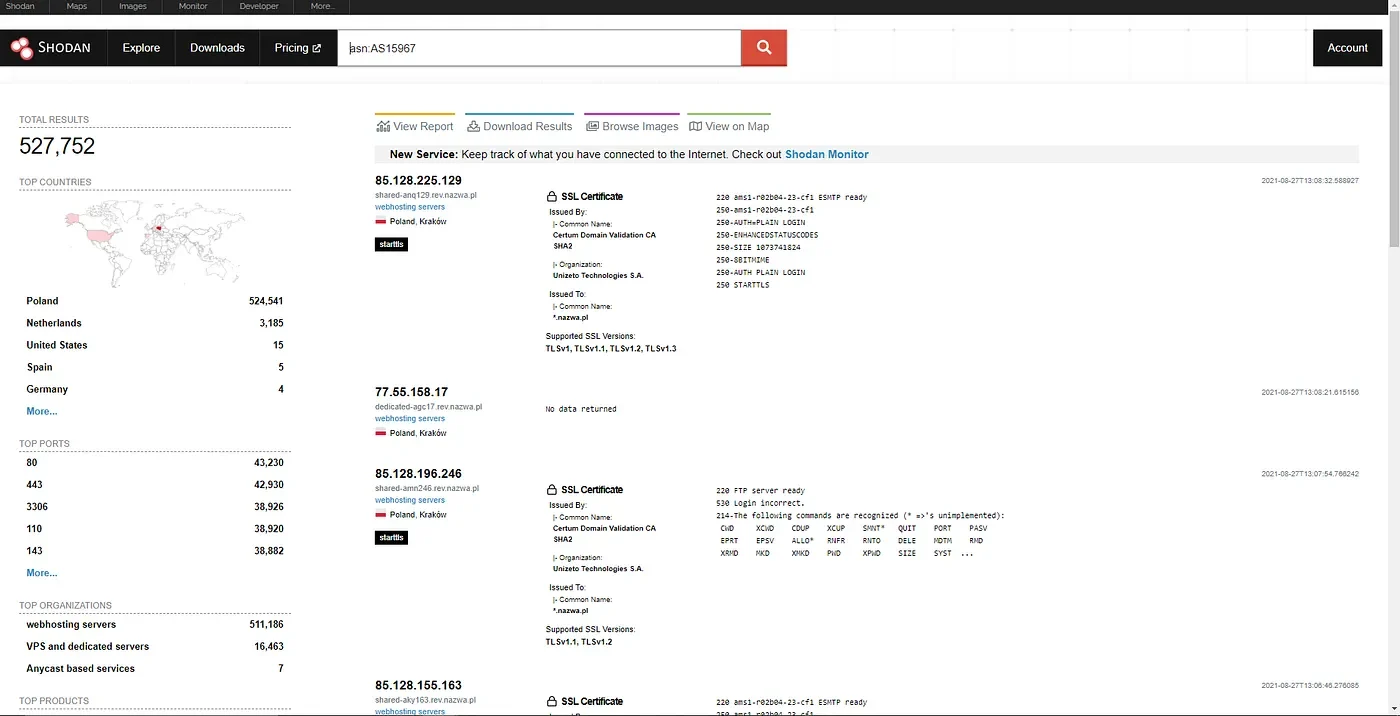
Among the multiple URLs returned, one was running the Jenkins service. It had login protection, but the researcher still browsed the files and projects in the workspace and found a folder containing a pipeline.log file that was accessible directly.
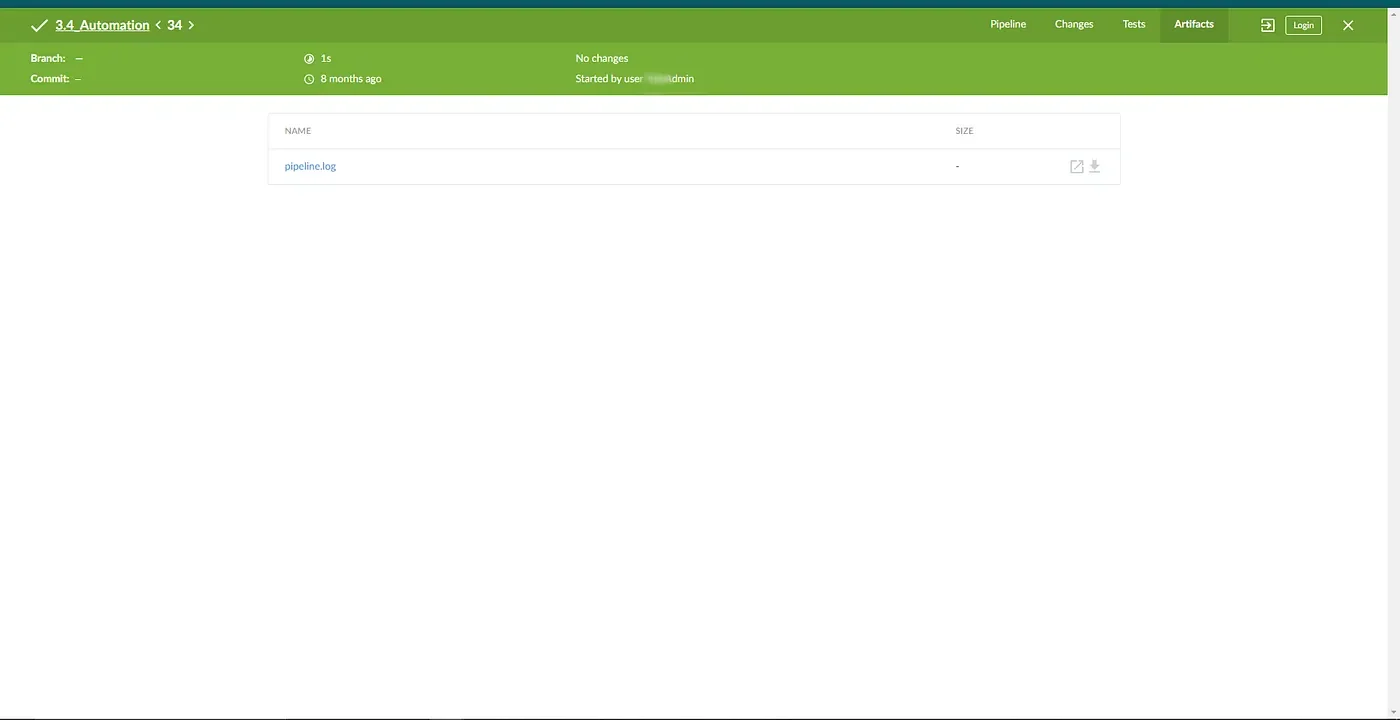
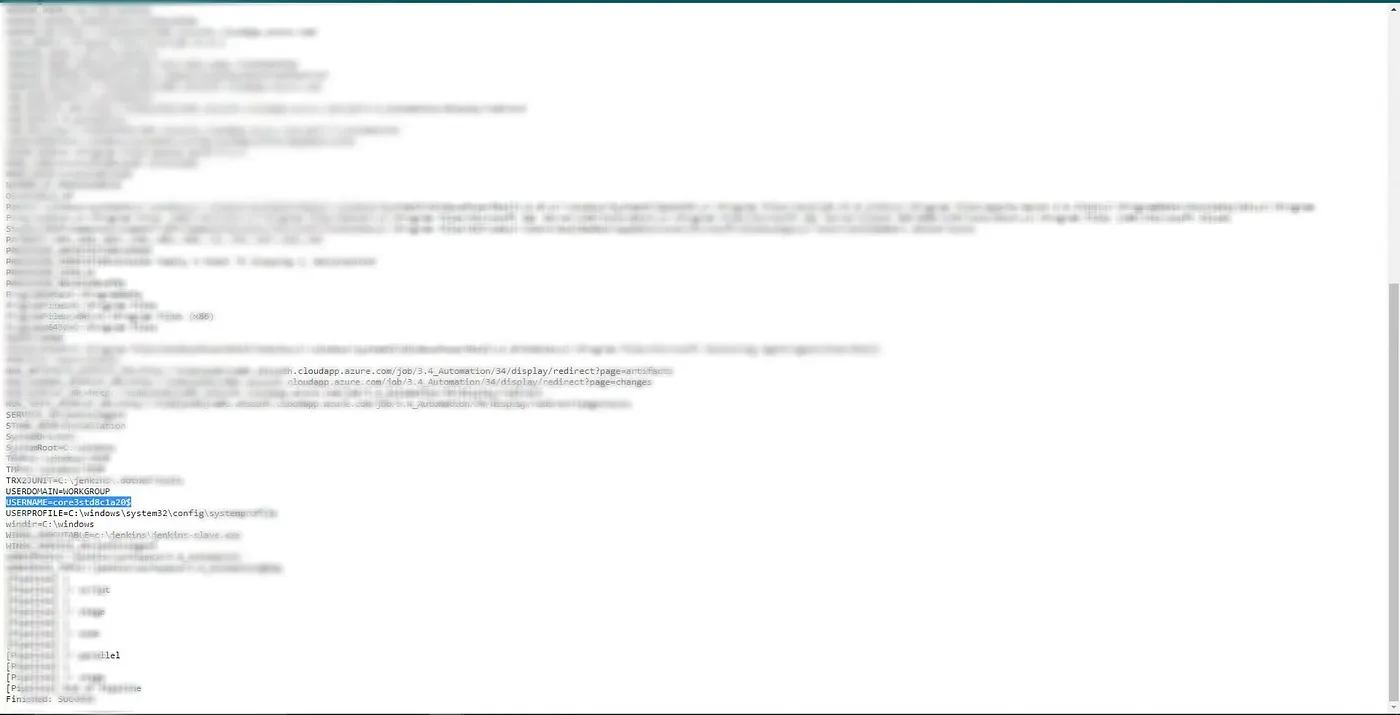
That log disclosed the Windows local directory, the computer name and the user name. It also revealed the Azure directory of that particular project, and opening it led to the Jenkins service running in the Azure cloud.
Exploitation
Step 1: Pick the freshest build
The researcher looked at the people assigned in Jenkins and selected the latest build application, on the reasoning that any token or API keys found there might still be alive. The user who completed the latest build was selected, and that user's "Build History" option was opened.
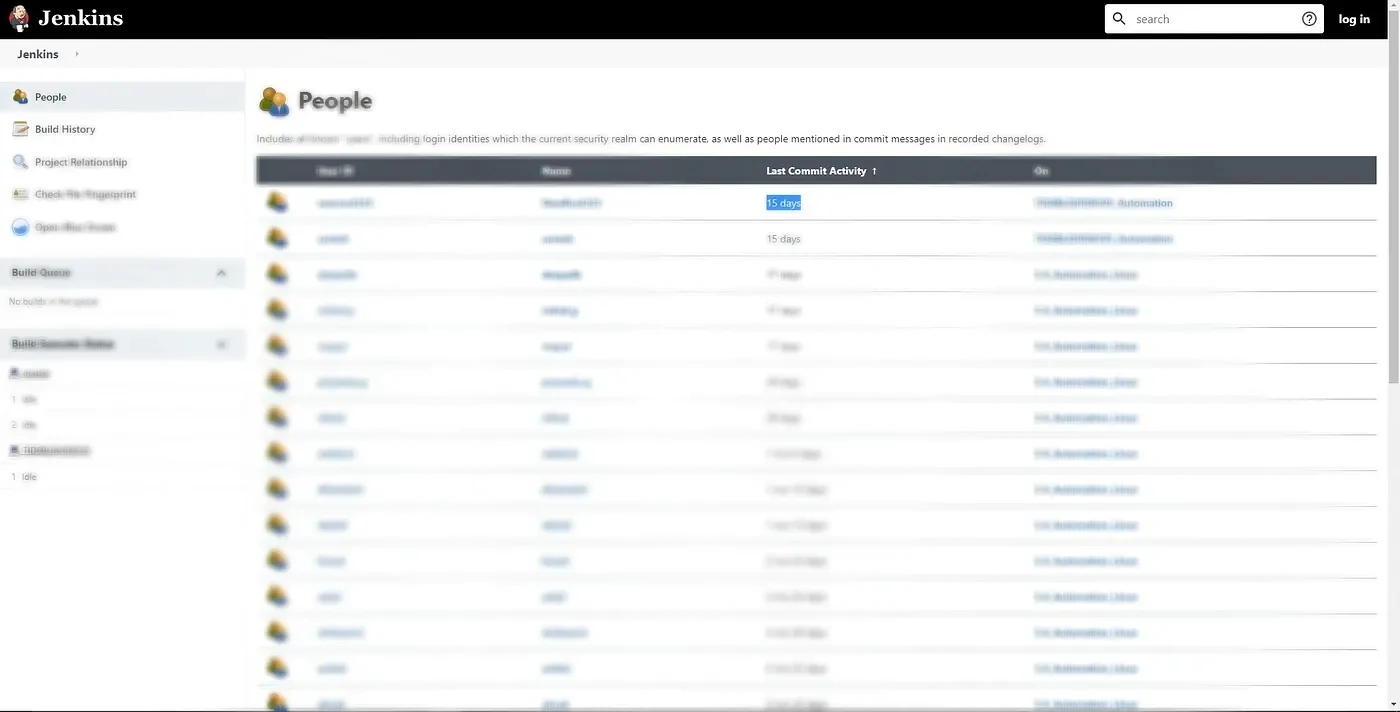
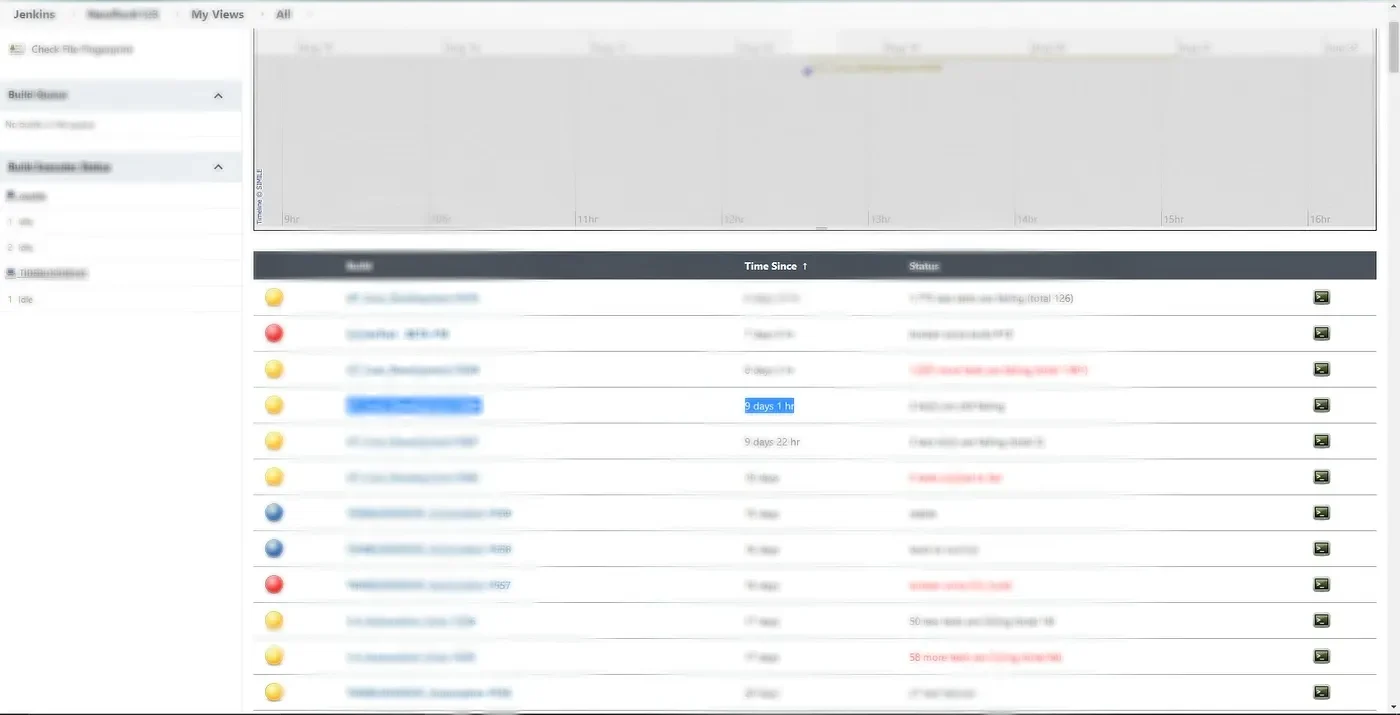
Build history holds a log of the compilation of the application: every time a new feature is added it goes through the CI/CD pipeline for compiling, testing and so on.
Step 2: Read the console output
In the history section the researcher viewed the "Console Output", described as the bash history of the automation scripts used for compiling and building in the CI/CD process.
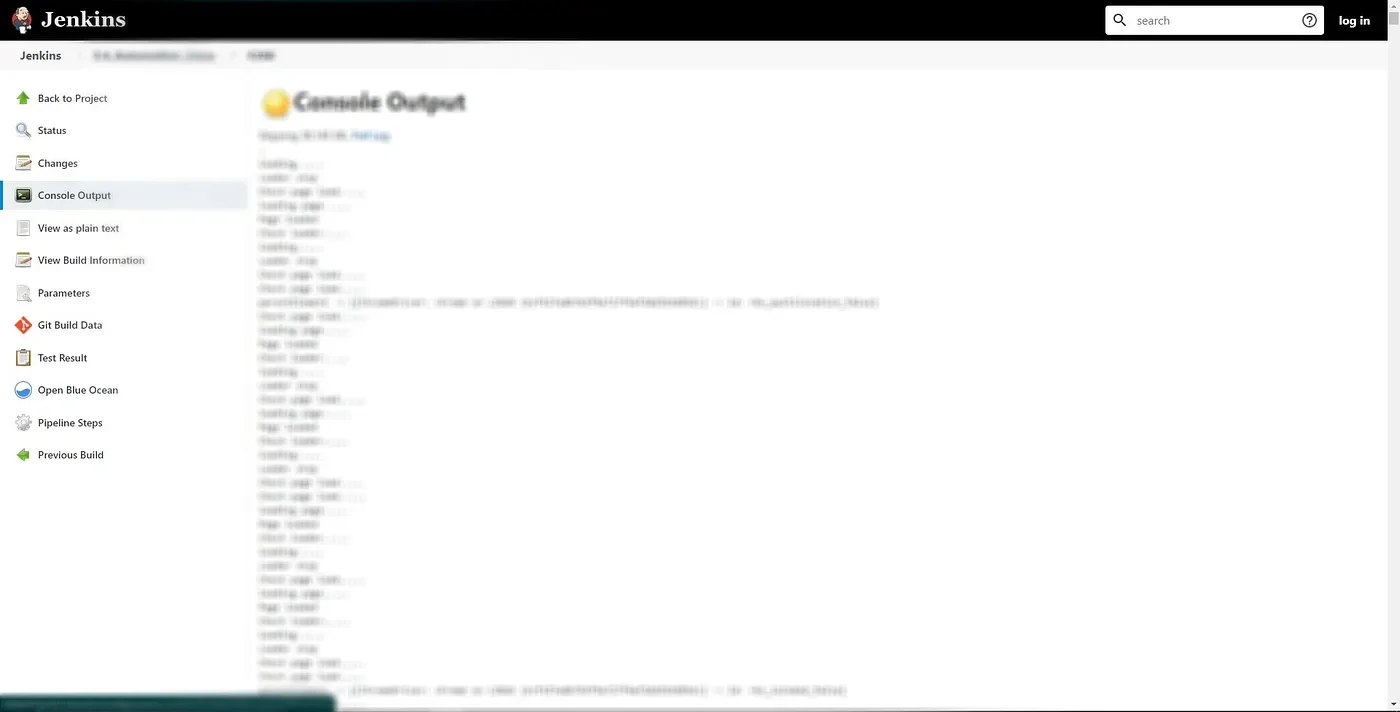
In that history a curl request had been executed, and it carried a token whose nature was not obvious at the time, so the researcher started searching for information about tokens in the Azure Active Directory.
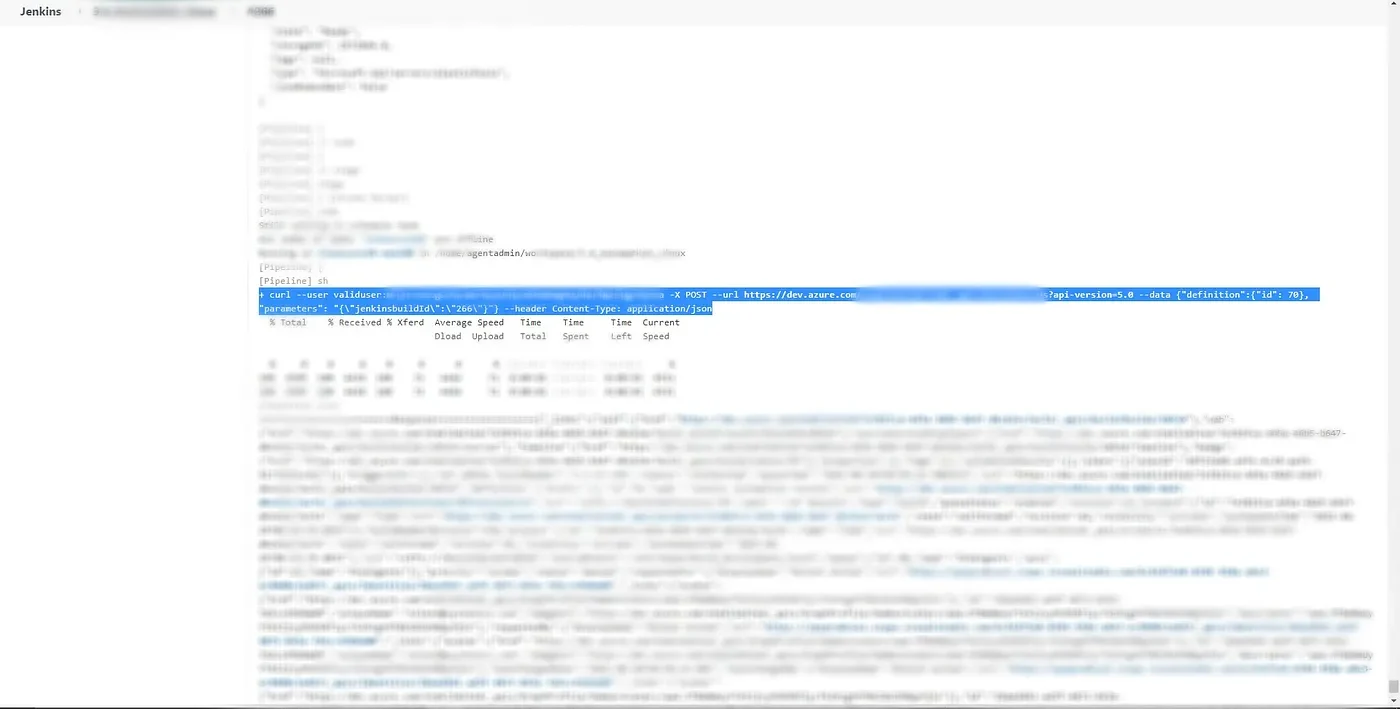
The command posts to the Azure DevOps builds API (_apis/build/builds?api-version=5.0), authenticating as validuser with the token and passing a build definition id and parameters as JSON. The search results about the token did not help, so the researcher moved on to other folders.
Step 3: Find the token again in Pipeline Steps
Under a folder called "Pipeline Steps", understood as an overview of the steps run in the automation process, the same token appeared again, this time alongside something called VSTS.exe, which looked like a CLI tool.
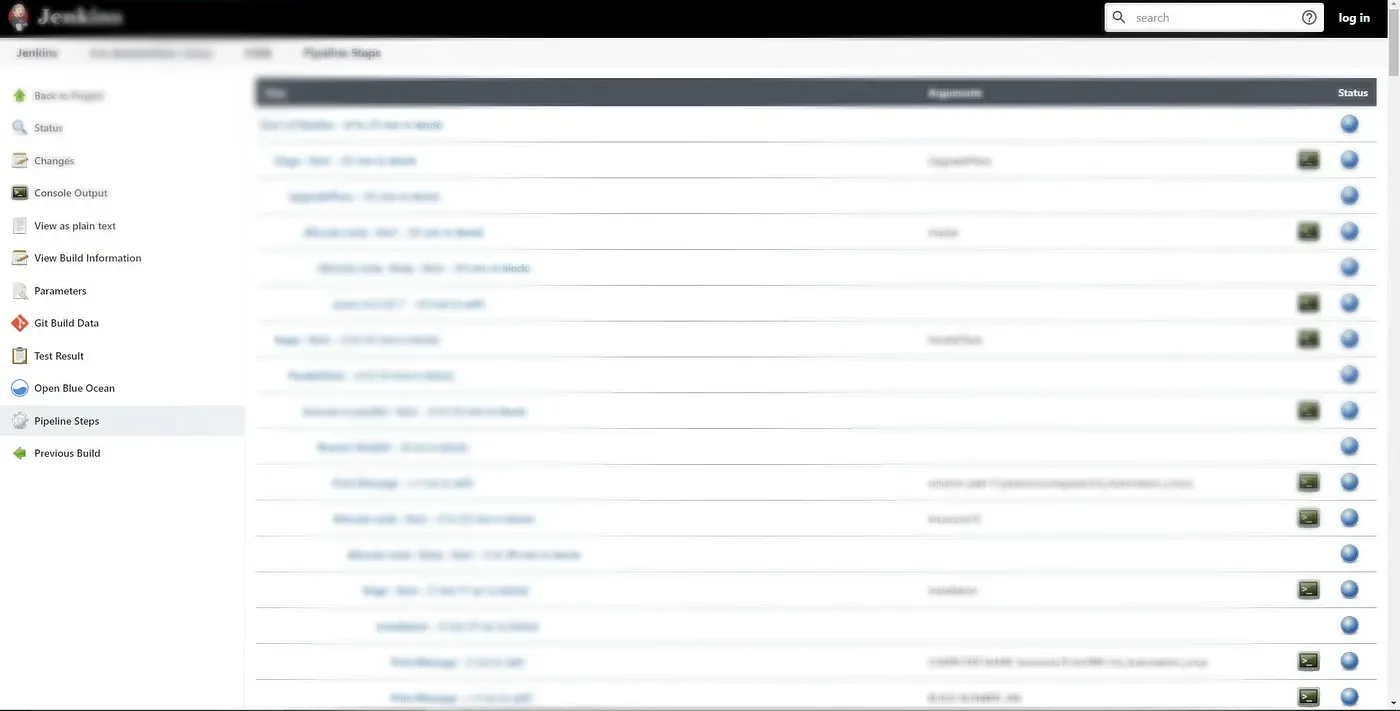
Reading up on it established that the VSTS CLI is a command line interface for Azure DevOps Services and Team Foundation Server (TFS), used to manage resources including pull requests, work items and builds. That is what made the token in the console history make sense: the CLI needed a Personal Access Token to log in.
Step 4: Log in with the PAT
The CLI was installed locally, and login was done with:
vsts login — token xxxxxxxxxx
The CLI supports defaults for instance, project and output format, for example:
Those values are placeholders and must be replaced with valid ones. In the researcher's case that form gave an error, so the instance URL and project name were set separately:
C:\Users\Hack_Rider>vsts configure — defaults instance=https://dev.azure.com/[OrganizationName]/
C:\Users\Hack_Rider>vsts configure — defaults project=[ProjectName]
Step 5: Enumerate pull requests, repositories and users
The list command finds and lists resources in VSTS; vsts code pr list, for example, shows all pull requests.
C:\Users\Hack_Rider>vsts code pr list — output table
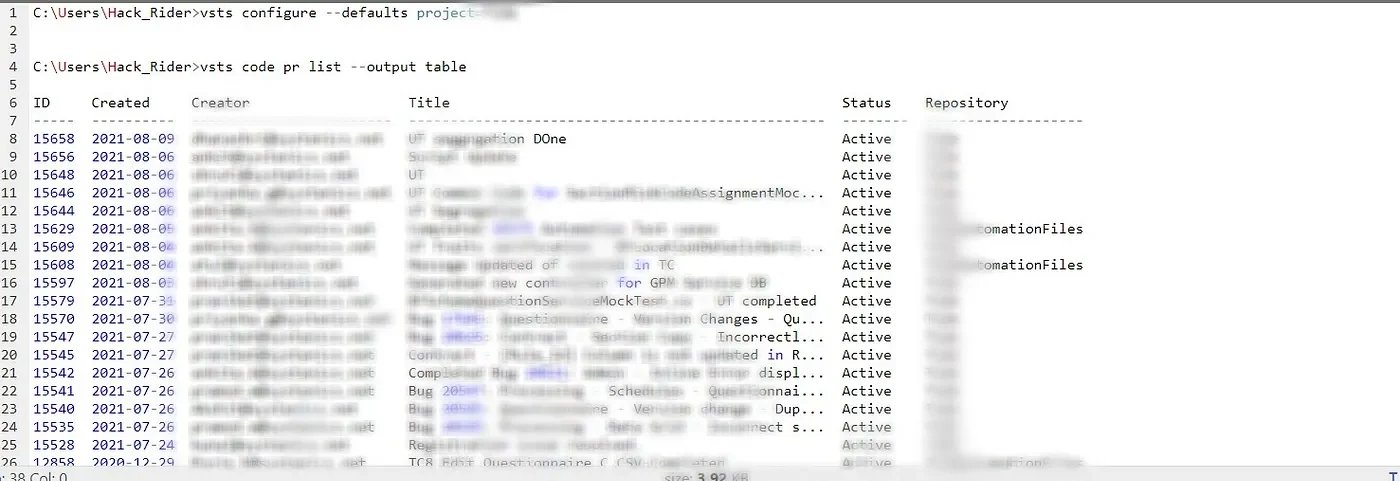
This returned the active user list, email addresses and the repositories each user manages. The repositories available in the project were then listed:
C:\Users\Hack_Rider>vsts code repo list
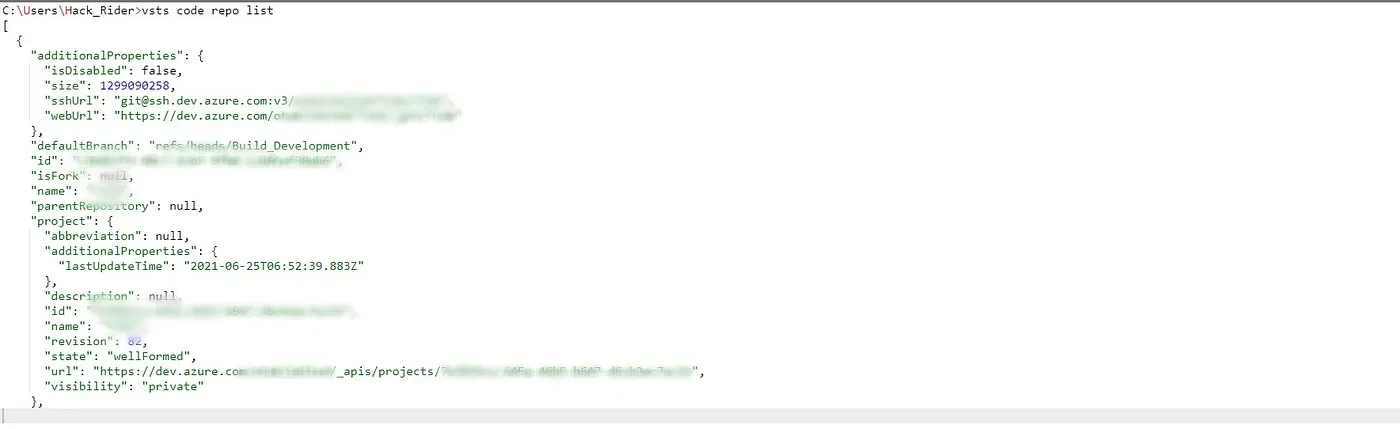
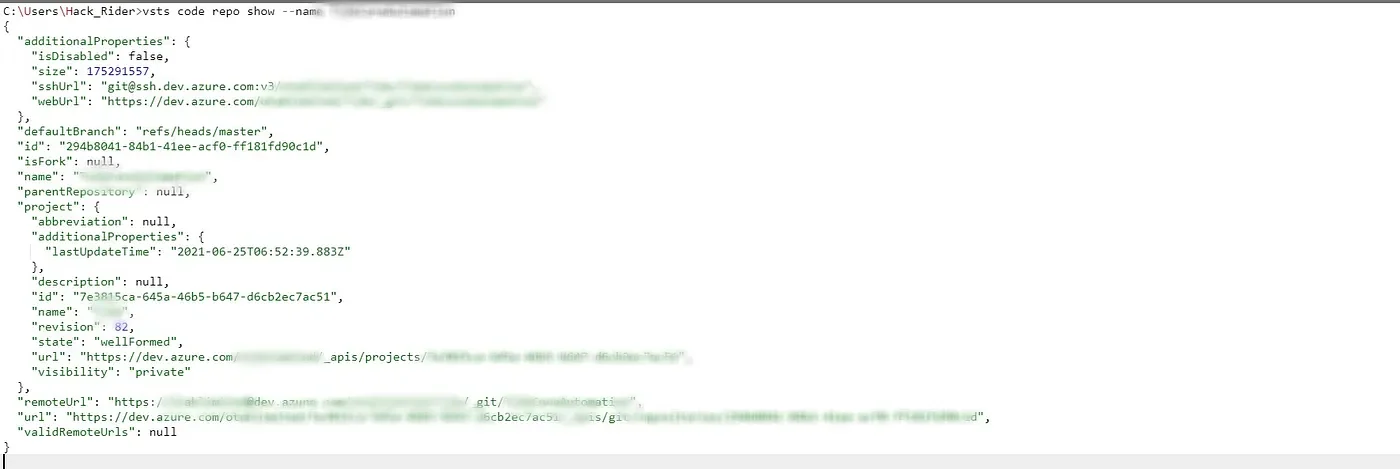
And the details of an individual git repository were retrieved with:
C:\Users\Hack_Rider>vsts code repo show — name [RepoName]
Step 6: Clone the source with the PAT
With enough information gathered, the remote repository was cloned in PowerShell using the PAT as a basic auth header. The comment in the report says to replace yourPAT with the actual PAT.
# replace "yourPAT" with your actual PAT
MY_PAT=yourPAT
B64_PAT=$(printf "%s"":$MY_PAT" | base64)
git -c http.extraHeader="Authorization: Basic ${B64_PAT}" clone https://dev.azure.com/yourOrgName/yourProjectName/_git/yourRepoName
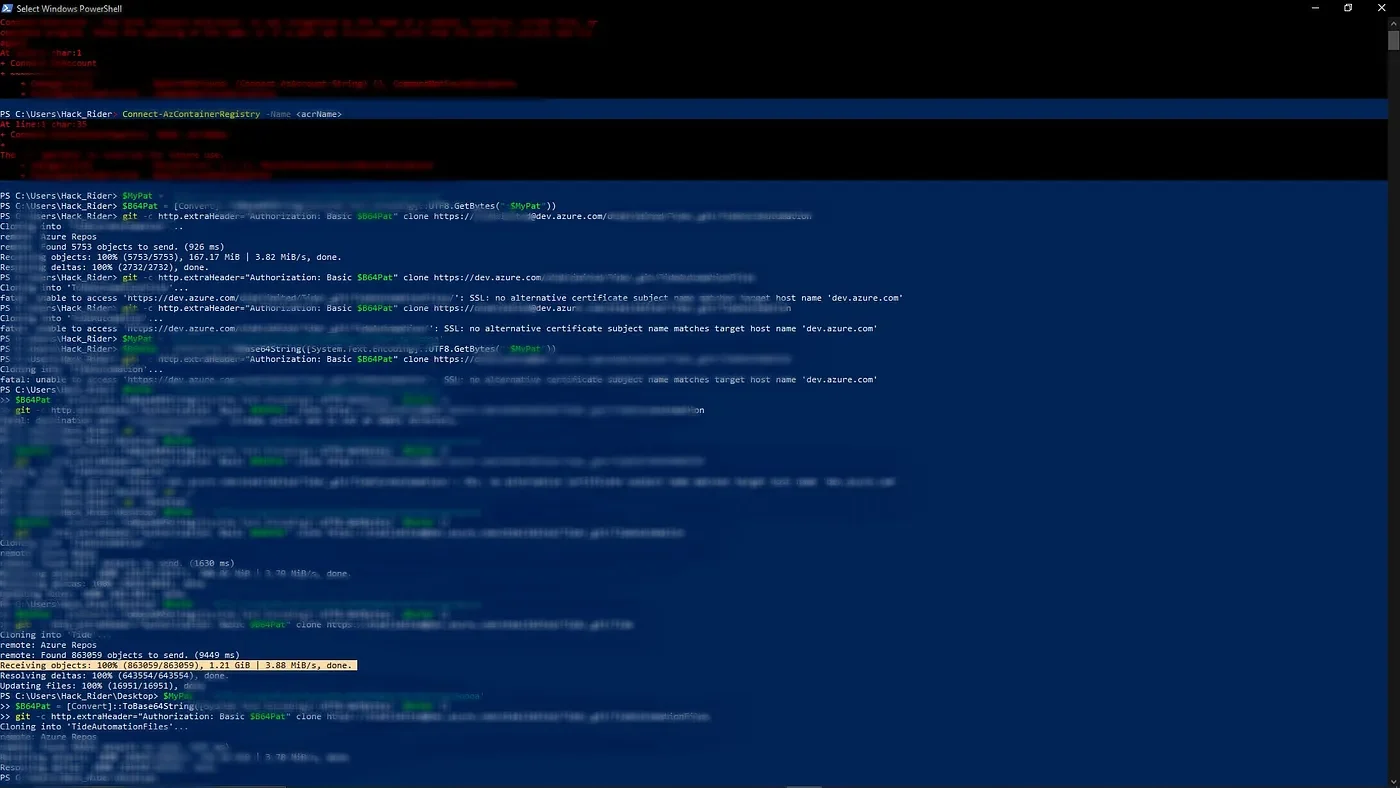
Inside the project files the researcher found large amounts of sensitive information: multiple API keys, tokens, email credentials, passwords for privately hosted applications, and third-party service API keys and tokens for services such as Slack, Bitly and Trello, among others.
Root cause
The entry point is a Jenkins workspace file, pipeline.log, that was reachable directly even though the Jenkins instance itself had login protection. That log exposed the Windows local directory, computer name, user name and the Azure directory of the project, which pointed at the Jenkins service in Azure.
From there the weakness is in how the pipeline handles credentials: the console output of the build history, and the Pipeline Steps view, both contained a curl invocation with a token in it, and the same token appeared in both places. The token was used to log in to the VSTS CLI, and the documentation quoted in the report recommends the All scopes option when creating a token. With the PAT, the VSTS CLI could list pull requests, users, email addresses and repositories, and git could clone the code. The secrets then found in the source are a second layer of the same problem: credentials committed or stored in project files that the pipeline had access to.
Impact
Under the conditions seen here, an attacker who reaches an exposed Jenkins workspace can read build logs and pipeline steps, recover a token that logs in to Azure DevOps, enumerate the organisation's users, email addresses and repositories, and download source code. The source code in this case contained multiple API keys, tokens, email credentials, private hosted application passwords and third-party service keys and tokens for Slack, Bitly, Trello and others. The researcher notes that the latest build was chosen deliberately because keys found there might still be alive, so the freshness of the build matters to the outcome.
Fix
The report does not describe what was changed. Based on the findings, the fixes would be to stop exposing workspace files such as pipeline.log directly, to keep tokens out of console output and pipeline step logs (masking or injecting them at run time rather than echoing them), to scope PATs to the minimum required rather than All scopes, and to remove hardcoded credentials from source and rotate the ones that leaked.
Variants to test
- Shodan lookups per ASN and port, for example
asn:AS15967 port:"8080", looking for Jenkins or other CI services. A positive result is a host in the organisation's address space running the service. - Direct requests to workspace files such as
pipeline.logon a CI instance that has login protection. A positive result is a log returned without authentication that contains paths, hostnames, user names or cloud directory references. - Reading the Console Output of the latest build in the build history. A positive result is a command line containing a token, password or API key.
- Reading the Pipeline Steps view of the same build. A positive result is the same or another credential, possibly next to a CLI tool name that hints at what the credential is for.
- Logging in to the matching CLI with a recovered token, for example
vsts login — token xxxxxxxxxx, then listing pull requests, repositories and repository details. A positive result is user lists, email addresses and repository contents. - Cloning a repository with the token in a basic auth header as shown above. A positive result is a successful clone whose files contain further credentials for third-party services.
What happened, in plain words
A security researcher was looking at a large organisation's systems from the outside, using only a browser and a few free tools. Along the way he found a build server (a machine that automatically compiles and tests software) whose log files could be read without logging in. The build history's console output contained a password-like key for a cloud service called Azure DevOps. With that key he logged in to the VSTS CLI, listed users, email addresses and code repositories, and downloaded the source code. Inside the code he found many more secrets: API keys, tokens, email passwords and keys for third-party services such as Slack, Bitly and Trello.
The researcher's own one-line summary of the whole chain is:
Recon[ASN] →Shodan Lookup →Found Logfile in Jenkins→got Azure DevOps Urls running Jenkins → found PAT of AZURE →Able to Download Source code →Found Tons of Hardcoded credentials
This article walks through that chain step by step, explaining every term as it comes up. You do not need any security background to follow it; you only need to know how to use a browser and a computer.
The idea behind it: DevOps and pipelines
DevOps is a way of working where the people who write software (development, "Dev") and the people who run it on servers (operations, "Ops") work together closely, so that new code can be delivered quickly and reliably. The report quotes this definition:
DevOps is a set of practices that combines software development (Dev) and IT operations (Ops). It aims to shorten the systems development life cycle and provide continuous delivery with high software quality.
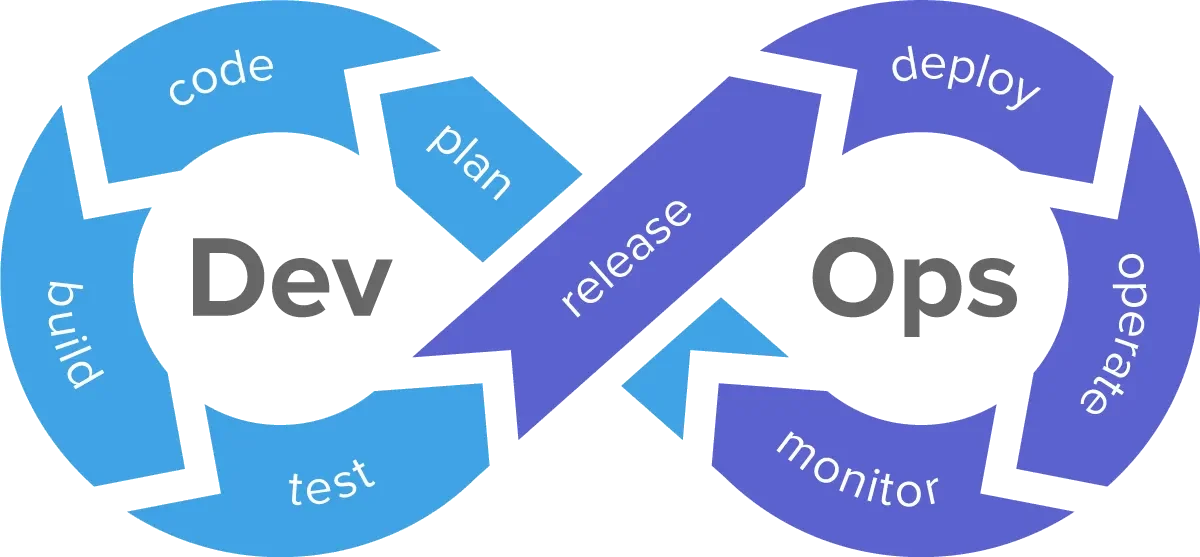
In DevOps there are several stages and many tools. One stage is "version control", which keeps track of every change to the code; Git is a common tool for that. Another stage is automation: when a developer submits new code, a machine automatically tests it, compiles it (turns it into a runnable program) and deploys it. This automatic process is called a Continuous Integration/Continuous Deployment (CI/CD) pipeline. Think of it as a factory conveyor belt: code goes in at one end, and a tested, packaged program comes out at the other, with no human hand needed in between.
One of the best-known tools for running such pipelines is Jenkins. Jenkins is a program that runs on a server, executes the pipeline steps, and keeps a record (a log) of everything it did. That record is exactly what leaked here.
The tools used
Before the story starts, here is what the researcher had at his disposal:
- Subdomain enumeration and ASN extraction. A large organisation owns many web addresses (subdomains) and a block of numeric internet addresses. An ASN (Autonomous System Number) is the label for a block of internet addresses that one organisation controls. Finding the ASN is like finding out which streets belong to one company's estate.
- Shodan. A search engine that indexes internet-connected devices and servers rather than web pages. You can ask it things like "show me every machine in this address block that has this service running on this port".
- A Jenkins instance found this way. It had a login screen, but some of its files could still be read directly.
- The VSTS CLI, a command-line tool installed from
https://aka.ms/vsts-cli-windows-installer, with its documentation read athttps://docs.microsoft.com/en-us/cli/vsts/get-started?view=vsts-cli-latest. A CLI (command-line interface) is a program you type commands into, instead of clicking buttons. - A Windows machine, with commands run from a
C:\Users\Hack_Rider>prompt (the text before the>is just the folder the user is in) and the final git step run in PowerShell, Windows' built-in command shell.
The VSTS CLI needs a Personal Access Token (PAT) to talk to Azure DevOps. A token is a long random string that acts like a password: whoever holds it can act as the account it belongs to, without needing the actual password. The documentation quoted in the report says that to make full use of the CLI you should tick the All scopes option when creating the token, and that vsts login securely stores the PAT and sets up default credentials. "Scopes" are the permissions a token carries; "All scopes" means every permission the account has.
Finding it
After a multi-step reconnaissance process (recon means gathering information about a target before attacking it), the researcher took the ASN he had collected for the main domain and searched it in Shodan, filtering by the port and the application running on it. A port is a numbered door on a server; different services listen on different doors, and 8080 is a common one for web applications. The example search given for port 8080 is:
asn:AS15967 port:"8080"
Line by line: asn:AS15967 restricts the results to machines inside the address block labelled AS15967. port:"8080" restricts them further to machines with something listening on port 8080. The quotes around the number are just Shodan's syntax.
Among the many URLs returned, one was running the Jenkins service. It had login protection, but the researcher still browsed the files and projects in the workspace. A Jenkins workspace is the folder on the server where a pipeline keeps its working files. He found a folder containing a pipeline.log file that was accessible directly, meaning the server handed it over without asking for a login.
That log disclosed the Windows local directory (the folder path on the server), the computer name and the user name. It also revealed the Azure directory of that particular project, and opening it led to the Jenkins service running in the Azure cloud. In other words, the log was a map: it told him where the organisation's cloud account lived.
Exploitation
Step 1: Pick the freshest build
The researcher looked at the people assigned in Jenkins and selected the latest build application. A build is one run of the pipeline: the machine takes the current code and produces a compiled, tested result. He chose the latest one on purpose, reasoning that any token or API keys found there might still be alive. An API key is a secret string that lets a program talk to another service on your behalf, much like a token. Old keys are often revoked; fresh ones usually are not.
The user who completed the latest build was selected, and that user's "Build History" option was opened.
Build history holds a log of the compilation of the application: every time a new feature is added, the code goes through the CI/CD pipeline for compiling, testing and so on. Each of those runs leaves a record.
Step 2: Read the console output
In the history section the researcher viewed the "Console Output", described as the bash history of the automation scripts used for compiling and building in the CI/CD process. Bash history is the list of commands a user has typed into a Linux shell; here it means the list of commands the pipeline ran. Think of it as the receipt roll from a till: every action the machine took is printed there.
In that history a curl request had been executed, and it carried a token whose nature was not obvious at the time, so the researcher started searching online for information about tokens in the Azure Active Directory. curl is a command-line tool for sending web requests; a request is simply a message asking a server to do something.
Line by line: curl is the program being run. — user validuser:[TOKEN] supplies a username and the token as the login credentials. -X POST says this is a POST request, the kind used to send data to a server rather than just ask for a page. — url https://dev.azure.com/xyz/xyz_child/_apis/build/builds?api-version=5.0 is the address being called: the builds part of Azure DevOps' API for the xyz organisation and the xyz_child project, using version 5.0 of that API. An API is a way for one program to talk to another, like a service counter at a shop where you hand over a request form and get back an answer. — data {...} is the body of the request: it names build definition id 65 and passes a parameter named xtyf with the value 285. — header Content-Type: application/json tells the server the body is formatted as JSON, a common text format for structured data.
The search results about the token did not help, so the researcher moved on to other folders.
Step 3: Find the token again in Pipeline Steps
Under a folder called "Pipeline Steps", understood as an overview of the steps run in the automation process, the same token appeared again, this time alongside something called VSTS.exe, which looked like a CLI tool. The .exe ending is the standard suffix for a Windows program.
Reading up on it established that the VSTS CLI is a command-line interface for Azure DevOps Services and Team Foundation Server (TFS), used to manage resources including pull requests, work items and builds. A pull request is a proposed change to the code that a colleague reviews before it is merged. A work item is a task or bug ticket. That is what made the token in the console history make sense: the CLI needed a Personal Access Token to log in.
Step 4: Log in with the PAT
The CLI was installed locally, and login was done with:
vsts login — token xxxxxxxxxx
Line by line: vsts is the CLI program. login is the command that signs you in. — token xxxxxxxxxx supplies the Personal Access Token; the xxxxxxxxxx is a placeholder where the real token goes.
The CLI supports defaults for instance, project and output format, for example:
Line by line: configure changes the tool's settings. — defaults says these are the values to use when a command does not specify its own. instance=https://dev.azure.com/myorganization sets which Azure DevOps organisation to talk to, and project=myproject sets which project inside it. Those values are placeholders and must be replaced with valid ones.
In the researcher's case that combined form gave an error, so the instance URL and project name were set separately:
C:\Users\Hack_Rider>vsts configure — defaults instance=https://dev.azure.com/[OrganizationName]/
Line by line: C:\Users\Hack_Rider> is the Windows prompt showing the current folder. vsts configure changes settings. — defaults instance=https://dev.azure.com/[OrganizationName]/ sets the organisation address, with [OrganizationName] standing in for the real name.
C:\Users\Hack_Rider>vsts configure — defaults project=[ProjectName]
Line by line: the same command, this time setting only the project name, with [ProjectName] standing in for the real one.
Step 5: Enumerate pull requests, repositories and users
The list command finds and lists resources in VSTS; vsts code pr list, for example, shows all pull requests. A repository (repo) is a storage place for code and its history.
C:\Users\Hack_Rider>vsts code pr list — output table
Line by line: vsts code selects the code-related part of the tool. pr list lists pull requests. — output table asks for the result to be printed as a neat table rather than raw text.
This returned the active user list, email addresses and the repositories each user manages. The repositories available in the project were then listed:
C:\Users\Hack_Rider>vsts code repo list
Line by line: vsts code repo list asks the tool to list every repository in the configured project.
And the details of an individual git repository were retrieved with:
C:\Users\Hack_Rider>vsts code repo show — name [RepoName]
Line by line: repo show displays the details of one repository, and — name [RepoName] says which one, with [RepoName] standing in for its real name.
Step 6: Clone the source with the PAT
With enough information gathered, the remote repository was cloned in PowerShell using the PAT as a basic auth header. Cloning means making a full local copy of a repository. Basic auth is a simple login method where the username and password (here, the token) are sent in a request header. A header is a small labelled field attached to a web request, like the address block on an envelope. The comment in the report says to replace yourPAT with the actual PAT.
# replace "yourPAT" with your actual PAT
MY_PAT=yourPAT
B64_PAT=$(printf "%s"":$MY_PAT" | base64)
git -c http.extraHeader="Authorization: Basic ${B64_PAT}" clone https://dev.azure.com/yourOrgName/yourProjectName/_git/yourRepoName
Line by line: # replace "yourPAT" with your actual PAT is a comment, ignored by the machine. MY_PAT=yourPAT stores the token in a variable called MY_PAT. B64_PAT=$(printf "%s"":$MY_PAT" | base64) builds the login string (a colon followed by the token) and encodes it with base64, a way of turning text into a safe alphabet of characters so it can travel inside a header; the result is stored in B64_PAT. git -c http.extraHeader="Authorization: Basic ${B64_PAT}" clone https://dev.azure.com/yourOrgName/yourProjectName/_git/yourRepoName runs git with an extra header that carries the encoded token as a Basic authorisation value, and clones the repository at that address into the current folder.
Inside the project files the researcher found large amounts of sensitive information: multiple API keys, tokens, email credentials, passwords for privately hosted applications, and third-party service API keys and tokens for services such as Slack, Bitly and Trello, among others. Hardcoded credentials means secrets written directly into the code or configuration files, where anyone who can read the files can also read the secrets.
Why it worked
The entry point is a Jenkins workspace file, pipeline.log, that was reachable directly even though the Jenkins instance itself had login protection. That log exposed the Windows local directory, computer name, user name and the Azure directory of the project, which pointed at the Jenkins service in Azure.
From there the weakness is in how the pipeline handles credentials: the console output of the build history, and the Pipeline Steps view, both contained a curl invocation with a token in it, and the same token appeared in both places. The token was used to log in to the VSTS CLI, and the documentation quoted in the report recommends the All scopes option when creating a token. With the PAT, the VSTS CLI could list pull requests, users, email addresses and repositories, and git could clone the code. The secrets then found in the source are a second layer of the same problem: credentials committed or stored in project files that the pipeline had access to.
What an attacker could do with it
Under the conditions seen here, an attacker who reaches an exposed Jenkins workspace can read build logs and pipeline steps, recover a token that logs in to Azure DevOps, enumerate the organisation's users, email addresses and repositories, and download source code. The source code in this case contained multiple API keys, tokens, email credentials, private hosted application passwords and third-party service keys and tokens for Slack, Bitly, Trello and others. The researcher notes that the latest build was chosen deliberately because keys found there might still be alive, so the freshness of the build matters to the outcome.
How to fix it
The report does not describe what was changed. Based on the findings, the fixes would be to stop exposing workspace files such as pipeline.log directly, to keep tokens out of console output and pipeline step logs (masking or injecting them at run time rather than echoing them), to scope PATs to the minimum required rather than All scopes, and to remove hardcoded credentials from source and rotate the ones that leaked. Rotating a credential means replacing it with a new one and cancelling the old one.
Things to try yourself
- Shodan lookups per ASN and port, for example
asn:AS15967 port:"8080", looking for Jenkins or other CI services. A positive result is a host in the organisation's address space running the service. - Direct requests to workspace files such as
pipeline.logon a CI instance that has login protection. A positive result is a log returned without authentication that contains paths, hostnames, user names or cloud directory references. - Reading the Console Output of the latest build in the build history. A positive result is a command line containing a token, password or API key.
- Reading the Pipeline Steps view of the same build. A positive result is the same or another credential, possibly next to a CLI tool name that hints at what the credential is for.
- Logging in to the matching CLI with a recovered token, for example
vsts login — token xxxxxxxxxx, then listing pull requests, repositories and repository details. A positive result is user lists, email addresses and repository contents. - Cloning a repository with the token in a basic auth header as shown above. A positive result is a successful clone whose files contain further credentials for third-party services.
Glossary
- API: a way for one program to talk to another, like a service counter where you hand over a request and get back an answer.
- API key: a secret string that lets a program use another service on your behalf.
- ASN (Autonomous System Number): the label for a block of internet addresses controlled by one organisation.
- Base64: a way of encoding text into a safe alphabet of characters so it can travel inside headers and similar fields.
- Basic auth: a simple login method where the username and password (or token) are sent in a request header.
- Bash history: the list of commands a user has typed into a Linux shell; here, the commands the pipeline ran.
- Build: one run of a pipeline that takes the current code and produces a compiled, tested result.
- CI/CD pipeline: an automatic conveyor belt that tests, compiles and deploys code whenever a developer submits a change.
- CLI (command-line interface): a program you type commands into, instead of clicking buttons.
- Clone: to make a full local copy of a code repository.
- Console Output: the printed record of everything a build ran, shown in the build history.
- curl: a command-line tool for sending web requests.
- DevOps: a way of working where software developers and IT operations staff collaborate closely so code can be delivered quickly and reliably.
- Git: a version-control tool that tracks every change to code.
- Hardcoded credentials: secrets written directly into code or configuration files, readable by anyone who can read the files.
- Header: a small labelled field attached to a web request, like the address block on an envelope.
- Jenkins: a well-known program that runs CI/CD pipelines on a server and keeps logs of what it did.
- JSON: a common text format for structured data.
- PAT (Personal Access Token): a long random string that acts like a password for an account, used by tools to log in.
- Port: a numbered door on a server; different services listen on different doors.
- PowerShell: Windows' built-in command shell.
- Pull request: a proposed change to code that a colleague reviews before it is merged.
- Recon (reconnaissance): gathering information about a target before attacking it.
- Repository (repo): a storage place for code and its history.
- Rotate: to replace a credential with a new one and cancel the old one.
- Scope: the set of permissions a token carries.
- Subdomain enumeration: finding the many web addresses that belong to one organisation.
- Token: a long random string that acts like a password, letting whoever holds it act as the account it belongs to.
- VSTS CLI: a command-line tool for managing Azure DevOps Services and Team Foundation Server resources.
- Work item: a task or bug ticket in a project-management system.
- Workspace: the folder on a build server where a pipeline keeps its working files.



