Million Users PII Leak Data Leak
A publicly accessible AWS S3 bucket exposed sensitive user data, including medical records and private communications. Separately, a blind stored XSS vulnerability in a form allowed an attacker to capture an admin's access token and business client details.
 Published on medium.com
Today i am going to discuss about the information leak in some popular websites .For Privacy Purpose we will not discuss about company Name.
The full write-up lives on its author's site
It belongs to its author, so we link to it rather than copy it. The other two tabs are our own rewrites, checked against it.
Context
This write-up covers two separate information disclosure issues found on popular websites. The author keeps the company names private, so the targets are described only in general terms: a healthcare-style service that stores conversations between patients and doctors, and a large multinational company whose website had a form whose submissions were stored in a local admin account.
The first issue is a publicly readable storage bucket served through Amazon CloudFront. The service used CloudFront to store and serve public images, with avatar URLs of the form:
https://d3ez8in977xyz.cloudfront.net/avatars/[redacted].jpg
The second issue is a blind stored XSS in a form, where the submitted data was later viewed inside an admin account.
Setup
No accounts, roles or tool versions are described. The only tool named is XSSHunter, used for the blind XSS payload so that execution would send data back to the researcher. The first target was tested for about an hour of recon and testing before the bucket was found.
Finding it
The CloudFront bucket
After an hour of testing the healthcare site, the author had found a couple of IDOR and XSS issues but nothing critical. The CloudFront-hosted avatar URLs caught the attention because they pointed at a storage service rather than the application itself. The initial assumption was that only public images were stored there, but browsing the bucket showed personal data stored publicly: video chat, audio calls, text messages and some user private files. These files contained conversations between patients and doctors.
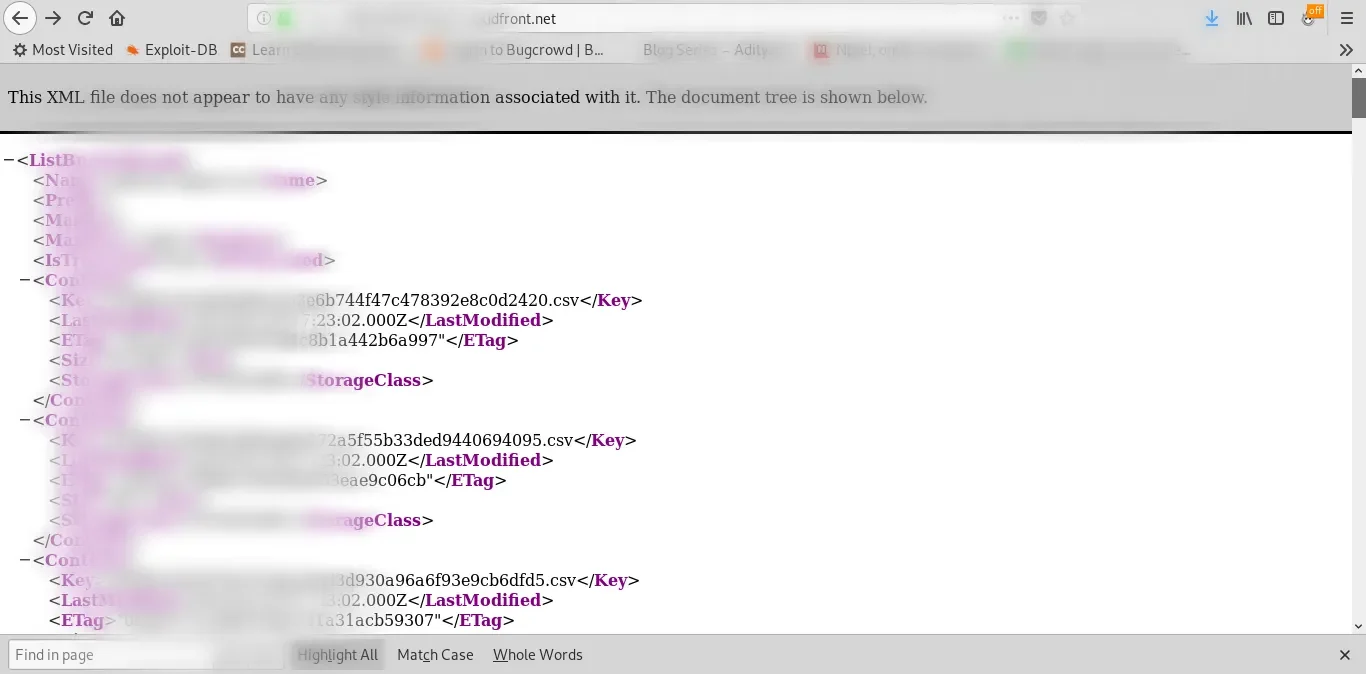
Different domains had different storage buckets, and each bucket held thousands of records. The author did not calculate how many users' information was stored, but after searching for the company's user numbers concluded it had millions of users. The screenshot below shows one of the buckets, with a CSV file containing text messages between users.
The blind stored XSS
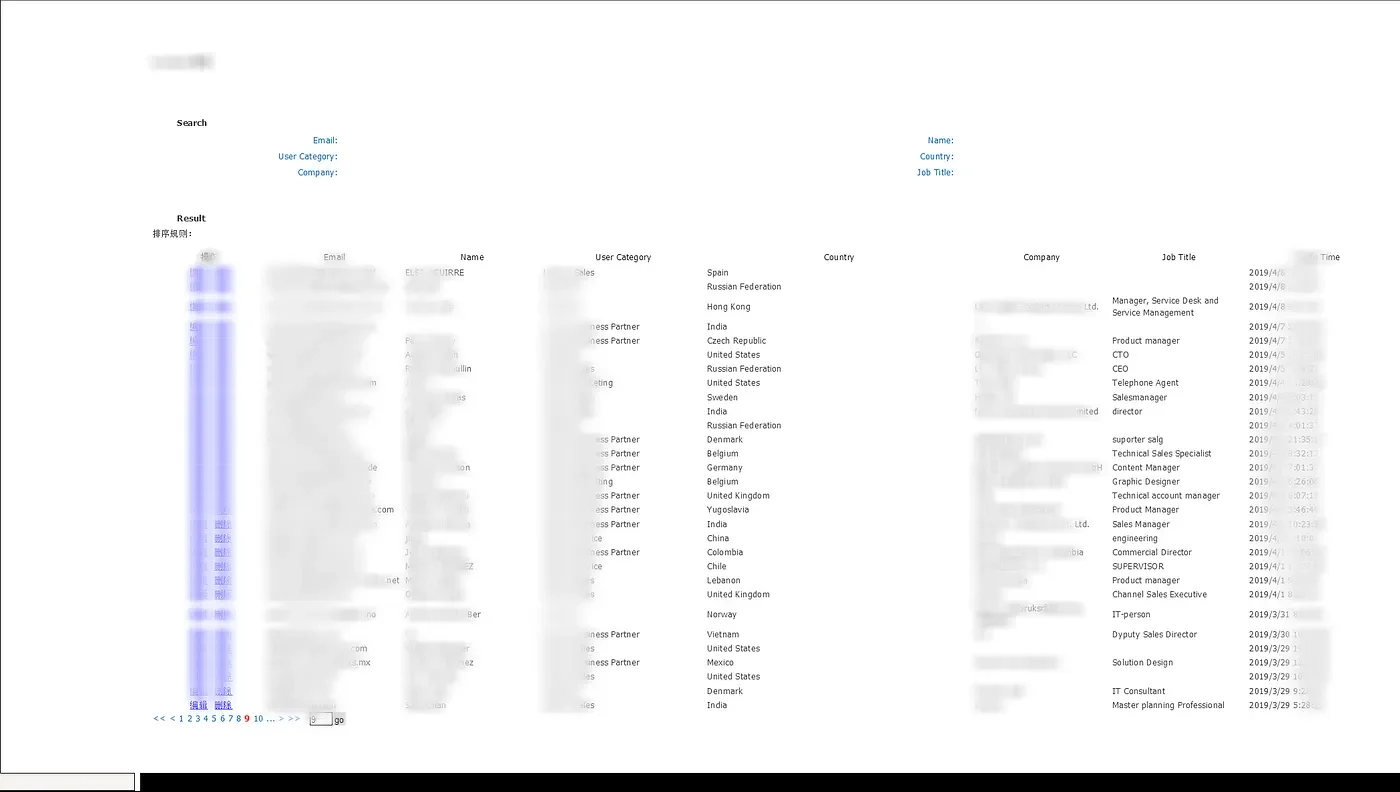
On the second target, the author found a vulnerable point in a form, and the form data was stored in a local admin account. Because the payload would only run when an admin viewed the stored data, a plain XSS payload would not report back, so an XSSHunter payload was used instead: whenever it executed, it sent data back to the researcher. The screenshot shows the resulting PII data leak.
Exploitation
Step 1: enumerate the CloudFront distribution
Starting from an avatar URL, the author visited the CloudFront host directly to see what else was stored alongside the public images. Browsing the bucket showed the additional file types listed above, including the patient and doctor conversations.
Step 2: find the other buckets
Because different domains used different storage buckets, the author repeated the search for the image storage location of each domain. Each bucket contained thousands of records.
Step 3: report the bucket exposure
The bucket issue was reported and resolved within an hour. The award was $2500 with a $500 bonus, $3000 in total.
Step 4: submit the blind XSS payload
The form on the second target accepted input that was stored and later rendered in the local admin account. The XSSHunter payload was submitted through that form instead of a simple alert-style payload, so that execution in the admin's browser would send the collected data back to the researcher.
Step 5: collect the admin data
When the payload executed, it returned the admin account's access token and other personal details, and through that also the details of the company's business clients. The award for this issue was $1250.
Root cause
For the first issue, personal files were stored publicly on the CloudFront host, so anyone who reached it could download files that should have been private. The report does not describe the bucket policy or ACL that caused this; the exposure is consistent with public read access on objects that were never meant to be public.
For the second issue, user-supplied form input was stored and later rendered in the admin account without being neutralised, which is the classic stored XSS condition. The report does not describe the sanitisation or output encoding in place, so the exact defence that failed is not stated.
Impact
On the first target, an attacker who found the buckets could read video chat, audio calls, text messages and private user files, including conversations between patients and doctors, across multiple domains and thousands of records per bucket. The author estimates the company has millions of users but did not count how many were affected.
On the second target, the blind stored XSS gave the author the admin account's access token and other personal details, and from there the details of business clients.
Fix
In general terms, the bucket needs to stop serving private objects publicly, and the form input needs to be encoded on output in the admin view.
Variants to test
- Visit the CDN host behind any public asset URL directly and try listing the bucket root; a positive result is a directory listing or objects beyond the expected public images.
- Enumerate other subdomains and domains of the same organisation for their own storage buckets; a positive result is a second bucket with private files.
- Look for CSV, audio and video files in any exposed bucket; a positive result is records containing personal or conversation data.
- Submit an XSSHunter payload in every form field that might be viewed by staff; a positive result is a callback containing session data or tokens from an admin browser.
- Check whether data returned by the blind XSS includes access tokens usable against the application; a positive result is a token that authenticates to an admin or partner-facing function.
What happened, in plain words
This is a story about two separate mistakes found on two different websites. The author keeps the company names private, so we only know them in general terms. The first is a healthcare-style service where patients and doctors talk to each other. The second is a large multinational company with a website that has a form on it.
In both cases, information that should have been private was exposed. On the first site, files were sitting in a storage service that anyone on the internet could read. On the second site, a form accepted text that later ran as code inside an administrator's browser and sent the administrator's secrets back to the author.
Before we go further, a few words you will see throughout:
- Server: the computer somewhere in the world that holds a website and answers requests from your browser.
- Browser: the program you use to visit websites, such as Chrome or Firefox.
- Storage bucket: a folder in the cloud where a company keeps files. Think of it as a public locker: if the lock is left open, anyone who knows the address can take things out.
- CDN (content delivery network): a network of servers that hands out files (images, videos) quickly to visitors around the world. Amazon CloudFront is one such service.
- XSS (cross-site scripting): a bug where a website lets someone else's text be treated as code by a visitor's browser. It is like a noticeboard where someone can pin a note that, when read, makes the reader do something.
- Stored XSS: the malicious text is saved on the server first and only runs later, when someone opens the page that shows it.
- Blind XSS: a stored XSS where the attacker cannot see the page where the code runs. The attacker has to arrange for the code to send a message back, because they will never watch it happen.
- PII (personally identifiable information): data that identifies a real person, such as a name, phone number, message or medical note.
- Token: a short string of characters that acts like a temporary key. If you have the token, the website treats you as the logged-in user. It is like a coat-check ticket: whoever holds it can collect the coat.
- IDOR: a bug where changing an identifier in a URL (for example a number) lets you see someone else's data.
- Recon: short for reconnaissance, the early stage of looking around a target to see what it is made of.
The first target: a healthcare site
The author spent about an hour looking around and testing the healthcare website. During that time a couple of IDOR and XSS issues turned up, but nothing the author considered critical. The goal was something bigger.
Then the author noticed that the site used Amazon CloudFront to store and serve public images. The avatar image URLs looked like this:
https://d3ez8in977xyz.cloudfront.net/avatars/[redacted].jpg
Line by line, in plain words:
https://is the secure version of the web address scheme. Your browser uses it to talk to the server in encrypted form.d3ez8in977xyz.cloudfront.netis the host name. Thecloudfront.netpart tells you the file is being served by Amazon's CDN, not by the company's own website./avatars/is a folder path inside that storage.[redacted].jpgis the file name. It looks like a long random string, which is common for files that are meant to be hard to guess.
At first the author assumed this was just public data, which is normal for avatars. But the address pointed at a storage service rather than the application itself, and that is worth a closer look. So the author visited the CloudFront host directly to see what else was stored next to the public images.
That is when things changed. Besides public images, the storage held personal data openly: video chat, audio calls, text messages and some user private files. These files contained conversations between patients and doctors.
Different domains had different storage buckets, so the author repeated the search for the image storage location of each domain. Each bucket held thousands of records. The author did not count how many users' information was stored, but after searching for the company's user numbers concluded it had millions of users.
The screenshot below shows one of the buckets, with a CSV file containing text messages between users.
A CSV file is a plain text file where each line is a row of data, with values separated by commas. It is what you get when you export a spreadsheet. Seeing one in a public bucket means structured records, not just pictures.
Reporting the bucket
The bucket issue was reported and resolved within an hour. The award was $2500 with a $500 bonus, $3000 in total.
The second target: a form and an admin account
The second story is about a blind stored XSS found on a large multinational company's website. Through it the author obtained the admin account's access token and other personal details, and along with that the details of the company's business clients.
The author found a vulnerable point in a form on the site, and the data submitted through that form was stored in a local admin account. In other words, whatever a visitor typed into the form was saved and later displayed to an administrator inside their own account.
A plain XSS payload, the kind that pops up an alert box, would not help here. The author would never see the alert, because the code runs in the administrator's browser, not the author's. So instead of a simple XSS payload, the author used an XSSHunter payload. XSSHunter is a service that gives you a snippet of code; whenever that snippet runs anywhere, it sends data back to you. It is like leaving a note that, when read, phones home to tell you who read it and where.
The screenshot shows the resulting PII data leak.
What the payload returned
When the payload executed in the administrator's browser, it returned the admin account's access token and other personal details. Through that, the author also obtained the details of the company's business clients. The award for this issue was $1250.
Why each step was taken
- Look at the avatar URL. Public images are a normal thing to serve from a CDN, but the URL revealed which storage service the company used. That is a lead, not a bug by itself.
- Visit the CDN host directly. If a storage folder is misconfigured, the address of one file can lead you to other files stored beside it. The author wanted to see what else sat beside the avatars.
- Check the other domains. Companies often repeat the same setup across their sites. If one bucket is open, the others may be too.
- Report the bucket. Exposed patient and doctor conversations are serious, so the author reported it straight away. It was fixed within an hour.
- Use XSSHunter instead of a plain payload. The code only runs when an administrator opens the stored data. A plain alert would be invisible to the author, so the payload had to report back.
- Submit through the form. The form was the entry point: it accepted input that was stored and later shown in the admin account.
- Collect what came back. The callback carried the admin's access token and personal details, and from there the business client details.
What went wrong
For the first issue, personal files were stored publicly on the CloudFront host. Anyone who reached it could download files that should have been private. The report does not describe the bucket policy or access settings that caused this; the exposure is consistent with public read access on objects that were never meant to be public.
For the second issue, user-supplied form input was stored and later rendered in the admin account without being neutralised. That is the classic stored XSS condition. The report does not describe the sanitisation or output encoding in place, so the exact defence that failed is not stated.
What the impact was
On the first target, an attacker who found the buckets could read video chat, audio calls, text messages and private user files, including conversations between patients and doctors, across multiple domains and thousands of records per bucket. The author estimates the company has millions of users but did not count how many were affected.
On the second target, the blind stored XSS gave the author the admin account's access token and other personal details, and from there the details of business clients.
How it was fixed
In general terms, the bucket needs to stop serving private objects publicly, and the form input needs to be encoded on output in the admin view.
Things worth trying on your own targets
These are patterns to look for, not instructions to attack anyone. Only test systems you are allowed to test.
- Visit the CDN host behind any public asset URL directly and try listing the bucket root. A positive result is a directory listing, or objects beyond the expected public images.
- Enumerate other subdomains and domains of the same organisation for their own storage buckets. A positive result is a second bucket with private files.
- Look for CSV, audio and video files in any exposed bucket. A positive result is records containing personal or conversation data.
- Submit an XSSHunter payload in every form field that might be viewed by staff. A positive result is a callback containing session data or tokens from an admin browser.
- Check whether data returned by the blind XSS includes access tokens usable against the application. A positive result is a token that authenticates to an admin or partner-facing function.
Glossary
- API: a way for one program to talk to another, like a waiter taking your order to the kitchen and bringing back the food.
- Blind XSS: a stored XSS where the attacker cannot see the page where the code runs, so the code must report back.
- Browser: the program you use to visit websites.
- Bucket: a folder in cloud storage where files are kept.
- CDN: a network of servers that delivers files quickly to visitors around the world.
- CloudFront: Amazon's CDN service.
- Cookie: a small piece of data a website stores in your browser so it can recognise you on the next request.
- CSV: a plain text file of rows and columns, values separated by commas.
- Domain: the name of a website, such as example.com.
- Host: the machine (or the name of the machine) that serves a website or file.
- IDOR: a bug where changing an identifier in a request lets you see someone else's data.
- PII: personally identifiable information, data that identifies a real person.
- Recon: reconnaissance, the early stage of looking around a target.
- Sanitisation: cleaning input so that dangerous characters cannot be treated as code.
- Server: the computer that holds a website and answers requests.
- Stored XSS: a bug where malicious text is saved on the server and runs later when someone opens the page.
- Token: a short string that acts like a temporary key, proving who you are to a website.
- XSSHunter: a service that provides a payload which reports back when it runs.



