Giving an AI Agent a File Reader Without a Fence: Arbitrary File Read in an AWS Open-Source Tool
 Published on medium.com
Bug Bounty
The full write-up lives on its author's site
It belongs to its author, so we link to it rather than copy it. The other two tabs are our own rewrites, checked against it.
Context
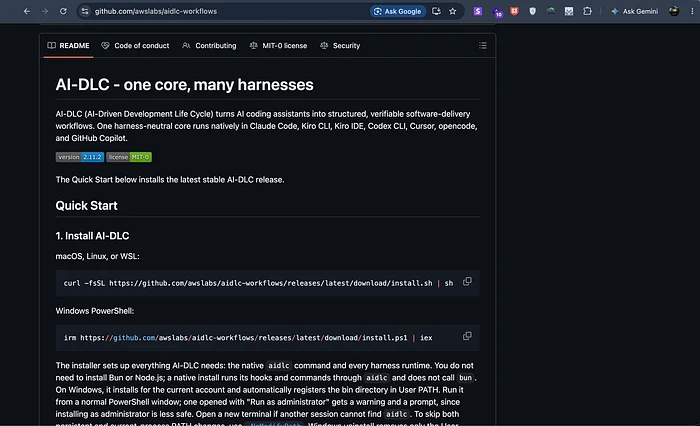
aidlc-traceability is a Python CLI in AWS's open-source awslabs/aidlc-workflows repository. It builds traceability reports that link requirements, stories, components and code. With AI mode on, which is the default, an agent built on Amazon Bedrock helps map components to source files. To do that mapping, the agent is given a tool that reads source code from disk.
The tool is a plain Python function, read_source_code_file, and it is registered with the agent as one of its callable tools. The security question the write-up asks is simple: what happens when a tool you hand to an LLM can read any path on your machine?
Setup
The core problem can be demonstrated without AWS credentials. The function can be called directly with any path, so the sink can be exercised in isolation before worrying about how an agent would reach it. The author's proof of concept used a temporary file holding a fake secret, placed outside the project directory.
For the full chain, the precondition is a developer cloning a third-party AI-DLC project and running the tool with its defaults, with AI mode enabled. The agent then reads project documents such as requirements.md and stories files as part of its normal work.
Finding it
The function reads whatever path it is given:
def read_source_code_file(file_path: str, max_lines: int = 200) -> str: p = Path(file_path) if not p.exists(): return f"Error: File not found: {file_path}" content = p.read_text(encoding="utf-8", errors="ignore") ...
and it is handed to the agent like this:
return Agent(model=model, tools=[read_source_code_file], ...)
The flaw is what the function never does: it never checks that file_path is inside the project. Whatever path the model passes gets read. That includes /etc/passwd, ~/.aws/credentials, ~/.ssh/id_rsa, or an .env file in another folder. If the user account running the tool can read a file, the tool can read it, and the contents go back to the model, which means they are sent to Amazon Bedrock as part of the agent session.
What made this stand out is that the same repository already had the right pattern. A sibling tool in the evaluator package resolved every path through a _resolve_safe() helper that blocked traversal outside its root. The traceability tool simply did not use one. The project's threat model even listed bounded, read-only filesystem access as a mitigation, but the code did not enforce it.
Exploitation
Step 1: prove the sink directly
The function can be called with a path outside any project, with no agent and no credentials involved:
result = read_source_code_file("/etc/passwd")
print(result[:200])
It returns the file contents. The author's proof of concept did the same with a temporary file holding a fake secret, outside the project directory, and the tool returned it without complaint.
Step 2: steer the call with prompt injection
A missing check is only dangerous if someone can steer the call, and here the steering is prompt injection. The agent reads project documents like requirements.md and stories files. Anyone who controls those documents can write text addressed to the model: instructions to read a particular path and include what it finds in its output.
The author is precise about what was demonstrated. The insecure sink was proven directly. The full chain, where the model follows injected instructions and calls the tool on a sensitive path, depends on the model's behaviour and the surrounding prompt, so it is not guaranteed on every run. But a security boundary should not depend on the model declining. Models are persuadable, and the tool is the last line of defence.
Root cause
The mistake is a missing confinement check in the tool function. read_source_code_file resolves nothing and compares nothing against a project root; it takes the model-supplied string, turns it into a Path, checks only that it exists, and reads it. There is no allow-list and no root comparison.
Existing defences did not stop it because they were not in the code path. The safe pattern existed elsewhere in the repository, in the evaluator package's _resolve_safe() helper, but the traceability tool did not call it. The threat model documented bounded, read-only filesystem access as a mitigation, but documentation is not enforcement. The boundary should not depend on the model declining to read a path.
Impact
If the user account running the tool can read a file, the tool can read it, and the contents are returned to the model and sent to Amazon Bedrock as part of the agent session. That covers system files such as /etc/passwd, cloud credentials in ~/.aws/credentials, SSH private keys in ~/.ssh/id_rsa, and .env files elsewhere on disk.
The realistic scenario is a developer cloning a third-party AI-DLC project and running the tool with defaults. The attacker's markdown does the rest, and the developer's credentials and keys leave their machine. The full chain depends on the model following the injected instructions, so it is not guaranteed on every run; only the sink was proven directly.
Fix
The fix is not to ask the model nicely. The boundary has to be enforced in code:
- Resolve and confine paths. Take the project root, resolve it, resolve the requested path, and reject anything not inside the root.
Path.resolve()follows symlinks, which also closes the "symlink pointing outside" escape. - Check the resolved path, not the string. Filtering for
..in the input is easy to bypass. Compare real paths after resolution. - Make tool functions small and deny by default. Give the agent the narrowest capability it needs.
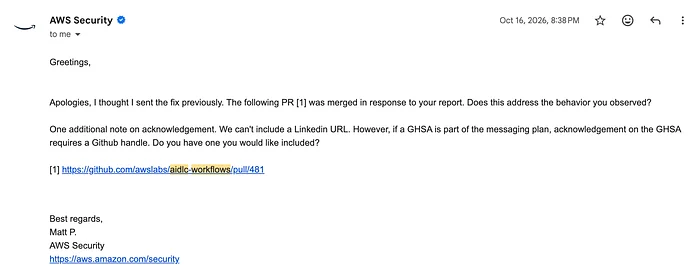
AWS's fix (PR #481) adds read-boundary enforcement with regression tests for traversal, absolute paths and symlink escape.
Disclosure
The issue was reported to AWS Security on July 1, 2026, through the process in the project's CONTRIBUTING.md, with a proof-of-concept script. AWS triaged it quickly and merged a fix that also covered two related issues the author reported.
Variants to test
- Other tools in the same agent. Enumerate every function registered in the
tools=[...]list and check whether each one confines paths to a project root. A positive result is a tool that accepts a path and returns content from outside the project. - Sibling packages with a safe helper. Look for a
_resolve_safe()-style helper in one package and check whether other packages that touch the filesystem use it. A positive result is a tool that reads a path the helper would have rejected. - Traversal strings. Pass paths containing
..that climb out of the project root. A positive result is content from outside the root being returned. - Absolute paths. Pass an absolute path such as
/etc/passwdor a credentials file. A positive result is the file contents coming back. - Symlink escape. Place a symlink inside the project that points outside it and pass the symlink path. A positive result is the target file's contents being returned, which shows the check is done on the string rather than the resolved path.
- Prompt injection through project documents. Put instructions in
requirements.mdor a stories file telling the model to read a specific path and include it in its output. A positive result is the agent calling the read tool on that path and surfacing the contents. - Threat model versus code. Compare documented mitigations against what the code enforces. A positive result is a mitigation listed in the threat model that has no corresponding check in the tool.
What happened, in plain words
A security researcher found a flaw in a free, open-source tool that Amazon Web Services (AWS) publishes. The tool is called aidlc-traceability, and it lives in a public code repository called awslabs/aidlc-workflows. It is a command-line program written in Python, which means you run it by typing a command in a terminal window rather than clicking buttons in a window.
What the tool does is build a report that connects the different pieces of a software project: the requirements (what the software should do), the user stories (short descriptions of what a user wants), the components (the building blocks of the software) and the actual code files. When its AI mode is switched on, which is the default, it uses an AI agent to work out which code files belong to which component. An AI agent here means a large language model (LLM) that has been given extra abilities: besides chatting, it can call small pieces of code called tools to do things on the computer.
To read the code files, the agent is given a tool that opens a file and returns its contents. The problem the researcher found is that this file-reading tool never checks whether the file it is asked to open is inside the project. It will open any file the person running the program is allowed to open, including system files, cloud login keys and private encryption keys if they are readable. The contents are then handed back to the AI model, which means they are sent over the internet to Amazon Bedrock, AWS's service for running AI models.
AWS has since fixed the problem. The researcher reported it on 1 July 2026, and AWS merged a fix that also covered two related issues.
What the tool does
aidlc-traceability produces traceability reports. "Traceability" just means being able to follow a line from a requirement, through a story, to a component, and finally to the code that implements it. In a large project this is useful because it shows that every requirement is actually built somewhere, and that every piece of code exists for a reason.
With AI mode on, an agent built on Amazon Bedrock does part of this mapping. To map a component to source files, the agent has to be able to look at source files. So the program gives it a tool for that. A tool, in this context, is simply a function: a named block of code that takes some inputs and returns a result. The AI model cannot run code by itself; instead, the program tells the model which functions it may ask for, and when the model asks, the program runs the function and passes the answer back.
Here is the function the agent is given:
def read_source_code_file(file_path: str, max_lines: int = 200) -> str: p = Path(file_path) if not p.exists(): return f"Error: File not found: {file_path}" content = p.read_text(encoding="utf-8", errors="ignore") ...
Line by line, in plain words:
def read_source_code_file(file_path: str, max_lines: int = 200) -> str:declares a function namedread_source_code_file. It accepts afile_path, which is text (a string) describing where a file lives on the computer, and amax_linesnumber that defaults to 200. It promises to return text.p = Path(file_path)turns that text into aPathobject, Python's way of representing a location on disk. This is the moment the program accepts whatever location it was handed.if not p.exists():checks whether something actually exists at that location.return f"Error: File not found: {file_path}"returns an error message if nothing is there.content = p.read_text(encoding="utf-8", errors="ignore")opens the file and reads all of its text, ignoring characters it cannot decode....stands for the rest of the function, which the write-up does not show.
The important part is what is missing: nowhere does the function ask whether the path is inside the project folder.
The function is then registered with the agent like this:
return Agent(model=model, tools=[read_source_code_file], ...)
return Agent(...)creates the agent object and hands it back to the caller.model=modeltells the agent which AI model to use.tools=[read_source_code_file]is the list of functions the agent is allowed to call. Here the list contains exactly one entry: our file reader....stands for other settings the write-up does not show.
So the model is told: you may call read_source_code_file whenever you need to look at code. And that function will open anything.
The bug
Look again at what the function never does: it never checks that file_path is inside the project. Whatever path the model passes gets read. That includes /etc/passwd (a standard file on Linux and macOS systems that lists user accounts), ~/.aws/credentials (where AWS stores your access keys), ~/.ssh/id_rsa (a private encryption key used to log in to servers) and an .env file in another folder (a common place to keep passwords and API keys for a project).
If your user account can read a file, the tool can read it. The contents go back to the model, which means they are sent to Amazon Bedrock as part of the agent session. An API key is a long secret string that proves to a service who you are, a bit like a password that software uses instead of a person. A private key is the secret half of a pair used to prove your identity to another computer.
What made this stand out is that the same repository already had the right pattern. A sibling tool, meaning another tool in the same codebase, in a part called the evaluator package, sent every path through a helper function named _resolve_safe() that blocked any attempt to reach outside its own folder. The traceability tool simply did not use one. The project's threat model, a document that lists the dangers a project expects and how it plans to handle them, even listed "bounded, read-only filesystem access" as a protection. Bounded means limited to a particular area; read-only means the tool may look but not change anything. The code did not enforce it.
Proving the sink
A "sink" is the place in a program where something dangerous finally happens, in this case where a file is opened. You do not need AWS credentials to show the core problem. The function can be called directly with a path outside any project:
result = read_source_code_file("/etc/passwd")
print(result[:200])
result = read_source_code_file("/etc/passwd")calls the function and asks it to open/etc/passwd, a file that has nothing to do with any software project. The answer is stored in a variable calledresult.print(result[:200])prints the first 200 characters of that answer to the screen. The[:200]part means "take characters from the start up to position 200".
It returns the file contents. The researcher's proof of concept, a small script written only to demonstrate a problem, did the same with a temporary file holding a fake secret, placed outside the project directory, and the tool returned it without complaint.
From sink to attack
A missing check is only dangerous if someone can steer the call. If the model always asked for sensible files inside the project, the missing check would never matter. Here the steering is prompt injection. A prompt is the text you give an AI model to tell it what to do. Prompt injection means sneaking instructions into text that the model will read, so that the model treats the attacker's words as if they came from its operator. A useful comparison is a receptionist who will follow any written note left on the desk, even one written by a visitor.
The agent reads project documents such as requirements.md and stories files as part of its normal work. Anyone who controls those documents can write text addressed to the model: instructions to read a particular path and include what it finds in its output. Markdown files, which end in .md, are plain text files with simple formatting, and they are easy for anyone to edit.
The researcher is precise about what was demonstrated. The insecure sink was proven directly. The full chain, where the model follows injected instructions and calls the tool on a sensitive path, depends on the model's behaviour and the surrounding prompt, so it is not guaranteed on every run. But a security boundary should not depend on the model declining. Models are persuadable, and the tool is the last line of defence.
The realistic scenario is a developer cloning a third-party AI-DLC project and running the tool with defaults. Cloning means copying a project's code from a hosting service onto your own machine. The attacker's markdown does the rest, and the developer's credentials and keys leave their machine.
The fix pattern
The fix is not to ask the model nicely. The boundary has to be enforced in code:
- Resolve and confine paths. Take the project root, resolve it, resolve the requested path, and reject anything not inside the root.
Path.resolve()follows symlinks, which also closes the "symlink pointing outside" escape. A symlink is a shortcut file that points at another file, like a signpost; following it means looking at where it actually leads. - Check the resolved path, not the string. Filtering for
..in the input is easy to bypass. In a file path,..means "go up one folder", so../can climb out of a project. Compare real paths after resolution instead of scanning the text. - Make tool functions small and deny by default. Give the agent the narrowest capability it needs. "Deny by default" means anything not explicitly allowed is refused.
AWS's fix (PR #481) adds read-boundary enforcement with regression tests for traversal, absolute paths and symlink escape. A pull request, or PR, is a proposed change to a code repository. A regression test is an automated check that makes sure a fixed bug stays fixed. Traversal means using .. to walk out of the intended folder; an absolute path is a full address starting from the top of the filesystem, such as /etc/passwd.
Disclosure
The issue was reported to AWS Security on 1 July 2026, through the process in the project's CONTRIBUTING.md, with a proof-of-concept script. CONTRIBUTING.md is a file in a repository that explains how outsiders should contribute, including how to report security problems. AWS triaged it quickly, meaning it sorted and assessed the report, and merged a fix that also covered two related issues the researcher reported.
Variants to test
These are checks worth applying to a similar tool:
- Other tools in the same agent. List every function registered in the
tools=[...]list and check whether each one confines paths to a project root. A positive result is a tool that accepts a path and returns content from outside the project. - Sibling packages with a safe helper. Look for a
_resolve_safe()-style helper in one package and check whether other packages that touch the filesystem use it. A positive result is a tool that reads a path the helper would have rejected. - Traversal strings. Pass paths containing
..that climb out of the project root. A positive result is content from outside the root being returned. - Absolute paths. Pass an absolute path such as
/etc/passwdor a credentials file. A positive result is the file contents coming back. - Symlink escape. Place a symlink inside the project that points outside it and pass the symlink path. A positive result is the target file's contents being returned, which shows the check is done on the string rather than the resolved path.
- Prompt injection through project documents. Put instructions in
requirements.mdor a stories file telling the model to read a specific path and include it in its output. A positive result is the agent calling the read tool on that path and surfacing the contents. - Threat model versus code. Compare documented mitigations against what the code enforces. A positive result is a mitigation listed in the threat model that has no corresponding check in the tool.
Glossary
- AI agent: an AI model that can call small pieces of code (tools) to act on a computer, not just produce text.
- AI-DLC: the workflow approach the
awslabs/aidlc-workflowsproject implements. - Absolute path: a full file address starting from the top of the filesystem, such as
/etc/passwd. - Amazon Bedrock: AWS's service for running AI models.
- API key: a long secret string that software uses to prove its identity to a service, like a password for programs.
- AWS: Amazon Web Services, the cloud computing company that publishes the affected repository.
- Bounded access: access limited to a particular area, such as one project folder.
- CLI: command-line interface, a program you run by typing commands in a terminal instead of clicking in a window.
- Clone: to copy a code repository from a hosting service onto your own machine.
- Credentials: the secrets that prove who you are to a service, such as access keys.
- Deny by default: a rule that refuses anything not explicitly allowed.
- Function: a named block of code that takes inputs and returns a result.
- LLM: large language model, the kind of AI that powers chatbots and agents.
- Markdown: a plain text format with simple formatting, used for files ending in
.md. - Mitigation: a protection against a known danger.
- Path: the text that describes where a file lives on a computer.
- Private key: the secret half of an encryption key pair, used to prove your identity to another computer.
- Prompt: the text given to an AI model to tell it what to do.
- Prompt injection: hiding instructions in text an AI model will read, so it treats them as coming from its operator.
- Proof of concept: a small script written only to demonstrate a problem.
- Pull request (PR): a proposed change to a code repository.
- Read-only: allowed to look but not change.
- Regression test: an automated check that makes sure a fixed bug stays fixed.
- Repository: a project's collection of code and files, usually hosted online.
- Sink: the place in a program where a dangerous action finally happens, such as opening a file.
- Source code: the human-readable text that makes up a program.
- String: a piece of text in a program.
- Symlink: a shortcut file that points at another file.
- Threat model: a document listing the dangers a project expects and how it plans to handle them.
- Tool: in this context, a function an AI model is allowed to call.
- Traceability report: a report linking requirements, stories, components and code so each can be followed to the others.
- Traversal: using
..in a path to walk out of the intended folder. - Triaged: sorted and assessed, as a security team does with a report.
- User story: a short description of something a user wants the software to do.



