Hacker Holidays Day 10: The Hollow Shell
 Published on medium.com
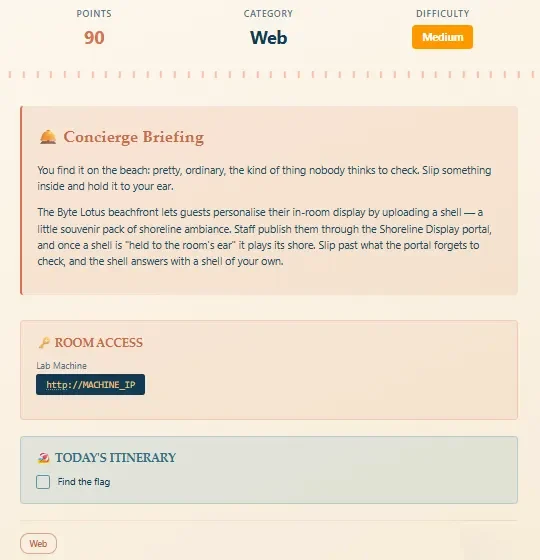
Day 10’s theme is a beach souvenir with a double meaning — guests can upload a “shell” (a .zip file containing images/stylesheets) to personalize their in-room display's ambiance. The room's own hint gives away the trick outright: "slip past what the portal forgets to check, and the shell answers with a shell of your…
The full write-up lives on its author's site
It belongs to its author, so we link to it rather than copy it. The other two tabs are our own rewrites, checked against it.
Context
Day 10 of the Hacker Holidays series is themed around a beach souvenir with a double meaning. Guests of the target application can upload a "shell", a .zip file containing images and stylesheets, to personalise the ambiance of their in-room display. The room's own hint states the trick outright: "slip past what the portal forgets to check, and the shell answers with a shell of your own." The stated objective is to find the single flag by getting arbitrary code execution through the upload feature.
The upload page is reached after logging in. It accepts a .zip containing a shell.json manifest that lists "assets", and it mentions optional "automation hooks" that a background "theme worker" applies shortly after upload. That mention is the first signal that something processes uploaded content beyond simply storing it.
Setup
- Account: a leftover demo login,
concierge/StayNoticed2024!, found sitting in an HTML comment, the same pattern as Day 5's Beach Bar. - Upload format: a
.ziparchive containing ashell.jsonmanifest. The manifest'sassetsfield turned out to want plain filename strings. - Allowed asset types:
png jpg gif svg css json. - Storage path: a normal upload confirmed that each shell lands at a predictable path,
shells/<hex-id>/. - Tooling: the malicious archive was built with Python's
zipfilemodule, because the command-lineziptool sanitises traversal paths and so could not produce the required filenames.
Finding it
Two observations drove the work. First, the "automation hooks" and "theme worker" wording suggested that uploaded content is processed by something after it is stored, which is exactly the kind of behaviour that turns a file upload into code execution. Second, a normal upload showed that files are written to a predictable location under shells/<hex-id>/, which raised the question of whether the extraction step validates the filenames inside the archive.
Exploitation
Step 1: Rule out the automation hooks theory
I tried dozens of guesses for a JSON field name that might reference an executable hook script: hook, script, postprocess, webhook, and many more, both as top-level fields and nested inside assets as objects of the form {"type": "...", "path": "..."}. Every object-format entry was explicitly rejected with "asset type not allowed", even when the type and extension exactly matched the application's own stated whitelist. That ruled the hooks theory out entirely: assets only wants plain filename strings.
Step 2: Rule out ImageTragick
Because the allowed asset types (png jpg gif svg css json) match formats a real image library might process, I tried a classic ImageTragick-style payload: a file with a .png extension that is secretly a different format internally, designed to trigger command execution if processed by a vulnerable image library. There was no evidence it was ever processed that way.
Step 3: Rule out XXE via SVG
SVG is technically XML, so a malicious SVG with an external entity reference could, in a vulnerable application, read arbitrary local files. The uploaded SVG was simply stored and served back raw, never parsed as XML at all.
Step 4: Confirm the Zip Slip write primitive
Crafting the archive with Python's zipfile module let me embed real ../../ sequences as literal filenames inside the zip. I tested several traversal depths against the static/ folder, a location I could verify by fetching the file back over plain HTTP. Exactly two levels up (../../) landed precisely in the application's own root directory.
Step 5: Try to turn the write into a shell via SSH keys
With a confirmed write primitive, I tried several targets, all of which failed:
- Planting an SSH public key into various guessed home directories'
.ssh/authorized_keys. Every attempt returned a server error, because none of those directories or subfolders actually existed to write into. - Testing which home directories existed at all, one by one. Every guess also failed cleanly, which ruled out that entire branch.
Step 6: Overwrite a template with a Jinja2 SSTI payload
I overwrote templates/login.html directly with a Jinja2 SSTI payload designed to run os.popen('id') when the template rendered. The very first attempt appeared to do nothing: the login page looked completely unchanged. The reason is template caching. The application had already rendered that template once before, from normal recon traffic, so Flask/Jinja2 was serving the cached, compiled version instead of re-reading the file from disk.
Step 7: Defeat the template cache with a fresh process
Restarting the target machine gave a genuinely fresh process that had never rendered /login. Uploading the same malicious login.html immediately, before anything else could trigger a normal render, meant the very next visit to /login compiled the template fresh, from the poisoned file. That attempt worked instantly, showing real command output, uid=996(roomservice), in place of the login form.
Step 8: Get a shell and find the flag
Sending a reverse shell through the same technique, swapping the id command for a bash reverse shell one-liner, dropped a shell as roomservice. The flag was sitting directly in that account's home directory. The search command was:
find / -iname "*flag*" 2>/dev/null
It turned up /home/roomservice/flag.txt.
Root cause
The extraction code does not sanitise the filenames stored inside the uploaded archive. A .zip's internal paths can contain traversal sequences just like any other user input, and because the extractor trusted them, a crafted archive could write files outside the intended extraction folder, in this case into the application root and then over templates/login.html. The application's whitelist of asset types did not help, because the attack did not depend on the declared asset type at all. Template caching did not prevent the attack either; it only delayed the effect until a fresh process compiled the poisoned template.
Impact
An attacker who can reach the upload feature, in this case after logging in with the leftover demo credentials, can write arbitrary files to locations the application process can reach. Overwriting a template that the application renders yields arbitrary code execution as the account running the application, here roomservice, and from there the flag in that account's home directory. The SSH key branch failed because the guessed directories did not exist.
Fix
Sanitise the filenames inside uploaded archives before extraction, so that traversal sequences cannot escape the intended folder. The report does not describe any change made to the target.
Variants to test
- Different traversal depths. Build archives with one, two and three
../sequences and fetch the written file back over HTTP from a known static location. A positive result is the file appearing at the expected path outside the extraction folder. - Other template files. Overwrite templates other than the login page, such as error pages or layout partials, and request the corresponding route. A positive result is command output appearing in the response.
- Cache invalidation timing. Upload the poisoned template immediately after a restart and request the route before any other traffic. A positive result is the payload executing on the first render.
- SSH key planting. Write to
.ssh/authorized_keysin home directories that are confirmed to exist. A positive result is a successful key-based login. - SVG and image processing. Upload SVGs with external entity references and mislabelled image files, then check whether the server parses them. A positive result is file disclosure or command execution from the processing step.
What happened, in plain words
A practice site for security learners ran a challenge where guests could upload a "shell" to decorate their in-room display. A shell here is just a .zip file, the same kind of compressed folder you make on your own computer, containing pictures and stylesheets. The room gave a hint: "slip past what the portal forgets to check, and the shell answers with a shell of your own." The goal was to find a hidden flag, a short piece of text that proves you completed the challenge, by making the server run code of your choosing through that upload feature.
The researcher got there in the end, but only after several ideas that went nowhere. The real weakness was that the server unpacked the uploaded zip without checking the names of the files inside it. A file inside a zip can be named something like ../../templates/login.html, and if the unpacking code trusts that name, it writes the file outside the folder it meant to use. That let the researcher replace the page template for the login screen with one that runs a command when the page is viewed. A caching quirk made the first attempt look like a failure, and a restart of the machine fixed that. The result was a shell on the server as a user called roomservice, and the flag was in that user's home folder.
The setup
What the challenge offered
Day 10 of the Hacker Holidays series is themed around a beach souvenir with a double meaning. Guests of the target application can upload a "shell", a .zip file containing images and stylesheets, to personalise the ambiance of their in-room display. The room's own hint states the trick outright: "slip past what the portal forgets to check, and the shell answers with a shell of your own." The stated objective is to find the single flag by getting arbitrary code execution through the upload feature.
A few words before we go further, because the rest of the article leans on them.
- Server: the computer somewhere else that runs the website. When you fill in a form, your browser sends the details to the server, and the server decides what to do with them.
- Upload feature: a part of a website that accepts a file from you and stores it. Photo sharing sites, job application portals and this challenge all have one.
- Arbitrary code execution: the ability to make the server run commands that you chose, rather than the commands its programmers intended. It is the difference between pressing the buttons on a vending machine and opening the back and rewiring it.
- Flag: a secret string placed on the server by the challenge author. Finding it proves you got where you were not supposed to go.
Getting in
The upload page is reached after logging in. It accepts a .zip containing a shell.json manifest that lists "assets", and it mentions optional "automation hooks" that a background "theme worker" applies shortly after upload. That mention is the first signal that something processes uploaded content beyond simply storing it.
A manifest is a small file that describes the other files in a package, a bit like the contents page of a book. Here shell.json tells the site which pictures and stylesheets belong to the shell. JSON is a plain text format for structured data, made of names and values in curly braces. An asset is just one of those files, a picture or a stylesheet. An automation hook is a setting that says "when this happens, run that", and a theme worker is a background program that applies such settings after the upload finishes.
The details that mattered
- Account: a leftover demo login,
concierge/StayNoticed2024!, found sitting in an HTML comment, the same pattern as Day 5's Beach Bar. - Upload format: a
.ziparchive containing ashell.jsonmanifest. The manifest'sassetsfield turned out to want plain filename strings. - Allowed asset types:
png jpg gif svg css json. - Storage path: a normal upload confirmed that each shell lands at a predictable path,
shells/<hex-id>/. - Tooling: the malicious archive was built with Python's
zipfilemodule, because the command-lineziptool sanitises traversal paths and so could not produce the required filenames.
An HTML comment is text inside a web page that browsers do not display, written as <!-- like this -->. Developers use it for notes, and sometimes forget that anyone can read it by choosing "view source" in the browser. Leaving a working username and password there is like taping your house key to the door frame: hidden from a casual glance, obvious to anyone who looks.
A field is one named slot in a JSON file. The assets field is the slot that lists the files. A filename string means the value is just text, for example "photo.png", not a more complicated structure.
A whitelist is a list of things that are allowed, and everything not on the list is refused. Here the site only accepts files whose type is one of png jpg gif svg css json.
A path is the address of a file on the server's disk, in the same way a postal address locates a house. shells/<hex-id>/ means a folder called shells, then a folder whose name is a hexadecimal id (a string of characters such as a3f9c1), then the files. Predictable means you can work out the address in advance without being told it.
Python is a programming language, and zipfile is one of its built-in tools for making and reading zip archives. The command-line zip tool is the program you might run in a terminal to compress a folder. It cleans up dangerous names on its own, which is helpful in normal life and unhelpful when you are deliberately testing whether the server does the same.
Finding it
Two observations drove the work. First, the "automation hooks" and "theme worker" wording suggested that uploaded content is processed by something after it is stored, which is exactly the kind of behaviour that turns a file upload into code execution. Second, a normal upload showed that files are written to a predictable, attacker-influenced location under shells/<hex-id>/, which raised the question of whether the extraction step validates the filenames inside the archive.
In plain terms: if the server merely stores your picture, the worst you can do is upload an ugly picture. If the server opens your picture, reads it, or acts on instructions inside your package, then your file becomes a message to a program, and programs can be tricked. The researcher also noticed that the destination path was predictable, which raised the question of whether the unpacking step validates the filenames inside the archive.
Exploitation
Step 1: Rule out the automation hooks theory
I tried dozens of guesses for a JSON field name that might reference an executable hook script: hook, script, postprocess, webhook, and many more, both as top-level fields and nested inside assets as objects of the form {"type": "...", "path": "..."}. Every object-format entry was explicitly rejected with "asset type not allowed", even when the type and extension exactly matched the application's own stated whitelist. That ruled the hooks theory out entirely: assets only wants plain filename strings.
Why try this at all? If the site lets you name a script that it will run later, you do not need a clever file at all: you just point it at a script you supplied. The guesses are the obvious names a developer might pick for such a setting. Nested means placed inside another structure, here inside the assets list rather than at the top of the file. An object in JSON is a group of name and value pairs in curly braces, such as {"type": "png", "path": "a.png"}.
Every object-format entry was rejected with "asset type not allowed", even when the type was on the site's own whitelist. That told the researcher the site was not reading these entries as hooks at all, and the whole idea could be dropped.
Step 2: Rule out ImageTragick
Because the allowed asset types (png jpg gif svg css json) match formats a real image library might process, I tried a classic ImageTragick-style payload: a file with a .png extension that is secretly a different format internally, designed to trigger command execution if processed by a vulnerable image library. There was no evidence it was ever processed that way.
An image library is a piece of software a website uses to open, resize or convert pictures, so it does not have to write that code itself. ImageTragick is the nickname of a real, serious flaw in one such library, where a file pretending to be one format but built like another could make the library run commands. The everyday comparison is a parcel labelled "books" that turns out to contain a small machine: if the handler only reads the label, the machine gets through. The extension is the label; the actual contents are what matters. Here the label was .png and the contents were something else. Nothing happened, which suggests the site never handed the file to such a library.
Step 3: Rule out XXE via SVG
SVG is technically XML, so a malicious SVG with an external entity reference could, in a vulnerable application, read arbitrary local files. The uploaded SVG was simply stored and served back raw, never parsed as XML at all.
SVG is a picture format made of text instructions rather than pixels, which is why it is also valid XML, a general text format for structured documents. An external entity is an XML feature that lets a document say "and insert the contents of that other file here". A site that reads such a document carelessly can be made to paste a file from its own disk into the reply. The everyday comparison is a form that says "attach your ID" and a clerk who, without checking, fetches whatever document you name from the office filing cabinet. XXE is the name of that class of attack. Here the site only stored the SVG and handed it back unchanged, so the trick had nothing to act on.
Step 4: Confirm the Zip Slip write primitive
Crafting the archive with Python's zipfile module let me embed real ../../ sequences as literal filenames inside the zip. I tested several traversal depths against the static/ folder, a location I could verify by fetching the file back over plain HTTP. Exactly two levels up (../../) landed precisely in the application's own root directory.
This is the heart of the article, so it is worth slowing down.
A path traversal sequence is the pair of dots and a slash, ../, which in a file path means "go up one folder". On your own computer, if you are in Documents/Photos and you ask for ../Notes, you get something in Documents. Two of them, ../../, go up two folders. This is ordinary and useful, and it is also how a file name can point somewhere its author never intended.
Zip Slip is the name of the resulting vulnerability. A zip archive stores, for every file inside it, the name that file should have when unpacked. If the unpacking program takes that name at face value, a name containing ../ makes it write outside the folder it was told to use. The everyday comparison is a delivery driver who is told "leave the parcel at the back door" and follows a note on the parcel saying "actually, leave it in the neighbour's shed". The driver did nothing wrong by their own rules; the instructions were the problem.
A write primitive is security slang for "a reliable way to make the target write a file where I choose". Once you have one, you can often turn it into something bigger, because many programs read files from disk and act on their contents.
The static/ folder is where a website keeps files it serves directly to browsers, such as images and stylesheets. That makes it a good test target: if the researcher could write a file there, they could then simply request it in a browser and see whether it arrived. Plain HTTP just means an ordinary web request, the same kind your browser makes when you type an address. Depth here means how many ../ sequences were used: one, two, three, and so on. Two was the number that landed in the application's root folder, the top level of the site's own files.
Step 5: Try to turn the write into a shell via SSH keys
With a confirmed write primitive, I tried several targets, all of which failed:
- Planting an SSH public key into various guessed home directories'
.ssh/authorized_keys. Every attempt returned a server error, because none of those directories or subfolders actually existed to write into. - Testing which home directories existed at all, one by one. Every guess also failed cleanly, which ruled out that entire branch.
SSH is the standard way to log in to a remote computer over the network, usually with a terminal rather than a browser. Instead of a password, it can use a key pair: two long strings of characters, one public and one private. You put the public one in a file called authorized_keys in the account's .ssh folder, and then anyone holding the matching private key can log in. Planting your public key there is like adding your own fingerprint to the list that opens a door.
A home directory is the personal folder of a user account, for example /home/roomservice. The guesses were attempts to find one that existed and was writable. They all failed, and the server errors were a clue: you cannot write a file into a folder that is not there, no matter how good your path is. The researcher then checked which home folders existed at all, and those guesses failed too, so the whole approach was abandoned rather than pursued further.
Step 6: Overwrite a template with a Jinja2 SSTI payload
I overwrote templates/login.html directly with a Jinja2 SSTI payload designed to run os.popen('id') when the template rendered. The very first attempt appeared to do nothing: the login page looked completely unchanged. The reason is template caching. The application had already rendered that template once before, from normal recon traffic, so Flask/Jinja2 was serving the cached, compiled version instead of re-reading the file from disk.
A template is a page with blanks in it. Instead of writing the same login page by hand for every visitor, the site keeps one file, templates/login.html, and fills in the blanks each time. Rendering is the act of filling those blanks and producing the finished page. Flask is a popular toolkit for building websites in Python, and Jinja2 is the template system that comes with it.
SSTI, server-side template injection, is what happens when a template contains instructions the site did not write. Jinja2 templates can contain small pieces of code between curly braces, and if an attacker can put their own code there, the server runs it when the page is built. The everyday comparison is a printed form letter with a blank for the recipient's name: harmless if the clerk writes a name, dangerous if the clerk writes "and also unlock the safe".
os.popen('id') is a Python call that runs the command id on the server and captures its output. The id command is a standard way to ask "which user am I running as, and what groups am I in?". It is a safe first test: it proves code execution without changing anything.
Caching is keeping a copy of work already done so you do not repeat it. Your browser caches images so pages load faster; the server caches compiled templates for the same reason. Compiled means turned from readable template text into a form the computer can run quickly. Recon traffic means the ordinary visits made while exploring the site, which were enough to make the server render the login page once and keep the result. So the poisoned file sat on disk while the server kept serving the old, cached page. It looked like the attack had failed when in fact it had not yet been used.
Step 7: Defeat the template cache with a fresh process
Restarting the target machine gave a genuinely fresh process that had never rendered /login. Uploading the same malicious login.html immediately, before anything else could trigger a normal render, meant the very next visit to /login compiled the template fresh, from the poisoned file. That attempt worked instantly, showing real command output, uid=996(roomservice), in place of the login form.
A process is a running copy of a program. Restarting the machine throws away the old process and everything it had cached in memory. The timing mattered: if any ordinary visitor had loaded the login page first, the server would have compiled the clean template and cached that instead. Uploading first and visiting second meant the first compilation came from the poisoned file. The output uid=996(roomservice) is the id command reporting that the code ran as the user roomservice, which is the proof the researcher needed.
Step 8: Get a shell and find the flag
Sending a reverse shell through the same technique, swapping the id command for a bash reverse shell one-liner, dropped a shell as roomservice. The flag was sitting directly in that account's home directory. The search command was:
find / -iname "*flag*" 2>/dev/null
It turned up /home/roomservice/flag.txt.
A reverse shell is a connection from the server back to the attacker's machine that hands over a command prompt. The word "reverse" matters: the server makes the outgoing connection, which is often allowed through firewalls that would block an incoming one. The everyday comparison is a visitor who leaves a phone off the hook and dials your number, so you can talk without ever knocking on their door. Bash is the standard command interpreter on Linux systems, and a one-liner is a complete command written on a single line.
Now the search command, piece by piece:
findis the program that walks through folders looking for files./is the starting point, the very top of the filesystem, so the search covers the whole disk.-iname "*flag*"asks for files whose name matches the pattern, ignoring upper and lower case. The asterisks mean "anything before and anything after", soflag.txt,my-flagandFLAGall match.2>/dev/nullthrows away error messages. While searching the whole disk,findwill hit folders the user is not allowed to read and complain about each one. Sending those complaints to/dev/null, the system's rubbish bin, keeps the useful results readable.
The result, /home/roomservice/flag.txt, is a file in that user's home folder.
Root cause
The extraction code does not sanitise the filenames stored inside the uploaded archive. A .zip's internal paths can contain traversal sequences just like any other user input, and because the extractor trusted them, a crafted archive could write files outside the intended extraction folder, in this case into the application root and then over templates/login.html. The application's whitelist of asset types did not help, because the attack did not depend on the declared asset type at all. Template caching did not prevent the attack either; it only delayed the effect until a fresh process compiled the poisoned template.
To sanitise input is to clean it before use: strip out or reject the parts that could be dangerous, here the ../ sequences. The everyday comparison is a receptionist who checks that a visitor's name is a name, rather than reading it out as an instruction to open the safe. The whitelist checked the label on the parcel, not the address written on it, which is why it offered no protection.
Impact
An attacker who can reach the upload feature, in this case after logging in with the leftover demo credentials, can write arbitrary files to locations the application process can reach. Overwriting a template that the application renders yields arbitrary code execution as the account running the application, here roomservice, and from there the flag in that account's home directory. The technique depends on the extraction path being writable and on a renderable template being reachable at a known path; the SSH key branch failed because the guessed directories did not exist.
Credentials are the username and password pair. Writable means the account running the site is allowed to create or change files there. The chain is worth stating plainly: a leftover login gave access to the upload, the upload gave a way to write files, the write replaced a page template, and the template gave command execution.
Fix
Sanitise the filenames inside uploaded archives before extraction, so that traversal sequences cannot escape the intended folder. The report does not describe any change made to the target.
In practice this means the unpacking code should check every name in the archive, reject anything containing ../ or an absolute path, and confirm that the final destination really is inside the folder it meant to use. The everyday comparison is a mail room that opens each parcel, reads the delivery address, and refuses anything addressed outside the building.
Variants to test
- Different traversal depths. Build archives with one, two and three
../sequences and fetch the written file back over HTTP from a known static location. A positive result is the file appearing at the expected path outside the extraction folder. - Other template files. Overwrite templates other than the login page, such as error pages or layout partials, and request the corresponding route. A positive result is command output appearing in the response.
- Cache invalidation timing. Upload the poisoned template immediately after a restart and request the route before any other traffic. A positive result is the payload executing on the first render.
- SSH key planting. Write to
.ssh/authorized_keysin home directories that are confirmed to exist. A positive result is a successful key-based login. - SVG and image processing. Upload SVGs with external entity references and mislabelled image files, then check whether the server parses them. A positive result is file disclosure or command execution from the processing step.
A route is the part of a web address that selects a page, such as /login. A layout partial is a shared piece of a page, like a header or footer, used by many pages at once. Cache invalidation means making a cache forget its stored copy. File disclosure means reading a file you should not be able to read. Each variant is a way of asking the same question in a different place: does the server trust something it should not?
Glossary
- Arbitrary code execution: making a server run commands of your choosing rather than the ones its programmers wrote.
- Asset: one file inside an uploaded package, such as a picture or a stylesheet.
- Automation hook: a setting that says "when this happens, run that".
- Bash: the standard command interpreter on Linux systems.
- Cache invalidation: making a cache forget its stored copy so the original is read again.
- Caching: keeping a copy of work already done so it does not have to be repeated.
- Compiled: turned from readable text into a form the computer can run quickly.
- Credentials: a username and password pair used to log in.
- External entity: an XML feature that lets a document pull in the contents of another file.
- Field: one named slot in a structured data file such as JSON.
- File disclosure: reading a file you should not be able to read.
- Flag: a secret string placed on a server by a challenge author, proving you reached somewhere you should not.
- Flask: a popular toolkit for building websites in Python.
- Home directory: the personal folder of a user account, for example
/home/roomservice. - HTML comment: text in a web page that browsers do not display but anyone can read in the page source.
- Image library: software a website uses to open, resize or convert pictures.
- ImageTragick: the nickname of a real flaw in an image library where a mislabelled file could trigger command execution.
- Jinja2: the template system that comes with Flask.
- JSON: a plain text format for structured data made of names and values.
- Key pair: two long strings, one public and one private, used to log in to SSH without a password.
- Layout partial: a shared piece of a page, such as a header or footer, used by many pages.
- Manifest: a small file that describes the other files in a package.
- Nested: placed inside another structure.
- Object: in JSON, a group of name and value pairs in curly braces.
- Path: the address of a file on a disk.
- Path traversal: using
../in a file path to move up folders and reach somewhere unintended. - Plain HTTP: an ordinary web request of the kind a browser makes.
- Process: a running copy of a program.
- Rendering: filling in a template's blanks to produce a finished page.
- Reverse shell: a connection from the server back to the attacker that hands over a command prompt.
- Route: the part of a web address that selects a page, such as
/login. - Sanitise: clean input before use by stripping or rejecting dangerous parts.
- Server: the remote computer that runs a website and handles requests.
- SSTI (server-side template injection): putting your own template code into a page so the server runs it when building the page.
- SSH: the standard way to log in to a remote computer over the network with a terminal.
- SVG: a picture format made of text instructions rather than pixels.
- Template: a page with blanks that the server fills in for each visitor.
- Theme worker: a background program that applies uploaded theme settings.
- Upload feature: the part of a website that accepts a file from you and stores it.
- Whitelist: a list of things that are allowed, with everything else refused.
- Writable: allowed to be created or changed by the account running the site.
- Write primitive: a reliable way to make a target write a file where you choose.
- XML: a general text format for structured documents.
- XXE: an attack that abuses XML external entities to read files or reach other systems.
- Zip Slip: a vulnerability where a zip archive's internal file names contain traversal sequences and the unpacker writes files outside the intended folder.




