How I hacked one of the biggest Airline in the world
An unapproved user could reach an admin activation endpoint using their own email confirmation token, and by changing the user ID in the request they could set a new password and email for any other account. This allowed takeover of any account on the subdomain.
 Published on medium.com
Hello Bug Bounty community, this is my first write up about a bug that I managed to takeover all accounts in one of well known Airline in the world
The full write-up lives on its author's site
It belongs to its author, so we link to it rather than copy it. The other two tabs are our own rewrites, checked against it.
Context
This is a write-up of an account takeover bug found in one of the biggest airlines in the world. The program name is withheld under the program policy, so the target is referred to throughout as redacted.com. The program had a wide scope, and the researcher found several account takeovers across different subdomains.
The specific target here is a subdomain, x.y.redacted.com, that offers self sign-up. The catch is that a new account cannot be used until an administrator approves it: registration succeeds, a confirmation email arrives, but login stays blocked until that approval happens.
Setup
The researcher started with subdomain enumeration, recommending reconftw for the enumeration and for extracting live domains. Directory fuzzing and gospider were used later to discover endpoints on the chosen subdomain. The only account needed was a self-registered one on x.y.redacted.com, plus the confirmation token delivered by email.
Finding it
After enumerating subdomains, the researcher picked x.y.redacted.com because it allowed sign-up. Creating an account produced a confirmation email containing a link of the form:
https://x.y.redacted.com/Home/Index?Value=(Token)
Clicking that link confirms the account, but login is still refused because the administrator approval is missing.
A quick directory fuzzing pass turned up the endpoint https://x.y.redacted.com/Admin/User/Me, which let the researcher bypass the login. Separately, gospider found /Admin/User/activate, which returned Invalid Token when requested without one. That error message suggested the endpoint expected a token, so the researcher supplied the token from the confirmation email:
https://x.y.redacted.com/Admin/User/activate?value=[Token]
With the token attached, the endpoint did not just activate the account: it returned a form that allowed editing the account details and setting a new password.
Exploitation
Step 1: Bypass the login gate
Requesting https://x.y.redacted.com/Admin/User/Me gave access despite the account never having been approved by an administrator. This removed the first barrier: the pending-approval state no longer prevented the researcher from reaching authenticated functionality.
Step 2: Reach the activation form with the email token
Requesting /Admin/User/activate without a token returned Invalid Token. Appending the confirmation token as the value parameter returned the account editing form, where the researcher could change account details and set a new password. The submission looked like this:
POST /Admin/User/Activate HTTP/2

Host: x.y.redacted.com

Cookie: XXXXX

User-Agent: Mozilla/5.0 (X11; Linux x86_64; rv:78.0) Gecko/20100101 Firefox/78.0

Content-Type: application/x-www-form-urlencoded

Content-Length: 745

Connection: close

User.Id=127874&User.Name=sazouki&User.U_status=NonVerified&User.FirstName=sazouki&User.MiddleName=victim&User.LastName=victim&User.PreferredFirstName=&User.PreferredMiddleName=&User.PreferredLastName=&User.UserProfile.WorkPhone=&User.UserProfile.CellPhone=66666666666&User.NewPassword=XXX&User.ConfirmPassword=XXX&BirthMonth=11&Birth_Date=19&BirthYear=1992&User.Gender=M&User.AllowFullAccessCompanyAdmin=false&User.SecurityQuestionID=6&User.SecurityAnswer=1&User.SecurityQuestionID2=7&User.SecurityAnswer2=1&User.SecurityQuestionID3=8&User.SecurityAnswer3=1&User.GDSSyncType=LegalName&User.UserProfile.ReceiptEmail=[redacted]
The body is a flat set of form fields describing the whole user record: identity (User.Id, User.Name, User.U_status), names, phone numbers, a new password and its confirmation, date of birth, gender, company admin flag, three security questions with answers, a GDS sync type, and a receipt email address. The User.Id value 127874 is the researcher's own account identifier.
Step 3: Swap the identifier
The flaw is the User.Id field. Changing it to the victim's ID and forwarding the same request changes the victim's account email and password. The researcher notes this directly: change User.Id to the victim ID, forward the request, and you end up changing the victim's account email and password.
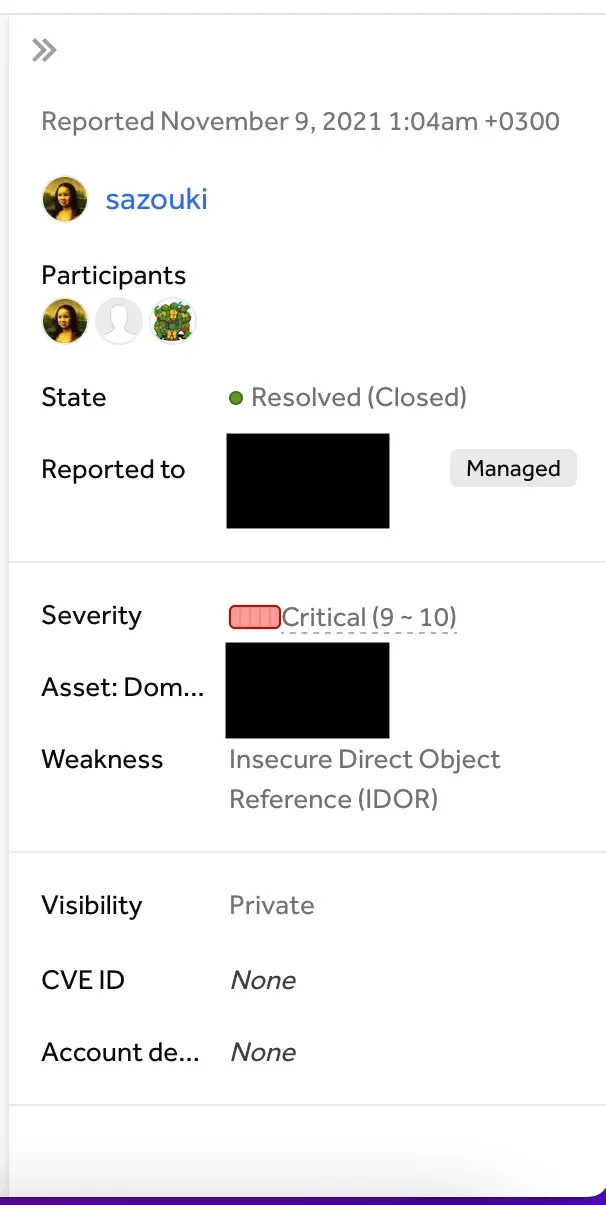
The image appears next to the note about changing User.Id to the victim ID and forwarding the request.
Root cause
The activation endpoint trusts a client-supplied User.Id to decide which account record to update. The activation endpoint accepts a client-supplied User.Id, and changing it to the victim's ID updates the victim's account. As a result, a valid token from any account is enough to drive an update against any other account. The pending-approval gate is also ineffective, because /Admin/User/Me is reachable without approval and the activation flow itself performs the privileged write. This is a classic IDOR combined with broken authorisation on an account-management endpoint.
Impact
An attacker who can self-register and receive a confirmation token can take over arbitrary accounts on x.y.redacted.com by changing the User.Id in the activation request. Because the request sets a new password and a new receipt email, the attacker gains control of the victim's login and can redirect account email. The researcher states this allowed takeover of all accounts in the airline, and that several account takeovers were found on different subdomains. The program name is withheld under policy, and no bounty or severity figures are given in the report.
Fix
The report does not describe the fix that was applied. The change needed is to stop trusting the client-supplied User.Id: derive the target record from the authenticated session or from a server-side mapping of the confirmation token to a single user, and reject any request where the submitted identifier does not match that record.
Variants to test
- Identifier swap on activation and profile endpoints. Submit your own valid token or session while changing the record identifier (
User.Idor equivalent) to another account. A positive result is a response confirming an update to the other account, or a subsequent login with the changed credentials. - Token reuse across accounts. Use a confirmation token issued for one account against endpoints or records belonging to another. A positive result is the endpoint accepting the token and returning or modifying another user's data.
- Pre-approval endpoint access. Request authenticated paths such as
/Admin/User/Meon a freshly registered, unapproved account. A positive result is a 200 response with account data instead of a redirect or denial. - Error-message-driven discovery. Look for endpoints that return messages like
Invalid Tokenwhen called without parameters, then supply tokens harvested from email flows. A positive result is a form or data response that should require a different privilege level. - Mass field overwrite. On any account-update form, check whether fields such as password, email, security questions and admin flags are all accepted from the client. A positive result is a successful change of credentials or privilege flags for a record you should not control.
What happened, in plain words
A security researcher found a way to take over any user account on a website belonging to one of the biggest airlines in the world. The airline runs a bug bounty programme, which is a scheme where companies invite independent researchers to look for security problems and report them, sometimes for a reward. The programme's rules say the company's name must not be published, so throughout this article the target is called redacted.com.
The site in question, x.y.redacted.com, lets anyone create an account. But a new account is not usable straight away: an administrator has to approve it first. The researcher signed up, received a confirmation email, and then found two weaknesses that together defeated that protection. One page let them get past the login gate even though their account was still waiting for approval. Another page, meant to activate an account, accepted a form that included a field identifying which user record to update. By changing that one number from their own user ID to someone else's, they could set a new password and a new email address on the victim's account. That is a full account takeover: the attacker ends up controlling the victim's login.
The researcher says several account takeovers were found on different subdomains, and that this one allowed takeover of all accounts in the airline.
Background: the pieces you need to know
Before walking through the steps, here are the ideas the article relies on, explained from scratch.
Subdomain. A large website is often split into many smaller sites, each with a name in front of the main domain, like shop.example.com or mail.example.com. Each of those is a subdomain. Companies often run dozens or hundreds of them, and each one is a separate application with its own behaviour and its own bugs.
Subdomain enumeration. Because there are so many subdomains and they are not all advertised, researchers try to discover them, usually by combining public data sources with wordlists of common names. The goal is to find forgotten or less-protected applications. The researcher recommends a tool called reconftw for this, and for extracting which of the discovered domains are actually live (responding on the internet).
Directory fuzzing. Once you have a live site, you can guess at paths that might exist, such as /admin, /backup or /api, by sending requests for many candidate names and watching which ones answer differently. This is called directory fuzzing. The researcher used it to find one of the endpoints described below.
gospider. This is a tool that crawls a website, following links and collecting URLs it finds, so you get a list of pages and endpoints without guessing them by hand. The researcher used gospider to discover another endpoint.
Endpoint. An endpoint is a specific address on a server that does a specific job, for example a page that shows your profile or a handler that processes a form. Think of a large office building: the street address is the domain, and each room number inside is an endpoint. Some rooms are meant for staff only, and the whole question in this article is whether the doors are actually locked.
Token. A token is a long, hard-to-guess string that a server hands out to prove something later. A confirmation token, for example, proves that whoever presents it can read the email address it was sent to. It works like a cloakroom ticket: the ticket itself is not valuable, but it entitles the holder to collect a specific coat. If the cloakroom accepts any ticket for any coat, the system is broken.
Cookie. A cookie is a small piece of data that a website stores in your browser and that your browser sends back with every request to that site. It is how a site remembers that you are logged in. In the request below, the Cookie header carries the researcher's session, which is the server's way of recognising which browser is talking to it.
HTTP request and response. When your browser loads a page or submits a form, it sends an HTTP request: a method (such as GET to fetch or POST to submit), a path, some headers (extra information such as the host name and content type), and sometimes a body containing data. The server replies with a response. The requests in this article are shown in their raw form, which is what a tool like Burp Suite or your browser's developer tools would show you.
IDOR. IDOR stands for Insecure Direct Object Reference. It means the application uses a value supplied by the user, such as a record number, to decide which object to act on, without checking that the user is allowed to touch that object. A simple comparison: a hotel clerk who hands over any room key as long as you read out a room number, without checking that the room is yours. If you can change the number and get someone else's key, that is an IDOR.
Broken authorisation. Authorisation is the check that a logged-in user is allowed to perform a particular action. Broken authorisation means that check is missing or wrong, so a user can do things they should not be able to do, such as editing another person's record.
Account takeover. Account takeover means gaining control of someone else's account, usually by changing their password or email address so that the real owner can no longer log in and the attacker can.
The target and the sign-up gate
The programme had a wide scope, meaning many of the company's systems were fair game. The researcher found several account takeovers across different subdomains. This article is about one of them.
The chosen subdomain, x.y.redacted.com, offers self sign-up: anyone can register. But there is a catch. After registering, you cannot log in until an administrator approves your account. So the researcher created an account and received a confirmation email containing a link of this form:
https://x.y.redacted.com/Home/Index?Value=(Token)
This is a URL. The part before the ? is the address of a page, Home/Index. The part after the ? is a query string, which passes extra information to the page. Here the extra information is a parameter called Value, and its content is the confirmation token. Clicking the link sends the token to the server, and the server uses it to confirm that the email address belongs to whoever clicked.
Clicking the link confirmed the account, but login was still refused, because the administrator approval had not happened. That is the intended design: confirmation proves you own the email address, approval is a separate human decision.
Finding a way past the login gate
A quick directory fuzzing pass turned up this endpoint:
Requesting it gave the researcher access even though the account had never been approved. The path starts with /Admin/, which suggests an administrative area, and Me suggests it returns the current user's own details. Whatever the page was meant to do, the important point is that it did not enforce the pending-approval state. The first barrier, the rule that unapproved accounts cannot reach logged-in functionality, was gone.
Separately, gospider found another interesting endpoint, /Admin/User/activate. Requesting it without any parameters returned the message Invalid Token. That error is a hint: the endpoint is complaining that a token is missing, which tells the researcher that it expects one. Error messages like this are valuable because they describe what the server wants.
So the researcher took the token from the confirmation email and supplied it as the value parameter:
https://x.y.redacted.com/Admin/User/activate?value=[Token]
With the token attached, the endpoint did not merely activate the account. It returned a form that allowed editing the account details and setting a new password. In other words, a page that was supposed to be a simple activation step was actually a full account-editing screen, and it was reachable with nothing more than the token from an email.
The request that changes an account
Submitting that form produced a request like the following. This is the raw HTTP request, exactly as captured:
POST /Admin/User/Activate HTTP/2

Host: x.y.redacted.com

Cookie: XXXXX

User-Agent: Mozilla/5.0 (X11; Linux x86_64; rv:78.0) Gecko/20100101 Firefox/78.0

Content-Type: application/x-www-form-urlencoded

Content-Length: 745

Connection: close

User.Id=127874&User.Name=sazouki&User.U_status=NonVerified&User.FirstName=sazouki&User.MiddleName=victim&User.LastName=victim&User.PreferredFirstName=&User.PreferredMiddleName=&User.PreferredLastName=&User.UserProfile.WorkPhone=&User.UserProfile.CellPhone=66666666666&User.NewPassword=XXX&User.ConfirmPassword=XXX&BirthMonth=11&Birth_Date=19&BirthYear=1992&User.Gender=M&User.AllowFullAccessCompanyAdmin=false&User.SecurityQuestionID=6&User.SecurityAnswer=1&User.SecurityQuestionID2=7&User.SecurityAnswer2=1&User.SecurityQuestionID3=8&User.SecurityAnswer3=1&User.GDSSyncType=LegalName&User.UserProfile.ReceiptEmail=[redacted]
Line by line, in plain words:
POST /Admin/User/Activate HTTP/2is the request line.POSTmeans the browser is submitting data rather than just asking for a page. The path is the activation endpoint found earlier, andHTTP/2is the version of the protocol being used.Host: x.y.redacted.comtells the server which site the request is for. One server can host many sites, so this header routes the request to the right one.Cookie: XXXXXcarries the session cookie. This is how the server knows which logged-in browser is making the request. The value is redacted here.User-Agent: Mozilla/5.0 (X11; Linux x86_64; rv:78.0) Gecko/20100101 Firefox/78.0identifies the browser and operating system that sent the request. It is normal for every browser request to include this.Content-Type: application/x-www-form-urlencodedsays how the body is formatted. This is the classic format produced by an HTML form: pairs of names and values joined with&, likename=value&name2=value2.Content-Length: 745states the size of the body in bytes, so the server knows how much data to read.Connection: closeasks the server to close the network connection after this response instead of keeping it open for further requests.- The blank line separates the headers from the body. Everything after it is the form data.
The body is one long set of form fields describing the whole user record. Reading it in groups:
User.Id=127874is the identifier of the account record being edited. This is the researcher's own account number.User.Name=sazouki,User.FirstName=sazouki,User.MiddleName=victim,User.LastName=victimare name fields. The middle and last names are placeholders here.User.U_status=NonVerifiedis a status field, showing the account is not verified.User.PreferredFirstName=,User.PreferredMiddleName=,User.PreferredLastName=are optional preferred-name fields, left empty.User.UserProfile.WorkPhone=andUser.UserProfile.CellPhone=66666666666are phone numbers. The work phone is empty and the cell phone is a placeholder number.User.NewPassword=XXXandUser.ConfirmPassword=XXXare the new password and its confirmation. The values are redacted.BirthMonth=11,Birth_Date=19,BirthYear=1992are the date of birth fields.User.Gender=Mis the gender field.User.AllowFullAccessCompanyAdmin=falseis a flag controlling company administrator access, set to false.User.SecurityQuestionID=6,User.SecurityAnswer=1,User.SecurityQuestionID2=7,User.SecurityAnswer2=1,User.SecurityQuestionID3=8,User.SecurityAnswer3=1are three security questions and their answers. Security questions are the backup questions a site asks if you forget your password, so being able to set them on someone else's account matters.User.GDSSyncType=LegalNameis a field related to synchronisation of the user's name.User.UserProfile.ReceiptEmail=[redacted]is the email address used for receipts, which is also the address tied to the account.
The key observation is that the request contains the identifier of the record to update, and that identifier is supplied by the client, meaning by the browser. The server does not appear to derive it from the session; it simply takes the number in the form.
Swapping the identifier
The flaw is the User.Id field. Change it to the victim's ID, forward the same request, and you end up changing the victim's account email and password. The researcher states this directly: change User.Id to the victim ID, forward the request, and you end up changing his account email and password.
The image appears next to the note about changing User.Id to the victim ID and forwarding the request.
The activation handler takes the User.Id from the form, so changing it to the victim's ID updates the victim's account. So a valid token from any account is enough to drive an update against any other account. The pending-approval gate is also ineffective, because /Admin/User/Me is reachable without approval and the activation flow itself performs the privileged write. This is a classic IDOR combined with broken authorisation on an account-management endpoint.
What the impact is
An attacker who can self-register and receive a confirmation token can take over arbitrary accounts on x.y.redacted.com by changing the User.Id in the activation request. Because the request sets a new password and a new receipt email, the attacker gains control of the victim's login and can redirect account email. The researcher states this allowed takeover of all accounts in the airline, and that several account takeovers were found on different subdomains. The programme name is withheld under policy, and no bounty or severity figures are given in the report.
How to fix it
The report does not describe the fix that was applied. The change needed is to stop trusting the client-supplied User.Id: derive the target record from the authenticated session or from a server-side mapping of the confirmation token to a single user, and reject any request where the submitted identifier does not match that record.
In everyday terms: the cloakroom should only hand back the coat that belongs to the ticket presented, and the staff door should stay locked until a manager has signed you in.
Variants worth testing
If you want to look for similar problems on sites you are authorised to test, these are the patterns to try. Each one describes what to send and what a positive result looks like.
- Identifier swap on activation and profile endpoints. Submit your own valid token or session while changing the record identifier (
User.Idor equivalent) to another account. A positive result is a response confirming an update to the other account, or a subsequent login with the changed credentials. - Token reuse across accounts. Use a confirmation token issued for one account against endpoints or records belonging to another. A positive result is the endpoint accepting the token and returning or modifying another user's data.
- Pre-approval endpoint access. Request authenticated paths such as
/Admin/User/Meon a freshly registered, unapproved account. A positive result is a 200 response with account data instead of a redirect or denial. - Error-message-driven discovery. Look for endpoints that return messages like
Invalid Tokenwhen called without parameters, then supply tokens harvested from email flows. A positive result is a form or data response that should require a different privilege level. - Mass field overwrite. On any account-update form, check whether fields such as password, email, security questions and admin flags are all accepted from the client. A positive result is a successful change of credentials or privilege flags for a record you should not control.
Glossary
- Account takeover: gaining control of another person's account, typically by changing their password or email address.
- Authorisation: the check that a logged-in user is allowed to perform a particular action.
- Broken authorisation: a missing or incorrect authorisation check that lets a user do something they should not be able to do.
- Bug bounty programme: a scheme where a company invites independent researchers to find and report security problems, sometimes for a reward.
- Confirmation token: a hard-to-guess string sent by email that proves the holder can read that email address.
- Cookie: a small piece of data stored by a website in your browser and sent back with each request, commonly used to keep you logged in.
- Directory fuzzing: guessing many possible paths on a website and watching which ones respond, to discover hidden pages.
- Endpoint: a specific address on a server that performs a specific job, such as a page or a form handler.
- gospider: a tool that crawls a website, following links to collect URLs and endpoints.
- Header: extra information sent alongside an HTTP request or response, such as the host name or content type.
- HTTP request: the message a browser sends to a server to fetch a page or submit data, consisting of a method, a path, headers and sometimes a body.
- IDOR (Insecure Direct Object Reference): a flaw where the application uses a user-supplied value, such as a record number, to choose which object to act on without checking that the user is allowed to access it.
- Parameter: a named value passed to a page, usually in the query string after a
?or in a form body. - Query string: the part of a URL after the
?, carrying extra information to the page. - reconftw: a tool used for subdomain enumeration and for extracting live domains.
- Scope: the set of systems a bug bounty programme allows researchers to test.
- Security question: a backup question a site asks to verify your identity if you forget your password.
- Self sign-up: a registration flow where anyone can create an account without an invitation.
- Session: the server's record of which logged-in browser is making a request, usually tracked by a cookie.
- Subdomain: a smaller site under a main domain, such as
shop.example.comunderexample.com. - Subdomain enumeration: discovering the subdomains that exist for a target, often using public data and wordlists.
- Token: a long, hard-to-guess string handed out by a server to prove something later, such as control of an email address.
- User-Agent: a header identifying the browser and operating system that sent a request.



