IDOR Vulnerability In GraphQL Api On Website
The GraphQL sendEmail mutation only checked the file identifier and ignored the hash parameter, so an attacker could change the identifier to another user's file and have it emailed to an address they control. This let an attacker retrieve other users' files without knowing the correct hash.
 Published on aidilarf.medium.com
In this article I want to share my experience with Insecure direct object references ( IDOR ) findings in GraphQL API on a website.
The full write-up lives on its author's site
It belongs to its author, so we link to it rather than copy it. The other two tabs are our own rewrites, checked against it.
Context
The target is a website that exposes a GraphQL API. One of the operations in that API is sendEmail, which downloads a file and then sends it to an email address supplied by the caller. The request carries a file identifier, a hash, a language and a list of recipient addresses. The researcher found the operation while inspecting traffic and went on to show that the file identifier alone is enough to make the API send someone else's file to an address of the attacker's choosing.
Setup
The report names Sandro Proxy and Burp Suite. No accounts, roles, versions or other preconditions are described. While testing with Sandro Proxy, the researcher found the snippet in responses from the GraphQL API.
Finding it
While testing with Sandro Proxy, the researcher found the following snippet in the responses from the GraphQL API:
[{"operation":"sendEmail","variables":{"[Path]Id":"1002203272","[Path]Hash":"38C09************788Y","lang":"id","emails":["[redacted]"]},"query":"mutation sendEmail($[Path]Id: ID, $[Path]Hash: String, $lang: String, $emails: [String]) {\n sendEmail[Path]([Path]Id: $[Path]Id, [Path]Hash: $[Path]Hash, lang: $lang, emails: $emails)\n}\n"}]
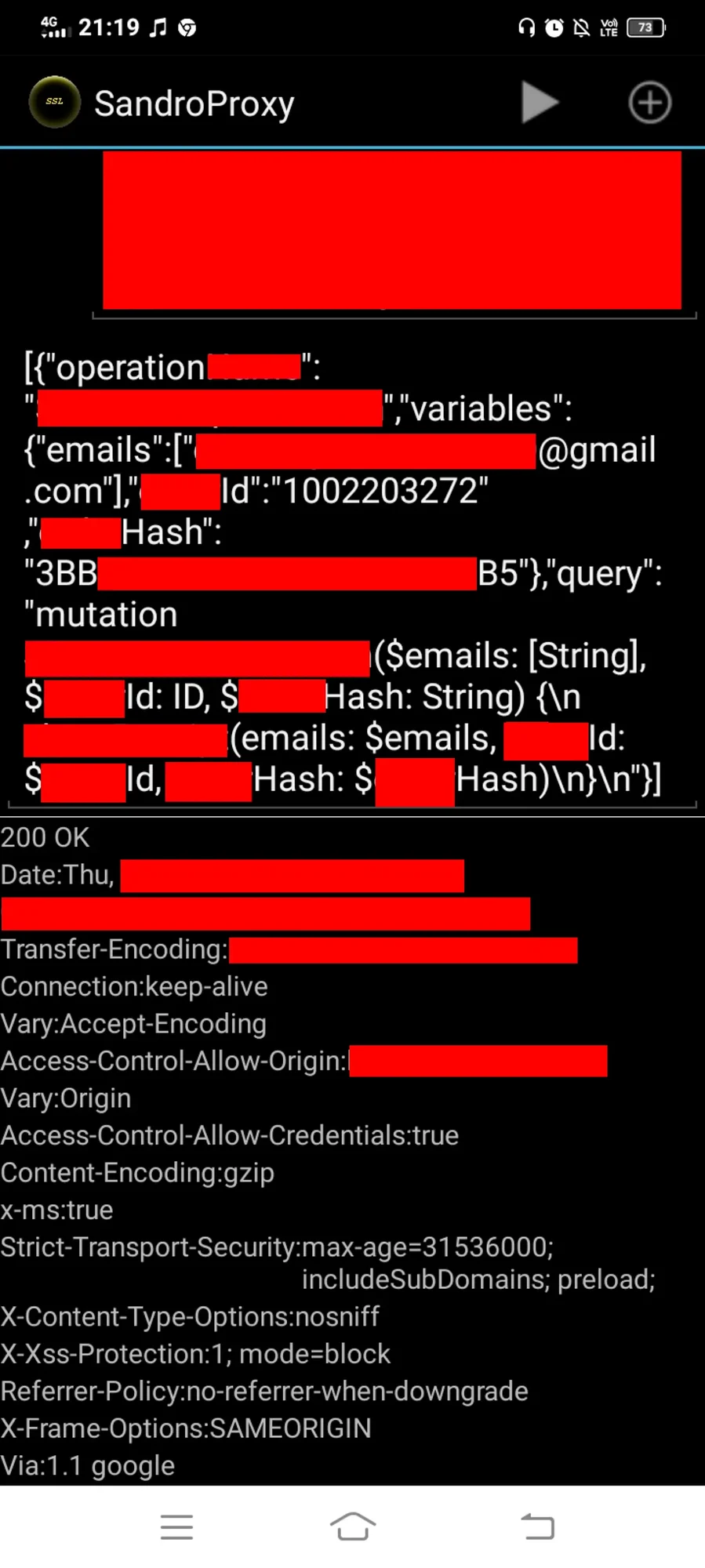
The researcher describes this as the behaviour that downloads a file which is then sent to the intended email.
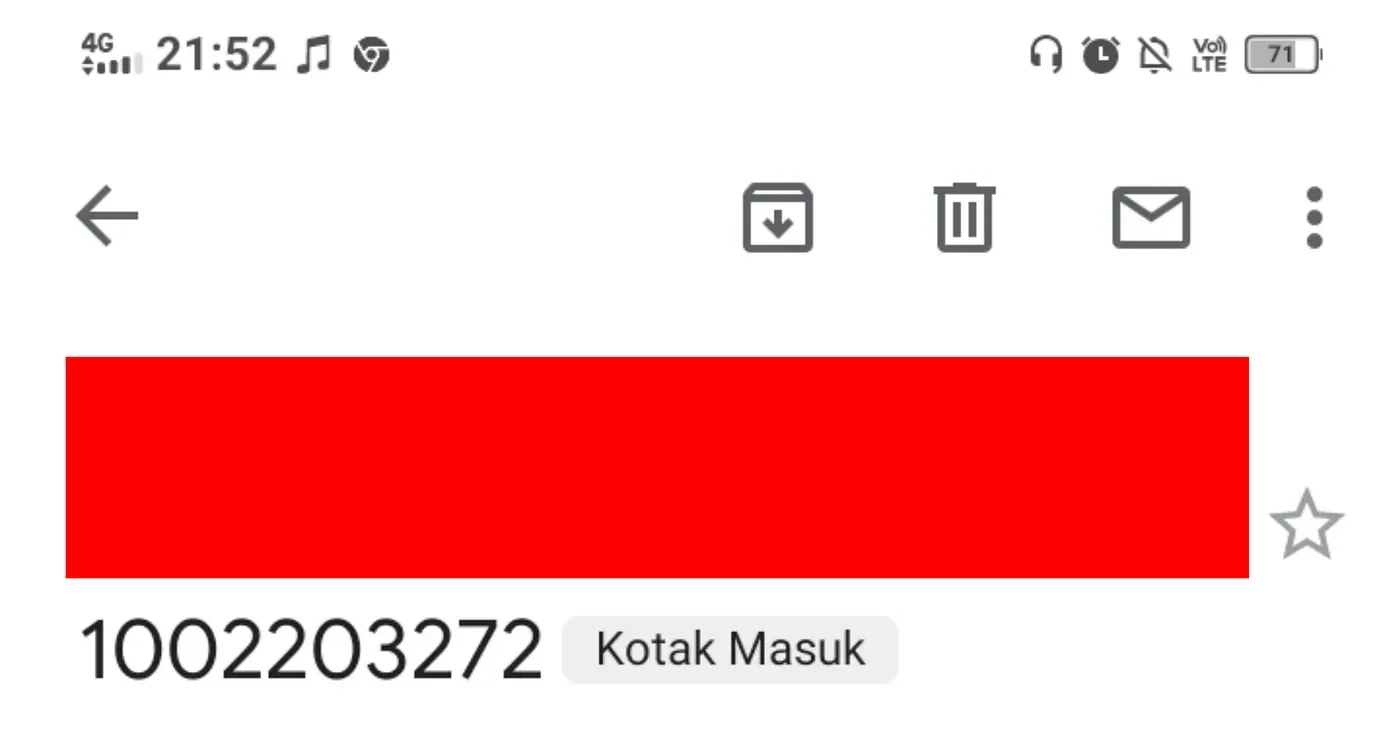
Three parts of the snippet stood out:
"[Path]Id":"1002203272""[Path]Hash":"38C09************788Y""emails":["[redacted]"]
The website implements both [Path]Id and [Path]Hash for the same file. The researcher does not know for certain why this was done, and reasoned that if an attacker manages to find the [Path]Id, they would also have to find the victim's [Path]Hash, which would make the implementation safe from IDOR. The emails field looked unremarkable.
On that basis the snippet looked hard to exploit. The weakness the researcher then found is a lack of authentication in the GraphQL API: when retrieving the file and sending it to the destination email, the sendEmail operation only checks [Path]Id and does not check [Path]Hash.
Exploitation
Step 1: Understand the missing check
The researcher notes a lack of an authentication error in the GraphQL API while it retrieves the file and sends it to the destination email. This happens because, in the sendEmail operation, the API only checks [Path]Id and does not check [Path]Hash.
Step 2: Capture and replay the request
Open Burp Suite or Sandro Proxy and enter the following request:
[{"operation":"sendEmail","variables":{"[Path]Id":"1002203272","[Path]Hash":"38C09************788Y","lang";"id","emails":["[redacted]"]},"query":"mutation sendEmail($[Path]Id: ID, $[Path]Hash: String, $lang: String, $emails: [String]) {\n sendEmail[Path]([Path]Id: $[Path]Id, [Path]Hash: $[Path]Hash, lang: $lang, emails: $emails)\n}\n"}]
The recipient is changed to the attacker's own address.
Step 3: Change the file identifier
In the snippet:
A. "[Path]Id":"1002203272"
You can change the parameter to random numbers. For example:
"[Path]Id":"1002203272"is the attacker's own file parameter."[Path]Id":"1002203271"is the victim's file parameter, and other random parameters can be tried as well.
B. "emails":["[redacted]"]
You can change this to your own email address, to which the victim's file will later be sent.
Step 4: Send the final request
[{"operation":"sendEmail","variables":{"[Path]Id":"1002203271","[Path]Hash":"38C09************788Y","lang":"id","emails":["[redacted]"]},"query":"mutation sendEmail($[Path]Id: ID, $[Path]Hash: String, $lang: String, $emails: [String]) {\n sendEmail[Path]([Path]Id: $[Path]Id, [Path]Hash: $[Path]Hash, lang: $lang, emails: $emails)\n}\n"}]
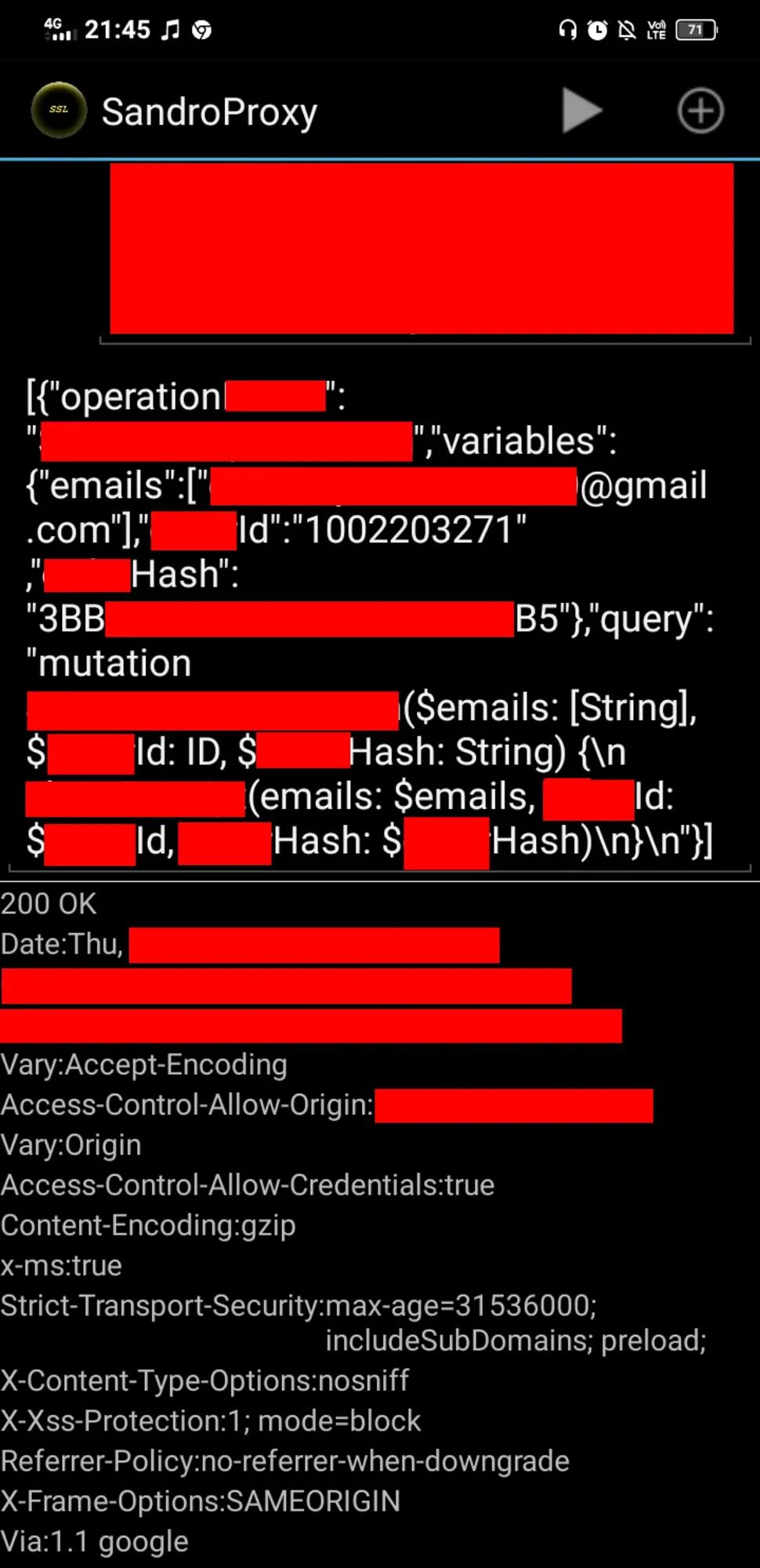
The identifier has been moved from the attacker's file to the victim's file, while the hash value is left as it was. The hash is not checked, so the request is not rejected on that basis.
Step 5: Collect the file
Check your email, and the victim's file is sent to your email.
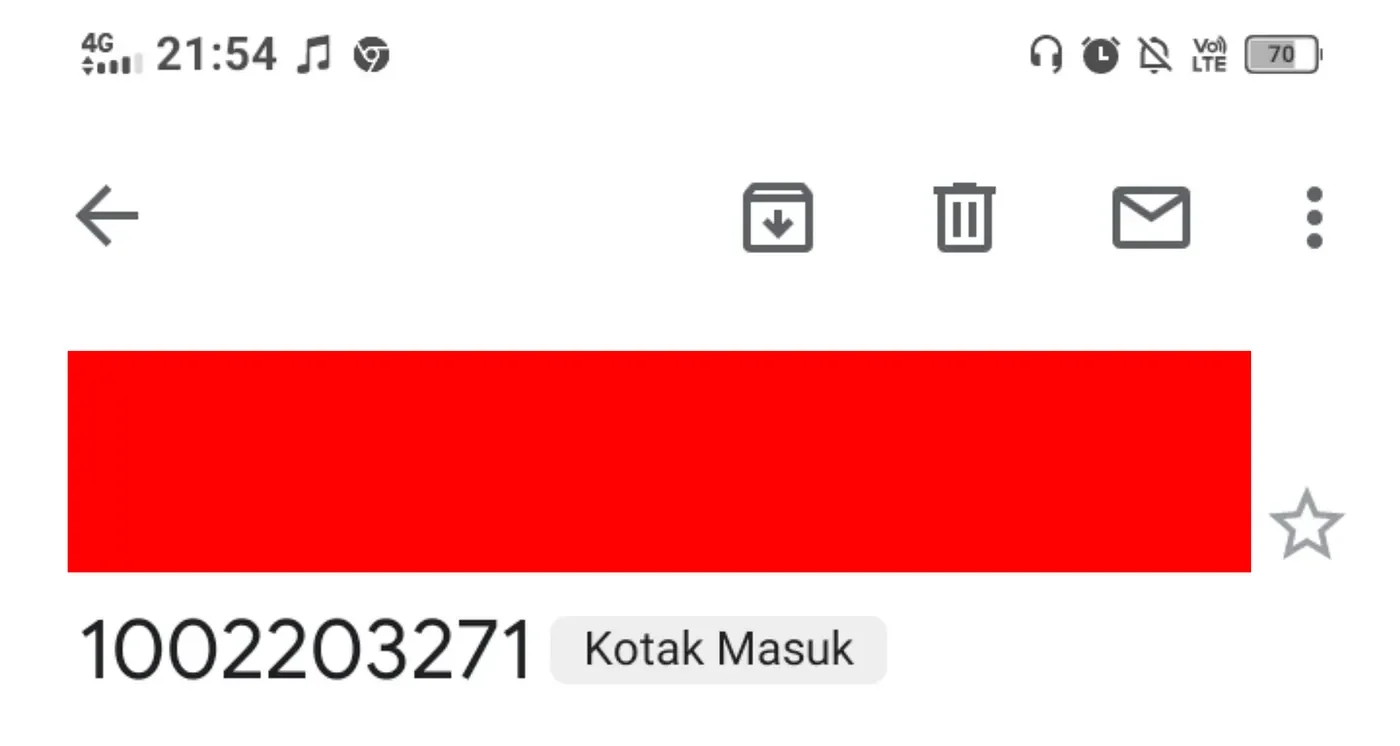
The report closes with Bounty : $$.

Root cause
The sendEmail operation authorises access to a file using only [Path]Id. The [Path]Hash value is accepted as a parameter but is not verified, so it provides no protection. The presence of the hash makes the operation look protected, but the identifier alone is checked; the report's example moves from 1002203272 to 1002203271. The report does not describe any server-side code, so the exact implementation is not shown; the behaviour is inferred from the API's responses.
Impact
The researcher showed that supplying another file's [Path]Id and their own email address caused that file to be sent, without knowing its [Path]Hash. The report demonstrates this with a single neighbouring identifier and does not state how many files or users were affected, nor whether any other checks (such as ownership of the email address) were in place.
Fix
The report does not describe a fix or a vendor response. Based on the finding, the API should verify [Path]Hash against the stored value for the requested [Path]Id before sending the file, and should confirm that the caller is authorised to access that file, rather than relying on the identifier alone.
Variants to test
- Other GraphQL operations with paired identifiers and hashes. Look for mutations or queries that take both an ID and a hash or token. A positive result is a request where changing the ID while keeping the hash unchanged still returns or acts on the other object.
- Sequential identifiers. Where IDs are numeric and close together, try neighbouring values. A positive result is a successful response for an ID that does not belong to your account.
- Recipient fields. Operations that send data to an address supplied by the caller are worth testing with your own address. A positive result is receiving content that belongs to another user.
- Hash parameters that are accepted but unused. Remove or alter the hash value in a request that normally includes one. A positive result is the same successful response as with the correct hash.
What happened, in plain words
A website had a feature that lets you download a file and have it emailed to an address you type in. The researcher who wrote this report noticed that the website's behind-the-scenes machinery, called an API, asked for two pieces of information about the file: an ID (a number that identifies the file) and a hash (a long string of letters and numbers that is supposed to act like a secret password for that file). The researcher assumed that finding the ID would also require finding the victim's hash, which would make the implementation safe from IDOR.
It turned out the website only ever looked at the ID. The hash was asked for but never checked. By changing the ID to the neighbouring number and putting their own email address in the request, the researcher had the victim's file sent to their own inbox. This kind of flaw, where changing one identifier lets you reach someone else's data, is called an Insecure Direct Object Reference, or IDOR.
This article walks through the whole thing from the beginning: what an API is, what GraphQL is, what the request looked like, and how the researcher changed it step by step. You need a proxy tool such as Sandro Proxy or Burp Suite to capture and replay the request.

Image Source: https://threatpost.com/how-to-bug-bounties/165657/
Background: the ideas you need first
Before the steps, here are the concepts the report relies on, explained from zero.
What an API is
A website is what you see in your browser: pages, buttons, forms. An API (Application Programming Interface) is the set of behind-the-scenes requests the website's own pages use to talk to the server. Think of a restaurant: the menu and the waiter are the API. You do not walk into the kitchen yourself; you tell the waiter what you want, and the waiter brings it back. When you click a button on a website, the page sends a request to the API, and the API sends back the data or performs the action.
What GraphQL is
GraphQL is one particular style of API. Instead of many separate addresses for many separate things, a GraphQL API has one address, and the request itself says exactly what you want. A request is written in a small query language, and it names an operation (what to do) and variables (the values to use). The report's operation is called sendEmail, and its variables are the file ID, the file hash, a language and a list of email addresses.
What an ID and a hash are here
- The ID (
[Path]Id) is a number that identifies a file. In the report it looks like1002203272. Numbers like this are often handed out in sequence, so the file before it would be1002203271. - The hash (
[Path]Hash) is a long string that looks random, like38C09************788Y. A hash is normally a one-way fingerprint of some data: you can compute it from the data, but you cannot work backwards from the hash to the data. Here the website asks for it alongside the ID, which makes it look like a second secret you would need before the file is released.
What IDOR means
Insecure Direct Object Reference means the server lets you name an object directly (by its ID) and does not check that the object is yours. A simple everyday comparison: a cloakroom gives you ticket number 42 for your coat. If the attendant hands over whatever coat matches the number you say, without checking that the ticket is really yours, you can say "43" and walk off with someone else's coat. The number is the direct reference; the missing check is the insecurity.
What a proxy tool is
A proxy sits between your browser and the website and lets you see and edit the requests going back and forth. The report uses Sandro Proxy, and mentions Burp Suite as an alternative. Both do the same job for this exercise: they show you the raw request, and they let you change a value and send it again. You do not need to write any code; you are editing text in a request.
Finding it
While testing with Sandro Proxy, the researcher was watching the responses coming back from the GraphQL API. Among that traffic was the following snippet:
[{"operation":"sendEmail","variables":{"[Path]Id":"1002203272","[Path]Hash":"38C09************788Y","lang":"id","emails":["[redacted]"]},"query":"mutation sendEmail($[Path]Id: ID, $[Path]Hash: String, $lang: String, $emails: [String]) {\n sendEmail[Path]([Path]Id: $[Path]Id, [Path]Hash: $[Path]Hash, lang: $lang, emails: $emails)\n}\n"}]
Line by line, in plain words:
- The outer
[ ... ]means this is a list containing one request. "operation":"sendEmail"names the action: send an email."variables":{ ... }holds the values that go into that action."[Path]Id":"1002203272"is the file identifier."[Path]Hash":"38C09************788Y"is the hash that goes with that file. The asterisks are where the report has hidden part of the value."lang":"id"is a language setting."emails":["[redacted]"]is the list of addresses the file will be sent to. Here it is the original recipient's address."query":"mutation sendEmail(...) { ... }"is the GraphQL instruction itself.mutationmeans an operation that changes something on the server (as opposed to just reading). It declares the four inputs and then callssendEmail[Path]with them.
The researcher describes this as the behaviour that downloads a file which is then sent to the intended email.
Three parts of the snippet stood out:
"[Path]Id":"1002203272""[Path]Hash":"38C09************788Y""emails":["[redacted]"]
The website implements both [Path]Id and [Path]Hash for the same file. The researcher does not know for certain why this was done, and reasoned that if an attacker manages to find the [Path]Id, they would also have to find the victim's [Path]Hash, which would make the implementation safe from IDOR. The emails field looked unremarkable.
On that basis the snippet looked hard to exploit. The weakness the researcher then found is a lack of authentication in the GraphQL API: when retrieving the file and sending it to the destination email, the sendEmail operation only checks [Path]Id and does not check [Path]Hash.
Exploitation
Step 1: Understand the missing check
The researcher notes a lack of an authentication error in the GraphQL API while it retrieves the file and sends it to the destination email. This happens because, in the sendEmail operation, the API only checks [Path]Id and does not check [Path]Hash.
Why this matters: the hash was the only thing standing between a guessed ID and someone else's file. If the server never compares the hash you send against the hash it stored, then sending any hash, or the wrong one, makes no difference. The request is treated as legitimate as long as the ID is one the server knows.
Step 2: Capture and replay the request
Open Burp Suite or Sandro Proxy and enter the following request:
[{"operation":"sendEmail","variables":{"[Path]Id":"1002203272","[Path]Hash":"38C09************788Y","lang";"id","emails":["[redacted]"]},"query":"mutation sendEmail($[Path]Id: ID, $[Path]Hash: String, $lang: String, $emails: [String]) {\n sendEmail[Path]([Path]Id: $[Path]Id, [Path]Hash: $[Path]Hash, lang: $lang, emails: $emails)\n}\n"}]
Line by line:
- The structure is the same as the snippet found in the traffic.
"[Path]Id":"1002203272"is still the original file identifier at this stage."[Path]Hash":"38C09************788Y"is still the original hash."lang";"id"is the language setting. Note the semicolon here instead of a colon; this is how it appears in the report."emails":["[redacted]"]is the one deliberate change: the recipient is now the attacker's own address.- The
querypart is unchanged and still describes the samesendEmailmutation.
The recipient is changed to the attacker's own address.
Step 3: Change the file identifier
In the snippet:
A. "[Path]Id":"1002203272"
You can change the parameter to random numbers. For example:
"[Path]Id":"1002203272"is the attacker's own file parameter."[Path]Id":"1002203271"is the victim's file parameter, and other random parameters can be tried as well.
B. "emails":["[redacted]"]
You can change this to your own email address, to which the victim's file will later be sent.
Why this step: the ID is a direct reference to a file, and the two numbers in the report are neighbours. In the report, walking the number down by one pointed at the victim's file. The email change is what turns that into a delivery you can read.
Step 4: Send the final request
[{"operation":"sendEmail","variables":{"[Path]Id":"1002203271","[Path]Hash":"38C09************788Y","lang":"id","emails":["[redacted]"]},"query":"mutation sendEmail($[Path]Id: ID, $[Path]Hash: String, $lang: String, $emails: [String]) {\n sendEmail[Path]([Path]Id: $[Path]Id, [Path]Hash: $[Path]Hash, lang: $lang, emails: $emails)\n}\n"}]
Line by line:
"[Path]Id":"1002203271"is now the victim's file identifier, one less than the attacker's own."[Path]Hash":"38C09************788Y"is left exactly as it was. It belongs to the attacker's file, not the victim's, and that is the point: the server does not compare it."lang":"id"is unchanged."emails":["[redacted]"]is still the attacker's address.- The
queryis unchanged.
The identifier has been moved from the attacker's file to the victim's file, while the hash value is left as it was. The hash is not checked, so the request is not rejected on that basis.
Step 5: Collect the file
Check your email, and the victim's file is sent to your email.
Why this step: the proof of the flaw is not a clever response in the proxy, it is the file arriving in an inbox the attacker controls. That is the moment the missing check turns into a real disclosure of someone else's data.
The report closes with Bounty : $$.
Root cause
The sendEmail operation authorises access to a file using only [Path]Id. The [Path]Hash value is accepted as a parameter but is not verified, so it provides no protection. The presence of the hash makes the operation look protected, but the identifier alone is checked; the report's example moves from 1002203272 to 1002203271. The report does not describe any server-side code, so the exact implementation is not shown; the behaviour is inferred from the API's responses.
In everyday terms: the cloakroom attendant writes your ticket number down but never looks at it, and hands out whatever coat you name. The ticket exists, it is just never checked.
Impact
The researcher showed that supplying another file's [Path]Id and their own email address caused that file to be sent, without knowing its [Path]Hash. The report demonstrates this with a single neighbouring identifier and does not state how many files or users were affected, nor whether any other checks (such as ownership of the email address) were in place.
Fix
The report does not describe a fix or a vendor response. Based on the finding, the API should verify [Path]Hash against the stored value for the requested [Path]Id before sending the file, and should confirm that the caller is authorised to access that file, rather than relying on the identifier alone.
Variants to test
Once you understand this pattern, you can look for the same shape elsewhere. Each item below says what to try and what a positive result looks like.
- Other GraphQL operations with paired identifiers and hashes. Look for mutations or queries that take both an ID and a hash or token. A positive result is a request where changing the ID while keeping the hash unchanged still returns or acts on the other object.
- Sequential identifiers. Where IDs are numeric and close together, try neighbouring values. A positive result is a successful response for an ID that does not belong to your account.
- Recipient fields. Operations that send data to an address supplied by the caller are worth testing with your own address. A positive result is receiving content that belongs to another user.
- Hash parameters that are accepted but unused. Remove or alter the hash value in a request that normally includes one. A positive result is the same successful response as with the correct hash.
Glossary
- API: the set of behind-the-scenes requests a website's pages use to talk to its server, like a waiter carrying orders to the kitchen.
- GraphQL: a style of API where one address accepts requests written in a small query language that names the operation and its variables.
- Operation: the named action in a GraphQL request, here
sendEmail. - Mutation: a GraphQL operation that changes something on the server rather than only reading it.
- Variables: the named input values a GraphQL operation uses, such as the file ID, hash, language and email list.
- ID: a number that identifies an object, here a file; in the report it looks like
1002203272. - Hash: a long string derived from data as a one-way fingerprint; here it is sent alongside the file ID and looks like a second secret.
- Sequential identifier: an ID that increases or decreases by a predictable step, so neighbouring values are easy to guess.
- IDOR (Insecure Direct Object Reference): a flaw where the server lets you name an object by its ID without checking that the object belongs to you.
- Authentication: proving who you are to a system.
- Authorisation: deciding whether an identified user is allowed to do a particular thing, such as read a particular file.
- Proxy tool: software that sits between your browser and a website so you can view and edit the requests, such as Sandro Proxy or Burp Suite.
- Request: the message your browser or tool sends to a server asking it to do something.
- Response: the message the server sends back.
- Snippet: a short extract of a request or response, as quoted in the report.
- Enumerate: to try a series of predictable values, such as consecutive IDs, one after another.
- Root cause: the underlying reason a flaw exists, as opposed to its visible symptom.
- Impact: the harm an attacker could cause by exploiting the flaw.
- Bounty: a reward paid by a programme for a valid security report.




