Indirect UXSS issue on a private Android target app
A custom deep link scheme in an Android crypto app's integrated browser accepted a javascript: URL after double-encoded CRLF characters, allowing script execution. An attacker could use this to run JavaScript in the context of a page already open in the integrated browser, achieving indirect universal XSS.
 Published on medium.com
It’s been a while since I’ve done some writeups. So, here is the write-up about Indirect UXSS on a private integrated browser on a crypto app.
The full write-up lives on its author's site
It belongs to its author, so we link to it rather than copy it. The other two tabs are our own rewrites, checked against it.
Context
This is a write-up about an indirect UXSS in a private Android crypto app, found through a private program on HackerOne. The app had several functionalities, including sending ETH to other users, and an integrated browser that users can use like a normal browser to navigate to web pages.
The interesting surface was the app's custom deep link scheme, which the integrated browser used for website navigation. The report describes the path from reversing the app to a working script execution against a page already loaded in that browser.
Setup
The researcher received an invitation to a private program around August of the previous year. The scope included the crypto Android app.
The only tool mentioned is JADX-GUI, used to reverse the app and read AndroidManifest.xml. Testing was done by opening HTML pages with links in Chrome on the device, and by using the integrated browser inside the app. No app version, Android version or device model is given.
Finding it
After reversing the app with JADX-GUI, the researcher went through AndroidManifest.xml to check whether any custom scheme had been declared. One had:
<data android:host="browse" android:pathPrefix="/" android:scheme="example"/>
To understand what the scheme was for, the researcher looked at the vendor's GitHub organisation repositories and their commit files, and found that it was used for website navigation into the integrated browser, in the form:
example://browse/example.com
A deep link that takes a URL and loads it in an in-app browser is a natural place to look for script execution, because the value after the host is attacker-controlled.
Exploitation
Step 1: confirm the deep link works
The first test was a plain href in Chrome, to check that the browse path could be triggered with an ordinary https URL:
<a href="example://browse/https://google.com">click here</a>
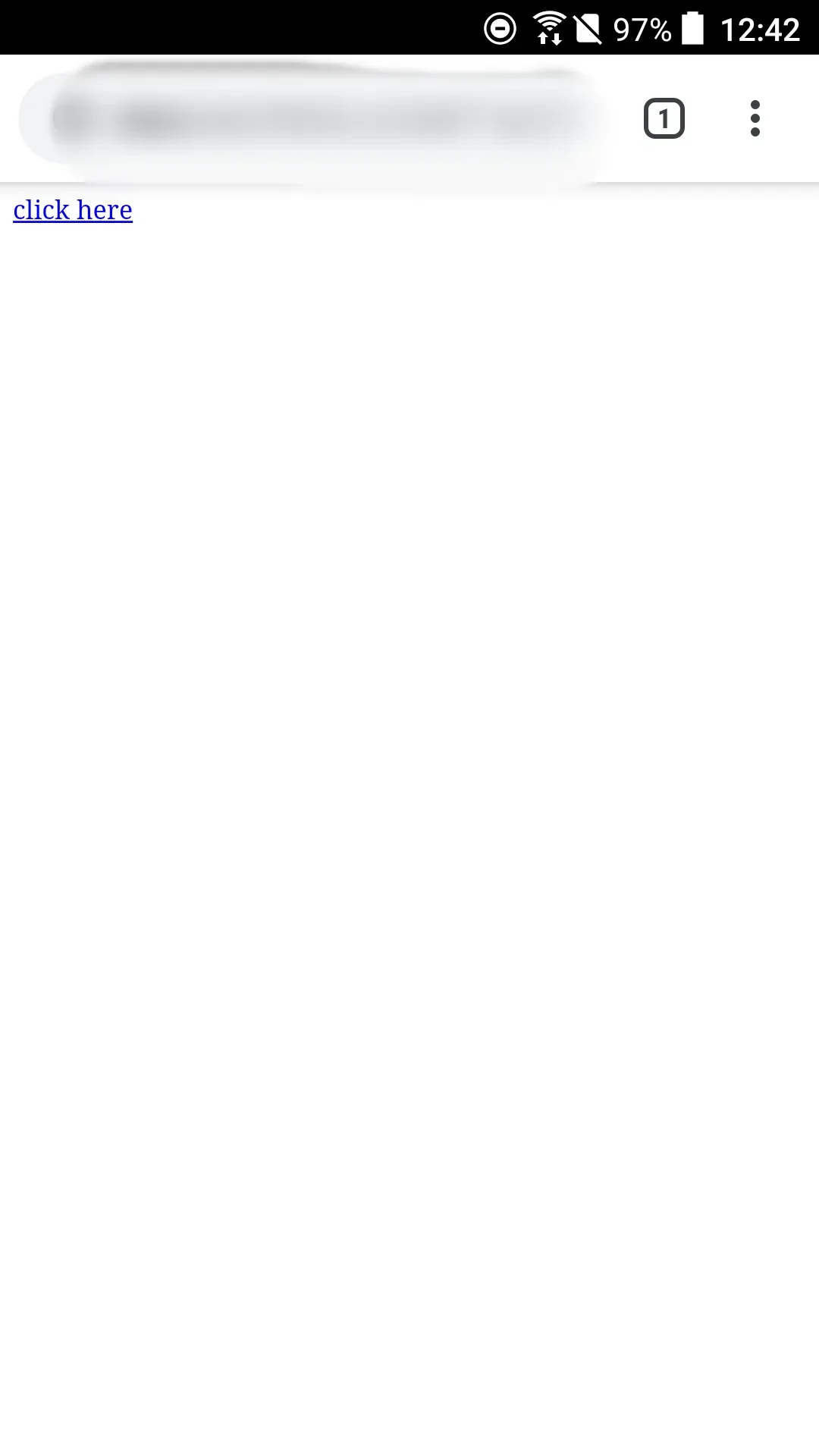
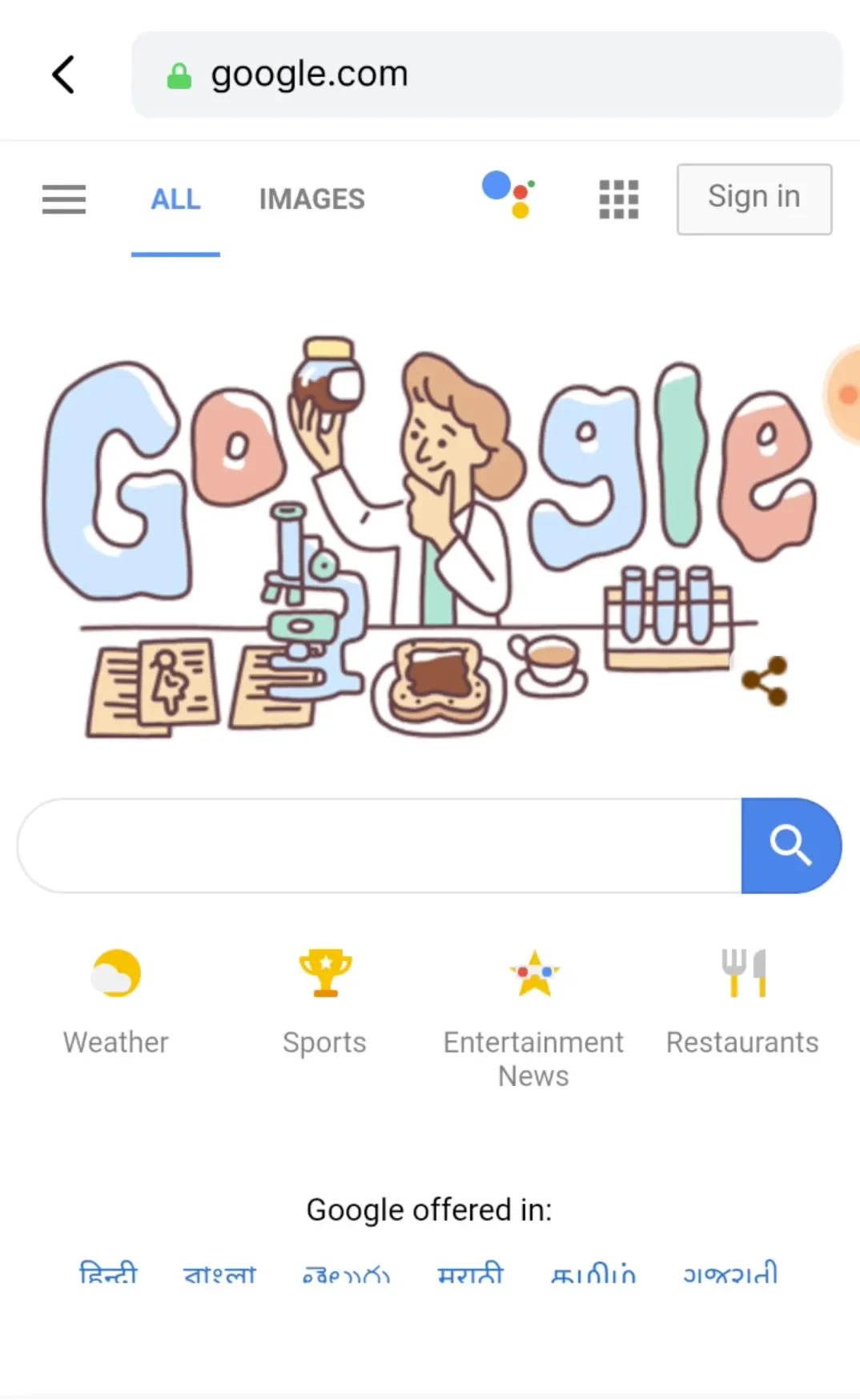
Clicking the link triggered the URL in the integrated browser, which loaded the Google page. The report notes that the integrated browser can also be used normally, by typing a URL address and navigating to any web page.
With the navigation path confirmed, the next question was whether the value passed to the browser was restricted to web URLs.
Step 2: try a javascript URL
The straightforward attempt was:
example://browse/javascript:alert(1)
This did not trigger. The payload was then changed to use a double-encoded CRLF character, delivered through an href link in Chrome:
<a href="example://browse/javascript://%250dalert(1)">click here</a>
This triggered in the integrated app.
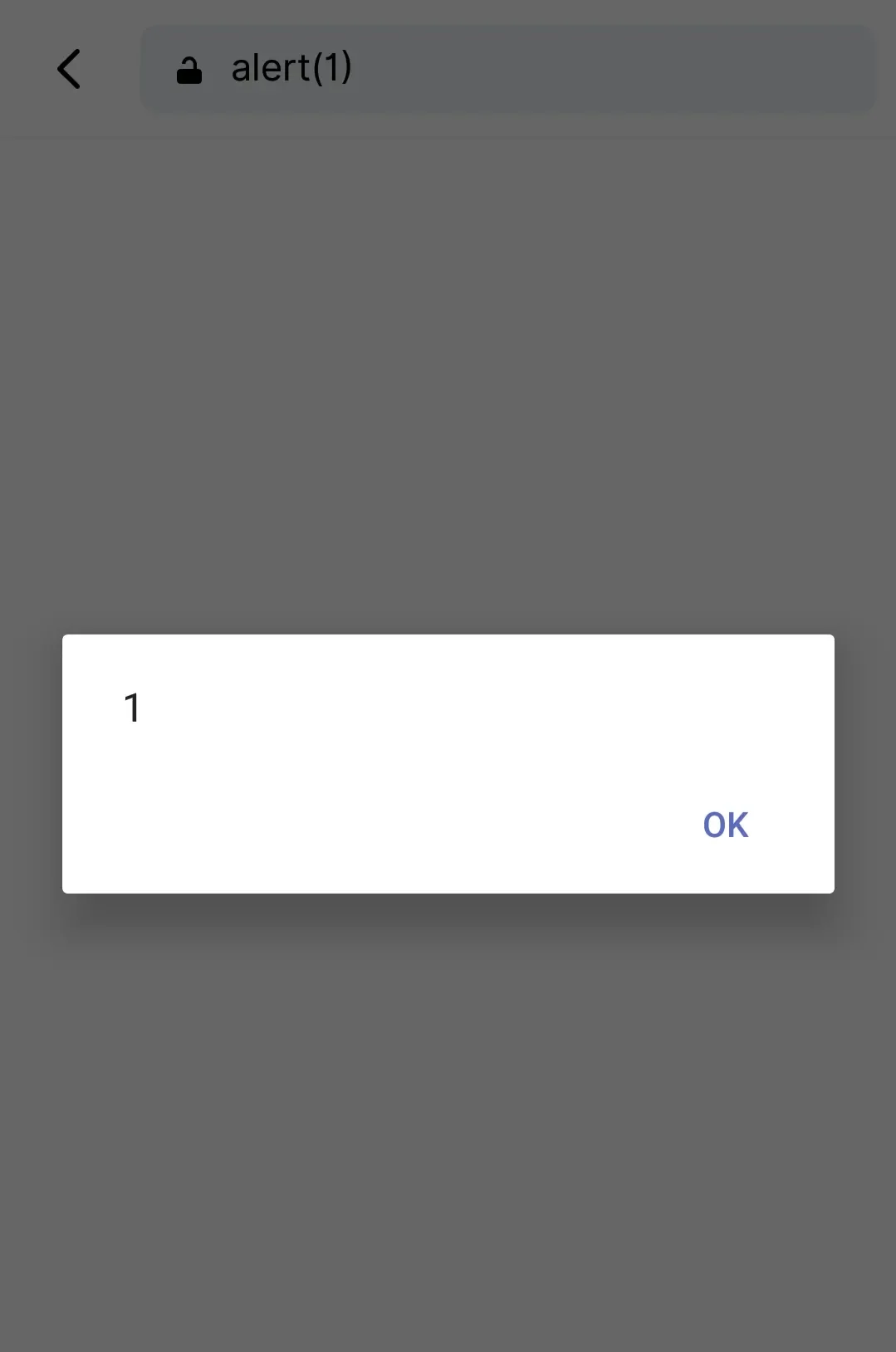
So the deep link could reach a javascript: URL when the double-encoded %250d was used.
Step 3: attempt direct UXSS
The first idea after the XSS triggered was to get direct UXSS on an arbitrary site. The plan was to open a page with window.open(), then use setTimeout to navigate that window to the deep link, mixing the https protocol and the custom scheme. The page was created locally and opened by typing its URL in the integrated browser.
<html>
<head>
<script>
function spoof() {
 u = window.open("https://www.google.com");
 setTimeout(() => { t = u.location.replace('example://browse/javascript://%250dalert(1)'); }, 1000)
}
</script>
</head>
<body><button onclick="spoof()"style="background-color:#4CAF50;color:white;font-family:Tahoma;font-size:40px;height:120px; width:400px">click here</button>
</body>
</html>
This failed. When the setTimeout callback tried to apply the deep link protocol to the google.com page, the app crashed. The theory behind the attempt was that the integrated browser might let a custom deep link override the loaded web page and thereby bypass the same-origin policy. That did not happen.
Step 4: indirect UXSS against an already open page
The second theory: if a website is already open in the integrated browser, as it would be for a normal user, and a javascript: XSS is triggered through the custom deep link, does the script run in the context of that already open page?
The researcher opened google.com in the integrated browser and in Chrome, then clicked an href link with:
example://browse/javascript://%250dalert(document.domain)
The result was that the indirect UXSS triggered on google.com.
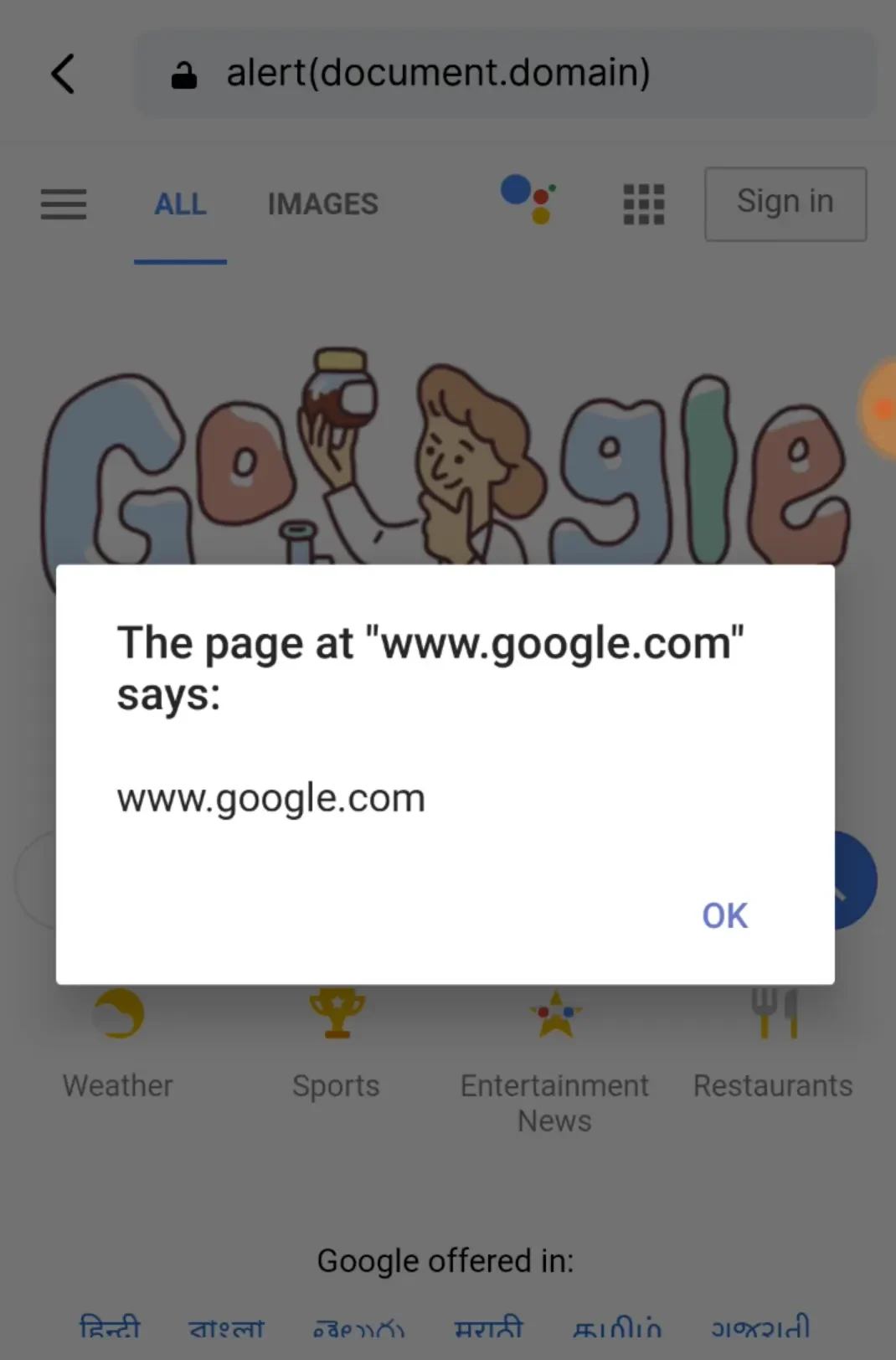
The bug was submitted and rewarded with 1,000 USD.
Root cause
The deep link accepted a javascript: URL and the script ran in the page already open in the integrated browser.
The direct attempt failed: when the deep link was applied to the window opened by the page, the app crashed. The successful path depends on a page already being loaded in the integrated browser when the deep link is triggered.
Impact
An attacker who can get a victim to click a crafted link, while the victim has a site open in the integrated browser, can run script in that page, as shown with alert(document.domain) on google.com. The report demonstrates this against google.com with alert(document.domain). What that script could then do depends on the site that happens to be open, and the report does not go further than the domain alert. The precondition is that the victim has a page loaded in the integrated browser and clicks the attacker's link.
Fix
The report says the vendor currently enforces only HTTP and HTTPS protocols on the deep link functionality. After the fix, navigating with:
example://browse/javascript://%250dalert(1)
is automatically converted into http://javascript://%0dalert(1), so the javascript: XSS no longer works.
Variants to test
- Other schemes in the same position: try
data:,file:,blob:andvbscript:wherejavascript:was tried. A positive result is script execution in the page already loaded in the in-app browser. - Encoding variants: the report used
%250d. Try single encoding, double encoding of other control characters, and mixed case, and check whether the value still reaches the web view as ajavascript:URL. - Other deep link paths: the manifest entry here was host
browsewith path prefix/. Look for other hosts or paths in the same app that also take a URL and load it in a web view, and test the same payloads against them. - Redirect chains: a deep link that accepts an https URL which then redirects to a
javascript:URL, to see whether the scheme check is applied only to the initial value. - Direct UXSS variants: the
window.openplussetTimeoutapproach crashed the app here. Try other ways of getting a page-controlled navigation to a deep link, and watch for crashes as a signal that the navigation reached native code.
What happened, in plain words
A security researcher was invited to a private bug bounty program on HackerOne, a website where companies pay people to find bugs in their products. One of the products in scope was an Android app for a cryptocurrency service. The app could send ETH (a cryptocurrency) to other users, and it also had a built-in web browser, so you could open websites without leaving the app.
The researcher found that this built-in browser could be told to open a web address through a special kind of link, called a deep link. Deep links are the links that open a specific app instead of a website, like when you tap a link and your phone opens a map app. The problem was that a specially encoded deep link could make the browser run a javascript: address as code. And because the built-in browser already had a real website open, that code ran inside that website, as if the website itself had run it. That is called a universal cross-site scripting (UXSS) bug, and it is serious because the code runs in the context of that website.
The researcher reported it and was paid 1,000 USD. The report says the company now only allows normal web addresses (http and https) through the deep link.
Background: the app and the tools
The researcher got an invitation to a private program around August of the previous year. A private program is one where only invited researchers can take part, so the details are not public. The scope (the list of things you are allowed to test) included the crypto Android app.
The only tool named in the report is JADX-GUI. Android apps are distributed as files called APKs, which are basically zip archives full of compiled code. JADX-GUI is a free program that opens an APK and shows you the code inside in a readable form, a bit like opening a locked box and finding the instructions written on the inside. This process is called reversing or reverse engineering: taking a finished product apart to see how it was built.
Testing was done by opening HTML pages with links in Chrome on the phone, and by using the built-in browser inside the app. The report does not give the app version, the Android version or the phone model.
Finding the deep link
After opening the app with JADX-GUI, the researcher read a file called AndroidManifest.xml. Every Android app has one. It is the app's identity card: it lists the app's name, its permissions, and, importantly here, which links the app wants to receive. If a link matches an entry in this file, Android hands the link to the app instead of to a browser.
One entry declared a custom scheme:
<data android:host="browse" android:pathPrefix="/" android:scheme="example"/>
Line by line:
<data ... />is the tag that describes one kind of link the app accepts.android:scheme="example"is the first part of the link, the part before://. Here it is the made-up wordexample. Real schemes arehttp,https,mailtoand so on. A company can invent its own, and only apps that declare it will receive it.android:host="browse"is the part right after://. So the link must start withexample://browse.android:pathPrefix="/"means whatever comes after the host must start with a slash. In practice, the rest of the link is free text that the app receives.
To understand what the app did with this link, the researcher looked at the company's public code repositories on GitHub and read the commit history (the list of changes made to the code over time). There it was clear that the link was used to navigate to a website inside the built-in browser, in this form:
example://browse/example.com
This is a single line: the scheme example, the host browse, a slash, and then a web address. The app takes everything after the slash and loads it in its built-in browser. That is a natural place to look for bugs, because the part after the slash is controlled by whoever sends the link, and it is passed straight to a web view. A web view is the component Android provides for showing web pages inside an app.
Step 1: confirm the deep link works
The first test was a simple link in an HTML page opened in Chrome, to check that the browse path could be triggered with an ordinary https address:
<a href="example://browse/https://google.com">click here</a>
Line by line:
<a ...>is an anchor, the HTML tag for a link.href="..."is the address the link points to. Here it is the custom deep link, not a normal web address.example://browse/https://google.comis the deep link: schemeexample, hostbrowse, then the web addresshttps://google.com.click hereis the text shown on screen.</a>closes the link.
Figure 1 shows the plain link in the page, before it was clicked.
Clicking the link opened the address in the built-in browser, which loaded the Google page. The report also notes that the built-in browser works like a normal browser: you can type a web address into it and go to any page.
Figure 2 shows Google loaded inside the app's built-in browser after the deep link was clicked.
With navigation confirmed, the next question was whether the app limited what kind of address it would accept. A normal browser will not run a javascript: address typed by a stranger for good reasons, so the researcher checked whether this one would.
Step 2: try a javascript address
The straightforward attempt was:
example://browse/javascript:alert(1)
This is the same deep link, but the part after the slash is now javascript:alert(1). A javascript: address is not a web page; it is a small piece of code that the browser runs. alert(1) is the simplest possible piece of code: it opens a pop-up box with the number 1 in it. If the box appears, code ran.
This did not trigger. So the researcher changed the payload to include a double-encoded CRLF character, delivered through a link in Chrome:
<a href="example://browse/javascript://%250dalert(1)">click here</a>
Line by line:
- The link is the same as before, but the address after
browse/is nowjavascript://%250dalert(1). %25is how a percent sign is written when it is encoded.%250dtherefore means the literal text%0dafter one round of decoding.%0dis a carriage return, a control character that in some contexts acts like a line break. CRLF means carriage return plus line feed, the pair of characters that ends a line in Windows text files.- The idea is that the double encoding changes how the address is read further down the chain.
This triggered in the built-in app.
Figure 3 shows the pop-up appearing inside the app after the double-encoded link was clicked.
So the deep link could reach a javascript: address when the double encoding was used.
Step 3: attempt direct UXSS
The first idea after the pop-up appeared was to get direct UXSS on any website. UXSS stands for universal cross-site scripting. Normal cross-site scripting (XSS) means getting your code to run inside someone else's website. UXSS is worse: it means getting code to run in the context of a page you do not control, so the code inherits that page's permissions and can read its data. The same-origin policy is the browser rule that stops one website from reading another website's data; UXSS is interesting precisely because it gets around that rule.
The plan was to open a page with window.open(), then use setTimeout to navigate that window to the deep link, mixing the https protocol and the custom scheme. window.open() is a JavaScript function that opens a new browser window or tab. setTimeout is a JavaScript function that runs some code after a delay, measured in milliseconds. The page was created locally and opened by typing its address in the built-in browser.
<html>
<head>
<script>
function spoof() {
 u = window.open("https://www.google.com");
 setTimeout(() => { t = u.location.replace('example://browse/javascript://%250dalert(1)'); }, 1000)
}
</script>
</head>
<body><button onclick="spoof()"style="background-color:#4CAF50;color:white;font-family:Tahoma;font-size:40px;height:120px; width:400px">click here</button>
</body>
</html>
Line by line:
<html>,<head>,<body>are the standard skeleton of an HTML page: the whole document, its settings, and its visible content.<script>starts a block of JavaScript, the language browsers run.function spoof() {defines a named block of code calledspoof. Nothing runs until it is called.u = window.open("https://www.google.com");opens Google in a new window and stores a handle to that window in a variable calledu.setTimeout(() => { ... }, 1000)waits 1,000 milliseconds (one second) and then runs the code inside the braces. The() => { ... }part is an arrow function, a short way of writing a function.t = u.location.replace('example://browse/javascript://%250dalert(1)');tells the Google window to go to the deep link address instead.location.replaceis the browser function for changing the current address.</script>,</head>close the script and the head.<button onclick="spoof()" ...>click here</button>draws a button; when it is clicked, the browser runs thespooffunction. Thestyleattribute sets the button's colour, font and size.</body>,</html>close the page.
This failed. When the setTimeout callback tried to apply the deep link protocol to the google.com page, the app crashed. The theory behind the attempt was that the built-in browser might let a custom deep link override the loaded web page and thereby bypass the same-origin policy. That did not happen.
Step 4: indirect UXSS against an already open page
The second theory: if a website is already open in the built-in browser, as it would be for a normal user, and a javascript: payload is triggered through the custom deep link, does the script run in the context of that already open page?
The researcher opened google.com in the built-in browser and in Chrome, then clicked a link with:
example://browse/javascript://%250dalert(document.domain)
Line by line:
- The deep link is the same as before, with the same double encoding.
document.domainis a JavaScript expression that returns the domain name of the page the code is running in. On Google it would returngoogle.com.alert(document.domain)therefore shows a pop-up with the domain name. If the pop-up saysgoogle.com, the code ran as if it were part of Google's own page.
The result was that the indirect UXSS triggered on google.com.
Figure 4 shows the pop-up with the domain name, proving the code ran in the context of the Google page.
A reflected XSS is when your code bounces back from a page you sent it to; a UXSS is when your code runs inside a page you never touched.
The bug was submitted and rewarded with 1,000 USD.
Root cause
The deep link accepted a javascript: address and the script ran in the page already open in the built-in browser.
The direct attempt failed: when the deep link was applied to the window opened by the page, the app crashed. The successful path depends on a page already being loaded in the built-in browser when the deep link is triggered.
Impact
An attacker who can get a victim to click a crafted link, while the victim has a site open in the built-in browser, can run script in that page, as shown with alert(document.domain) on google.com. The report demonstrates this against google.com with alert(document.domain). What that script could then do depends on the site that happens to be open, and the report does not go further than the domain pop-up. The precondition is that the victim has a page loaded in the built-in browser and clicks the attacker's link.
Fix
The report says the company currently enforces only HTTP and HTTPS protocols on the deep link functionality. After the fix, navigating with:
example://browse/javascript://%250dalert(1)
is automatically converted into http://javascript://%0dalert(1), so the javascript: XSS no longer works.
Variants to test
- Other schemes in the same position: try
data:,file:,blob:andvbscript:wherejavascript:was tried. A positive result is script execution in the page already loaded in the in-app browser. - Encoding variants: the report used
%250d. Try single encoding, double encoding of other control characters, and mixed case, and check whether the value still reaches the web view as ajavascript:address. - Other deep link paths: the manifest entry here was host
browsewith path prefix/. Look for other hosts or paths in the same app that also take a web address and load it in a web view, and test the same payloads against them. - Redirect chains: a deep link that accepts an
httpsaddress which then redirects to ajavascript:address, to see whether the scheme check is applied only to the initial value. - Direct UXSS variants: the
window.openplussetTimeoutapproach crashed the app here. Try other ways of getting a page-controlled navigation to a deep link, and watch for crashes as a signal that the navigation reached native code.
Glossary
- AndroidManifest.xml: the file inside every Android app that lists its name, permissions and the links it wants to receive.
- APK: the file format Android apps are distributed in; a zip archive containing the compiled app.
- Bug bounty program: a scheme where a company pays researchers for finding and reporting bugs in its products.
- CRLF: carriage return plus line feed, the pair of control characters that ends a line in Windows text files.
- Deep link: a link that opens a specific app instead of a website, using a custom scheme.
- Direct UXSS: running script in a page the attacker opened or navigated to themselves.
- HackerOne: a website where companies run bug bounty programs and researchers submit reports.
- HTML: the language web pages are written in.
- Indirect UXSS: running script in a page that was already open, without the attacker navigating it there.
- JADX-GUI: a free program that opens an Android APK and shows the code inside in readable form.
- JavaScript: the programming language browsers run inside web pages.
- Origin: the combination of scheme, host and port that a browser uses to decide which pages may read each other's data.
- Parsing: reading a piece of text and deciding what it means.
- Private program: a bug bounty program only invited researchers can take part in.
- Reversing: taking a finished product apart to see how it was built.
- Same-origin policy: the browser rule that stops one website from reading another website's data.
- Scheme: the first part of a link, before
://, such ashttp,httpsor a company's own made-up word. - Scope: the list of things a researcher is allowed to test in a program.
- setTimeout: a JavaScript function that runs some code after a delay.
- Universal cross-site scripting (UXSS): getting code to run in the context of a page the attacker does not control, so the code inherits that page's permissions.
- Web view: the Android component for showing web pages inside an app.
- window.open(): a JavaScript function that opens a new browser window or tab.
- XSS (cross-site scripting): getting your code to run inside someone else's website.






