Information Disclosure via Misconfigured AWS to AWS Bucket Takeover
An AWS S3 bucket had misconfigured ACLs that allowed directory listing and public access to internal files. A zip file in the bucket contained AWS access and secret keys, which gave full control over the bucket, allowing file upload and deletion.
 Published on medium.com
Hey! Welcome to a new write up on my recent finding of a Misconfigured AWS bucket and how i was able to Take full control of the AWS bucket.
The full write-up lives on its author's site
It belongs to its author, so we link to it rather than copy it. The other two tabs are our own rewrites, checked against it.
Context
The target was a web application whose organisation settings let a user upload a logo for their organisation. The uploaded logo was stored in an AWS S3 bucket and the application exposed a direct link to the stored file. That link is the thread the whole finding hangs on: the bucket behind it was misconfigured, and the misconfiguration led from a single public object to full control of the bucket.
The researcher was originally on the hunt for IDOR vulnerabilities, which he describes as high priority and highly paid. The bucket issue was found incidentally while working through the application's endpoints.
Setup
The write-up does not describe any special accounts, roles or versions. The tooling mentioned is:
- Burp Suite, used to send requests to the spider tab and enumerate endpoints.
- A browser, used to open the logo link directly and to walk the bucket's directory listing.
- S3 Browser, a desktop client the researcher downloaded on the advice of a colleague, used to authenticate to the bucket with the credentials he later recovered.
The precondition for the whole chain is that the application stores user-supplied files in S3 and hands out a direct object URL.
Finding it
The IDOR hunt failed. The researcher fired up Burp Suite and sent requests to the spider tab to collect endpoints, then tried to manipulate numerical values in parameters, but every numerical value was encrypted with a salted algorithm, so there was nothing to increment or decrement.
What he did find was an endpoint that let him set his organisation's logo. The endpoint had a direct link to the logo, which was residing in an AWS bucket.

He copied the logo link and opened it in a new tab.
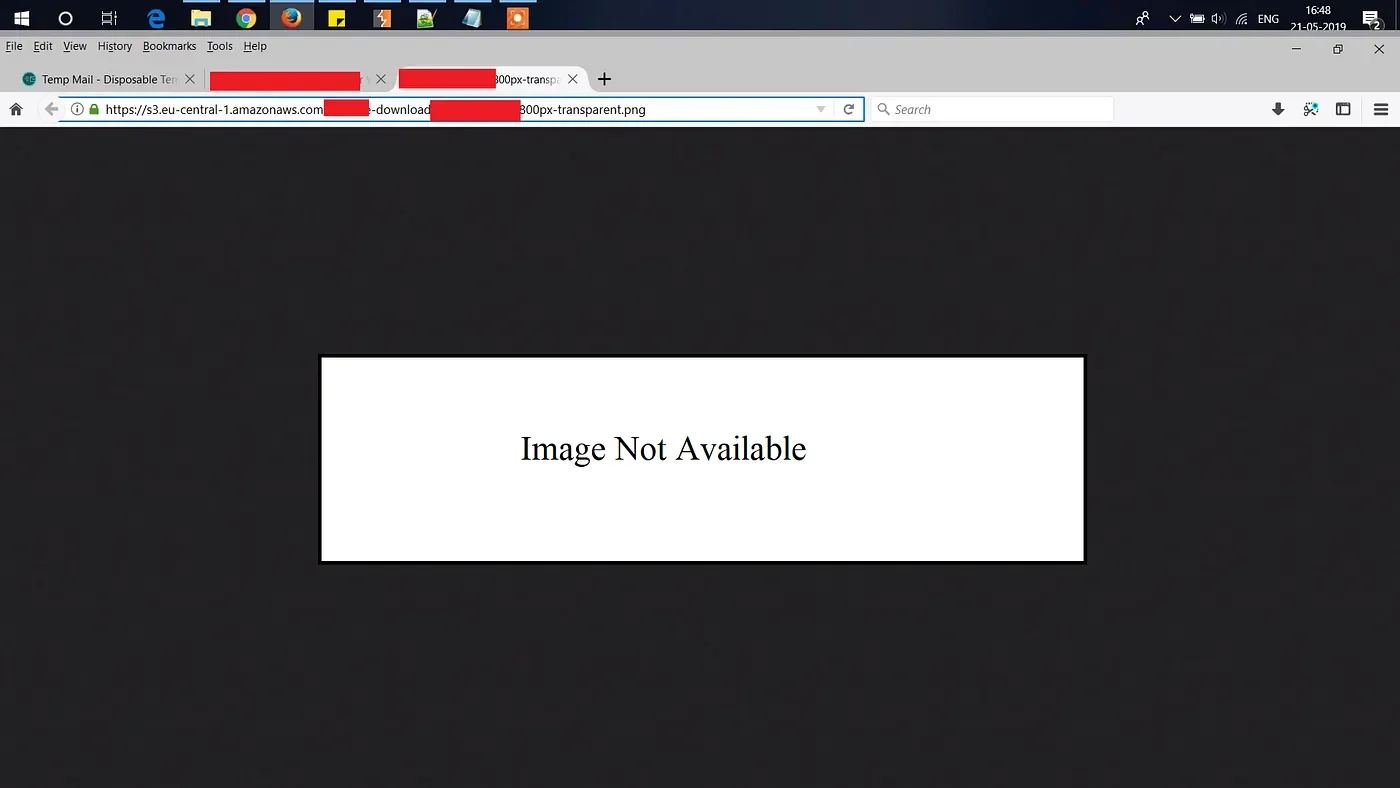
The idea that made the difference was to walk up to the origin directory of the file, in his words ../ in hacker's language, and request that instead.
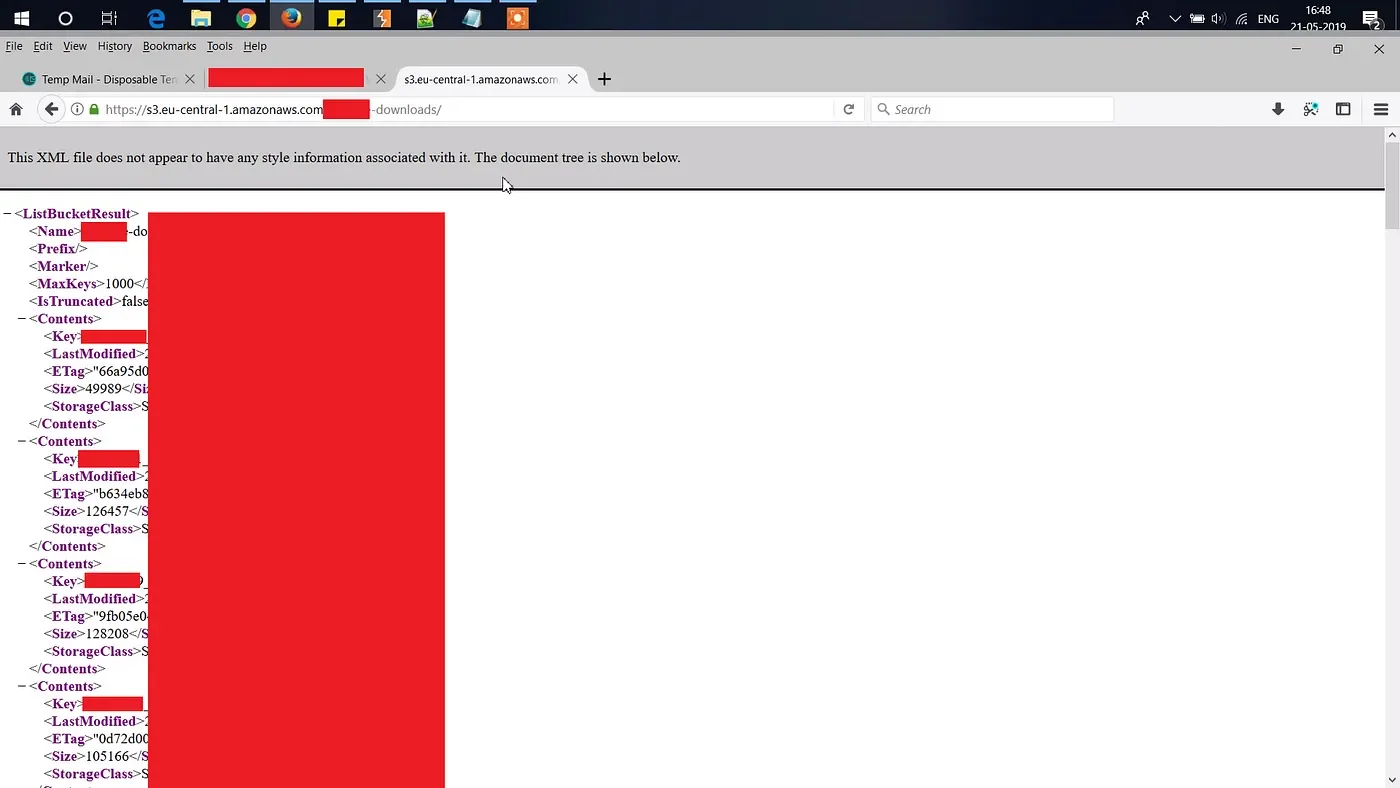
That returned a directory listing. He describes it as a proper information disclosure caused by a misconfigured ACL on the AWS bucket. Before reporting, he wanted to know how far it went, so he opened one of the listed files to confirm the entries were real.
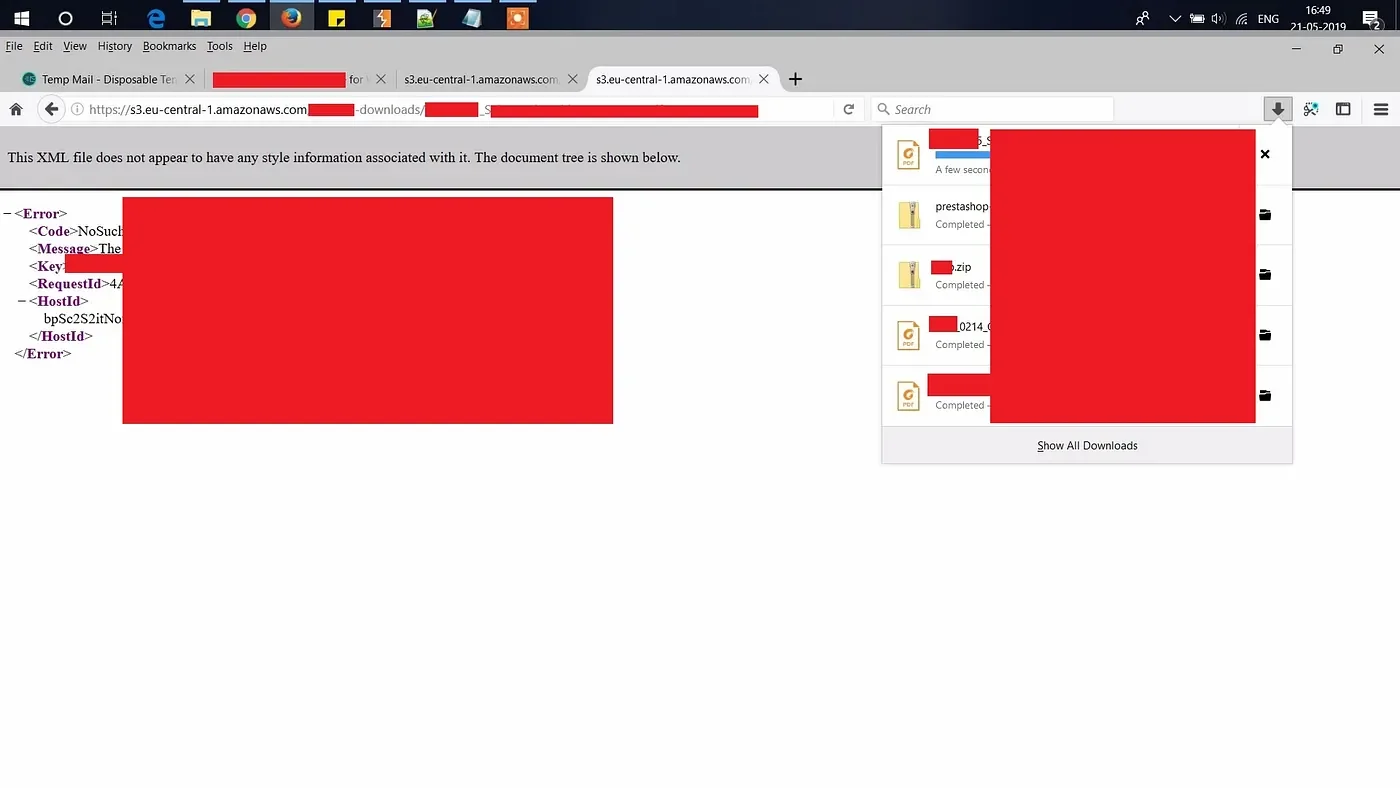
He then opened the file to read its content.
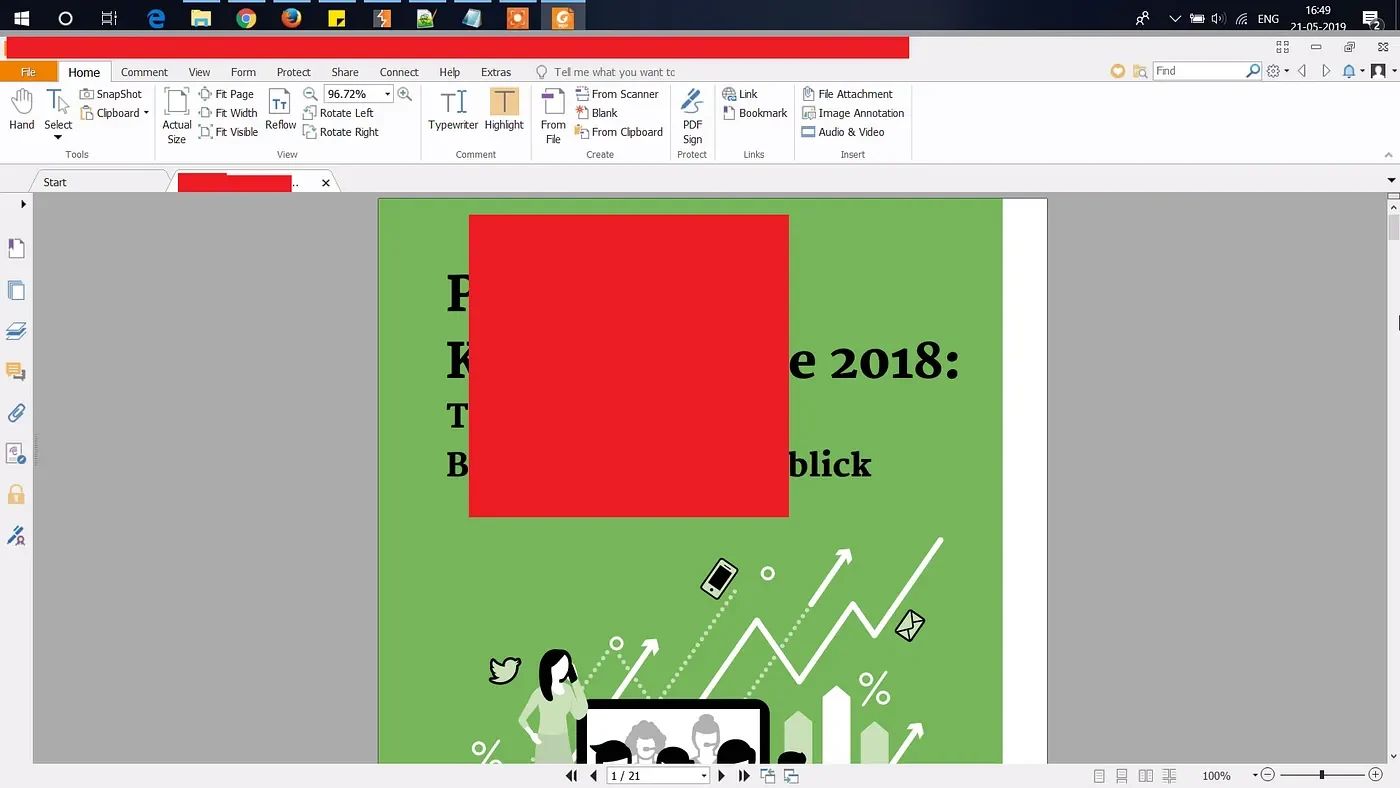
The files were legitimate internal material of the company: small tutorials and screenshots. The bucket was an internal S3 bucket used for training and demonstration purposes, such as sharing screenshots of their products. He notes that this alone is why he considered the issue critical.
Exploitation
Step 1: enumerate the bucket for interesting extensions
Rather than stop at the listing, he searched the bucket for file types that commonly carry configuration or exported data, specifically .zip, .htm, .eml, .doc and .csv. The bucket held more than 700 files. The first zip file he found is shown below.
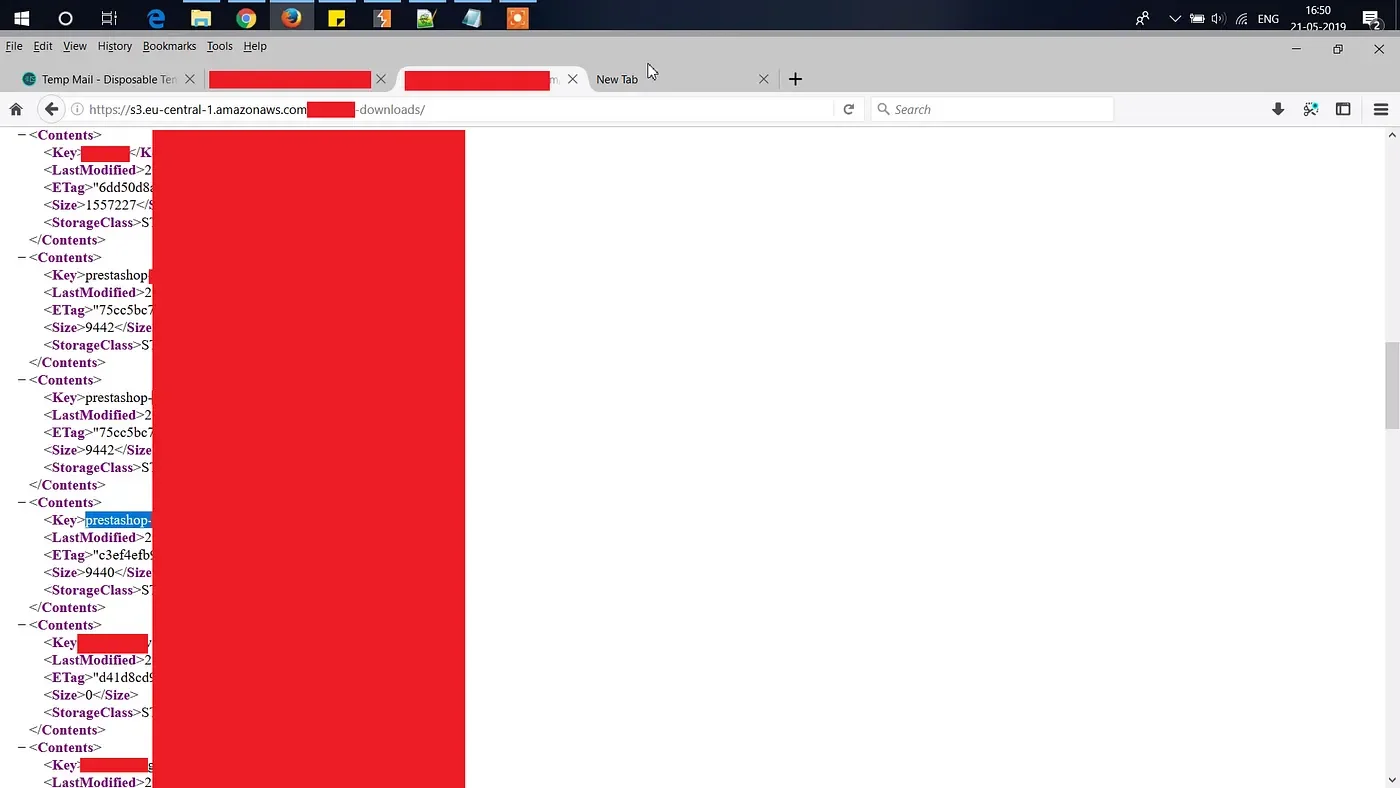
He downloaded it and checked the contents.
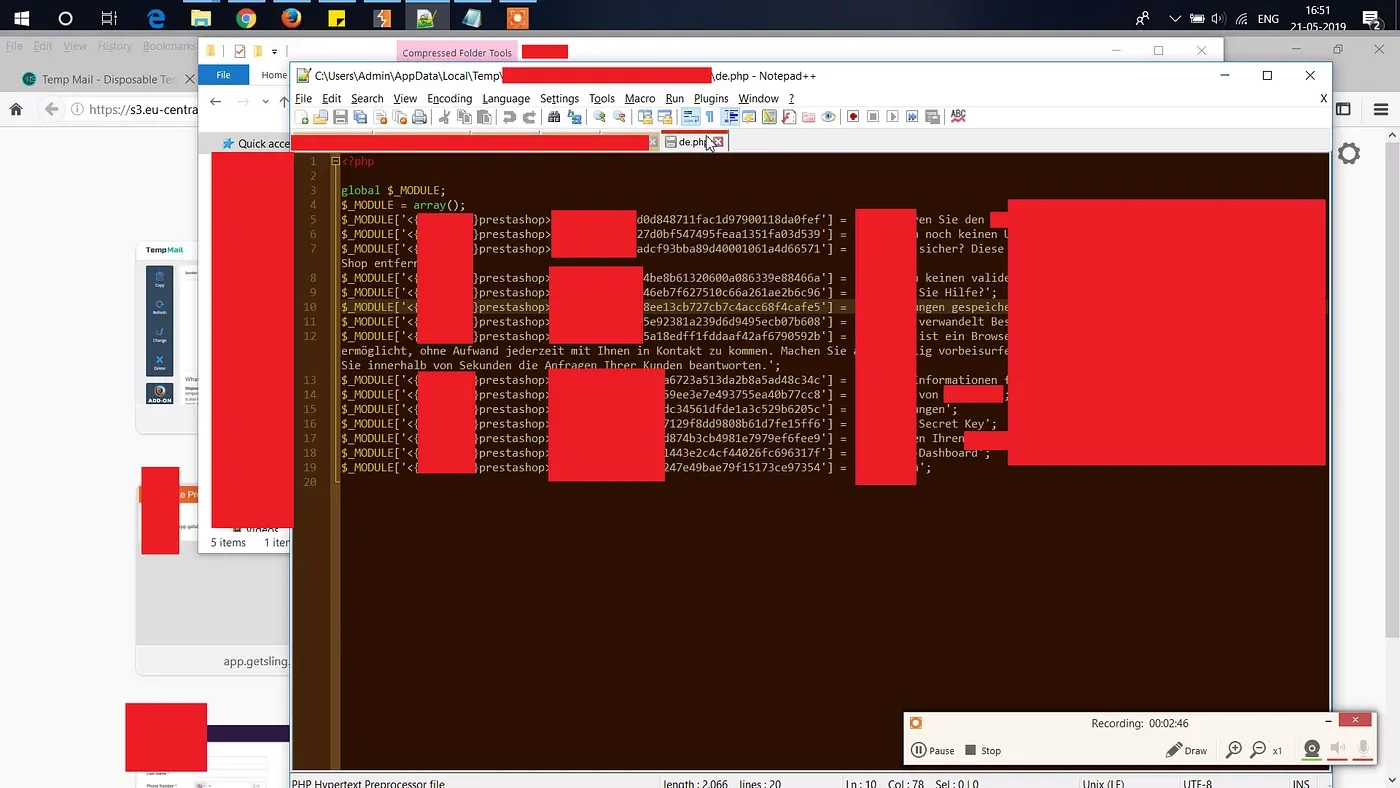
Nothing in that archive would help compromise the bucket, so he kept looking for other zip files and found a more interesting one.
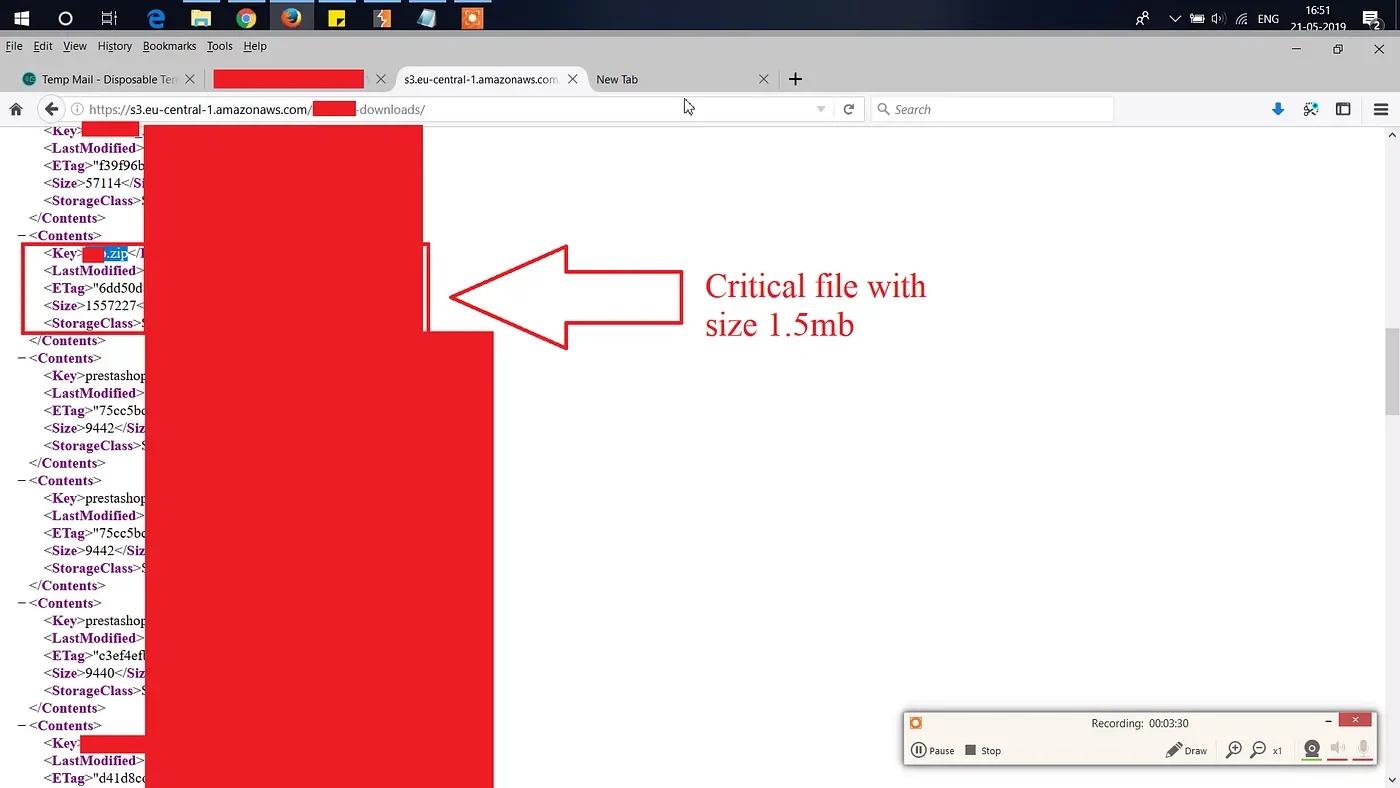
Step 2: read the archive and find the credentials
He downloaded the second archive and opened it.
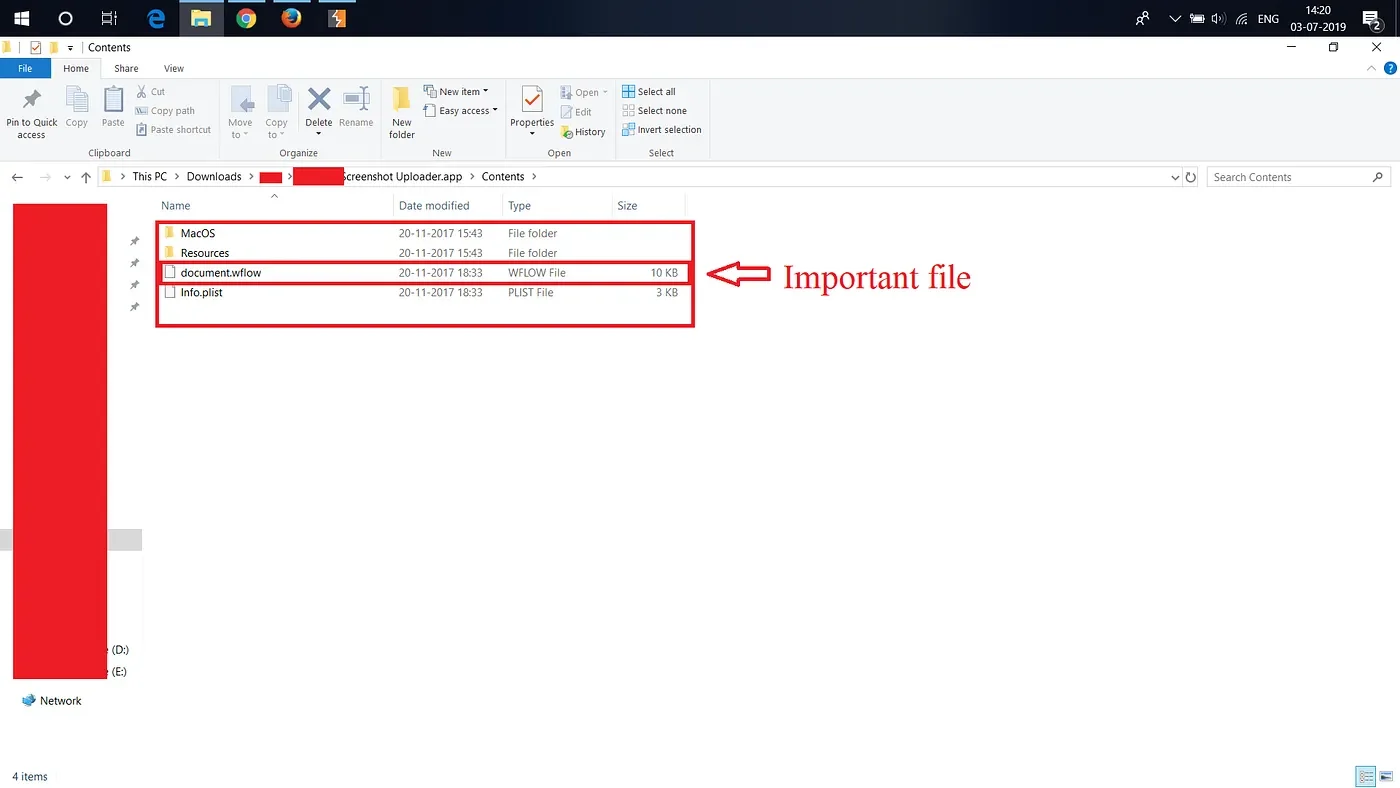
Among its files, the important one was document.wflow. He states that it contained everything required to take over the AWS bucket.
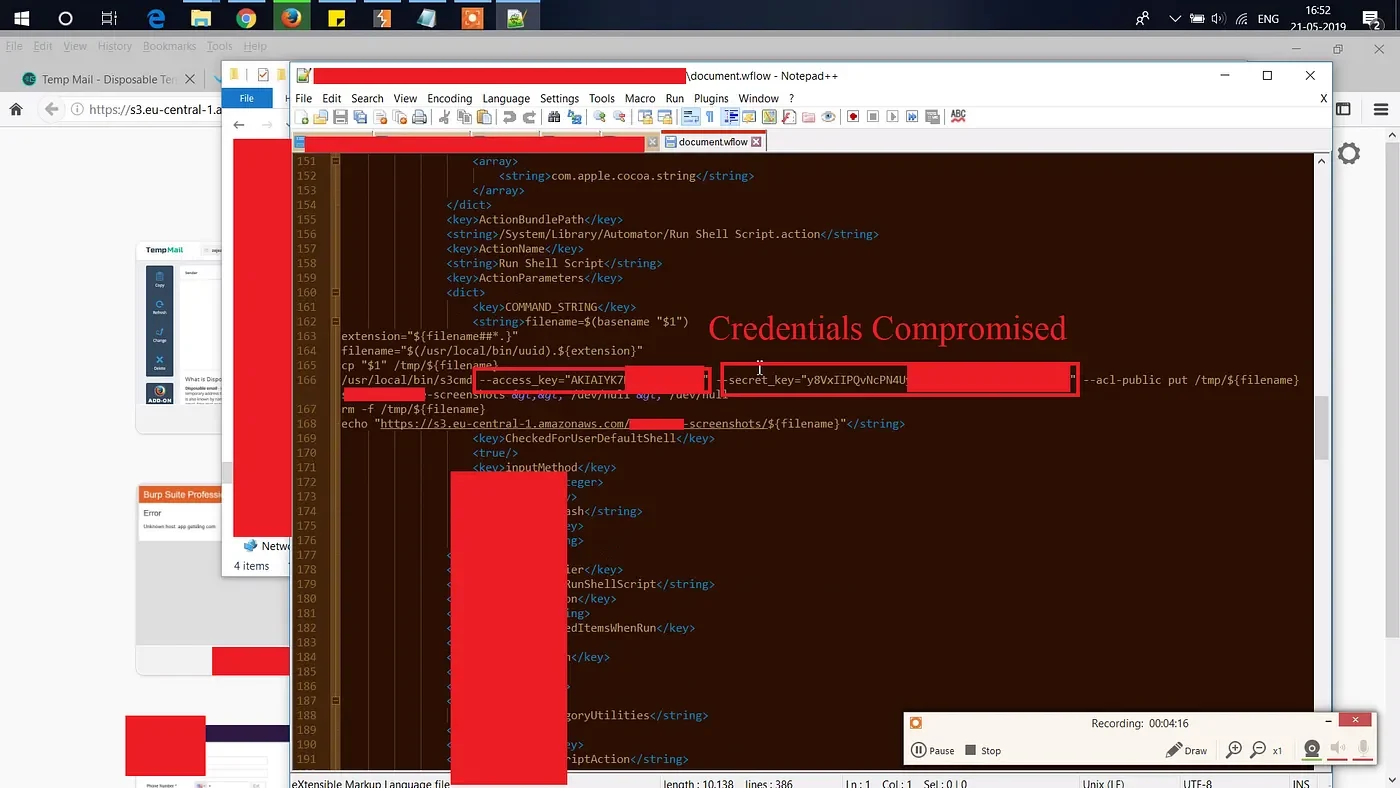
The file held an access_key and a secret_key. This was a new experience for him in web application penetration testing, and he was explicit that he had zero knowledge of AWS at that point. He asked a colleague who is a developer working on AWS, and the advice was to download S3 Browser and use the access_key and secret_key to browse the bucket.
Step 3: authenticate to the bucket with the recovered keys
He downloaded S3 Browser and supplied the credentials.
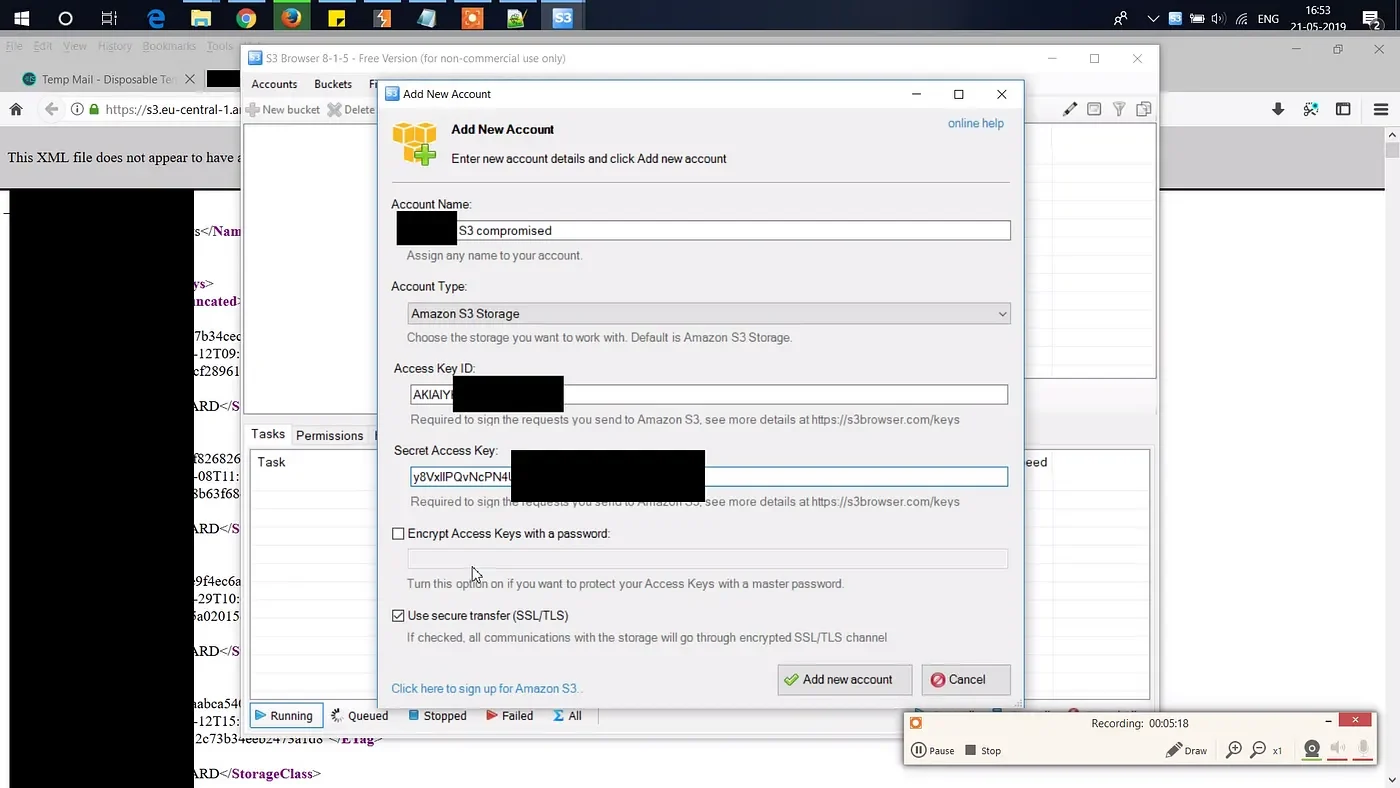
The client connected successfully.
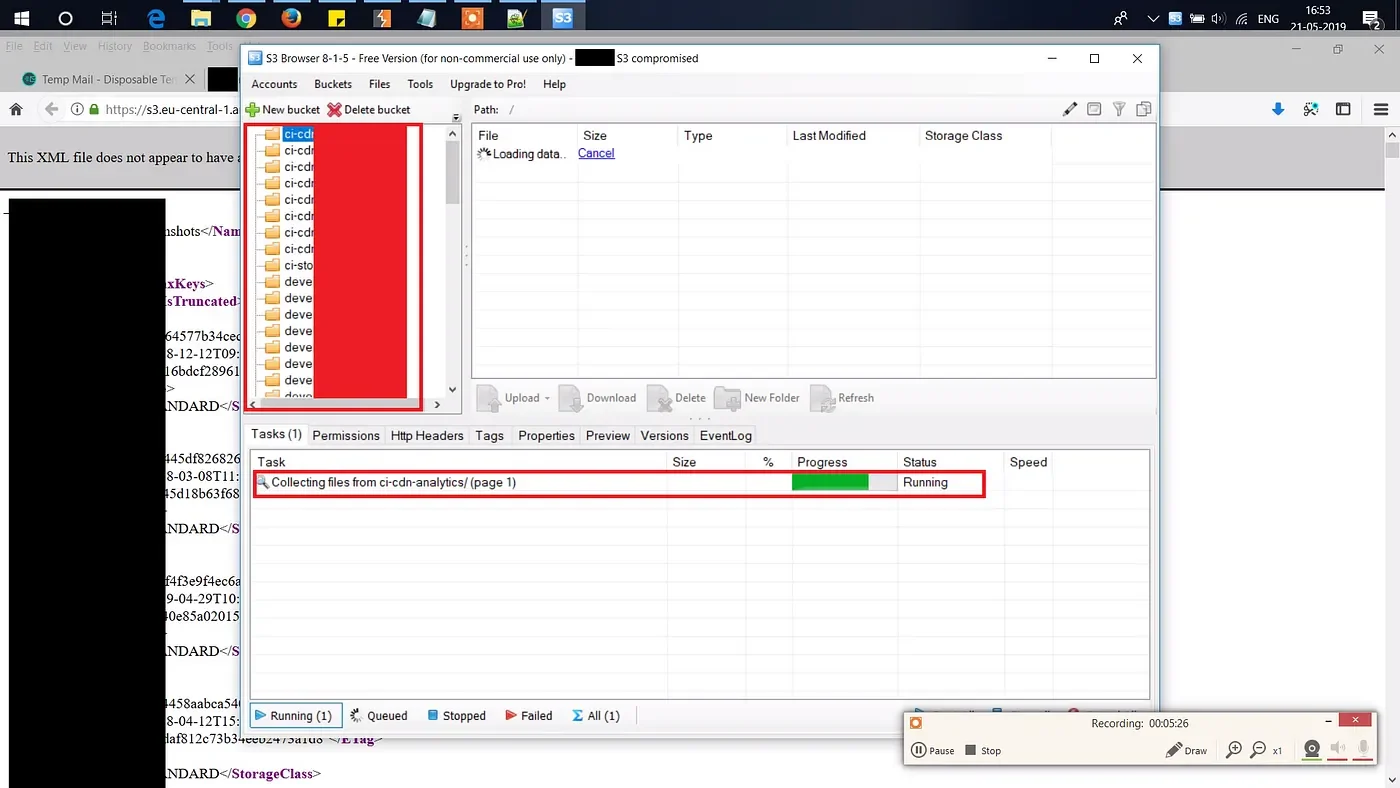
Step 4: check ACLs and find a fully writable directory
Next he reviewed the Access Control List permissions on each directory and found one directory with full access.
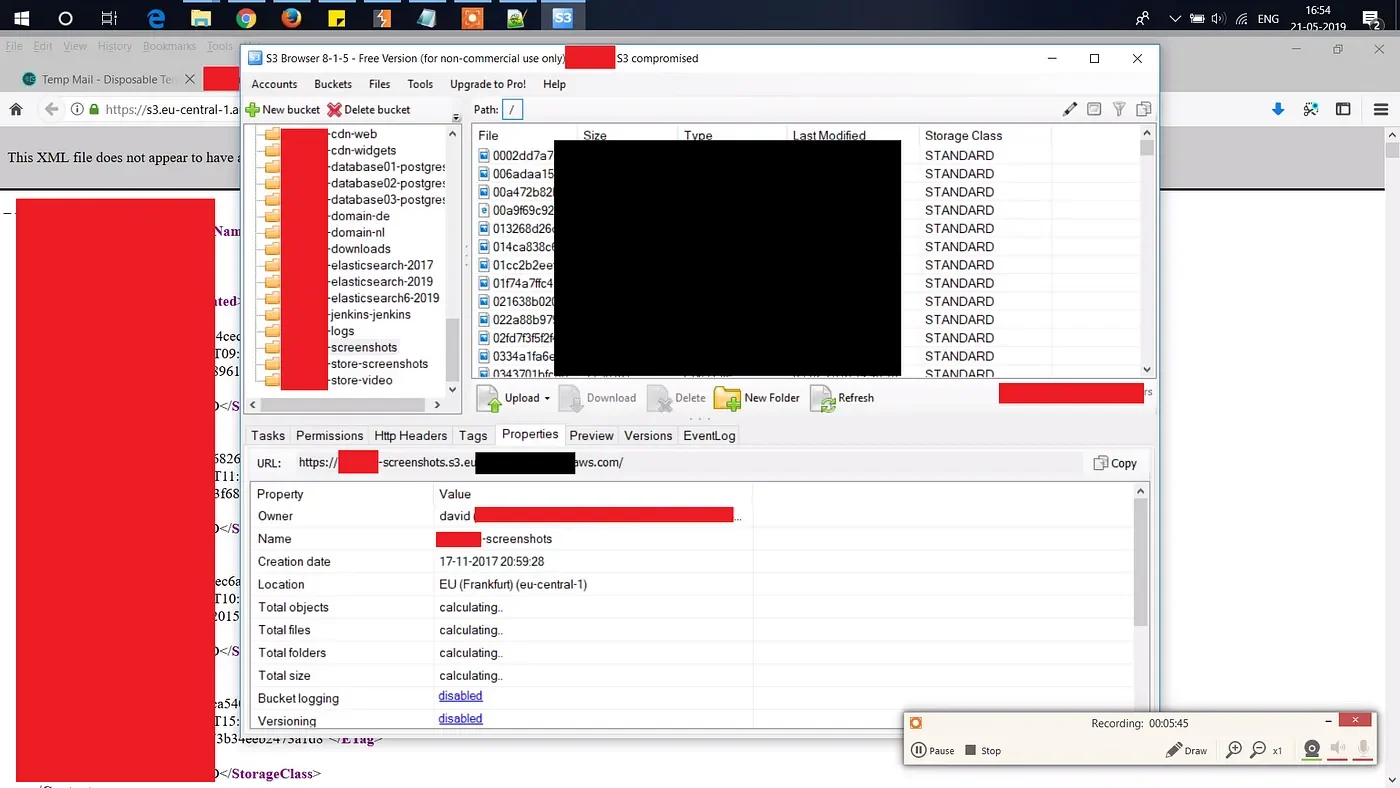
With full access to that directory he was effectively its owner: he could upload any file, delete files, and delete the whole directory. To keep the proof of concept ethical, he uploaded a file rather than deleting anything.
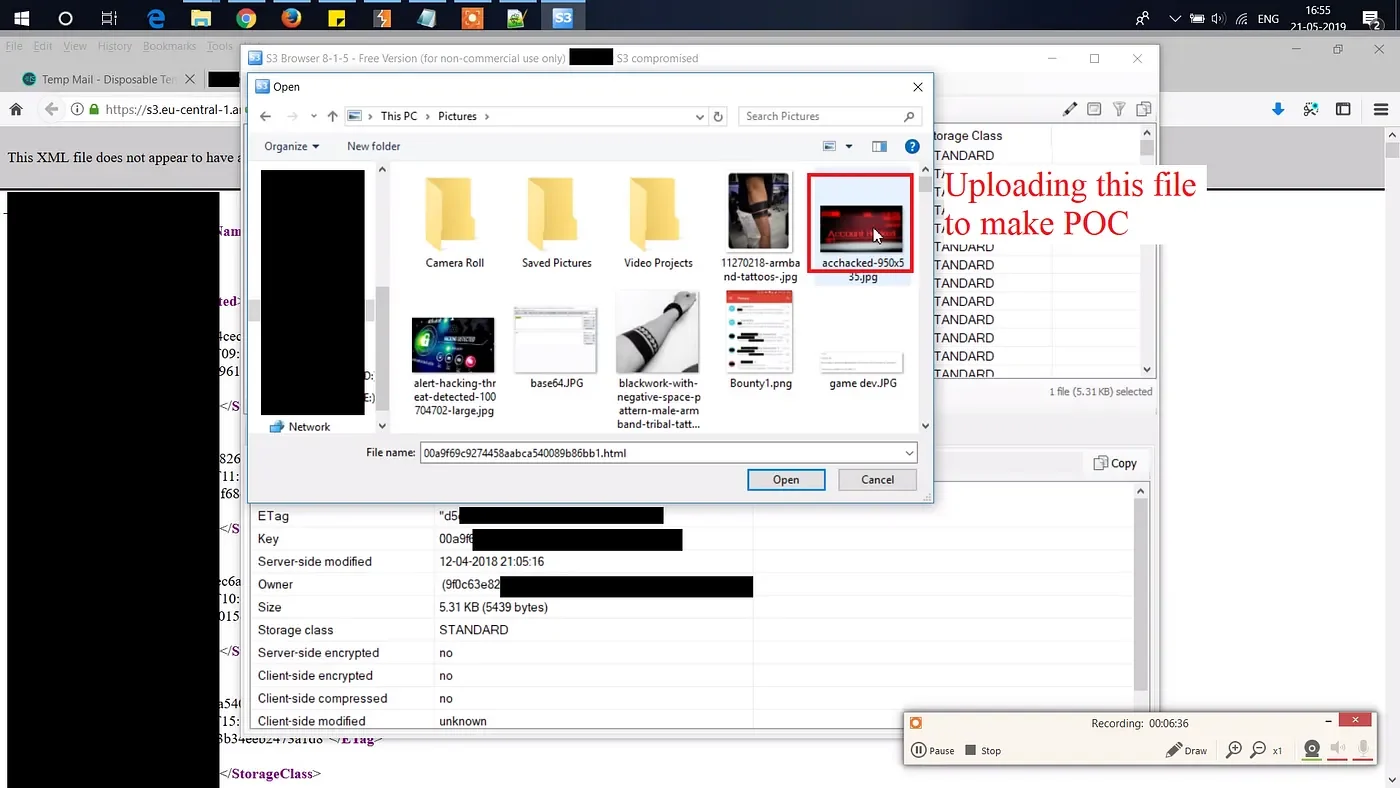
Step 5: verify the upload from the public side
He re-checked the public facing bucket for the uploaded file name.
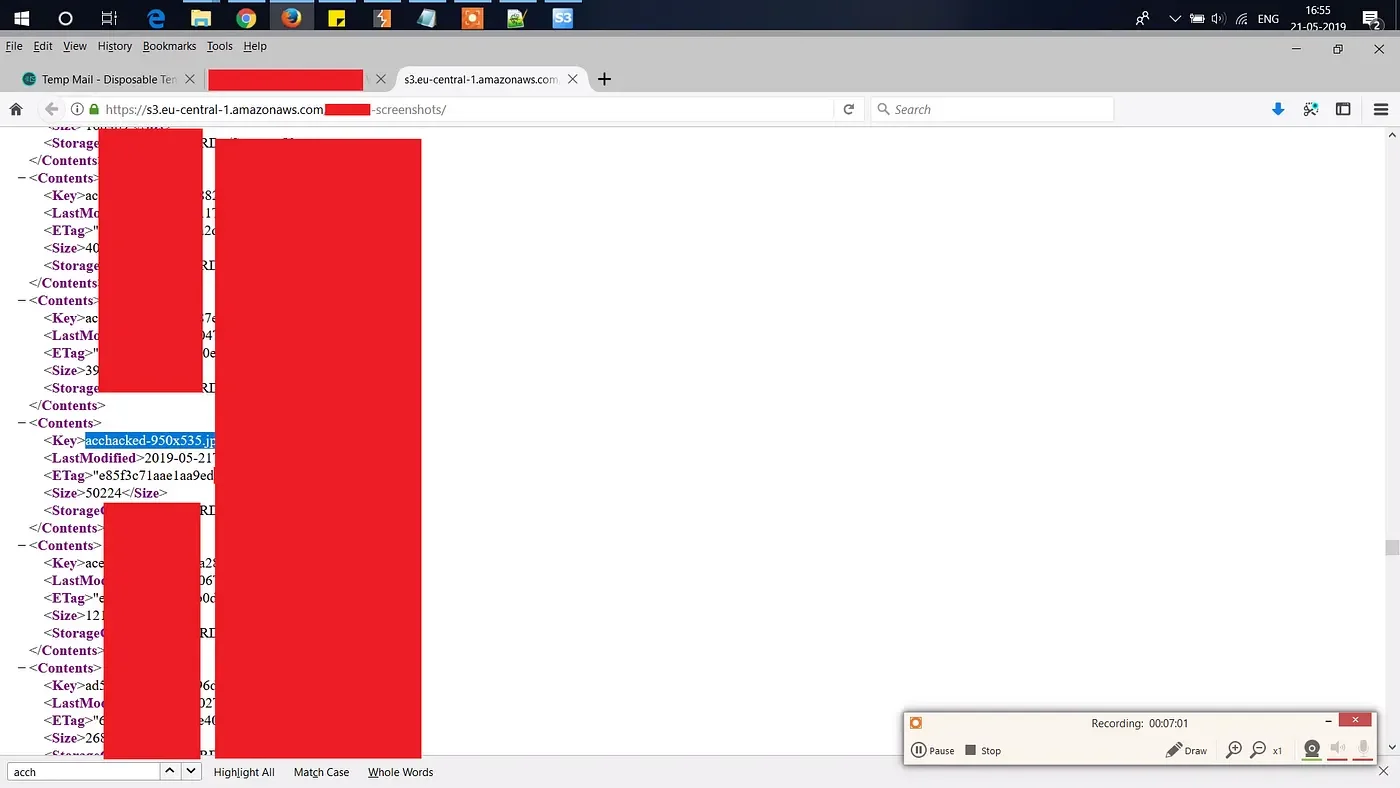
As a final check he pasted the filename into the URL and requested it.
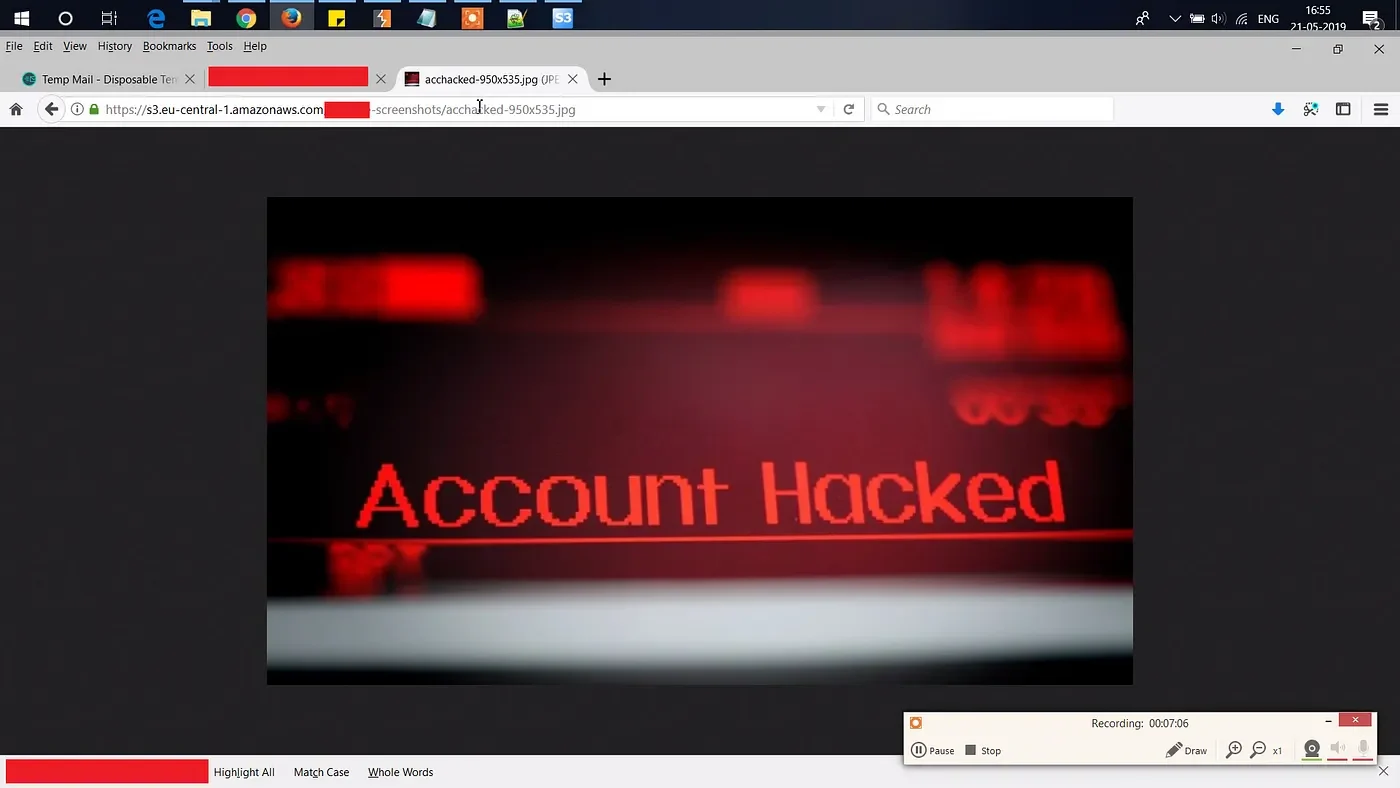
That confirmed the takeover.
Root cause
The chain has two links, and both are configuration mistakes rather than application code bugs.
- The bucket's ACL was misconfigured, and requesting the origin directory returned an index of the bucket's contents. The object URL worked as intended, but requesting the origin directory returned an index of the bucket's contents, exposing internal training and demonstration material.
- The bucket contained an archive with a
document.wflowfile holding anaccess_keyand asecret_key, and the identity behind those keys had write and delete rights on at least one directory. Storing live credentials in files that land in a shared bucket turns any listing or read exposure into full bucket compromise.
The application's own defence, encrypting numerical identifiers with a salted algorithm, was effective against the IDOR he was looking for but irrelevant here: the leak was in storage configuration, not in parameter handling.
Impact
A party who obtains the object URL could, in the conditions described, list the bucket and read internal company files, including tutorials and product screenshots. Because the bucket also held an archive containing AWS keys, that party can authenticate to the bucket with S3 Browser and, in the directory whose ACL granted full access, upload, delete files and delete the directory itself. The researcher says the exposure of internal files alone is why he considered the issue critical.
The write-up does not state how many objects or directories the keys covered beyond the one directory with full access, nor whether the keys reached anything outside this bucket.
Fix
The report states only that the bug was fixed on May 22, 2019, without describing the change. What the chain calls for, in order of the two links above:
- Remove public listing from the bucket and restrict object reads to what the application actually needs to serve.
- Rotate the
access_keyandsecret_keyfound indocument.wflow, and audit the bucket for other archives or exports containing credentials. - Scope the identity behind those keys to the minimum actions and prefixes required, so a leaked key cannot grant ownership of a directory.
Variants to test
- Walk up from any user-supplied file URL. Take a logo, avatar or attachment link and request its parent path. A positive result is an XML or HTML index listing objects you did not upload.
- Search listings for archives and exports. Filter for
.zip,.htm,.eml,.docand.csvas the researcher did; a positive result is an archive containing configuration, scripts or credential material. - Look inside workflow and automation files. Files such as
document.wflowcan embed environment variables and keys; a positive result is anaccess_keyandsecret_keypair. - Authenticate with any recovered keys using an S3 client and enumerate ACLs per prefix. A positive result is a directory where your identity has write and delete rights.
- Confirm write access from the public side. Upload a harmless file, then request it by name through the public bucket URL. A positive result is your file served back to you.
Timeline
| Date | Event |
|---|---|
| May 21, 2019 | Initial report |
| May 22, 2019 | Report triaged |
| May 22, 2019 | Bug fixed and rewarded |
The researcher notes that the program compensated him promptly and fairly after reviewing the report.
What happened, in plain words
A security researcher was testing a website. He was looking for one specific kind of bug, but he did not find it. Instead he noticed something else: the website let him upload a logo for his organisation, and the logo was stored in a cloud storage service called AWS S3. The link to the logo pointed straight at that storage.
He opened the link, then tried a small trick: he asked for the folder that the logo lived in, rather than the logo itself. The storage service answered with a directory listing of the bucket's contents. That list showed internal company material. He then searched the list for archive files, downloaded a few, and inside one of them he found a file containing the keys that unlock the storage. With those keys he could log in to the storage, and in one directory he had full access: he could upload, delete files and delete the whole directory. He uploaded one harmless file to prove it, and confirmed it appeared publicly.
This article walks through the same steps in the same order, explaining every term from scratch. You only need a browser and a computer to follow the story.
Background: what the researcher was looking for
The researcher was hunting for IDOR vulnerabilities. IDOR stands for Insecure Direct Object Reference. It is a bug where a website uses a simple, guessable value to decide which record you are allowed to see, and does not check that the record belongs to you. A common everyday comparison: a cloakroom gives you ticket number 42, and you notice that ticket 43 also gets handed over if you ask for it, even though that coat is not yours. On a website, the ticket number is often a number in the address, such as an account ID.
He describes IDOR as high priority and highly paid, which is why he was looking for it first. To find every place where such a number might appear, he used a tool called Burp Suite. Burp Suite is a program that sits between your browser and a website and lets you record, inspect and replay the requests the browser sends. One of its features, the spider, automatically crawls a site and collects all the addresses (endpoints) it can reach.
An endpoint is simply a specific address on a server that does a specific job, like a counter in a large building: one counter for passports, one for driving licences. The spider's job is to write down every counter the site has.
His plan was to take each endpoint and change the numbers in it, one at a time, to see whether the site would hand over somebody else's data. That plan failed. Every numerical value in the requests was encrypted with what he calls a salted algorithm. Encryption here means the number is scrambled into a long unreadable string before it travels. A salt is a random ingredient added before scrambling, so that the same number never produces the same scrambled string twice. The practical effect for the researcher: there was no number left to increment or decrement. The cloakroom tickets were not numbers any more, they were random strings, so guessing the next one was hopeless.
Finding the leak
While working through the endpoints, he found one that let him set the logo for his organisation. He uploaded a logo, and the application gave back a direct link to the stored file. That file was sitting in an AWS S3 bucket.
Two terms need unpacking here. AWS (Amazon Web Services) is Amazon's cloud platform: instead of owning servers, companies rent storage and computing power from Amazon. S3 is the storage part, and a bucket is a container inside S3, much like a folder on your own computer, except it lives on the internet and can be made reachable by anyone with the right address. A direct link (also called an object URL) is the full web address of one single file inside that bucket.
The screenshot shows the endpoint where the organisation logo is set, together with the direct link to the logo. This link is the thread the whole finding hangs on.
He copied the logo link and opened it in a new tab, just to see what the file looked like when requested on its own.
The image shows the logo opened in a new tab. The important idea came next.
Walking up to the folder
Instead of requesting the file, he requested the folder that contains it. In his words, he went to the origin directory of the file, which he calls ../ in hacker's language. The ../ notation comes from file paths: on a computer, ../ means "go up one level", from a file to the folder that holds it. On a website address, removing the last part of the path and requesting what remains does the same thing: it asks the server for the folder rather than the file.
That request returned a directory listing: a page that lists every file in the folder. He describes this as a proper information disclosure caused by a misconfigured ACL on the bucket.
Two more terms. Information disclosure means the site reveals something it should have kept private. ACL stands for Access Control List: the list of rules that says who is allowed to read, write or list what. A bucket's ACL can allow anyone on the internet to list its contents, and the report attributes the listing to a misconfigured ACL. The everyday comparison is a filing cabinet whose lock works, but whose glass front lets anyone read the labels on every folder inside.
Before reporting, he wanted to know how far the exposure went. So he opened one of the listed files to confirm the entries were real and not empty placeholders.
He then opened that file to read its content.
The files were legitimate internal material of the company: small tutorials and screenshots. The bucket was an internal S3 bucket used for training and demonstration purposes, such as sharing screenshots of their products. He notes that this alone is why he considered the issue critical.
Exploitation
Step 1: search the bucket for interesting file types
Rather than stop at the listing, he searched the bucket for file types that commonly carry configuration or exported data. The extensions he looked for were .zip, .htm, .eml, .doc and .csv. An extension is the part of a filename after the dot, which tells you what kind of file it is: .zip is a compressed archive, .htm is a web page, .eml is a saved email, .doc is a word processor document, .csv is a table of values separated by commas. These formats often contain settings, exported data or, as it turned out, credentials.
The bucket held more than 700 files. The first zip file he found is shown below.
He downloaded it and checked the contents.
Nothing in that archive would help compromise the bucket, so he kept looking for other zip files and found a more interesting one.
Step 2: read the archive and find the credentials
He downloaded the second archive and opened it.
Among its files, the important one was document.wflow. He states that it contained everything required to take over the AWS bucket. A .wflow file is a workflow document: a saved automation, a sequence of steps a program can run. Such files often store the settings the automation needs, including the keys it uses to reach other services.
The file held an access_key and a secret_key. These are the two halves of an AWS credential. An access key is like a username: a public identifier that says which identity is making a request. A secret key is like the matching password: it proves the request really comes from that identity. Anyone holding both can act as that identity, exactly as someone holding your username and password can log in as you.
This was a new experience for him in web application penetration testing, and he was explicit that he had zero knowledge of AWS at that point. He asked a colleague who is a developer working on AWS, and the advice was to download S3 Browser, a desktop program for browsing S3 buckets, and use the access_key and secret_key to browse the bucket.
Step 3: log in to the bucket with the recovered keys
He downloaded S3 Browser and supplied the credentials.
The client connected successfully.
Step 4: check permissions and find a fully writable folder
Next he reviewed the Access Control List permissions on each directory and found one directory with full access.
With full access to that directory he was effectively its owner: he could upload any file, delete files, and delete the whole directory. To keep the proof of concept ethical, he uploaded a file rather than deleting anything. A proof of concept (PoC) is the smallest harmless action that demonstrates a bug is real, without causing damage.
Step 5: confirm the upload from the public side
He re-checked the public facing bucket for the uploaded file name.
As a final check he pasted the filename into the URL and requested it.
That confirmed the takeover: a file he had placed in the bucket was now served back to anyone who asked for it by name.
Root cause
The chain has two links, and both are configuration mistakes rather than bugs in the application's code.
- The bucket's ACL allowed public listing. The object URL worked as intended, but requesting the origin directory returned an index of the bucket's contents, exposing internal training and demonstration material.
- The bucket contained an archive with a
document.wflowfile holding anaccess_keyand asecret_key, and the identity behind those keys had write and delete rights on at least one directory. Storing live credentials in files that land in a shared bucket turns any listing or read exposure into full bucket compromise.
The application's own defence, encrypting numerical identifiers with a salted algorithm, was effective against the IDOR he was looking for but irrelevant here: the leak was in storage configuration, not in parameter handling.
Impact
A party who obtains the object URL could, in the conditions described, list the bucket and read internal company files, including tutorials and product screenshots. Because the bucket also held an archive containing AWS keys, that party can authenticate to the bucket with S3 Browser and, in the directory whose ACL granted full access, upload, delete files and delete the directory itself. The researcher says the exposure of internal files alone is why he considered the issue critical.
The write-up does not state how many objects or directories the keys covered beyond the one directory with full access, nor whether the keys reached anything outside this bucket.
Fix
The report states only that the bug was fixed on May 22, 2019, without describing the change. What the chain calls for, in order of the two links above:
- Remove public listing from the bucket and restrict object reads to what the application actually needs to serve.
- Rotate the
access_keyandsecret_keyfound indocument.wflow, and audit the bucket for other archives or exports containing credentials. Rotating a key means replacing it with a new one and disabling the old one, so that anyone who copied the old one loses access. - Scope the identity behind those keys to the minimum actions and prefixes required, so a leaked key cannot grant ownership of a directory. Scoping means giving an identity only the permissions it truly needs, nothing more.
Variants to test
- Walk up from any user-supplied file URL. Take a logo, avatar or attachment link and request its parent path. A positive result is an XML or HTML index listing objects you did not upload.
- Search listings for archives and exports. Filter for
.zip,.htm,.eml,.docand.csvas the researcher did; a positive result is an archive containing configuration, scripts or credential material. - Look inside workflow and automation files. Files such as
document.wflowcan embed environment variables and keys; a positive result is anaccess_keyandsecret_keypair. - Authenticate with any recovered keys using an S3 client and enumerate ACLs per prefix. A positive result is a directory where your identity has write and delete rights.
- Confirm write access from the public side. Upload a harmless file, then request it by name through the public bucket URL. A positive result is your file served back to you.
Timeline
| Date | Event |
|---|---|
| May 21, 2019 | Initial report |
| May 22, 2019 | Report triaged |
| May 22, 2019 | Bug fixed and rewarded |
The researcher notes that the program compensated him promptly and fairly after reviewing the report.
Glossary
- ACL (Access Control List): the set of rules that says who may read, write or list a resource.
- Access key: the public half of an AWS credential, like a username, identifying which identity is making a request.
- AWS (Amazon Web Services): Amazon's cloud platform, renting storage and computing power over the internet.
- Bucket: a container for files inside AWS S3, similar to a folder but reachable over the internet.
- Burp Suite: a tool that sits between browser and website to record, inspect and replay requests.
- CSV: a plain text file holding a table, with values separated by commas.
- Direct link (object URL): the full web address of one single file stored in a bucket.
- Directory listing: a page that lists every file in a folder.
- EML: a saved email message file.
- Encryption: scrambling data so it cannot be read without the right key.
- Endpoint: a specific address on a server that performs a specific job.
- Extension: the part of a filename after the dot, indicating the file type.
- IDOR (Insecure Direct Object Reference): a bug where a site uses a guessable value to pick a record and does not check that the record belongs to you.
- Information disclosure: a flaw that reveals data the site should have kept private.
- Proof of concept (PoC): the smallest harmless action that demonstrates a bug is real.
- Rotating a key: replacing a credential with a new one and disabling the old one.
- S3: Amazon's cloud storage service.
- S3 Browser: a desktop program for browsing and managing S3 buckets.
- Salt: a random ingredient added before scrambling a value, so the same value never produces the same result twice.
- Scoping: giving an identity only the permissions it truly needs.
- Secret key: the private half of an AWS credential, like a password, proving the request comes from that identity.
- Spider: a Burp Suite feature that crawls a site and collects its endpoints.
- Wflow: a workflow document, a saved automation that can store the settings and keys it uses.
- Zip: a compressed archive file that can hold many files inside one.