EdM0d0 IDOR Vulnerabilities
Two IDOR vulnerabilities in Edmodo: one allowed a post creator to delete other users' comments by changing the comment ID, and another allowed a teacher to add other users' chat attachments to their library by changing the file ID, leading to information disclosure of private files.
 Published on medium.com
It’s a tale of two different Insecure Direct Object Reference bugs which had a potential to Delete anyone’s comment and proper exploitation of 2nd IDOR leads to Information disclosure(Attachments:You will understand it later in the post) of all the registered users of Edmodo.
The full write-up lives on its author's site
It belongs to its author, so we link to it rather than copy it. The other two tabs are our own rewrites, checked against it.
Context
Edmodo is an educational technology company offering communication and collaboration between teachers, students and parents. The two bugs described here live in the web application's posting and chatting features: a teacher can post to a wall, contacts can comment on that post thread, and a teacher can chat with contacts, students or parents and attach files to those chats. Attachments sent in a chat are listed on the right side of the chatting panel, and a separate function lets a teacher add an attachment to their library.
The report covers two Insecure Direct Object Reference (IDOR) bugs: one that allowed deleting other users' comments under specific conditions, and one whose exploitation led to disclosure of attachments belonging to all registered users of Edmodo.
Setup
The researcher created a Teacher account and added two contacts to it. Adding a contact sends a verification link to the contact's mail id; clicking that link creates a separate account in the Edmodo web application. Both contacts were verified, so the teacher could post to the wall and the contacts could view and comment on that post thread.
Requests were intercepted and modified with Burp. The report does not give versions, endpoints, parameter names beyond comment_ID and file_ID, or header details.
The permission model as described: a user who posts a comment to a thread is only allowed to delete comments posted by himself. Even the admin (creator) of the post thread, if he comments in the thread, is restricted to deleting his own comment and cannot delete anyone else's comments in his own post.
Finding it
The first bug was found while looking at the POST request sent for deletion of a comment. There was a miss validation on that request: if you take the comment_ID of another user's comment and click DELETE on your own comment, then intercept the request and swap the comment_ID for the other user's, the application deleted their comment.
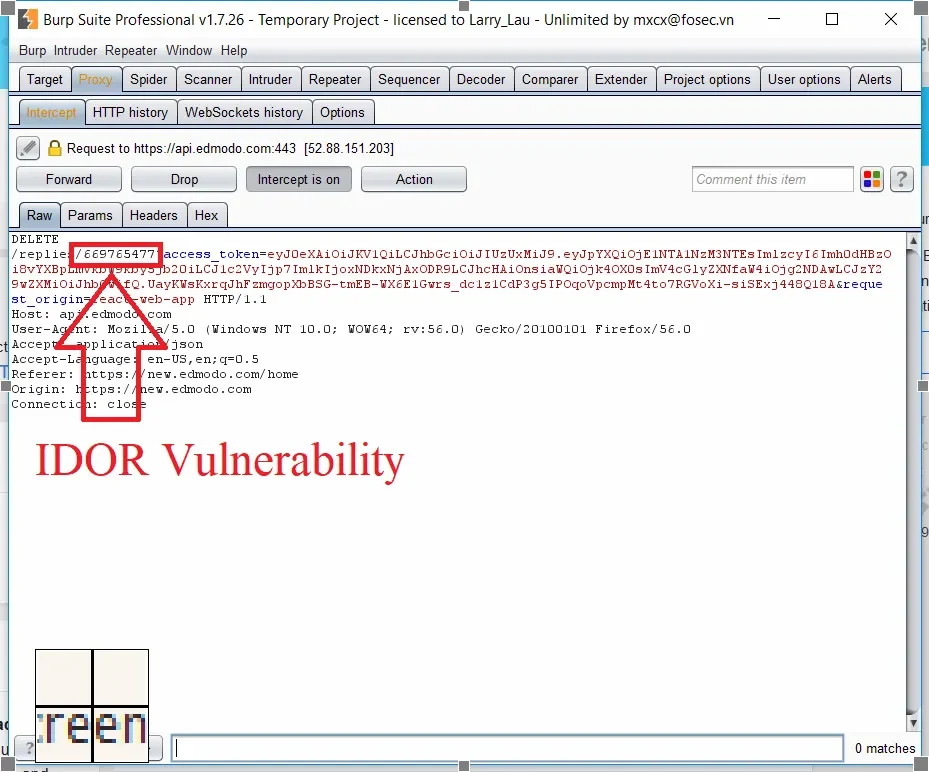
The report shows the Burp request interception as an image.
What made it weird only became clear while building the POC. The researcher first assumed that any user who had commented on a post could delete anyone else's comment in that thread. Testing that assumption failed: logged in with the contact's account and trying to delete the admin user's comment in the post thread reloaded the web application but deleted neither the admin's comment nor the user's comment.
The actual condition: the bug only worked on the account that had created the POST. Only the creator of the post could delete another user's comment in that post with this technique, even though there is no option in the interface for the post's admin to delete anyone's comment. The reasoning given is that any admin who created the POST has permission to delete the POST itself, and any comment in that thread is deleted with it; the developers did not put a check on validation while deleting an individual comment of another user, so the same concept carried over to single-comment deletion.
The comment_ID of another user was obtained simply by using Inspect element.
Exploitation
Step 1: Delete another user's comment as the post creator
- Log in as the teacher who created the post thread, with at least one contact having commented on it.
- Click DELETE on your own comment and intercept the request in Burp.
- Change the
comment_IDto thecomment_IDof the other contact's comment in the same thread, taken from Inspect element. - Forward the request. The other user's comment is deleted.
The report shows the intercepted request only as an image (
); the raw request text is not reproduced in the write-up.
Step 2: Confirm the limit of the bug
Logging in with the contact's account and attempting to delete the admin user's comment in the post thread failed: the web application reloaded, but neither the admin's comment nor the user's comment was deleted. This confirms the deletion only works from the account that created the POST.
Step 3: Add another user's attachment to your library
In the chatting functionality, a teacher can send files to contacts, students or parents. Sent attachments are listed on the right side of the chatting panel, and an "add this to library" function lets a teacher add attachments to their library.
- Upload a file in your own chatting session with your contact.
- Click the add-to-library function and intercept the request.
- Change the
file_IDto a random ID below the one generated by the web application. - Forward the request. The file is added to your library, letting you view files of other registered users who exchanged them during their chatting sessions.
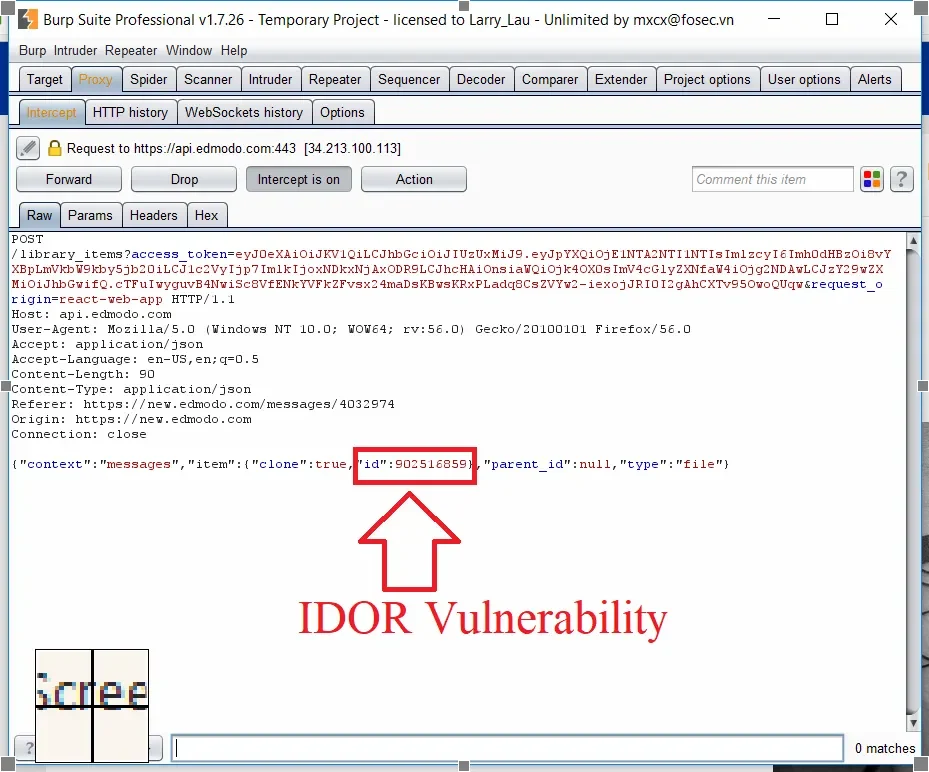
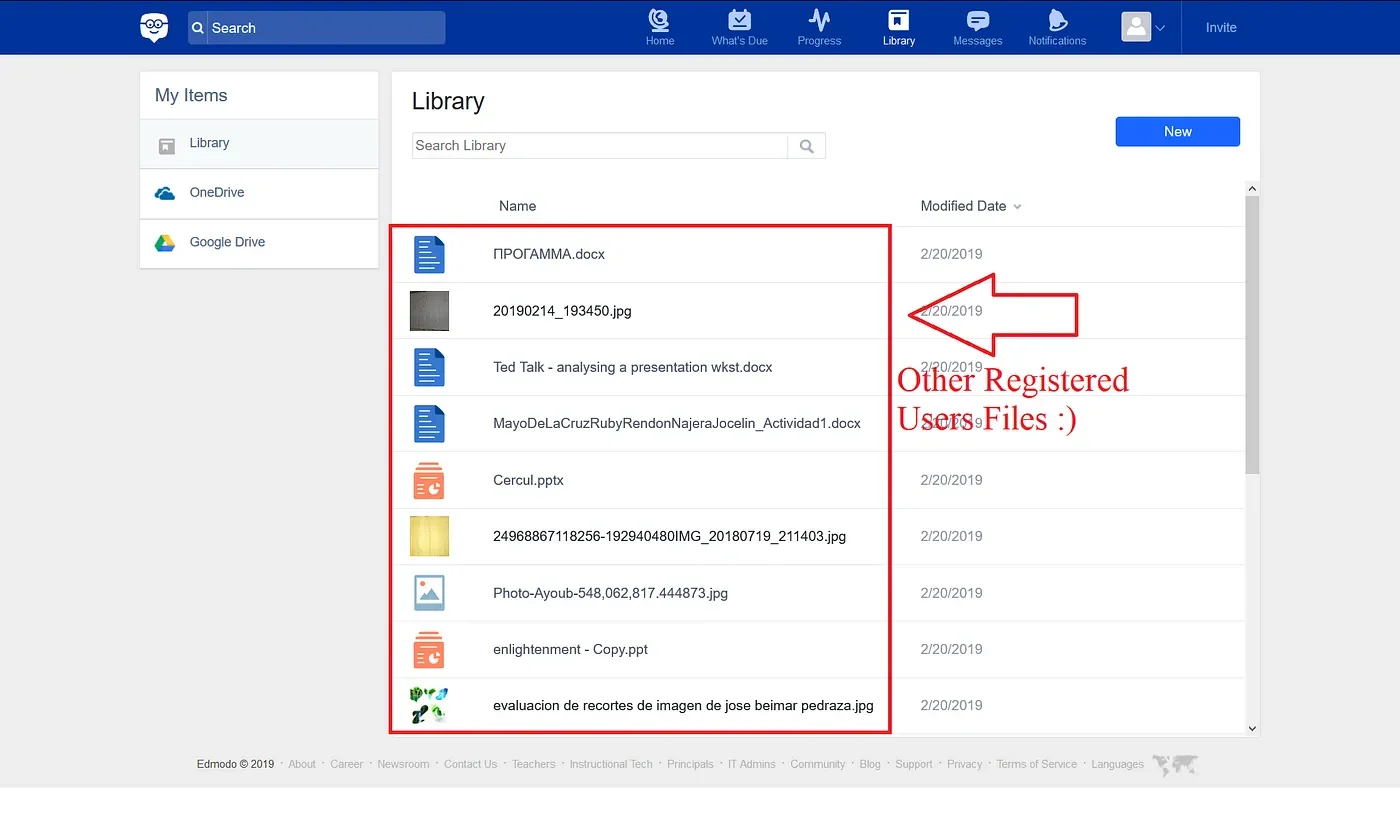
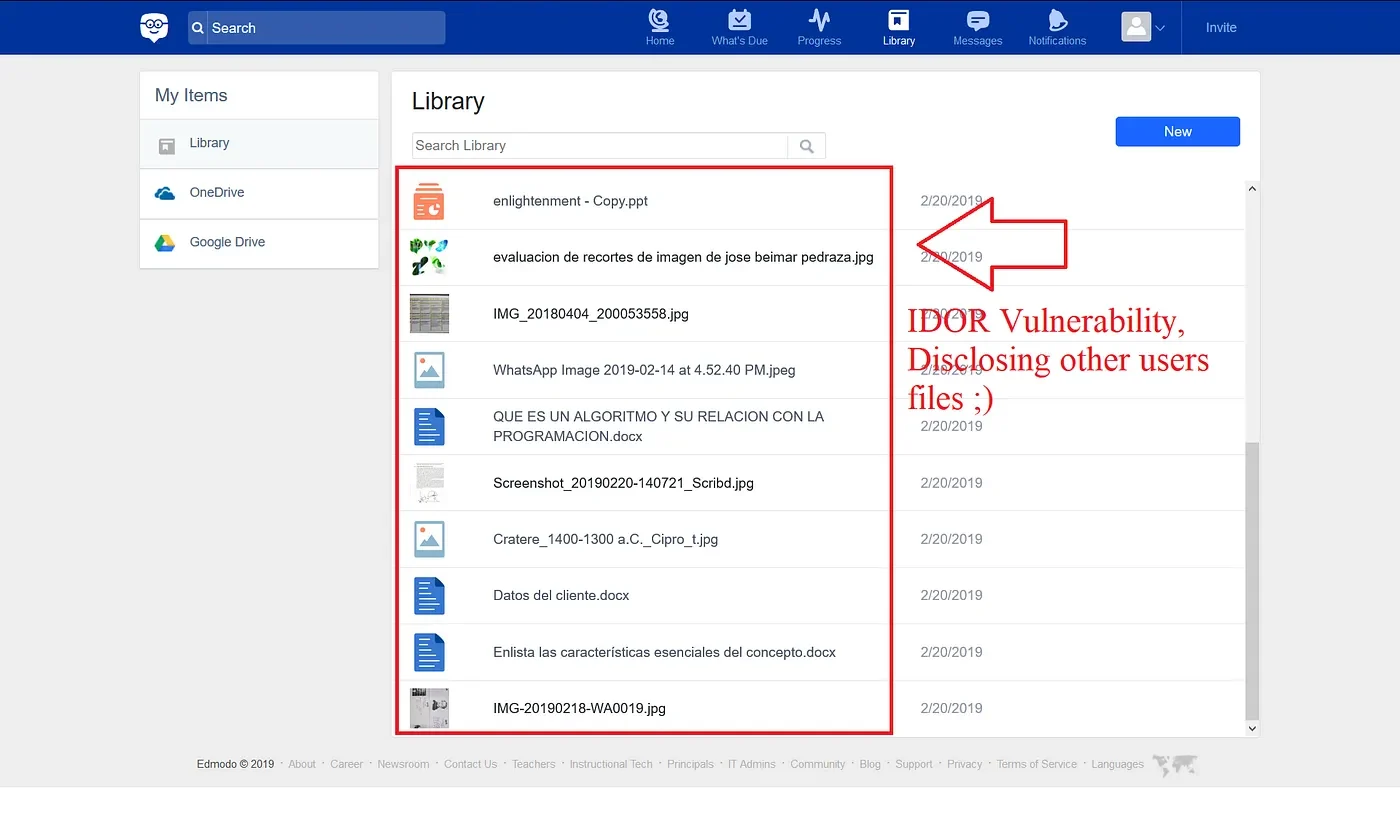
The two image POCs are captioned Private File Disclosure Vulnerability.
A video POC is referenced for further clarification; the report does not describe its contents.
Root cause
Both bugs are missing authorisation checks on object identifiers supplied by the client.
For comments, the delete handler trusted the comment_ID in the POST request without verifying that the comment belonged to the requesting user. The report's reasoning is that the post creator can delete the whole post, and the developers did not put a check on validation while deleting an individual comment of another user. For any other commenter, the request failed.
For attachments, the add-to-library handler trusted the file_ID without checking that the file belonged to the requesting user, so enumerating IDs exposed other users' files.
Impact
- Comment IDOR: an attacker who created a post thread could delete comments made by other users in that thread, even though the interface offers no such option. The report does not claim this works for users who did not create the post; testing showed it did not.
- File IDOR: an attacker could add other registered users' chat attachments to their own library and view them, disclosing private files of all registered users of Edmodo who had exchanged files during chatting sessions.
The report gives no CVSS score or bounty amount.
Fix
The report states that the bugs were fixed (timeline: bug fixed and goodies pack rewarded on Mar. 29, 2019) but does not describe the code change.
Variants to test
- Comment deletion: intercept the delete request and swap
comment_IDfor another user's comment in the same thread. Positive result: the other user's comment disappears. - Comment deletion from a non-creator account: repeat as a regular commenter. Positive result: deletion succeeds where the report's test failed, indicating a broader missing check.
- Attachment library: swap
file_IDfor lower and higher values. Positive result: files from other users appear in your library. - Other object identifiers in chat and post features (message ids, attachment ids in download links): change them and check whether another user's object is returned.
- Sequential ID enumeration on any endpoint that accepts an id: positive result is any object you do not own being read, modified or deleted.
Timeline
| Date | Event |
|---|---|
| Feb. 20, 2019 | Initial report |
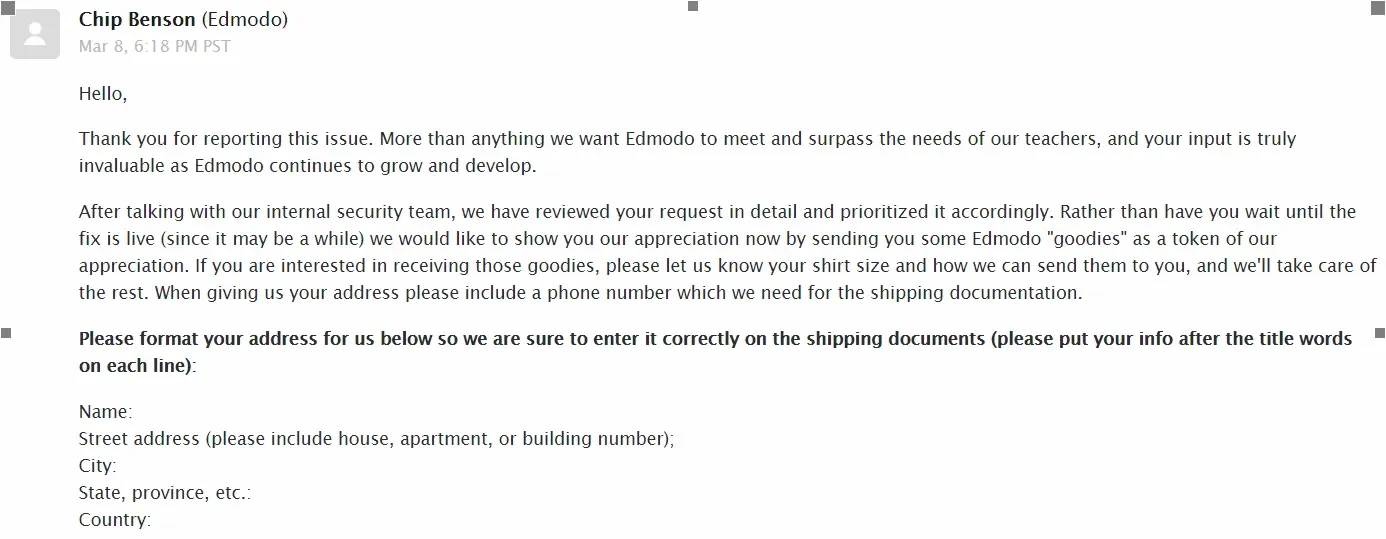
| Mar. 08, 2019 | Report triaged |
| Mar. 29, 2019 | Bug fixed and goodies pack rewarded |
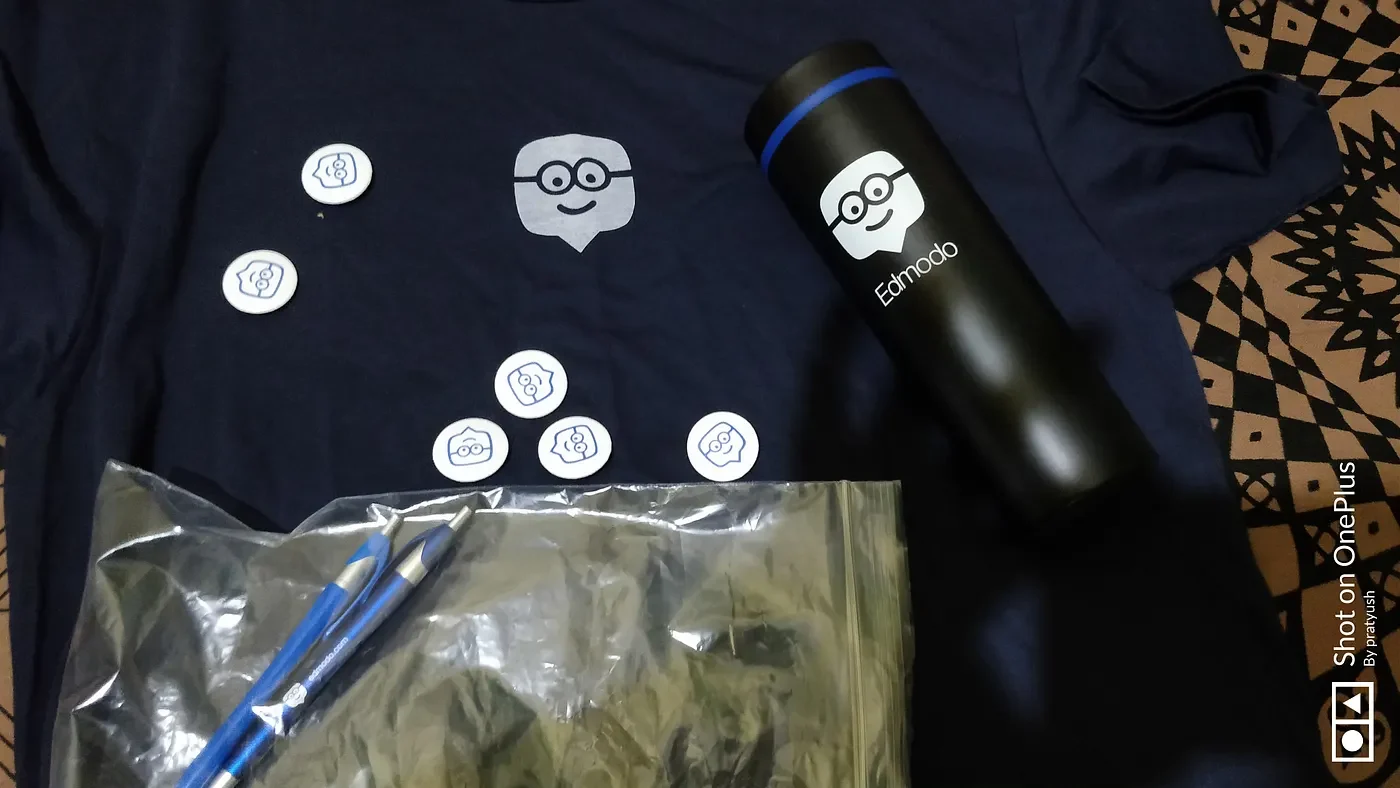
The final screenshot appears after the section on reporting both bugs.
What happened, in plain words
Edmodo is a website used by teachers, students and parents to talk to each other. Teachers can write posts on a wall, and the people they have added as contacts can comment on those posts. Teachers can also chat with contacts, students or parents, and send files to them in those chats.
Two bugs were found in that website. Both belong to a family called Insecure Direct Object Reference, or IDOR. The idea is simple: when you click something like "delete this comment" or "add this file to my library", your browser sends a small message to the website's server saying which comment or which file you mean, using a number (an ID). If the server trusts that number without checking that the comment or file really belongs to you, you can put somebody else's number in the message and the server will happily act on their stuff. It is like a cloakroom that hands out coats by ticket number and never checks whether the ticket is yours: change the number and you walk away with a stranger's coat.
The first bug let the person who created a post delete other people's comments under that post, even though the website offers no button for that. The second bug let a teacher add other users' chat attachments to their own library and open them, which exposed private files of registered users who had exchanged files while chatting.
Both were reported, both were fixed, and the researcher received a goodies pack. The report gives no CVSS score and no bounty amount.
The product and the features involved
Edmodo is an educational technology company offering communication and collaboration between teachers, students and parents. Two features matter here:
- The wall and its post threads. A teacher writes a post on their wall. Contacts can see the post and write comments under it. The post plus all its comments is called a thread.
- Chat with attachments. A teacher can chat with contacts, students or parents. Inside a chat there is a file attachment function to send files. Files that were sent are listed on the right side of the chatting panel, and a separate function lets a teacher add an attachment to their library.
A library here is just a personal collection of files inside the account, so that a teacher can keep and open files later.
Setting up two accounts to test with
The researcher created a Teacher account and added two contacts to it. Adding a contact sends a verification link to that contact's mail id. Clicking the link creates a separate account in the Edmodo web application. Both contacts were verified, so the teacher could post to the wall and the contacts could view and comment on that post thread.
Why this matters: to test whether one person can touch another person's data, you need at least two real identities. One plays the attacker, the other plays the victim. Here the teacher is one identity and each contact is another.
To watch and change the messages the browser sends, the researcher used Burp, short for Burp Suite. It is a program that sits between your browser and the website like a post office clerk who opens every letter, lets you rewrite it, and then sends it on. This act of catching a message before it leaves is called intercepting a request.
A request is the message your browser sends to a server when you click something: "please delete comment number 123", "please show me file number 456". The server's answer is called the response. The report does not give versions, endpoints, parameter names beyond comment_ID and file_ID, or header details.
The permission rules as described
A user who posts a comment to a thread is only allowed to delete comments posted by himself. Even the admin (creator) of the post thread, if he comments in the thread, is restricted to deleting his own comment and cannot delete anyone else's comments in his own post.
That is the intended behaviour. Keep it in mind, because the first bug breaks exactly this rule.
First bug: deleting someone else's comment
The researcher looked at the request the browser sends when a comment is deleted. There was a miss validation on that request. In plain words: the server read the comment_ID from the request and deleted whatever comment carried that number, without checking who wrote it.
So the trick was: take the comment_ID of another user's comment, click DELETE on your own comment, intercept the request, and swap the comment_ID for the other user's. The application deleted their comment.
The report shows the Burp request interception as an image. The report shows the intercepted request only as this image; the raw request text is not reproduced in the write-up.
Why the bug turned out to be stranger than expected
While building the proof of concept (a POC, meaning a repeatable demonstration that the bug is real), the researcher first assumed something broader: that any user who had commented on a post could delete anyone else's comment in that thread. That assumption failed. Logged in with the contact's account and trying to delete the admin user's comment in the post thread, the web application reloaded, but neither the admin's comment nor the user's comment was deleted.
The actual condition: the bug only worked on the account that had created the POST. Only the creator of the post could delete another user's comment in that post with this technique, even though there is no option in the interface for the post's admin to delete anyone's comment.
The reasoning given in the report: any admin who created the POST has permission to delete the POST itself, and any comment in that thread is deleted with it. The developers did not put a check on validation while deleting an individual comment of another user, so the same concept carried over to single-comment deletion. In everyday terms: the cloakroom clerk knows the manager is allowed to take the whole coat rack away, and forgot to ask whether the manager is allowed to take one single coat off it.
How was the other user's comment_ID obtained? Simply by using Inspect element, the browser tool that shows the page's underlying HTML. Comment ids appear in the page markup, so they can be read without any special software.
Exploitation, step by step
Step 1: Delete another user's comment as the post creator
- Log in as the teacher who created the post thread, with at least one contact having commented on it. You need to be the creator, because that is the only account the bug works from.
- Click DELETE on your own comment and intercept the request in Burp. You use your own comment because the website only offers a delete button on your own comments; the request it produces is the template you will edit.
- Change the
comment_IDto thecomment_IDof the other contact's comment in the same thread, taken from Inspect element. This is the actual attack: the server will act on a number you supplied, not on a comment you own. - Forward the request. Forwarding means letting Burp send the edited message on to the server. The other user's comment is deleted.
The report shows the intercepted request only as an image (
); the raw request text is not reproduced in the write-up.
Step 2: Confirm the limit of the bug
Logging in with the contact's account and attempting to delete the admin user's comment in the post thread failed: the web application reloaded, but neither the admin's comment nor the user's comment was deleted. This confirms the deletion only works from the account that created the POST.
Why bother with a failing test? Because knowing the exact boundary of a bug is part of reporting it honestly. A report that claims "any user can delete any comment" would be wrong, and the person fixing it would waste time chasing a case that does not exist.
Step 3: Add another user's attachment to your library
In the chatting functionality, a teacher can send files to contacts, students or parents. Sent attachments are listed on the right side of the chatting panel, and an add this to library function lets a teacher add attachments to their library.
The researcher uploaded a file in their own chatting session with their contact, then clicked the add-to-library function and intercepted the request. The file_ID in that request was changed to a random ID below the one generated by the web application.
- Upload a file in your own chatting session with your contact. This gives you a valid request to edit, containing a
file_IDthat is yours. - Click the add-to-library function and intercept the request.
- Change the
file_IDto a random ID below the one generated by the web application. - Forward the request. The file is added to your library, letting you view files of other registered users who exchanged them during their chatting sessions.
The two image POCs are captioned Private File Disclosure Vulnerability.
A video POC is referenced for further clarification; the report does not describe its contents.
Why both bugs exist
Both bugs are missing authorisation checks on object identifiers supplied by the client. Authorisation means the server deciding whether this particular logged-in user is allowed to do this particular thing to this particular object. The client is your browser, and anything it sends can be edited, so the server must never take the client's word for who owns what.
For comments, the delete handler trusted the comment_ID in the POST request without verifying that the comment belonged to the requesting user. The report's reasoning is that the post creator can delete the whole post, and the developers did not put a check on validation while deleting an individual comment of another user. For any other commenter, the request failed.
For attachments, the add-to-library handler trusted the file_ID without checking that the file belonged to the requesting user, so enumerating IDs exposed other users' files. Enumerating means trying numbers one after another, 1, 2, 3 and so on, to see what comes back.
What an attacker could do
- Comment IDOR: an attacker who created a post thread could delete comments made by other users in that thread, even though the interface offers no such option. The report does not claim this works for users who did not create the post; testing showed it did not.
- File IDOR: an attacker could add other registered users' chat attachments to their own library and view them, disclosing private files of all registered users of Edmodo who had exchanged files during chatting sessions.
The report gives no CVSS score or bounty amount.
The fix
The report states that the bugs were fixed (timeline: bug fixed and goodies pack rewarded on Mar. 29, 2019) but does not describe the code change. Server-side means the check happens on the server, where the user cannot edit it, not in the browser.
Variants worth testing
Variants worth testing:
- Comment deletion: intercept the delete request and swap
comment_IDfor another user's comment in the same thread. Positive result: the other user's comment disappears. - Comment deletion from a non-creator account: repeat as a regular commenter. Positive result: deletion succeeds where the report's test failed, indicating a broader missing check.
- Attachment library: swap
file_IDfor lower and higher values. Positive result: files from other users appear in your library. - Other object identifiers in chat and post features (message ids, attachment ids in download links): change them and check whether another user's object is returned.
- Sequential ID enumeration on any endpoint that accepts an id: positive result is any object you do not own being read, modified or deleted.
Timeline
| Date | Event |
|---|---|
| Feb. 20, 2019 | Initial report |
| Mar. 08, 2019 | Report triaged |
| Mar. 29, 2019 | Bug fixed and goodies pack rewarded |
Triaged means the receiving team looked at the report, confirmed it was valid and put it in their queue to fix.
The final screenshot appears after the section on reporting both bugs.
Glossary
- API: the set of messages a website's server accepts from a browser or app, for example please delete comment 123. You never see it directly; your browser sends it for you.
- Attachment: a file, such as a document or image, sent along with a chat message.
- Authorisation: the server's decision about whether this logged-in user may do this action on this object.
- Burp (Burp Suite): a tool that sits between your browser and a website so you can read, pause and edit the messages going back and forth.
- Client: the program on your side, usually your browser. Anything it sends can be changed by you.
- comment_ID: the number that identifies one specific comment on the server.
- CVSS: a standard scoring system for how severe a security bug is. The report gives no score.
- Endpoint: the specific address on a server that handles one kind of request, such as deleting a comment.
- Enumerating: trying identifiers one after another (1, 2, 3 and so on) to discover objects you were not meant to reach.
- file_ID: the number that identifies one specific uploaded file on the server.
- Forward (in Burp): sending the edited request on to the server.
- IDOR (Insecure Direct Object Reference): a bug where the server accepts an object identifier from the user and acts on it without checking that the object belongs to that user.
- Inspect element: a browser tool that shows the page's underlying HTML, where identifiers such as comment ids can be read.
- Intercepting: catching a request in a tool before it reaches the server, so it can be inspected or changed.
- Library: a personal collection of files inside an Edmodo account, where attachments can be kept and opened.
- POC (proof of concept): a repeatable demonstration that a bug is real, usually a set of steps plus screenshots or a video.
- Request: the message your browser sends to a server when you click something.
- Response: the server's answer to a request.
- Server: the computer that stores the data and decides what to send back.
- Server-side check: a check performed on the server, where the user cannot edit it, as opposed to a check in the browser.
- Thread: a post plus all the comments written under it.
- Triaged: the state of a report after the receiving team has reviewed it, confirmed it is valid and queued it for fixing.
- Verification link: a link sent by email that, when clicked, confirms the address and creates or activates the account.