My First Paid Bug Bounty: A Broken Access Control Vulnerability
A role with the invitation permission disabled could still modify, delete and resend existing pending invitations created by a higher-privileged owner, including changing the role the invitation would grant. An attacker in that restricted role could therefore escalate the privileges of an invited user beyond what the owner intended.
 Published on medium.com
Bug Bounty
The full write-up lives on its author's site
It belongs to its author, so we link to it rather than copy it. The other two tabs are our own rewrites, checked against it.
Context
The target is a web application with a role-based permission system for organisations. Owners define what each role is allowed to do, and one of the configurable permissions is described in the interface as:
Invite members or create member accounts
The feature under test is therefore member invitation: an owner or permitted role creates a pending invitation for a user and assigns it a role. The researcher keeps the company and application details redacted because the vulnerability was still being fixed at the time of writing.
Setup
The researcher created two accounts inside the same organisation:
| Account | Role | Invitation permission |
|---|---|---|
| Account 1 | Organization Owner | Full permissions |
| Account 2 | Organization Manager | Invite members or create member accounts disabled |
The goal was to check whether disabling that permission blocked all invitation-related actions, or only the creation of new invitations. No tools or versions are mentioned in the report.
Finding it
The first test behaved as designed. With the permission disabled, the Organization Manager tried to create an invitation and the server answered:
403 Forbidden
So far the boundary held. The researcher then shifted attention from creating invitations to invitations that already existed. From the Owner account, a pending invitation was created for another user. Switching back to the Organization Manager, the restricted account could still act on that pending invitation. It could:
- Change the role assigned to the invitation.
- Delete the invitation.
- Resend the invitation.
This looked wrong because the permission was disabled, yet the restricted account retained control over an object created by a higher-privileged user. Of the three actions, changing the invited user's role was the most interesting.
Exploitation
Step 1: confirm the creation block
With the Manager role's invitation permission disabled, attempting to create an invitation returned 403 Forbidden. This established that the create path was authorised correctly.
Step 2: create a pending invitation as the Owner
From the Owner account, the researcher created a pending invitation for a normal user, configured to grant a low-privileged role. The report depicts the initial state as:
Owner │ └── Creates invitation → Normal User
Step 3: modify the invitation as the Manager
Using the Organization Manager account, the researcher modified the existing pending invitation and changed the role assigned to it. The invitation could effectively be changed from:
Normal User
to:
Organization Manager
The key point is that the Manager did not create the invitation. The Owner had already created it, and the restricted account merely modified an object owned by a higher-privileged user. The report does not include the raw HTTP request or response for this modification.
Root cause
The application enforced the invitation permission on the create action but not on the actions that operate on an existing invitation. Changing the role, deleting and resending a pending invitation were all reachable by a role whose invitation permission was disabled. The application enforced the invitation permission on creation but not on actions against an existing invitation. The report does not show the server-side code, so the exact check that was missing is not stated.
Impact
An organisation can configure a manager with Invite members or create member accounts disabled, expecting that this administrator cannot invite new members. The application enforces that on creation, but the same manager can take an invitation created by the Owner and modify it. The resulting flow is:
Owner │ │ Creates invitation ▼Pending Invitation │ │ Modified by restricted manager ▼Higher-privileged invitation
So while the manager could not create an invitation themselves, they could influence the privileges granted through an existing invitation, for example raising a normal user's invitation to Organization Manager. The same restricted account could also delete or resend pending invitations. The report does not describe any further escalation beyond the role change shown.
Fix
Based on the behaviour described, the invitation modification, deletion and resend actions should enforce the same Invite members or create member accounts permission as creation, and should additionally check that the acting user is allowed to grant the role being assigned.
Variants to test
- Other object actions behind the same permission. For each permission that gates creation, test update, delete, resend, cancel and duplicate on objects created by a higher-privileged user. A positive result is a successful action from the restricted role where creation returns
403. - Role assignment on modification. Where an invitation or membership can be edited, try raising the assigned role above the actor's own. A positive result is the server accepting a role the actor could not have granted at creation time.
- Ownership checks on nested resources. Test invitations, API keys, webhooks and similar objects created by an owner but visible to a restricted role. A positive result is any state change on an object the actor did not create.
- Permission toggles applied inconsistently. Disable a permission and enumerate every endpoint that touches the related resource, comparing responses. A positive result is any endpoint that still returns success instead of
403.
Conclusion
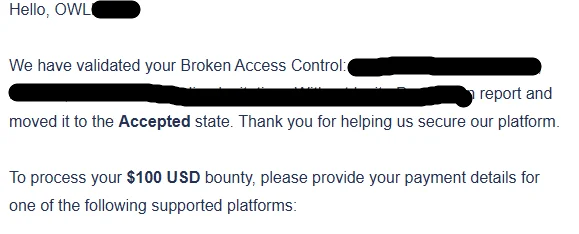
The researcher reported the issue and received a 100 usd bounty.
What happened, in plain words
A security researcher spent a long time hunting for bugs in bug bounty programmes. A bug bounty programme is an offer from a company: find a security problem in our product, report it privately, and we may pay you a reward called a bounty. The researcher kept getting duplicates, meaning someone else had already reported the same bug first, and started to wonder whether bug bounty work was for them at all. Then they found a real problem that survived triage (the company's first check that a report is genuine) and was paid for.
The company and the application are kept secret in the write-up because the problem was still being fixed when the article was published. What we do know is the type of problem: a broken access control issue. Access control is the part of an application that decides who is allowed to do what. Broken access control means those decisions are made wrongly somewhere: someone can do something they should not be allowed to do.
The specific feature involved is organisation roles and member invitations. Many web apps let a group of people work together inside a shared space, often called an organisation or a workspace. Each person has a role, and the role carries permissions, which are simple yes/no switches for actions such as "can delete files" or "can invite people". One of those switches in this app was labelled:
Invite members or create member accounts
An invitation is a pending offer to join the organisation. The owner creates it, picks the role the new person will get, and the invited person accepts it later. The researcher's question was simple: if you switch that permission off for a role, does the app block every invitation-related action, or only the act of creating a brand new invitation?
It turned out to be only the creation. A manager whose invitation permission was switched off could still reach invitations that already existed, change the role written on them, delete them, and resend them. That meant a restricted manager could take an invitation the owner had made for a low-privileged new member and quietly upgrade it to a manager-level role. The researcher reported it and received a 100 usd bounty.
The setup
To test anything about permissions you need at least two accounts with different levels of power, because the whole question is whether the weaker one can do something the stronger one intended to forbid. The researcher created two accounts inside the same organisation:
| Account | Role | Invitation permission |
|---|---|---|
| Account 1 | Organization Owner | Full permissions |
| Account 2 | Organization Manager | Invite members or create member accounts disabled |
The Owner controls what different roles are allowed to do. The Manager is a role the Owner configures, and here the Owner deliberately switched off the invitation permission for it. The plan was to check whether that switch blocked all invitation-related actions or only the creation of new invitations. No tools or software versions are mentioned in the report.
Finding it
The first test behaved exactly as designed. With the permission disabled, the Organization Manager tried to create an invitation, and the server answered:
403 Forbidden
What this means, piece by piece:
403is an HTTP status code. HTTP is the language a browser and a web server use to talk to each other, and every reply carries a three-digit number describing what happened.200means success,404means not found, and403means "I understood your request, I know who you are, and you are not allowed to do this".Forbiddenis the short human-readable name for that code.- The reply came from the server, not from the browser, which matters: it shows the application itself checked the permission and refused. A block that only happens in the browser's interface, for example a greyed-out button, proves nothing, because the request can still be sent by other means.
So far the boundary held. The researcher then changed the question. Instead of asking "can the manager create an invitation?", they asked "what happens to invitations that already exist?". This is a common and productive shift in access control testing: creation and later editing are often handled by different parts of the application, and a permission check added to one is easily forgotten on the other.
From the Owner account, the researcher created a pending invitation for another user. A pending invitation is one that has been sent but not yet accepted, so it is a stored object sitting in the application, with a role written on it. Then they switched back to the Organization Manager account. Even though the manager could not create a new invitation, it could still interact with that existing pending invitation. It could:
- Change the role assigned to the invitation.
- Delete the invitation.
- Resend the invitation.
That immediately stood out. The permission was disabled, yet the restricted account still had control over an object created by a higher-privileged user. Of the three actions, changing the invited user's role was the most interesting, because a role is not just a label: it decides what the new member will be able to do once they accept.
The privilege escalation
The researcher tested what would happen if the Owner invited a normal user. The initial state looked something like this:
Owner │ └── Creates invitation → Normal User
Reading the diagram: the Owner sits at the top, and from that account an invitation is created that points at a Normal User, meaning the recipient will join with a low-privileged role. The invitation was configured to give the recipient that low-privileged role, which is the safe, intended choice for a new member.
Then, using the Organization Manager account, the researcher modified the existing pending invitation and changed the role assigned to it. The invitation could effectively be changed from:
Normal User
to:
Organization Manager
Both blocks are just the role name written on the invitation before and after the change. Nothing else about the invitation changed; the same pending invitation simply now promised a much more powerful role.
The important distinction here is that the researcher was not creating the invitation. The Owner had already created it. The restricted account was simply modifying an object created by someone with higher privileges. The report does not include the raw HTTP request or response for this modification, so we cannot see the exact URL or parameters used.
Why this matters
Imagine an organisation where the Owner intentionally configures a manager like this:
Organization Manager
Invite members or create member accounts: ❌
The first block is the role being configured. The second block shows the permission switch for that role, with a cross meaning it is turned off. The Owner's intent is easy to read: this administrator should not be able to bring new members into the organisation.
The application correctly enforced that restriction when the manager attempted to create an invitation. However, the same manager could still take an existing invitation created by the Owner and modify it. That creates an inconsistent authorization boundary. Authorization is the decision about what an already-identified user may do, and a boundary is the line between permitted and forbidden actions. Here the line was drawn around one door (creating invitations) but not around the other doors that lead to the same room (editing, deleting and resending them).
The resulting flow was essentially:
Owner │ │ Creates invitation ▼Pending Invitation │ │ Modified by restricted manager ▼Higher-privileged invitation
Reading it from the top: the Owner creates an invitation, which becomes a Pending Invitation stored in the application. That pending invitation is then modified by the restricted manager, and the result is a Higher-privileged invitation, one that grants more power than the Owner originally intended.
So while the manager could not create an invitation themselves, they could influence the privileges granted through an existing invitation. In practice that means a manager who was explicitly forbidden from inviting people could still shape what a new member is allowed to do, as long as an invitation was already waiting. The same restricted account could also delete or resend pending invitations. The report does not describe any further escalation beyond the role change shown.
The fix
The report does not describe the fix that was applied, only that the vulnerability was still being fixed when it was published. Based on the behaviour described, the invitation modification, deletion and resend actions should enforce the same Invite members or create member accounts permission as creation, and should additionally check that the acting user is allowed to grant the role being assigned. The second part matters because even a user who is allowed to edit an invitation should not be able to hand out a role more powerful than their own.
Variants to test
These are the same kind of check applied to neighbouring features, useful if you want to look for a similar bug yourself:
- Other object actions behind the same permission. For each permission that gates creation, test update, delete, resend, cancel and duplicate on objects created by a higher-privileged user. A positive result is a successful action from the restricted role where creation returns
403. - Role assignment on modification. Where an invitation or membership can be edited, try raising the assigned role above the actor's own. A positive result is the server accepting a role the actor could not have granted at creation time.
- Ownership checks on nested resources. Test invitations, API keys, webhooks and similar objects created by an owner but visible to a restricted role. A positive result is any state change on an object the actor did not create. An API key is a long secret string that lets a program act on your behalf, and a webhook is a URL an app calls automatically when something happens.
- Permission toggles applied inconsistently. Disable a permission and enumerate every endpoint that touches the related resource, comparing responses. A positive result is any endpoint that still returns success instead of
403. An endpoint is one specific address in an application's API, the interface programs and pages use to read and change data.
Conclusion
The researcher reported the issue and received a 100 usd bounty.
Glossary
- Access control: the part of an application that decides who is allowed to do what.
- API: the interface an application exposes so that pages and programs can read and change its data; each address in it is an endpoint.
- API key: a long secret string that identifies a program to a service, like a password for software.
- Authorization: the decision about what an already-identified user is permitted to do.
- Bounty: a reward, here money, paid by a company for a valid security report.
- Broken access control: a flaw where the application lets someone do something its own rules say they should not be able to do.
- Bug bounty programme: a company's offer to pay researchers who privately report security problems in its product.
- Duplicate: a report of a bug that someone else already reported first.
- Endpoint: one specific address in an application's API that performs a particular action.
- HTTP: the language browsers and web servers use to exchange requests and replies.
- HTTP status code: the three-digit number in every server reply, such as
200for success or403for forbidden. - Invitation: a pending offer for a person to join an organisation, carrying the role they will receive.
- Organisation: a shared space in an app where a group of people work together under roles.
- Owner: the top-level account in an organisation, able to configure roles and permissions.
- Pending invitation: an invitation that has been created and sent but not yet accepted.
- Permission: a yes/no switch attached to a role that allows or blocks one kind of action.
- Privilege escalation: gaining more power in an application than you were meant to have.
- Role: a named set of permissions, such as Owner or Manager, assigned to a person.
- Triage: the company's first review of a report to decide whether the bug is real and worth pursuing.
403 Forbidden: the server's reply meaning it understood the request, knows who you are, and refuses to allow it.- Webhook: a URL an application calls automatically when an event happens, so another system can react.

