Pre-Auth Account Takeover via Broken Password Reset in a Legacy Mobile API
The legacy SOAP mobile API's password reset flow leaked the reset token in the response and, more critically, the ResetForgottenPassword operation accepted only an email address and new password without validating any token. An unauthenticated attacker could therefore take over any account by knowing the victim's email address.
 Published on medium.com
Bug Bounty
The full write-up lives on its author's site
It belongs to its author, so we link to it rather than copy it. The other two tabs are our own rewrites, checked against it.
Context
During recon on a private bug bounty program, the target turned out to have a legacy mobile API still exposed to the internet. Behind the modern web and mobile applications sat an older SOAP service, reachable without any authentication, with 206 operations in its WSDL covering account creation and login, payment tokens and order history. In practice it was a full account management API open to anyone who knew the endpoint.
Two operations are central to this finding:
- ForgotPassword triggers a reset and, critically, returns the reset URL directly in the SOAP response.
- ResetForgottenPassword accepts an email address and a new password, and changes the password.
A password reset flow should deliver a single-use, high-entropy, time-limited token to the account owner's verified email address, and refuse to change the password unless that token is presented back. Here neither property held.
Setup
The researcher created a synthetic test account and ran the full chain against it. All requests go to the SOAP endpoint. The write-up does not name the endpoint, the host, or the tooling used to send the requests; it shows the SOAP action and the fields carried with each call.
Finding it
After mapping the WSDL and testing a few operations, the reset flow stood out. This was not a missing rate limit and not a weak token: the server would reset any account's password given only an email address, with no token, no old password and no access to the victim's inbox.
The WSDL operation list was the first signal: ResetForgottenPassword being present at all stood out.
Exploitation
Two separate issues combine here. First, ForgotPassword returns the full reset URL, secret token included, in the SOAP response body, so any unauthenticated caller can read the token without touching the victim's inbox. Second, and more serious, ResetForgottenPassword ignores the token entirely: it accepts just an email address and a new password and immediately changes the account's password. The token is both leaked and unenforced, and issue 2 alone is a complete account takeover.
Step 1: Create a test account (attacker-controlled)
SOAPAction: CreateGenericAccountEmailAddress: [redacted]: OldPass!111
Response: ACCOUNT_CREATED_SUCCESSFULLY / 200
The account is created with an email address and a password chosen by the attacker, and the service confirms creation with a 200.
Step 2: Confirm baseline login works
SOAPAction: LoginV3EmailAddress: [redacted]: OldPass!111
Response: OK / 200 — AID returned, PII confirmed
Logging in with the original password returns a 200, an AID and personally identifiable information, establishing that the account is live and the credentials are valid before the reset is attempted.
Step 3: Call ResetForgottenPassword with no token and no old password
SOAPAction: ResetForgottenPasswordEmailAddress: [redacted]: NewPass!222
Response: OK / 200
No token, no validation, no old password: the password changes and the service answers 200.
Step 4: Old password is dead
LoginV3 with OldPass!111 → EMAIL_PASSWORD_INCORRECT / 400
The original credential no longer works, confirming the change took effect.
Step 5: New password logs in and returns PII
LoginV3 with NewPass!222 → OK / 200Returns: AID, EmailAddress, FirstName, LastName, PhoneNumber
The attacker-chosen password authenticates and the response returns the account identifier and personal data. The account is taken over with no inbox access and no user interaction.
Root cause
ResetForgottenPassword performs no validation of the reset token: an email address and a new password are enough to set a new password. Separately, ForgotPassword discloses the reset URL, token included, in the response body instead of delivering it only to the verified email address. Because the token is never checked, the leak is not even required for the takeover; it is a second, independent weakness in the same flow. The report does not describe the server-side code, so why the operation was built this way is not stated.
Impact
Any account in the legacy mobile system could be taken over by anyone who knows, or can guess, an email address. The mobile app had over 10 million downloads on Google Play, so millions of real user accounts were potentially at risk. After login, the WSDL contract shows access to:
- Full PII (name, email, phone)
- Payment tokens and billing addresses
- Order history and order details
- The ability to change email and password
- Account deletion
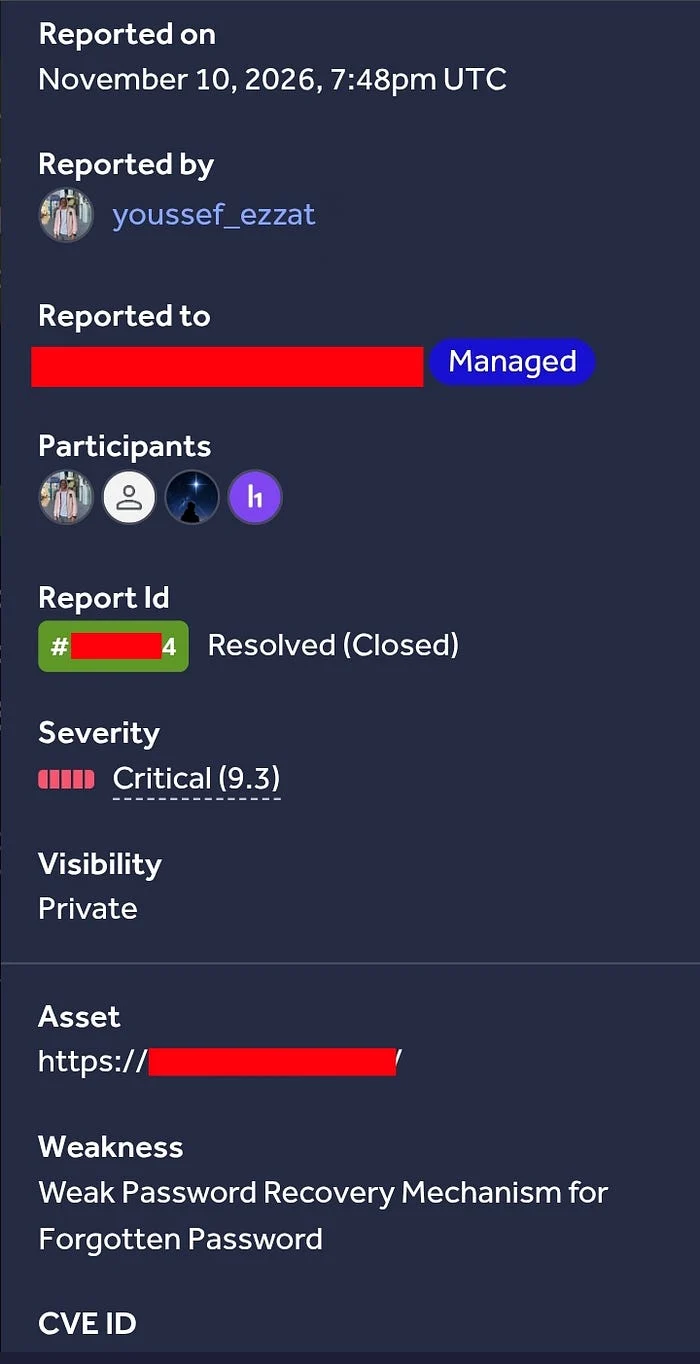
The web account system (FusionAuth) was separate and unaffected; the issue was scoped to the legacy mobile credential store only. The finding was rated Critical (9.3) and was patched within hours of disclosure.
Fix
The program patched the issue quickly. The remediation the write-up sets out:
- Enforce a valid reset token in
ResetForgottenPassword: single-use, high-entropy and time-limited (for example 15 minutes), rejecting any request without a valid token. - Never return the reset URL in the API response: deliver it only to the user's verified email address, since returning it in the SOAP body defeats the purpose of the flow.
- Invalidate all active sessions after a password change.
- Add rate limiting and alerting on reset and password-change operations.
- Audit historical logs: if the endpoint was exposed, assume reset tokens in those logs may have been read, and invalidate any still valid.
In the interim, the program deployed a WAF block at Cloudflare while the backend fix was finalised.
Variants to test
- Password-change operations that take an identifier and a new secret. Send the operation with only an email address or user ID and a new password, no token and no old password. A 200 followed by a successful login with the new password is a positive result.
- Reset-trigger operations that echo the token. Call the forgot-password operation and inspect the full response body for a reset URL or token. A token appearing in the response, rather than only in the email, is a positive result.
- Token validation bypasses. Where a token is required, try omitting it, sending an empty value, reusing an expired or already-used token, or substituting a token issued for another account. Any of these producing a successful password change is a positive result.
- Legacy SOAP surfaces behind modern apps. Map the WSDL and enumerate every operation that touches credentials, PII or payment data, then test each unauthenticated. Operations callable without authentication that return or modify account data are a positive result.
- Session handling after reset. After a password change, check whether sessions established before the change still work. A still-valid old session is a positive result.
What happened, in plain words
A security researcher was looking around a private bug bounty program. A bug bounty program is a scheme where a company invites outside people to try to break into its systems and pays or credits them for reporting what they find, instead of punishing them. During that look around, which people in security call recon (short for reconnaissance, meaning gathering information before attacking), the researcher noticed something old and forgotten: a mobile API that was still reachable from the open internet.
An API (Application Programming Interface) is the part of a service that other software talks to. Think of a restaurant: the dining room is the website or app you see, and the kitchen is the database and the servers behind it. The API is the waiter who carries your order to the kitchen and brings the food back. You never walk into the kitchen yourself; you talk to the waiter. When an API is "exposed to the internet", it means anyone can walk up to that waiter and place an order, not just the official app.
This particular waiter was a SOAP service. SOAP is an older style of API where messages are formatted as structured XML documents (XML is a text format that uses tags like <name> to label pieces of data). Modern apps usually use newer styles called REST or GraphQL, so a SOAP service is often a leftover from years ago. The researcher mapped its WSDL, which is a machine-readable menu that a SOAP service publishes describing every operation it offers and what data each one expects. That menu listed 206 operations, covering account creation, login, payment tokens and order history. No authentication was needed to read the menu or call the operations, so in practice it was a full account management API open to anyone who knew the address.
Two operations on that menu matter for this story:
- ForgotPassword starts a password reset and, critically, returns the reset URL directly in the SOAP response.
- ResetForgottenPassword accepts an email address and a new password, and changes the password.
A password reset flow is the "forgot my password" feature you have used on almost every website. Done properly, it sends a secret code, called a token, to the email address on the account, and only the person who can open that inbox ever sees it. The token is single-use (it stops working once used), high-entropy (long and random, so it cannot be guessed) and time-limited (it expires after a while). Second, when you submit your new password, the server refuses to change anything unless you present that same token back. A token works like a cloakroom ticket: the attendant gives you a small ticket when you hand in your coat, and gives the coat back only to whoever holds the matching ticket. Here, neither property held: the ticket was handed out to anyone who asked, and the attendant gave back the coat to anyone who named it, ticket or no ticket.
The image above is the header of the write-up, showing the title "Pre-Auth Account Takeover via Broken Password Reset in a Legacy Mobile API" and the author, Youssef Ezzat.
Background: what is this API?
Large consumer apps are built in layers over many years. The modern website or mobile app you see talks to a clean, current layer. Behind that layer, an older service often keeps running: untouched, forgotten, still exposed. This target had exactly that: a legacy SOAP service with 206 operations in its WSDL, from account creation and login to payment tokens and order history. No authentication was required to discover or call these operations. It was essentially a full account management API open to anyone who knew the endpoint.
An endpoint is simply the address a request is sent to, like a specific counter in a large office. The write-up does not name the endpoint or the host.
The two operations that matter for this finding are the ones above: ForgotPassword, which triggers a reset and returns the reset URL directly in the SOAP response, and ResetForgottenPassword, which accepts an email address and a new password and changes the password. On paper that sounds fine. The details are where it goes wrong.
The bug: broken password reset
Two separate issues together make this Critical. Critical is the top severity rating in most bug bounty schemes; the finding here was rated Critical (9.3).
Issue 1: the reset token is leaked in the API response. When you call ForgotPassword, the server is supposed to send a reset link to the user's email. Instead, it also returns the full reset URL, including the secret token, directly in the SOAP response body. Any unauthenticated caller can see the token without touching the victim's inbox. The response body is the part of the reply that carries the actual data, as opposed to status information.
Issue 2: ResetForgottenPassword ignores the token entirely. This is the bigger one. When you call ResetForgottenPassword, you would expect it to validate the token from step 1. It does not. It accepts just an email address and a new password and immediately changes the account's password. No token, no old password, no session, nothing. A session is the state of being logged in: after you sign in, the server remembers you, usually by giving your browser a cookie, which is a small piece of data the browser stores and sends back with each request. Here no session was needed at all.
The token is both leaked and unenforced. You do not even need issue 1 to exploit this. Issue 2 alone is a complete account takeover, meaning an attacker ends up in control of someone else's account.
Proof of concept: the full attack chain
A proof of concept is a demonstration that the attack really works, not just a theory. All requests go to the SOAP endpoint. The researcher created a synthetic test account first, then ran the full chain against it. Synthetic here means a test account made for the purpose, not a real customer's.
The write-up does not name the endpoint, the host, or the tooling used to send the requests. It shows the SOAP action and the fields carried with each call. A SOAP action is a label in the request that says which operation on the menu you want to run, like naming the dish you are ordering.
Step 1: create a test account (attacker-controlled)
SOAPAction: CreateGenericAccountEmailAddress: [redacted]: OldPass!111
Response: ACCOUNT_CREATED_SUCCESSFULLY / 200
Line by line: SOAPAction: CreateGenericAccount names the operation, the one that creates an account. EmailAddress: [redacted] is the email address the new account will use. Password: OldPass!111 is the password chosen for it. The response ACCOUNT_CREATED_SUCCESSFULLY / 200 is what the service returned. The 200 is an HTTP status code, the three-digit number a web server sends back to say how a request went; 200 means success.
Why this step: the researcher needed an account they controlled, so that every later step could be tested safely without touching a real user. Creating it gave the researcher an account they controlled for the later steps.
Step 2: confirm baseline login works
SOAPAction: LoginV3EmailAddress: [redacted]: OldPass!111
Response: OK / 200 — AID returned, PII confirmed
Line by line: SOAPAction: LoginV3 names the login operation. EmailAddress: [redacted] and Password: OldPass!111 are the credentials being tried. The response OK / 200 means the login succeeded. AID returned means the service sent back an account identifier, a unique number or code for the account. PII confirmed means personally identifiable information came back too: data that identifies a real person, such as a name, email or phone number.
Why this step: before trying to break the reset, the researcher established a baseline, a known working state. If the original password logs in now, then any later failure of that same password can be attributed to the reset, not to a typo or a broken account.
Step 3: call ResetForgottenPassword with no token and no old password
SOAPAction: ResetForgottenPasswordEmailAddress: [redacted]: NewPass!222
Response: OK / 200
Line by line: SOAPAction: ResetForgottenPassword names the operation that is supposed to change a password after a reset. EmailAddress: [redacted] says which account to change. NewPassword: NewPass!222 is the new password the caller wants. Notice what is missing: there is no token field and no old password field. The response OK / 200 means the service accepted the request.
Why this step: this is the heart of the attack. The researcher sent the minimum information a password change should never be allowed with, just an email address and a new password, to see whether the server would demand proof that the caller owns the account. It did not. No token, no validation, no old password: the password changed.
Step 4: the old password is dead
LoginV3 with OldPass!111 → EMAIL_PASSWORD_INCORRECT / 400
Line by line: this tries the login operation again with the original password, OldPass!111. The result EMAIL_PASSWORD_INCORRECT / 400 means the service rejected it. The 400 status code means the request was bad, in this case because the credentials no longer match.
Why this step: a 200 on the reset only says the server accepted the request. This step proves the change actually took effect, because the credential that worked in step 2 no longer works.
Step 5: the new password logs in and returns PII
LoginV3 with NewPass!222 → OK / 200Returns: AID, EmailAddress, FirstName, LastName, PhoneNumber
Line by line: this logs in with the attacker-chosen password, NewPass!222. The result OK / 200 means success. Returns: AID, EmailAddress, FirstName, LastName, PhoneNumber lists what came back: the account identifier, the email address, the first name, the last name and the phone number.
Why this step: this closes the loop. The attacker's password now opens the account and the server hands over personal data. The account is taken over with no inbox access and no user interaction.
Impact
The impact is straightforward and severe. Any account in the legacy mobile system could be taken over by anyone who knows, or can guess, an email address. The mobile app had over 10 million downloads on Google Play, so millions of real user accounts were potentially at risk.
After login, the WSDL contract shows access to:
- Full PII (name, email, phone)
- Payment tokens and billing addresses
- Order history and order details
- The ability to change email and password
- Account deletion
The web account system (FusionAuth) was separate and unaffected. FusionAuth is a login and identity product, and here it was the system behind the website rather than the mobile app. The issue was scoped to the legacy mobile credential store only, meaning the place where the old mobile service kept its usernames and passwords. Still, for a service with millions of users, that is more than enough. The finding was rated Critical (9.3) and was patched within hours of disclosure.
Remediation
The program patched this quickly. Here is what a proper fix looks like:
- Enforce a valid reset token in
ResetForgottenPassword. It should be single-use, high-entropy and time-limited (for example 15 minutes), and any request without a valid token should be rejected. In plain terms: the cloakroom attendant must actually check the ticket. - Never return the reset URL in the API response. Deliver it only to the user's verified email address. Returning it in the SOAP body defeats the entire purpose of a reset flow, because the whole point of the email is that only the account owner can read it.
- Invalidate all active sessions after a password change. If someone was already logged in, for example an attacker who got in earlier, changing the password should kick them out.
- Add rate limiting and alerting on reset and password-change operations. Rate limiting caps how many requests can be made in a period, so automated guessing slows down; alerting means the operators get told when something unusual happens.
- Audit historical logs. If the endpoint was exposed, assume the reset tokens in those logs may have been read, and invalidate any still valid. Logs are the records servers keep of requests they received.
In the interim, the program deployed a WAF block at Cloudflare while the backend fix was finalised. A WAF (Web Application Firewall) is a filter that sits in front of a service and blocks requests matching known-bad patterns; Cloudflare is a company that provides such filtering. This was a clean, fast incident response.
Key takeaways
Do not ignore legacy APIs. Most bug hunters focus on the modern REST or GraphQL surface. Legacy SOAP services that handle real user data are often overlooked and undertested.
Map the WSDL before you test. The full operation list tells you exactly what the server can do. ResetForgottenPassword being there at all was the first signal.
Test the full reset flow, not just the happy path. The question is not just "does it send an email" but "what does the API return, and what does it validate?"
Critical findings come from connecting two weak points. Issue 1 alone (token leaked in response) might be Medium. Issue 2 alone (token not enforced) is already Critical. Together they tell a complete story and make the report undeniable.
Glossary
- API: the part of a service that other software talks to, like a waiter carrying orders between the dining room and the kitchen.
- Account takeover: an attack in which someone else gains control of a user's account.
- AID: the account identifier the service returned; a unique code for the account.
- Authentication: proving who you are, usually by logging in.
- Baseline: a known working state recorded before an attack, so later changes can be attributed correctly.
- Bug bounty program: a scheme where a company invites outsiders to find and report security flaws, often for a reward.
- Cloudflare: a company that provides web filtering and protection services, including a WAF.
- Cookie: a small piece of data a browser stores and sends back with requests, often used to remember that you are logged in.
- Critical: the top severity rating in most bug bounty schemes.
- Endpoint: the address a request is sent to.
- Entropy (high-entropy): randomness in a value; high entropy means long and unpredictable, so it cannot be guessed.
- FusionAuth: a login and identity product; here the system behind the web account system, which was separate and unaffected.
- GraphQL: a modern style of API for querying and changing data.
- HTTP status code: the three-digit number a web server returns to say how a request went, such as 200 for success and 400 for a bad request.
- Legacy: old software still running, often forgotten.
- Logs: records a server keeps of the requests it received.
- PII (personally identifiable information): data that identifies a real person, such as name, email or phone number.
- Pre-authentication: reachable before logging in, without any credentials.
- Proof of concept: a demonstration that an attack really works.
- Rate limiting: capping how many requests can be made in a period.
- Recon (reconnaissance): gathering information about a target before attacking.
- REST: a common modern style of API.
- Session: the state of being logged in, usually remembered via a cookie.
- Single-use: a token that stops working once it has been used.
- SOAP: an older style of API where messages are structured XML documents.
- SOAP action: a label in a SOAP request naming which operation to run.
- Synthetic test account: an account created for testing, not belonging to a real user.
- Time-limited: a token that expires after a set period.
- Token: a secret code proving you are allowed to do something, like a cloakroom ticket.
- WAF (Web Application Firewall): a filter in front of a service that blocks requests matching known-bad patterns.
- WSDL: a machine-readable menu a SOAP service publishes, listing its operations and the data each expects.
- XML: a text format that uses tags to label pieces of data.



