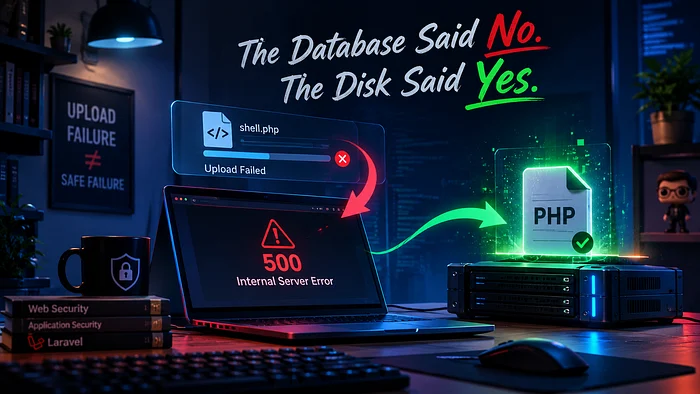
The Database Said No. The Disk Said Yes.
A file upload endpoint wrote files to disk before inserting a database record, so a failed insert left a PHP shell on disk. An attacker could upload a PHP file that executed, achieving remote code execution.

medium.com
Published on medium.com
Cybersecurity
The full write-up lives on its author's site
It belongs to its author, so we link to it rather than copy it. The other two tabs are our own rewrites, checked against it.
Context
The target was a Laravel 11 + Vue.js web platform running on Nginx 1.24.0 with PHP-FPM 8.3.36 on an Ubuntu server. The application handled file uploads through a backend API, with the upload logic wired directly from a Vue.js frontend component. The upload endpoint required only a registered user account, with no elevated roles or special permissions.
The feature itself is ordinary: a logged-in user picks a file in the Vue frontend, the component builds a FormData body and posts it to the API, and the backend stores the file and records it in a files table. The article is about what happened when that workflow failed halfway through.
Setup
The only precondition was a registered user account. The upload endpoint required session authentication and a valid CSRF token, but nothing more: no admin role, no special permission.
The application had no public API documentation, and no upload request ever surfaced in the network traffic of a normal browsing session. The researcher therefore started from the JavaScript bundle shipped with the frontend rather than from a list of common upload paths.
Finding it
Modern bundlers such as Vite compile the full frontend logic, including internal API calls, field names and base URLs, directly into the distributed JavaScript chunks. Minification is not confidentiality: everything the frontend knows, a reader of that file knows too.
Inside app-d8f9a2b1.js, a single function disclosed the entire upload contract: the endpoint path, the base URL, the required field names, the accepted values for each field, and the HTTP method.
function y(g) { if (s.type !== "file") return; let d = new FormData; d.append("type", s.type); s.mediaType == 1 ? d.append("media_type", "image") : s.mediaType == 2 ? d.append("media_type", "audio") : s.mediaType == 3 ? d.append("media_type", "video") : d.append("media_type", "file"); d.append("file", g.target.files[0]); ve.upload({ url: "/files", baseURL: "https://target.com/api/v1", data: d, method: "POST" })}
This gives POST /api/v1/files, an endpoint absent from the API documentation and invisible in any normal browsing session, with three required fields: type, media_type and file. The media_type field selects a branch on the server: image, audio, video or file.
Exploitation
Step 1: send only the file
The first attempt sent only the file and came back with a clean 422 Unprocessable Entity: validation required both type and media_type.
Step 2: use the image branch
The second attempt set all three fields with media_type: image and returned a 500. Laravel Telescope, left accessible on a production deployment, showed the reason immediately:
Intervention\Image\Exception\NotReadableException:Unable to decode image from file (/tmp/phpWPQyV5)
When media_type is image, the FileUploadTrait passes the uploaded bytes through the Intervention\Image library's GD decoder. A PHP file is not a valid image, so GD fails before any storage operation occurs. This path was a dead end.
Step 3: switch to the file branch
Switching to media_type: file bypassed the image-decoding branch entirely. The third attempt reached further into the codebase, and this time the 500 told a different story:
SQLSTATE[23000]: Integrity constraint violation:1048 Column 'ext' cannot be nullSQL: insert into `files` (`name`, `ext`, `mime`, `size`, `type`, `url`, ...) values ('1710000000abcd-shell.php', ?, 'text/x-php', 82, 'file', 'uploads/file/1710000000abcd-shell.php', ...)
Two things stand out in this trace. First, the SQL statement includes the storage path uploads/file/1710000000abcd-shell.php, which means the file had a name and a location. Second, the error is a database constraint violation, not a validation failure at the application layer. The application had already decided on a filename and, as the source code review would confirm, had already written the file to disk before attempting the insert.
A 500 response describes the HTTP layer. It says nothing about what the filesystem did before the exception was thrown.
Step 4: confirm execution
The filename 1710000000abcd-shell.php visible in Telescope's SQL error log resolved to a direct URL under /storage/uploads/file/. A plain GET request returned:
HTTP/1.1 200 OKServer: nginx/1.24.0 (Ubuntu)Content-Type: text/html; charset=UTF-8
with the body:
RCE_POC::Linux [redacted-hostname] 6.8.0-124-generic ... x86_64::PHP8.3.36::END
The server executed the payload. The operating context was uid=33(www-data).
To demonstrate full impact without leaving unsecured access on the environment, a protected interactive shell was deployed with a randomised authentication key. The shell included a self-destruct mechanism designed to physically remove the file from disk on demand, a standard evidence-hygiene practice.
Step 5: make the upload complete cleanly
The 500-based path worked, but it depended on Telescope being accessible in order to discover the generated filename. The second stage of the investigation asked a different question: what if the upload could be made to complete cleanly?
The root cause of the null extension was clear from the source code. When $file->guessExtension() calls into Symfony's MimeTypes component, the MIME type text/x-php has no registered default extension mapping. The function returns null, and the MySQL constraint fires.
But finfo, the underlying detection tool, decides the MIME type based on file content, not filename. What happens if the content does not look like PHP?
Adding a short sequence of non-text binary bytes as a file header before the <?php opening tag changes the MIME detection outcome. finfo reads the opening bytes as generic binary data and classifies the content as application/octet-stream. Symfony maps that MIME type to the extension bin. The value is no longer null, and the database insert succeeds.
This matters because of a critical detail in the storage logic:
$name = Carbon::now()->timestamp . Str::random(4) . '-' . $file->getClientOriginalName();
The physical filename on disk is derived from the client-controlled original filename, not from the server-derived extension. The server records ext: bin in the database and stores the file as 1710005823efgh-test-bin.php on disk. Those two facts live in permanent disagreement.
The upload now returns HTTP 200 OK, with the file's full public URL inside the JSON response body:
{ "success": true, "data": { "file": { "mime": "application/octet-stream", "ext": "bin", "url": "https://target.com/storage/uploads/file/1710005823efgh-test-bin.php" } }}
No Telescope required, no error logs to parse: the server hands the attacker the path.
PHP-FPM does not object to binary bytes before <?php. PHP is an inline template engine: anything outside an opening tag is treated as raw output and passed through untouched. The interpreter locates <?php, begins execution from there, and never raises a parse error over the bytes that preceded it. The binary prefix is simply output before any PHP-generated content, inconsequential for a shell payload designed to parse its own response.
Step 6: deletion without removal
A second finding sits in the destroy endpoint in FileController.php, which follows a similarly incomplete pattern:
public function destroy(File $file): JsonResponse{ $this->repository->remove($file); return $this->respondWithSuccess(__('messages.responses.deleted'));}public function remove(Model $model): bool{ return $model->delete();}
$model->delete() removes the database record. It does not call Storage::delete(). The physical file remains on disk at its original path, fully accessible and executable, after the record tracking it no longer exists in the application.
Root cause
Reviewing the upload lifecycle in App\Traits\FileUploadTrait and FileController.php revealed the sequencing problem in full:
$path = $file->storeAs('uploads/file', $generatedRandomName);$ext = $file->guessExtension(); File::create([ 'name' => $generatedRandomName, 'ext' => $ext, // NULL triggers MySQL constraint violation 'mime' => $mime, 'url' => $path]);
The file is written to disk in step one. The database insert happens in step three. There is no catch block between them that calls Storage::delete() or unlink(). When the insert fails, the exception propagates, the 500 goes back to the client, and the PHP file sits untouched in /storage/uploads/file/.
This is a non-atomic operation: a multi-step process where a failure in one step does not automatically reverse the steps that already succeeded. In a bank transfer you do not debit the sender without crediting the receiver; in a file upload you do not write the file without guaranteeing the record that tracks it.
The file executes because of a standard Laravel deployment detail: the application links public/storage to storage/app/public, making its contents publicly reachable. The file executed when requested, which indicates the server had no Nginx rule blocking PHP execution inside that path. No server configuration was read directly; this is inferred from observed behaviour.
There is a second architectural detail. The upload endpoint required session authentication and a valid CSRF token, but that protection ends the moment the file lands on disk. Requests to /storage/uploads/file/... are handled directly by Nginx; they never pass through Laravel's routing or middleware stack. The application's access controls do not exist at the path where the file executes. Authentication guarded the upload; nothing guarded the execution.
The file the application believed it had rejected was sitting in a publicly accessible, PHP-executable directory reachable by anyone who knew its name, with no login required.
Impact
An authenticated user with only a basic registered account could upload a PHP payload that the application reported as failed, and then reach it at a public URL under /storage/uploads/file/ without authentication. The server executed the payload as uid=33(www-data), giving remote code execution in the context of the web server user.
The 500 path depends on knowing the generated filename, which in this case was obtainable because Telescope was exposed in production. The MIME-polyglot path removes that dependency: the upload returns 200 with the full public URL in the response body, so the attacker is handed the path directly.
Deletion through the application's own interface does not remove the physical file, so an uploaded executable that has been "deleted" remains on disk, accessible and executable, merely untracked.
Fix
The article proposes a set of remediations.
- Strict server-side file-type validation with a caveat. Add an explicit allowlist to the request validation:
'file' => ['required', 'file', 'mimes:png,jpg,jpeg,webp,pdf,docx', 'max:51200'],
Laravel's mimes rule checks the MIME type derived from the file's content via finfo, not its name, so a file named shell.php with valid PNG magic bytes will pass mimes:png. MIME-based validation is necessary but not sufficient on its own: it must be paired with server-generated storage names and with an Nginx execution block. No single control is adequate in isolation.
- Server-generated storage names using the validated extension. Never use
getClientOriginalName()to build the stored filename:
$safeExt = in_array($validatedExt, $allowedExtensions, true) ? $validatedExt : 'bin';$name = Carbon::now()->timestamp . Str::random(8) . '.' . $safeExt;
This severs the client's influence over what extension the stored file carries.
- Atomic upload operations with rollback on failure. Write to a temporary location first and move the file to its permanent path only after the database record is confirmed:
try { $tempPath = $file->store('temp_uploads'); $record = File::create([...]); Storage::move($tempPath, "uploads/file/{$name}");} catch (\Exception $e) { if (isset($tempPath) && Storage::exists($tempPath)) { Storage::delete($tempPath); } throw $e;}
- Block PHP execution in upload directories at the Nginx level. Even with correct application-layer controls, a defence-in-depth rule prevents uploaded files from ever being executed:
location ^~ /storage/ { location ~ \.(php|phtml|phar|php5|php7|php8|inc)$ { return 404; }}
- Physical file deletion on record deletion. Update the
destroylogic to remove the physical file when its database record is deleted:
Storage::disk('public')->delete($file->url);$file->delete();
-
Restrict Laravel Telescope in production. Telescope's request and exception logs should not be accessible to unauthenticated users in production. Restrict the
/telescopeand/telescope-apipaths via Nginx or gate access inTelescopeServiceProviderto thelocalenvironment. Leaving it open exposes internal SQL queries, stack traces and generated storage paths, all of which materially assisted this investigation. -
Regression tests. Cover upload of a PHP file (expected: 422), upload of a binary-prefixed PHP file (expected: 422 or equivalent), deletion followed by direct URL access to the physical file (expected: 404), and upload with a spoofed MIME type header.
Variants to test
- Other frameworks with the same write-then-record ordering. Look for upload handlers that call a storage API before the database insert and have no compensating delete in a catch block. A positive result is a
500whose error trace contains a storage path, followed by a200when that path is requested directly. - Other MIME types with no Symfony extension mapping. The
nullextension came fromtext/x-phphaving no registered default. Try other content types thatfinfomay classify without a mapping, and watch for a1048 Column 'ext' cannot be nullstyle error. A positive result is the same constraint violation on a different content type. - Other polyglot prefixes. The binary header trick worked because
finfoclassified the content asapplication/octet-streamand Symfony mapped that tobin. Try other prefixes that produce a mapped MIME type while leaving the<?phptag intact. A positive result is a200response whose JSON body contains a public URL ending in.php. - Client-controlled filenames in other upload code. Grep for
getClientOriginalName()in storage-name construction. A positive result is a stored file whose on-disk extension differs from the extension recorded in the database. - Delete endpoints that only remove records. Call the delete endpoint, then request the original URL. A positive result is a
200from the file after the application reports the deletion succeeded. - Exposed Telescope or similar debug tooling in production. Request
/telescopeand/telescope-apiunauthenticated. A positive result is access to request and exception logs containing internal SQL and storage paths.
What happened, in plain words
Imagine you post a letter to a company. The post office tells you the delivery failed, and the company's records show no letter ever arrived. But the letter is sitting in an unlocked tray in the company's lobby, and anyone who walks in can pick it up and read it. That is roughly what happened here, except the letter was a small program, and the company's server ran it.
A website let registered users upload files: pictures, audio, video, or generic files. The upload feature was built so that the server first saves the file to disk and only afterwards writes a row about it into a database (a database is an organised store of records, like a spreadsheet the application reads and writes). When the database step failed, the server sent back an error message to the browser, a 500 Server Error, which sounds like "nothing happened". But the file had already been saved. Worse, the folder it was saved in was reachable from the public internet, and the server was willing to run any PHP file placed there. PHP is the programming language this website's server side is written in. So a user with an ordinary account could upload a small PHP program, be told the upload failed, and then open it in a browser and have the server execute it.
The article walks through how that was found, how it was confirmed, how a second trick made the upload look completely successful, and a related bug where deleting a file through the website removed only the database record and left the actual file on disk. It ends with fixes.
The pieces involved, explained from zero
Before the steps, here is the vocabulary you need. Each term is explained again in the glossary at the end.
- Frontend and backend. The frontend is what runs in your browser: the pages, buttons and JavaScript (the language browsers run). The backend is the program on the server that stores data and answers requests. They talk over the network.
- API. An API (Application Programming Interface) is the set of addresses and rules a backend offers so that other software can ask it to do things. Think of a restaurant menu: it lists what you can order and how to order it. An API endpoint is one specific item on that menu, a URL you send a request to.
- HTTP request and response. Your browser sends a request (for example, "give me this page") and the server sends back a response with a status code.
200means success,422means the data you sent was rejected as invalid,500means the server hit an internal error. - Session and cookie. When you log in, the server gives your browser a small piece of data (a cookie) that identifies your session, so you do not have to type your password on every request. A CSRF token is an extra random value the server asks forms to include, to prove the request really came from the site's own pages and not from a malicious page pretending to be you.
- JavaScript bundle. Websites ship their browser-side code as files. A bundler (a tool like Vite) packs many source files into one or a few files, often minified (whitespace and long names removed to make them smaller). Minified code is still readable by anyone who opens the file.
- Database record and constraint. A record is one row in a database table. A constraint is a rule the database enforces, for example "this column may not be empty". If a rule is broken, the database refuses the insert and reports an error.
- MIME type and file extension. A file's extension is the part after the dot in its name, like
.phpor.jpg. A MIME type is a label describing the kind of content, likeimage/pngortext/x-php. Servers can guess the MIME type from the file's content (using a tool calledfinfo) or from its name. The two can disagree. - Remote Code Execution (RCE). The server runs code that an attacker supplied. It is one of the most serious outcomes in web security, because the attacker's code runs with the server's own permissions.
- Non-atomic operation. A task made of several steps where a failure partway through does not undo the steps already done. A bank transfer is the classic example: you would not take money from one account without putting it into the other.
The target and the feature
The target was a Laravel 11 + Vue.js web platform running on Nginx 1.24.0 with PHP-FPM 8.3.36 on an Ubuntu server. In plain terms:
- Laravel is a popular framework for building websites in PHP. A framework is a ready-made structure that handles common chores like routing requests and talking to the database.
- Vue.js is a framework for building the part of the site that runs in the browser.
- Nginx is the web server software that receives requests from the internet and passes them on.
- PHP-FPM is the component that actually runs PHP code when Nginx asks it to.
- Ubuntu is the operating system of the server.
The feature itself is ordinary: a logged-in user picks a file in the Vue frontend, the component builds a FormData body (a standard way for a browser to package form fields and a file for sending) and posts it to the API. The backend stores the file and records it in a files table. The article is about what happened when that workflow failed halfway through.
Setup: what the researcher needed first
The only precondition was a registered user account. The upload endpoint required session authentication and a valid CSRF token, but nothing more: no admin role, no special permission. That matters because the endpoint required no elevated roles or special permissions.
The application had no public API documentation, and no upload request ever surfaced in the network traffic of a normal browsing session. So the researcher did not start by guessing common upload paths. Instead, the starting point was the JavaScript bundle shipped with the frontend.
Why start there? Because the browser has to know how to call the API, so the instructions for calling it must be somewhere in the code the browser downloads. If you can read that code, you can read the instructions.
Finding it: reading the frontend code
Modern bundlers such as Vite compile the full frontend logic, including internal API calls, field names and base URLs, directly into the distributed JavaScript chunks. Minification is not confidentiality: everything the frontend knows, a reader of that file knows too.
Inside app-d8f9a2b1.js, a single function disclosed the entire upload contract: the endpoint path, the base URL, the required field names, the accepted values for each field, and the HTTP method.
function y(g) { if (s.type !== "file") return; let d = new FormData; d.append("type", s.type); s.mediaType == 1 ? d.append("media_type", "image") : s.mediaType == 2 ? d.append("media_type", "audio") : s.mediaType == 3 ? d.append("media_type", "video") : d.append("media_type", "file"); d.append("file", g.target.files[0]); ve.upload({ url: "/files", baseURL: "https://target.com/api/v1", data: d, method: "POST" })}
Line by line:
function y(g) {starts a function namedythat takes one argument,g. The short names are the result of minification; they are not meaningful to a human but they are perfectly readable to a machine and to anyone patient enough.if (s.type !== "file") return;checks a value calleds.type. If it is not the string"file", the function stops immediately. This is a guard: the upload only proceeds for one kind of upload.let d = new FormData;creates an emptyFormDataobject, the container that will hold the fields and the file.d.append("type", s.type);adds a field namedtypewith the value ofs.type. So the server expects a field literally calledtype.- The next lines are a chain of conditional expressions.
s.mediaType == 1 ? d.append("media_type", "image") :means: ifs.mediaTypeequals 1, add a fieldmedia_typewith the valueimage; otherwise continue to the next check. The same pattern maps 2 toaudio, 3 tovideo, and anything else tofile. So the server expects a second field,media_type, with one of four values. d.append("file", g.target.files[0]);adds the actual file, taken from the file input the user interacted with. So the third field is calledfile.ve.upload({ url: "/files", baseURL: "https://target.com/api/v1", data: d, method: "POST" })sends the form. The path is/files, the base ishttps://target.com/api/v1, so the full address ishttps://target.com/api/v1/files. The method isPOST, which is the HTTP method used to send data to a server.
This gives POST /api/v1/files, an endpoint absent from the API documentation and invisible in any normal browsing session, with three required fields: type, media_type and file. The media_type field selects a branch on the server: image, audio, video or file.
Why does this matter? Because the researcher now knows exactly what to send, without guessing. The frontend code is effectively a map of the backend's expectations.
Exploitation: the steps
Step 1: send only the file
The first attempt sent only the file and came back with a clean 422 Unprocessable Entity: validation required both type and media_type.
Why this step? To confirm the endpoint exists and to learn what it insists on. A 422 is the server saying "I understood you, but your data is incomplete". It is a friendly, informative answer, and it tells the researcher which fields are mandatory.
Step 2: use the image branch
The second attempt set all three fields with media_type: image and returned a 500. Laravel Telescope, left accessible on a production deployment, showed the reason immediately:
Intervention\Image\Exception\NotReadableException:Unable to decode image from file (/tmp/phpWPQyV5)
What is Telescope? It is a debugging tool for Laravel that records requests, exceptions and database queries so developers can inspect them. It is meant for development machines. Here it was reachable on the live, production site, which is like leaving the workshop's diagnostic screen switched on in the shop window.
Line by line:
Intervention\Image\Exception\NotReadableExceptionis the name of the error.Intervention\Imageis a PHP library for processing images, andNotReadableExceptionmeans it could not read the file as an image.Unable to decode image from file (/tmp/phpWPQyV5)is the human-readable message./tmp/phpWPQyV5is a temporary file on the server where the uploaded bytes were placed.
When media_type is image, the FileUploadTrait passes the uploaded bytes through the Intervention\Image library's GD decoder. A trait, in PHP, is a reusable bundle of methods a class can include. GD is a graphics library. A PHP file is not a valid image, so GD fails before any storage operation occurs. This path was a dead end.
Why this step? To see what the image branch does with the file. The answer: it tries to decode it as a picture and gives up. No file is saved, so nothing exploitable happens here.
Step 3: switch to the file branch
Switching to media_type: file bypassed the image-decoding branch entirely. The third attempt reached further into the codebase, and this time the 500 told a different story:
SQLSTATE[23000]: Integrity constraint violation:1048 Column 'ext' cannot be nullSQL: insert into `files` (`name`, `ext`, `mime`, `size`, `type`, `url`, ...) values ('1710000000abcd-shell.php', ?, 'text/x-php', 82, 'file', 'uploads/file/1710000000abcd-shell.php', ...)
Line by line:
SQLSTATE[23000]: Integrity constraint violationis the database saying a rule was broken. SQL is the language used to talk to databases, andSQLSTATE[23000]is a standard code for this class of error.1048 Column 'ext' cannot be nullis the specific rule: the column namedext(short for extension) is not allowed to be empty.nullmeans "no value at all".SQL: insert into \files` (...)is the exact database command the application tried to run. It was inserting a new row into thefiles` table.- The column list is
name,ext,mime,size,type,urland more. The values being inserted include'1710000000abcd-shell.php'as the name,?whereextwould go (the?is a placeholder, and the value it stood for wasnull),'text/x-php'as the MIME type,82as the size,'file'as the type, and'uploads/file/1710000000abcd-shell.php'as the URL.
Two things stand out in this trace. First, the SQL statement includes the storage path uploads/file/1710000000abcd-shell.php, which means the file had a name and a location. Second, the error is a database constraint violation, not a validation failure at the application layer. The application had already decided on a filename and, as the source code review would confirm, had already written the file to disk before attempting the insert.
A 500 response describes the HTTP layer. It says nothing about what the filesystem did before the exception was thrown. An exception, in programming, is the mechanism a program uses to signal that something went wrong; it interrupts the normal flow.
Why this step? Because the image branch was a dead end, the researcher tried the file branch, which skips image decoding. The error message then revealed two crucial facts: the file had a name, and the database insert was the thing that failed, not the saving of the file.
Step 4: confirm execution
The filename 1710000000abcd-shell.php visible in Telescope's SQL error log resolved to a direct URL under /storage/uploads/file/. A plain GET request returned:
HTTP/1.1 200 OKServer: nginx/1.24.0 (Ubuntu)Content-Type: text/html; charset=UTF-8
with the body:
RCE_POC::Linux [redacted-hostname] 6.8.0-124-generic ... x86_64::PHP8.3.36::END
Line by line:
HTTP/1.1 200 OKis the status line: the request succeeded.Server: nginx/1.24.0 (Ubuntu)says which web server software answered.Content-Type: text/html; charset=UTF-8says the response is HTML text in UTF-8 encoding.- The body
RCE_POC::Linux [redacted-hostname] 6.8.0-124-generic ... x86_64::PHP8.3.36::ENDis output produced by the uploaded program.RCE_POCstands for "remote code execution proof of concept". It reports the operating system (Linux), the machine's hostname, the kernel version (6.8.0-124-generic), the processor architecture (x86_64) and the PHP version (PHP8.3.36).
The server executed the payload. The operating context was uid=33(www-data). uid means user identifier, and www-data is the conventional low-privilege account that web server software runs as on Debian and Ubuntu systems.
To demonstrate full impact without leaving unsecured access on the environment, a protected interactive shell was deployed with a randomised authentication key. The shell included a self-destruct mechanism designed to physically remove the file from disk on demand, a standard evidence-hygiene practice.
Why this step? Because an error message saying a file exists is not proof that the server will run it. Requesting the file directly and seeing its output is the proof.
Step 5: make the upload complete cleanly
The 500-based path worked, but it depended on Telescope being accessible in order to discover the generated filename. The second stage of the investigation asked a different question: what if the upload could be made to complete cleanly?
The root cause of the null extension was clear from the source code. When $file->guessExtension() calls into Symfony's MimeTypes component, the MIME type text/x-php has no registered default extension mapping. The function returns null, and the MySQL constraint fires. Symfony is a PHP framework that Laravel is built on; MimeTypes is its component that maps MIME types to file extensions. MySQL is the database software.
But finfo, the underlying detection tool, decides the MIME type based on file content, not filename. What happens if the content does not look like PHP?
Adding a short sequence of non-text binary bytes as a file header before the <?php opening tag changes the MIME detection outcome. finfo reads the opening bytes as generic binary data and classifies the content as application/octet-stream. Symfony maps that MIME type to the extension bin. The value is no longer null, and the database insert succeeds.
Here the file is classified as generic binary data by finfo but still contains a PHP opening tag.
This matters because of a critical detail in the storage logic:
$name = Carbon::now()->timestamp . Str::random(4) . '-' . $file->getClientOriginalName();
Line by line:
$name =assigns the result to a variable called$name.Carbon::now()->timestampgets the current time as a Unix timestamp (seconds since 1 January 1970).Carbonis a date and time library.. Str::random(4)appends four random characters.Stris Laravel's string helper.. '-'appends a hyphen.. $file->getClientOriginalName()appends the original filename as supplied by the client. This is the crucial part: the client chooses this string.
The physical filename on disk is derived from the client-controlled original filename, not from the server-derived extension. The server records ext: bin in the database and stores the file as 1710005823efgh-test-bin.php on disk. Those two facts live in permanent disagreement.
The upload now returns HTTP 200 OK, with the file's full public URL inside the JSON response body:
{ "success": true, "data": { "file": { "mime": "application/octet-stream", "ext": "bin", "url": "https://target.com/storage/uploads/file/1710005823efgh-test-bin.php" } }}
Line by line:
"success": truesays the operation succeeded."data"wraps the result."file"describes the stored file."mime": "application/octet-stream"is the MIME type the server detected: generic binary data."ext": "bin"is the extension the server recorded in the database."url": "https://target.com/storage/uploads/file/1710005823efgh-test-bin.php"is the public address of the file. Note that it ends in.php, not.bin.
JSON is a text format for structured data, widely used by APIs. No Telescope required, no error logs to parse: the server hands the attacker the path.
PHP-FPM does not object to binary bytes before <?php. PHP is an inline template engine: anything outside an opening tag is treated as raw output and passed through untouched. The interpreter locates <?php, begins execution from there, and never raises a parse error over the bytes that preceded it. The binary prefix is simply output before any PHP-generated content, inconsequential for a shell payload designed to parse its own response.
Why this step? Because the first path depended on a debugging tool that should not have been exposed. A more robust demonstration does not need it: the upload succeeds, and the response itself tells you where the file is.
Step 6: deletion without removal
A second finding sits in the destroy endpoint in FileController.php, which follows a similarly incomplete pattern:
public function destroy(File $file): JsonResponse{ $this->repository->remove($file); return $this->respondWithSuccess(__('messages.responses.deleted'));}public function remove(Model $model): bool{ return $model->delete();}
Line by line:
public function destroy(File $file): JsonResponsedeclares a method nameddestroythat takes aFileobject and returns aJsonResponse(a JSON-formatted HTTP response).$this->repository->remove($file);calls the repository'sremovemethod. A repository is a class that groups data-access operations.return $this->respondWithSuccess(__('messages.responses.deleted'));returns a success response with a translated message. The__()helper looks up a translation string.public function remove(Model $model): booldeclares theremovemethod, taking any model (a model is a class representing a database table row) and returning a boolean.return $model->delete();deletes the database record and returns whether it worked.
$model->delete() removes the database record. It does not call Storage::delete(). The physical file remains on disk at its original path, fully accessible and executable, after the record tracking it no longer exists in the application.
The website reports the deletion and its records agree, but the physical file remains on disk at its original path.
Root cause: why it happened
Reviewing the upload lifecycle in App\Traits\FileUploadTrait and FileController.php revealed the sequencing problem in full:
$path = $file->storeAs('uploads/file', $generatedRandomName);$ext = $file->guessExtension(); File::create([ 'name' => $generatedRandomName, 'ext' => $ext, // NULL triggers MySQL constraint violation 'mime' => $mime, 'url' => $path]);
Line by line:
$path = $file->storeAs('uploads/file', $generatedRandomName);saves the uploaded file into theuploads/filedirectory under the generated name, and stores the resulting path in$path. This is step one, and it happens first.$ext = $file->guessExtension();asks the library to guess an extension from the file's content. For a PHP file, the guess isnull.File::create([ ... ]);inserts a new record into thefilestable with the given values.'name' => $generatedRandomName,sets the name column.'ext' => $ext, // NULL triggers MySQL constraint violationsets the extension column. The comment in the code itself notes that anullhere breaks the database rule.'mime' => $mime,sets the MIME type column.'url' => $pathsets the URL column to the path from step one.
The file is written to disk in step one. The database insert happens in step three. There is no catch block between them that calls Storage::delete() or unlink(). A catch block is how a program handles an exception; unlink() is a PHP function that deletes a file. When the insert fails, the exception propagates, the 500 goes back to the client, and the PHP file sits untouched in /storage/uploads/file/.
This is a non-atomic operation: a multi-step process where a failure in one step does not automatically reverse the steps that already succeeded. In a bank transfer you do not debit the sender without crediting the receiver; in a file upload you do not write the file without guaranteeing the record that tracks it.
The file executes because of a standard Laravel deployment detail: the application links public/storage to storage/app/public, making its contents publicly reachable. A symlink (symbolic link) is a filesystem entry that points to another path. The file executed when requested, which indicates the server had no Nginx rule blocking PHP execution inside that path. No server configuration was read directly; this is inferred from observed behaviour.
There is a second architectural detail. The upload endpoint required session authentication and a valid CSRF token, but that protection ends the moment the file lands on disk. Requests to /storage/uploads/file/... are handled directly by Nginx; they never pass through Laravel's routing or middleware stack. Middleware is code that runs on every request before it reaches the application logic, and it is where checks like "is this user logged in?" typically live. The application's access controls do not exist at the path where the file executes. Authentication guarded the upload; nothing guarded the execution.
The file the application believed it had rejected was sitting in a publicly accessible, PHP-executable directory reachable by anyone who knew its name, with no login required.
Impact: what an attacker could do
An authenticated user with only a basic registered account could upload a PHP payload that the application reported as failed, and then reach it at a public URL under /storage/uploads/file/ without authentication. The server executed the payload as uid=33(www-data), giving remote code execution in the context of the web server user.
The 500 path depends on knowing the generated filename, which in this case was obtainable because Telescope was exposed in production. The MIME-polyglot path removes that dependency: the upload returns 200 with the full public URL in the response body, so the attacker is handed the path directly.
Deletion through the application's own interface does not remove the physical file, so an uploaded executable that has been "deleted" remains on disk, accessible and executable, merely untracked.
Fix: what the article recommends
The article proposes several remediations.
- Strict server-side file-type validation with a caveat. Add an explicit allowlist to the request validation:
'file' => ['required', 'file', 'mimes:png,jpg,jpeg,webp,pdf,docx', 'max:51200'],
Line by line:
'file' =>names the field being validated.['required', 'file', ...]is a list of rules.requiredmeans the field must be present.filemeans it must be an uploaded file.'mimes:png,jpg,jpeg,webp,pdf,docx'means the content must be one of those types.'max:51200'caps the size.
Laravel's mimes rule checks the MIME type derived from the file's content via finfo, not its name, so a file named shell.php with valid PNG magic bytes will pass mimes:png. Magic bytes are the first few bytes of a file that identify its format. MIME-based validation is necessary but not sufficient on its own: it must be paired with server-generated storage names and with an Nginx execution block. No single control is adequate in isolation.
- Server-generated storage names using the validated extension. Never use
getClientOriginalName()to build the stored filename:
$safeExt = in_array($validatedExt, $allowedExtensions, true) ? $validatedExt : 'bin';$name = Carbon::now()->timestamp . Str::random(8) . '.' . $safeExt;
Line by line:
$safeExt =assigns the safe extension.in_array($validatedExt, $allowedExtensions, true)checks whether the validated extension is in the allowed list. Thetruemeans strict comparison.? $validatedExt : 'bin'is a ternary: if the check passed, use the validated extension; otherwise usebin.$name = Carbon::now()->timestamp . Str::random(8) . '.' . $safeExt;builds the filename from the current timestamp, eight random characters, a dot, and the safe extension.
This severs the client's influence over what extension the stored file carries.
- Atomic upload operations with rollback on failure. Write to a temporary location first and move the file to its permanent path only after the database record is confirmed:
try { $tempPath = $file->store('temp_uploads'); $record = File::create([...]); Storage::move($tempPath, "uploads/file/{$name}");} catch (\Exception $e) { if (isset($tempPath) && Storage::exists($tempPath)) { Storage::delete($tempPath); } throw $e;}
Line by line:
-
try {starts a block whose exceptions will be caught. -
$tempPath = $file->store('temp_uploads');saves the file to a temporary folder. -
$record = File::create([...]);inserts the database record. -
Storage::move($tempPath, "uploads/file/{$name}");moves the file to its final location only after the record exists. -
} catch (\Exception $e) {catches any exception. -
if (isset($tempPath) && Storage::exists($tempPath)) {checks whether a temporary file was created and still exists. -
Storage::delete($tempPath);deletes it. -
throw $e;re-raises the exception so the caller still sees the failure. -
Block PHP execution in upload directories at the Nginx level. Even with correct application-layer controls, a defence-in-depth rule prevents uploaded files from ever being executed:
location ^~ /storage/ { location ~ \.(php|phtml|phar|php5|php7|php8|inc)$ { return 404; }}
Line by line:
location ^~ /storage/ {matches any request whose path starts with/storage/. The^~means this prefix match takes priority over regular-expression matches.location ~ \.(php|phtml|phar|php5|php7|php8|inc)$ {is a nested rule matching paths ending in any of those extensions.~means case-sensitive regular expression.return 404;answers as if the file does not exist.
Defence in depth means layering independent controls so that one failure does not open everything.
- Physical file deletion on record deletion. Update the
destroylogic to remove the physical file when its database record is deleted:
Storage::disk('public')->delete($file->url);$file->delete();
Line by line:
-
Storage::disk('public')->delete($file->url);deletes the physical file at the stored URL on thepublicdisk. -
$file->delete();then deletes the database record. -
Restrict Laravel Telescope in production. Telescope's request and exception logs should not be accessible to unauthenticated users in production. Restrict the
/telescopeand/telescope-apipaths via Nginx or gate access inTelescopeServiceProviderto thelocalenvironment. Leaving it open exposes internal SQL queries, stack traces and generated storage paths, all of which materially assisted this investigation. A stack trace is the list of function calls that led to an error. -
Regression tests. Cover upload of a PHP file (expected: 422), upload of a binary-prefixed PHP file (expected: 422 or equivalent), deletion followed by direct URL access to the physical file (expected: 404), and upload with a spoofed MIME type header. A regression test is an automated check that a bug stays fixed.
Variants to test: where else to look
- Other frameworks with the same write-then-record ordering. Look for upload handlers that call a storage API before the database insert and have no compensating delete in a catch block. A positive result is a
500whose error trace contains a storage path, followed by a200when that path is requested directly. - Other MIME types with no Symfony extension mapping. The
nullextension came fromtext/x-phphaving no registered default. Try other content types thatfinfomay classify without a mapping, and watch for a1048 Column 'ext' cannot be nullstyle error. A positive result is the same constraint violation on a different content type. - Other polyglot prefixes. The binary header trick worked because
finfoclassified the content asapplication/octet-streamand Symfony mapped that tobin. Try other prefixes that produce a mapped MIME type while leaving the<?phptag intact. A positive result is a200response whose JSON body contains a public URL ending in.php. - Client-controlled filenames in other upload code. Grep for
getClientOriginalName()in storage-name construction. Grep is a command-line tool for searching text. A positive result is a stored file whose on-disk extension differs from the extension recorded in the database. - Delete endpoints that only remove records. Call the delete endpoint, then request the original URL. A positive result is a
200from the file after the application reports the deletion succeeded. - Exposed Telescope or similar debug tooling in production. Request
/telescopeand/telescope-apiunauthenticated. A positive result is access to request and exception logs containing internal SQL and storage paths.
Glossary
- API: the set of addresses and rules a backend offers so other software can ask it to do things.
- API endpoint: one specific URL on an API that performs one operation.
- Backend: the program on the server that stores data and answers requests.
- Bundler: a tool that packs many frontend source files into one or a few files for delivery to browsers.
- Catch block: code that handles an exception so the program can recover or clean up.
- Constraint (database): a rule the database enforces on stored data, such as "this column may not be empty".
- Cookie: a small piece of data a browser stores for a site, often used to identify a session.
- CSRF token: a random value included in forms to prove the request came from the site's own pages.
- Defence in depth: layering independent security controls so one failure does not open everything.
- Exception: the mechanism a program uses to signal that something went wrong.
- Extension (file): the part of a filename after the dot, like
.phpor.jpg. - finfo: a tool that detects a file's MIME type from its content.
- FormData: a browser object for packaging form fields and files to send to a server.
- Framework: a ready-made structure for building software that handles common chores.
- Frontend: the part of a website that runs in the browser.
- GD: a graphics library used to process images.
- GET: the HTTP method used to request a resource.
- HTTP: the protocol browsers and servers use to exchange requests and responses.
- JSON: a text format for structured data, widely used by APIs.
- Laravel: a popular PHP web framework.
- Magic bytes: the first few bytes of a file that identify its format.
- Middleware: code that runs on every request before it reaches the application logic.
- MIME type: a label describing the kind of content a file holds, like
image/png. - Minification: removing whitespace and shortening names in code to make files smaller.
- Model: a class representing a row in a database table.
- MySQL: a popular relational database system.
- Nginx: web server software that receives requests and passes them on.
- Non-atomic operation: a multi-step task where a failure partway through does not undo the steps already done.
- PHP: a programming language widely used for server-side web code.
- PHP-FPM: the component that runs PHP code when the web server asks.
- Polyglot (file): a file that is valid as more than one kind of thing at once.
- POST: the HTTP method used to send data to a server.
- Regression test: an automated check that a fixed bug stays fixed.
- Remote Code Execution (RCE): the server runs code supplied by an attacker.
- Repository: a class that groups data-access operations.
- Session: a logged-in state the server tracks for a user across requests.
- SQL: the language used to talk to relational databases.
- Stack trace: the list of function calls that led to an error.
- Symlink: a shortcut that makes one folder appear inside another.
- Symfony: a PHP framework that Laravel is built on.
- Telescope: a Laravel debugging tool that records requests, exceptions and queries.
- Trait: a reusable bundle of methods a PHP class can include.
- Vite: a frontend build tool that bundles JavaScript.
- Vue.js: a framework for building browser-side interfaces.
- 422: HTTP status meaning the request was understood but the data was invalid.
- 500: HTTP status meaning the server hit an internal error.
- 200: HTTP status meaning success.


