Unauthenticated Access To Cloud Portal — A 🚪 Without 🗝️
A cloud portal subdomain allowed unauthenticated access to an admin dashboard, letting an attacker create and edit organisations, view member details, and edit profiles. The author also found sensitive API keys.
 Published on medium.com
Everything changed to an offline mode including my exams so I don’t have time to hunt for bugs but I have a VPS which runs 24/7. I recommend you to buy one, it’s very helpful in many ways.
The full write-up lives on its author's site
It belongs to its author, so we link to it rather than copy it. The other two tabs are our own rewrites, checked against it.
Context
This write-up describes an unauthenticated access issue on a cloud portal subdomain. The researcher, Yukesh Kumar (@3th1c_yuk1), found a subdomain named portal that, when opened in a private browsing tab, loaded an administrative dashboard without any authentication. From that dashboard the researcher reports being able to perform admin-level actions, including creating an organisation, editing an organisation, viewing details of members and editing a profile. The report does not name the target organisation or the product behind the portal.

The dashboard screenshots below show the actions that were reachable. The report presents them as evidence of what an unauthenticated visitor could do, not as a sequence of exploitation steps.
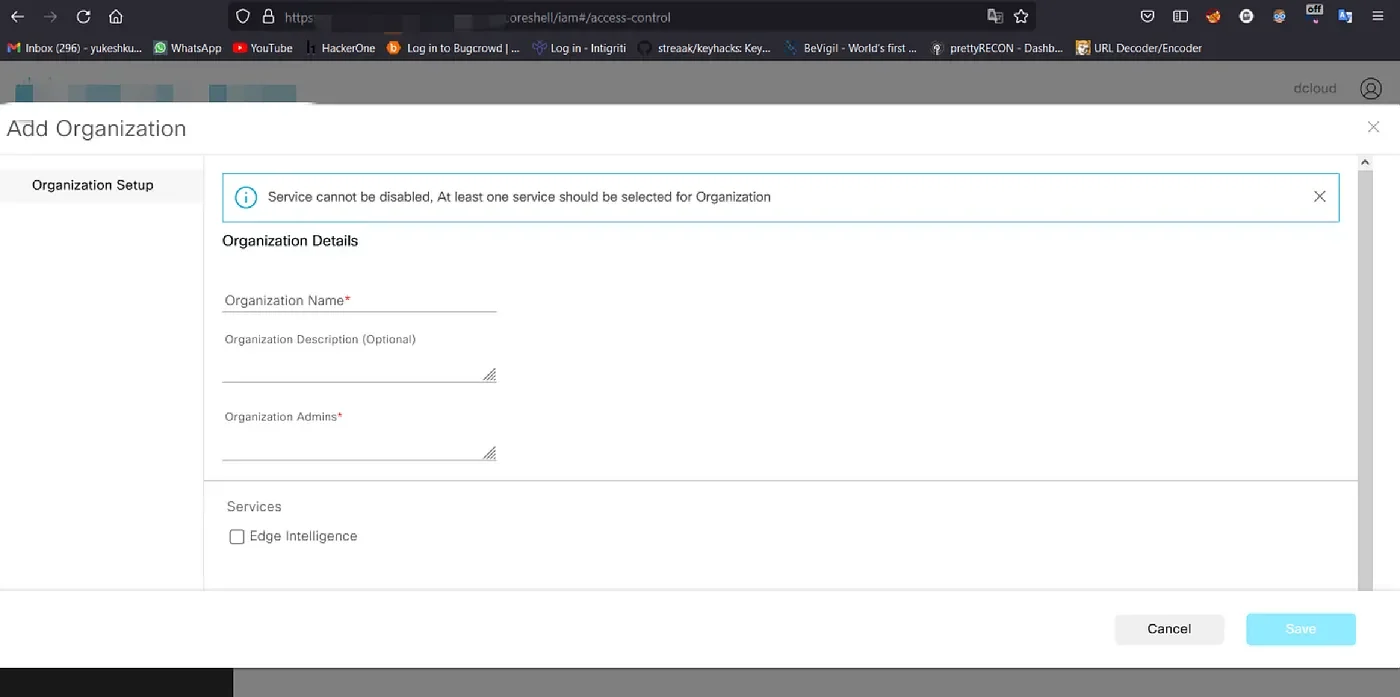
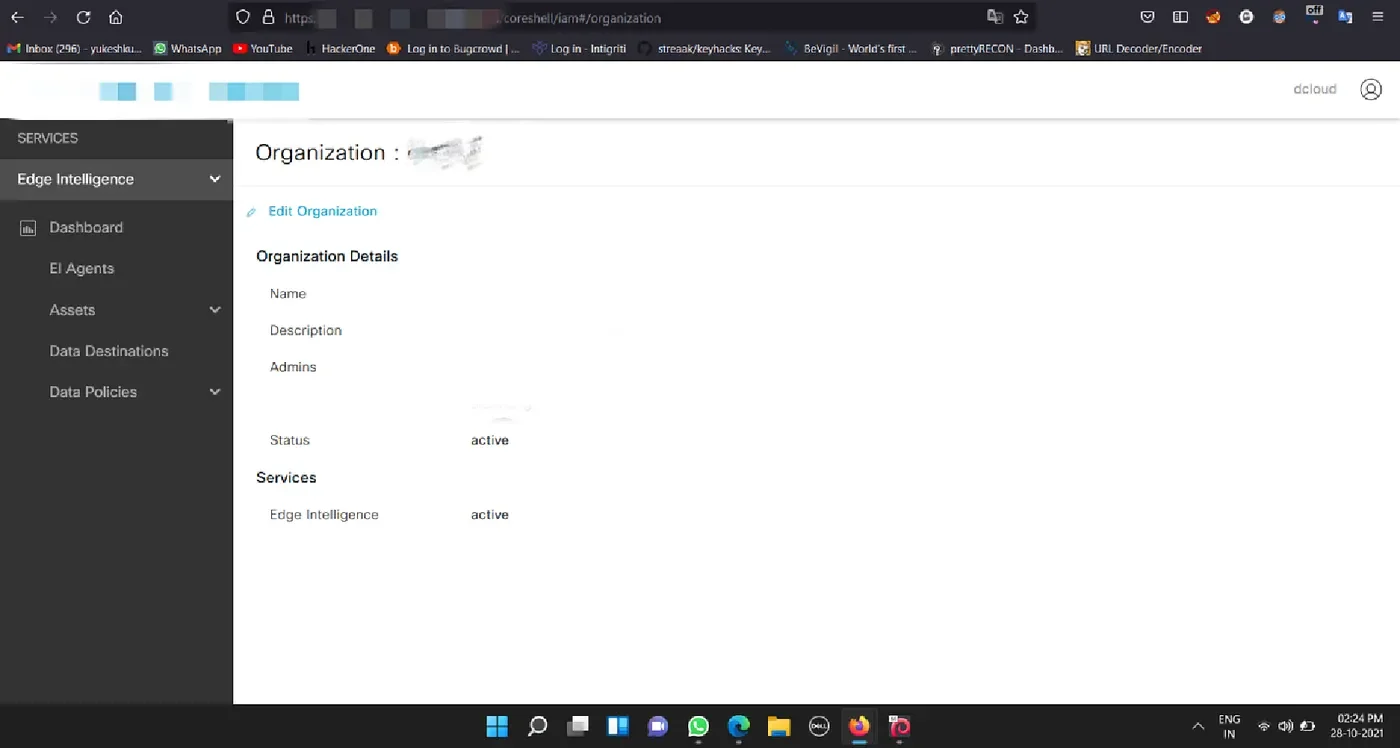
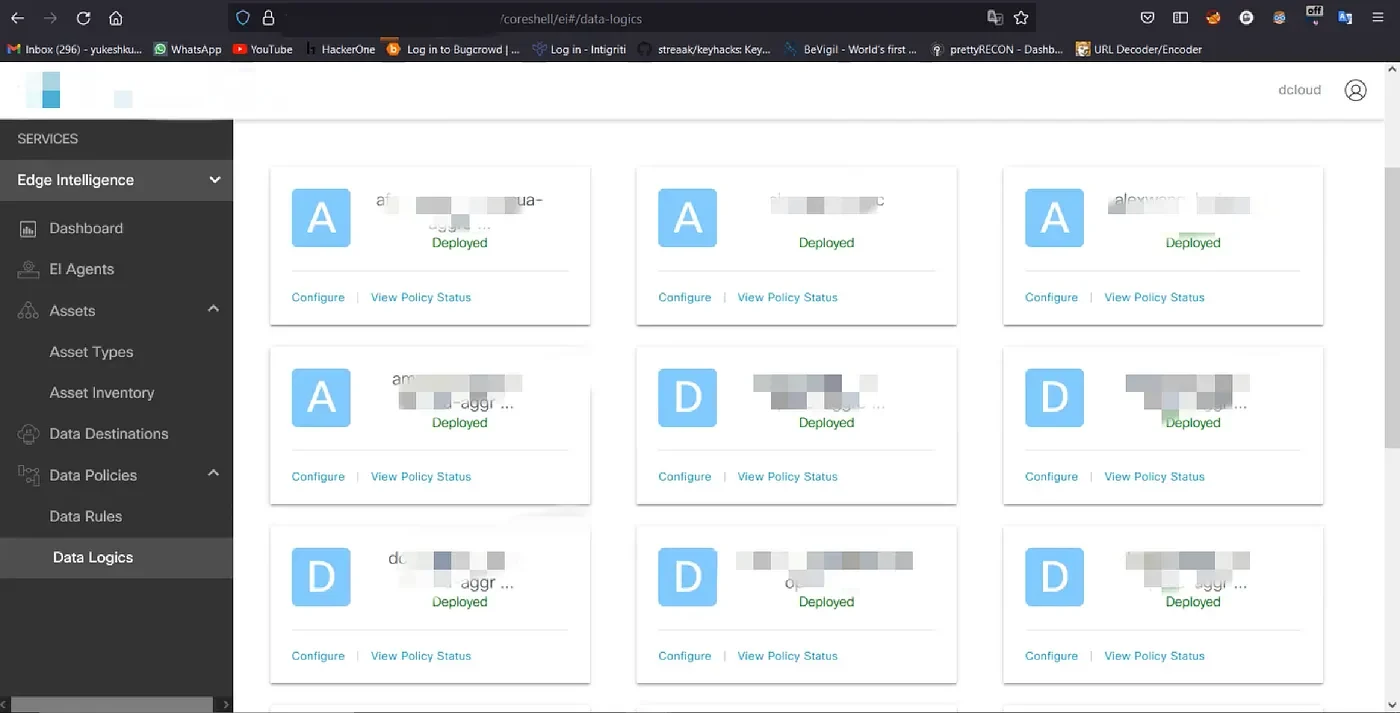
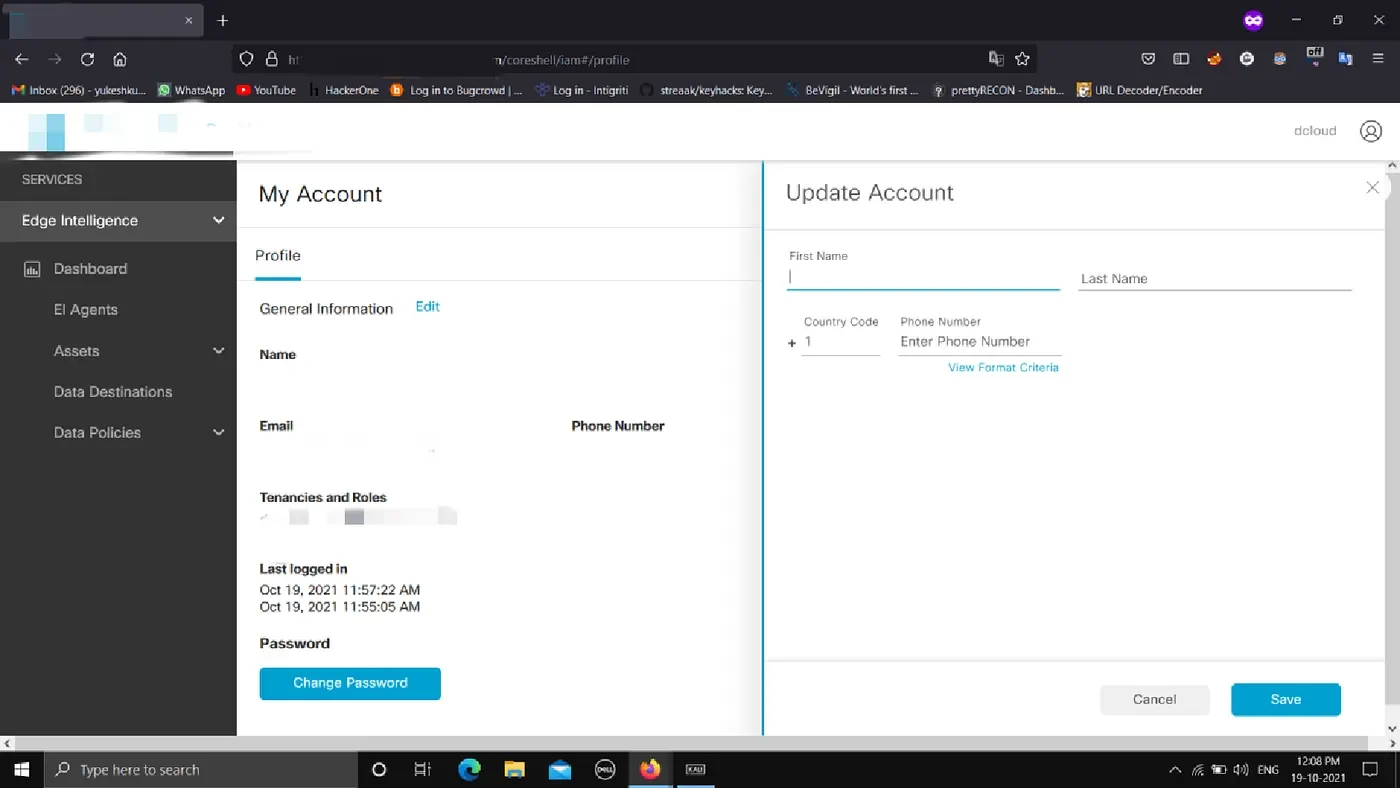
The researcher states that there were many more possibilities in the dashboard but did not exercise them, because the actions were complicated and would have affected other users. The report was submitted with an elaborated description of the impact rather than with further exploitation.
Setup
The researcher was working from a VPS that runs 24/7, which they recommend for this kind of work. No accounts, roles or credentials are described: the whole point of the finding is that no authentication was needed. The tooling used was:
- A script that collects subdomains of the target and greps them for interesting keywords.
httpx, to check whether each host is up.- EyeWitness, to take screenshots of the alive hosts.
- A notification step, for which the researcher mentions the Notify tool from ProjectDiscovery as an alternative.
No versions are given for any of these tools.
Finding it
The approach was recon driven by keyword grepping. When the researcher has a large number of domains, they grep for interesting names using keywords such as:
Staging
Stg
Dev
Portal
Admin
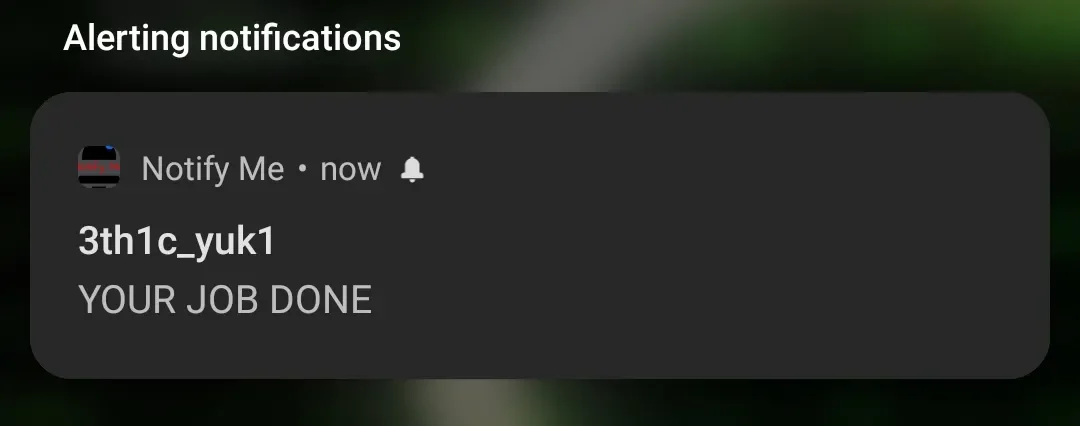
The list is open ended; the researcher notes it is up to the reader to find more. The script then parses the specially grepped subdomains into httpx to check whether each host is up, and passes the alive hosts to EyeWitness for screenshots. The notification that follows looks like this:
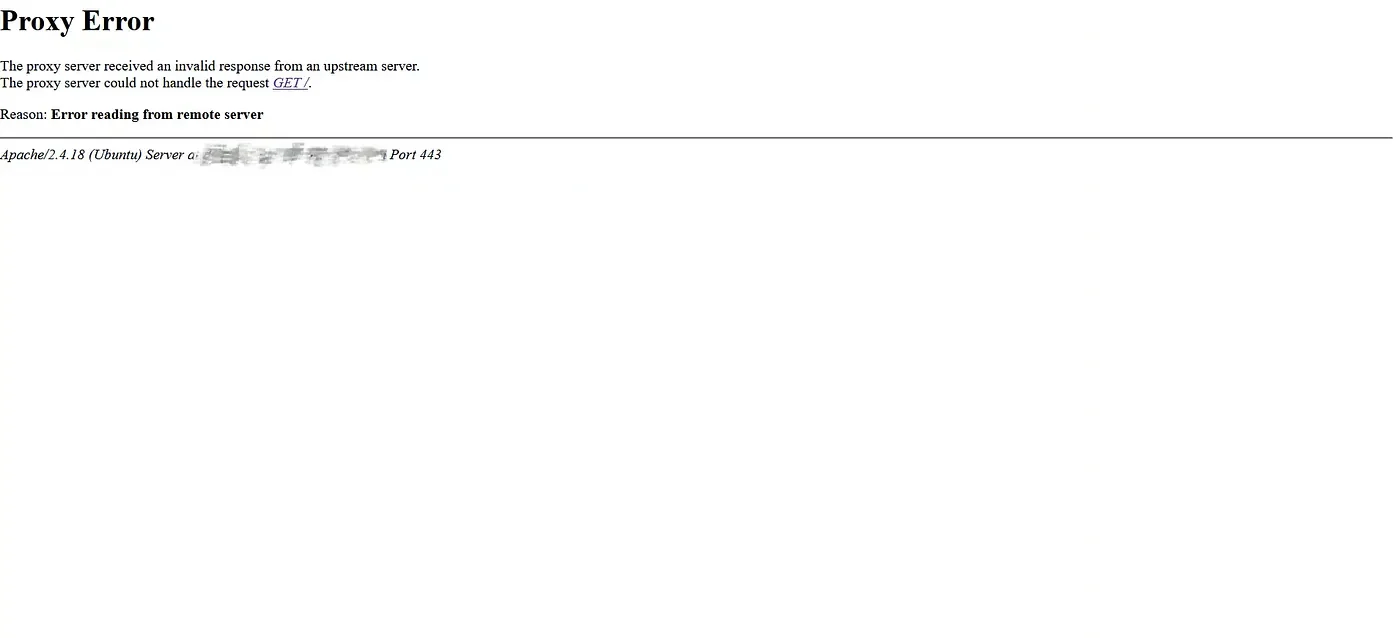
After the automated pass, the researcher moved to manual recon and visited the grepped subdomains one by one. Even after grepping there were thousands of domains, but the researcher kept going. Eventually a subdomain with the name portal stood out because it returned an error message:
Exploitation
Step 1: Reproduce the inconsistent behaviour
Refreshing the portal subdomain sometimes landed the researcher in the dashboard, and after a few seconds the same error appeared again: 502 Proxy error. The researcher left the tab open, checked other subdomains and found nothing, then came back to the portal. The observed pattern was:
- First visit: the error message is shown.
- Second visit: the page loads for a second and then shows the error message.
- Third visit: the dashboard is loaded, and after a few seconds the same error message appears.
The researcher did not determine why this happened or how the subdomain was built.
Step 2: Open the portal in a private tab
On a hunch, the researcher opened a private tab (incognito on mobile), pasted the domain and loaded it. This time the dashboard loaded without any error message. The report does not include the request or response for this step, and does not state which URL path was used beyond the portal subdomain itself.
Step 3: Explore the dashboard
Once inside, the researcher explored the whole application and reports finding sensitive API keys and more. The dashboard exposed the administrative functions shown earlier: creating an organisation, editing an organisation, viewing member details and editing a profile. The researcher stopped there rather than exercising the remaining functionality, because of the risk to other users.
Root cause
The report does not identify the defect in the code or infrastructure. The researcher explicitly says they do not know how it works or how the developer created the subdomain, and the report offers no explanation. Any explanation beyond that would be speculation; the report offers none.
Impact
An unauthenticated visitor who reaches the portal in a private tab gets an administrative dashboard. According to the report, that includes the ability to create and edit organisations, see details of members, edit a profile, and read sensitive API keys. The researcher notes there are many more possibilities in the dashboard that were not tested. The behaviour was inconsistent across normal visits, and the dashboard loaded without authentication in a private tab.
Fix
The report does not describe any fix or remediation, and does not say whether the issue was resolved.
Variants to test
- Keyword-grep large subdomain sets for
portal,admin,staging,stganddev, then screenshot the alive hosts with EyeWitness. - Load a suspicious host repeatedly and note whether the response changes between visits. A positive result is the same alternating pattern seen here: error, partial load, dashboard, error.
- Load the same host in a private or incognito window with no cookies. A positive result is a dashboard that renders without any login step.
- Once a dashboard renders, check whether administrative actions such as creating or editing an organisation are available without a session, and look for API keys or other secrets exposed in the interface. A positive result is any admin function or secret reachable with no credentials.
What happened, in plain words
A security researcher found a website belonging to a company (a "cloud portal", meaning a web page where customers manage their cloud services) that let anyone walk straight into the administrator's control panel without logging in. Normally a control panel asks for a username and password before it shows you anything. Here, if you opened the address in a private browsing window, the panel simply appeared, and from it you could create and edit organisations, look at the details of members, edit a profile, and read sensitive API keys. The researcher reported it rather than exercising the remaining functionality. and this article walks through how the discovery happened, step by step, for readers who have never done security work before.
The report does not name the company or the product behind the portal.
The pieces you need to understand first
Before following the story, here are the ideas it relies on, explained from zero.
- A subdomain is a smaller address that sits under a main domain. If the main domain is
example.com, thenportal.example.comanddev.example.comare subdomains of it. Companies often run many of them: one for the shop, one for the internal tools, one for testing. Think of the main domain as an office building and subdomains as the different doors into it. - A dashboard is the screen you see after logging into a service, where you manage things: your account, your team, your settings. It is the control room, not the front door.
- Authentication means proving who you are, usually with a username and password. Unauthenticated access means getting in without proving anything at all. The vulnerability class here is an authentication bypass: the check that should stop strangers is either missing or being skipped.
- A private browsing window (called incognito on mobile) is a browser window that starts with no saved cookies and forgets what you did when you close it. A cookie is a small piece of data a website stores in your browser so it can recognise you on the next page load; it is how a site remembers that you already logged in. A private window is useful in security testing because it lets you see what a site does for a visitor who has never been there before.
- An API key is a long secret string that a program uses instead of a password to talk to another service. If someone else gets your API key, they can act as your program. It is like a spare key left under the mat.
- Recon (short for reconnaissance) is the information-gathering phase: finding out which addresses a company owns and which of them are alive, before testing anything.
- A VPS (virtual private server) is a computer you rent in a data centre that stays switched on all the time. The researcher used one because it runs 24/7 and is helpful in many ways.
The setup
The researcher was working from a VPS that runs 24/7, and recommends one because it is helpful in many ways. No accounts, roles or credentials are described anywhere in the report, and that is the whole point: the finding is that no login was needed.
The tooling was:
- A script that collects subdomains of the target and greps them for interesting keywords.
httpx, to check whether each host is up.- EyeWitness, to take screenshots of the alive hosts.
- A notification step, for which the researcher mentions the Notify tool from ProjectDiscovery as an alternative.
No versions are given for any of these tools.
Two of those words deserve a plain explanation. grep is a command-line search tool: you give it a list of text and a word, and it prints only the lines containing that word. httpx here is a tool that takes a list of hostnames and checks which ones actually respond, so you do not waste time on dead addresses. EyeWitness opens each live address in a browser automatically and saves a picture of what it looks like, so you can skim hundreds of sites as thumbnails instead of visiting each one.
Finding it: keyword grepping
The approach was recon driven by keyword grepping. When the researcher has a large number of domains, they grep for interesting names using keywords such as:
Staging
Stg
Dev
Portal
Admin
Line by line, this is just a list of words to search for:
StagingandStgare common names for test environments, copies of a site used before changes go live.Devstands for development, another test environment.Portalsuggests a gateway or control panel for customers.Adminsuggests administrative tools.
The list is open ended, and the researcher notes it is up to the reader to find more.
The script then parses the specially grepped subdomains into httpx to check whether each host is up, and passes the alive hosts to EyeWitness for screenshots. The notification that follows looks like this:
In other words, the pipeline is: collect names, keep only the interesting ones, check which are alive, screenshot the alive ones, and get a notification when the batch is done.
After the automated pass, the researcher moved to manual recon and visited the grepped subdomains one by one. Even after grepping there were thousands of domains, but the researcher kept going. Eventually a subdomain with the name portal stood out because it returned an error message:
Exploitation
Step 1: Reproduce the inconsistent behaviour
Refreshing the portal subdomain sometimes landed the researcher in the dashboard, and after a few seconds the same error appeared again: 502 Proxy error. The researcher left the tab open, checked other subdomains and found nothing, then came back to the portal. The observed pattern was:
- First visit: the error message is shown.
- Second visit: the page loads for a second and then shows the error message.
- Third visit: the dashboard is loaded, and after a few seconds the same error message appears.
The researcher did not determine why this happened or how the subdomain was built.
A 502 Proxy error is worth explaining. A proxy is a middle computer that sits between you and the real server and forwards your requests. A 502 status code means the proxy asked the server behind it for something and got an unusable answer back.
Step 2: Open the portal in a private tab
On a hunch, the researcher opened a private tab (incognito on mobile), pasted the domain and loaded it. This time the dashboard loaded without any error message. The report does not include the request or response for this step, and does not state which URL path was used beyond the portal subdomain itself.
The researcher does not explain what prompted the hunch. Here the dashboard appeared in a private tab without any login.
Step 3: Explore the dashboard
Once inside, the researcher explored the whole application and reports finding sensitive API keys and more. The dashboard exposed the administrative functions shown earlier: creating an organisation, editing an organisation, viewing member details and editing a profile. The researcher stopped there rather than exercising the remaining functionality, because of the risk to other users.
Those four screens are the evidence of what an unauthenticated visitor could reach:
The report presents them as evidence of what was reachable, not as a sequence of exploitation steps. The researcher states that there were many more possibilities in the dashboard but did not exercise them, because the actions were complicated and would have affected other users. The report was submitted with an elaborated description of the impact rather than with further exploitation.
Root cause
The report does not identify the defect in the code or infrastructure. The researcher explicitly says they do not know how it works or how the developer created the subdomain, and the report offers no explanation. Any explanation beyond that would be speculation, and the report offers none.
Impact
An unauthenticated visitor who reaches the portal in a private tab gets an administrative dashboard. According to the report, that includes the ability to create and edit organisations, see details of members, edit a profile, and read sensitive API keys. The researcher notes there are many more possibilities in the dashboard that were not tested. The behaviour was inconsistent across normal visits, and the dashboard loaded without authentication in a private tab.
Fix
Variants to test
- Keyword-grep large subdomain sets for
portal,admin,staging,stganddev, then screenshot the alive hosts with EyeWitness. A positive result is a host that returns an error page on first load but a dashboard on a later load. - Load a suspicious host repeatedly and note whether the response changes between visits. A positive result is the same alternating pattern seen here: error, partial load, dashboard, error.
- Load the same host in a private or incognito window with no cookies. A positive result is a dashboard that renders without any login step.
- Once a dashboard renders, check whether administrative actions such as creating or editing an organisation are available without a session, and look for API keys or other secrets exposed in the interface. A positive result is any admin function or secret reachable with no credentials.
Glossary
- API key: a long secret string a program uses instead of a password to talk to another service; anyone who has it can act as that program.
- Authentication: the process of proving who you are, usually with a username and password.
- Authentication bypass: a flaw where the check that should stop strangers is missing or skipped, so access is granted without proof of identity.
- Cloud portal: a web page where customers manage their cloud services.
- Cookie: a small piece of data a website stores in your browser so it can recognise you on later page loads.
- Dashboard: the screen shown after logging in, where you manage an account, team or settings.
- EyeWitness: a tool that opens many live web addresses automatically and saves screenshots of them.
- grep: a command-line tool that searches text and prints only the lines containing a given word.
- httpx: a tool that takes a list of hostnames and checks which ones respond.
- Incognito / private window: a browser window that starts with no saved cookies and forgets the session when closed.
- Notify: a tool from ProjectDiscovery for sending notifications, mentioned as an alternative for the alert step.
- Private browsing: see incognito.
- Proxy: a middle computer that forwards your requests to the real server and returns the answer.
- Recon: short for reconnaissance, the information-gathering phase of finding out which addresses a company owns and which are alive.
- 502 Proxy error: a status code meaning the proxy asked the server behind it for something and got an unusable answer.
- Subdomain: an address under a main domain, such as
portal.example.comunderexample.com. - VPS: a virtual private server, a rented computer in a data centre that stays on all the time.