Unraveling The Story of Multiple Admin Panel Compromises
Several admin panels were found with default credentials or by changing a 401 response to 200, giving full admin access. An attacker could read users' personally identifiable information.
 Published on vedanttekale20.medium.com
Welcome back, fellow hackers and cyber security enthusiasts! I’m Vedant, also known as Vegeta on Twitter 😁.
The full write-up lives on its author's site
It belongs to its author, so we link to it rather than copy it. The other two tabs are our own rewrites, checked against it.
Context
This is a story about hunting admin panels on a long-running bug bounty program on HackerOne. The researcher had worked on the same program before and had already reported SSRF, stored XSS and some broken access controls there. This time the goal was narrower: find login panels and admin portals, and see whether any of them could be bypassed.
The targets were third-party software panels and customer portal applications sitting on subdomains of the program's in-scope TLDs. The panels themselves are ordinary login screens: a username and password form that, on success, gives the account behind it whatever privileges that account holds. In the cases described here, a successful login meant full admin privileges, and on the customer portals, access to the personal data of the application's users.
Setup
The researcher already had a database of subdomains for every in-scope TLD of the program, built up over a long period of work on it. Subdomain enumeration is run continuously with a custom script that runs several enumeration tools, sorts the unique results and combines them into a single text file, which is then stored in the database.
Tools used in the flow:
- PureDNS to resolve the collected subdomains.
- httpx to probe which of the resolved hosts are live.
- nuclei with the
exposed-panelstemplates to spot login panels and admin portals. - Burp Suite to capture and modify requests and responses.
No special accounts were created. The whole exercise depends on publicly reachable login pages and on guessing or manipulating what the application accepts.
Finding it
The starting point was the stored subdomain list for the target, which held almost 10k entries. Those were resolved with PureDNS and probed with httpx, leaving almost 5k live subdomains.
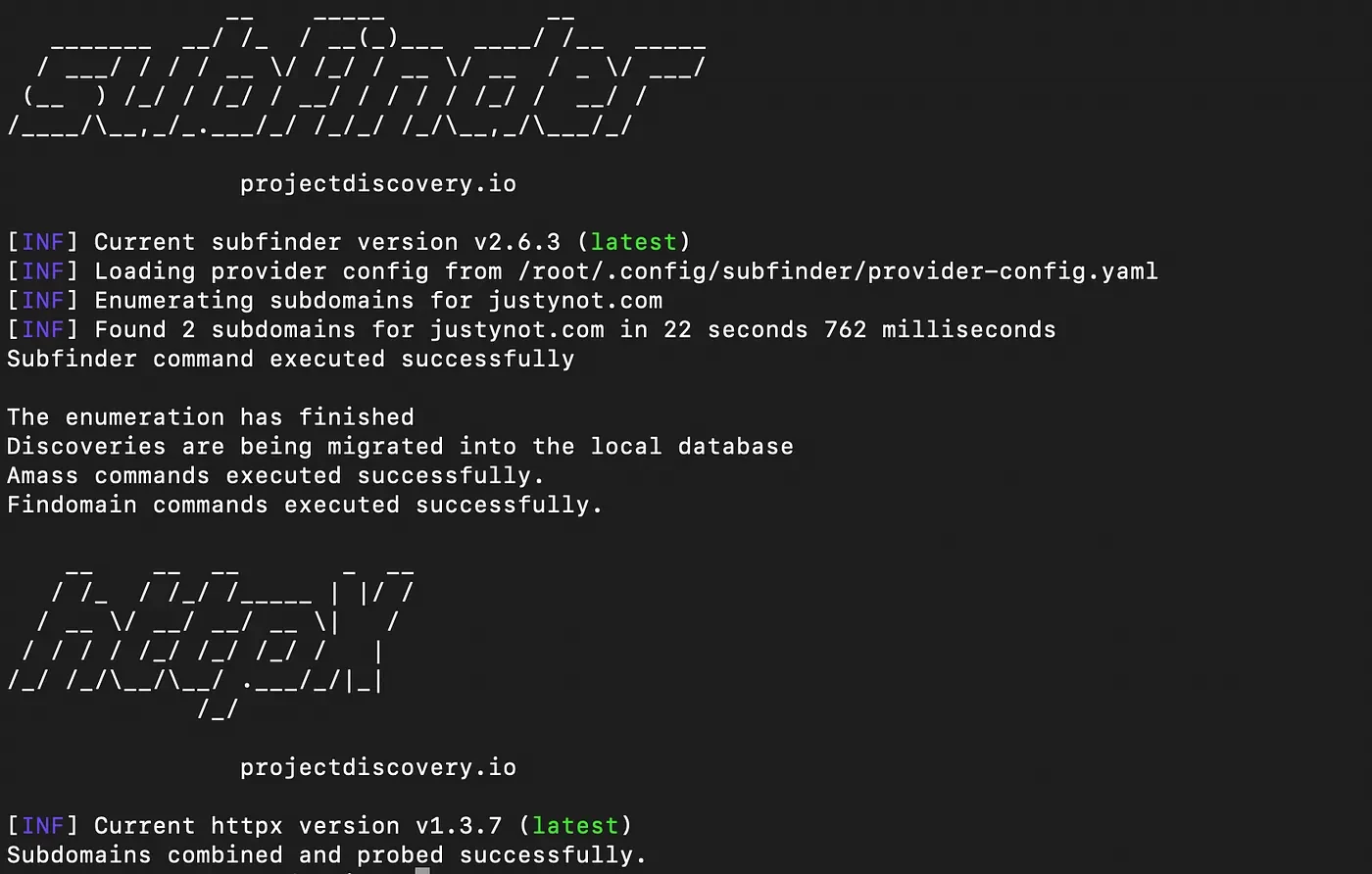
The screenshot shows an example of how the enumeration script works.
Against the live hosts, nuclei was run with the exposed-panels templates:
nuclei -t /root/nuclei-templates/http/exposed-panels/ -l justynot.com-all-resolved.txt | anew panels.txt
The -l flag feeds the list of resolved hosts, -t points at the exposed-panels template directory, and anew appends only new lines to panels.txt so repeated runs do not duplicate results.
After the run, the results were reviewed one by one. Any panel whose name was unfamiliar was noted down, with its subdomain URL copied into a notepad for follow-up. This produced 6 subdomains running third-party software.
Exploitation
Step 1: default credentials on Kalcium Web
The first panel was named "Kalcium Web". A search for its default credentials turned up nothing. The researcher then tried the most common default pair, admin:admin, and was logged in with full admin privileges.
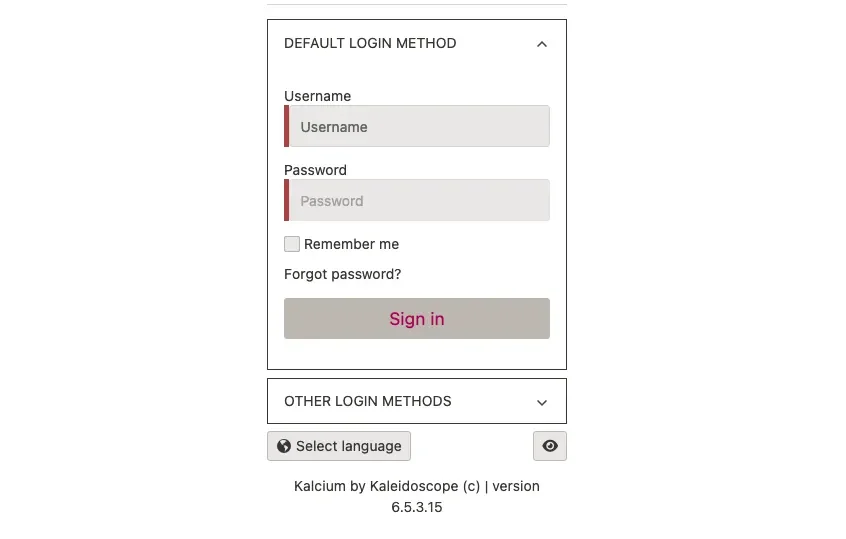
The screenshot shows what the login panel looked like.
No request or response is shown for this step; the report only records the credential pair and the outcome.
Step 2: a customer portal resists guessing
Further down the list was a customer portal application. Being custom software rather than a third-party product, there were no published defaults to look up. The same admin:admin pair failed, and so did a series of other common username and password combinations.
Step 3: response manipulation on the AngularJS portal
Looking at the technology stack, the researcher found the application was running on AngularJS. Applications on AngularJS or NodeJS are, in this researcher's experience, worth trying response manipulation against.
In Burp Suite, a login attempt was made with the username admin and the password password. The request was captured along with its response, which returned a 401 Unauthorized error. The response body contained parameters, but these were not examined. The status code in the response was changed from 401 Unauthorized to 200 OK and the response was forwarded.
The result was access to the customer portal as an admin, with unrestricted access to all of its users' personally identifiable information (PII).
The report does not include the raw request or response, so the exact body parameters and the client-side check that the status code satisfied are not shown.
Step 4: the same trick on three more portals
Three additional customer portals existed. The same technique was applied to each, and each time it worked: entry into three more admin panels, each with full administrative privileges and unrestricted access to multiple users' PII.
Root cause
Two distinct weaknesses are described.
For Kalcium Web, the panel shipped with, or was left with, the default admin:admin credential. Nothing in front of it stopped a trivially guessable pair from granting full admin rights.
For the customer portals, the client trusted the HTTP status code of the login response to decide whether authentication had succeeded. Changing 401 to 200 in the response was enough for the front end to treat the session as authenticated and render the admin interface. The report does not show the server-side code, so whether the backend also issued a valid session, or whether the portal's data was reachable purely because the client stopped blocking the view, is not stated.
Impact
On the Kalcium Web host, the default admin:admin pair granted full admin privileges.
On the customer portals, an attacker with no valid credentials obtained admin access and unrestricted access to the PII of the applications' users. This applied to the first portal and to the three additional ones found afterwards.
All of this depends on the panels being reachable from the internet and on the attacker finding them, which is exactly what the recon step provided. The report does not quantify how many users' records were exposed.
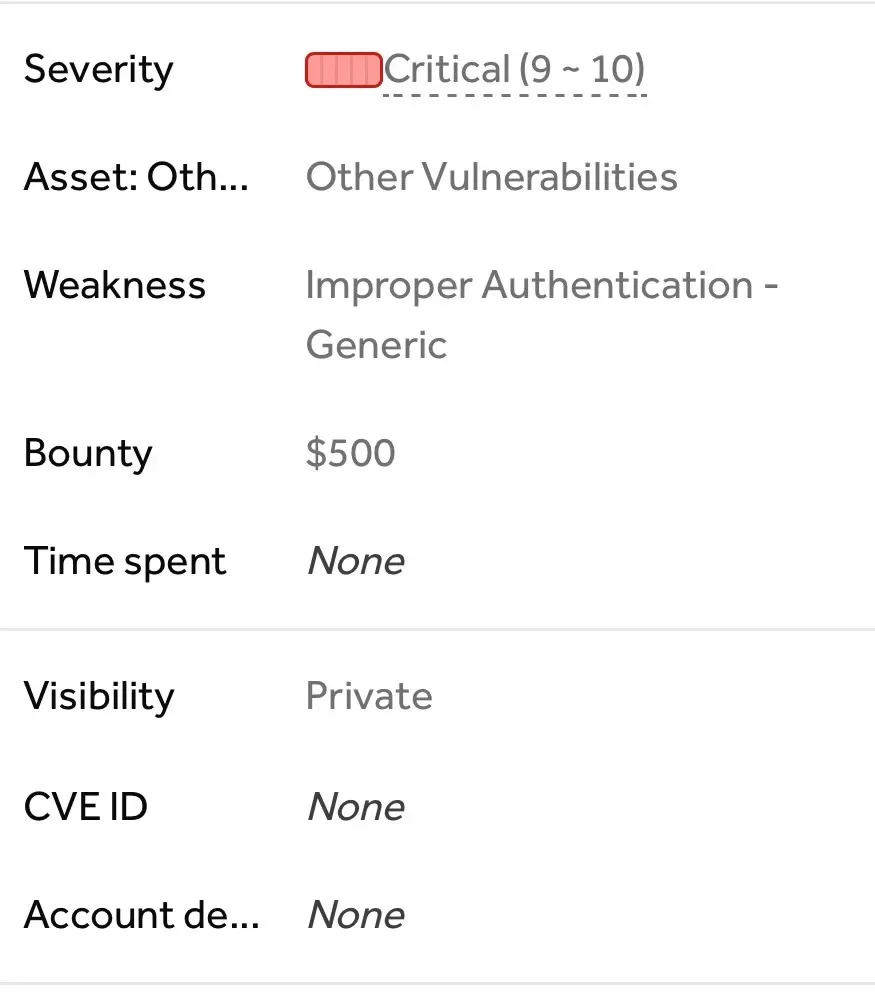
Each finding was documented with detailed proofs of concept and submitted as its own report. All were triaged. The report covering the most sensitive data was rewarded with a $500 bounty; the remaining reports were still awaiting bounty decisions when the write-up was published.
Fix
For the customer portals, the fix is to stop relying on the response status code in the client as proof of authentication. The server must decide whether a session is valid and must refuse to return admin data or admin functionality to an unauthenticated request, whatever the client displays. Any client-side gate on the admin view should be treated as cosmetic only.
For Kalcium Web, the default admin:admin account must be changed or disabled before the panel is exposed, and access to administrative panels should be restricted where possible.
The report does not say which changes the program actually made.
Variants to test
- Default credentials on third-party panels. Run nuclei with the exposed-panels templates, note unfamiliar product names, and try the documented and common defaults. A positive result is a login that lands in an administrative interface.
- Status-code manipulation on any login. Capture the failed login response in Burp, change 401 (or 403) to 200, and forward. A positive result is the application rendering an authenticated view, especially if subsequent requests return real user data.
- Body manipulation alongside the status code. The report notes the response body contained parameters that were not examined. Try flipping fields such as success flags or role values in the body as well as the status line, and see whether the client accepts the session.
- AngularJS and NodeJS front ends. These stacks are where the researcher expects response manipulation to pay off. When you meet one, test whether authorisation decisions are made in the browser rather than on the server.
- Sibling portals. Once one customer portal falls, look for the same application deployed on other subdomains. Here three more portals fell to the identical technique.
What happened, in plain words
A security researcher spent a long time hunting for bugs on a bug bounty program hosted on HackerOne. A bug bounty program is a scheme where a company invites outside people to look for security problems in its systems and pays them for reporting what they find. He had already reported several issues there in the past, including SSRF, stored XSS and some broken access controls. This time he set himself a narrower goal: find login screens and admin portals, and see whether any of them could be got into without proper permission.
The targets were two kinds of thing sitting on subdomains of the program's in-scope TLDs. A subdomain is a smaller name under a main domain, like shop.example.com under example.com. A TLD is the last part of a domain name, such as .com or .org. "In scope" means the program has said those systems are fair game to test. The two kinds of target were third-party software panels (login screens belonging to a product made by some other company) and customer portal applications (login screens built by the program itself for its customers).
A login screen is just a form asking for a username and a password. If the pair is correct, the account behind it gets whatever powers that account has. In the cases in this story, a successful login meant full admin privileges, and on the customer portals, access to the personal data of the application's users.
Setup
The researcher already had a database of subdomains for every in-scope TLD of the program, built up over a long period of work on it. Subdomain enumeration is the process of discovering subdomains that exist but are not advertised anywhere. He runs it continuously with a custom script that runs several enumeration tools, sorts the unique results and combines them into a single text file, which is then stored in the database.
The tools in the flow were:
- PureDNS, to resolve the collected subdomains. Resolving means turning a name like
shop.example.cominto the numeric address of the machine that answers for it, so you know the name points at something real. - httpx, to probe which of the resolved hosts are live. Probing means sending a simple request and seeing whether anything answers.
- nuclei, with the
exposed-panelstemplates, to spot login panels and admin portals. A template here is a ready-made check that nuclei runs against each host. - Burp Suite, to capture and modify requests and responses. Burp is a tool that sits between your browser and the website, so you can see and edit the traffic going each way.
No special accounts were created. The whole exercise depends on publicly reachable login pages and on guessing or manipulating what the application accepts.
Finding it
The starting point was the stored subdomain list for the target, which held almost 10k entries. Those were resolved with PureDNS and probed with httpx, leaving almost 5k live subdomains.
The screenshot shows an example of how the enumeration script works.
Against the live hosts, nuclei was run with the exposed-panels templates:
nuclei -t /root/nuclei-templates/http/exposed-panels/ -l justynot.com-all-resolved.txt | anew panels.txt
Line by line, in plain words:
nucleiis the name of the program being run. It is a scanner that checks hosts against a library of known patterns.-t /root/nuclei-templates/http/exposed-panels/tells nuclei which templates to use.-tmeans "templates", and the path points at a folder of checks that look for login panels and admin portals that are exposed to the internet.-l justynot.com-all-resolved.txttells nuclei where to get its list of targets.-lmeans "list", and the file holds the resolved hosts from the earlier step.|is a pipe. It takes whatever nuclei prints and hands it to the next command instead of showing it on screen.anew panels.txtis that next command.anewappends only lines it has not seen before topanels.txt, so running the same scan again does not fill the file with duplicates.
After the run, the results were reviewed one by one. Any panel whose name was unfamiliar was noted down, with its subdomain URL copied into a notepad for follow-up. This produced 6 subdomains running third-party software.
Exploitation
Step 1: default credentials on Kalcium Web
The first panel was named "Kalcium Web". A search for its default credentials turned up nothing. Default credentials are the username and password a product ships with, which the owner is supposed to change before putting it online. The researcher then tried the most common default pair, admin:admin, and was logged in with full admin privileges.
The screenshot shows what the login panel looked like.
No request or response is shown for this step; the report only records the credential pair and the outcome.
Step 2: a customer portal resists guessing
Further down the list was a customer portal application. Being custom software rather than a third-party product, there were no published defaults to look up. The same admin:admin pair failed, and so did a series of other common username and password combinations.
Step 3: response manipulation on the AngularJS portal
Looking at the technology stack, the researcher found the application was running on AngularJS. The technology stack is the set of frameworks and languages a site is built with. AngularJS is a framework for building the part of a website that runs inside your browser. Applications on AngularJS or NodeJS are, in this researcher's experience, worth trying response manipulation against. Response manipulation means changing the reply the server sends back before the browser sees it, to see whether the browser believes the changed version.
In Burp Suite, a login attempt was made with the username admin and the password password. The request was captured along with its response, which returned a 401 Unauthorized error. A status code is the short number at the top of every web reply that says how the request went; 401 is the code for "you are not authorised". The response body contained parameters, but these were not examined. Parameters here are the named values inside the reply. The status code in the response was changed from 401 Unauthorized to 200 OK and the response was forwarded. 200 is the code for "everything went fine". Forwarding means letting the edited reply continue on to the browser.
The result was access to the customer portal as an admin, with unrestricted access to all of its users' personally identifiable information (PII). PII is any data that can identify a real person, such as a name, address or phone number.
The report does not include the raw request or response, so the exact body parameters and the client-side check that the status code satisfied are not shown.
Step 4: the same trick on three more portals
Three additional customer portals existed. The same technique was applied to each, and each time it worked: entry into three more admin panels, each with full administrative privileges and unrestricted access to multiple users' PII.
Root cause
Two distinct weaknesses are described.
For Kalcium Web, the panel shipped with, or was left with, the default admin:admin credential. Nothing in front of it stopped a trivially guessable pair from granting full admin rights.
For the customer portals, the client trusted the HTTP status code of the login response to decide whether authentication had succeeded. The client is the browser side of the application, the part running on your own machine. Changing 401 to 200 in the response was enough for the front end to treat the session as authenticated and render the admin interface. The front end is the part of the site you see and click. The report does not show the server-side code, so whether the backend also issued a valid session, or whether the portal's data was reachable purely because the client stopped blocking the view, is not stated. Authorisation is the decision about what a logged-in account is allowed to do.
Impact
On the Kalcium Web host, the default admin:admin pair granted full admin privileges.
On the customer portals, an attacker with no valid credentials obtained admin access and unrestricted access to the PII of the applications' users. This applied to the first portal and to the three additional ones found afterwards.
All of this depends on the panels being reachable from the internet and on the attacker finding them, which is exactly what the recon step provided. Recon, short for reconnaissance, is the work of mapping out what exists before attacking anything. The report does not quantify how many users' records were exposed.
Each finding was documented with detailed proofs of concept and submitted as its own report. A proof of concept is a recorded demonstration that the problem is real, usually with screenshots or saved requests. All were triaged. Triaged means the program has reviewed the report and accepted it as a genuine issue. The report covering the most sensitive data was rewarded with a $500 bounty; the remaining reports were still awaiting bounty decisions when the write-up was published.
Fix
For the customer portals, the fix is to stop relying on the response status code in the client as proof of authentication. The server must decide whether a session is valid and must refuse to return admin data or admin functionality to an unauthenticated request, whatever the client displays. Any client-side gate on the admin view should be treated as cosmetic only. Cosmetic here means it only changes what you see, not what you can actually get.
For Kalcium Web, the default admin:admin account must be changed or disabled before the panel is exposed, and access to administrative panels should be restricted where possible.
The report does not say which changes the program actually made.
Variants to test
- Default credentials on third-party panels. Run nuclei with the exposed-panels templates, note unfamiliar product names, and try the documented and common defaults. A positive result is a login that lands in an administrative interface.
- Status-code manipulation on any login. Capture the failed login response in Burp, change 401 (or 403) to 200, and forward. A positive result is the application rendering an authenticated view, especially if subsequent requests return real user data.
- Body manipulation alongside the status code. The report notes the response body contained parameters that were not examined. Try flipping fields such as success flags or role values in the body as well as the status line, and see whether the client accepts the session.
- AngularJS and NodeJS front ends. These stacks are where the researcher expects response manipulation to pay off. When you meet one, test whether authorisation decisions are made in the browser rather than on the server.
- Sibling portals. Once one customer portal falls, look for the same application deployed on other subdomains. Here three more portals fell to the identical technique.
Glossary
- Bug bounty program: a scheme where a company invites outside people to find security problems in its systems and pays them for reporting them.
- Subdomain: a smaller name under a main domain, like
shop.example.comunderexample.com. - TLD: the last part of a domain name, such as
.comor.org. - In scope: the systems a program has said are fair game to test.
- Login panel: a form asking for a username and password that, on success, gives the account behind it whatever powers that account has.
- Admin privileges: the highest level of control in an application.
- Subdomain enumeration: the process of discovering subdomains that exist but are not advertised anywhere.
- Resolve: turn a domain name into the numeric address of the machine that answers for it.
- Probe: send a simple request and see whether anything answers.
- Template: a ready-made check that a scanner runs against each host.
- Burp Suite: a tool that sits between your browser and a website so you can see and edit the traffic going each way.
- Pipe: the
|symbol, which hands the output of one command to the next instead of showing it on screen. - Default credentials: the username and password a product ships with, which the owner is supposed to change before putting it online.
- Technology stack: the set of frameworks and languages a site is built with.
- AngularJS: a framework for building the part of a website that runs inside your browser.
- Response manipulation: changing the reply the server sends back before the browser sees it, to see whether the browser believes the changed version.
- Status code: the short number at the top of every web reply that says how the request went; 401 means not authorised, 200 means everything went fine.
- Parameters: the named values inside a request or reply.
- Forward: let an edited reply continue on to the browser.
- PII: personally identifiable information, any data that can identify a real person.
- Client: the browser side of the application, the part running on your own machine.
- Front end: the part of the site you see and click.
- Backend: the part of the site running on the server, which you do not see.
- Authorisation: the decision about what a logged-in account is allowed to do.
- Recon: reconnaissance, the work of mapping out what exists before attacking anything.
- Proof of concept: a recorded demonstration that the problem is real, usually with screenshots or saved requests.
- Triaged: reviewed by the program and accepted as a genuine issue.
- Bounty: the payment a program gives for a valid report.
- Cosmetic: only changes what you see, not what you can actually get.


