Scenario
The web signup flow let anyone re-register an existing email address with new details, and those details overwrote the real user's profile and password. An attacker could therefore take over any account by signing up again with the victim's email and a password of their choosing.
 Published on nullr3x.medium.com
Recently, I discovered an Authentication Bypass that can lead to a complete Account Takeover. This write-up will explain how I figured & exploited that issue.
The full write-up lives on its author's site
It belongs to its author, so we link to it rather than copy it. The other two tabs are our own rewrites, checked against it.
Context
The target was a product that ships both an Android app and a web portal, with account creation available in both places. The two clients did not behave the same way during signup. In the Android app, a user could create an account and then a pricing page appeared describing the paid features; the account already existed at that point. On the web portal, the pricing page appeared after the user filled in all the signup details, and the researcher's reading of the flow was that payment came first and account creation followed.
The report's reproduction steps point to the web portal at https://www3.redacted.com/account and to the Android app.
Setup
No special tooling is described. The researcher worked with two clients of the same product:
- The Android app, used to create an account and later to log in.
- The web portal, used to attempt account creation with the same email address.
In the demonstrated attack, the victim's account was created through the Android app, and the attacker knows the victim's email address. The attacker also needs access to the web portal signup form.
Finding it
The researcher created an account in the Android app with an email address of the form <redacted>@gmail.com. After account creation, the app showed a pricing page listing all features, and full feature access required payment, which the researcher considered too expensive.
The same steps were then repeated on the web portal. After filling in all the details, the researcher landed on a pricing page, but the ordering felt wrong: in the Android app an account could be created without paying, while on the web portal it looked as though payment was required before an account existed. The researcher called this functionality weird and decided to probe it.
The probe was simple: create an account on the web portal using the same email address already used in the Android app, but with different details, namely a different first name, last name and password. The researcher then noticed that the details entered on the web portal were reflected in the Android app. That observation is what turned the odd signup ordering into an authentication bypass.
Exploitation
Step 1: change the victim's name through the web signup form
The researcher created an account on the web portal with the same email address used in the Android app, but with a different first name and last name. The result was that the details entered on the web portal appeared in the Android app for that account, so an unauthorised actor can change the first name and last name of an existing account.
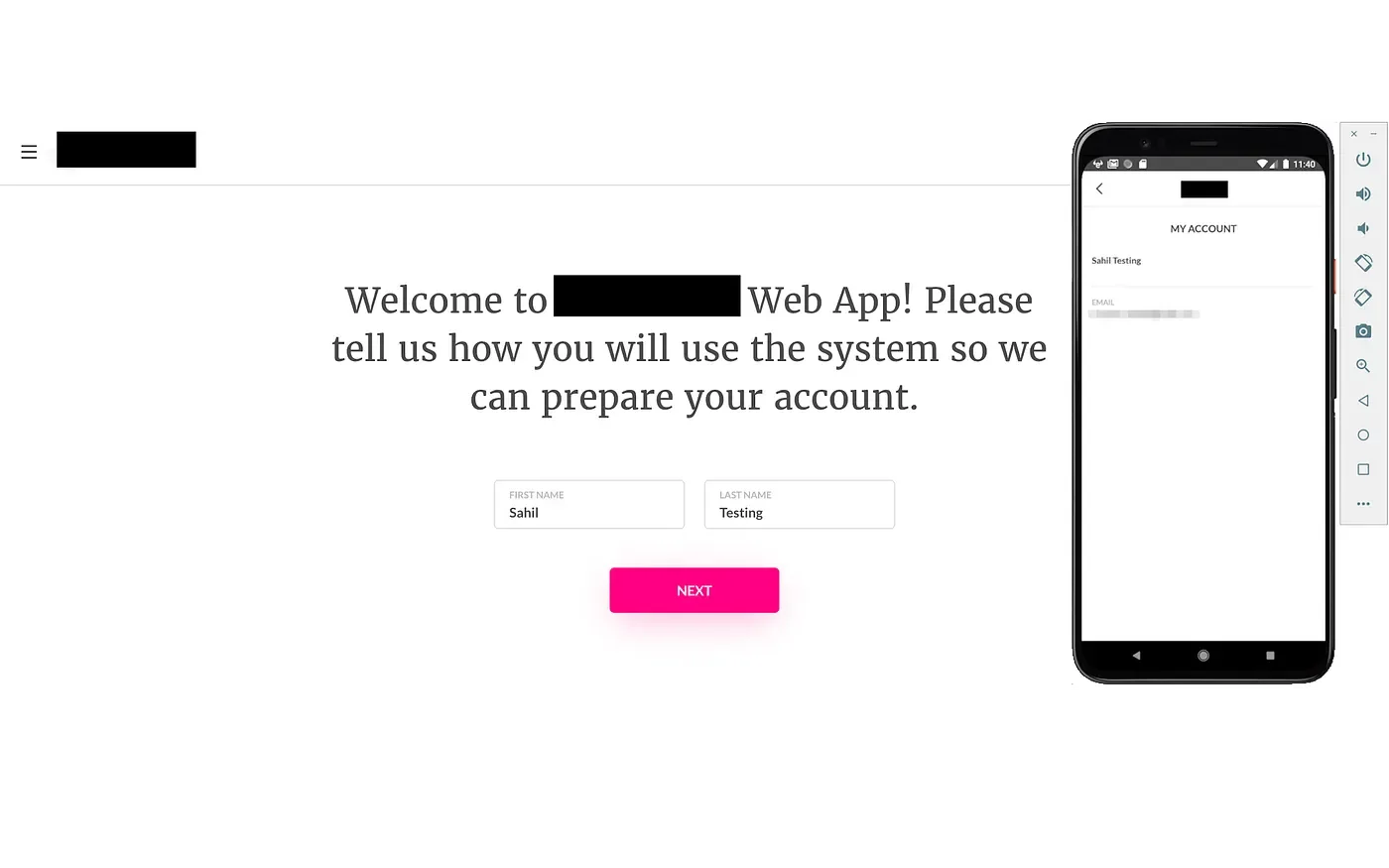
The screenshot shows the changed first name and last name reflected in the Android app after they were submitted through the web portal.
Step 2: set a new password through the same form
The researcher then created an account on the web portal again with the same email address, this time with a different password. After that, the Android app logged the researcher out of the account. Logging back in with the password that had been entered on the web portal worked, and gave access to the account in the Android app. In the researcher's words, a proper unauthorised actor can take over any account this way.
Steps to reproduce
The report gives the full sequence as follows:
- Open your android app & signup.
- After account creation. (skip the price section)
- Now, go to the web portal
https://www3.redacted.com/account. - Fill in the same email address but with different details (First Name, Last Name & Password).
- Click on the Next button & after that pricing page popped up. (skip that section too)
- Now, Go to Android App & Enter the victim's email & use that password that you fill on the web portal during account creation.
- You noticed that the Victim's Account Compromised.
The key point in the sequence is step 5: the pricing page appears after the details have been submitted, and the researcher skips it. The web signup form therefore overwrites the details of an existing account identified by its email address.
Root cause
The web portal's signup flow appears to treat an existing email address as an update rather than rejecting it. When the form is submitted with an email that already belongs to an account, the supplied first name, last name and password are written to that account, and the pricing page that follows is only a step in the flow, not a gate on the write. The Android app then accepted the password set through the web portal, and the researcher was logged out of the account.
The report does not describe the server-side code, so the exact mechanism is likely a missing check that the email is unregistered, or an upsert-style handler that updates on conflict.
Impact
An attacker who knows a victim's email address can take over the victim's account. The attacker submits the victim's email on the web portal signup form together with a new first name, last name and password, skips the pricing page, and then logs in to the Android app with the victim's email and the chosen password. The victim is logged out in the process. The report's title states that millions of users were affected. The report describes no special tooling and no action by the victim.
Fix
The report records that the vulnerability was fixed on 22 October 2020, two days after it was triaged. It does not describe the change that was made.
Variants to test
- Submit an existing email on any signup or registration form and watch whether the response differs from a fresh registration. A positive result is a success response, or a later login with the newly supplied password working on another client.
- Compare signup flows across clients of the same product, such as mobile app versus web, and look for differences in when the account is created relative to payment or verification steps. A positive result is one client creating the account before the gate and another applying changes after it.
- After submitting a duplicate email, check whether profile fields such as first name and last name change on the original account. A positive result is the new values appearing in the app or profile page of the existing account.
- Check whether the original session is invalidated after the duplicate submission. A positive result is the legitimate user being logged out, which indicates the password was overwritten.
- Try the same duplicate-email submission on password reset and email change endpoints. A positive result is any of those flows accepting an unauthenticated change tied only to the email address.
Timeline
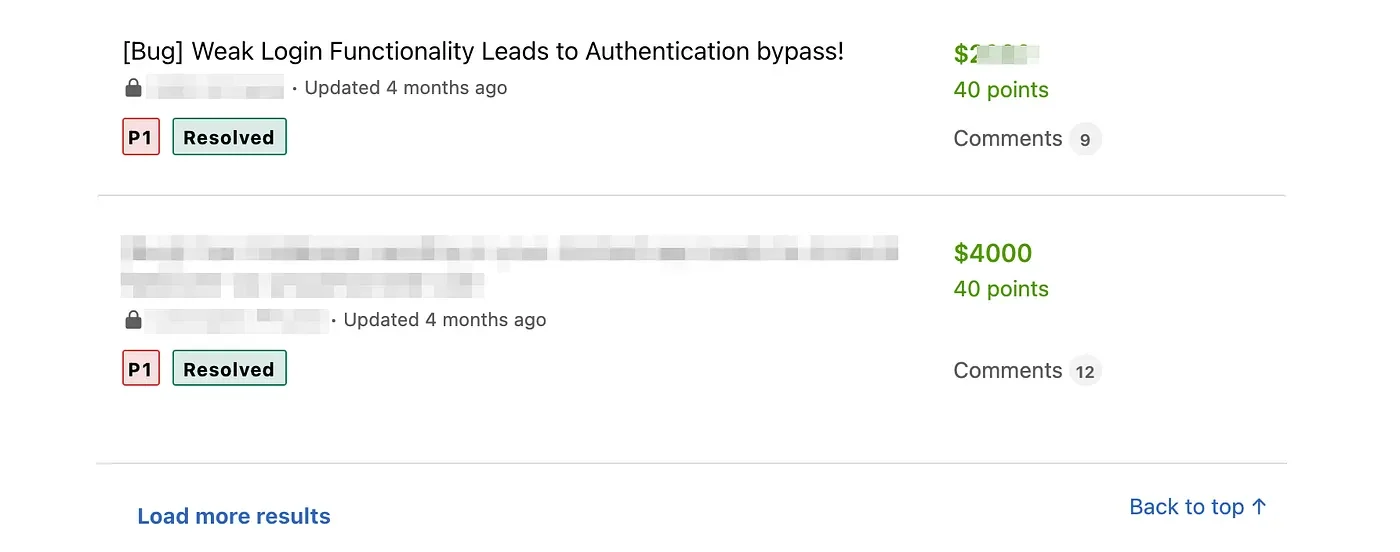
The screenshot shows the bounty awarded for the report.
- 20 October 2020: reported to a private program.
- 20 October 2020: report triaged.
- 22 October 2020: vulnerability fixed.
- 28 October 2020: bounty of $XXXX USD awarded.
The researcher thanks sechunt3r.
What happened, in plain words
A security researcher found a way to take over other people's accounts on a product that exists both as an Android phone app and as a website. The report describes no special software or hacking tool, and no action from the victim. The attacker used the victim's email address.
The product had two front doors: the Android app and the web portal. Both let you sign up. The two doors behaved differently, and that difference was the bug. In the Android app, you could create an account first and then a pricing page appeared asking you to pay for the full features. On the website, the pricing page appeared after you filled in the signup form, which made it look as though you had to pay before an account existed.
The researcher tried something simple: sign up on the website using an email address that already belonged to an account created in the Android app, but with different details (a different first name, last name and password). The website accepted the duplicate email, and the new details appeared on the existing account in the Android app. The name changed, and the password changed too. The real owner was logged out, and the person who submitted the form could log in to the Android app with the victim's email and the password they had just chosen.
That is called account takeover: someone else ends up in control of your account. The report's title states that millions of users were affected. The issue was fixed two days after it was triaged, and a bounty was paid on 28 October 2020.
Before going further, a few words that will come up constantly:
- An account is simply a record on the company's server that says "this email address belongs to this person, with this name and this password".
- Authentication is the process of proving you are who you say you are, usually by typing an email and a password. Broken authentication means that proof can be bypassed or faked.
- A web portal is just a website you use in a browser. An Android app is a program installed on a phone. Both talk to the same company servers behind the scenes, like two different shop counters serving the same warehouse.
The setup
The researcher used two things, both of which any reader already has:
- The Android app, to create an account and later to log in.
- The web portal, to try creating an account with the same email address.
No special tools are described anywhere in the report. The demonstrated attack involved two things:
- The victim already has an account that was created through the Android app.
- The attacker knows the victim's email address.
The attacker also needs to be able to open the web portal's signup form, which anyone can do.
Think of it like a gym with two reception desks. At desk A (the app) you can join first and pay later. At desk B (the website) you fill in a form and then get shown the price list. If desk B, instead of saying "this member already exists", quietly updates the existing member's file with whatever you wrote on the form, then anyone who knows a member's name can rewrite that member's file.
Finding it
The researcher first created an account in the Android app using an email address of the form <redacted>@gmail.com. After the account was created, the app showed a pricing page listing all the features, and getting full access required payment. The researcher considered the price too high.
The same steps were then repeated on the web portal. After filling in all the details, the researcher again landed on a pricing page, but the order of events felt wrong. In the Android app, the account existed before the pricing page appeared. On the website, it looked as though payment was required before an account existed at all. The researcher described this functionality as weird and decided to poke at it.
The poke was simple: create an account on the web portal with the same email address already used in the Android app, but with different details, namely a different first name, last name and password. The researcher then noticed that the details entered on the web portal showed up in the Android app. That single observation turned an odd signup order into an authentication bypass.
Why does that matter? Because it means the website's signup form was not really creating a new account. It was editing an existing one. In everyday terms: you walked up to a reception desk, wrote a new name and a new lock code on a form, and the building changed the member's file without ever checking that you were the member.
Exploitation
Step 1: change the victim's name through the web signup form
The researcher created an account on the web portal with the same email address used in the Android app, but with a different first name and last name. The result was that the details entered on the web portal appeared in the Android app for that account. In other words, an unauthorised actor can change the first name and last name of an existing account.
The screenshot shows the changed first name and last name reflected in the Android app after they were submitted through the web portal. Seeing the new values in the app shows that the website form changed the account the app uses.
Step 2: set a new password through the same form
The researcher then created an account on the web portal again with the same email address, this time with a different password. After that, the Android app logged the researcher out of the account. Logging back in with the password that had been entered on the web portal worked, and gave access to the account in the Android app. In the researcher's words, a proper unauthorised actor can take over any account this way.
That logout is an important clue. When a password changes, a well-built system ends the old sessions so that anyone still holding the old login stops working. Here the researcher was logged out, and the password set on the web portal then worked in the app.
Steps to reproduce
The report gives the full sequence as follows:
- Open your android app & signup.
- After account creation. (skip the price section)
- Now, go to the web portal
https://www3.redacted.com/account. - Fill in the same email address but with different details (First Name, Last Name & Password).
- Click on the Next button & after that pricing page popped up. (skip that section too)
- Now, Go to Android App & Enter the victim's email & use that password that you fill on the web portal during account creation.
- You noticed that the Victim's Account Compromised.
The key point is step 5. The pricing page appears after the details have been submitted, and the researcher skips it. The web signup form therefore overwrites the details of an existing account identified by its email address.
The only thing tying the request to a victim is the email address typed into the form.
Root cause
The web portal's signup flow appears to treat an existing email address as an update rather than rejecting it. When the form is submitted with an email that already belongs to an account, the supplied first name, last name and password are written to that account, and the pricing page that follows is only a step in the flow, not a gate on the write. The Android app then accepted the password set through the web portal, and the researcher was logged out of the account.
The report does not describe the server-side code, so the exact mechanism is likely a missing check that the email is unregistered, or an upsert-style handler that updates on conflict. "Upsert" is a database term meaning "insert if new, update if it already exists". It is a handy shortcut for programmers and a dangerous one for signup forms, because it silently turns "create" into "overwrite".
Proof of ownership would normally be something like a confirmation link sent to the email address, which only the real owner can click.
Impact
An attacker who knows a victim's email address can take over the victim's account. The attacker submits the victim's email on the web portal signup form together with a new first name, last name and password, skips the pricing page, and then logs in to the Android app with the victim's email and the chosen password. The victim is logged out in the process. The report describes no special tooling and no action by the victim.
Email addresses are not secret. They appear on business cards, in mailing lists, in social profiles and in data breaches. That is what makes this bug so serious: the one piece of information the attacker needs is the one piece that is widely available.
Fix
The report records that the vulnerability was fixed on 22 October 2020, two days after it was triaged. It does not describe the change that was made.
Variants to test
If you ever find yourself looking at a signup form, these are checks worth trying:
- Submit an existing email on any signup or registration form and watch whether the response differs from a fresh registration. A positive result is a success response, or a later login with the newly supplied password working on another client.
- Compare signup flows across clients of the same product, such as mobile app versus web, and look for differences in when the account is created relative to payment or verification steps. A positive result is one client creating the account before the gate and another applying changes after it.
- After submitting a duplicate email, check whether profile fields such as first name and last name change on the original account. A positive result is the new values appearing in the app or profile page of the existing account.
- Check whether the original session is invalidated after the duplicate submission. A positive result is the legitimate user being logged out, which indicates the password was overwritten.
- Try the same duplicate-email submission on password reset and email change endpoints. A positive result is any of those flows accepting an unauthenticated change tied only to the email address.
A session here means the state of being logged in: the server remembers that this browser or app has already proved who it is, usually by handing out a small piece of data that the client sends back with every request. If that session suddenly ends after a duplicate signup, it is a strong hint that the password behind it changed.
Timeline
The screenshot shows the bounty awarded for the report.
- 20 October 2020: reported to a private program.
- 20 October 2020: report triaged.
- 22 October 2020: vulnerability fixed.
- 28 October 2020: bounty of $XXXX USD awarded.
A private program is a bug bounty arrangement where a company invites selected researchers to test its systems, rather than opening the invitation to the whole world. Triaged means the company's security team looked at the report, confirmed it was real and passed it on to the engineers. A bounty is the money paid for a valid report.
The researcher thanks sechunt3r.
Glossary
- Account: a record on a company's server holding your email address, name and password, and everything tied to them.
- Account takeover: a situation where someone other than the owner gains control of an account, for example by changing its password.
- Android app: a program installed on an Android phone that talks to the company's servers.
- Authentication: the process of proving who you are, usually with an email address and a password.
- Broken authentication: a flaw that lets someone bypass or fake that proof.
- Bug bounty: a scheme where companies pay researchers for reporting security flaws.
- Bounty: the money paid for a valid security report.
- Credentials: the pieces of information used to log in, typically the email address and password.
- Duplicate email: an email address that is already registered to an existing account.
- Endpoint: a specific address on a server that accepts a particular kind of request, such as the signup form's submission address.
- Impact: the real-world harm a flaw can cause, such as accounts being taken over.
- Invalidated session: a logged-in state that the server has ended, so the old login no longer works.
- Pricing page: the page listing paid features and their cost.
- Private program: a bug bounty programme open only to invited researchers.
- Proof of ownership: evidence that you control an email address, typically a confirmation link sent to it.
- Root cause: the underlying reason a flaw exists, as opposed to its visible symptom.
- Session: the server's memory that a particular browser or app is currently logged in.
- Signup form: the web page where you enter details to create an account.
- Triaged: reviewed and confirmed as valid by the company's security team.
- Unauthenticated: done without logging in or otherwise proving who you are.
- Upsert: a database operation that inserts a new record if none exists and updates the existing one if it does.
- Victim: the person whose account is taken over.
- Web portal: the website version of the product, used in a browser.



