Your Antivirus Has an Off Switch, and Ransomware Just Found It
An attacker used stolen VPN credentials to access a company network, then rebooted a server into Windows Safe Mode, which prevented endpoint security agents from starting. This allowed the attacker to continue staging ransomware without triggering alerts.

An Akira operator rebooted a company server into Windows Safe Mode on August 4 and every security tool on that machine went dark without firing a single alert. Here is why tamper protection does not cover this, and the free hour that tells you whether you would even notice.
The full write-up lives on its author's site
It belongs to its author, so we link to it rather than copy it. The other two tabs are our own rewrites, checked against it.
Context
This is not a web application bug. It is an intrusion in which a built-in Windows feature, Safe Mode, was used deliberately to take endpoint security offline before ransomware was deployed. The account comes from Huntress, which published the incident breakdown on 12 August; the attack itself began on 4 August at 03:45 UTC.
The target was a company with a SonicWall SSL VPN exposed to the internet. The feature that matters is the Windows boot configuration: Safe Mode loads core Windows and almost nothing else, so third-party software, including endpoint detection and response agents, does not start. That is by design, not a defect. The attacker turned that design decision into an off switch for every security tool on the host.
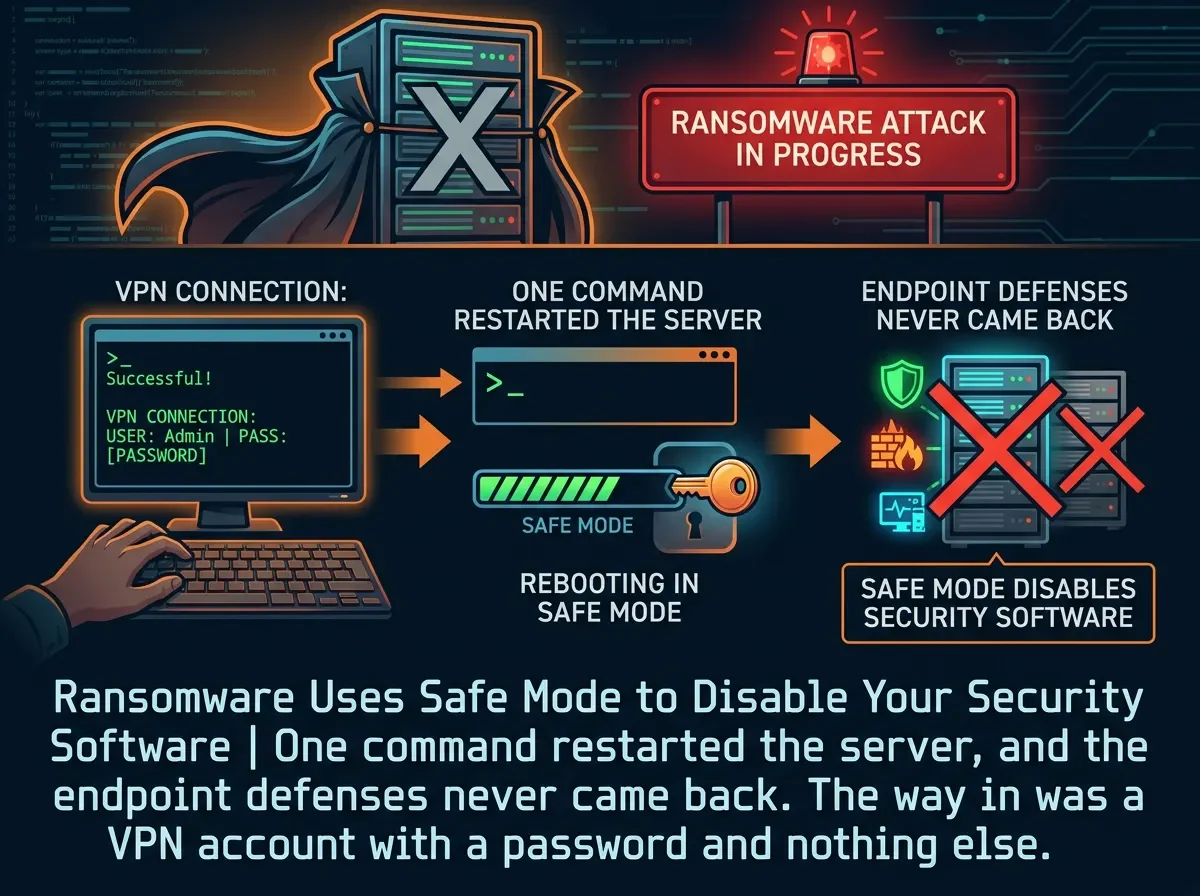
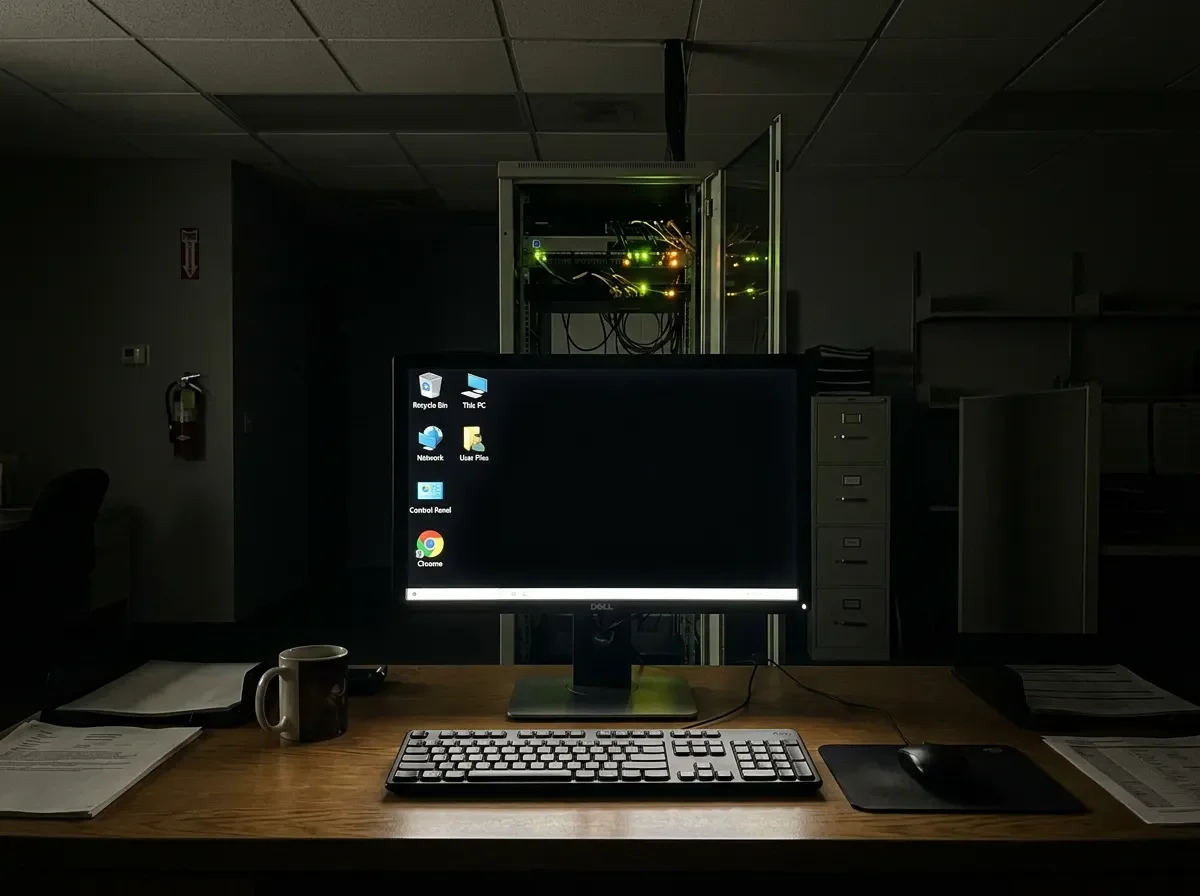
The victim in the narrative is a 90-person engineering firm. Its IT manager received a monitoring text at 06:31 on a Tuesday saying the application server had rebooted. He assumed overnight patching. Twenty minutes later he opened a remote session and found a black background, an oversized taskbar and oversized icons: the machine was in Safe Mode. Nobody on his team had put it there. He opened the security console expecting to see what the endpoint agent had recorded during the reboot. There was no alert, no warning, no stopped service. The agent had not been stopped. It had never started.
Setup
The attacker needed nothing exotic:
- Network access to a SonicWall SSL VPN accepting password-only authentication.
- A valid account with no second factor in front of it.
- Remote Desktop reachability to a domain controller once inside.
- The built-in Windows tools
msconfigand the registry, plus WinRAR and AnyDesk, which the operator brought along.
On the defensive side, the environment had Microsoft Defender and an endpoint agent from a security vendor. Huntress noted the agent was installed on only a fraction of the machines the attacker enumerated. The machines without it are where an operator stages the work.
Finding it
No security alert fired during the reboot, and the endpoint agent had never started. The sequence the report sets out runs from initial access to the Safe Mode reboot:
- 03:45 UTC: password spraying against the SonicWall SSL VPN begins.
- 03:52:42: one login succeeds, roughly seven minutes in. That account had no second verification step.
- A two-hour pause.
- The operator moves to the domain controller over Remote Desktop and enumerates every user and computer in the company into two text files.
- File shares are archived with WinRAR and pushed to attacker-controlled cloud storage.
- AnyDesk is installed as a Windows service to hold persistent access.
- 06:29:21:
msconfigis run and a restart into Safe Mode with Networking is forced.
Everything up to step 6 is ordinary intrusion tradecraft. Step 7 is the part that matters, because it converts a working endpoint defence into silence without disabling anything.
Exploitation
Step 1: password spray against the SSL VPN
The attack opens at 03:45 UTC with repeated authentication attempts against the SonicWall SSL VPN. About seven minutes later, at 03:52:42, one login works. The account had no second factor. The report gives no request or response for this phase, only the timing and the outcome.
Step 2: domain enumeration over RDP
After a two-hour gap, the operator connects to the domain controller over Remote Desktop and lists every user and computer in the company into two text files. The report does not reproduce the commands used.
Step 3: collection and exfiltration
File shares are archived with WinRAR and pushed to cloud storage the attacker controls. AnyDesk is then installed as a Windows service so the operator keeps a remote channel independent of the VPN session.
Step 4: register the remote access tool for Safe Mode
Before the reboot, the operator adds AnyDesk to the registry list of services Windows is permitted to run in Safe Mode. The report does not give the registry path or the exact value written. The effect is that the attacker's remote control survives the restart while the security stack does not.
Step 5: force a Safe Mode boot
At 06:29:21 the operator runs msconfig, the built-in Windows tool that changes how a computer starts, and forces a restart into Safe Mode with Networking. The report does not reproduce the command line or the configuration change itself.
On the next boot, third-party software does not load. The endpoint agent cannot start. Microsoft Defender logs a message stating plainly that its real-time protection cannot run in Safe Mode. Seconds into the boot the machine has no working security software on it, while AnyDesk comes back because it was explicitly allowed to.
Step 6: the detection that did happen, and why it did not help
Defender eventually identified the file. A scheduled scan flagged it as Akira and could not remove it, because removal requires real-time protection and real-time protection was not running. The detection existed; the response did not.
Root cause
The mistake is architectural rather than a coding error. Safe Mode is a diagnostic boot mode whose purpose is to load core Windows and almost nothing else. Third-party services, including EDR agents, are excluded by design. An attacker who can change the boot configuration and reboot the host therefore gets a machine with no endpoint security, without disabling, stopping or modifying a single security component.
That defeats four assumptions in turn, ranked in the report from least to most useful:
| Assumption | Why it fails here |
|---|---|
| Antivirus signatures | Defender identified the file on a scheduled scan but could not remove it, because removal needs real-time protection, which was not running. Detection you cannot act on is a log entry. |
| Tamper protection | Nothing was tampered with. No service was stopped and no sensor was modified. Windows was asked to boot in a mode where the agent does not load, and Windows complied. |
| Alerting | A service that is stopped generates an alert in most consoles. A service that never starts generates silence. From the console's point of view nothing occurred. |
| Endpoint agent | Only helps on machines that have it. Huntress noted the agent was installed on a fraction of the enumerated machines, and the machines without it are where the operator stages the work. |
One artefact does record what happened, and it is not a security product: it is the reboot. Windows records the boot mode on every start. Kernel-Boot Event ID 27 carries a SAFEBOOT load option, Kernel-General Event ID 12 records BootMode=2, and System Event ID 7036 shows the third-party security services stopping. Whether anyone reads those events is a separate question, and for most small businesses the honest answer is no.
Impact
An operator who reaches an administrative context on a Windows host can reboot it into Safe Mode with Networking and continue working with their own tooling while every endpoint defence on that host is absent. In this incident the result was domain-wide enumeration, archived and exfiltrated file shares, a persistent AnyDesk service, and an Akira payload that Defender could identify but not remove. The report does not state whether encryption was ultimately carried out.
The conditions are specific: a password-only VPN account, administrative rights sufficient to run msconfig and write the Safe Mode service list, and the ability to reboot the host. The report notes only that the agent was installed on a fraction of the machines the attacker enumerated. For most small businesses, the honest answer to whether anyone reads those events is no.
Fix
It sets out what should be done, in order.
First, and outside the numbered list: if the VPN still accepts a password alone, fix that before anything else. The report puts this at twenty minutes and no cost. The successful login was only the first step.
- Ask your IT provider one question containing event IDs. Cost: nothing, one email. Ask exactly whether a Safe Mode boot on any machine generates an alert anywhere, and whether Kernel-Boot Event ID 27, Kernel-General Event ID 12, and
msconfigorbcdeditexecution are being watched. Ask for the answer in writing. A provider who cannot answer within one business day has answered a larger question about the relationship. - Compare machine count to agent count. Cost: nothing, about an hour. Produce two lists: every Windows machine on the network, including the old file server nobody logs into, and every machine the security software is actually installed on. The gap is where an attacker stages work before touching anything visible.
- Alert on failed logins that end in a success. Cost: nothing, 30 minutes. The pattern here was a burst of failures followed by one success, all within seven minutes, all from outside. SonicWall, Fortinet, Cisco and Microsoft 365 all log that sequence. Ask whoever manages remote access to send an email when it occurs.
Variants to test
The same primitive applies wherever an attacker with administrative rights can influence how a host boots. Concrete checks:
- Safe Mode boot detection. Force a Safe Mode boot on a test Windows host and confirm whether Kernel-Boot Event ID 27, Kernel-General Event ID 12 with
BootMode=2, and System Event ID 7036 reach your SIEM. A positive result is an alert on the Safe Mode boot. - Boot configuration change auditing. Run
msconfigandbcdediton a monitored host and check whether execution is logged and alerted. A positive result is a logged and alerted execution of the tool. - Safe Mode service allow-list writes. Add a benign service to the registry list of services permitted in Safe Mode and confirm whether the write is detected. A positive result is a detected write to that registry list.
- Agent coverage gap. Enumerate Windows hosts and compare against agent inventory. A non-zero gap is where an attacker stages the work.
- Authentication sequence alerting. Generate a burst of failed VPN or identity-provider logins followed by one success and confirm an alert fires. The sequence to watch is a burst of failures followed by one success.
Each of these tests the same underlying weakness: the attacker does not need to defeat the security product if they can arrange for it never to start.
What happened, in plain words
On 4 August, someone broke into a company's server and then restarted it in a special Windows mode called Safe Mode. In Safe Mode, almost all the extra software that normally runs on a computer is switched off. That includes the security software. So for a while, the machine had no working protection at all, and nobody was told.
This is not a bug in Windows. Safe Mode exists on purpose, to help you fix a computer that will not start properly. The attacker simply used that helpful feature as an off switch.
The story comes from a security company called Huntress, which published its breakdown of the incident on 12 August. The attack itself started on 4 August at 03:45 UTC (Coordinated Universal Time, the clock used to compare events across the world).
The company in the story is an engineering firm with 90 staff. Its IT manager got a text message at 06:31 on a Tuesday morning saying the application server had rebooted. He assumed it was routine overnight patching. Twenty minutes later he opened a remote session to the machine and found a black background, a taskbar the wrong size and oversized icons. The machine was in Safe Mode. Nobody on his team had put it there.
He opened the security console to see what the endpoint agent had recorded during the reboot. An endpoint agent is a small program installed on each computer that watches for suspicious behaviour and reports back to a central console. The console was clean: no alert, no warning, no stopped service. The agent had not been stopped. It had never started.
The pieces involved
Before the sequence of events, here is what each part of the setup is, in everyday terms.
- SonicWall SSL VPN. A VPN is a private tunnel into a company network over the public internet. SonicWall is a brand of network equipment that provides one. Staff use it to reach office systems from home. If it only asks for a password, then anyone who learns or guesses that password is inside.
- Password spraying. Instead of guessing many passwords for one account (which locks it), an attacker tries one or two common passwords against many accounts. It is like trying a handful of keys on every door in a building rather than forcing one lock.
- Second factor (two-factor authentication). A second proof of identity beyond the password, such as a code on your phone. Without it, a stolen or guessed password is enough on its own.
- Remote Desktop (RDP). A built-in Windows feature that lets you control another computer's screen and keyboard over the network, as if you were sitting in front of it.
- Domain controller. A server that holds the master list of users and computers for a Windows network. Whoever controls it controls who can log in where.
- WinRAR. A common program for compressing files into archives. Attackers use it to bundle up stolen data so it is quicker to copy out.
- AnyDesk. A legitimate remote-control program, similar in purpose to Remote Desktop but often used by support staff. Attackers install it so they can get back in later, even if the original way in is closed.
- Windows service. A program that runs in the background without a visible window, usually starting automatically when the computer boots.
- Registry. A large internal database in Windows that stores settings, including which services are allowed to start.
msconfig. A built-in Windows tool with a simple window for changing how the computer starts, including an option to boot into Safe Mode.- Microsoft Defender. The antivirus software built into Windows. Its "real-time protection" checks files as they are opened; a "scheduled scan" is a check that runs at set times.
- Endpoint detection and response (EDR) agent. A more advanced security agent than antivirus. It watches behaviour on the machine and reports to a central console.
- Tamper protection. A setting that stops attackers from switching off or modifying the security software. It is a good setting to have on.
- Event ID. Windows keeps a log of notable things that happen, and each type of entry has a number. Event ID 27, 12 and 7036 are three specific entries we will come back to.
- SIEM. A system that collects logs from many machines in one place so they can be searched and alerted on.
- Telemetry. The technical records a system produces about what it is doing, which investigators use to reconstruct events after the fact.
On the defensive side, the company had Microsoft Defender and an endpoint agent from a security vendor. Huntress noted that the agent was installed on only a fraction of the machines the attacker looked through. The machines without it are where an attacker does the quiet preparation work.
How the attack unfolded
No security alert ever fired during the reboot. The report sets out the sequence from first login to the Safe Mode reboot.
- 03:45 UTC: password spraying against the SonicWall SSL VPN begins.
- 03:52:42: one login succeeds, about seven minutes in. That account had no second verification step.
- A two-hour pause.
- The operator connects to the domain controller over Remote Desktop and lists every user and computer in the company into two text files.
- File shares are archived with WinRAR and pushed to cloud storage the attacker controls.
- AnyDesk is installed as a Windows service to keep a way back in.
- 06:29:21:
msconfigis run and a restart into Safe Mode with Networking is forced.
Steps 1 to 6 are ordinary break-in behaviour. Step 7 is the one that matters, because it turns a working defence into silence without switching anything off.
Step 1: guessing passwords at the VPN
The attack opens at 03:45 UTC with repeated login attempts against the SonicWall SSL VPN. About seven minutes later, at 03:52:42, one login works. The account had no second factor. The report gives no request or response for this phase, only the timing and the outcome.
Why start here? The VPN is the front door that is deliberately open to the internet. If it accepts a password alone, then a single correct guess is the whole of the security.
Step 2: listing everything on the network
After a two-hour gap, the operator connects to the domain controller over Remote Desktop and lists every user and computer in the company into two text files. The report does not reproduce the commands used.
Why do this? Before stealing or locking anything, an attacker wants a map: who exists, which machines exist, and which of them are worth going after. Two text files are a simple, portable map.
Step 3: collecting and copying out data
AnyDesk is then installed as a Windows service so the operator keeps a remote channel that does not depend on the VPN session.
Why? Stealing data gives leverage: the attacker can threaten to publish it. A separate remote-control channel means that even if the VPN password is changed, they still have a way in.
Step 4: telling Windows to allow the remote tool in Safe Mode
Before the reboot, the operator adds AnyDesk to the registry list of services Windows is permitted to run in Safe Mode. The report does not give the registry path or the exact value written. The effect is that the attacker's remote control survives the restart while the security stack does not.
Why? Safe Mode blocks almost all extra software. But Windows keeps a list of exceptions, and anything on that list still starts. Adding AnyDesk to the list means the attacker's tool comes back after the reboot while the defenders' tools do not.
Step 5: forcing the Safe Mode restart
At 06:29:21 the operator runs msconfig, the built-in Windows tool that changes how a computer starts, and forces a restart into Safe Mode with Networking. The report does not reproduce the command line or the configuration change itself.
Why? This is the off switch. On the next boot, third-party software does not load. The endpoint agent cannot start. Microsoft Defender logs a message stating plainly that its real-time protection cannot run in Safe Mode. Seconds into the boot the machine has no working security software on it, while AnyDesk comes back because it was explicitly allowed to.
"Safe Mode with Networking" is a version of Safe Mode that still loads the network drivers, so the attacker can keep working remotely. Plain Safe Mode would cut the machine off from the network.
Step 6: the detection that did happen, and why it did not help
Defender eventually identified the file. A scheduled scan flagged it as Akira (the name of the ransomware family) and could not remove it, because removal requires real-time protection and real-time protection was not running. The detection existed; the response did not.
Why does this matter? It shows the antivirus was not blind. It could still recognise the malicious file when a scan ran. But recognising a file and being able to act on it are two different jobs, and the second one needs the protection that Safe Mode had switched off.
Why the defences did not help
The mistake is in how the system is built, not a coding error. Safe Mode is a diagnostic boot mode whose purpose is to load core Windows and almost nothing else. Third-party services, including EDR agents, are excluded by design. An attacker who can change the boot configuration and restart the machine therefore gets a computer with no endpoint security, without disabling, stopping or modifying a single security component.
That defeats four assumptions in turn, ranked in the report from least to most useful:
| Assumption | Why it fails here |
|---|---|
| Antivirus signatures | Defender identified the file on a scheduled scan but could not remove it, because removal needs real-time protection, which was not running. Detection you cannot act on is a log entry. |
| Tamper protection | Nothing was tampered with. No service was stopped and no sensor was modified. Windows was asked to boot in a mode where the agent does not load, and Windows complied. |
| Alerting | A service that is stopped generates an alert in most consoles. A service that never starts generates silence. From the console's point of view nothing occurred. |
| Endpoint agent | Only helps on machines that have it. Huntress noted the agent was installed on a fraction of the enumerated machines, and the machines without it are where the operator stages the work. |
One record does capture what happened, and it is not a security product: it is the reboot itself. Windows records the boot mode on every start. Kernel-Boot Event ID 27 carries a SAFEBOOT load option, Kernel-General Event ID 12 records BootMode=2, and System Event ID 7036 shows the third-party security services stopping. Whether anyone reads those events is a separate question, and for most small businesses the honest answer is no.
What the damage was
An operator who reaches an administrative level of access on a Windows machine can restart it into Safe Mode with Networking and carry on working with their own tools while every endpoint defence on that machine is absent. In this incident the result was a list of every user and computer across the domain, file shares archived and copied out, a persistent AnyDesk service, and an Akira payload that Defender could identify but not remove. The report does not state whether encryption was ultimately carried out.
The conditions are specific: a VPN account protected by a password alone, administrative rights sufficient to run msconfig and write the Safe Mode service list, and the ability to restart the machine. The report notes only that the agent was installed on a fraction of the machines the attacker enumerated. For most small businesses, the honest answer to whether anyone reads those events is no.
What to do about it
It sets out what should be done, in order.
First, and outside the numbered list: if the VPN still accepts a password alone, fix that before anything else. The report puts this at twenty minutes and no cost. The successful login was only the first step.
- Ask your IT provider one question containing event IDs. Cost: nothing, one email. Ask exactly whether a Safe Mode boot on any machine generates an alert anywhere, and whether Kernel-Boot Event ID 27, Kernel-General Event ID 12, and
msconfigorbcdeditexecution are being watched. Ask for the answer in writing. A provider who cannot answer within one business day has answered a larger question about the relationship. - Compare machine count to agent count. Cost: nothing, about an hour. Produce two lists: every Windows machine on the network, including the old file server nobody logs into, and every machine the security software is actually installed on. The gap is where an attacker stages work before touching anything visible.
- Alert on failed logins that end in a success. Cost: nothing, 30 minutes. The pattern here was a burst of failures followed by one success, all within seven minutes, all from outside. SonicWall, Fortinet, Cisco and Microsoft 365 all log that sequence. Ask whoever manages remote access to send an email when it occurs.
Tests you can run yourself
The same trick applies wherever an attacker with administrative rights can influence how a machine starts. Concrete checks:
- Safe Mode boot detection. Force a Safe Mode boot on a test Windows machine and confirm whether Kernel-Boot Event ID 27, Kernel-General Event ID 12 with
BootMode=2, and System Event ID 7036 reach your SIEM. A positive result is an alert on the Safe Mode boot. - Boot configuration change auditing. Run
msconfigandbcdediton a monitored machine and check whether execution is logged and alerted. A positive result is a logged and alerted execution of the tool. - Safe Mode service allow-list writes. Add a harmless service to the registry list of services permitted in Safe Mode and confirm whether the write is detected. A positive result is a detected write to that registry list.
- Agent coverage gap. List your Windows machines and compare against the list of machines with the agent installed. A non-zero gap is where an attacker stages the work.
- Authentication sequence alerting. Generate a burst of failed VPN or identity-provider logins followed by one success and confirm an alert fires. The sequence to watch is a burst of failures followed by one success.
Each of these tests the same underlying weakness: the attacker does not need to defeat the security product if they can arrange for it never to start.
Glossary
- Akira: the name of the ransomware family involved in this incident.
- AnyDesk: a legitimate remote-control program, used here by the attacker to keep access.
- Application server: a server that runs the software staff use day to day.
bcdedit: a built-in Windows command-line tool for viewing and changing boot settings.- Boot configuration: the settings that tell Windows how to start up.
- BootMode=2: the value Windows records in Kernel-General Event ID 12 when the machine started in Safe Mode.
- Cloud storage: online file storage run by a provider, reachable from anywhere.
- Domain controller: a server holding the master list of users and computers for a Windows network.
- EDR (endpoint detection and response): security software that watches behaviour on a machine and reports to a central console.
- Endpoint agent: a small program on each computer that watches for suspicious activity and reports back.
- Event ID: the number identifying a type of entry in the Windows event log.
- Exfiltration: copying data out of a network without permission.
- File share: a folder on a server that other computers on the network can open.
- Kernel-Boot Event ID 27: the Windows log entry that records a SAFEBOOT load option.
- Kernel-General Event ID 12: the Windows log entry that records the boot mode, including
BootMode=2for Safe Mode. msconfig: a built-in Windows tool for changing how the computer starts, including booting into Safe Mode.- Password spraying: trying a few common passwords against many accounts, rather than many passwords against one.
- Payload: the malicious file or code the attacker intends to run.
- Real-time protection: the part of antivirus that checks files as they are opened.
- Registry: the Windows database that stores settings, including which services may start.
- Remote Desktop (RDP): a built-in Windows feature for controlling another computer over the network.
- Ransomware: malicious software that locks or steals data and demands payment.
- Safe Mode: a diagnostic Windows start-up mode that loads core Windows and almost nothing else.
- Safe Mode with Networking: Safe Mode that still loads network drivers, so remote access keeps working.
- Scheduled scan: an antivirus check that runs at set times rather than continuously.
- Second factor (two-factor authentication): a second proof of identity beyond the password, such as a phone code.
- Service: a program that runs in the background and usually starts automatically at boot.
- SIEM: a system that collects logs from many machines so they can be searched and alerted on.
- SonicWall SSL VPN: a brand of VPN appliance that lets staff reach a company network over the internet.
- System Event ID 7036: the Windows log entry that records a service starting or stopping.
- Tamper protection: a setting that stops attackers switching off or modifying security software.
- Telemetry: the technical records a system produces about what it is doing.
- UTC: Coordinated Universal Time, used to compare events across the world.
- VPN: a private tunnel into a company network over the public internet.



