Bypassing Amazon Kids+ Parental Controls
Embedded web browsers in Amazon Kids+ approved apps allowed navigation to arbitrary websites, bypassing parental content controls and activity logging. An attacker (or child) could access adult content and other inappropriate material without the parent's knowledge.

Recently for Christmas my 4 year old daughter got an Amazon Kids tablet. So far the tablet has been great and Kids+ seems like a pretty decent value for what you get.
The full write-up lives on its author's site
It belongs to its author, so we link to it rather than copy it. The other two tabs are our own rewrites, checked against it.
Context
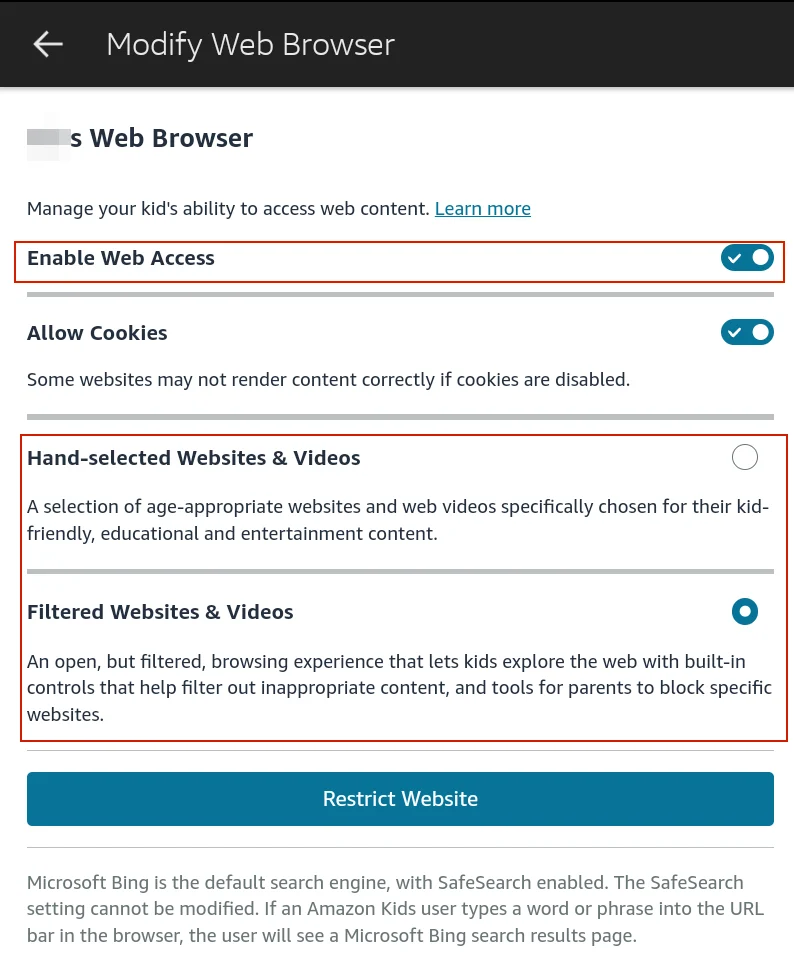
Amazon Kids+ is a subscription service that gives children access to a curated app store on an Amazon Kids tablet. Parents configure a child profile with an age, and Amazon rates every app in the store for age-appropriate content. Apps approved for Kids+ can be downloaded by the child without a permission request; other apps require parental approval. Parents can also configure web browsing controls: hand-selected websites and videos, filtered websites and videos, or disabling web access entirely. The parent dashboard is meant to show the child's web activity.
The researcher's target was the trust boundary between those controls and the apps themselves. The question was whether a child could reach arbitrary web content from inside an approved app, and whether that activity would be logged.
Setup
The setup was a Christmas gift: an Amazon Kids tablet for a 4 year old daughter, with Kids+ enabled. The parent locked the tablet down as far as the controls allowed, including disabling web access completely rather than relying on filtered browsing. The researcher notes that hand-selected sites are a much stronger control than filtered sites, and that Amazon only claims filtered mode will help filter inappropriate content.
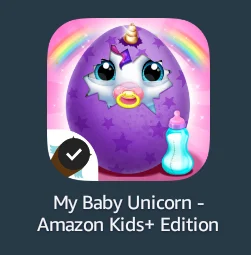
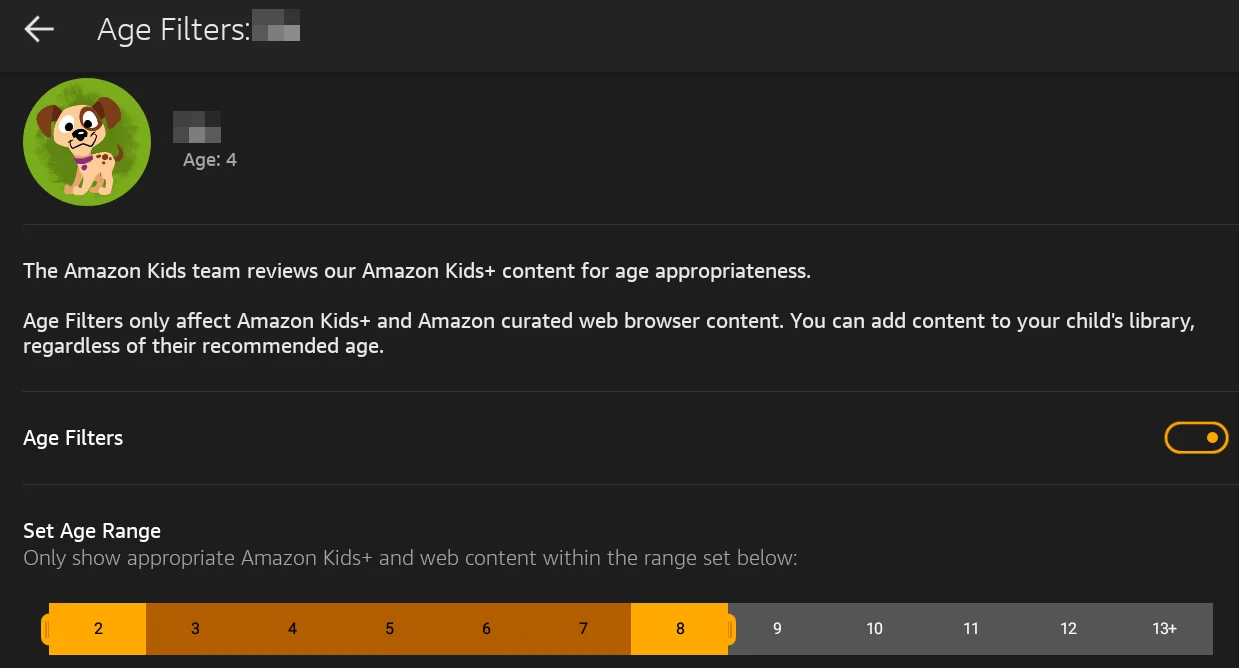
The first app examined was My Baby Unicorn, Amazon Kids+ Edition, chosen because it was the daughter's favourite. The child profile's age determines which apps can be installed without approval.
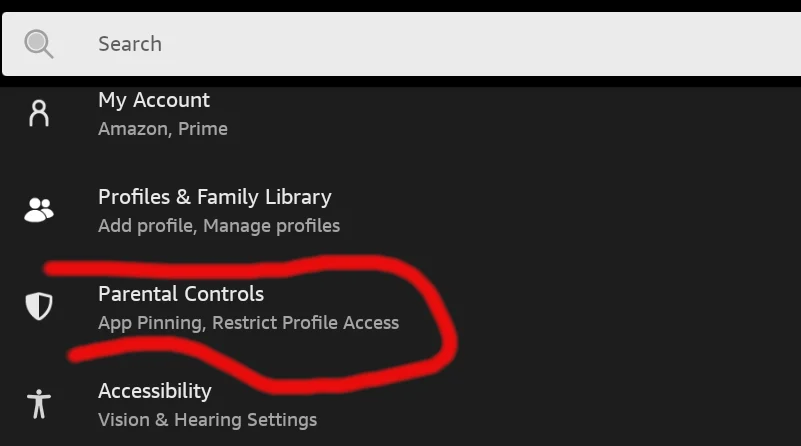
The web browsing controls in the parent dashboard cover the browser, content limits and a review of the child's web activity.
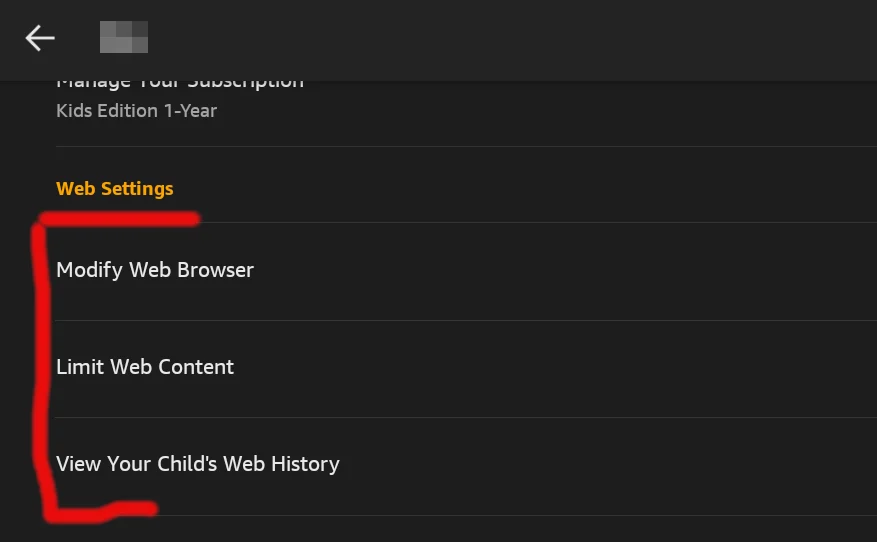
Because the researcher did not want any browser access, web access was disabled outright.
Finding it
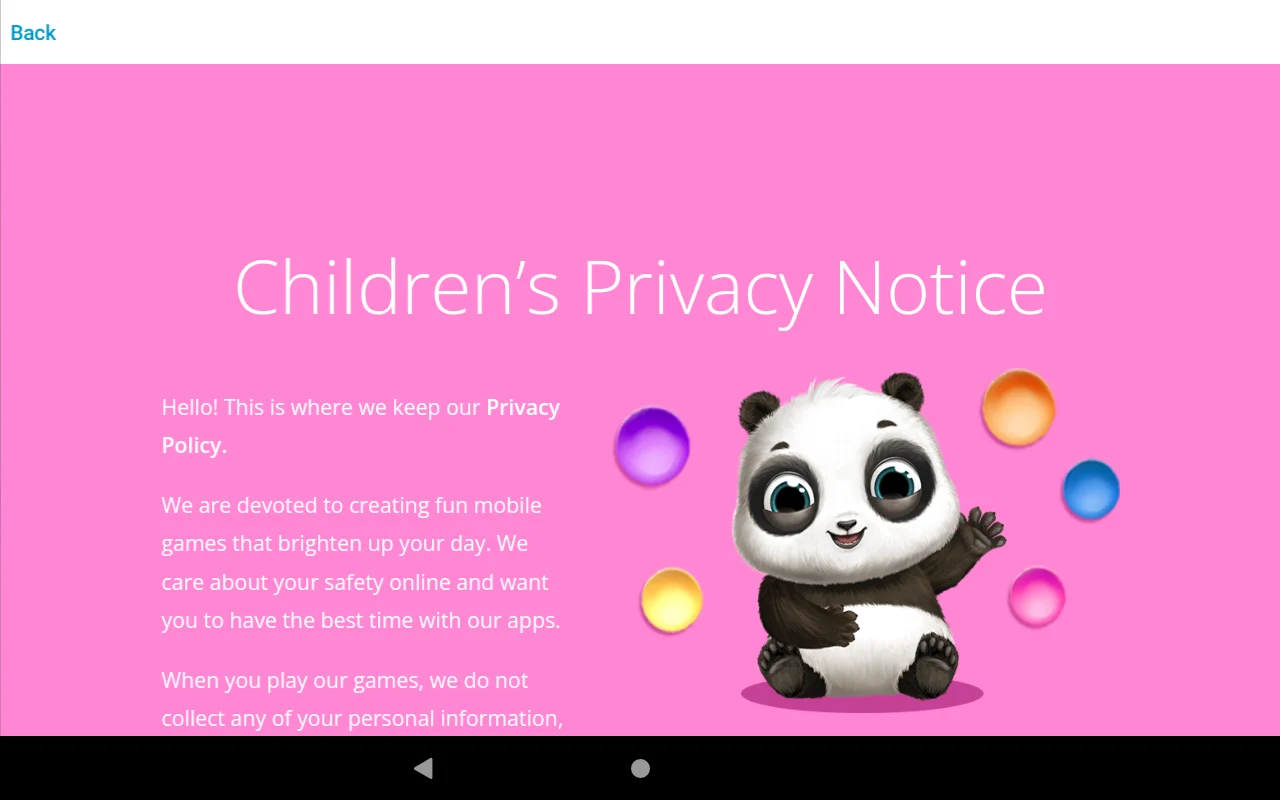
Launching My Baby Unicorn, the first thing visible was a link to the privacy policy. Clicking it displayed the policy, but it quickly became clear that the content was being rendered by a web browser embedded inside the application, not by the system browser that the parental controls govern.

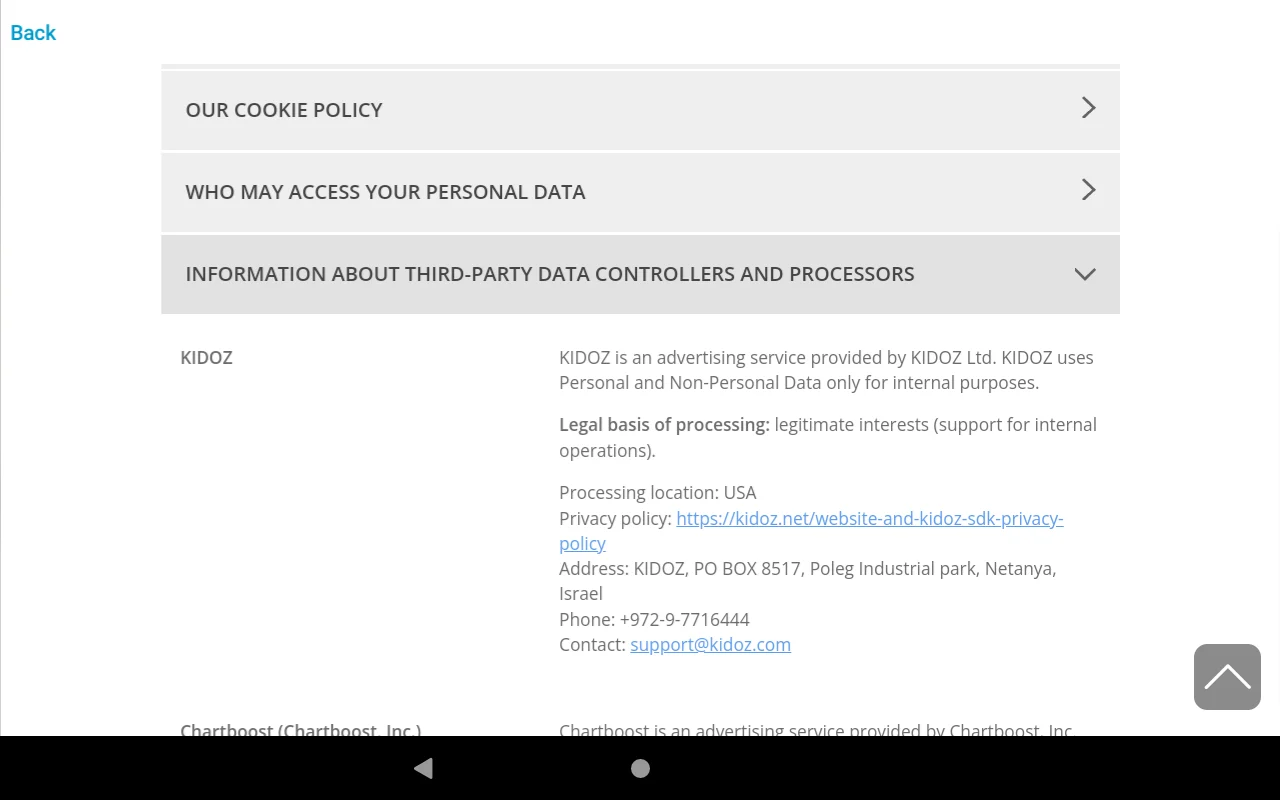
Scrolling through the policy, the researcher looked for hyperlinks in the other sections of the page.
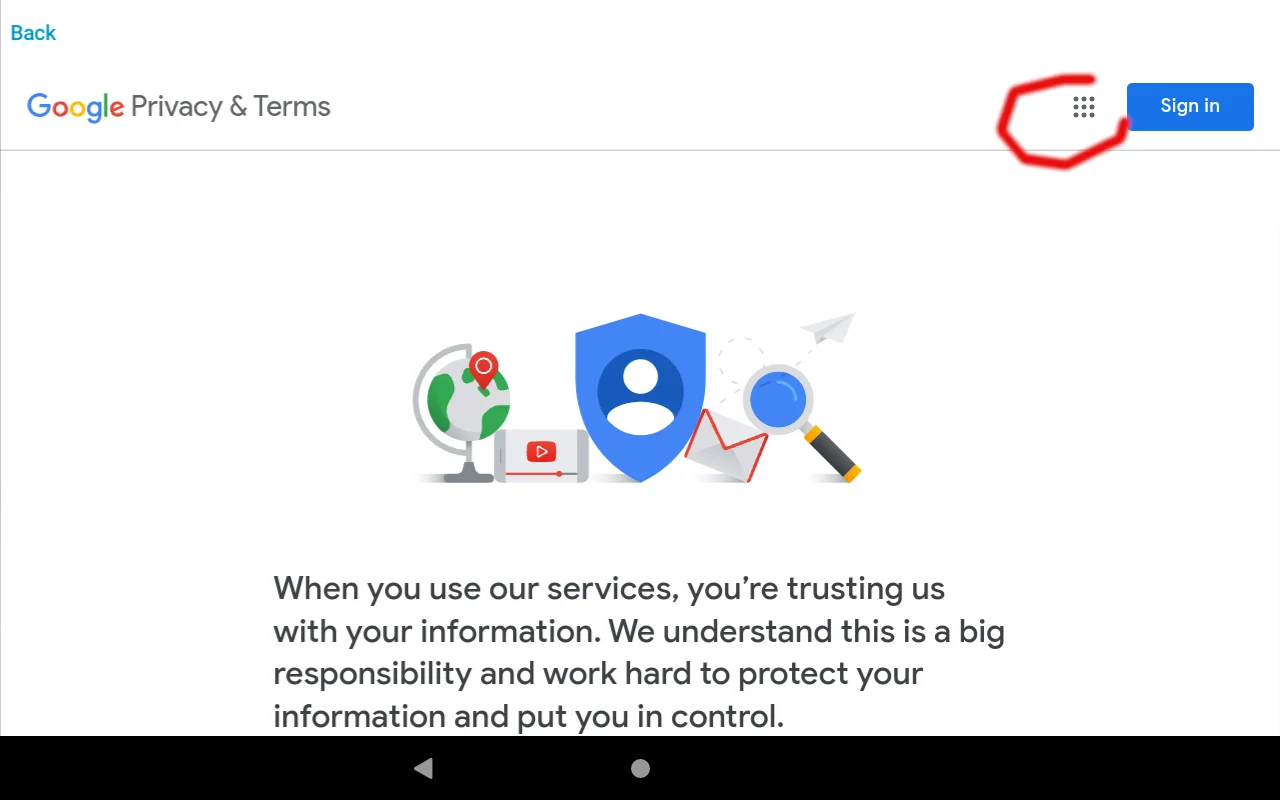
The policy contained many links; the most notable was a link to the Google privacy policy.
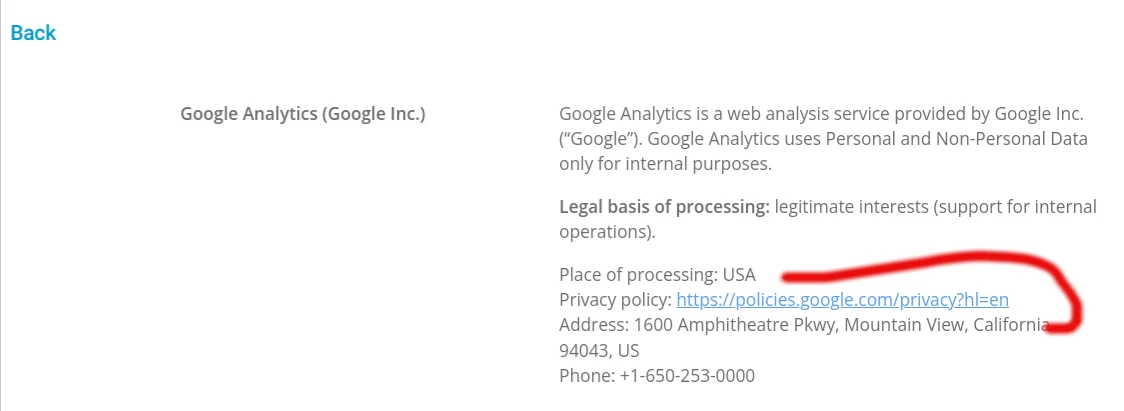
That link is the pivot. Once inside Google's own pages, the embedded browser is no longer confined to the app's policy text.
Exploitation
Step 1: reach Google from the privacy policy
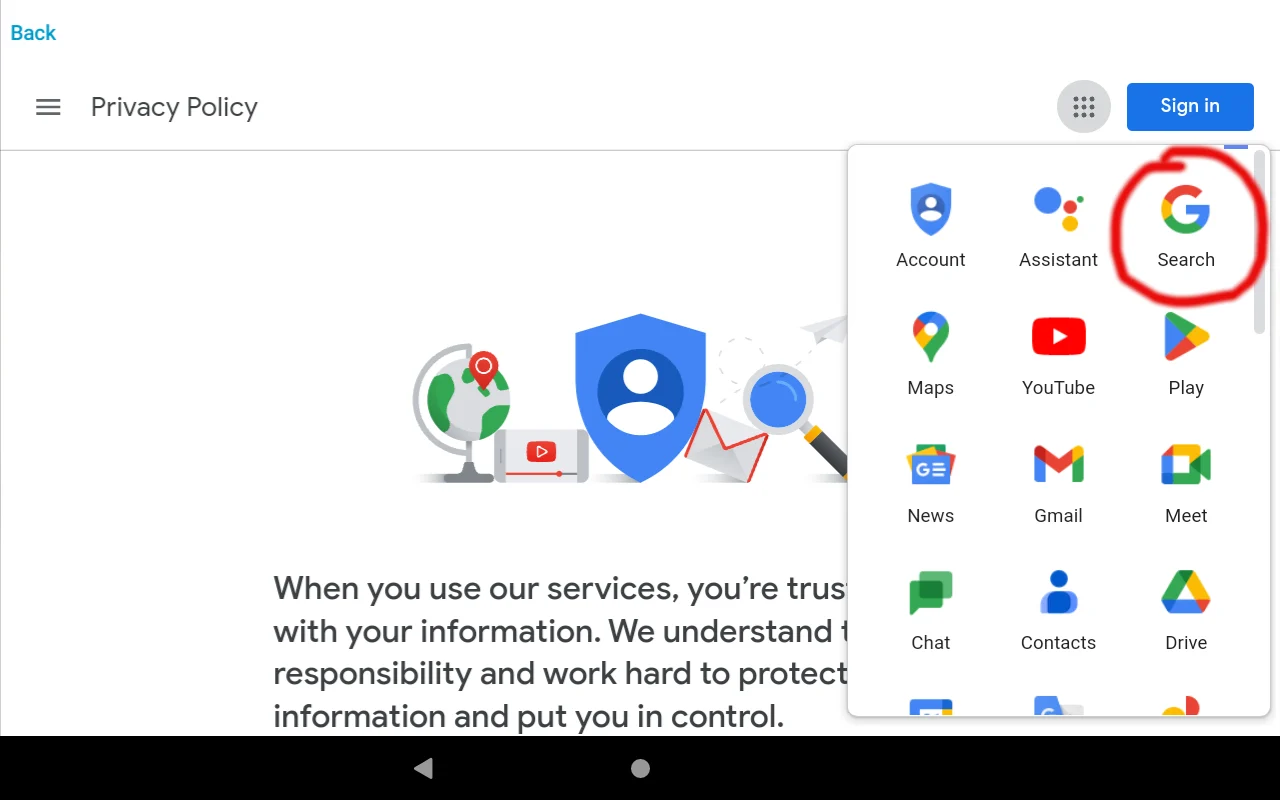
From the Google privacy policy, the menu icon gives access to other parts of Google, including Google search.
Step 2: search the indexed web
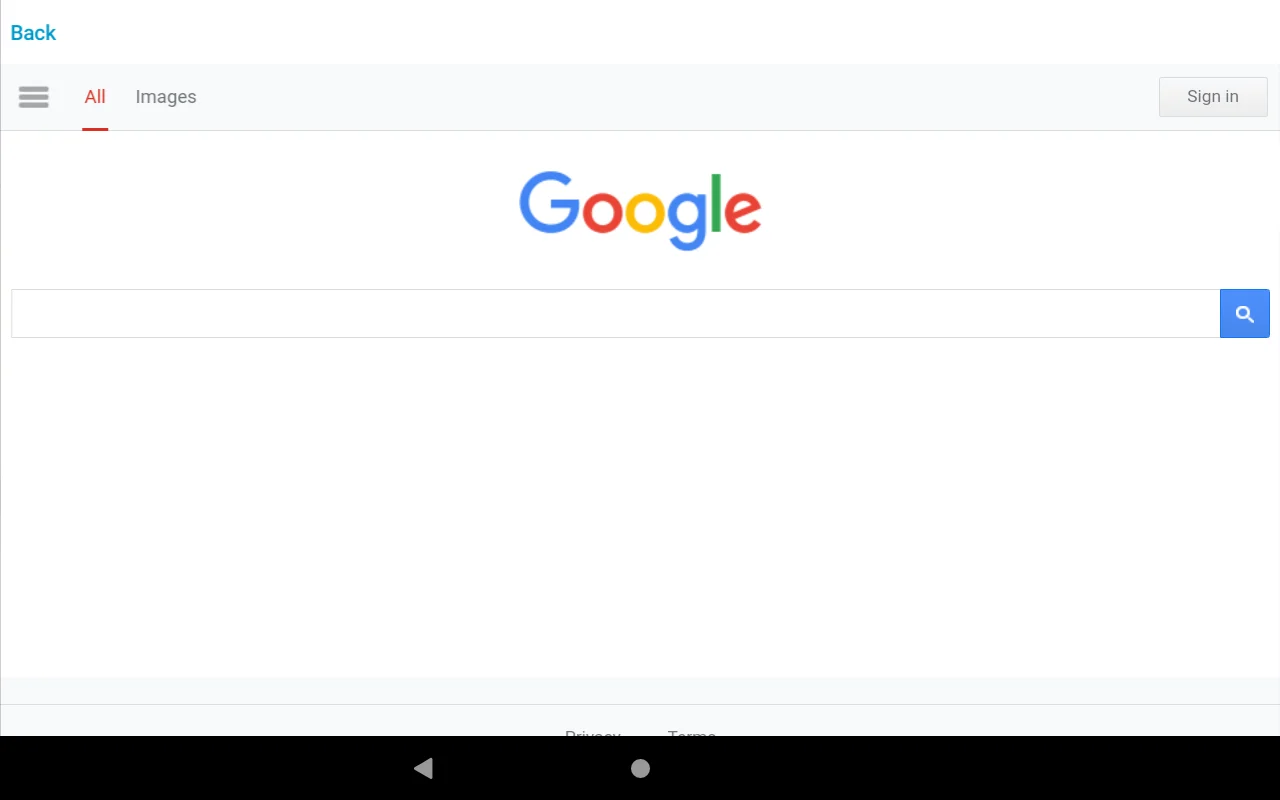
With Google search loaded in the embedded browser, anything indexed by Google could be queried.
Step 3: confirm adult content loads
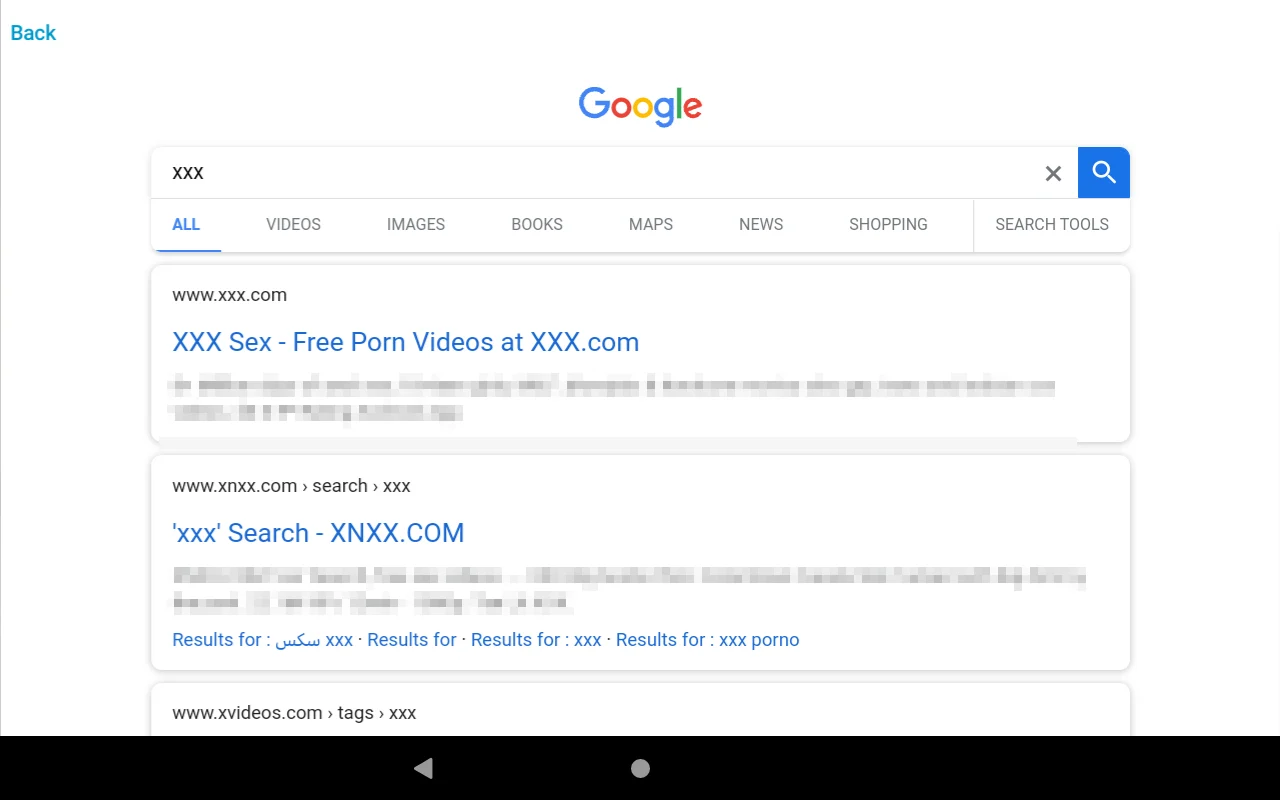
The researcher verified that searching for adult content worked, that links to that content could be clicked, and that the pages displayed the content.
Step 4: check the parent dashboard
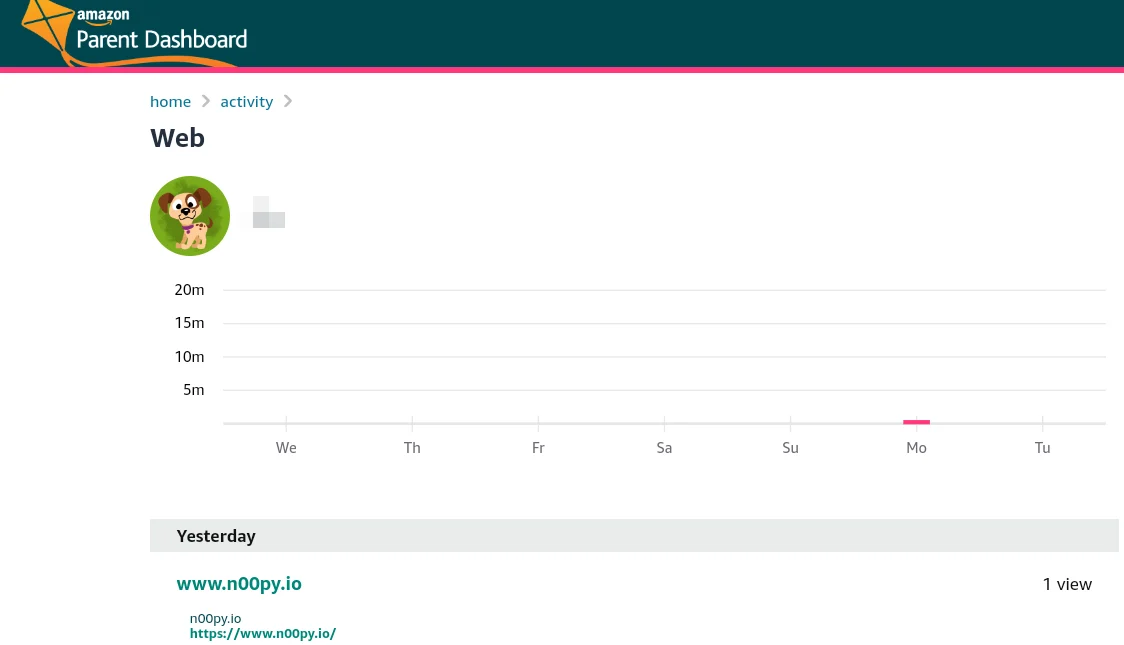
Returning to the Parent Dashboard, none of this web activity had been logged. The conclusion drawn is that all content controls are specific to the Amazon web browser application and do not apply to any other app on the device.
Step 5: offline mode is not a reliable fallback
Disabling the internet entirely and using the tablet offline only was considered. Most apps work fine offline, but some do not, and video streaming is impossible.
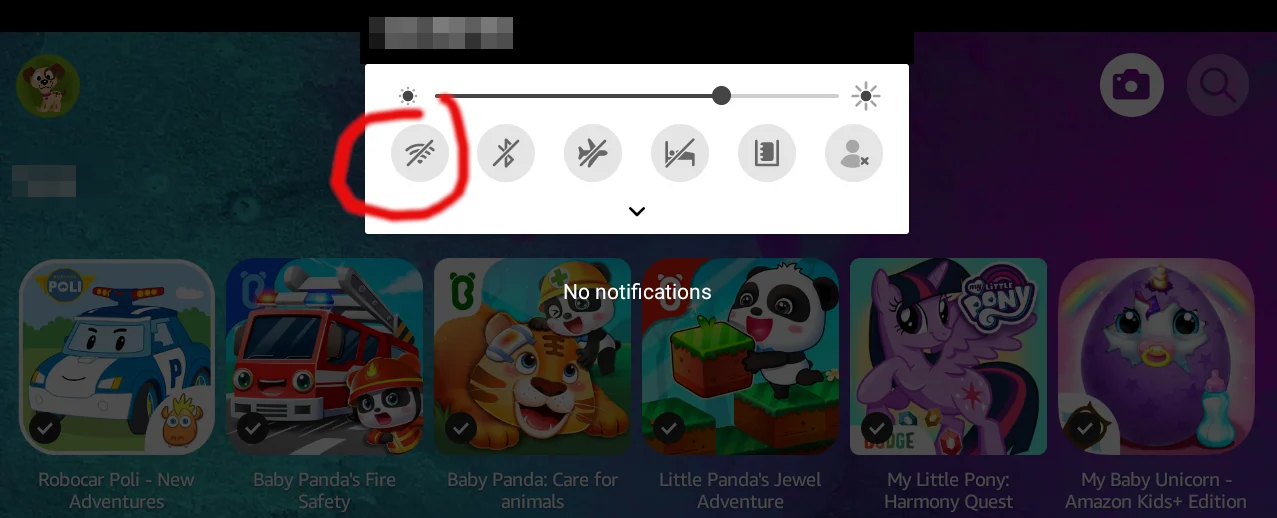
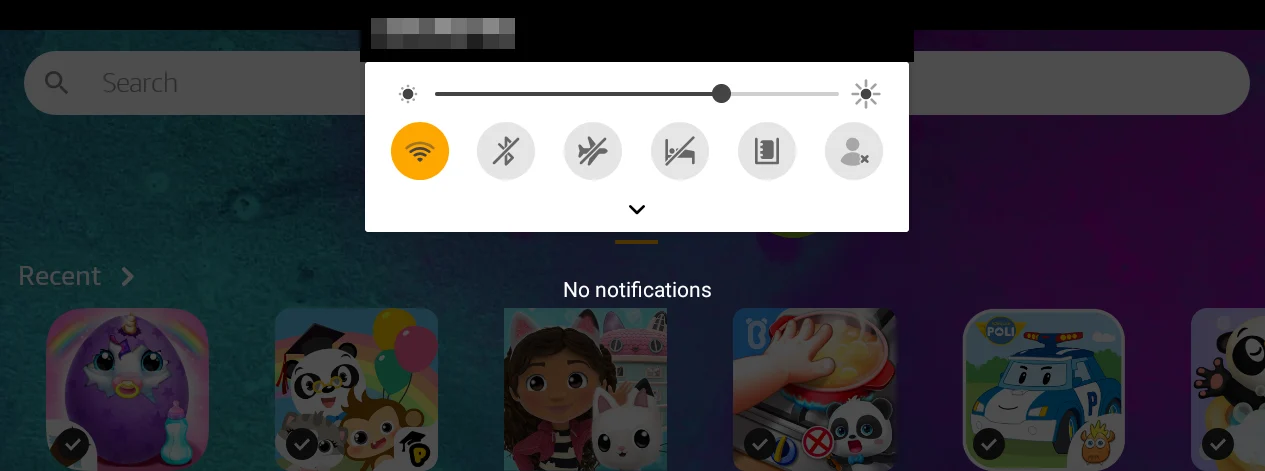
A child profile can reach the control centre. It cannot open the network manager, but it can re-enable WiFi, and if the tablet has ever connected to a network in range it should reconnect automatically and restore internet access.
Step 6: reproduce in a second, unrelated app
The researcher's wife attributed the problem to My Baby Unicorn. To show it was not app-specific, the researcher set out to repeat it in a different application from a different development studio, and succeeded again in under five minutes after some trial and error. The second app was Dr. Panda Candy Factory.

On launch, the control centre icon sits in the upper right.

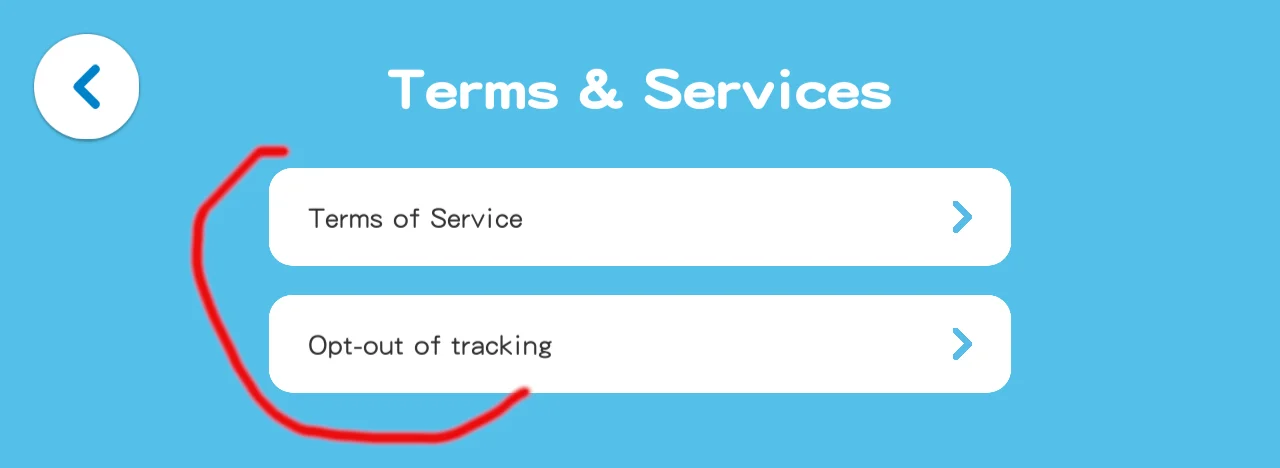
From there, Terms & Services is reachable.
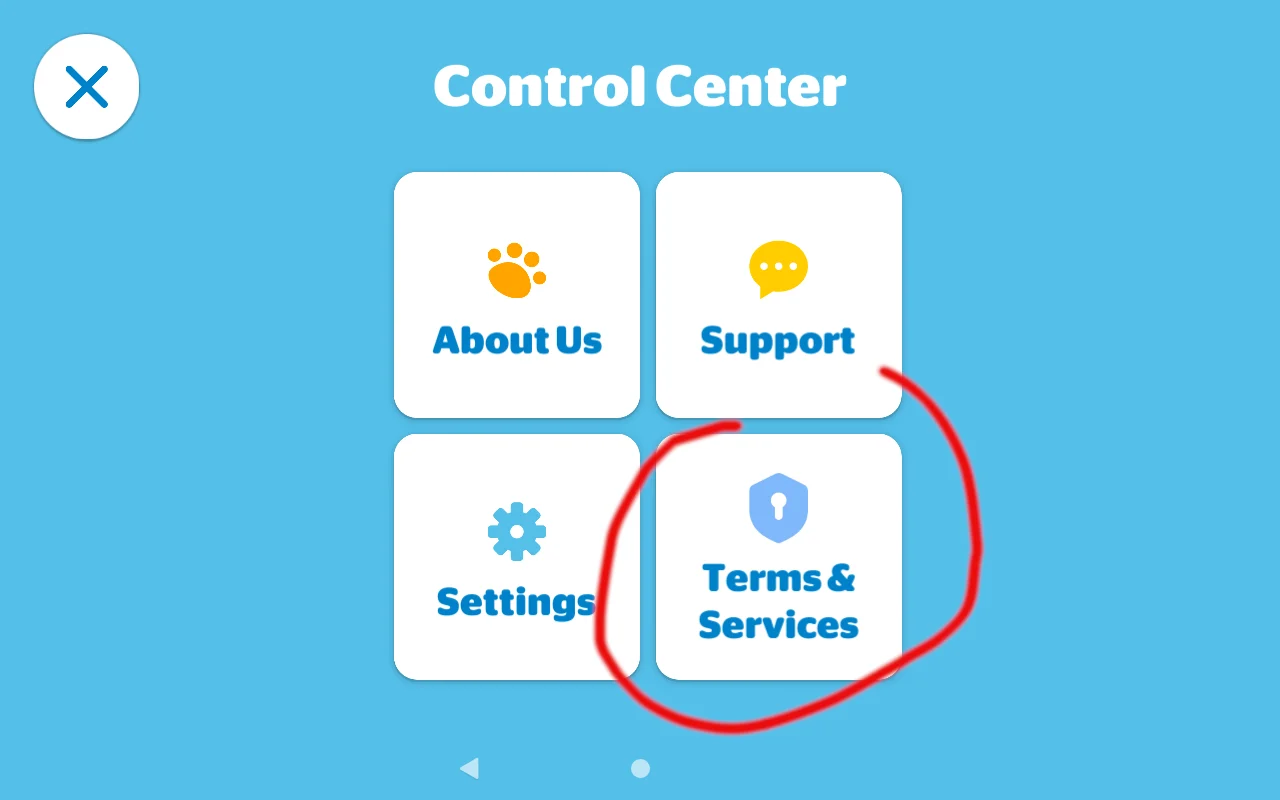
In Terms and Services, both buttons opened an embedded web browser.
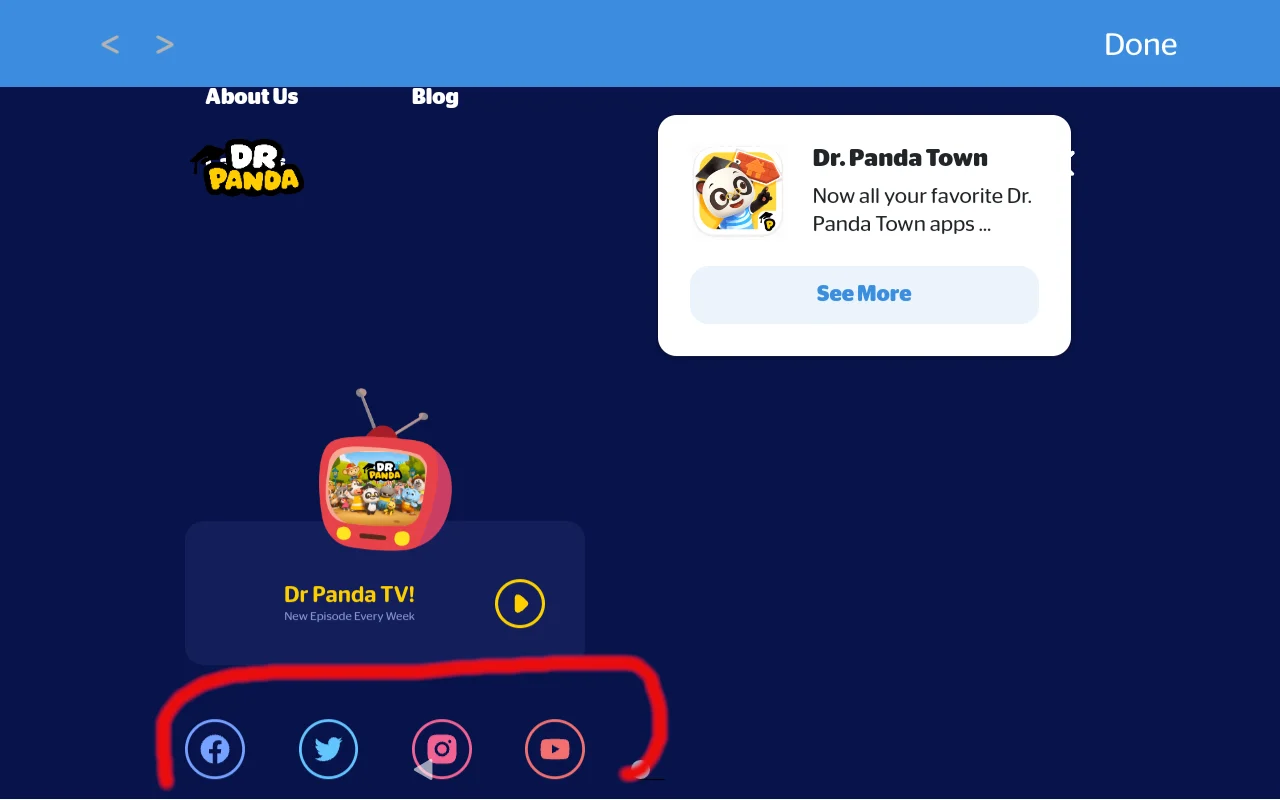
Scrolling down the terms of service revealed social media links in the footer of the page.
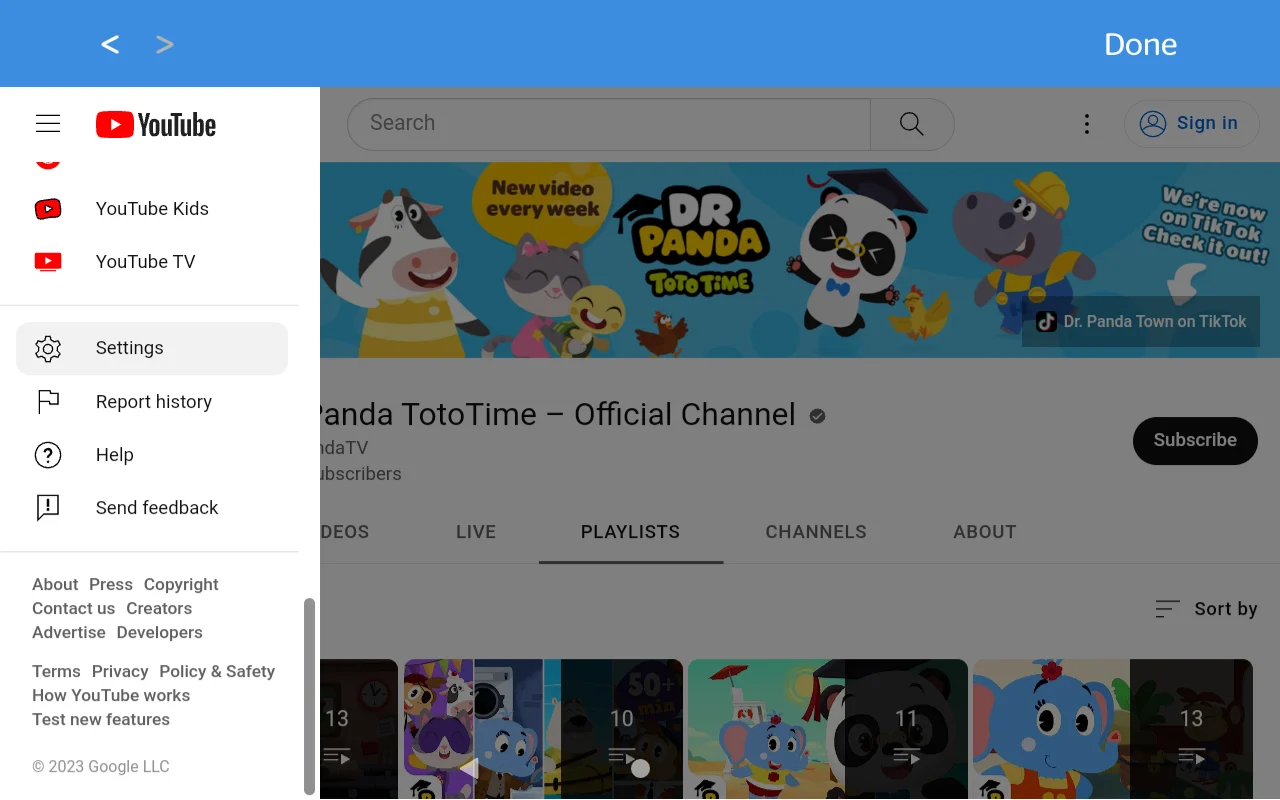
Those links gave access to YouTube and, as before, Google's privacy policy and then Google search.
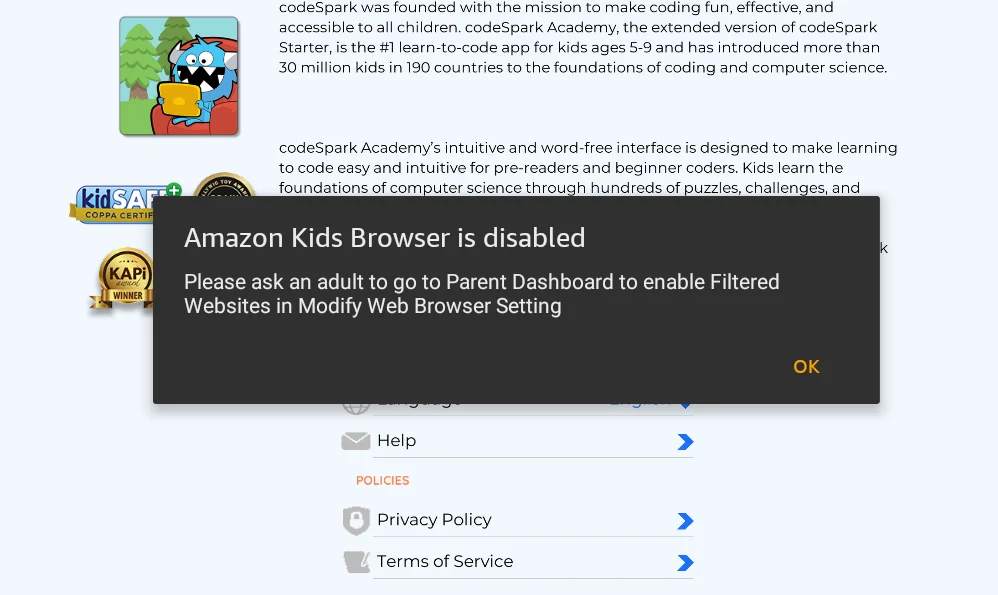
The researcher did not test every installed app, but found the pattern common enough to call it pervasive across child-friendly pre-approved applications. Some apps behaved correctly and passed hyperlinks to the default web browser, where they were blocked by the configuration.
Root cause
The researcher frames the issue as Amazon's trust model: once an application is cleared for Kids+, it is no longer subject to scrutiny. Content controls are scoped to the Amazon web browser application, so an embedded WebView inside any other approved app sits outside them, and its traffic is neither filtered nor audited. The researcher frames the issue as Amazon's trust model: once an application is cleared for Kids+, it is no longer subject to scrutiny, and content controls are specific to the Amazon web browser application.
Impact
On a locked-down Amazon Kids tablet with web access disabled, a child could reach arbitrary content indexed by Google, including adult content, from within pre-approved apps, and the parent dashboard recorded none of it. The researcher notes that the same technique was not reproducible on iOS: in My Baby Unicorn on iPhone the hyperlinks did not work, and Dr. Panda Candy Factory opened its policy in Safari rather than an embedded browser, possibly because of separate codebases. On iOS, embedded browsers that did work were still subject to the web-based content controls.
Fix
Amazon's remediation, as described in the disclosure timeline, was removal of the applications identified in the post from the app store, plus guidance on using existing content controls. The publishers of My Baby Unicorn and Dr. Panda Candy Factory also updated or removed their other games to remove the bypass. The researcher considers the overall response a "won't fix", while appreciating the removal of known vulnerable apps, and does not claim the whole class of vulnerability has been eliminated.
The researcher's preferred fix is for content controls to monitor and restrict the outbound traffic of the apps themselves, or perhaps to modify the review process and establish a policy prohibiting embedded browsers in apps approved for Kids+.
Variants to test
- Privacy policy and terms links in other approved apps. Open every legal or policy link in a Kids+ app and look for an embedded browser rather than a hand-off to the system browser. A positive result is a WebView that renders the page and lets you follow links away from it.
- Footer social links. Scroll to the footer of any embedded terms or policy page and try the social media icons. A positive result is navigation to YouTube or another site that then offers a route to search.
- Search engine pivots. From any third-party page reached in a WebView, look for a menu or link into a search engine. A positive result is a working query box that returns indexed results.
- Dashboard logging. After browsing in an embedded browser, check the parent dashboard for any record.
- WiFi re-enable from the child profile. With networking disabled, use the control centre from the child profile to turn WiFi back on. A positive result is automatic reconnection to a previously known network.
- iOS comparison. Repeat the same link traversal on an iOS device with content controls set to Allowed Websites.
Disclosure timeline
- January 4th, 2023: Amazon contacted; the researcher stated he would not use HackerOne and wanted an alternative channel.
- January 4th, 2023: Amazon responded, requested details and asked for disclosure to be withheld until a fix.
- January 4th, 2023: details provided by email.
- March 8th, 2023: Amazon requested additional time.
- March 8th, 2023: My Baby Unicorn noticed removed from the device and unpublished from the app store.
- March 8th, 2023: Amazon proposed a publish date of March 31st.
- March 19th, 2023: researcher requested details of the fix.
- March 29th, 2023: Amazon provided remediation details: removal of the identified applications and guidance on existing content controls.
Bonus: Apple iOS comparison
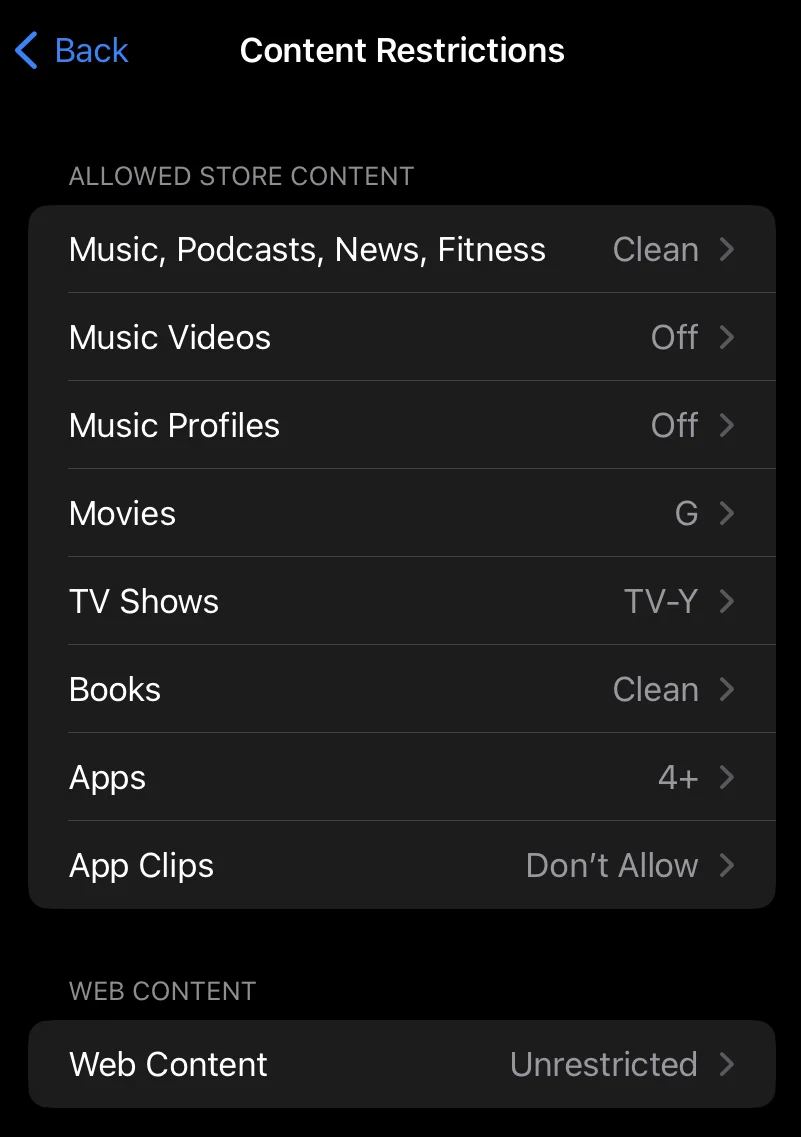
On iOS, content controls were configured to allow only child-friendly content, with web content initially left at Unrestricted.
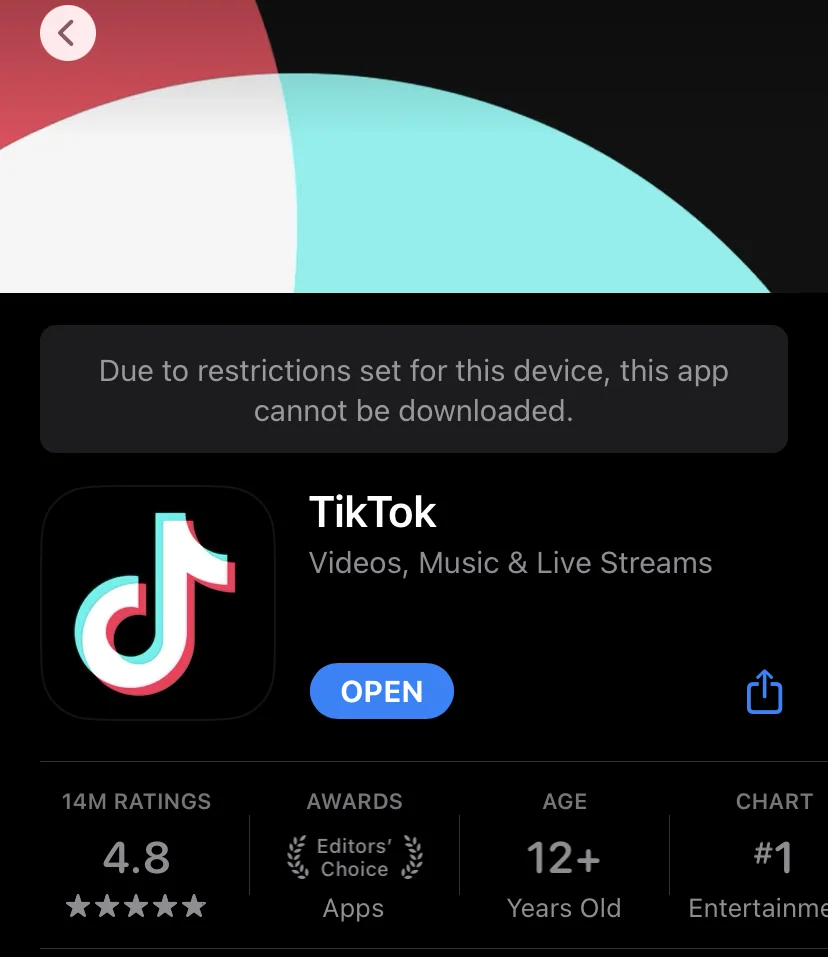
Downloading TikTok was blocked.
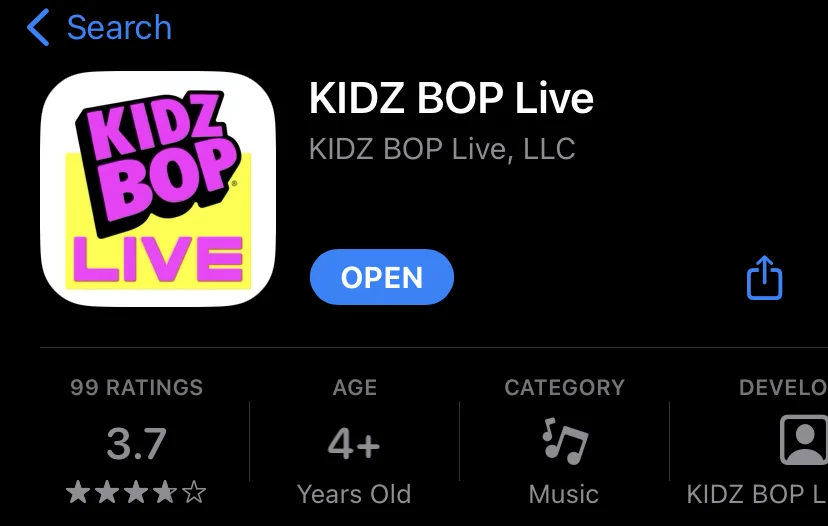
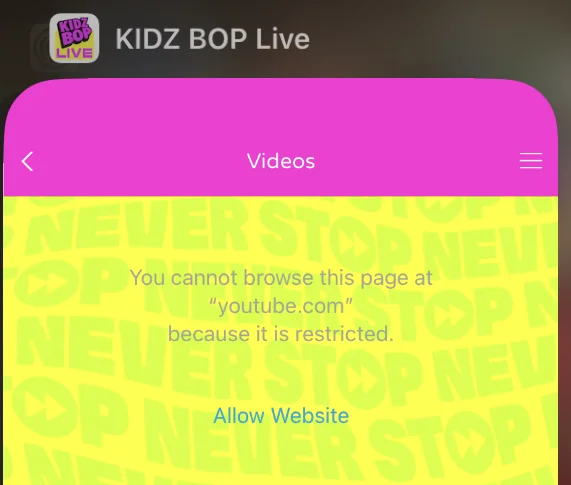
KidzBOP, rated age 4+, downloaded freely, and the researcher found an extremely trivial embedded-browser bypass in it in under 60 seconds, without documenting the steps.
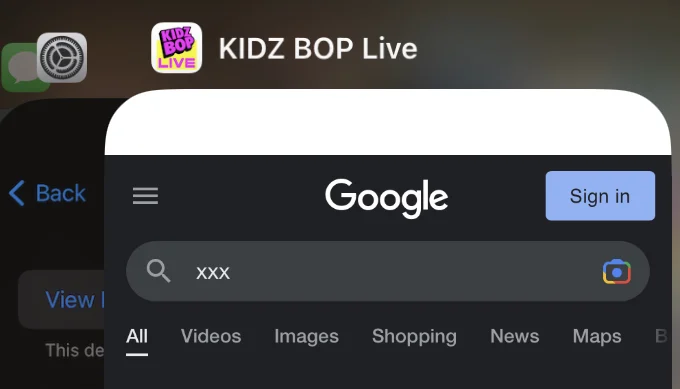
With web content left unlocked, a parent who simply disables Safari might not consider the setting relevant.
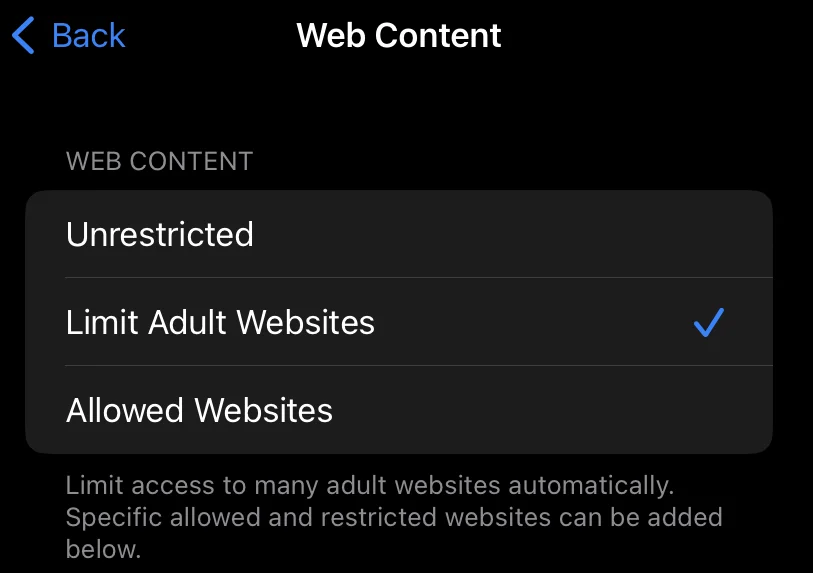
Limit Adult Websites is described as far less useful than it sounds: the screenshot was taken with that option on, and adult content remains plentiful, including on sites like Twitter and Reddit. One benefit is that private mode is unavailable and browsing history cannot be deleted under this option.
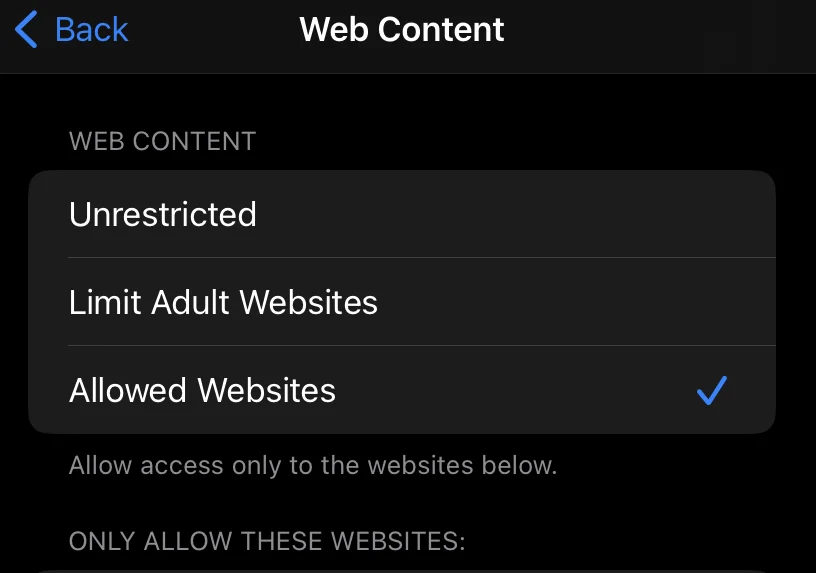
The final option, Allowed Websites, actually works: unlike Amazon Kids+, browsers embedded within apps remain subject to the iOS content controls.
This makes iOS significantly safer, provided the strictest control is chosen.
For parents, the researcher's advice is to supervise children's device use as it happens, while still enabling all available content controls and disabling network access where possible.
What happened, in plain words
A parent bought an Amazon Kids tablet for his four year old daughter. The tablet runs a service called Amazon Kids+, which is meant to give children a safe, hand-picked selection of apps. Parents can set the child's age, decide which apps the child may install, and control whether the child can browse the web at all. The parent in this story locked the tablet down as tightly as the settings allowed, including switching web access off completely.
Then, out of curiosity, he asked himself a simple question: could those controls be bypassed? Within about five minutes of poking at one of his daughter's favourite apps, he was viewing adult content on the tablet, and the parent dashboard that is supposed to record the child's web activity showed nothing at all.
The trick was not a clever hack in the traditional sense. Many apps contain a small built-in web browser, used to show things like a privacy policy or terms of service. The parental controls only watch the tablet's main web browser app. They do not watch the little browsers hidden inside other apps. So if a child can open a privacy policy inside a game, and that page contains a link to somewhere else on the internet, the child can wander off into the wider web without any of the controls noticing.
This write-up walks through how that was found, how it was repeated in a second, unrelated app, what Amazon did about it, and how Apple's equivalent controls on an iPhone compare.
The product and the controls
Amazon Kids+ is a subscription service. On an Amazon Kids tablet it gives a child access to a special app store where every app has been reviewed and rated for age-appropriate content. The parent creates a profile for the child and sets the child's age. Amazon then uses that age to decide which apps are suitable.
There are two levels of permission for installing apps:
- Apps that are approved for Kids+ can be downloaded by the child directly, with no request to the parent.
- Other apps require the parent to approve them first.
This distinction matters later. The whole point of Kids+ is that anything the child can install on their own has already been vetted. The parent is trusting Amazon's review, not reviewing each app personally.
Separately, the parent can configure web browsing controls. There are three broad options:
- Hand-selected websites and videos: only sites the parent has explicitly chosen are reachable. This is the strongest option.
- Filtered websites and videos: the tablet tries to block inappropriate sites automatically. The researcher points out this is much weaker, because Amazon only claims it will help filter inappropriate content, not that it will stop a determined child.
- Disable web access entirely: no browsing at all.
The parent dashboard is a separate screen where the parent can review what the child has been doing online.
Setting up the test
The tablet was a Christmas present for the researcher's four year old daughter. He set it up with Kids+ enabled and locked it down as far as the settings allowed. Because he did not want his child using a web browser at all, he chose to disable web access completely rather than rely on filtering.
The first app he examined was My Baby Unicorn, Amazon Kids+ Edition. He picked it because it was his daughter's favourite, so it was the most realistic place to start: if there were a problem, this is the app his child would actually be using.
The screenshots below show how the child's age in their profile determines which apps can be installed without asking a parent.
The parent dashboard's web browsing section is where the browser controls, content limits and activity review live.
Because the researcher wanted no browser access whatsoever, he disabled web access outright.
Finding the way out
He launched My Baby Unicorn. The first thing he noticed on screen was a link to the app's privacy policy, so he tapped it.
A privacy policy is the document that explains what data an app collects and how it is used. It is a legal requirement in many places, so almost every app has one, and almost every app links to it from somewhere on its opening screen or menus.
The policy did display. But it quickly became clear to the researcher that the page was being shown by a small web browser built into the game itself, not by the tablet's main web browser app. That built-in browser is often called a WebView: a component that lets an app display web pages inside its own window, without handing the user over to a separate browser program.
This is the key observation. The parental controls are configured to govern the Amazon web browser application. A WebView inside a game is a different program entirely, so the controls do not apply to it. Think of it like a building with a main entrance that has a security guard, and a side door in a back room that nobody thought to staff.
He scrolled down through the policy, looking through the other sections for any hyperlinks.
A hyperlink is just a clickable piece of text or an image that takes you to another web page. The policy contained many of them. The most interesting one was a link to Google's privacy policy.
Why is that link the turning point? Because Google's privacy policy lives on Google's own website. Once the embedded browser has loaded a Google page, it is no longer showing the app's own text. It is showing a page on the open internet, and that page belongs to a company that offers a search engine. From there, the child is one or two taps away from the whole indexed web.
Walking out through the side door
Step 1: get from the policy to Google search
On the Google privacy policy page, there is a menu icon. Tapping it gives access to other parts of Google, including Google search.
A menu icon is the small button, often three lines or three dots, that opens a list of navigation options. On Google's pages it leads to other Google services. For the researcher, it was the doorway from a legal document into a search box.
Step 2: search the whole indexed web
With Google search loaded inside the embedded browser, anything Google has indexed could be searched for.
"Indexed" simply means that Google's automated crawlers have visited a page and stored it in their database, so it can appear in search results. In practice, that is most of the public web.
Step 3: confirm that adult content actually loads
The researcher checked that searching for adult content worked, that the links in the results could be tapped, and that the resulting pages displayed the content.
This step matters because a search box that returns results is not the same as a working route to the content. He confirmed the full path: search, tap a result, see the page.
Step 4: check whether the parent dashboard noticed
He went back to the Parent Dashboard to see whether any of this web activity had been recorded. It had not.
The conclusion is that all the content controls are tied specifically to the Amazon web browser application. They do not apply to any other app on the device. So not only could the child reach the open web, the parent had no record that it had happened. The monitoring feature, which is meant to give parents peace of mind, was blind to the whole thing.
Step 5: is offline mode a safe fallback?
He considered a more drastic approach: disable the internet entirely and let the child use the tablet only offline. Most apps work fine without a connection, but some do not, and of course you cannot stream any videos.
Even that fallback is not reliable. A child profile can open the control centre on the tablet. It cannot open the network manager, the deeper settings screen, but it can switch WiFi back on. And if the tablet has ever connected to a network that is in range, it will reconnect to it automatically, restoring internet access.
Step 6: prove it is not just one app
The researcher showed this to his wife. She was surprised at how simple it was, but thought it was a problem with My Baby Unicorn specifically. He disagreed. To prove the point, he set out to repeat the trick in a completely different application, made by a different development studio. After a little trial and error, he succeeded again in under five minutes.
The second app was Dr. Panda Candy Factory.
On launching the game, he tapped the control centre icon in the upper right corner.
From there, he tapped Terms & Services.
Terms of service are the rules you agree to when you use software. Like privacy policies, they are legal documents that almost every app links to, and they are often reachable from a menu or settings screen.
In Terms and Services, both buttons opened an embedded web browser.
Scrolling down the terms of service led him to a few social media links in the footer of the page.
A footer is the strip at the bottom of a web page, usually containing links to social media accounts, contact details and legal notices. Those social media links are the second side door. From there he could reach YouTube and, just as before, Google's privacy policy and then Google search.
He did not test every app installed for his child, but he found the pattern common enough to call it a pervasive issue across child-friendly, pre-approved applications. Some apps behaved correctly: they passed hyperlinks over to the tablet's default web browser, where they were then blocked by his configuration.
That contrast is instructive. The apps that hand links to the system browser are safe, because the system browser is the thing the controls govern. The apps that open links in their own embedded browser are not.
Why it works
The researcher frames the root cause as Amazon's trust model. Once an application is cleared for Kids+, it is no longer scrutinised. The content controls are scoped to the Amazon web browser application, so an embedded WebView inside any other approved app sits outside them, and its traffic is neither filtered nor audited.
The content controls are specific to the Amazon web browser application, so an embedded WebView inside any other approved app sits outside them. In plain terms: the tablet checks "is this the browser app?" and applies the rules if the answer is yes. It does not check what any other app is doing with its network connection. So any approved app that ships its own browser and exposes a link to the outside world becomes an unfiltered exit.
What it means in practice
On a locked-down Amazon Kids tablet with web access disabled, a child could reach arbitrary content indexed by Google, including adult content, from inside pre-approved apps. The parent dashboard recorded none of it.
The researcher also tried the same technique on an iPhone and could not reproduce it. On iOS, My Baby Unicorn also contains an embedded browser, but the hyperlinks did not work, so he could not navigate away to third-party sites. He believes this may have been an intentional control to prevent exactly this kind of escape. For Dr. Panda Candy Factory on iOS, the policy opened in Safari, Apple's built-in browser, rather than an embedded browser, which may be because the two versions are built from separate codebases. And when he did find a working embedded browser on iOS, it was still subject to the web-based content controls, unlike on the Amazon device.
What Amazon did
Amazon's remediation, as described in the disclosure timeline, was to remove the applications identified in the post from the app store, plus guidance on how to use the existing content controls. The publishers of My Baby Unicorn and Dr. Panda Candy Factory also updated or removed their other games to remove the bypass.
The researcher considers the overall response a "won't fix", while appreciating that Amazon made an effort to remove the known vulnerable apps. He does not claim the whole class of vulnerability has been eliminated.
His preferred fix is for content controls to monitor and restrict the outbound traffic of the apps themselves, or perhaps to modify the review process and establish a policy prohibiting embedded browsers in apps approved for Kids+. In other words: either watch what every app sends over the network, or stop approving apps that contain their own browser.
Other places to look
If you wanted to check your own child's tablet for the same problem, these are the checks the researcher's findings suggest:
- Privacy policy and terms links in other approved apps. Open every legal or policy link in a Kids+ app and see whether it opens an embedded browser or hands off to the system browser. A positive result is a WebView that renders the page and lets you follow links away from it.
- Footer social links. Scroll to the footer of any embedded terms or policy page and try the social media icons. A positive result is navigation to YouTube or another site that then offers a route to search.
- Search engine pivots. From any third-party page reached in a WebView, look for a menu or link into a search engine. A positive result is a working query box that returns indexed results.
- Dashboard logging. After browsing in an embedded browser, check the parent dashboard for any record.
- WiFi re-enable from the child profile. With networking disabled, use the control centre from the child profile to turn WiFi back on. A positive result is automatic reconnection to a previously known network.
- iOS comparison. Repeat the same link traversal on an iOS device with content controls set to Allowed Websites.
How the disclosure went
- January 4th, 2023: Amazon contacted. The researcher stated he would not use HackerOne, a common bug bounty platform, and wanted an alternative channel.
- January 4th, 2023: Amazon responded, requested details and asked for disclosure to be withheld until a fix was in place.
- January 4th, 2023: details provided by email.
- March 8th, 2023: Amazon requested additional time to implement a fix.
- March 8th, 2023: My Baby Unicorn was noticed removed from the device and unpublished from the app store.
- March 8th, 2023: Amazon proposed a publish date of March 31st.
- March 19th, 2023: the researcher requested details of the fix.
- March 29th, 2023: Amazon provided remediation details: removal of the identified applications and guidance on existing content controls.
Bonus: how Apple's controls compare
On iOS, the researcher set up content controls to allow only child-friendly content, initially leaving the web content setting at Unrestricted.
Downloading TikTok was blocked.
KidzBOP, rated age 4+, downloaded freely. As you might guess, this app has an extremely trivial bypass due to an embedded browser. The researcher did not document the steps, but found it in under 60 seconds.
With web content left unlocked, a parent who simply disables Safari, iOS's built-in browser, might not consider the setting relevant.
Limit Adult Websites is described as far less useful than it sounds. The screenshot above was taken with that option turned on. There is an unlimited supply of adult content on the internet, and even seemingly ordinary sites like Twitter and Reddit allow for hardcore porn. They do have controls to limit this, but they do next to nothing. One good thing, however, is that when this option is selected the browser cannot go into private mode and the browsing history cannot be deleted.
The final option, Allowed Websites, actually works. Unlike Amazon Kids+, browsers embedded within apps are still subject to the iOS content controls.
This makes iOS significantly safer, provided the parent understands the risks and chooses the strictest control.
Advice for parents
The researcher's advice is to supervise children's device use as it happens. While he still advocates enabling all available content controls and disabling network access where possible, there is no substitute for being present when your child is using their device.
Glossary
- Amazon Kids+: a subscription service that gives children access to a curated, age-rated app store on an Amazon Kids tablet.
- App store: the built-in shop on a device where apps are downloaded and installed.
- Bug bounty platform: a website where security researchers report vulnerabilities to companies, often for a reward. HackerOne is one example.
- Child profile: a restricted account on a tablet, configured by a parent, that limits which apps and settings the child can use.
- Content controls: settings that decide what a child can see or reach on a device, such as which websites are allowed.
- Control centre: a quick-settings panel on a tablet, usually opened by swiping, that gives access to toggles such as WiFi and brightness.
- Default web browser: the main browser app on a device, used when a link is opened outside of any specific app.
- Embedded browser (WebView): a small web browser built into an app, so the app can display web pages inside its own window without opening a separate browser program.
- Footer: the strip at the bottom of a web page, usually containing links to social media, contact details and legal notices.
- Hyperlink: clickable text or an image that takes you to another web page.
- Indexed: stored in a search engine's database after its crawlers have visited the page, so it can appear in search results.
- Menu icon: a small button, often three lines or three dots, that opens a list of navigation options.
- Network manager: the deeper settings screen where WiFi networks are configured and connected.
- Offline mode: using a device without an internet connection.
- Parent dashboard: a screen where a parent reviews and configures their child's device, including web activity.
- Parental controls: settings that restrict what a child can do on a device.
- Privacy policy: a document explaining what data an app or website collects and how it is used.
- Private mode: a browser mode that does not keep a history of the pages visited.
- Remediation: the fix a company applies to resolve a reported vulnerability.
- Root cause: the underlying reason a vulnerability exists, as opposed to its visible symptoms.
- Safari: Apple's built-in web browser on iOS devices.
- Terms of service: the rules a user agrees to when using software or a service.
- Trust boundary: the line between two parts of a system that trust each other and parts that do not; controls are meant to sit on that line.
- Trust model: the assumptions a system makes about what or who can be trusted.
- WebView: see embedded browser.
- WiFi: the wireless network connection a device uses to reach the internet.
- "Won't fix": a response to a vulnerability report meaning the company does not intend to change the underlying behaviour.

