[app.simplenote.com] Stored XSS via Markdown SVG filter bypass
A crafted Markdown note bypassed the SVG sanitiser, so a published note could store and run arbitrary JavaScript in the app's origin when the rendered element was clicked.

- Fixed in 21 days
- Paid in 21 days
- Disclosed after 51 days
Summary by the researcher
A carefully crafted Markdown parser injection (based on a SVG payload from DOMPurify) could be leveraged to achieve persistent XSS on Simplenote. Thanks again to @vortfu, @roundhill and the Automattic team for the swift communication and remediation.
The report
Hi,
A carefully crafted injection used against the Markdown input parser can be leveraged to store and execute arbitrary JavaScript in the app.simplenote.com context.
Proof of concept
Before proceeding to reproduce this vulnerability, please log in to app.simplenote.com and create a new note with the "Markdown Formatted" option enabled.
-
Please paste the below payload into the "Edit" window, then select the "triple dots" icon > Publish
-
Next, please access the provided Simplenote URL, and select the black rectangle to execute the XSS payload.
Please note that I deleted the note and account used to test the aforementioned PoC immediately after confirming successful exploitation.
Markdown parser payload
<div id="137"><svg>
<a xmlns:xlink="http://www.w3.org/1999/xlink" xlink:href="?">
<circle r="400"></circle>
<animate attributeName="xlink:href" begin="0" from="javascript:alert(document.domain)" to="&" />
</a>//["'`-->]]>]</div>
Supporting evidence
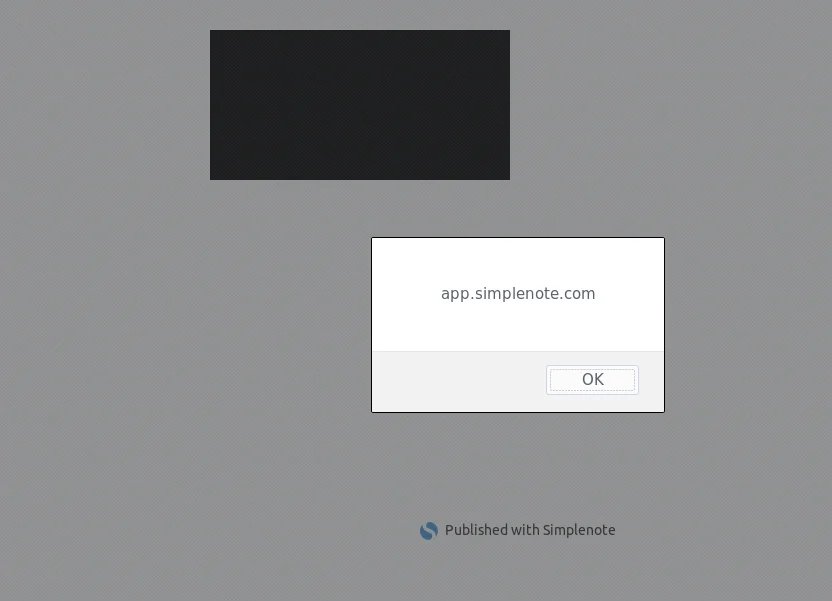
Verified conditions
At the time of testing, I have successfully confirmed exploitability in the following environment:
- Firefox 55.0.3 stable (32-bit) on Ubuntu 16.04.3 LTS
Thanks,
Yasin
Not written yet. The AI write-up for this report has not been written yet. The Original tab links to the source.
How it worked
Root cause
Likely the SVG sanitiser did not account for an animation element changing a link attribute to a script URL after sanitisation, letting the Markdown parser output survive as executable markup.
Impact
A published note could run script in the app origin for anyone who opened it and clicked the element; the researcher confirmed this only in one Firefox version on Ubuntu.
What the attacker needed
An account; Markdown Formatted note enabled; victim opens the published note; victim clicks the rendered element
The fix
The report says the issue was remediated, but does not describe the code change.
How it was found
- Log in and create a new note with the Markdown Formatted option enabled.
- Paste the crafted payload into the Edit window and publish the note.
- Open the published note URL and click the black rectangle to trigger the script.
Explained by bugbounty.wiki with AI from the original and checked against quotes from it; it can still be wrong. Read the original before relying on a detail.
Not written yet. The AI write-up for this report has not been written yet. The Original tab links to the source.
A note-taking site lets you write notes in Markdown and cleans up dangerous HTML before showing the note. The cleaning step could be tricked by a specially built SVG, so a saved note could run code in the browser of anyone who opened it and clicked the element.
What is XSS?
Script an attacker supplies runs in another user's browser, on the target's origin, with that user's session.







