Reflected XSS vulnerability in Database name field on installation screen
The Database Name field on the installation screen did not validate input, allowing a script tag to be submitted. When the install button was clicked, the script executed, showing an alert.

- Triaged in 42 hours
- Fixed in 2 months
- Disclosed after 2 months
"Leave me in a room with some crayons and I'll draw on the wall."
#Platform information
- Issue: Core CMS issue
- Version: Concrete5 - 8.2.1 md5(00080d5a625ddbaece643894f67d57b1) downloaded today from official download site
#Short description
There is reflected XSS vulnerability in Database Name filed on configuration page in installation process.
#Reproduction
- Unzip Concrete5 CMS archive
- Start installation process
- On DB configuration screen fill the form with valid values (including exisitng db user, db host, db password) and as a DB name set
'<script>alert(1)</script>'
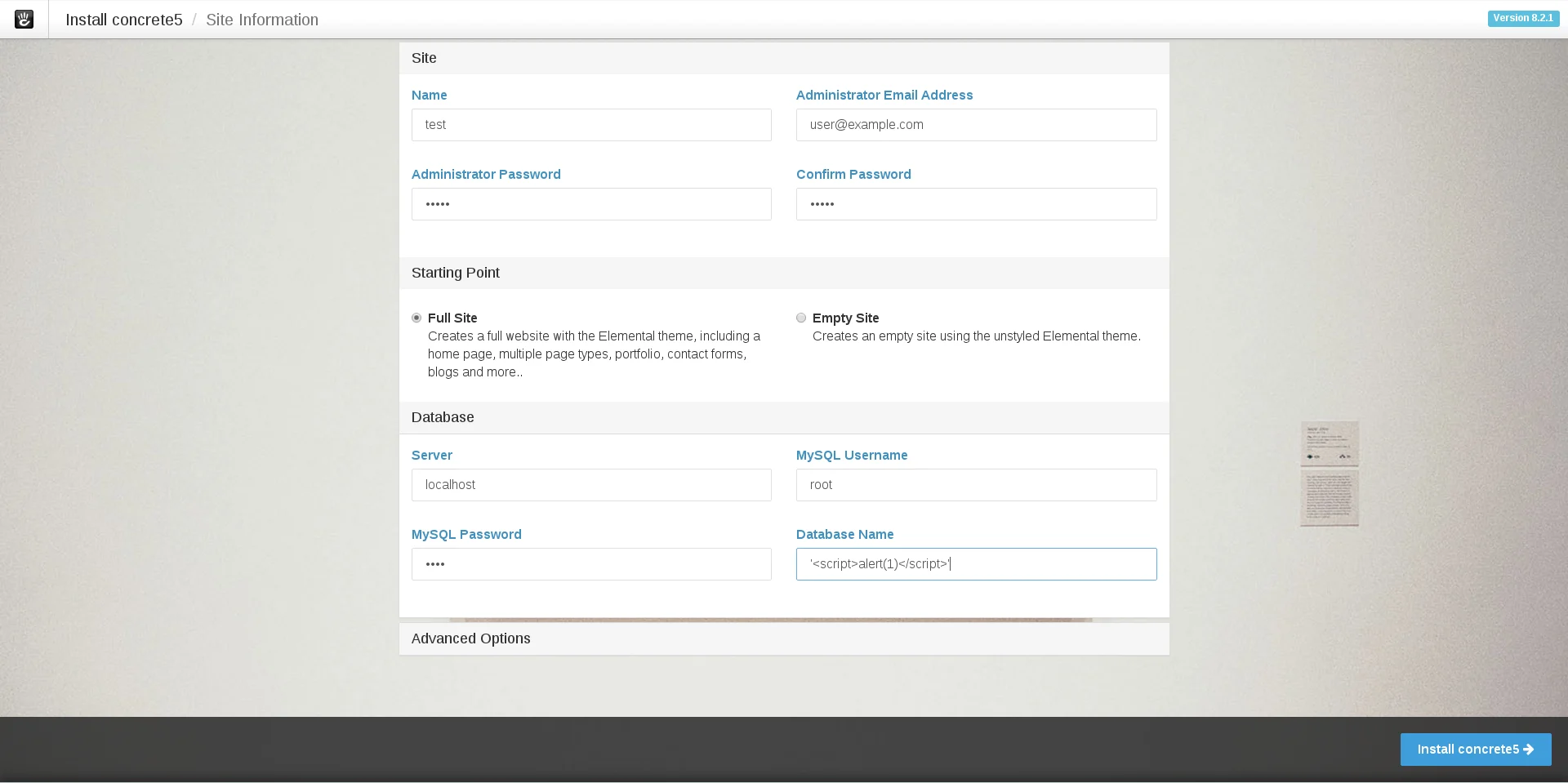
- Click install
- Payload executed - in this case alert window is shown
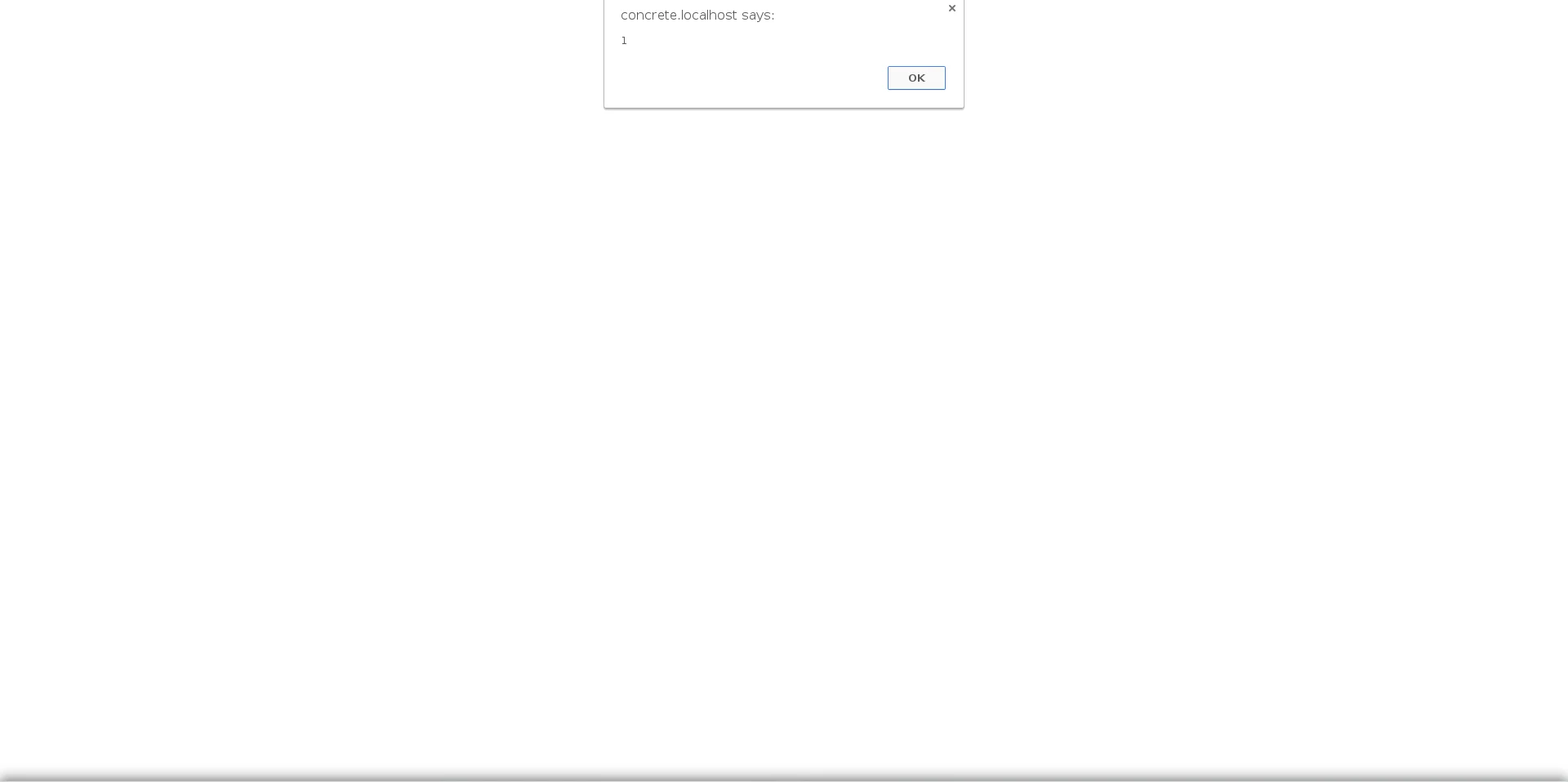
#Mitigation Because of MySQL scheme names restricion this field should be validated.
#Testing env PHP: 5.6.30+dfsg-0+deb8u1 MySQL: 5.5.58-0+deb8u1 Apache: 2.4.10-10+deb8u11
#PS I have created a fix for this issue, but because this is my first vuln report could you tell me should I send you PR for this issue now, (how should I name it?) or should I wait for your response (in order to be OK with responsible disclosure rule)
Cheers
Not written yet. The AI write-up for this report has not been written yet. The Original tab links to the source.
How it worked
Root cause
Likely the application did not validate or sanitise the Database Name input before reflecting it back to the user.
Impact
Arbitrary JavaScript executes in the installer page when a crafted database name is submitted during installation.
What the attacker needed
Access to the installation screen; Submit a crafted database name
How it was found
- Unzip the CMS archive and start the installation process.
- On the database configuration screen, fill in valid database credentials.
- Enter a script payload as the database name.
- Click the install button.
- The payload executes and an alert window appears.
Explained by bugbounty.wiki with AI from the original and checked against quotes from it; it can still be wrong. Read the original before relying on a detail.
Not written yet. The AI write-up for this report has not been written yet. The Original tab links to the source.
When setting up the CMS, the installer asks for a database name. The page did not check what was typed there, so a malicious script could be entered. When the form was submitted, the script ran in the browser, which is called cross-site scripting (XSS).
What is XSS?
Script an attacker supplies runs in another user's browser, on the target's origin, with that user's session.




