SSRF - pivoting in the private LAN
The remote file upload feature allowed fetching files from arbitrary URLs, including private IP addresses, with only weak checks on the response code and file extension. An attacker could use this to read internal web applications and potentially exploit them via GET requests.

- Triaged in 4 days
- Fixed in 31 days
- Disclosed after 14 months
The upload from remote servers features allows me to perform SSRF attack on the private LAN servers.
this features checks the following
- http response code needs to be 200 - easy, a non issue for attackers really
- checks the file exension (can be bypassed with something like http://192.168.1.148/index.php/test.png - anything after index.php/ is ignorred and I control the file extension as well)
- some checks are performed on the IP, but any public and PRIVATE ips are allowed
I can read web apps from the internal network, fingerprint them and exploit them (using GET only exploits).
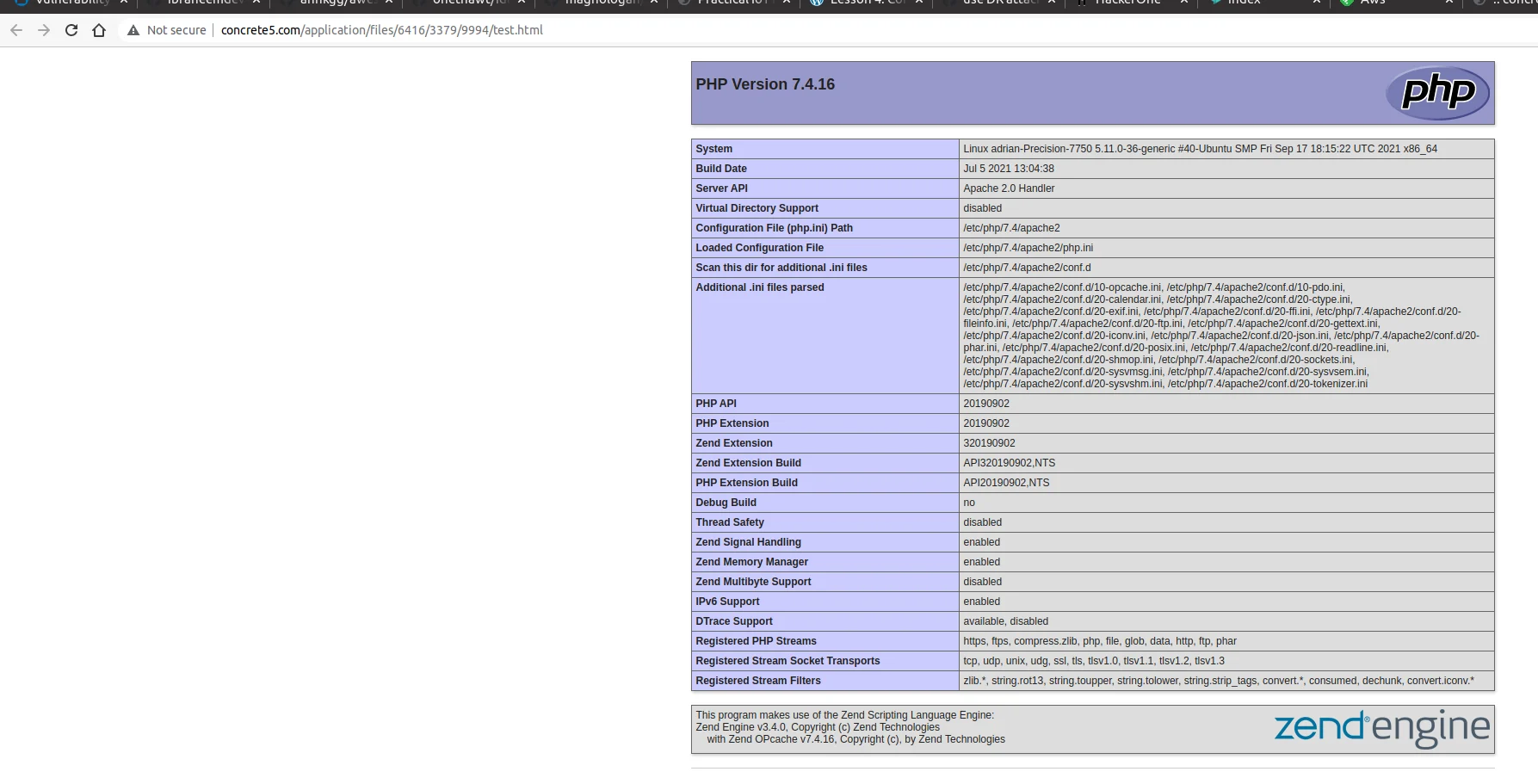
This is how I've managed to read an phpinfo file from my local LAN:
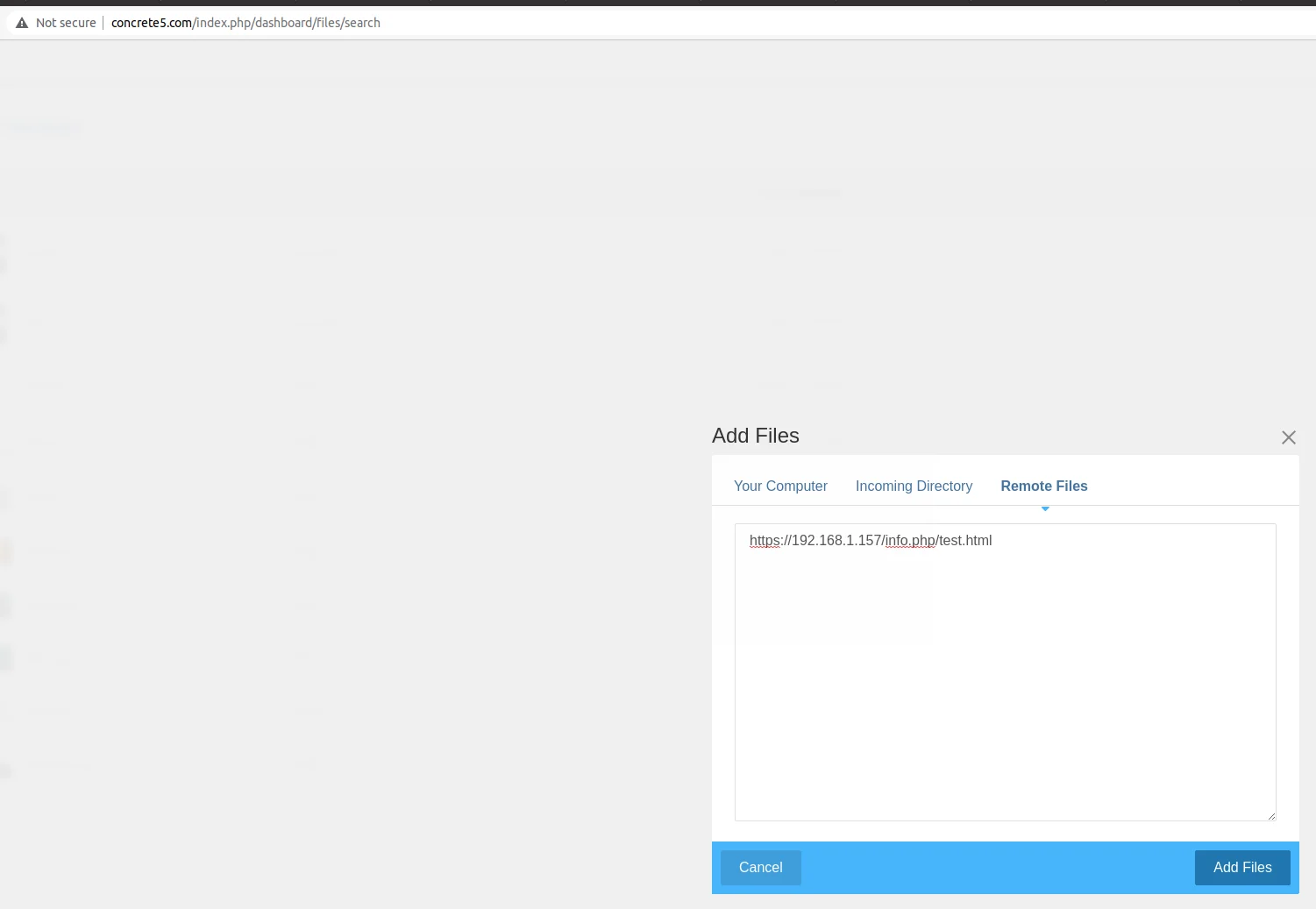
http://192.168.1.157/info.php/test.html
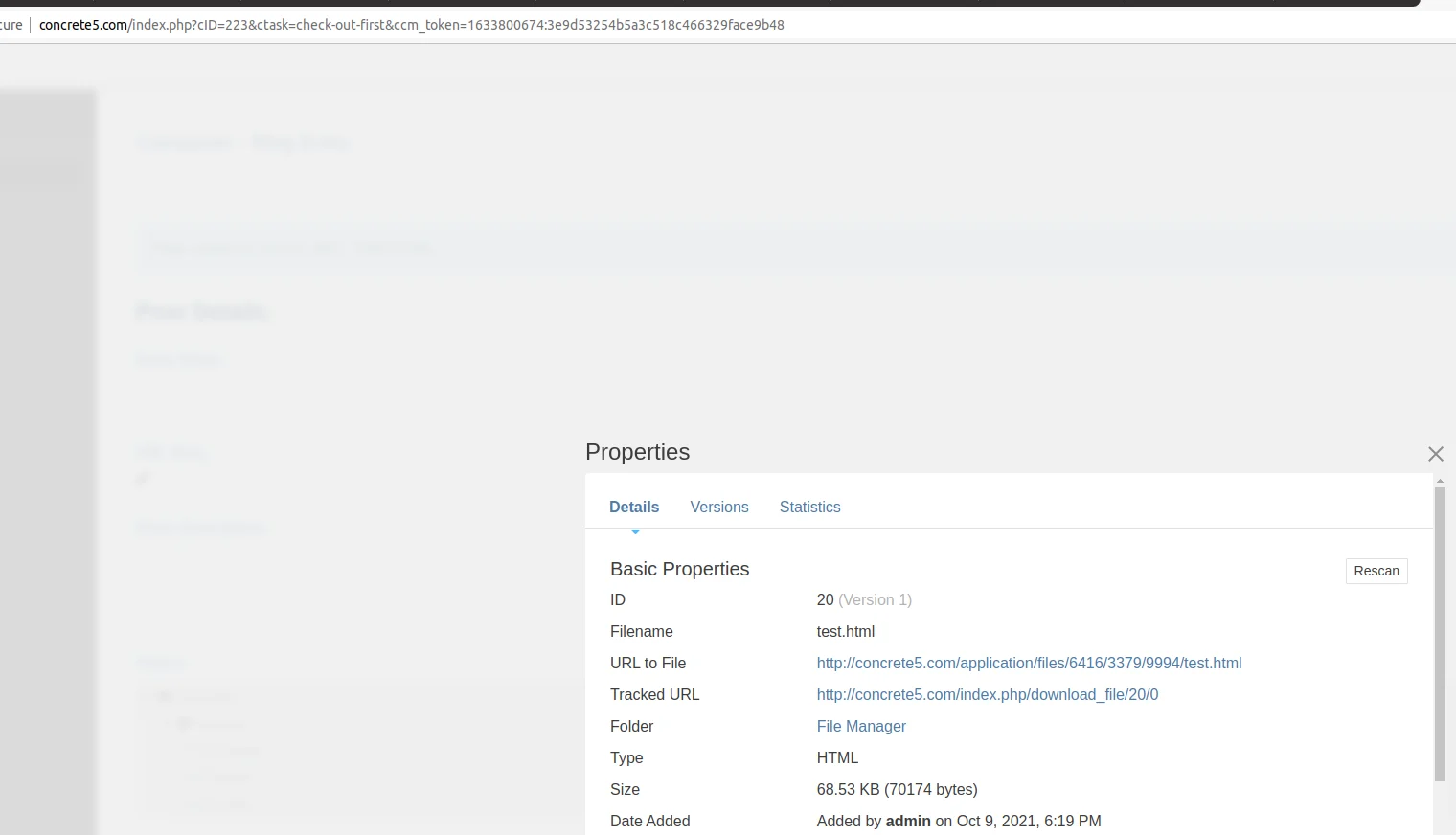
The file is fetched, saved by the CMS locally (or S3) and then the output can be downloaded by the attacker as you can see in the attached screenshots.
ps: crayons
Impact
An attacker can pivot in the private LAN and exploit local network apps.
Attachments
Not written yet. The AI write-up for this report has not been written yet. The Original tab links to the source.
How it worked
Root cause
Likely the remote upload feature only checked the HTTP response code and file extension, and allowed private IP addresses without proper validation.
Impact
An attacker could pivot into the private LAN and exploit local network applications, though only via GET-based exploits.
What the attacker needed
Access to the remote upload feature
How it was found
- Use the remote upload feature with a URL pointing to an internal IP address.
- Bypass the file extension check by appending a path like /test.png after the target file.
- The server fetches the internal file and saves it locally or to S3.
- Download the saved file to read the internal content.
Explained by bugbounty.wiki with AI from the original and checked against quotes from it; it can still be wrong. Read the original before relying on a detail.
Not written yet. The AI write-up for this report has not been written yet. The Original tab links to the source.
The website had a feature that let it download files from other servers. It didn't properly check where those servers were, so someone could make it download files from computers inside the company's private network, which are normally not reachable from the internet. This let the attacker see internal web pages and possibly attack them.
What is SSRF?
The server can be made to fetch an address the attacker chooses, reaching internal services, cloud metadata or other customers' data.




