SVG file that HTML Included is able to upload via File Manager
The file manager's whitelist allows SVG uploads, and SVG files can contain HTML script elements. When a browser accesses the uploaded SVG directly, it executes the embedded JavaScript, leading to cross-site scripting.

- Fixed in 13 days
- Disclosed after 5 months
Concrete5 has the whitelist for restricting that malicious file is uploaded. ( concrete/config/concrete.php, Line no. 86~88 )
The extension whitelist allows to upload SVG file.
However, SVG can has the HTML elements in its code. (Ref. https://www.w3.org/TR/SVG2/intro.html#W3CCompatibility )
If web browser accesses the SVG file that has the 'script' tag of HTML element directly, browser executes the JavaScript placed in SVG file.
Example SVG file likes below.
<svg xmlns="http://www.w3.org/2000/svg" viewBox="0 0 96 105">
<html><head><title>test</title></head><body><script>alert('xss');</script></body></html>
</svg>
It can be occur the XSS vulnerability.
- Test Scenario
- Make the SVG
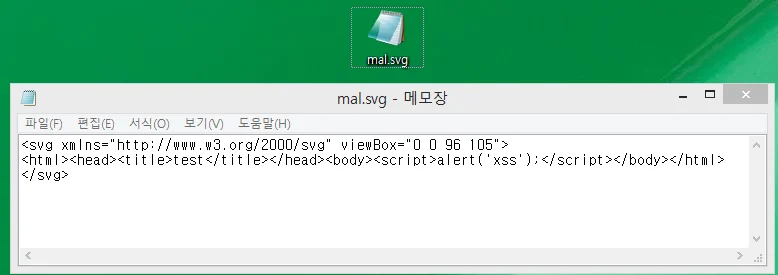
-
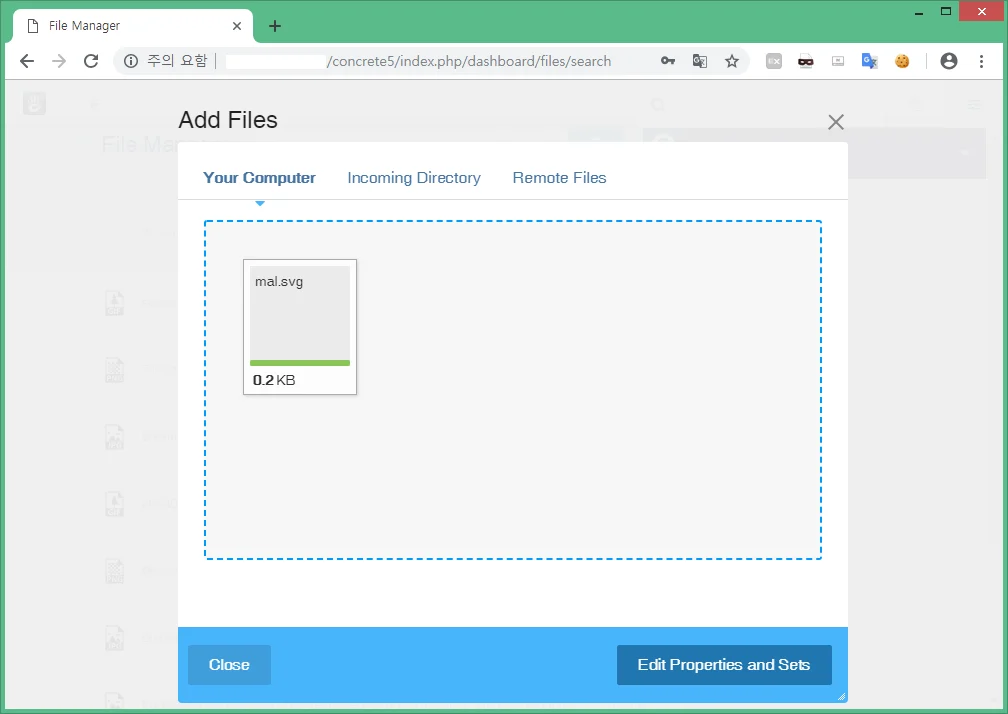
Login as administrator and select the File Manager feature.
-
Upload the file we made.
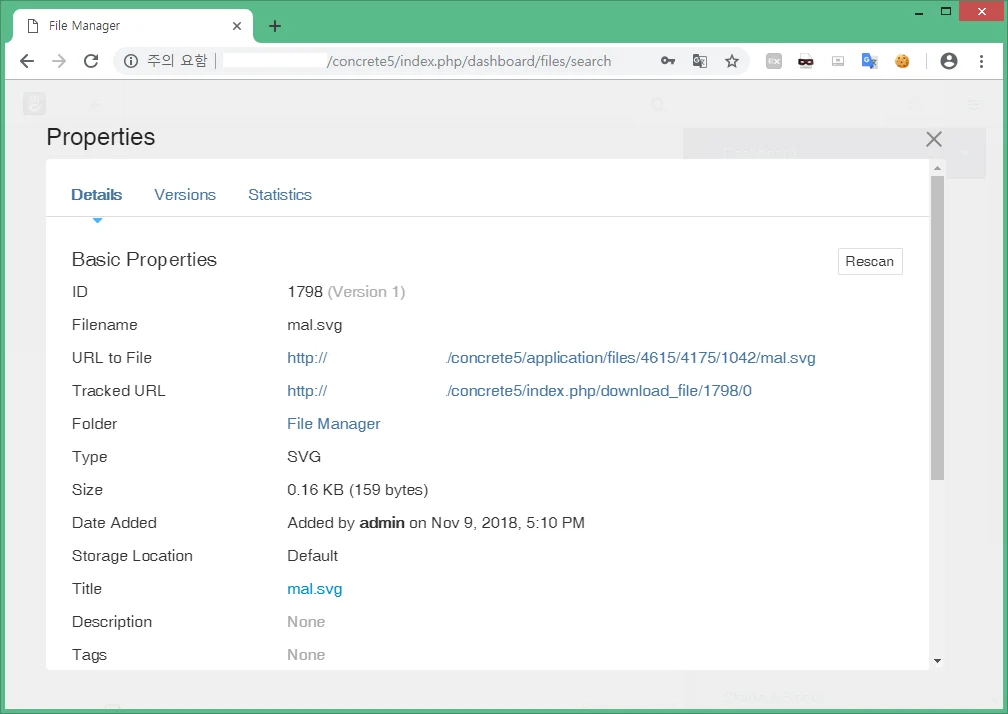
- We can check the upload path in "Right click -> Properties"
- For the test to triggering SVG file, we edit portfolio section.
Move to "portfolio > project Title #" and Edit / Add slides like this.
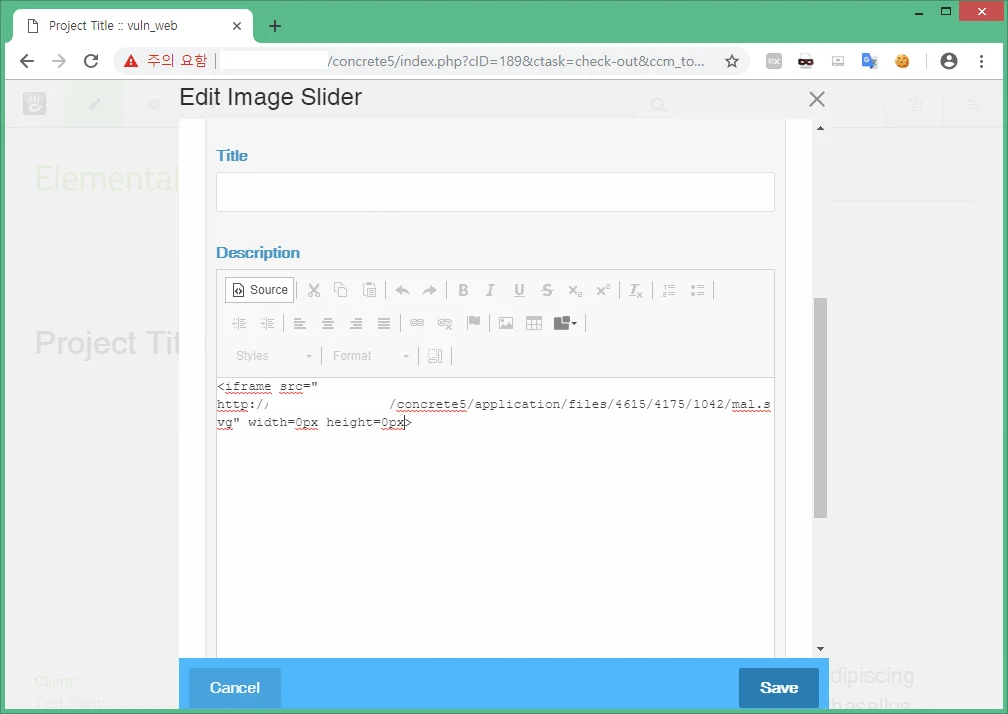
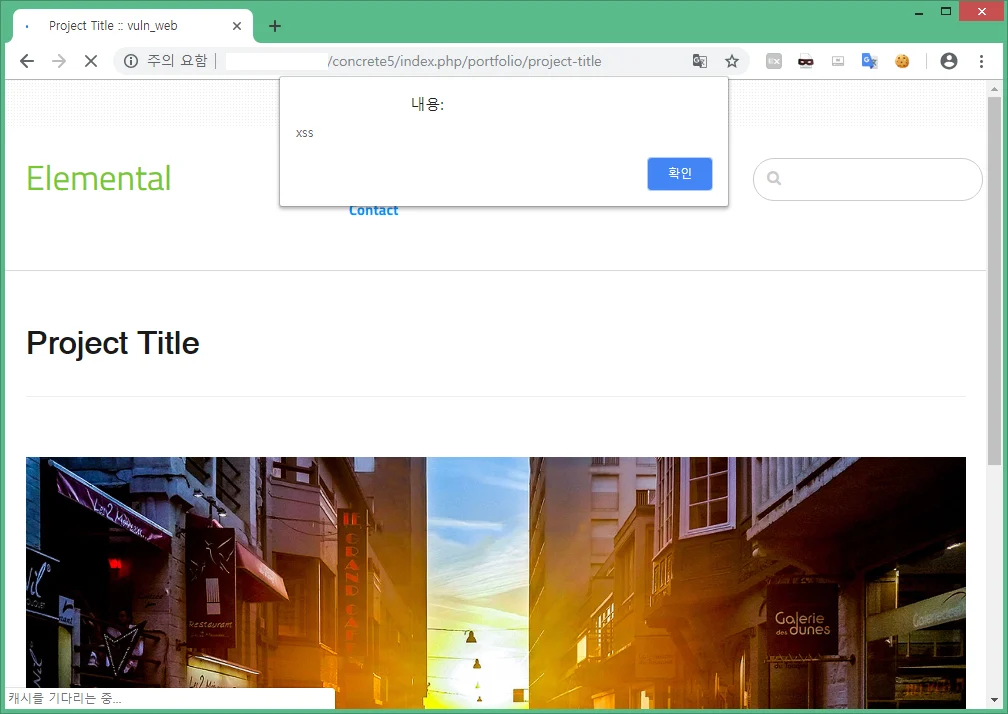
- We can confirmed the execution of JavaScript in the SVG file.
PS. When I was the kid, My father gave me the crayon as the Christmas gift.
Impact
Concrete5 prohibited the upload the HTML files, but this method is bypass the file upload filtering. Attacker who got the administrator authority can inject and hide malicious html tags to target service.
Not written yet. The AI write-up for this report has not been written yet. The Original tab links to the source.
How it worked
Root cause
The upload whitelist permits SVG files, which can embed executable HTML and script content.
Impact
An attacker with administrator authority could inject and hide malicious HTML tags in the target service, bypassing the HTML upload restriction.
What the attacker needed
Administrator access to the file manager
How it was found
- Create an SVG file containing HTML script elements.
- Log in as administrator and open the File Manager.
- Upload the crafted SVG file.
- Find the upload path via right-click Properties.
- Edit a portfolio section and add the SVG as a slide.
- Observe the JavaScript executing in the browser.
Explained by bugbounty.wiki with AI from the original and checked against quotes from it; it can still be wrong. Read the original before relying on a detail.
Not written yet. The AI write-up for this report has not been written yet. The Original tab links to the source.
A website lets users upload files, and it blocks dangerous types like HTML but allows SVG images. SVG files can secretly contain JavaScript code. If someone opens the uploaded SVG in a browser, that code runs, which is called cross-site scripting (XSS).
What is XSS?
Script an attacker supplies runs in another user's browser, on the target's origin, with that user's session.




