My first stored XSS on edmodo.com
A stored cross-site scripting vulnerability existed in the status post feature of beta.edmodo.com, allowing an attacker to inject a script that would execute in other users' browsers. The author found it by manually submitting an XSS polyglot payload into form fields.
 Published on medium.com
There are many people sharing images of Edmodo swag. It looks cool and everyone says that, it is cross site scripting bug.
The full write-up lives on its author's site
It belongs to its author, so we link to it rather than copy it. The other two tabs are our own rewrites, checked against it.
Context
Edmodo is an education platform, and the target here is its web application, specifically the subdomain beta.edmodo.com. The author identifies the injection point as the status post, the field where a user publishes a status update. The write-up does not describe the status post feature in more detail than that, and it does not show the request or response that carried the payload.
The author frames the whole exercise around Edmodo swag: people were sharing images of Edmodo swag, and one researcher's image inspired him to hunt on the program. The report does not give the program's scope rules, reward amounts or the exact severity rating.
Setup
The setup was deliberately minimal. The author describes himself as a beginner and says the methodology was manual rather than automated: he filled every field he could find with XSS payloads, hoping for a pop up. The only tool named in the report is Sublist3r, written by Ahmed Aboul-ela, used for subdomain enumeration:
https://github.com/aboul3la/Sublist3r
It also does not give a browser or version.
Finding it
After the initial round of filling fields with payloads produced no pop up, the author read Arbaz Hussain's (kiraak-boy) post on giving a program time before losing hope, and decided to look at Edmodo subdomains instead of the main site. He ran Sublist3r to enumerate subdomains, then opened beta.edmodo.com, where the payload executed. He then traced the execution back to the injection point, which he identifies as the status post.
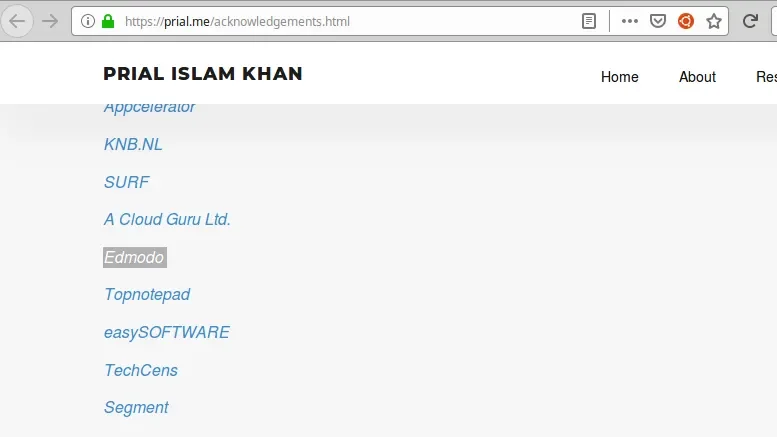
The image is a screenshot from Prial Islam Khan's acknowledgements page, showing the Edmodo swag that inspired the author to start hunting on the program.
Exploitation
Step 1: enumerate subdomains
Sublist3r was used to collect Edmodo subdomains. The report does not include the command line or the output, only the tool and its repository link.
Step 2: open the beta subdomain
Opening beta.edmodo.com produced an XSS pop up. The author then located the injection point in the status post.
Step 3: use the polyglot payload
The payload is not the author's own. It is an XSS polyglot crafted by Ashar Javed, which the author calls the XSS King. It was used in full at first, and unnecessary parts were removed while making the proof of concept video:
">><marquee><img src=x onerror=confirm(1)></marquee>" ></plaintext\></|\><plaintext/onmouseover=prompt(1) ><script>prompt(1)</script>@gmail.com<isindex formaction=javascript:alert(/XSS/) type=submit>'-->"> ></script><script>alert(1)</script>"><img/id="confirm( 1)"/alt="/"src="/"onerror=eval(id&%23x29;>'"><img src="http: //i.imgur.com/P8mL8.jpg">
The payload is a polyglot: it packs many alternative break-out and execution techniques into one string so that it fires in different parsing contexts. The parts that matter:
">>and the trailing">close an existing attribute and tag, so the string escapes an HTML attribute context.<marquee><img src=x onerror=confirm(1)></marquee>executes JavaScript through an event handler on a broken image, which works where<script>is filtered or where the injection lands inside a tag.</plaintext\></|\><plaintext/onmouseover=prompt(1) >targets contexts where the parser is inside a<plaintext>element, using a second handler as a fallback.<script>prompt(1)</script>and<script>alert(1)</script>are plain script injections for contexts where script tags are allowed.@gmail.comis filler that keeps the string plausible in an email or text field.<isindex formaction=javascript:alert(/XSS/) type=submit>abuses the legacyisindexelement with ajavascript:form action.<img/id="confirm( 1)"/alt="/"src="/"onerror=eval(id&%23x29;>uses HTML entity encoding ((for(,&%23x29;for)) so the handler survives filters that block parentheses, and reads the payload back out of theidattribute witheval.<img src="http: //i.imgur.com/P8mL8.jpg">is a trailing image tag; the space afterhttp:is part of the original string.
It also does not say which part of the polyglot fired on beta.edmodo.com.
Step 4: record the proof of concept
The author recorded a video proof of concept, referenced in the post, using a trimmed version of the payload. The report does not include the trimmed payload or the video contents.
Root cause
The report does not analyse the server side or client side code. What it establishes is that an XSS payload executed on beta.edmodo.com, with the injection point in the status post. Why the existing defences did not stop it is not stated; likely the status post output was not contextually encoded, or the encoding applied did not cover the context the payload reached. The report gives no detail on any filter, WAF or content security policy.
Impact
It also does not give a severity or CVSS score.
Fix
It only records that the report was triaged and rewarded the day after submission, and that the author describes Edmodo's response as quick with clear communication.
Variants to test
- Other Edmodo subdomains found by enumeration: a positive result is a pop up from a payload submitted through a normal feature, with the injection point identified in the page source.
- Other free text fields on the same application, such as profile fields and comments: a positive result is the payload stored and executed when the profile or comment is viewed, including by a different account.
- Fields that reflect into attributes, URLs or legacy elements: a positive result is execution from the polyglot's attribute break out or
isindexbranch rather than the plain<script>branch, which shows the context is not being encoded. - Filters that strip parentheses or quotes: a positive result is execution through the entity encoded
eval(id...)branch, showing the filter is bypassable.
Timeline
| Event | Date |
|---|---|
| XSS reported | 16 September 2018 |
| Triaged and rewarded | 17 September 2018 |
| Swag received | 29 September 2018 |
What happened, in plain words
A security researcher who describes himself as a beginner found a bug on Edmodo, a website used by schools, teachers and students. The bug let him type a piece of code into a normal text field on the site, and that code ran in a browser. Bugs like this are called cross site scripting, or XSS for short.
The field that carried the bug was the status post: the box where a user publishes a short update, similar to a social media status. The site did not clean up what he typed properly, so the code ran. Because of that, the code he typed was treated as part of the page rather than as harmless text.
He did not use a clever automated scanner. He filled every field he could find with test code, waited for a pop up box to appear, and kept going when nothing happened. The pop up finally appeared on a test version of the site at beta.edmodo.com. He then worked out that the status post was the injection point.
Background: what Edmodo is and what the bug class means
Edmodo is an education platform: a website where classes, teachers and students interact. The target in this report is its web application, and specifically a subdomain, beta.edmodo.com. A subdomain is a section of a website that lives at its own address, like a separate wing of the same building. edmodo.com is the main site; beta.edmodo.com is a test or pre release version of it.
The feature that carried the bug is the status post: the field where a user publishes a status update. The report does not describe that feature in more detail, and it does not show the request or response that carried the payload.
Cross site scripting (XSS) means getting your own code to run inside someone else's browser while they are viewing a website. A web page is built from text that the browser reads and turns into what you see. Some of that text is instructions (code), and some is just content (words, pictures). If a site lets a visitor's words be treated as instructions, the visitor can make the browser do things the site never intended. A simple everyday comparison: imagine a noticeboard where people pin notes. If someone writes "please ignore all other notes" and the caretaker reads it as an instruction rather than as a note, the noticeboard has been abused. XSS is the web version of that.
Stored XSS is the specific kind here. The malicious text is saved by the site and shown to other people later. That is different from a bug where the code only runs for the person who typed it. With stored XSS, the payload waits on the site and fires for whoever views it.
Why he started: the swag
The author frames the whole exercise around Edmodo swag: people were sharing images of Edmodo swag, and one researcher's image inspired him to hunt on the program. A bug bounty program is a scheme where a company invites people to test its systems and pays or thanks them for reporting problems. "Swag" here means merchandise such as clothing or stickers given as a reward.
The image is a screenshot from Prial Islam Khan's acknowledgements page, showing the Edmodo swag that inspired the author to start hunting on the program.
The report does not give the program's scope rules, reward amounts or the exact severity rating.
Setup: how he prepared
The setup was deliberately minimal. The author describes himself as a beginner and says the methodology was manual rather than automated: he filled every field he could find with XSS payloads, hoping for a pop up. A payload is simply the piece of text or code you feed to a system to test it; here, it is the string designed to make the browser run JavaScript.
The only tool named in the report is Sublist3r, written by Ahmed Aboul-ela, used for subdomain enumeration:
https://github.com/aboul3la/Sublist3r
This is a link to the tool's source code repository. Subdomain enumeration means finding the many subdomains a company owns, such as beta.edmodo.com, help.edmodo.com and so on. Each subdomain can be a separate application with its own bugs, so listing them gives you more places to look. Sublist3r gathers these names from public sources rather than guessing them one by one.
It also does not give a browser or version.
Finding it
After the initial round of filling fields with payloads produced no pop up, the author read Arbaz Hussain's (kiraak-boy) post on giving a program time before losing hope, and decided to look at Edmodo subdomains instead of the main site. He ran Sublist3r to enumerate subdomains, then opened beta.edmodo.com, where the payload executed. He then traced the execution back to the injection point, which he identifies as the status post.
An injection point is the exact place in a page where your input ends up and where the browser starts treating it as code. Finding it matters because it tells you which field is broken and why.
Exploitation
Step 1: enumerate subdomains
Sublist3r was used to collect Edmodo subdomains. The report does not include the command line or the output, only the tool and its repository link. The reason for this step is coverage: the main site may be well tested, while a beta or staging subdomain may be less so.
Step 2: open the beta subdomain
Opening beta.edmodo.com produced an XSS pop up. The author then located the injection point in the status post. A pop up is a small dialog box the browser shows when JavaScript calls a function such as alert or confirm. It is the simplest visible proof that your code ran.
Step 3: use the polyglot payload
The payload is not the author's own. It is an XSS polyglot crafted by Ashar Javed, which the author calls the XSS King. It was used in full at first, and unnecessary parts were removed while making the proof of concept video:
">><marquee><img src=x onerror=confirm(1)></marquee>" ></plaintext\></|\><plaintext/onmouseover=prompt(1) ><script>prompt(1)</script>@gmail.com<isindex formaction=javascript:alert(/XSS/) type=submit>'-->"> ></script><script>alert(1)</script>"><img/id="confirm( 1)"/alt="/"src="/"onerror=eval(id&%23x29;>'"><img src="http: //i.imgur.com/P8mL8.jpg">
A polyglot is a single string built to work in many different situations at once. Think of a key designed to open several different locks: whichever lock you meet, one of its shapes fits. Web pages have many contexts where input can land, such as inside an HTML tag, inside an attribute, inside a script block or inside a legacy element. A polyglot packs a technique for each of those contexts into one string, so the tester does not need to know in advance which context the input will reach.
The payload is a polyglot: it packs many alternative break-out and execution techniques into one string so that it fires in different parsing contexts. The parts that matter:
">>and the trailing">close an existing attribute and tag, so the string escapes an HTML attribute context. In plain terms, if your text is placed inside quotes that belong to the page's own markup, these characters end the quote and the tag early, so what follows is read as new markup rather than as text.<marquee><img src=x onerror=confirm(1)></marquee>executes JavaScript through an event handler on a broken image, which works where<script>is filtered or where the injection lands inside a tag. An event handler is an attribute such asonerrorthat the browser runs when something happens; here, the image fails to load becausesrc=xis not a real image, so the handler runs.</plaintext\></|\><plaintext/onmouseover=prompt(1) >targets contexts where the parser is inside a<plaintext>element, using a second handler as a fallback.<plaintext>is an old HTML element that tells the browser to treat everything after it as raw text; the payload tries to close it and then use a mouse over handler as another route to execution.<script>prompt(1)</script>and<script>alert(1)</script>are plain script injections for contexts where script tags are allowed. A<script>tag is the normal way a page includes JavaScript, so if the site does not block it, this is the simplest route.@gmail.comis filler that keeps the string plausible in an email or text field. It makes the string look like an email address if a field expects one, so validation is less likely to reject it outright.<isindex formaction=javascript:alert(/XSS/) type=submit>abuses the legacyisindexelement with ajavascript:form action.isindexis an obsolete HTML element;formactionis an attribute that tells a form where to send its data, and setting it to ajavascript:address makes the browser run code instead of navigating.<img/id="confirm( 1)"/alt="/"src="/"onerror=eval(id&%23x29;>uses HTML entity encoding ((for(,&%23x29;for)) so the handler survives filters that block parentheses, and reads the payload back out of theidattribute witheval. HTML entity encoding is a way of writing a character using a code name, so(means the same as(. A filter that simply removes brackets will not recognise the encoded form.evaltakes a string and runs it as code, so the handler pulls the text out of theidattribute and executes it.<img src="http: //i.imgur.com/P8mL8.jpg">is a trailing image tag; the space afterhttp:is part of the original string. It is there to keep the string valid in contexts where an image tag is expected.
It also does not say which part of the polyglot fired on beta.edmodo.com.
Step 4: record the proof of concept
The author recorded a video proof of concept, referenced in the post, using a trimmed version of the payload. A proof of concept (PoC) is a small demonstration that shows a bug is real, usually a recording or screenshots of the pop up and the steps that produced it. Trimming the payload makes the video easier to follow: you show the smallest string that still works. The report does not include the trimmed payload or the video contents.
Root cause
The report does not analyse the server side or client side code. What it establishes is that an XSS payload executed on beta.edmodo.com, with the injection point in the status post.
Output encoding means converting characters that have special meaning in HTML into harmless equivalents before showing them on a page. If a user types <, the site should display it as text, not let the browser read it as the start of a tag. When that step is missing, user text becomes page instructions. Why the existing defences did not stop it is not stated; likely the status post output was not contextually encoded, or the encoding applied did not cover the context the payload reached. The report gives no detail on any filter, WAF or content security policy. A WAF (web application firewall) is a filter that inspects incoming traffic and blocks patterns that look malicious. A content security policy is a browser instruction that limits which scripts a page may run.
Impact
In everyday terms, one person leaves a booby trapped note on the noticeboard, and every person who reads it triggers the trap. It also does not give a severity or CVSS score. CVSS is a standard scoring system for how serious a vulnerability is.
Fix
It only records that the report was triaged and rewarded the day after submission, and that the author describes Edmodo's response as quick with clear communication. Triaged means the security team reviewed the report and confirmed the bug is valid.
Variants to test
- Other Edmodo subdomains found by enumeration: a positive result is a pop up from a payload submitted through a normal feature, with the injection point identified in the page source.
- Other free text fields on the same application, such as profile fields and comments: a positive result is the payload stored and executed when the profile or comment is viewed, including by a different account.
- Fields that reflect into attributes, URLs or legacy elements: a positive result is execution from the polyglot's attribute break out or
isindexbranch rather than the plain<script>branch, which shows the context is not being encoded. - Filters that strip parentheses or quotes: a positive result is execution through the entity encoded
eval(id...)branch, showing the filter is bypassable.
Timeline
| Event | Date |
|---|---|
| XSS reported | 16 September 2018 |
| Triaged and rewarded | 17 September 2018 |
| Swag received | 29 September 2018 |
Glossary
- Bug bounty program: a scheme where a company invites people to test its systems and rewards them for reporting valid security problems.
- Cross site scripting (XSS): a bug where a site lets a visitor's input be treated as code, so it runs in another person's browser.
- Stored XSS: XSS where the malicious input is saved by the site and later shown to other viewers.
- Payload: the piece of text or code used to test a system, here the string designed to make the browser run JavaScript.
- Subdomain: a section of a website at its own address, such as
beta.edmodo.comunderedmodo.com. - Subdomain enumeration: finding the subdomains a company owns, often from public sources, to widen the search for bugs.
- Sublist3r: a tool for subdomain enumeration, written by Ahmed Aboul-ela.
- Injection point: the exact place in a page where user input ends up and is treated as code.
- Pop up: a small dialog box the browser shows when JavaScript calls a function such as
alertorconfirm; used as visible proof that code ran. - Polyglot: a single payload built to work in many different parsing contexts at once.
- Event handler: an HTML attribute such as
onerrororonmouseoverthat runs code when something happens to an element. - HTML entity encoding: writing a character by its code name, such as
(for(, so filters that look for the raw character miss it. eval: a JavaScript function that takes a string and runs it as code.<plaintext>: an obsolete HTML element that makes the browser treat everything after it as raw text.isindex: an obsolete HTML element abused here with ajavascript:form action.formaction: an attribute that tells a form where to send its data; ajavascript:value makes the browser run code instead.- Output encoding: converting characters with special meaning in HTML into harmless equivalents before displaying user input.
- WAF (web application firewall): a filter that inspects incoming traffic and blocks patterns that look malicious.
- Content security policy: a browser instruction that limits which scripts a page may run.
- Proof of concept (PoC): a small demonstration, often a video or screenshots, showing that a bug is real.
- Triaged: reviewed by the security team and confirmed as a valid bug.
- CVSS: a standard scoring system for the severity of a vulnerability.
- Swag: merchandise given as a reward or thank you.