Abuse GitLab webhook functionality for DoS attacks
GitLab's webhook test feature had no rate limit, so an attacker could repeatedly trigger test webhooks to send thousands of requests from GitLab's servers to a victim's server. This could be used to overwhelm the victim's server with traffic.

GitLab
Originally disclosed on GitLab
- Fixed in 2 months
- Disclosed after 2 months
HackerOne report #904134 by noddyn12 on 2020-06-21, assigned to @rchan-gitlab:
Hi Gitlab Team (Please view the video proof )
Video proof link:- https://drive.google.com/file/d/1_mbXy_btIqfmbnOB_aP1V7Bhjjr9U8xL/view?usp=sharing
Vulnerability name:- DOS other domain using gitlab servers(Webhook abuse)
Steps to reproduce
- Visit Gitlab.com
- Create a project
- Go to webhook option and create a webhook with domain as target.com(hackerone.com)
But in this case use burp collaborator url and save the webhook - Now click on test webhook(push event) and capture the request in burp suite
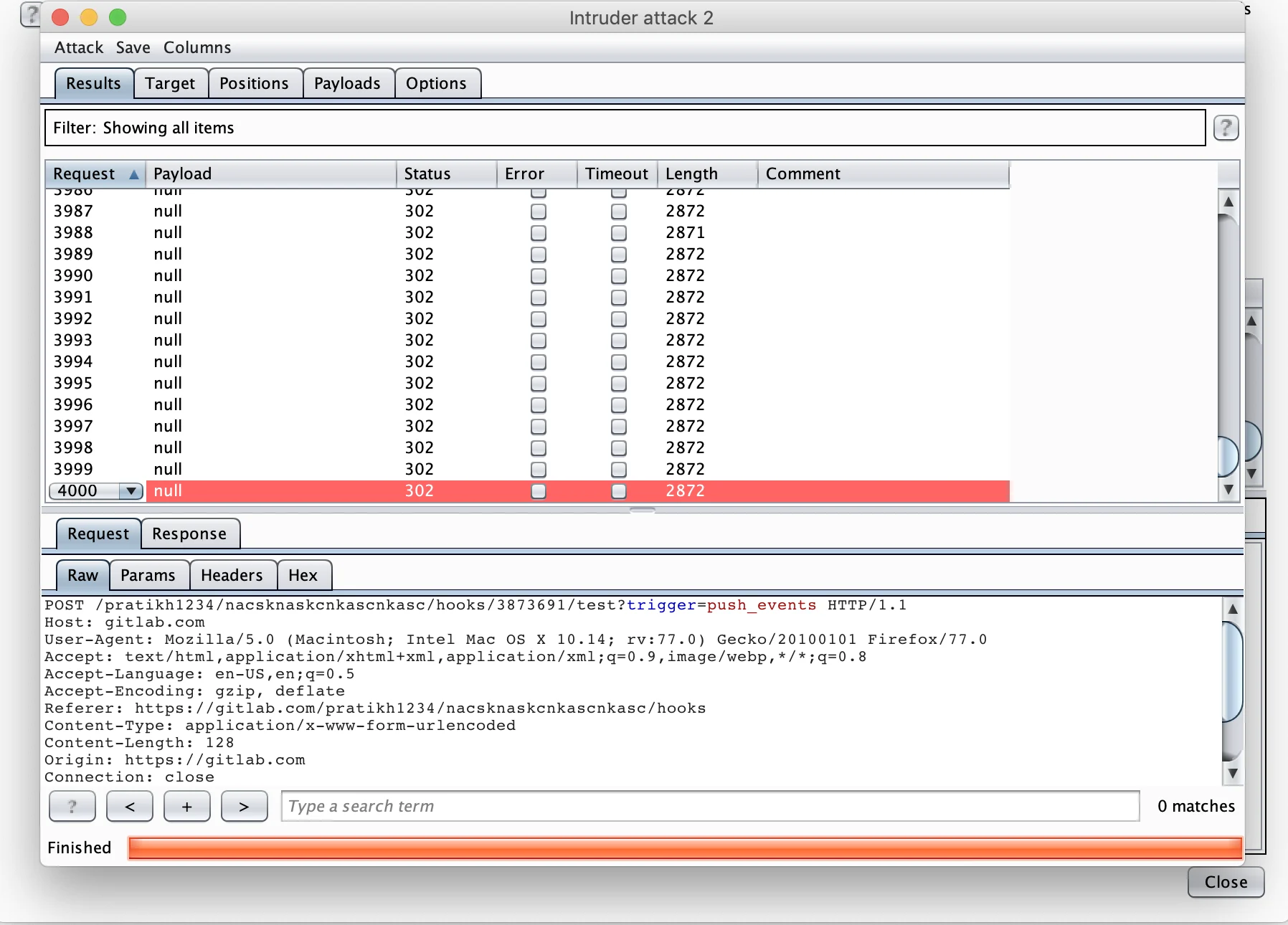
- Send it to intruder and set payload type as null payloads
- Payload size as 3000-4000 to demonstrate the risk
- Thread size as 100 to make this happen quickly
- Start the attack
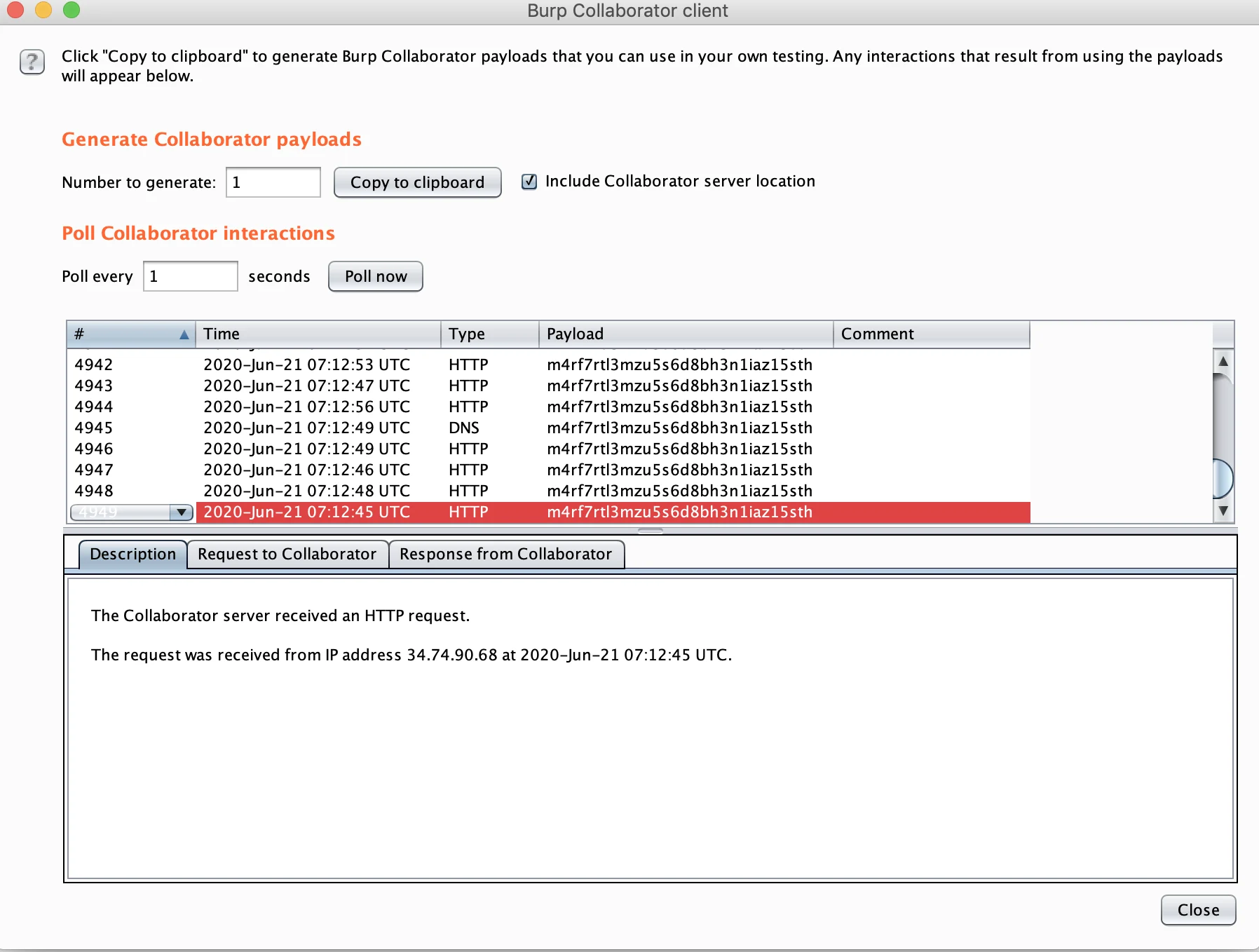
- now you can see after the attack is completed , check the collaborator ,
Intruder process
There will be 4000+ request from gitlab server to victims server
Impact
Impact
- Since there is no rate limit on gitlab.com webhook function , so attackers can use this to send
lot of requests to victims server
2. There wouldn't have been issue if this was exploited using attackers own instance
but here it is attacked using gitlab.com
Thanks
Attachments
Warning: Attachments received through HackerOne, please exercise caution!
Not written yet. The AI write-up for this report has not been written yet. The Original tab links to the source.
How it worked
Root cause
Likely the webhook test endpoint lacked rate limiting, allowing unlimited requests to be sent from GitLab's servers.
Impact
An attacker could use GitLab's servers to send a large number of requests to a victim's server, potentially causing a denial of service.
What the attacker needed
A GitLab account; ability to create a project; ability to configure a webhook
How it was found
- Visit GitLab.com and create a project.
- Go to the webhook option and create a webhook pointing to a target domain (e.g., a Burp Collaborator URL).
- Click to test the webhook (push event) and capture the request in Burp Suite.
- Send the request to Intruder and set payload type to null payloads.
- Set payload size to 3000-4000 and thread size to 100, then start the attack.
- After the attack, check the collaborator to see 4000+ requests from GitLab's servers.
Explained by bugbounty.wiki with AI from the original and checked against quotes from it; it can still be wrong. Read the original before relying on a detail.
Not written yet. The AI write-up for this report has not been written yet. The Original tab links to the source.
A webhook is a way for one website to automatically send a message to another when something happens. Here, GitLab let users test a webhook by clicking a button, and there was no limit on how many times you could do that. An attacker could abuse this to make GitLab's servers flood someone else's website with requests, like sending thousands of letters to one address.
What is DoS?
A request that exhausts resources or crashes a component. Many programs forbid testing it; reports usually show it from code, not by attacking.


