Bypass for Domain-level redirects (Unvalidated Redirects and Forwar)
GitLab Pages allowed domain-level redirects despite documentation forbidding them, because the validation only checked that the redirect path started with a slash. An attacker could create a redirect to an external domain, enabling phishing via a trusted GitLab URL.

- Triaged in 18 days
- Fixed in 27 days
- Disclosed after 27 days
Summary
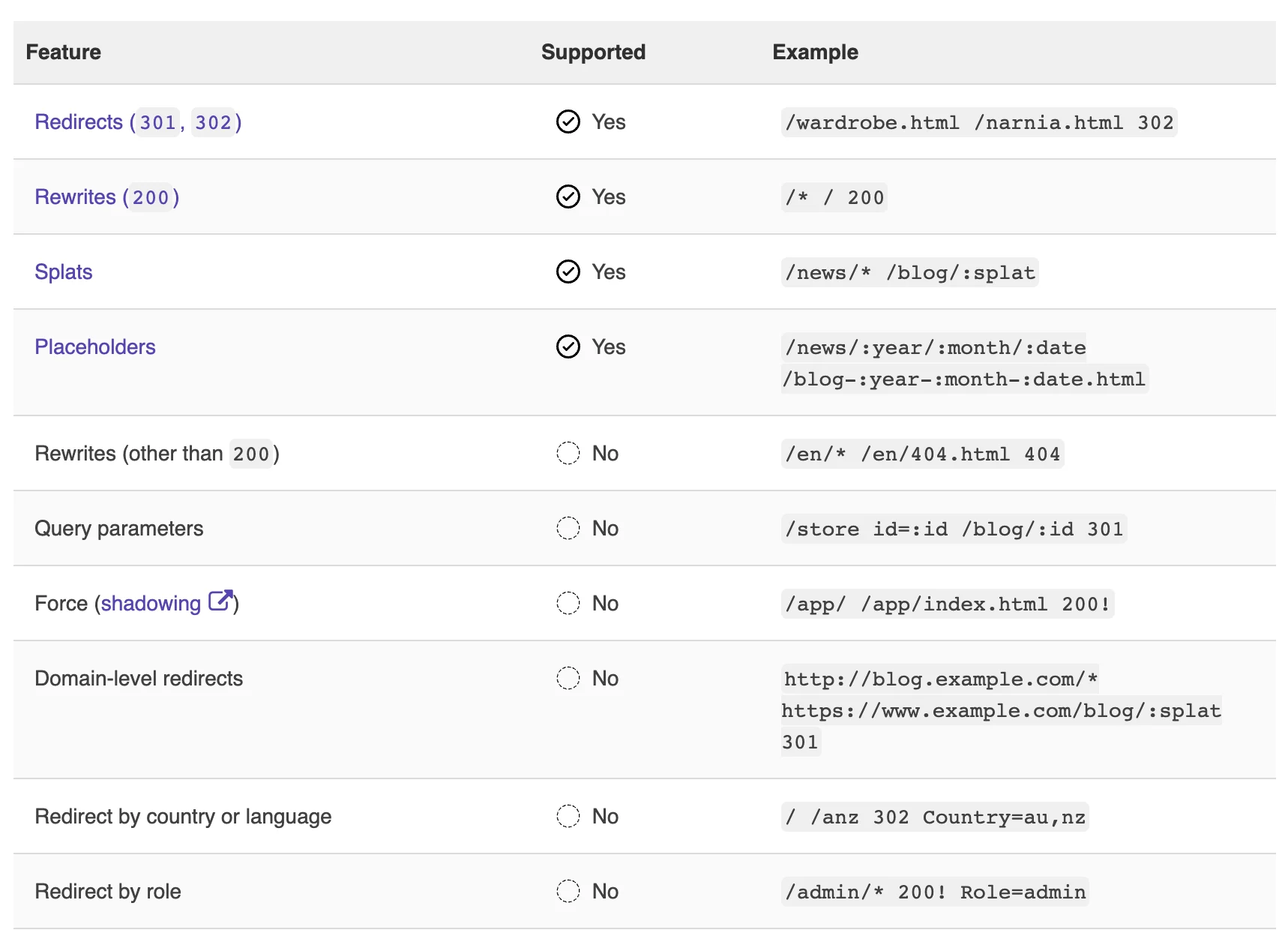
While testing for the ability to define custom redirects in Gitlab Pages,
I discovered I was able to define Domain-level redirects which are explicitly disabled in the documentation.
At a first glance, the validation step seems to disable any link not starting with /,
It has however to be noted that distinct domain redirects can be defined even with starting slash/backslash.
For example, all these three examples will redirect to another domain:
//anotherdomain.com/.../\anotherdomain.com/...\\anotherdomain.com\...
All these previous domains are equivalent to writing https?://anotherdomain.com/...
An attacker may define vanity URLs hosted on GitLab targeting phishing websites.
Steps to reproduce
In order to reproduce this vulnerability follow these steps:
- Generate a new pages project (eg. anyone from https://gitlab.com/pages ). You can create a new project forking https://gitlab.com/pages/jekyll
- Enable CI/CD pipeline
- Enable pages support in Settings
- Add a
_redirectsfile and include that file in the output through the_config.ymlinclude directive - Add a redirect such as `/jekyll-test/test3.html /\desktop.pompel.me\test2.html 301```
- Wait for the CI to complete the deploy
- Navigate to the defined redirect
- Verify that the redirect is reaching an external website
Impact
An attacker may define vanity URLs hosted on GitLab targeting phishing websites.
Examples
https://gitlab.com/miwaxe/jekyll-test/-/blob/master/_redirects
/jekyll-test/antani1.html /projectname/antani2.html 302
/jekyll-test/test1.html \\projectname\@desktop.pompel.me/test2.html 302
/jekyll-test/test3.html /\desktop.pompel.me\test2.html 301
What is the current bug behavior?
Check the attached demo video
What is the expected correct behavior?
The redirects should not happen to external domains. This is pointed out in the documentation https://docs.gitlab.com/ee/user/project/pages/redirects.html and is explicitly forbidden.
Relevant logs and/or screenshots
Check the attached screenshot
Impact
An attacker may define vanity URLs hosted on GitLab targeting phishing websites.
Not written yet. The AI write-up for this report has not been written yet. The Original tab links to the source.
How it worked
Root cause
The validation only checked that the redirect path started with a slash, but did not account for protocol-relative URLs or backslash variations that browsers interpret as external domains.
Impact
An attacker could host a redirect on a trusted GitLab domain that sends users to a phishing site.
What the attacker needed
A GitLab account; ability to create a Pages project
The fix
Redirects should not resolve to external domains, including paths starting with double slashes or backslashes.
How it was found
- Create a new GitLab Pages project (e.g., by forking an example).
- Enable CI/CD pipeline and Pages support in settings.
- Add a `_redirects` file and include it in the output via `_config.yml`.
- Add a redirect rule using a path like `//external.com` or `/\external.com`.
- Wait for the CI to deploy.
- Navigate to the redirect URL and verify it goes to the external site.
Explained by bugbounty.wiki with AI from the original and checked against quotes from it; it can still be wrong. Read the original before relying on a detail.
Not written yet. The AI write-up for this report has not been written yet. The Original tab links to the source.
GitLab Pages lets you set up redirects from one page to another. The system was supposed to only allow redirects within your own site, but it could be tricked into redirecting to any external website. This means an attacker could make a link on GitLab that sends visitors to a fake login page.
What is Open redirect?
A trusted site forwards users to any address an attacker picks; rarely paid alone, often the missing link in a chain.




