Gitlab.com wrong process with the directory that has "#"
GitLab.com did not URL-encode the '#' character in directory names when generating links, so a directory named with a '#' would link to a truncated path. An attacker could create a fake directory to trick a contributor into editing a file in the wrong location.

GitLab
Originally disclosed on GitLab
- Fixed in 21 hours
- Disclosed after 21 hours
HackerOne report #789394 by cccaaasser on 2020-02-05, assigned to @dcouture:
Summary
Gitlab.com misunderstand about # symbol. If anyone create a directory with #, it will not process any character behide it. With this issue attacker can create a fake directory to trick other contributor to edit file with misunderstanding.
Steps to reproduce
- Create a new project
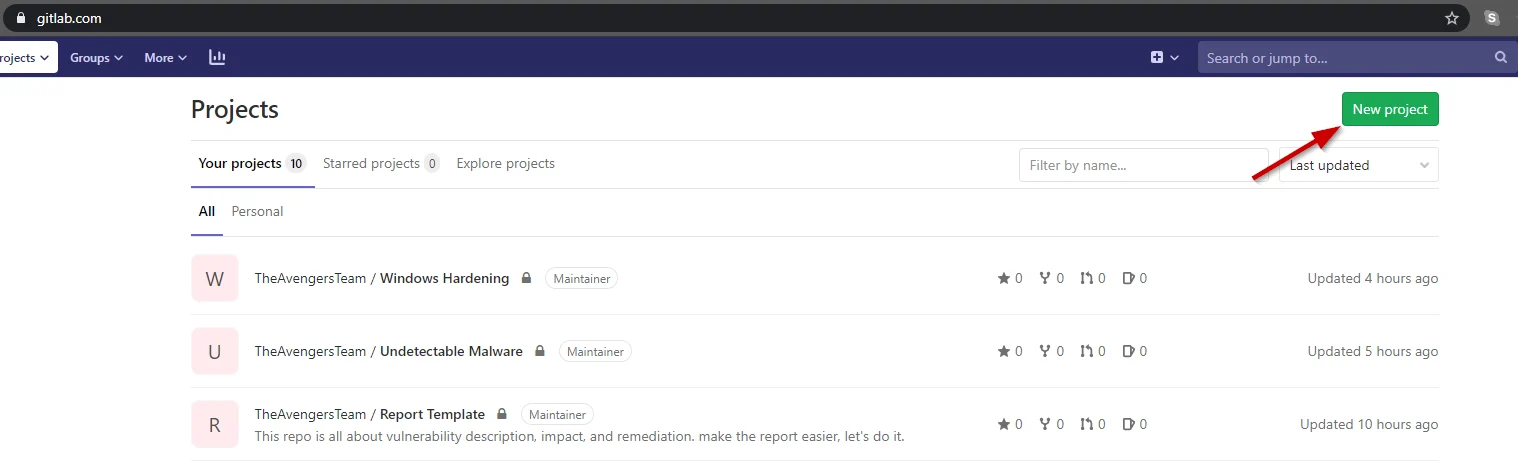
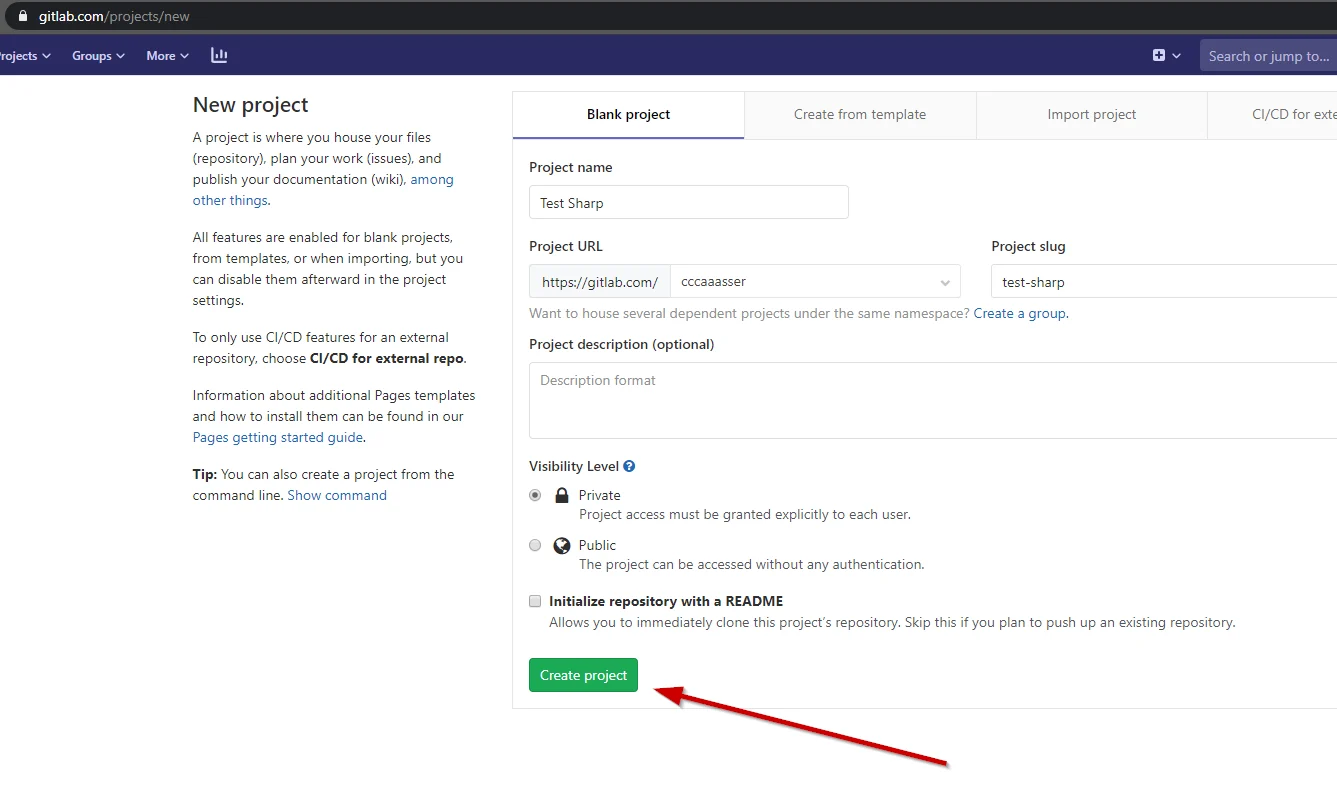
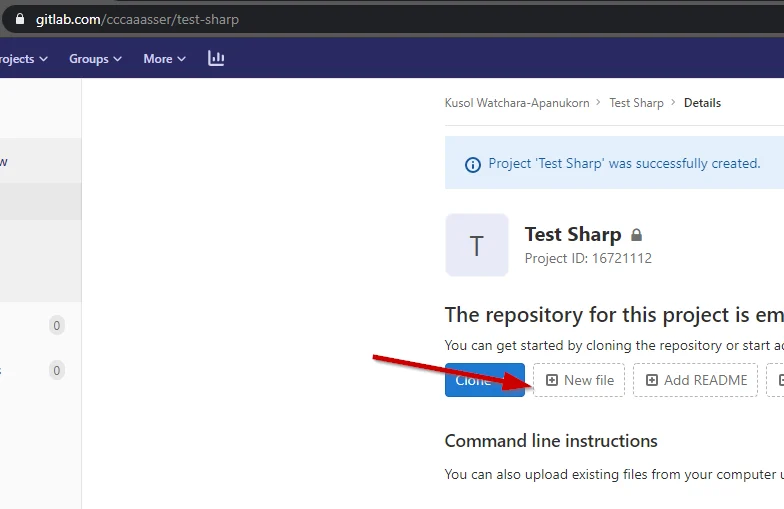
- Create a new file and directory. In this case we the directory named
FirstDirectory
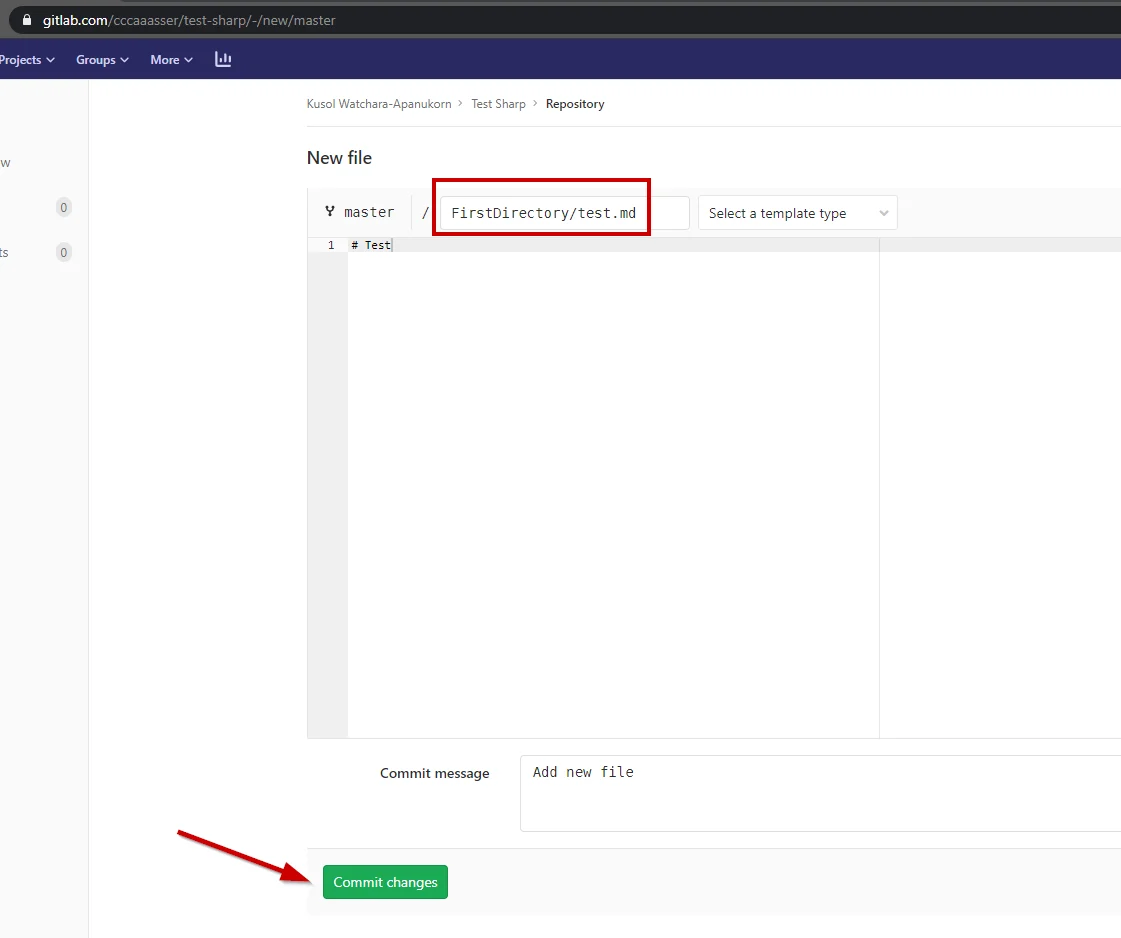
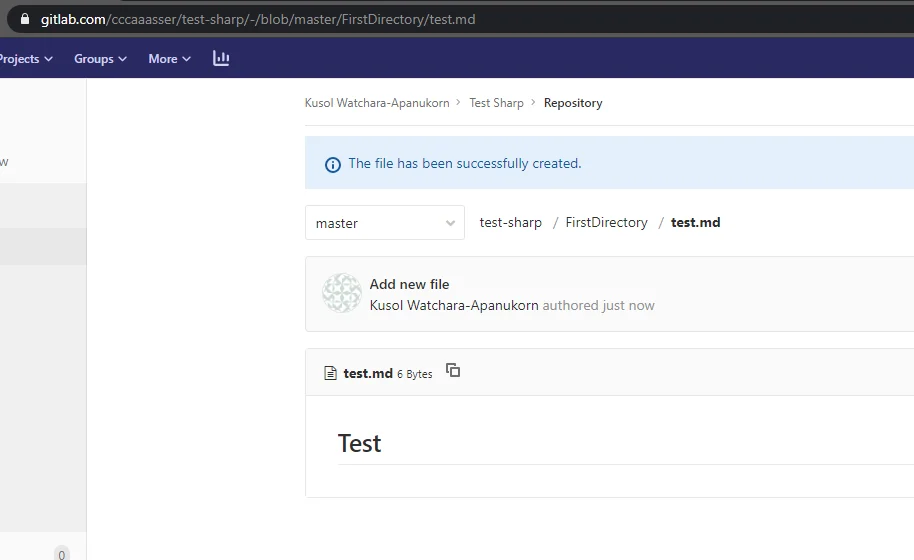
- Back to root path and create a new directory with the name same as previous but add `# behind
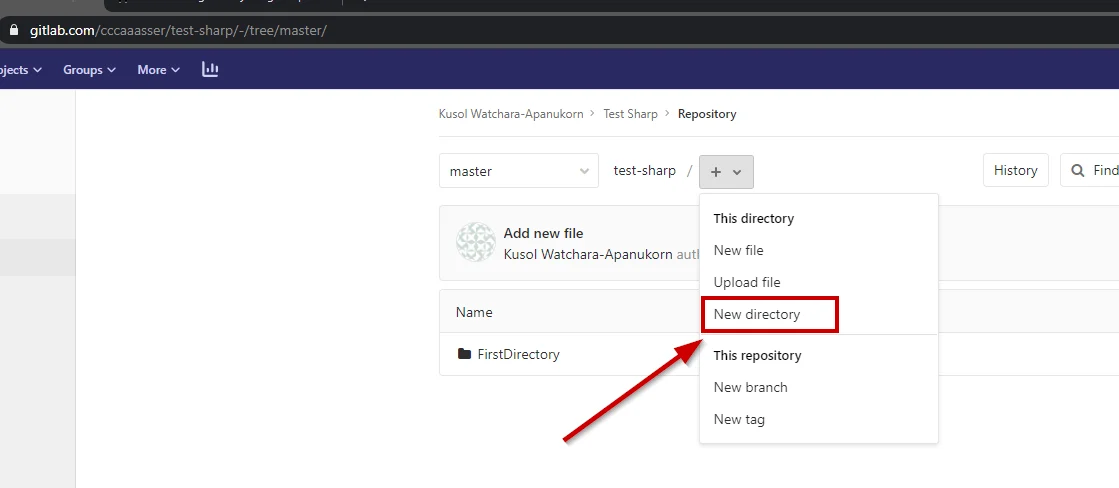
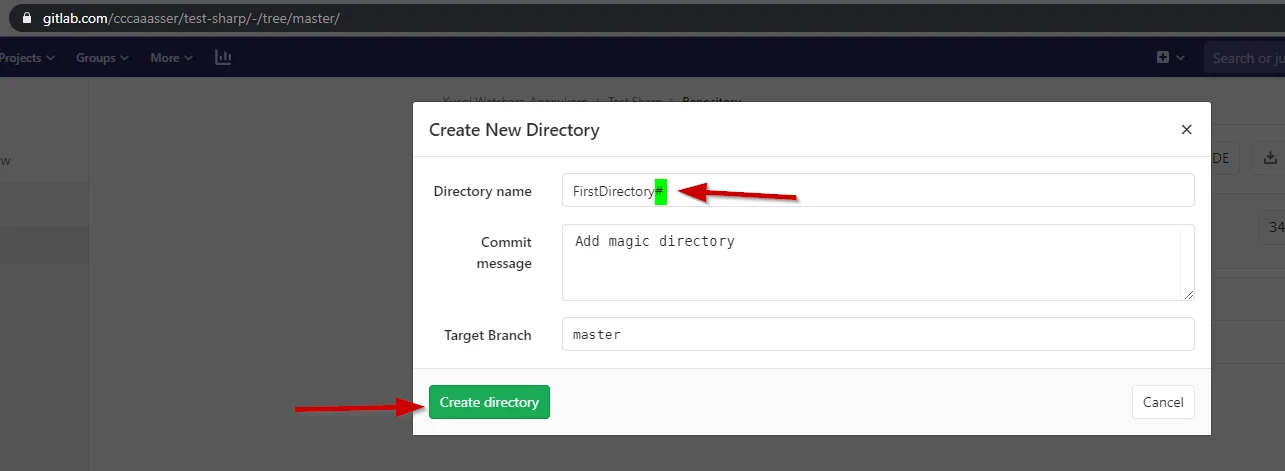
- Back to root path
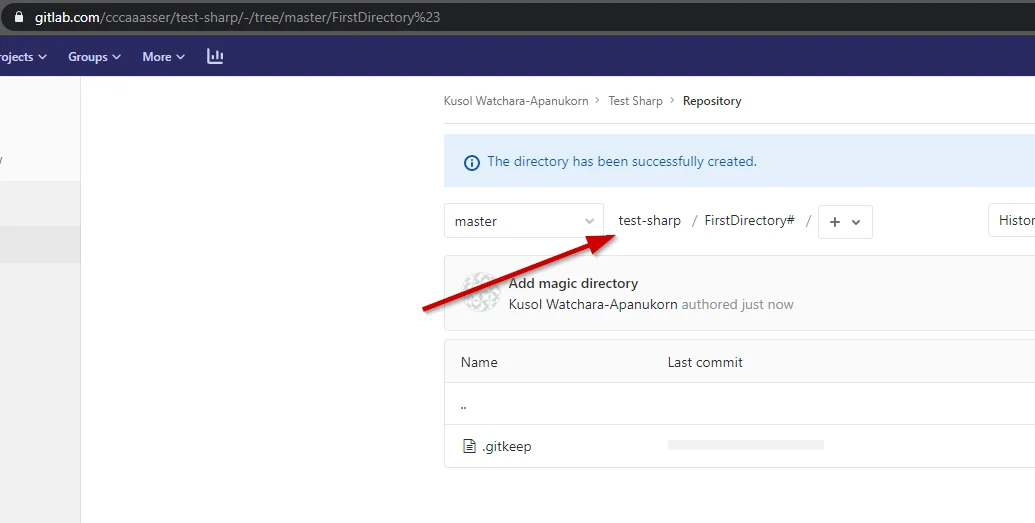
- Check the file in
FirstDirectoryyou will see it has onlytest.md
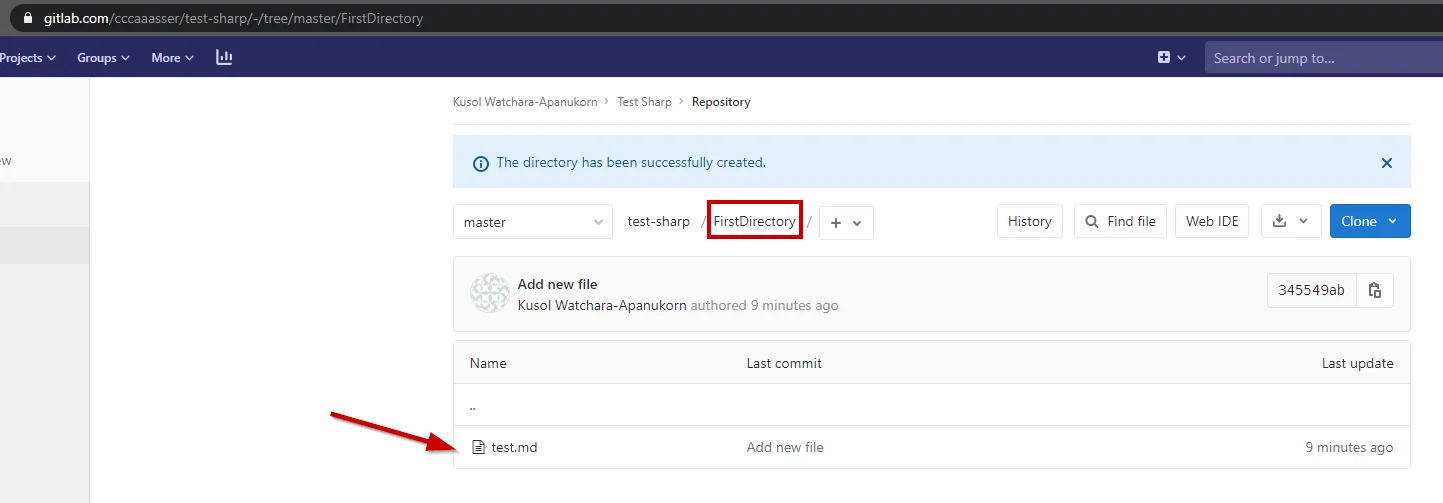
- Now access to
FirstDirectory#by click on root path
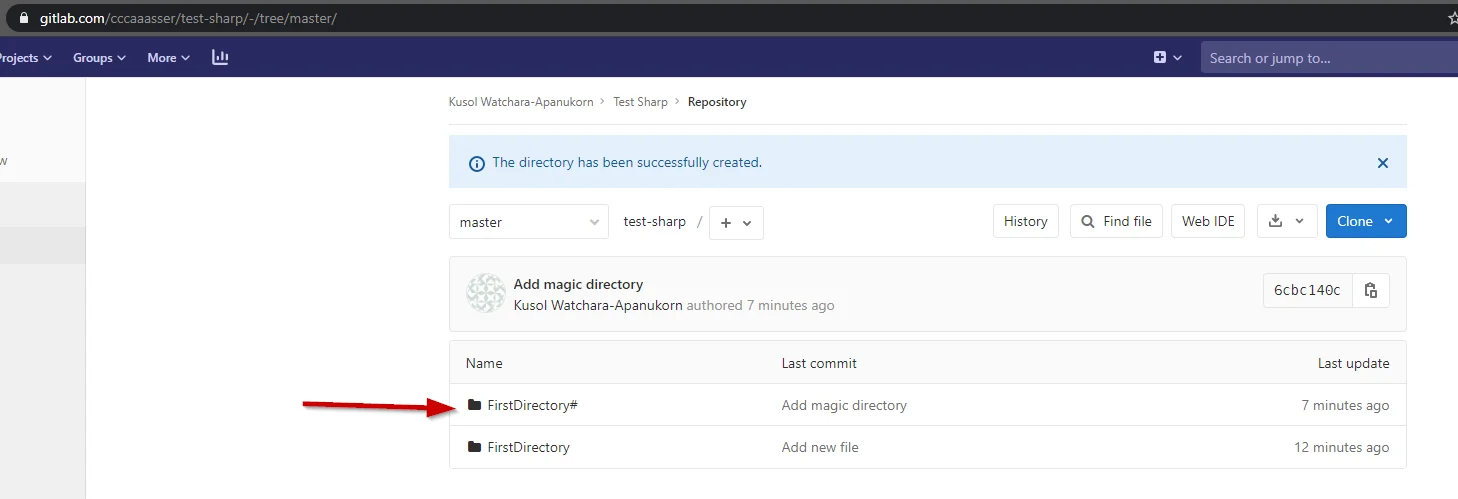
- You will see it redirected to
FirstDirectory
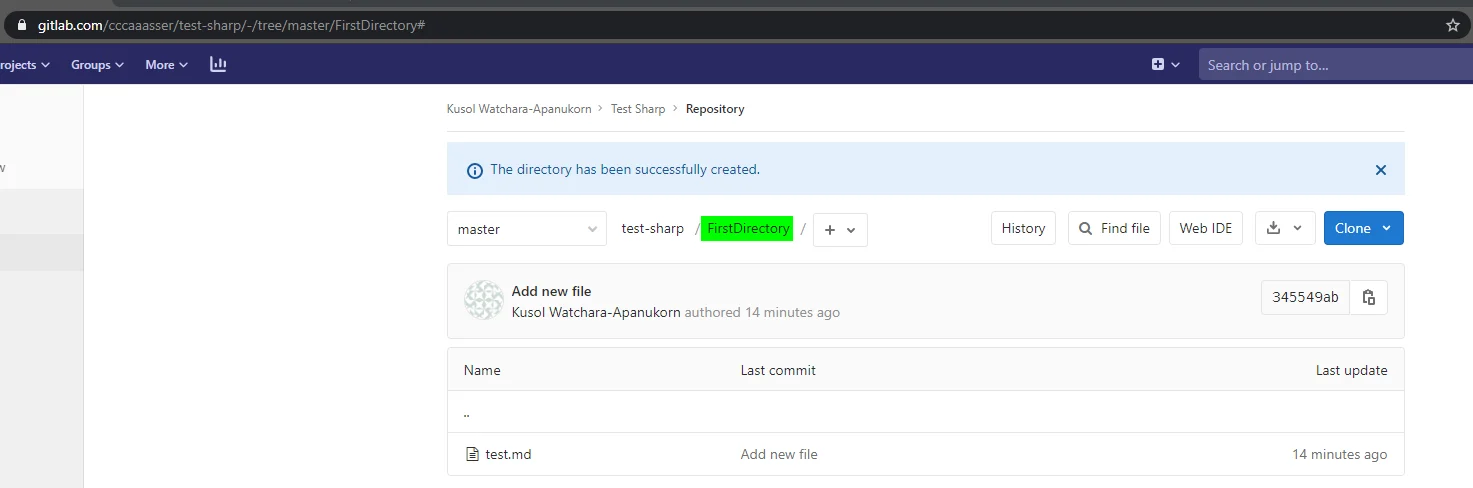
Examples
You can see the example at: https://gitlab.com/cccaaasser/test-sharp
What is the current bug behavior?
Click FirstDirectoty# directory and it browse to https://gitlab.com/cccaaasser/test-sharp/-/tree/master/FirstDirectory#
What is the expected correct behavior?
Click FirstDirectoty# directory it must browse to https://gitlab.com/cccaaasser/test-sharp/-/tree/master/FirstDirectory%23
Output of checks
This bug happens on Gitlab create project
Tested On
Google Chrome Version 80.0.3987.87
Note: this bug may out-of-scope, but this issue can trick any user on internet by redirected to other directory
Impact
Attacker can create fake directory to redirected other contributor to edit file with misunderstanding.
Attachments
Warning: Attachments received through HackerOne, please exercise caution!
Not written yet. The AI write-up for this report has not been written yet. The Original tab links to the source.
How it worked
Root cause
Likely the application did not URL-encode the '#' character when constructing links to directories, causing the browser to interpret it as a fragment identifier.
Impact
An attacker could create a fake directory to redirect other contributors to edit a file with misunderstanding.
What the attacker needed
Ability to create projects and directories
The fix
The application should URL-encode the '#' character as %23 when generating links to directories.
How it was found
- Create a new project.
- Create a new file and a directory named FirstDirectory.
- Back at the root path, create a new directory with the same name but add '#' behind it.
- Back at the root path, check the file in FirstDirectory and see it has only test.md.
- Access FirstDirectory# by clicking on the root path.
- Observe that it redirects to FirstDirectory.
Explained by bugbounty.wiki with AI from the original and checked against quotes from it; it can still be wrong. Read the original before relying on a detail.
Not written yet. The AI write-up for this report has not been written yet. The Original tab links to the source.
GitLab did not encode '#' in directory links, so clicking a link to a directory with '#' took users to a different directory.
What is Open redirect?
A trusted site forwards users to any address an attacker picks; rarely paid alone, often the missing link in a chain.



