Gitlab EE (Ultimate) DoS by sending authenticated requests to POST /api/graphql (getAllCusomizableDashboards operation)
A custom analytics dashboard YAML file stored in a project repository was parsed by the GraphQL getAllCusomizableDashboards operation without any size or complexity validation. An authenticated attacker could repeatedly request that operation and make the GitLab instance unavailable to legitimate users.

GitLab
Originally disclosed on GitLab
- Fixed in 17 days
- Disclosed after 17 days
⚠️ Please read the process on how to fix security issues before starting to work on the issue. Vulnerabilities must be fixed in a security mirror.
HackerOne report #3515994 by a92847865 on 2026-01-19, imported by @greg:
Report | Attachments | How To Reproduce
HackerOne Analyst Summary
Summary of the issue
The researcher found DoS, caused by sending GraphQL query getAllCusomizableDashboards to load analytics dashboard while the project has large YAML file.
Steps to reproduce
- As the victim, start self-hosted GDK, with the latest comment
18.9.0-pre 53305515ee8 - As the attacker, use SSH port forwarding to connect victim's GDK on attacker's localhost port 3000
Note: By default, GDK is not accessible publicly. This step is used to connect target GDK from the attacker's machine, and it is not required in the real attack.
-
As the attacker, sign in attacker's account on GDK -> Create a private group -> In the group, create a private project
-
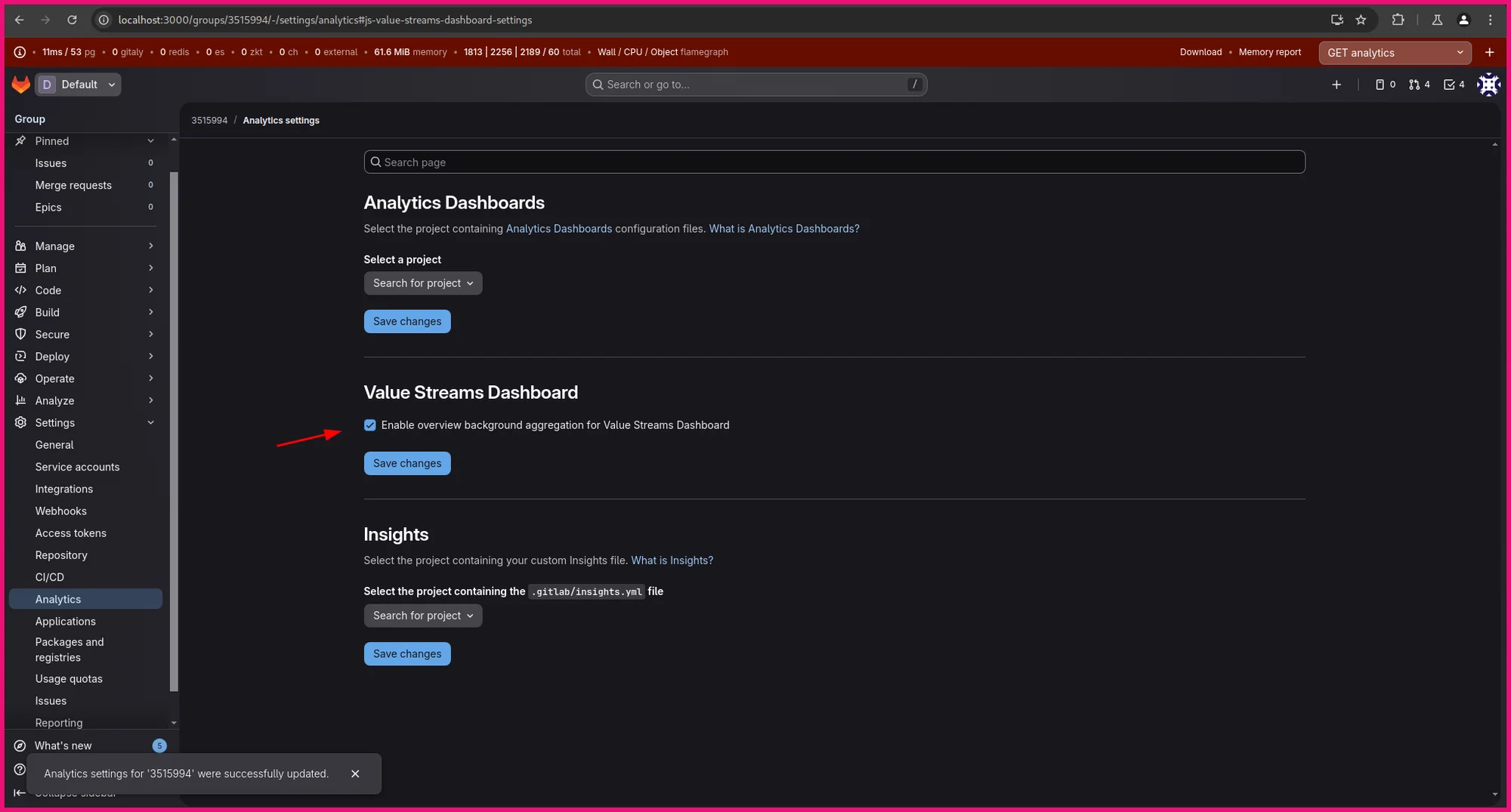
As the attacker, go to group Analytics -> Enable Value Streams Dashboard -> Save changes:
- As the attacker, go to project -> Create a folder
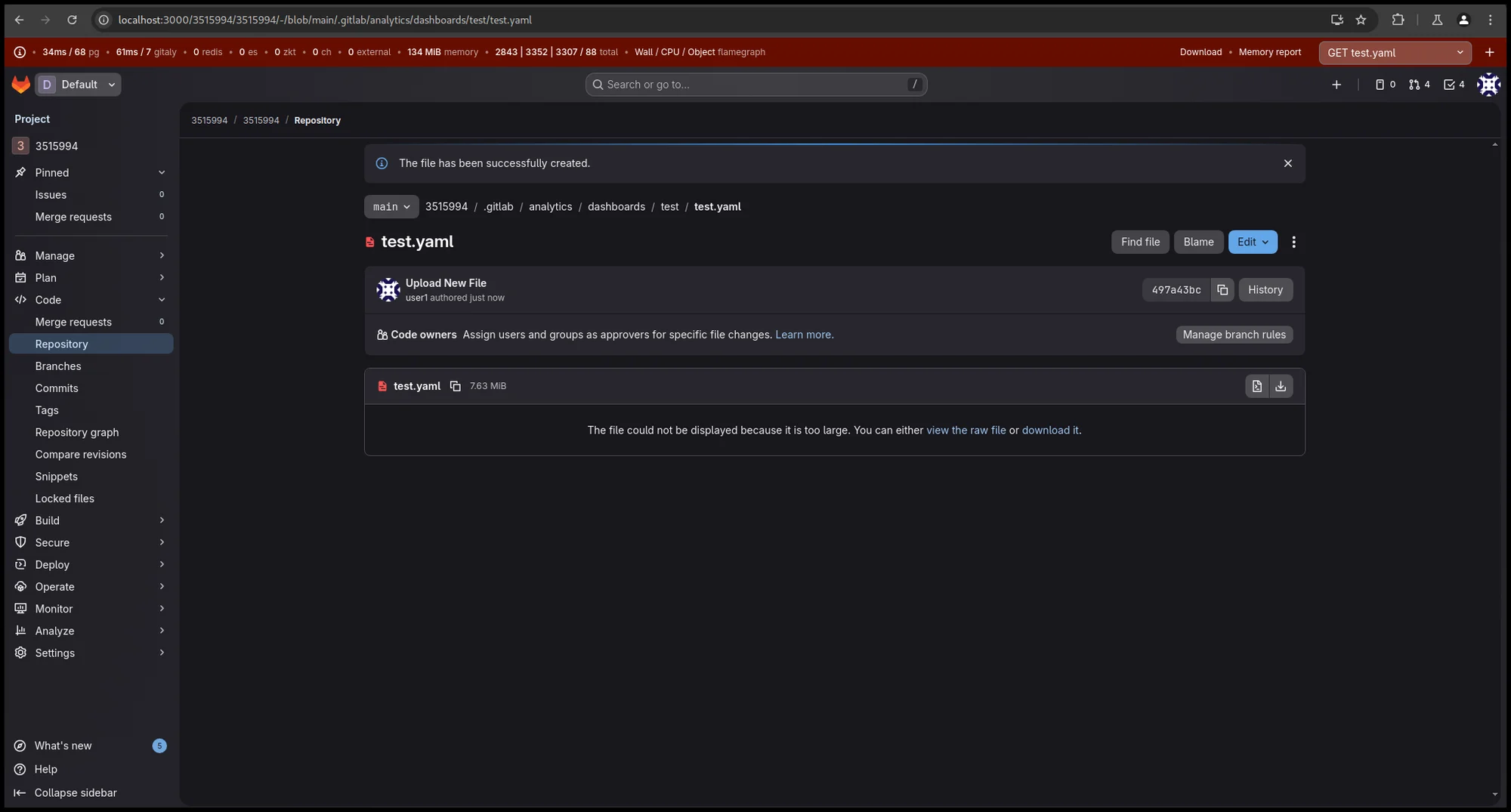
.gitlab/analytics/dashboards/test-> Upload test.yaml:
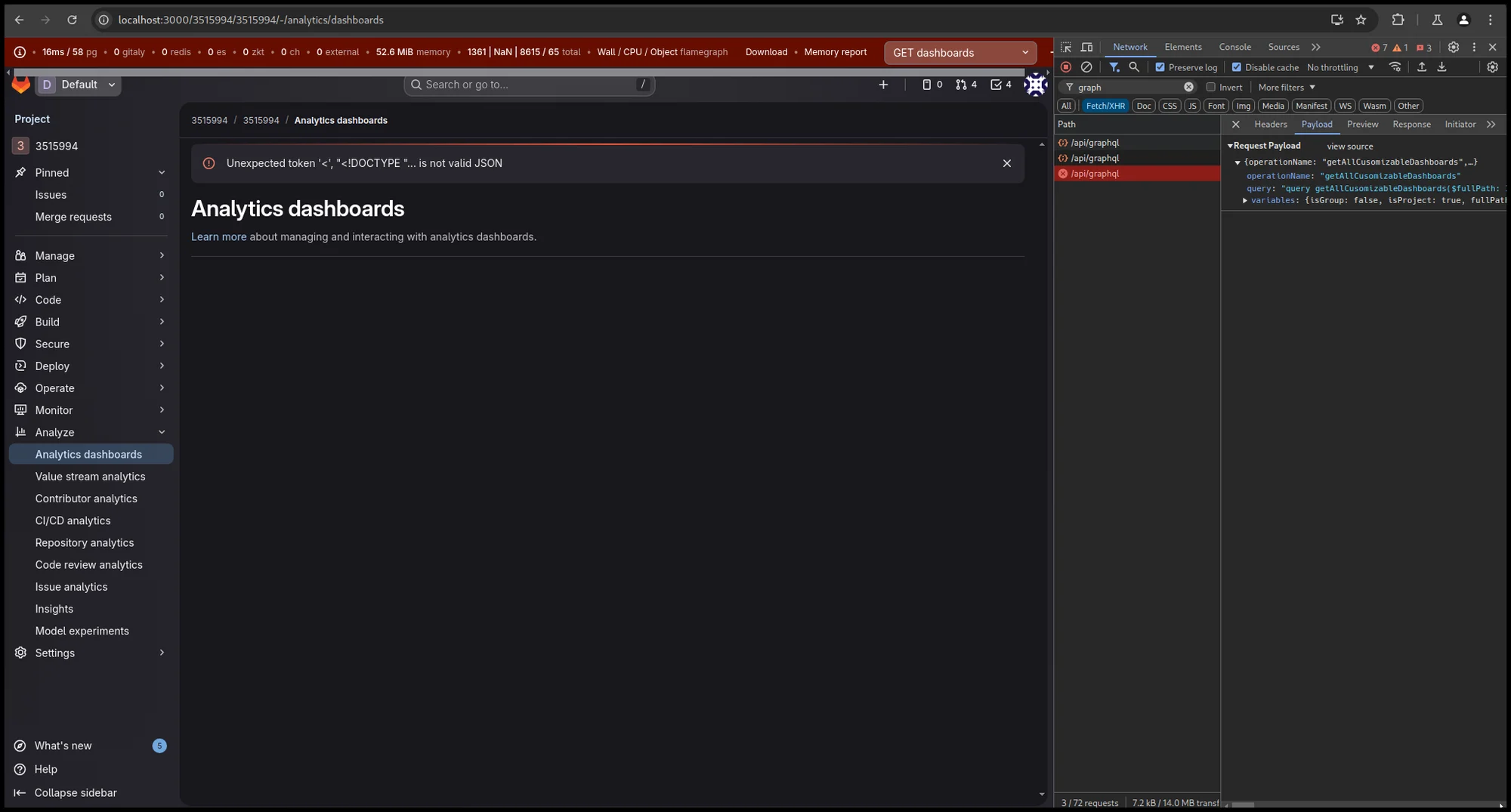
- As the attacker, go to project Analytics dashboard -> Capture GraphQL query
getAllCusomizableDashboards-> Copy it as cURL
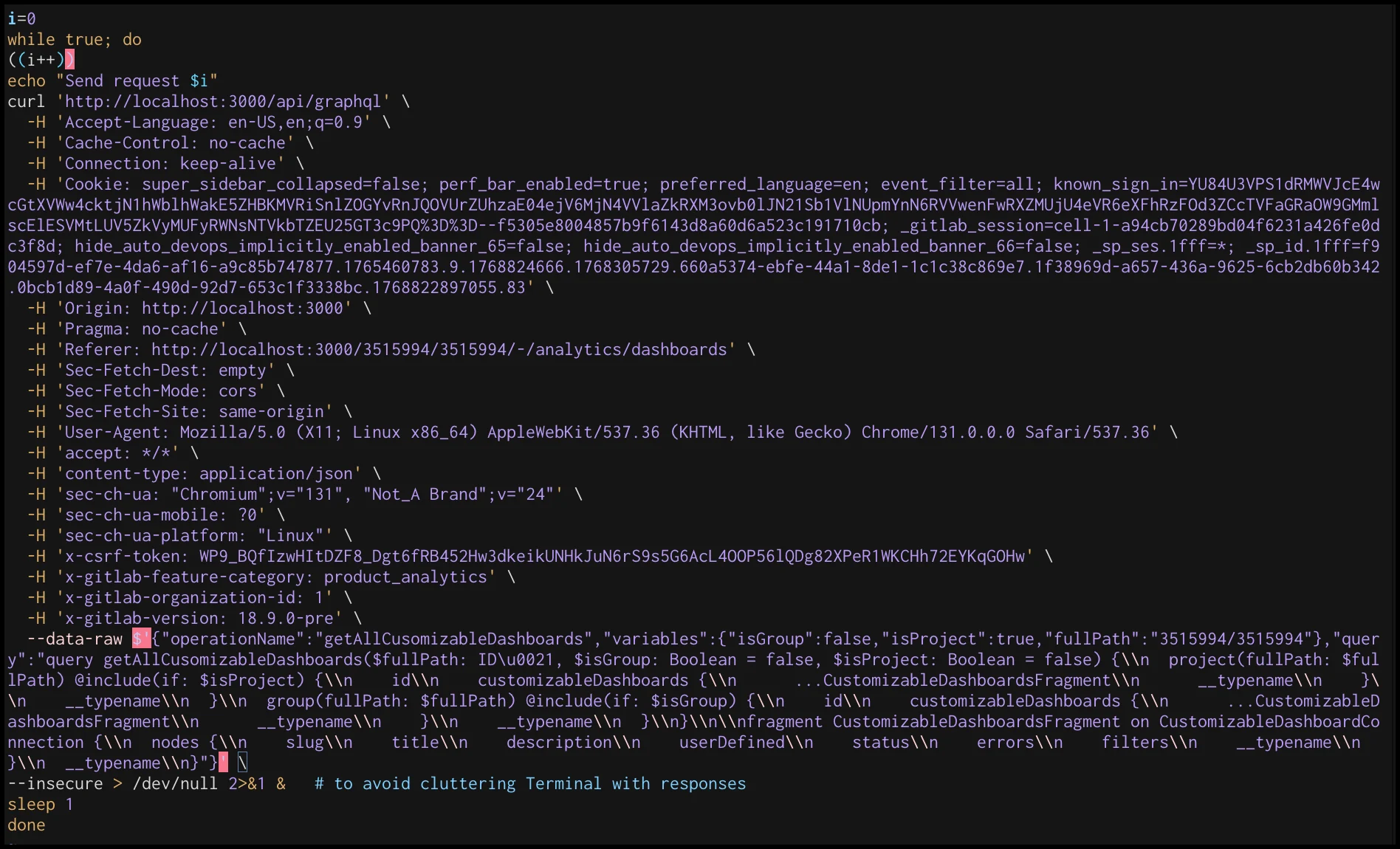
- As the attacker, save following code in
attack.sh-> ReplaceCURL_REQUESTwith captured request in previous step:
i=0
while true; do
((i++))
echo "Send request $i"
CURL_REQUEST \        # don't forget to add the "\"
--insecure > /dev/null 2>&1 &   # to avoid cluttering Terminal with responses
sleep 1
done
- As the attacker, run
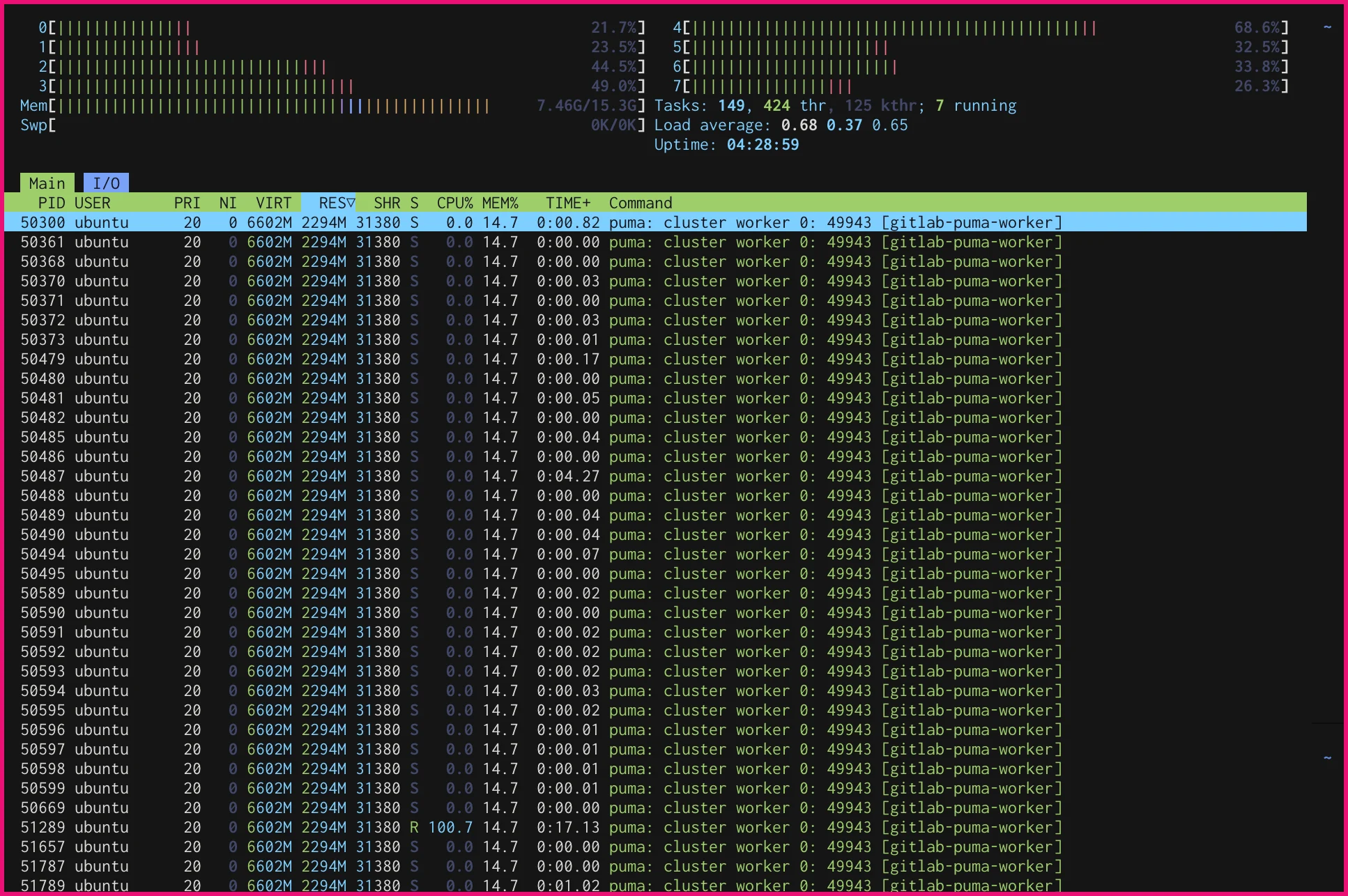
bash attack.shto start attack - (Optional) As the victim, check htop on GDK host machine. There is no observed CPU or memory usage surge:
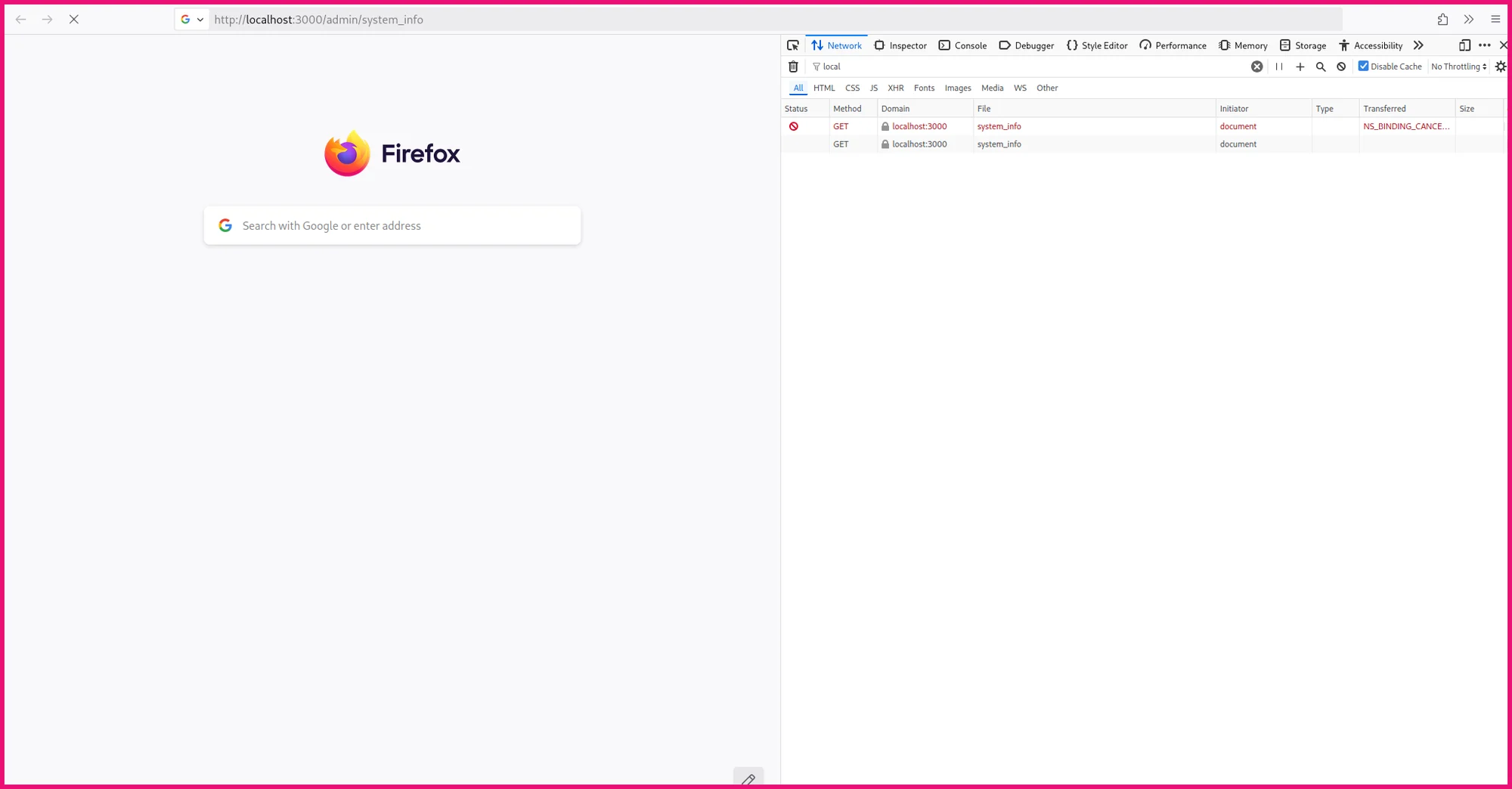
- As the victim, try to access GitLab instance. You can see victim is not able to access it:
Impact statement
Malicious user can prevent other user from accessing the target GitLab instance.
If you have any questions or concerns about this report, feel free to assign it to H1 Triage via the action picker with a comment indicating your request.
Original Report
NOTE! Thanks for submitting a report! Please note that initial triage is handled by HackerOne staff. They are identified with a
HackerOne triagebadge and will escalate to the GitLab team any. Please replace all the (parenthesized) sections below with the pertinent details. Remember, the more detail you provide, the easier it is for us to triage and respond quickly, so be sure to take your time filling out the report!
Summary
- While handling a request to POST /api/graphql (getAllCusomizableDashboards operation), a custom dashboard config file (located in /.gitlab//analytics/dashboards/ folder of the dashboard repository of a group) is parsed without size/complexity/schema validation leading to uncontrolled resource consumption --> authenticated DoS.
begin
          [@]config = YAML.safe_load(config)
          [@]type = [@]config['type']
          [@]options = [@]config['options']
          [@]data = [@]config['data']
        rescue Psych::Exception => e
          [@]errors = [e.message]
        end
- Potential fix: the malicious config file is crafted in flow style which supports brackets and curly braces. I don't think this is exploitable using a normal block/indentation style payload. So disallowing flow style yaml could be an option.
Steps to reproduce
- Get a VM (8 vCPU, 16 GB RAM) --> recommended specs to test DoS issues
- Install Gitlab EE on that VM (https://docs.gitlab.com/install/package/ubuntu/).
- Request an Ultimate trial license and add the license to your instance (https://docs.gitlab.com/subscriptions/free_trials/#start-a-trial-on-gitlab-self-managed)
- Generate payload using
python3 db-pl.py
- Create a group, i.e: test. Inside "test" group, create a project, i.e: test
- Navigate to <Gitlab-EE-hostname>/groups/test/-/settings/analytics page:
- Analytics Dashboards: choose "test/Test" as dashboard config project for this group
- Value Streams Dashboard section: enable
- Save changes
- Navigate to <Gitlab-EE-hostname>/test/test page:
- Create a new folder named: .gitlab/analytics/dashboards/test
- Upload generated payload to above folder
- Open dev-tools, navigate to http://<Gitlab-EE-hostname>/ groups/test/-/analytics/dashboards:
- In network tab, filter for "graphql" requests, the select the only failed request.
- "Copy as curl" the failed "graphql" request. That request looks like (stripped out unnecessary headers):
curl 'http://<GitlabEE-hostname>/api/graphql' \
  -b 'super_sidebar_collapsed=false; hide_auto_devops_implicitly_enabled_banner_4=false; hide_no_ssh_message=false; remember_user_token=eyJfcmFpbHMiOnsibWVzc2FnZSI6Ilcxc3hYU3dpSkRKaEpERXpKRE5EVVRCa1UyTkZaRXhxU1ZWV2RYazRXR2t3YVM0aUxDSXhOelk0TnpneE1EVXlMall4T0RZNU5qY2lYUT09IiwiZXhwIjoiMjAyNi0wMi0wMlQwMDowNDoxMi42MThaIiwicHVyIjoiY29va2llLnJlbWVtYmVyX3VzZXJfdG9rZW4ifX0%3D--4bb45048fd4f7837934e4a96c5b15316bf604cd8; _gitlab_session=5c082c2b6a79b685ba30fbbb98ebad5d; visitor_id=7118e151-4298-4b98-892f-5563af87bfcd; event_filter=all; hide_auto_devops_implicitly_enabled_banner_6=false; hide_auto_devops_implicitly_enabled_banner_7=false' \
  -H 'content-type: application/json' \
  -H 'x-csrf-token: K19xmEdrAbfTaFgwm0THPlXLeDJ7reLEnn7yTKIcQBsE4QU9_eRAzU8-j7e7U4E3QUX1bxTCekqrA4J86bAOmg' \
  --data-raw $'{"operationName":"getAllCusomizableDashboards","variables":{"isGroup":true,"isProject":false,"fullPath":"test"},"query":"query getAllCusomizableDashboards($fullPath: ID\u0021, $isGroup: Boolean = false, $isProject: Boolean = false) {\\n  project(fullPath: $fullPath) [@]include(if: $isProject) {\\n    id\\n    customizableDashboards {\\n      ...CustomizableDashboardsFragment\\n      __typename\\n    }\\n    __typename\\n  }\\n  group(fullPath: $fullPath) [@]include(if: $isGroup) {\\n    id\\n    customizableDashboards {\\n      ...CustomizableDashboardsFragment\\n      __typename\\n    }\\n    __typename\\n  }\\n}\\n\\nfragment CustomizableDashboardsFragment on CustomizableDashboardConnection {\\n  nodes {\\n    slug\\n    title\\n    description\\n    userDefined\\n    status\\n    errors\\n    filters\\n    __typename\\n  }\\n  __typename\\n}"}'
- Save the curl request "captured" above to use in next step.
- From another machine, run:
i=0
while true; do
((i++))
echo "Send request $i"
<curl request from step 8> \        # don't forget to add the "\"
--insecure > /dev/null 2>&1 &   # to avoid cluttering Terminal with responses
sleep 1
done
- After 30 seconds, the Gitlab EE instance (on VM1) becomes unavailable to legitimate users.
Note: please follow Gitlab EE installation docs (shared in step 2) to install Gitlab EE if you haven't had an installed instance. GDK isn't recommended for DoS testing. See more in below link (official Gitlab CVSS), scrolling to the end (Clarifying notes section)
https://gitlab-com.gitlab.io/gl-security/product-security/appsec/cvss-calculator/
Impact
Gitlab EE DoS by sending malicious requests (1RPS)
Examples
(If the bug is project related, please create an example project and export it using the project export feature)
(If you are using an older version of GitLab, this will also help determine whether the bug has been fixed in a more recent version)
(If the bug can be reproduced on GitLab.com without violating the Rules of Engagement as outlined in the program policy, please provide the full path to the project.)
What is the current bug behavior?
YAML dashboard config file is loaded without prior size/structure validation
What is the expected correct behavior?
Should validate the config file before loading/parsing it.
Relevant logs and/or screenshots
(Paste any relevant logs - please use code blocks (```) to format console output,
logs, and code as it's very hard to read otherwise.)
Output of checks
(If you are reporting a bug on GitLab.com, write: This bug happens on GitLab.com)
Results of GitLab environment info
System information
System:		Ubuntu 24.04
Proxy:		no
Current User:	git
Using RVM:	no
Ruby Version:	3.2.8
Gem Version:	3.7.1
Bundler Version:2.7.1
Rake Version:	13.0.6
Redis Version:	7.2.11
Sidekiq Version:7.3.9
Go Version:	unknown

GitLab information
Version:	18.8.0-ee
Revision:	1010a9b2b76
Directory:	/opt/gitlab/embedded/service/gitlab-rails
DB Adapter:	PostgreSQL
DB Version:	16.11
URL:		http://192.168.122.19
HTTP Clone URL:	http://192.168.122.19/some-group/some-project.git
SSH Clone URL:	[email protected]:some-group/some-project.git
Elasticsearch:	no
Geo:		no
Using LDAP:	no
Using Omniauth:	yes
Omniauth Providers:

GitLab Shell
Version:	14.45.5
Repository storages:
- default: 	unix:/var/opt/gitlab/gitaly/gitaly.socket
GitLab Shell path:		/opt/gitlab/embedded/service/gitlab-shell

Gitaly
- default Address: 	unix:/var/opt/gitlab/gitaly/gitaly.socket
- default Version: 	18.8.0
- default Git Version: 	2.52.GIT
Impact
Gitlab EE DoS by sending authenticated requests (1RPS)
Attachments
Warning: Attachments received through HackerOne, please exercise caution!
How To Reproduce
Please add reproducibility information to this section:
Not written yet. The AI write-up for this report has not been written yet. The Original tab links to the source.
How it worked
Root cause
Likely the dashboard YAML config was loaded with YAML.safe_load without any prior size, complexity or schema validation, so a crafted flow-style document caused uncontrolled resource consumption on each GraphQL request.
Impact
An authenticated user could make the GitLab EE instance unavailable to other users by sending roughly one crafted request per second.
What the attacker needed
GitLab EE with Ultimate licence; an authenticated account; attacker can create a group and project; dashboard config project set to attacker project
The fix
The dashboard config file should be validated for size, structure and schema before it is loaded or parsed.
How it was found
- Set up a GitLab EE instance with an Ultimate licence and create a group and project inside it.
- On the group analytics settings page, select the project as the dashboard config project and enable the Value Streams Dashboard.
- In the project, create the .gitlab/analytics/dashboards/test folder and upload the crafted YAML dashboard file.
- Open the group analytics dashboards page, capture the failing getAllCusomizableDashboards GraphQL request as cURL.
- Run a loop that resends the captured request about once per second from another machine.
- After roughly 30 seconds the instance becomes unavailable to legitimate users.
Explained by bugbounty.wiki with AI from the original and checked against quotes from it; it can still be wrong. Read the original before relying on a detail.
Not written yet. The AI write-up for this report has not been written yet. The Original tab links to the source.
GitLab lets a group show analytics dashboards, and the layout of those dashboards can be defined in a YAML file kept inside a project. YAML is a text format for configuration. The server read that file without checking how big or complicated it was, so a deliberately crafted file made each request very expensive to process. Sending such requests over and over used up the server's capacity, so normal users could no longer reach the site.
What is DoS?
A request that exhausts resources or crashes a component. Many programs forbid testing it; reports usually show it from code, not by attacking.


