Bypass GlassWire's monitoring of Hosts file
GlassWire alerts when the Hosts file path changes, but a hardlink to the same file lets an admin process modify its contents without triggering the alert.
 Originally disclosed on HackerOne
- Fixed in 26 days
- Paid in 26 days
- Disclosed after 56 days
Product version: 1.2.64beta OS version: Windows 8.1 Enterprise x86
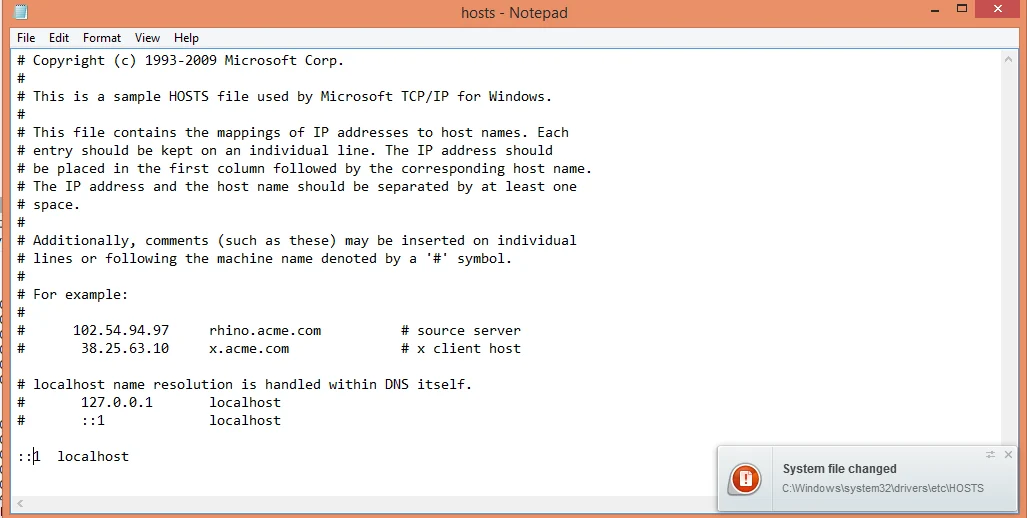
If a program modifies the Hosts file (C:\Windows\System32\drivers\etc\hosts), GlassWire notifies the user that "system file changed" with the path of the hosts file (see attachment "screenshot_hosts_changed.png"). I discover that a malware (running with admin privilege) can change the content of hosts file without triggering this notification. The method is to use hardlink.
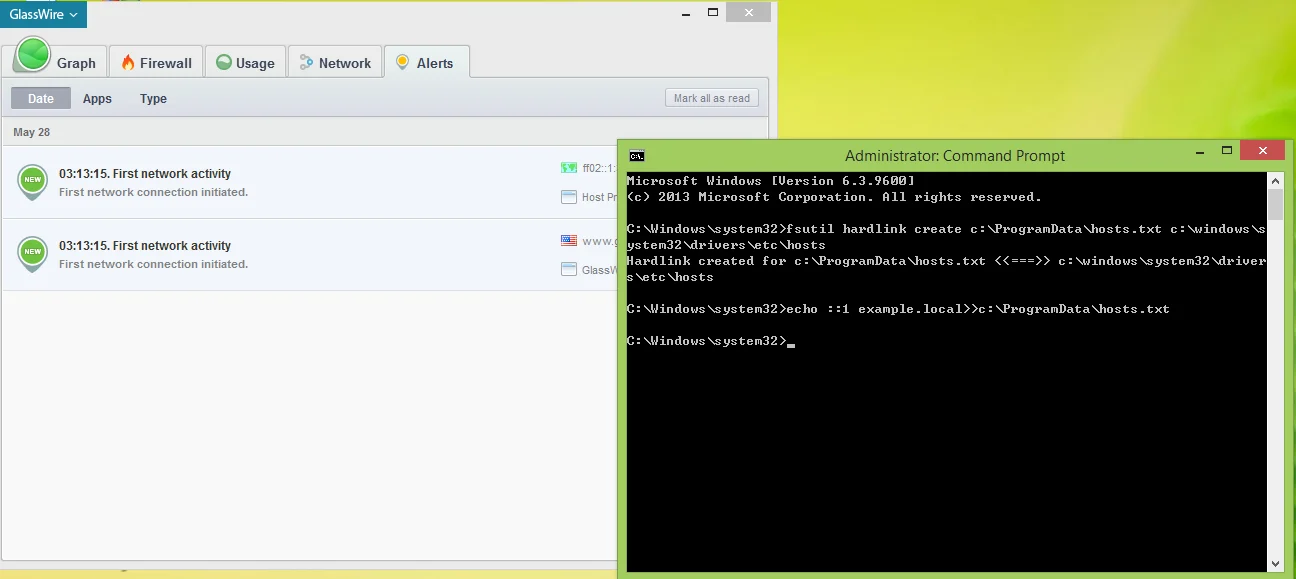
To reproduce: Step 1: Open cmd.exe as administrator Step 2: execute "fsutil hardlink create c:\ProgramData\hosts.txt c:\windows\system32\drivers\etc\hosts" in cmd.exe Step 3: execute "echo ::1 example.local>>c:\ProgramData\hosts.txt" in cmd.exe You can see that the notification is not triggered after step3. See "screenshot_modified_via_hardlink_no_notification.png".
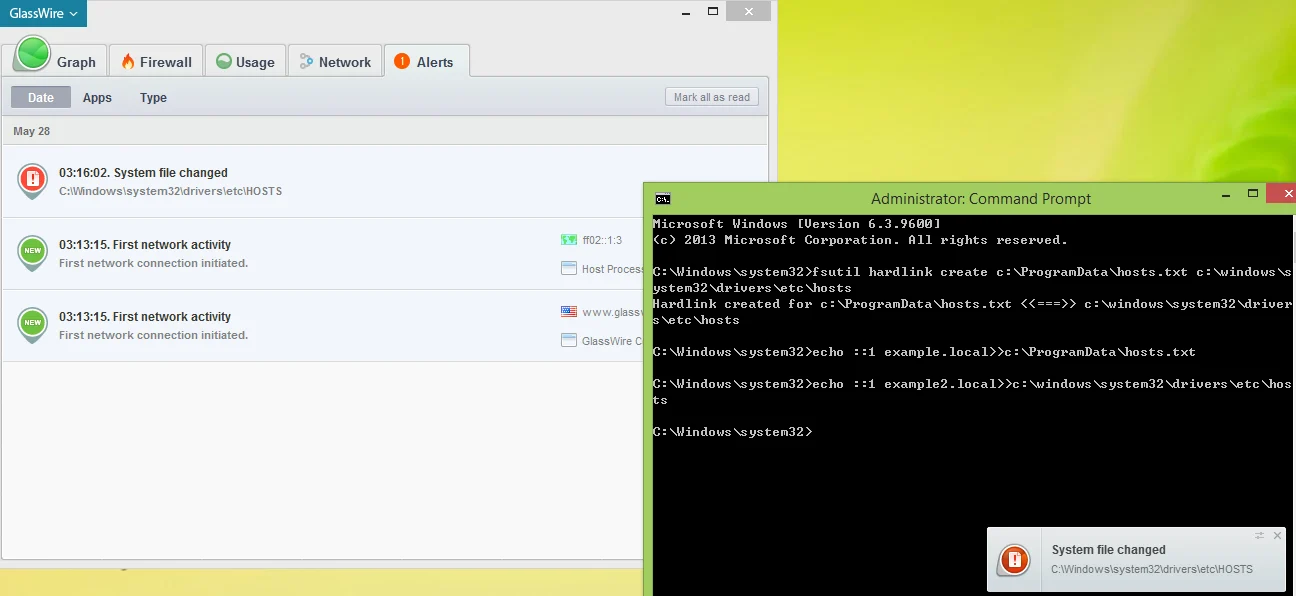
Now execute "echo ::1 example2.local>>c:\windows\system32\drivers\etc\hosts" in cmd.exe. You receive a notification that hosts file is modified, prompted by GlassWire. See "screenshot_modified_directly_have_notification.png".
Attachments
Not written yet. The AI write-up for this report has not been written yet. The Original tab links to the source.
How it worked
Root cause
Likely the monitor watches only the specific Hosts file path rather than the underlying file, so writes through another hardlink to the same file are not detected.
Impact
An admin process could alter name resolution silently without the user being warned.
What the attacker needed
Administrator rights on the machine; GlassWire installed and monitoring
How it was found
- Open a command prompt with administrator rights.
- Create a hardlink to the Hosts file at another location.
- Append an entry through the hardlink and observe that no notification appears.
- Append an entry directly to the Hosts file and observe that the notification does appear.
Explained by bugbounty.wiki with AI from the original and checked against quotes from it; it can still be wrong. Read the original before relying on a detail.
Not written yet. The AI write-up for this report has not been written yet. The Original tab links to the source.
The Hosts file is a small local list that maps website names to IP addresses before any network lookup happens, so changing it can quietly send a name somewhere else. GlassWire is a monitoring tool that is supposed to warn you when that file changes. A hardlink is a second name for the very same file on disk; the tool only watched the original name, so edits made through the second name went unnoticed.
What is Misconfiguration?
Settings left unsafe: exposed panels, open storage buckets, debug modes, default credentials.