Double Stored Cross-Site scripting in the admin panel
Two input fields in the Federalist admin panel accepted javascript: pseudoprotocols, allowing stored cross-site scripting when an admin clicked a 'View Website' button. An attacker with access to the settings could run script in another admin's browser.

- Triaged in 16 hours
- Fixed in 5 days
- Paid in 3 days
- Disclosed after 2 months
Summary by the researcher
Thanks to the 18F team for the great experience, fast fix and the bounty!
This report describes two simple stored XSS vectors in the Federalist control panel using pseudoprotocols like javascript:
Issue was fixed by implementing URL validation.
##References Running Federalist locally
The report
##Description
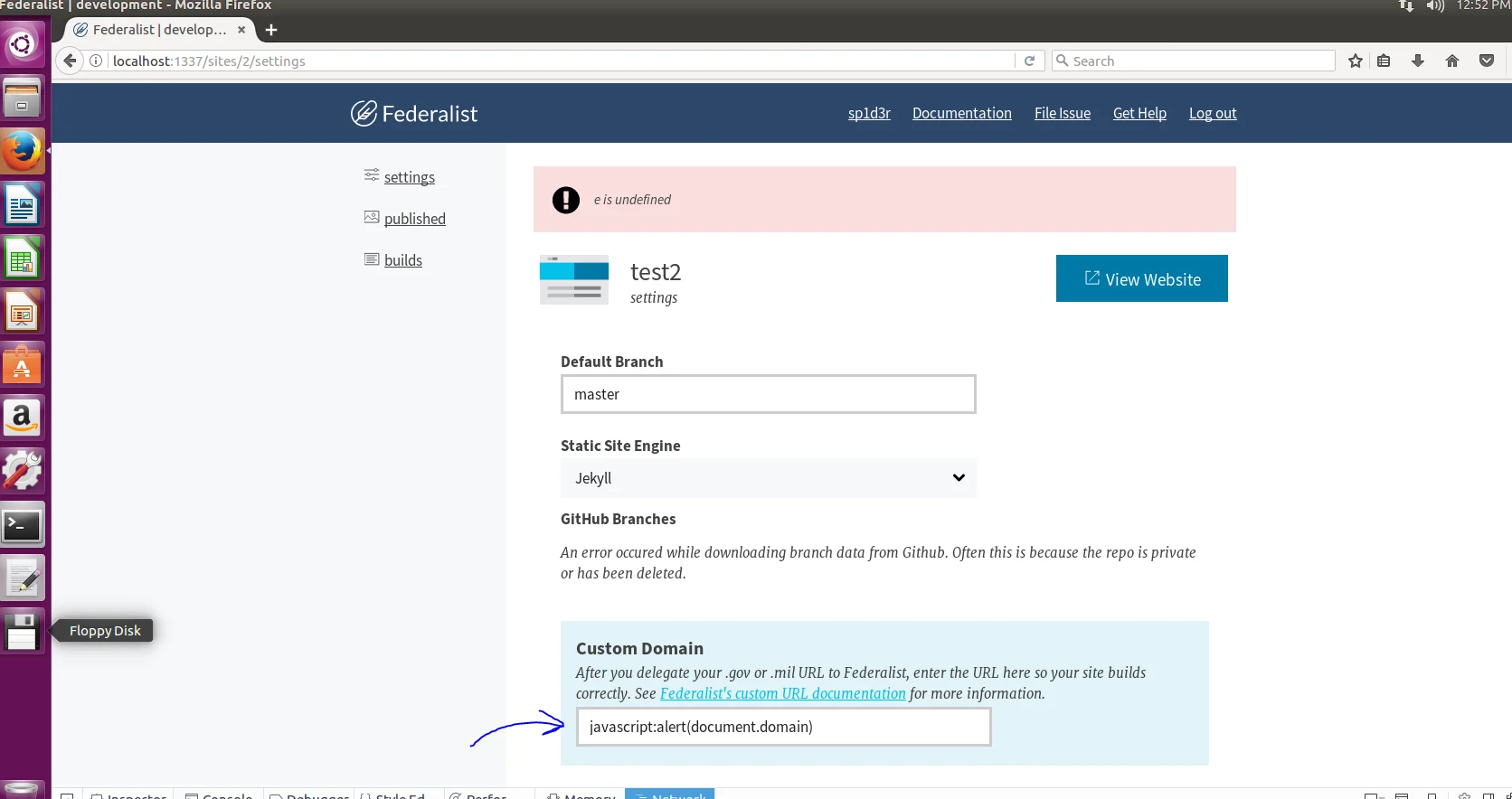
Hello. I discovered a Stored XSS attack vector in the Custom Domain field
##POC & Reproduction steps
- Login to the federalist and go to the some instance
http://localhost:1337/sites/<siteid>/settings - Fill the
Custom Domainfield by the
javascript:alert(document.domain)
and Demo domain
javascript:alert(document.domain);
(it cannot be the same so we bypass the check by adding ;)
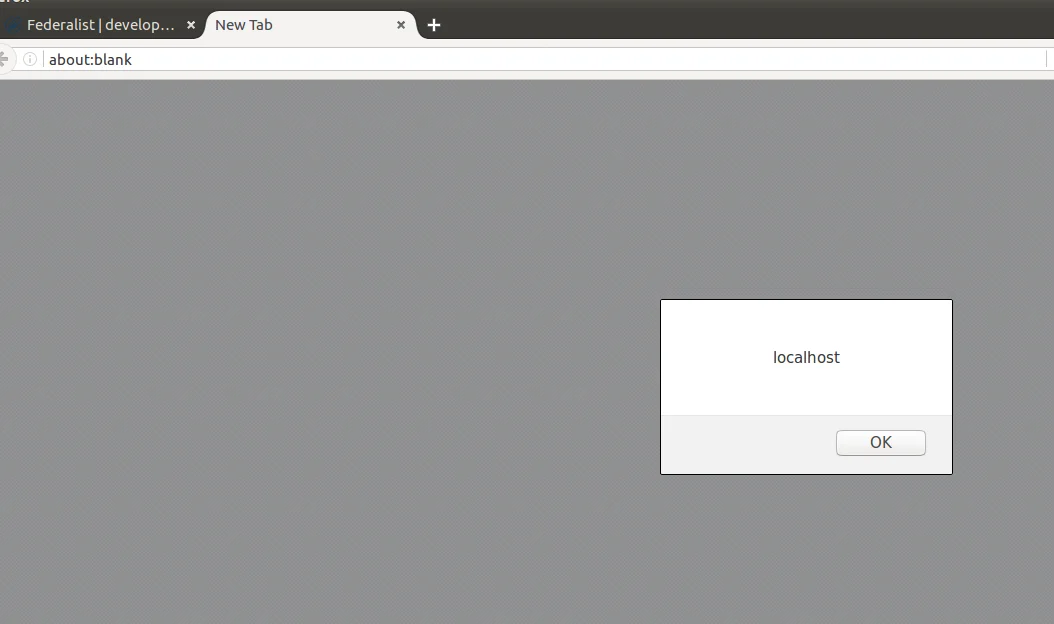
- Save and press
View Websitebutton. You will be XSSed.
- Go to the
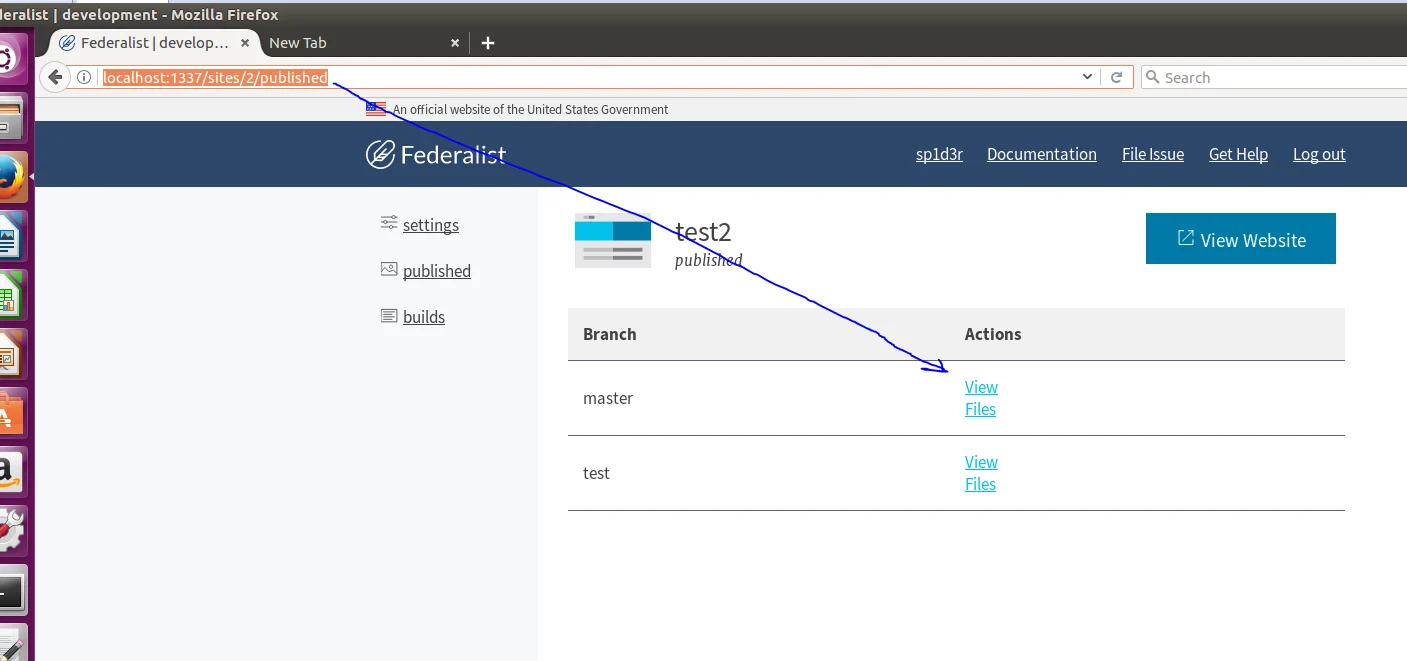
http://localhost:1337/sites/<siteid>/published- and press view on the demo site to test second Stored XSS
##The impact The XSS requires user interaction (e.g. clicking the button). But still, it is a bad thing. Anyone who gain access here, can conduct stored XSS attack against other admins.
##The root cause & suggested fix The input fields not sanitized properly - it should allow only alphanumeric characters, and dots.
Not written yet. The AI write-up for this report has not been written yet. The Original tab links to the source.
How it worked
Root cause
The input fields were not sanitised and allowed javascript: pseudoprotocols instead of only alphanumeric characters and dots.
Impact
The XSS requires user interaction such as clicking the button, but an attacker with access to the settings could conduct a stored XSS attack against other admins.
What the attacker needed
Access to the Federalist admin panel; victim clicks a button
The fix
The issue was fixed by implementing URL validation.
How it was found
- Log in to Federalist and open a site's settings page.
- Enter a javascript: pseudoprotocol in the Custom Domain field and a slightly different one in the Demo domain field to bypass the equality check.
- Save the settings and press the View Website button, which triggers the script.
- Open the published page and press view on the demo site to trigger the second stored XSS.
Explained by bugbounty.wiki with AI from the original and checked against quotes from it; it can still be wrong. Read the original before relying on a detail.
Not written yet. The AI write-up for this report has not been written yet. The Original tab links to the source.
Stored cross-site scripting (XSS) happens when a website saves harmful input and later shows it to other users without cleaning it. Here, the admin panel saved a link that started with javascript: instead of a normal web address, so clicking it ran attacker code in the admin's browser.
What is XSS?
Script an attacker supplies runs in another user's browser, on the target's origin, with that user's session.






