Facebook Bug bounty page admin disclose bug
A non-admin co-host of a Facebook event could see the name of the page admin who added them, because notifications revealed the admin's identity. This was an information disclosure of the admin's name to a non-admin user.
 Published on medium.com
https://youtu.be/HdZb0t8BysM
The full write-up lives on its author's site
It belongs to its author, so we link to it rather than copy it. The other two tabs are our own rewrites, checked against it.
What the report shows
The target is a Facebook feature: events created from a Page, used through the Facebook Android mobile app. The researcher, Yusuf Furkan, reports finding the issue on 1 July 2019.
The steps in the report are:
- Create an event from a page in the Facebook Android mobile app.
- Add another account as a co-host of the event, making sure that account is not an admin of the page.
- Open that second account and click the notification about the co-host.
- The name of the admin who added the account as a co-host is displayed.
- Two notifications arrive at the same time, and they explain the admin of this page.
The report includes an image. The researcher also recorded a proof-of-concept video, linked in the write-up:
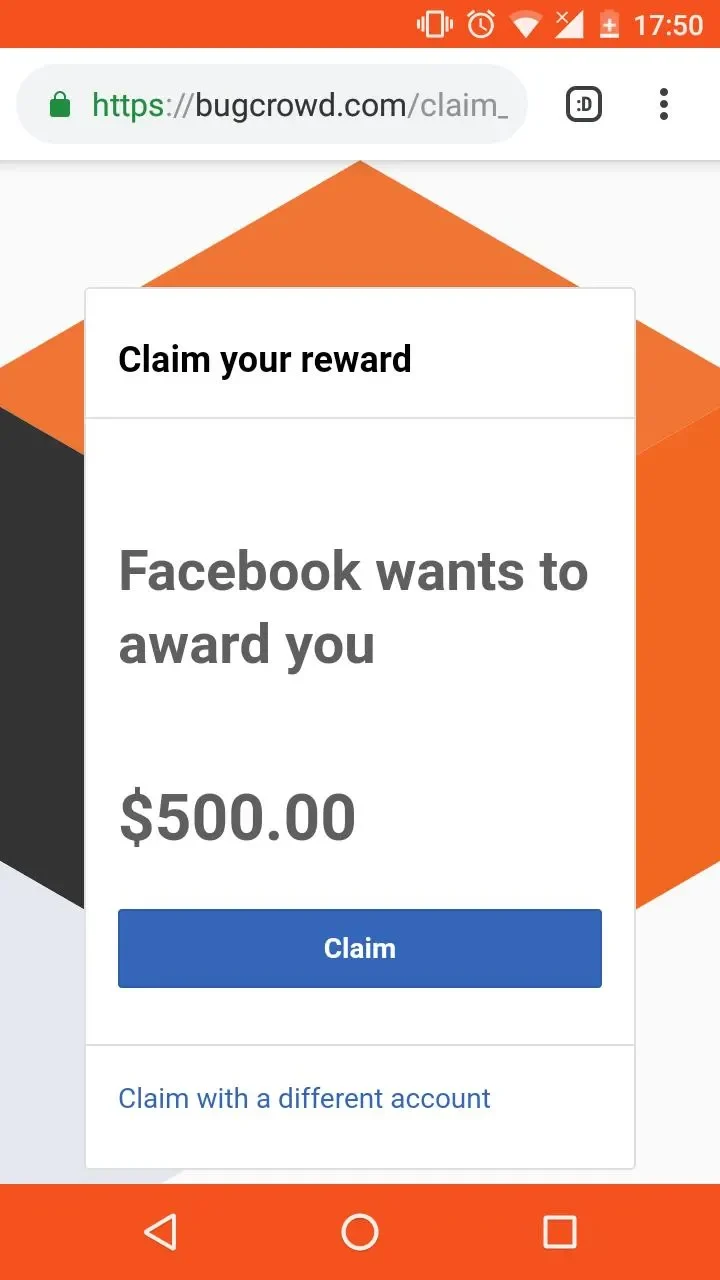
The timeline given is:
| Date | Event |
|---|---|
| 1 July 2019 | Report sent |
| 4 July 2019 | Report triaged |
| 8 July 2019 | Issue fixed |
| 11 July 2019 | Bounty of $500 awarded |
The report does not give a severity rating or a weakness classification.
Root cause
The report does not analyse the cause. What it describes is a notification that shows the name of the admin who added a non-admin account as a co-host. The report does not say why the name is shown.
Impact
The report frames the issue as disclosure of the admin's name to a non-admin account. A user who is not an administrator of the Page can see which admin added them as a co-host.
How this kind of bug works
Notification systems are a common place for information disclosure. When an action is performed on an object, the platform generates a notification for the affected users. The notification usually carries an actor (who did it), a target (the object) and a verb. The recipient list is computed separately from the content.
Bugs appear when the two are out of step. The recipient check may confirm that the user is connected to the object, for example as a co-host, while the content still includes fields that only privileged viewers should see, such as the identity of an admin. The same pattern appears in activity feeds, audit logs, email digests and push payloads: the visibility rule is applied to the object but not to every field rendered inside it.
Defences are straightforward in principle: derive the rendered fields from the viewer's role on the object, not from the object alone, and apply the same authorisation check to every channel that delivers the same event (in-app notification, push, email, API).
How to test for it
A general method for this class of bug:
- Map the roles on the object. For a Page or group, list owner, admin, editor, co-host and plain member, and create test accounts for each.
- Perform a privileged action with a high-privilege account, for example adding a low-privilege account to a role.
- Observe every channel the low-privilege account receives: in-app notifications, push notifications, email, and the API endpoints that back the notification list.
- Compare what each role sees. A positive result is a field visible to the low-privilege account that identifies a privileged actor, or any data the role should not be entitled to.
- Repeat across clients. Mobile apps often call different endpoints or render different fields than the web client, so test both.
Common false positives: the name may already be public on the Page, the low-privilege account may in fact hold an admin role, or the information may be intentionally shared with co-hosts. Confirm the role of the receiving account and check whether the disclosed value is otherwise reachable before reporting.
How it is fixed
Standard fixes for this class:
- Filter notification content by the recipient's role on the object, so fields such as the actor's identity are only included when the viewer is authorised to see them.
- Apply the same rule to every delivery channel, including push payloads and emails, which are easy to overlook.
- Add regression tests that assert what a co-host, member and non-member receive for the same event.
Hunting notes
Notification and activity systems are worth attention wherever objects have layered roles: Pages, groups, events, shared documents and team workspaces. Recon signals include features that notify users about actions taken by others, role-management flows, and mobile-only endpoints that differ from the web equivalent. To make a report land, show the exact role of the receiving account, the exact field disclosed, and a clear statement of why that account should not see it. A short video of the flow, as in this report, makes the steps easy to reproduce.
What happened, in plain words
Facebook lets people create events. An event can belong to a Page, which is a public profile for a business, a band or a public figure. Pages have admins: the people who run the Page and can change its settings. An event can also have co-hosts: people who help promote the event but do not run the Page.
Yusuf Furkan reported an issue in this feature on 1 July 2019, using the Facebook Android mobile app. The problem was that a co-host, who is not an admin of the Page, could see the name of the admin who had added them as a co-host. That name is information about who runs the Page.
The steps in the report are:
- Create an event from a page in the Facebook Android mobile app.
- Add another account as a co-host of the event, making sure that account is not an admin of the page.
- Open that second account and click the notification about the co-host.
- The name of the admin who added the account as a co-host is displayed.
- Two notifications arrive at the same time, and they explain the admin of this page.
Why each step matters: step 1 sets up the object (the event) that the notifications will be about. Step 2 creates the situation where a low-privilege person, the co-host, is connected to that object. Step 3 is where the low-privilege person receives the notification, which is the moment the leak becomes visible. Steps 4 and 5 describe what is shown: the admin's name, and two notifications arriving at the same time.
The report also links a proof-of-concept video:
The timeline given is:
| Date | Event |
|---|---|
| 1 July 2019 | Report sent |
| 4 July 2019 | Report triaged |
| 8 July 2019 | Issue fixed |
| 11 July 2019 | Bounty of $500 awarded |
Triaged means the security team reviewed the report and accepted it for handling. The report does not give a severity rating or a weakness classification.
In general, how this kind of bug works
A notification is a short message the platform sends you when something happens that involves you: someone tags you, adds you to a group, or, as here, makes you a co-host of an event. Behind the scenes, a notification usually has three parts: an actor (who did it), a target (the thing it happened to) and a verb (what was done). The list of people who should receive the notification is worked out separately from the text they see.
Bugs appear when those two things get out of step. The system may correctly decide that you are connected to the event, because you are a co-host, and send you the notification. But the text inside it may still include details that only privileged viewers should see, such as which admin performed the action. The same pattern shows up in activity feeds, audit logs, email digests and push notifications: the visibility rule is applied to the object but not to every field inside it.
The fix is straightforward in principle: decide which fields to show based on the viewer's role on the object, not on the object alone, and apply the same check to every channel that delivers the same event, whether that is an in-app notification, a push notification, an email or an API response.
In general, how to test for it
A general method for this class of bug:
- Map the roles on the object. For a Page or group, list owner, admin, editor, co-host and plain member, and create test accounts for each.
- Perform a privileged action with a high-privilege account, for example adding a low-privilege account to a role.
- Observe every channel the low-privilege account receives: in-app notifications, push notifications, email, and the API endpoints that back the notification list.
- Compare what each role sees. A positive result is a field visible to the low-privilege account that identifies a privileged actor, or any data the role should not be entitled to.
- Repeat across clients. Mobile apps often call different endpoints or render different fields than the web client, so test both.
Common false positives: the name may already be public on the Page, the low-privilege account may in fact hold an admin role, or the information may be intentionally shared with co-hosts. Confirm the role of the receiving account and check whether the disclosed value is otherwise reachable before reporting.
In general, how it is fixed
Standard fixes for this class:
- Filter notification content by the recipient's role on the object, so fields such as the actor's identity are only included when the viewer is authorised to see them.
- Apply the same rule to every delivery channel, including push payloads and emails, which are easy to overlook.
- Add regression tests that assert what a co-host, member and non-member receive for the same event.
In general, where to look
Notification and activity systems are worth attention wherever objects have layered roles: Pages, groups, events, shared documents and team workspaces. Signals worth watching include features that notify users about actions taken by others, role-management flows, and mobile-only endpoints that differ from the web equivalent. To make a report land, show the exact role of the receiving account, the exact field disclosed, and a clear statement of why that account should not see it. A short video of the flow, as in this report, makes the steps easy to reproduce.
Glossary
- Page: a public profile on Facebook for a business, organisation or public figure, run by people with admin rights.
- Admin: a person with full control over a Page, including its settings and who else can manage it.
- Co-host: a person who helps promote an event but does not run the Page behind it.
- Event: a Facebook item with a date and details that people can be invited to or help organise.
- Notification: a short message the platform sends when something involving you happens.
- Actor: in a notification, the person who performed the action.
- Target: in a notification, the object the action was performed on.
- Information disclosure: a bug where data is shown to someone who should not be allowed to see it.
- Role: the level of permission an account has on an object, such as owner, admin, editor, co-host or member.
- Privileged action: an action only a higher-permission account is allowed to perform, such as adding someone to a role.
- Endpoint: a specific address an app or website calls to read or change data.
- API: the interface a program uses to talk to a service and exchange data.
- Push notification: a message delivered by the app to your phone even when you are not using it.
- Payload: the data carried inside a message or request.
- False positive: a finding that looks like a bug but is not, because the behaviour is intended or the data was already available.
- Triaged: the stage where a security team confirms a report is valid and routes it to be fixed.
- Regression test: an automated check that makes sure a fixed bug does not come back.
- Proof of concept (PoC): a demonstration, often a video or script, that shows a bug can actually be triggered.



