Improper Implementation of My Status video time limit in WhatsApp
The WhatsApp 'My Status' feature was supposed to trim videos to 30 seconds, but the full-length video was still stored on the recipient's device and could be viewed in the gallery. An attacker could therefore view and redistribute the entire video without the sender's knowledge.
 Published on medium.com
Vulnerability
The full write-up lives on its author's site
It belongs to its author, so we link to it rather than copy it. The other two tabs are our own rewrites, checked against it.
Context
WhatsApp lets a user publish a "My Status" update, a short-lived piece of content shown to their contacts. For video, the application imposes a limit: a video sent to My Status is trimmed to its first 30 seconds. The feature is meant to keep status updates short and, more importantly, to bound what a contact can see of a longer video the user chose to publish as a status.
The report examines whether that limit is enforced consistently. The researcher found that the WhatsApp UI shows only the first 30 seconds, but the file on the recipient's device is the full-length video. The result is that a recipient can recover the full-length video even though the sender was told, and believed, that only 30 seconds were shared.
Facebook's position, as quoted in the report, was that the server cannot detect that the video is long because of end-to-end encryption. The report was published for user awareness rather than as a fixed vulnerability.
Setup
- Two accounts: "user A" (the sender, the victim) and "user B" (the recipient).
- Two Android devices, one per account.
- WhatsApp for Android version
[redacted], described in the report as the latest version at the time. - No special tooling: the observation is made through the normal WhatsApp UI and the device's Gallery app.
Finding it
The researcher noticed that the 30-second limit on My Status videos was not implemented adequately. The application warns the sender that the video will be trimmed, and the WhatsApp UI on both the sender's and the recipient's side shows only the first 30 seconds. However, the underlying media file that lands on the recipient's device is the full-length video. That gap between what the UI shows and what is stored is the privacy issue: the sender's expectation (only 30 seconds leave their control) does not match reality (the whole video is delivered).
Exploitation
Scenario 1: recipient recovers the full video
Step 1
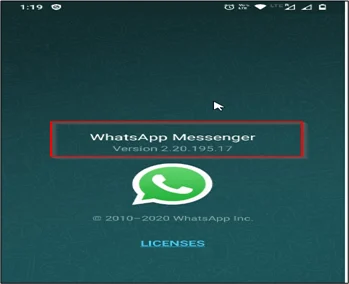
Log in as user A and note the installed WhatsApp version on the Android device: [redacted], the latest as of the report date.
Step 2
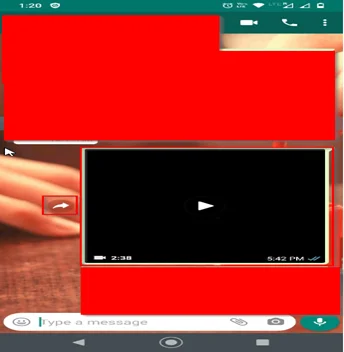
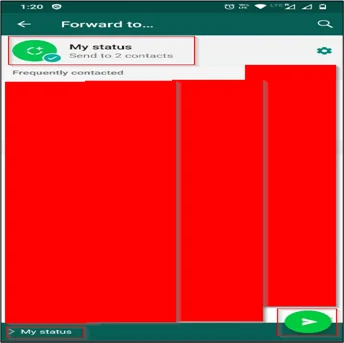
Select the video from the chats and forward it to My Status.
Step 3
A pop-up appears stating: "Videos sent to My Status will be trimmed to the first 30 seconds".
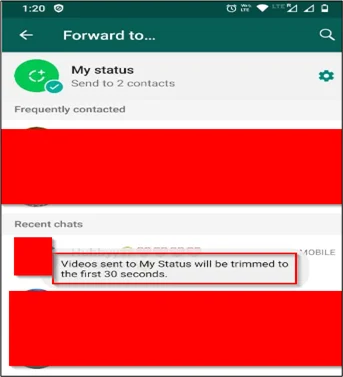
This is the promise the application makes to the sender. Everything that follows tests whether it holds.
Step 4
The video is shared to My Status, and user A can view only the first 30 seconds of it.
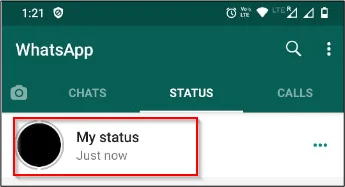
Step 5
Log in as user B on another device, also running WhatsApp [redacted].
Step 6
Click on the status shared by user A.
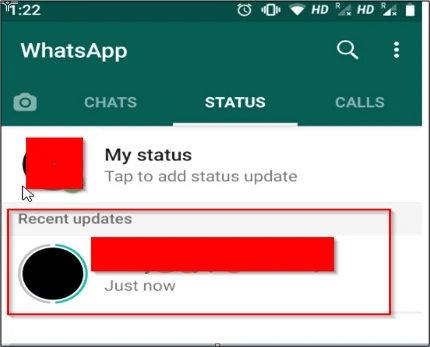
Step 7
From the WhatsApp UI, user B can view only the first 30 seconds of the video, exactly as user A saw it.
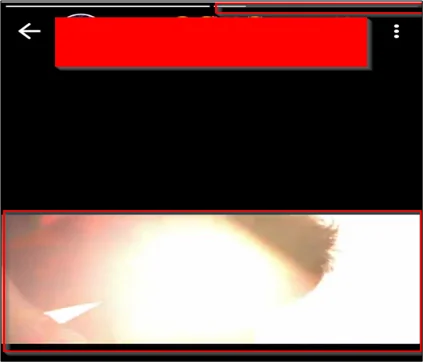
So far the limit appears to be working. The discrepancy only shows up at the file level.
Step 8
On user B's device, open the Gallery and navigate to the WhatsApp status media directory:
/storage/emulated/0/WhatsApp/Media/.Statuses
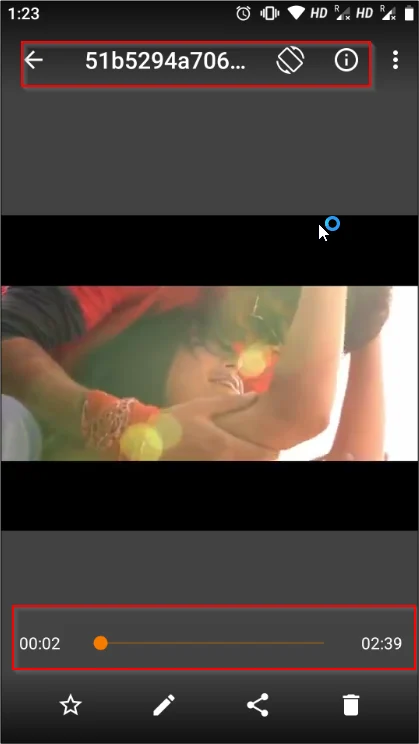
There, the full-length video is present, even though user A shared only the first 30 seconds.
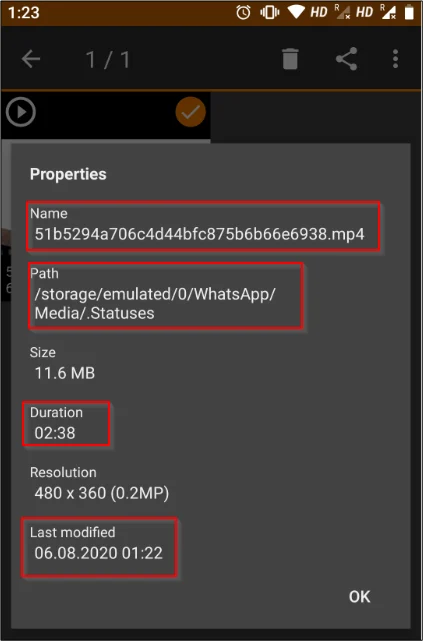
Impact (Scenario 1): user B can take that full-length file and send it across multiple platforms to multiple users, which user A did not intend.
Scenario 2: forwarding and Facebook Story leak the full video
The same gap affects the sender's own sharing actions. User A shares a 30-second status believing that is all that is being sent, but the recipient receives the full-length video.
Step 1
Repeat Scenario 1, steps 1 to 4.
Step 2
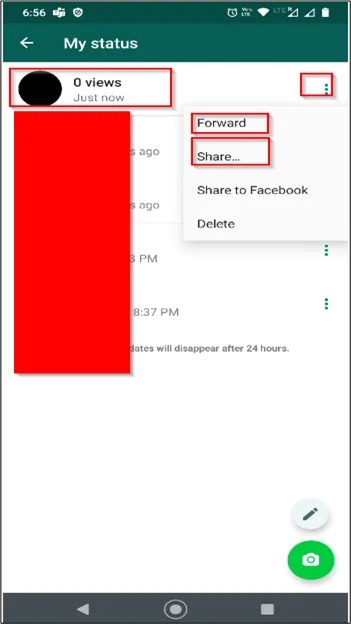
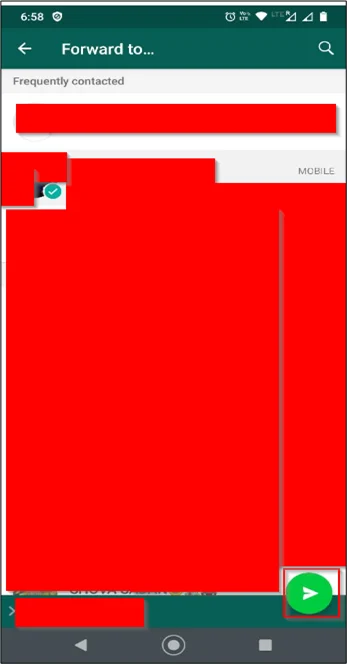
Use the forward/share functionality and select the recipients (for example, user B).
Step 3
User A believes the video shared with user B is 30 seconds long, because that is what My Status showed. In fact, the content user B receives is the full length.
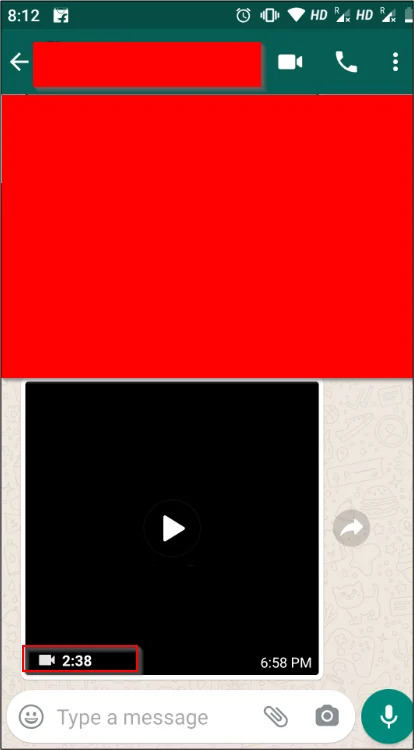
Step 4
Likewise, user A can use "Share to Facebook", and the full-length video is posted to their Facebook Story.
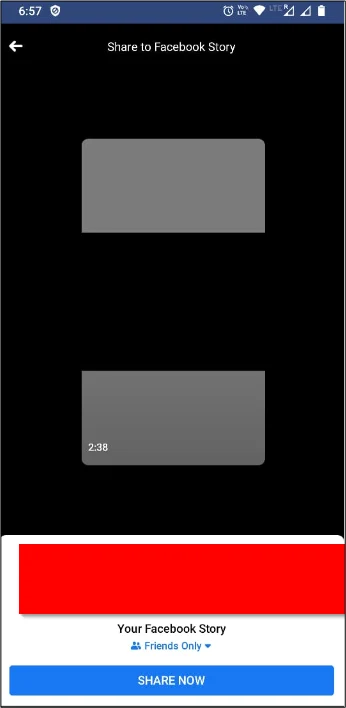
Root cause
The UI shows only the first 30 seconds on both sides, but the complete file is written to the recipient's device. The WhatsApp UI plays only the first 30 seconds on both sides, but the complete file is written to the recipient's device under /storage/emulated/0/WhatsApp/Media/.Statuses. Because the recipient's device holds the whole file, the user can retrieve the untrimmed video through the Gallery.
Facebook's stated reason for not addressing it was that, with end-to-end encryption, the server has no way to tell that the video is long. Facebook's quoted response was that the server cannot tell the video is long because of end-to-end encryption. The UI shows 30 seconds, but the stored copy on the recipient's device is the full video. Whether the trimming was ever intended to be applied to the stored file is not stated in the report; the observable behaviour is that it is not.
Impact
- A recipient of a My Status video can obtain the full-length video, not just the 30 seconds the sender agreed to share.
- The recipient can redistribute that full video to other people and other platforms, which the sender did not intend.
- The sender can also leak the full video themselves: forwarding it to a contact or sharing it to their Facebook Story delivers the full length while the sender believes only 30 seconds are being sent.
The exposure arises when a sender publishes a video longer than 30 seconds as a status. The report frames this as a privacy violation rather than a compromise of the account.
Fix
No fix is described in the report. Facebook's response, as quoted, was that the server cannot determine that the video is long because of end-to-end encryption. The report was published for user awareness. A fix would need the client to trim the media before it is written to the recipient's device, so that the stored file matches what the UI shows, rather than relying on playback-time truncation.
Variants to test
- Other media limits. Check whether similar client-side limits (image size, duration caps, resolution caps) are enforced on the stored file or only on playback. A positive result is a file in the recipient's media directory that exceeds the limit the sender was shown.
- Other status media directories. Look for other paths under the app's media storage where status content is cached. A positive result is a full-length copy outside the path the UI plays from.
- Forwarding paths. Forward a status to a contact and to a linked external story, then inspect the received file on the other side. A positive result is a full-length file arriving where the sender expected a trimmed one.
- Client version differences. Repeat the steps on other WhatsApp versions and platforms to see whether the behaviour is version-specific. A positive result is the same full-length file appearing on a version where the UI still shows 30 seconds.
- Third-party access to the media directory. Check whether other apps with storage access can read the status media directory. A positive result is an app other than WhatsApp reading the full-length status video.
What happened, in plain words
WhatsApp has a feature called My Status. It lets you post a short update, such as a photo or a video, that your contacts can see for a limited time. It works a bit like a shop window: you put something in it, people you know walk past and look, and after a while the display is cleared.
For videos, WhatsApp sets a rule: a video you send to My Status is cut down to its first 30 seconds. The app even tells you this with a pop-up message before you share. The idea is that status updates stay short, and, more importantly, that a contact only ever sees 30 seconds of a longer video you chose to publish as a status.
This report looks at whether that 30-second rule is actually applied everywhere. The researcher found that the WhatsApp screen shows only the first 30 seconds, but the file saved on the recipient's phone is the complete video. The file that is actually saved on the recipient's phone is the complete, uncut video. So a recipient can get hold of the whole video, even though the sender was told, and believed, that only 30 seconds were shared.
Facebook's answer, as quoted in the report, was that the server cannot tell that the video is long because of end-to-end encryption. The report was published to make users aware of the behaviour rather than as a vulnerability that was fixed.
A quick word on end-to-end encryption, since it comes up again later: it means the message is scrambled on the sender's device and only unscrambled on the recipient's device. Anyone in between, including WhatsApp's own servers, sees only scrambled data. That is good for privacy, but it also means the server cannot look inside the video to check its length.
The setup
To reproduce the behaviour, the researcher used:
- Two accounts: "user A" (the sender, the person whose video is exposed) and "user B" (the recipient).
- Two Android devices, one per account.
- WhatsApp for Android version
[redacted], described in the report as the latest version at the time. - No special tools. Everything is observed through the normal WhatsApp screens and the phone's Gallery app.
A note on the word victim here: it means the person whose content ends up somewhere they did not intend. Nobody's account is broken into. The issue is that content the sender thought was limited turns out not to be.
Finding it
The researcher noticed that the 30-second limit on My Status videos was not implemented properly. The app warns the sender that the video will be trimmed, and the WhatsApp screen on both the sender's and the recipient's side shows only the first 30 seconds. But the actual media file that ends up on the recipient's phone is the full-length video.
That gap between what the screen shows and what is stored is the privacy problem. The sender's expectation (only 30 seconds leave their control) does not match reality (the whole video is delivered).
This kind of issue is often called a logic flaw: the app does what it was programmed to do, but the steps do not add up to the intended rule. Nothing crashes and no password is stolen. The rule simply is not applied in one place where it should be.
Walking through it
Scenario 1: the recipient recovers the full video
Step 1
Log in as user A and note the installed WhatsApp version on the Android device: [redacted], the latest as of the report date.
Recording the version matters because app behaviour changes between releases. If you later report something, the exact version tells others whether they are looking at the same code.
Step 2
Select the video from the chats and forward it to My Status.
This is the normal way a user publishes a video as a status. The researcher is not doing anything unusual here; this is the everyday path.
Step 3
A pop-up appears stating: "Videos sent to My Status will be trimmed to the first 30 seconds".
This pop-up is the promise the app makes to the sender. Everything that follows tests whether that promise holds. Think of it as the label on a package: if the label says "30 seconds", the contents should be 30 seconds.
Step 4
The video is shared to My Status, and user A can view only the first 30 seconds of it.
On the sender's own phone, the limit looks like it is working. That is the first half of the puzzle: the screen behaves as advertised.
Step 5
Log in as user B on another device, also running WhatsApp [redacted].
Using a second account and a second device is how you see what a recipient actually receives, rather than what the sender sees. It is the equivalent of posting a letter and then checking what arrives in the other person's letterbox.
Step 6
Click on the status shared by user A.
This is simply user B opening the status, the way any contact would.
Step 7
From the WhatsApp screen, user B can view only the first 30 seconds of the video, exactly as user A saw it.
So far the limit appears to be working on both sides. The discrepancy only shows up at the file level, which is the next step.
Step 8
On user B's device, open the Gallery and navigate to the WhatsApp status media folder:
/storage/emulated/0/WhatsApp/Media/.Statuses
This is a file path: an address on the phone that points to a folder. Reading it left to right:
/storage/emulated/0/is the phone's main internal storage area, the place apps and the Gallery keep files.WhatsApp/is the folder WhatsApp uses for its media.Media/is the general media folder inside it..Statusesis the folder where status media is kept. The leading dot is a common convention for a folder that is meant to be somewhat hidden from casual browsing, but it is still a normal folder on the device.
There, the full-length video is present, even though user A shared only the first 30 seconds.
This is the heart of the finding. The screen plays 30 seconds, but the file sitting in that folder is the whole video. Anyone who can open that folder through the Gallery can get the uncut version.
Impact (Scenario 1): user B can take that full-length file and send it across multiple platforms to multiple users, which user A did not intend.
Scenario 2: forwarding and Facebook Story leak the full video
The same gap affects the sender's own sharing actions. User A shares a 30-second status believing that is all that is being sent, but the recipient receives the full-length video.
Step 1
Repeat Scenario 1, steps 1 to 4.
This recreates the situation where a longer video has been published as a status and the sender has been shown the 30-second warning.
Step 2
Use the forward/share functionality and select the recipients (for example, user B).
Forwarding is the normal "send this on to someone else" button. The sender is doing something completely ordinary.
Step 3
User A believes the video shared with user B is 30 seconds long, because that is what My Status showed. In fact, the content user B receives is the full length.
This is the same mismatch as before, but now it happens through the sender's own action. The sender thinks they are passing on a 30-second clip; the recipient gets the whole thing.
Step 4
Likewise, user A can use "Share to Facebook", and the full-length video is posted to their Facebook Story.
A Facebook Story is the same idea as a status, but on Facebook: a short-lived post shown to your friends. The point here is that the full video leaves WhatsApp entirely and lands on another platform, again while the sender believes only 30 seconds are being shared.
Why it happens
The trimming is applied to what is shown on screen, not to the media that is delivered and stored. The WhatsApp screen plays only the first 30 seconds on both sides, but the complete file is written to the recipient's device under /storage/emulated/0/WhatsApp/Media/.Statuses. Because the recipient's device holds the whole file, any app with access to that folder, or the user through the Gallery, can retrieve the untrimmed video.
A useful comparison is a cinema that only shows you the first 30 minutes of a film but hands you the full DVD on the way out. The screen enforces the limit; the copy in your bag does not.
Facebook's stated reason for not addressing it was that, with end-to-end encryption, the server has no way to tell that the video is long. Facebook's quoted response was that the server cannot tell the video is long because of end-to-end encryption. The screen shows 30 seconds, but the stored copy on the recipient's phone is the full video. Whether the trimming was ever meant to be applied to the stored file is not stated in the report; the observable behaviour is that it is not.
What it means for users
- A recipient of a My Status video can obtain the full-length video, not just the 30 seconds the sender agreed to share.
- The recipient can pass that full video on to other people and other platforms, which the sender did not intend.
- The sender can also leak the full video themselves: forwarding it to a contact or sharing it to their Facebook Story delivers the full length while the sender believes only 30 seconds are being sent.
The exposure arises when a sender publishes a video longer than 30 seconds as a status. The report frames this as a privacy violation rather than a compromise of the account. In other words, nobody gains control of your account; the concern is that content you thought was limited is not.
Was it fixed?
No fix is described in the report. Facebook's response, as quoted, was that the server cannot determine that the video is long because of end-to-end encryption. The report was published for user awareness. A fix would need the phone to trim the media before it is written to the recipient's device, so that the stored file matches what the screen shows, rather than relying on cutting it only at playback time.
Other places to look
These are follow-on ideas in the same spirit, useful if you want to check similar behaviour yourself:
- Other media limits. Check whether similar limits set by the app (image size, duration caps, resolution caps) are applied to the stored file or only to playback. A positive result is a file in the recipient's media folder that exceeds the limit the sender was shown.
- Other status media folders. Look for other paths under the app's media storage where status content is cached. A positive result is a full-length copy outside the path the screen plays from.
- Forwarding paths. Forward a status to a contact and to a linked external story, then inspect the received file on the other side. A positive result is a full-length file arriving where the sender expected a trimmed one.
- App version differences. Repeat the steps on other WhatsApp versions and platforms to see whether the behaviour is version-specific. A positive result is the same full-length file appearing on a version where the screen still shows 30 seconds.
- Third-party access to the media folder. Check whether other apps with storage access can read the status media folder. A positive result is an app other than WhatsApp reading the full-length status video.
Glossary
- My Status: a WhatsApp feature for posting a short update, such as a photo or video, that your contacts can see for a limited time.
- End-to-end encryption: a way of scrambling messages so that only the sender's and recipient's devices can read them; servers in between see only scrambled data.
- Logic flaw: a problem where the app does what it was programmed to do, but the steps do not add up to the intended rule; nothing crashes and no password is stolen.
- Privacy violation: a situation where content the sender thought was limited or private ends up more widely available than intended.
- Victim: here, the person whose content ends up somewhere they did not intend, even though their account is not broken into.
- File path: an address on a device that points to a file or folder, such as
/storage/emulated/0/WhatsApp/Media/.Statuses. - Gallery: the built-in app on an Android phone for browsing photos and videos stored on the device.
- Facebook Story: a short-lived post on Facebook, shown to your friends, similar in idea to a WhatsApp status.
- Forward/share: the button in a messaging app that sends an existing item on to another person or place.
- Version: the specific release number of an app, such as
[redacted], which tells you which build of the software is running. - Server: a computer run by the company that relays and stores data for the app; with end-to-end encryption it cannot read the content.
- Client: the app running on the user's own phone, as opposed to the company's server.
- Presentation layer: the part of an app that draws what you see on screen, as opposed to the part that stores files.
- Playback: the act of the app showing or playing media on screen.
- Media folder: a folder on the phone where an app keeps photos, videos and similar files.
- Pop-up: a small message box that appears on screen to tell you something or ask for a choice.
- Trim: to cut a video down to a shorter length, here to the first 30 seconds.
- Reproduce: to follow the same steps and get the same result, which is how a finding is confirmed.



